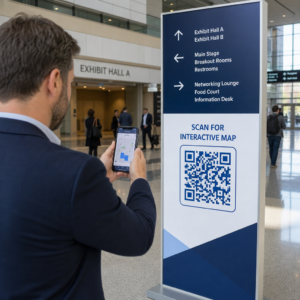
Czy Twoi podwykonawcy nadal polegają na rozmowach telefonicznych, wydrukowanych planach i papierowych listach usterek, aby zachować koordynację? Błędy w komunikacji i słabe dane projektowe odpowiadają za prawie połowę wszystkich poprawek na amerykańskich placach budowy – kosztując branżę miliardy każdego roku. Kody QR dają praktyczny sposób na wypełnienie tych luk, dostarczając właściwe informacje we właściwe ręce w momencie, gdy są potrzebne.
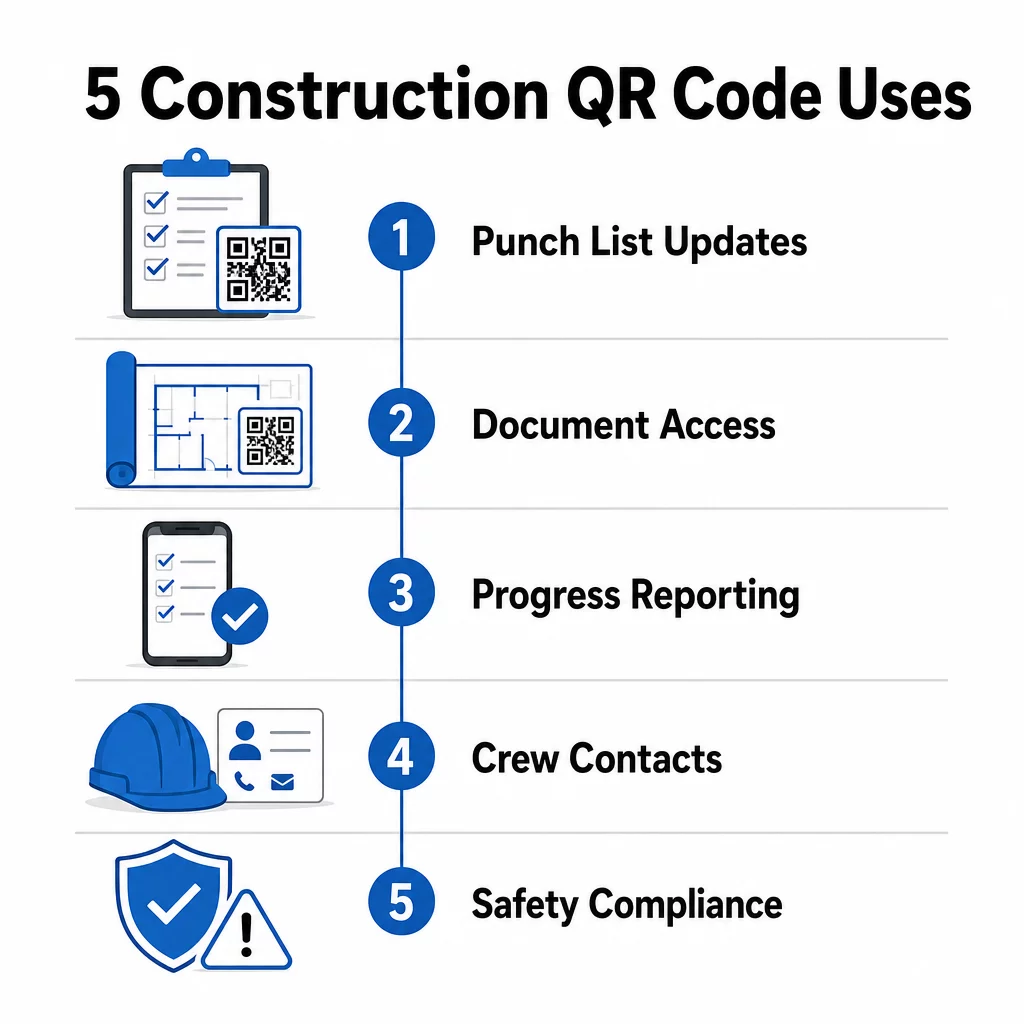
Oto pięć konkretnych sposobów, w jakie kierownicy projektów budowlanych mogą wykorzystać kody QR do poprawy komunikacji z podwykonawcami – od zarządzania listami usterek po zgodność z przepisami bezpieczeństwa.
Zarządzanie Listami Usterek i Aktualizacje Zadań
Papierowe listy usterek spowalniają wszystkich. Aktualizacje docierają na plac budowy godzinami, pismo ręczne jest źle odczytywane, a ukończone pozycje są kwestionowane bez żadnej dokumentacji. Zastąpienie ich kodami QR tworzy bezpośrednie połączenie między placem budowy a Twoim systemem zarządzania projektem.
Umieść kod QR w każdej strefie pracy lub dołącz go do zlecenia pracy. Kiedy podwykonawca go zeskanuje, natychmiast zobaczy swoje aktualnie przypisane zadania z już zastosowanymi ostatnimi poprawkami. Może oznaczyć pozycje jako ukończone ze znacznikiem czasu i zdjęciem, zgłosić problemy i zostawić notatki – wszystko z telefonu, bez dzwonienia do biura.
Kluczową zaletą jest to, że dynamiczne kody QR aktualizują się automatycznie. Kod umieszczony podczas prac fundamentowych może później wyświetlać listy kontrolne konstrukcji, zadania wykończeniowe lub wymagania końcowej inspekcji. Aktualizujesz połączoną treść raz, a każde skanowanie od tego momentu odzwierciedla zmianę – bez konieczności ponownego drukowania.
Dla podwykonawców zarządzających wieloma placami budowy, kody QR zapewniają również natychmiastowy dostęp do instrukcji specyficznych dla projektu, specyfikacji materiałowych i specjalnych wymagań związanych z każdą strefą.
Utrzymuj Listy Usterek Aktualne Bez Ponownego Drukowania Użyj Generator dynamicznych kodów QR aby tworzyć kody, które automatycznie odzwierciedlają najnowsze aktualizacje zadań, dzięki czemu Twoi podwykonawcy zawsze pracują z aktualnymi informacjami.
Udostępnianie Dokumentów i Natychmiatowy Dostęp
Projekty budowlane generują ogromne ilości dokumentacji – plany, specyfikacje, zmiany zamówień, zgłoszenia i protokoły bezpieczeństwa. Kiedy podwykonawcy pracują na podstawie nieaktualnych rysunków, dochodzi do błędów. Kiedy muszą szukać najnowszej wersji, traci się czas.
Łączenie kodów QR z dokumentami hostowanymi w chmurze rozwiązuje oba problemy. Podwykonawca skanuje kod na wydrukowanym planie lub tablicy informacyjnej i natychmiast otwiera najbardziej aktualną wersję tego dokumentu na swoim telefonie – bez logowania, bez wyszukiwania, bez czekania.
Plik Generator kodów QR do PDF jest tutaj szczególnie przydatne. Prześlij swoje instrukcje bezpieczeństwa, arkusze specyfikacji lub szczegółowe rysunki jako pliki PDF, wygeneruj kod i umieść go tam, gdzie jest to istotne – na oznakowaniu placu budowy, wydrukowanych planach lub sprzęcie. Kiedy architekci poprawiają rysunki lub kierownicy projektów aktualizują specyfikacje, połączona treść odświeża się natychmiast. Każde skanowanie dostarcza najnowszą wersję bez dotykania fizycznego kodu.
Możesz również generować kody QR, które prowadzą bezpośrednio do Google Docs dla dokumentów wymagających częstej edycji wspólnej, lub użyć generator kodów QR z linkiem aby połączyć pracowników z dowolnym zasobem hostowanym w chmurze.
Wskazówki dotyczące konwertowania plików dowolnego typu na kody do skanowania znajdziesz w przewodniku po konwersji pliku na kod QR lub dowiedz się więcej o generowaniu kodów QR dla plików w chmurze.
Śledzenie postępów i raportowanie
Czekanie na cotygodniowe meldunki, aby zrozumieć postępy na placu budowy, to przepis na niespodzianki. Kody QR pozwalają podwykonawcom przesyłać aktualizacje w czasie rzeczywistym, z terenu, bez dodatkowych aplikacji czy ręcznego wprowadzania danych.
Umieść kody QR w kluczowych strefach pracy. Gdy podwykonawca zeskanuje kod, może wypełnić prosty formularz dotyczący procentu ukończenia, zużycia materiałów lub uwag dotyczących jakości. Połącz te formularze za pomocą Generator kodów QR do Google Forms aby odpowiedzi trafiały bezpośrednio do wspólnego pulpitu nawigacyjnego, który przełożeni mogą monitorować we wszystkich aktywnych branżach i lokalizacjach.
Dokumentacja fotograficzna naturalnie integruje się z tym przepływem pracy. Podwykonawca skanuje kod strefy, przesyła zdjęcia przed i po lub zdjęcia postępów, a te obrazy są natychmiast dołączane do odpowiedniego rekordu zadania. Tworzy to wizualny zapis z datą i godziną do kontroli jakości, rozwiązywania sporów i weryfikacji rozliczeń.
Ponieważ kody QR wykorzystują dynamiczne linki, formularze, do których prowadzą, mogą ewoluować wraz z projektem. Kod używany podczas przygotowania terenu może później kierować do formularzy postępu prac konstrukcyjnych, a następnie do list kontrolnych inspekcji systemów – wszystko to bez generowania nowego kodu ani ponownego drukowania czegokolwiek.
Śledzenie analityki skanowania daje kierownikom projektów dodatkową warstwę nadzoru. Możesz zobaczyć, które kody są skanowane, jak często i z jakich lokalizacji – pomagając zidentyfikować strefy, w których raportowanie może być opóźnione, i rozwiązać wąskie gardła, zanim wpłyną na harmonogram.
Informacje kontaktowe i koordynacja załogi
Na ruchliwym placu budowy listy kontaktów szybko się dezaktualizują. Ludzie zmieniają role, numery telefonów są zapisywane nieprawidłowo, a zmiany w harmonogramie następują bez powiadomienia wszystkich. Kody QR znacznie zwiększają niezawodność koordynacji załogi.
Podwykonawcy mogą dodawać kody QR do swoich wizytówek lub identyfikatorów, które po zeskanowaniu natychmiast zapisują pełne dane kontaktowe – imię i nazwisko, firmę, numer bezpośredni, adres e-mail i kontakt awaryjny – w telefonie skanującego. Brak ręcznego wprowadzania oznacza brak błędów w transkrypcji.
Dynamiczne kody kontaktowe są szczególnie praktyczne, gdy personel zmienia się w trakcie projektu. Zaktualizuj raz połączone informacje, a każdy, kto zeskanuje kod od tego momentu, otrzyma aktualne dane. W przypadku większych zespołów, umieść kody QR w przyczepach budowlanych lub pomieszczeniach socjalnych, łącząc je z narzędziami do planowania na żywo, dzięki czemu pracownicy zawsze widzą aktualną zmianę, miejsce spotkania lub przydział załogi, bez czekania na wiadomość grupową.
Dowiedz się, jak Kody QR dla budownictwa może wspierać koordynację załogi wraz z innymi potrzebami zarządzania placem budowy.
Zgodność z przepisami bezpieczeństwa i kontrola dostępu
Normy budowlane OSHA wymagają od pracodawców przeprowadzania regularnych inspekcji bezpieczeństwa, zapewniania szkoleń pracownikom i utrzymywania dostępnej dokumentacji komunikacji zagrożeń, w tym kart charakterystyki i rejestrów szkoleń. Systemy papierowe sprawiają, że to obciążenie związane z przestrzeganiem przepisów jest trudniejsze, niż powinno być.
Kody QR umieszczone przy wejściach na teren budowy lub w miejscach pracy dają podwykonawcom natychmiastowy dostęp do aktualnych protokołów bezpieczeństwa dotyczących danej strefy – ostrzeżeń o zagrożeniach, wymaganego ŚOI i zasad specyficznych dla miejsca – bez przeszukiwania segregatorów lub szukania przełożonego. Gdy przepisy OSHA się zmieniają lub warunki na placu budowy ulegają zmianie, aktualizujesz raz połączony dokument, a każde kolejne skanowanie automatycznie odzwierciedla nowe informacje.
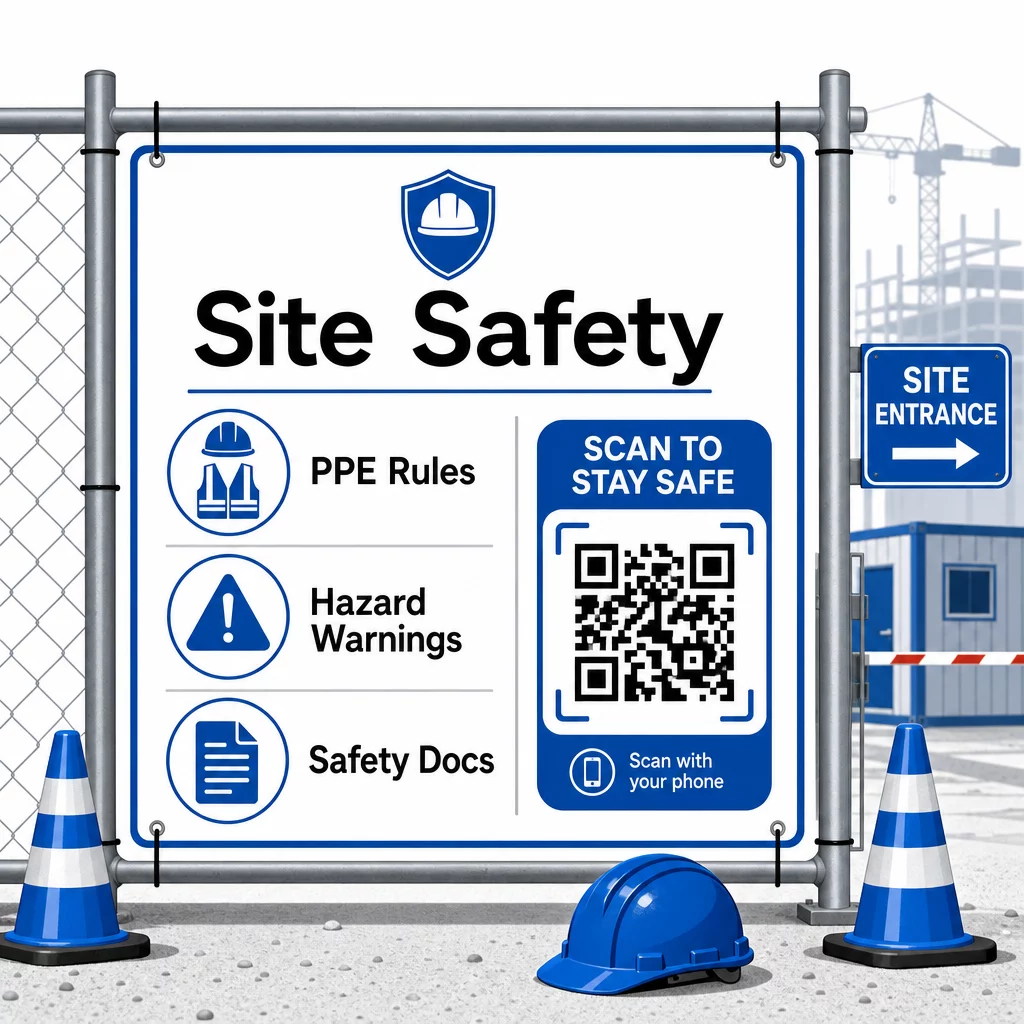
W przypadku kontroli dostępu, systemy odpraw z obsługą QR mogą weryfikować poświadczenia, potwierdzać ukończone szkolenia z zakresu bezpieczeństwa i cyfrowo rejestrować wejścia – eliminując potrzebę fizycznych kluczy lub ręcznych list obecności.
Weryfikacja szkoleń jest równie prosta. Podwykonawcy skanują kod, aby wyświetlić cyfrowe certyfikaty ukończonych kursów bezpieczeństwa, co sprawia, że weryfikacja na miejscu przez przełożonych jest szybka i niezawodna.
W przypadku wrażliwych dokumentów zgodności, postępuj zgodnie z bezpieczne generowanie kodów QR najlepsze praktyki aby ograniczyć dostęp do autoryzowanego personelu i prowadzić cyfrowy rejestr, kto i kiedy przeglądał informacje. Ten ślad audytowy jest nieoceniony podczas inspekcji lub dochodzeń w sprawie incydentów.
Analizy również przyczyniają się do zarządzania bezpieczeństwem. Możesz śledzić, które protokoły są najczęściej używane, identyfikować obszary, w których może być potrzebne dodatkowe szkolenie, i potwierdzać, że pracownicy zapoznali się z wymaganymi instrukcjami przed rozpoczęciem pracy.
Digitalizuj swoją dokumentację bezpieczeństwa Użyj Generator kodów QR do PDF aby połączyć instrukcje bezpieczeństwa, karty charakterystyki i dokumenty zgodności z kodami do skanowania – a następnie natychmiast aktualizować zawartość, gdy zmieniają się przepisy.
Porównanie kodów QR z tradycyjnymi metodami
Zyski z efektywności stają się jasne, gdy spojrzymy na każde wyzwanie komunikacyjne obok siebie.
| Czynnik | Metody tradycyjne | Podejście z kodami QR |
|---|---|---|
| Szybkość dostarczania informacji | Aktualizacje opóźnione o godziny lub dni | Natychmiastowe skanowanie |
| Proces aktualizacji dokumentów | Ponowne drukowanie i rozpowszechnianie | Zaktualizuj połączoną zawartość raz |
| Śledzenie dostępu | Ręczne, często niekompletne | Zautomatyzowana analityka skanowania |
| Pamięć | Fizyczne systemy archiwizacji | Oparte na chmurze, skalowalne |
| Odporność na warunki atmosferyczne | Papier uszkodzony w złych warunkach | Pliki cyfrowe nienaruszone |
| Zapisy zgodności z przepisami bezpieczeństwa | Papierowe dzienniki, łatwe do zgubienia | Cyfrowy rejestr audytu ze znacznikami czasu |
Krzywa uczenia się jest minimalna. Podwykonawcy już noszą smartfony i wiedzą, jak skanować kody QR. Przesyłanie aktualizacji postępu prac lub otwieranie planu staje się tak szybkie, jak otwarcie aparatu.
Dla zespołów zarządzających wieloma podwykonawcami z różnych branż, tworzenie odrębnych kodów dla każdej roli – elektrycy otrzymują formularze inspekcji, hydraulicy mają dostęp do list kontrolnych instalacji wodno-kanalizacyjnych, kierownicy budowy widzą harmonogramy załóg – zmniejsza zamieszanie i zapewnia, że każdy pracownik dotrze dokładnie do tego, czego potrzebuje.
W celu uzyskania wskazówek dotyczących umieszczania i rozmiaru, aby zapewnić niezawodne skanowanie kodów w warunkach terenowych, zapoznaj się z najlepszymi praktykami w zakresie czytelności kodów QR.
Jeśli zastanawiasz się, czy używać kodów statycznych czy dynamicznych do konkretnych zastosowań, porównanie statycznych i dynamicznych kodów QR omawia kluczowe różnice i kiedy każdy typ ma sens. W przypadku większości zastosowań komunikacji w budownictwie, kody dynamiczne są właściwym wyborem – aktualizują się bez ponownego drukowania i dostarczają analizy potrzebne do zarządzania złożonym placem budowy z wieloma branżami.
Pageloot budowlane rozwiązania z kodami QR obsługują pełen zakres tych zastosowań, od dokumentacji bezpieczeństwa, przez udostępnianie planów, po koordynację załóg, z możliwością dostosowania marki i scentralizowanym pulpitem nawigacyjnym do zarządzania wszystkimi aktywnymi kodami.
Zacznij wdrażać kody QR w swoim następnym projekcie z Darmowe narzędzia do kodów QR Pageloot i zapewnij swoim podwykonawcom natychmiastowy dostęp do informacji, które utrzymują ciągłość pracy.
Najczęściej zadawane pytania
Nie. Każdy nowoczesny aparat w smartfonie może zeskanować kod QR bez dedykowanej aplikacji. Pracownicy po prostu otwierają aparat, kierują go na kod i dotykają powiadomienia, które się pojawia, aby otworzyć połączoną zawartość w swojej przeglądarce.
Dzięki dynamicznym kodom QR aktualizujesz połączoną zawartość raz w swoim panelu, a każde kolejne skanowanie automatycznie odzwierciedla nową wersję. Sam fizyczny kod nie zmienia się i nie wymaga ponownego drukowania ani wymiany.
Dynamiczne kody QR połączone z dokumentacją bezpieczeństwa tworzą cyfrowy zapis tego, jakie informacje były dostępne na miejscu i kiedy były ostatnio aktualizowane. Analizy skanowania pokazują, do których protokołów pracownicy mieli dostęp i kiedy, zapewniając ścieżkę audytu, która demonstruje aktywne wysiłki na rzecz zgodności inspektorom.