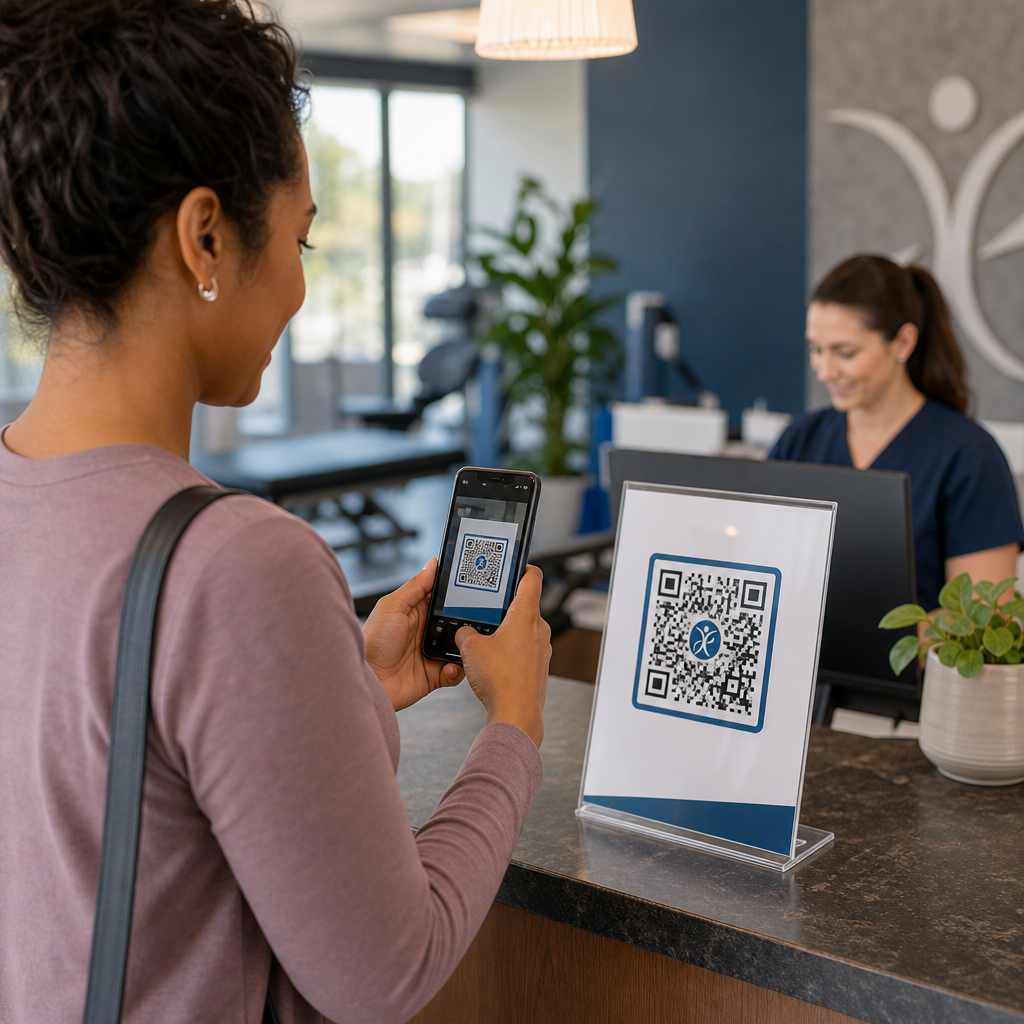
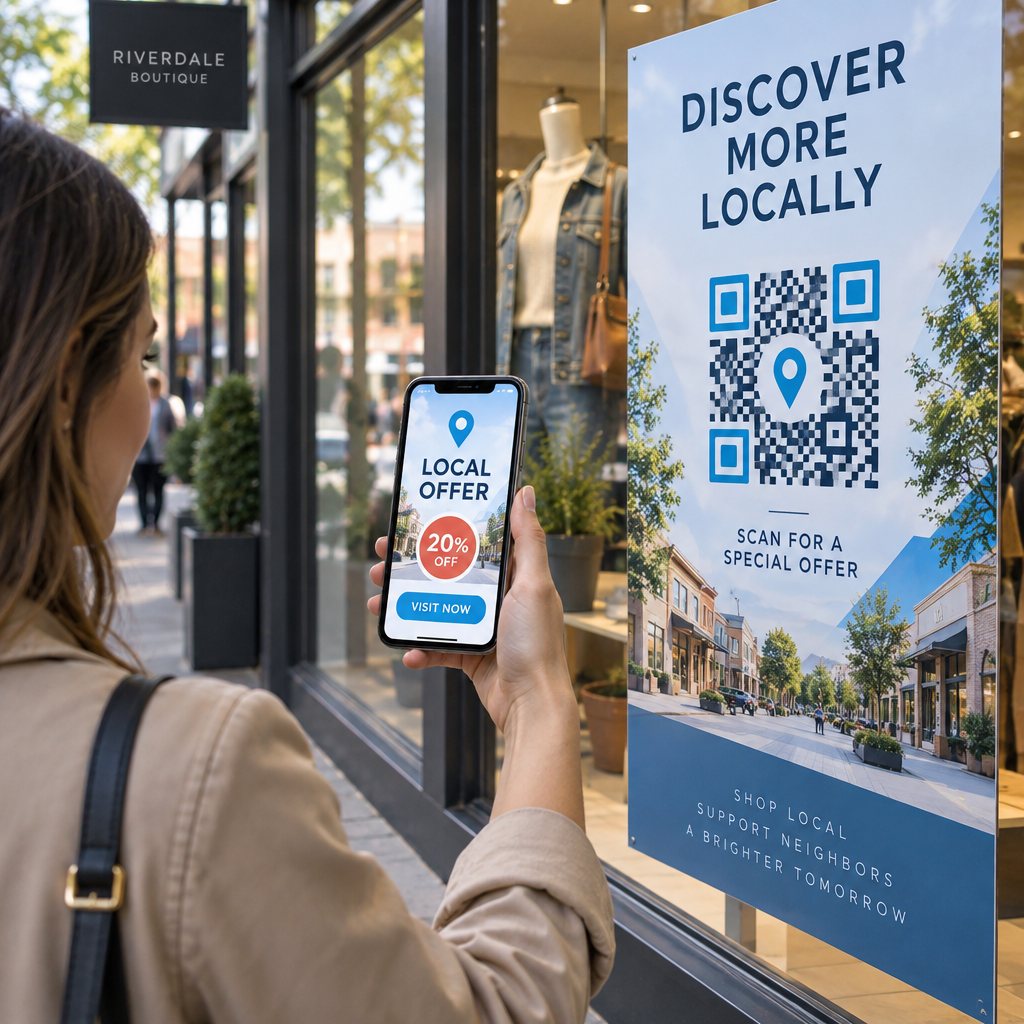
QR koda izvietošanas labākās prakses pamatā ir pieci noteikumi. Drukājiet kodu vismaz 2 x 2 cm (0.8 x 0.8 collas) izmērā, ievērojiet četru moduļu kluso zonu no katras puses, izmantojiet tumšus moduļus uz gaiša fona, novietojiet to uz plakanas matētas virsmas ērtā augstumā un pievienojiet īsu aicinājumu veikt darbību blakus tam. Pirms pilnas tirāžas pārbaudiet katru izdrukāto paraugu ar vismaz diviem tālruņiem.
Šajā ceļvedī ir aprakstīti QR kodu dizaina noteikumi un vadlīnijas attiecībā uz izmēru, kontrastu un virsmu, kur novietot kodu uz katra materiāla veida, kā reklamēties, izmantojot QR kodus, un kas nepieciešams QR koda mērķlapai.
QR koda labākās prakses īsumā
- Izmērs: vismaz 2 x 2 cm (0.8 x 0.8 collas) priekš rokas priekšmetiem. Attālumam izmantojiet 1 collu koda platuma uz katrām 10 skenēšanas attāluma collām.
- Klusā zona: tukša mala vismaz četru moduļu platumā no visām četrām pusēm. Bez teksta, līniju vai apgriešanas atzīmēm tajā.
- Kontrasts: tumšs kods uz gaiša fona. Nekad neapgrieziet to vai neizmantojiet gaišu kodu uz tumša fona, ja vien neesat to pārbaudījis ar vairākiem tālruņiem.
- Virsma: plakana un matēta. Izvairieties no krokām, šuvēm, līknēm, atspīdumiem un glancēta lamināta.
- Aicinājums uz darbību: pastāstiet cilvēkiem, kāpēc skenēt, piemēram, "Skenējiet, lai redzētu ēdienkarti".
- Galamērķis: mobilajām ierīcēm draudzīga lapa, kas ielādējas ātri un atbilst tam, ko aicinājums uz darbību solīja.
- Testēšana: skenējiet galīgo paraugu ar iPhone un Android tālruni, gaismā, kur tiks izmantots kods.
Tehniskie standarti izmēram un skatīšanās attālumam
QR kods, kas ir pārāk mazs vai izplūdis, netiks skenēts. Tuvu esošiem rokas materiāliem praktiskais minimālais izmērs ir 2 x 2 cm (0.8 x 0.8 collas). Lielākiem materiāliem, kas tiek skatīti no istabas vai ielas, izmantojiet likumu 10:1: atļaujiet vismaz 1 collu koda platuma uz katrām 10 skenēšanas attāluma collām. Plakātam, ko cilvēki lasa no 5 pēdu attāluma, nepieciešams kods vismaz 6 collas plats.
Komerciālai drukāšanai eksportējiet mākslas darbu kā vektorgrafikas failu, piemēram, SVG, EPS vai PDF. Vektorfaili saglabā asumu jebkurā izmērā, savukārt rastra attēli kļūst izplūduši, palielinot tos. Ja jums ir jāizmanto rastra attēls, piemēram, PNG, eksportējiet to tādā izmērā, kas ir pietiekams 300 DPI gala drukas izmērā. Izlasiet mūsu QR kodu izmēru ceļvedī lai pārbaudītu pareizos izmērus katram formātam.
| Izvietojuma veids | Ieteicamais izmērs | Skatīšanās attālums | Kļūdu korekcijas līmenis |
|---|---|---|---|
| Vizītkartes | 2 x 2 cm (0,8 x 0,8 collas) | Rokā turams (zem 1 pēdas) | L vai M līmenis |
| Skrejlapas un brošūras | 3 x 3 cm (1,2 x 1,2 collas) | Roku stiepiena attālumā (1 līdz 2 pēdas) | M līmenis |
| Produktu iepakojums | 3 x 3 cm (1,2 x 1,2 collas) | Rokā turams (1 līdz 2 pēdas) | Q vai H līmenis |
| Plakāti un displeji | 10 x 10 cm (4 x 4 collas) | Pastaigas attālums (3 līdz 7 pēdas) | M līmenis |
| Reklāmas stendi un baneri | 40 x 40 cm (16 x 16 collas) vai lielāks | Liels attālums (15+ pēdas) | H līmenis |
Kļūdu labošana ļauj skenerim nolasīt kodu pat tad, ja daļa no tā ir bojāta vai aizsegta. L līmenis atgūst aptuveni 7% datu, M — aptuveni 15%, Q — aptuveni 25% un H — aptuveni 30%. Augstāki līmeņi padara attēlu blīvāku, tāpēc kodam ar garu URL H līmenī ir nepieciešams lielāks drukas izmērs, lai tas paliktu nolasāms.
QR koda dizaina noteikumi: kontrasts, klusās zonas un virsmas izvēle
Skeneri nolasa QR kodu, nosakot atšķirību starp tumšajiem moduļiem un gaišo telpu ap tiem. Melni moduļi uz balta fona ir drošākā izvēle. Zīmola krāsas darbojas, ja tumšie moduļi paliek skaidri tumšāki par fonu. Pārbaudiet rezultātu, konvertējot savu dizainu pelēktoņos: ja kods izskatās izbalējis, arī tālruņa kamera nespēs to labi nolasīt.
- Saglabājiet priekšplānu tumšāku par fonu. Gaiši uz tumša (apgriezti) kodi nedarbojas daudzās vecākās skeneru lietotnēs.
- Neizmantojiet sarkanu uz tumša fona vai divas līdzīga spilgtuma krāsas.
- Atstājiet klusu zonu vismaz četru moduļu platumā katrā pusē. Teksts, apmales, fotoattēli un apgriešanas līnijas šajā margā var traucēt skenēšanu.
- Neizstiepiet kodu. Saglabājiet to perfekti kvadrātveida.
- Izvairieties no spīdīga lamināta, spīdīgas folijas un stikla, kas atspoguļo gaismu. Izmantojiet matētu papīru vai matētu laminēšanu.
- Ja pievienojat logotipu, turiet to mazu un centrā, un izmantojiet augstāku kļūdu labošanas līmeni.
Daudzas neveiksmīgas skenēšanas rodas dažu atkārtotu kļūdu dēļ. Izvairieties no šīm biežākās QR kodu izvietošanas kļūdas pirms drukājat.
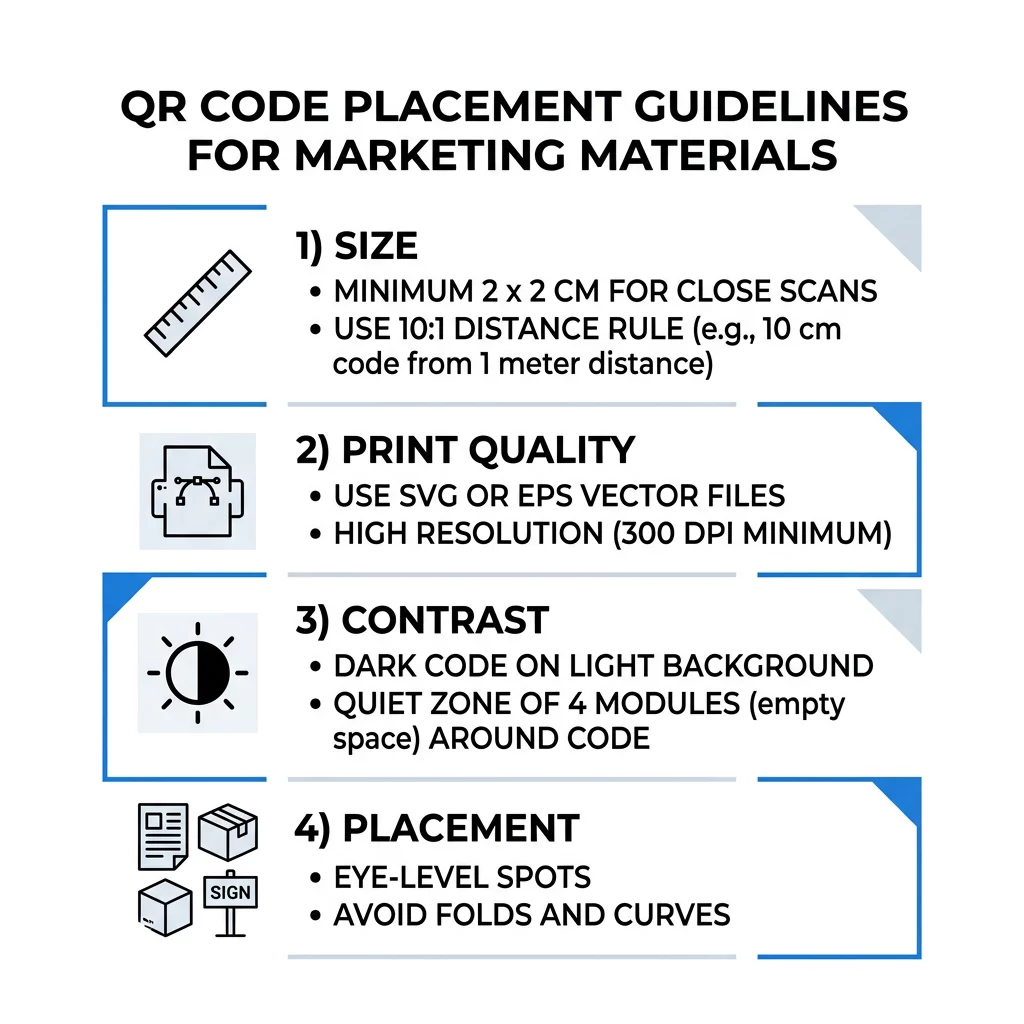
Labākā prakse QR koda izvietošanai dažādos drukas un displeja formātos
Izvietojums nosaka, vai cilvēki vispār pamana kodu. Novietojiet to tur, kur cilvēki jau skatās un kur viņi var stabili turēt tālruni. Pievienojiet īsu instrukciju blakus, jo cilvēki neskenē to, ko nesaprot.
Skrejlapas, brošūras un tiešais pasts
Novietojiet kodu tur, kur lasītājs beidz lasīt, piemēram, apakšējā labajā stūrī vai pēdējā panelī:
- Novietojiet QR kodi uz skrejlapām blakus galvenajam piedāvājumam un turiet tos tālāk no papīra apgrieztajām malām.
- Novietojiet QR kodus uz brošūrām viena paneļa iekšpusē. Nevietojiet kodu pāri locījumam vai ielocim, jo raksts saliecas un sabojājas.
- Tiešā pasta sūtījumos turiet kodu ārpus pasta apzīmējumiem un svītrkoda brīvās zonas, ko pieprasa jūsu pasta pakalpojumu sniedzējs. Pārbaudiet noteikumus ar savu pasta servisu.
Produkta iepakojums un etiķetes
Iepakojums sasniedz cilvēkus pēc pirkuma, kas ir piemērots iestatīšanas video, garantijas reģistrācijai un atkārtotu pasūtījumu piedāvājumiem:
- Novietojiet QR kodus uz produktu iepakojuma uz plakana paneļa, nevis uz noapaļota stūra vai šauras kakliņa.
- Izmantojiet kļūdu labošanas līmeni Q vai H, lai kods joprojām būtu nolasāms pēc skrāpējumiem, mitruma vai lietošanas.
- Turiet kodu tālāk no plīsuma joslām, šuvēm un cenu uzlīmēm, kas varētu to daļēji nosegt.
- Uz pudelēm un kannām turiet kodu pietiekami mazu, lai tas atrastos uz visplakanākās daļas. Kods, kas pārāk daudz aptinās ap izliekumu, netiks skenēts.
Plakāti, veikalu skatlogi un publiskie ekrāni
Zīmēm jābūt efektīvām cilvēkiem, kuri staigā vai stāv dažus metrus attālumā:
- Novietojiet QR kodi uz plakātiem acu līmenī, aptuveni 3,5 līdz 5,5 pēdu augstumā no zemes, lai nevienam nebūtu jānoliecas vai jāsniedzas.
- Turiet QR kodus uz displejiem un ekrāniem uz ekrāna pietiekami ilgi, lai to varētu skenēt. Desmit sekundes ir drošs minimums, un statisks kods, kas paliek redzams, ir labāks nekā kods kustīgā animācijā.
- Ievērojiet pamatus QR kodu izmantošanu drukātajos medijos un rādiet vienu kodu uz zīmes, lai kamerai nebūtu jāizvēlas.
- Nenovietojiet kodus tur, kur cilvēki nevar apstāties, piemēram, uz kustīga transportlīdzekļa, augstas reklāmas stenda vai loga tālu no ietves.
Kā reklamēties, izmantojot QR kodus
Lai reklamētos, izmantojot QR kodus, katru kodu uztveriet kā īsu reklāmu ar vienu mērķi. Izvēlieties izvietojumu, uzrakstiet aicinājumu veikt darbību, nosūtiet cilvēkus uz vienu konkrētu lapu un izmēriet rezultātu. Izmantojiet šo procesu:
- Katram kodam izvēlieties vienu mērķi, piemēram, kuponu, ēdienkarti, atsauksmi vai produkta lapu.
- Ģenerējiet kodu ar jau iestatītu galamērķi. Nesūtiet cilvēkus uz sākumlapu, ja esat apsolījis kuponu.
- Izvietojiet to, ievērojot iepriekš minētos izmēra un virsmas noteikumus, un pievienojiet aicinājumu veikt darbību ar ieguvumu, piemēram, “Skenējiet, lai saņemtu 15% atlaidi savam pirmajam pasūtījumam”.
- Katram izvietojumam (skrejlapai, logam, iepakojumam) izmantojiet citu kodu, lai varētu noteikt, kurš darbojas.
- Izdrukājiet vienu paraugu, noskenējiet to ar diviem tālruņiem un tikai tad pasūtiet pilnu tirāžu.
- Pārbaudiet skenēšanas skaitu pēc nedēļas vai divām un pārvietojiet budžetu uz tiem izvietojumiem, kas iegūst skenējumus.
Labas vietas reklāmai ar QR kodiem ir veikalu skatlogi, galda stendi, kvītis, piegādes kastes, pasākumu zīmes, izstāžu stendi un tiešais pasts. Sliktas vietas ietver visu, kas kustas, visu, kas atrodas virs acu līmeņa, un jebkuru vietu, kur nav mobilā signāla.
Skenējumu palielināšana ar aicinājuma veikt darbību rāmjiem
Kods bez konteksta nedod cilvēkiem iemeslu izņemt tālruni. Novietojiet tam blakus īsu aicinājumu veikt darbību. Darbojoši piemēri: “Skenējiet, lai skatītu ēdienkarti”, “Skenējiet, lai rezervētu galdiņu”, “Skenējiet, lai saņemtu 15% atlaidi”, “Skenējiet, lai atstātu atsauksmi”. Novietojiet tekstu tieši virs vai zem koda, tādā izmērā, ko cilvēki var nolasīt no tāda paša attāluma kā kodu.
Logotips centrā var palīdzēt cilvēkiem uzticēties kodam. Izmantojiet a QR koda ģenerators ar logotipu, saglabājiet logotipu mazu un atkārtoti pārbaudiet kodu pēc tā pievienošanas. Īsas tīmekļa adreses drukāšana zem koda dod cilvēkiem, kuri nevar skenēt, iespēju to ievadīt.
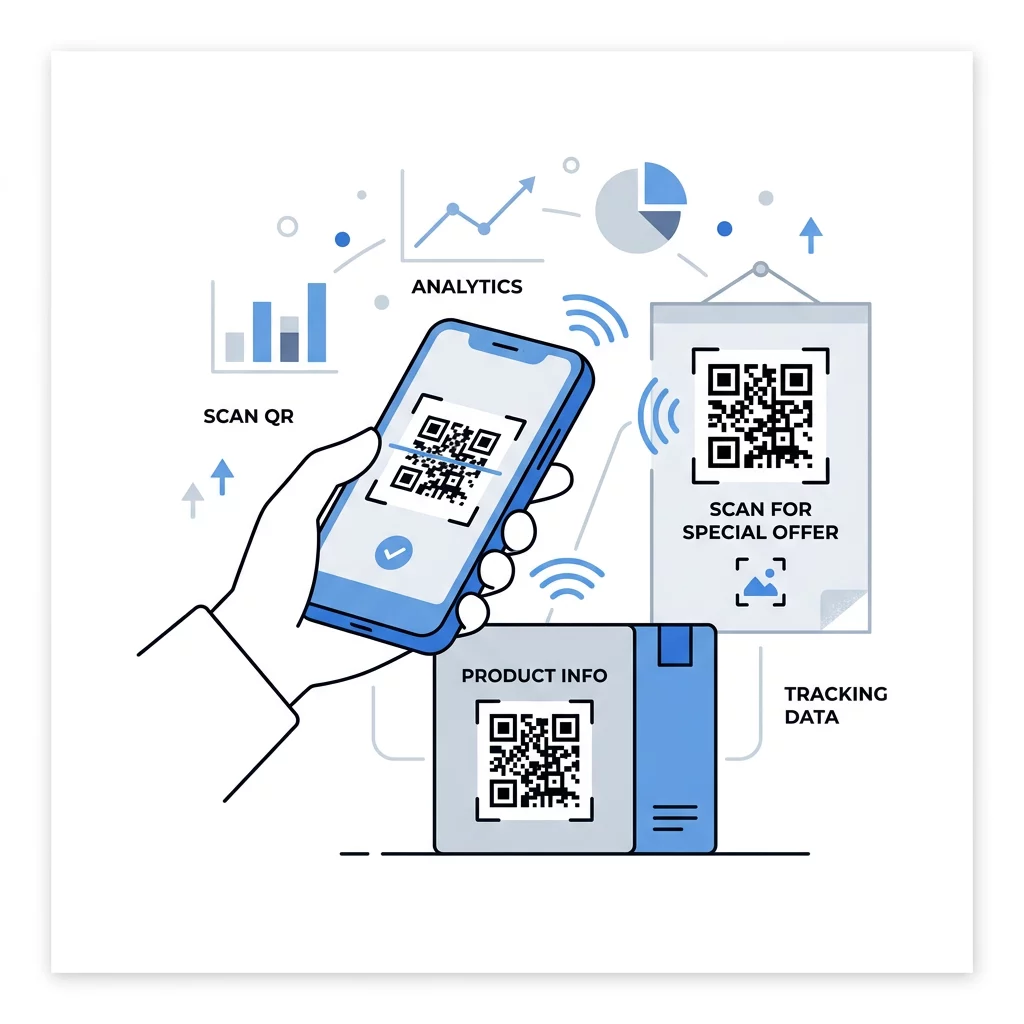
QR koda galveno lapu labākā prakse
Lielākā daļa cilvēku skenē ar tālruni, ar vienu roku, bieži izmantojot mobilos datus. Lapa, kas atrodas aiz koda, nosaka, vai skenējums kļūst par klientu. Ievērojiet šo QR koda galveno lapu labāko praksi:
- Vispirms veidojiet tālruņa ekrānam. Izmantojiet lielu tekstu un lielas pogas.
- Nodrošiniet, lai lapa ielādētos ātri. Izmantojiet mazus attēlus un izvairieties no smagiem uznirstošajiem logiem vai automātiski atskaņojamiem video.
- Saskaņojiet aicinājumu uz darbību. Ja uz zīmes ir rakstīts “Skenēt, lai saņemtu 15% atlaidi”, parādiet atlaidi pirmajā ekrānā.
- Novietojiet vienu galveno darbību redzamā vietā, piemēram, vienu pogu kuponam, rezervācijai vai zvanam.
- Uzturiet veidlapas īsas. Jautājiet e-pasta adresi vai tālruņa numuru, nevis pilnu profilu.
- Izmantojiet HTTPS un pārliecinieties, vai lapa darbojas bez pieteikšanās.
- Pārbaudiet to gan iPhone, gan Android ierīcēs, izmantojot mobilos datus, nevis tikai biroja Wi-Fi.
Iesaistes izsekošana ar dinamiskām tehnoloģijām
Statiskais QR kods saglabā tīmekļa adresi kodā. Tas nekad nezaudē derīgumu un darbojas bez jebkāda pakalpojuma, kas ir pietiekami pastāvīgai saitei, piemēram, Wi-Fi pieteikšanās informācijai vai vizītkartei. Ierobežojums ir tāds, ka pēc drukāšanas nevar mainīt adresi. Ja lapa pārvietojas vai piedāvājums beidzas, katrs izdrukātais kods norāda uz veco lapu.
Dinamiskais QR kods norāda uz īsu saiti, ko varat novirzīt jebkurā laikā, tāpēc drukātais kods paliek nemainīgs, kamēr galamērķis mainās. Tas arī reģistrē skenēšanas reizes, tostarp to, kad, kur un uz kāda veida ierīces. Tas palīdz salīdzināt skrejlapu ar loga zīmi un novērš atkārtotas drukāšanas izmaksas, mainoties kampaņai. Īsa saite arī nodrošina vienkāršāku, mazāk blīvu kodu, ko vieglāk skenēt mazos izmēros.
Pageloot dinamiskajiem kodiem ir 14 dienu bezmaksas izmēģinājuma periods un 30 dienu naudas atdošanas garantija plāniem, un plānus varat apskatīt šeit: pageloot.com/pricing. Dinamiskais kods ar mēneša vai gada plānu kļūst neaktīvs, kad plāns beidzas, tāpēc izvēlieties dinamiskos kodus kampaņām, kuras plānojat turpināt.
Izsekot kampaņas veiktspējai Vēlaties redzēt, kuri materiāli nodrošina visvairāk skenējumu? Izmantojiet Dinamisks QR kodu ģenerators lai izveidotu rediģējamus kodus, pārskatītu skenēšanas analīzi un atjauninātu galamērķa URL adreses bez atkārtotas drukāšanas.
Rezumējot: izvēlieties izmēru, kas atbilst skatīšanās attālumam, saglabājiet kluso zonu brīvu, izmantojiet augstu kontrastu, novietojiet kodu uz līdzenas virsmas acu līmenī un uzrakstiet aicinājumu uz darbību. Pēc tam pārbaudiet drukāto paraugu pirms pilnas tirāžas. Jūs varat izveidot un lejupielādēt savu kodu ar QR koda izveide: bezmaksas QR kodu ģenerators par Pageloot.
Biežāk uzdotie jautājumi
Novietojiet kodu uz līdzenas, matētas virsmas ērtā augstumā, vismaz 2 x 2 cm rokas priekšmetiem, ar klusu zonu četru moduļu platumā katrā pusē. Novietojiet to tur, kur cilvēki jau skatās, piemēram, skrejlapas beigās vai plakāta centrā, un pievienojiet īsu aicinājumu uz darbību blakus tam.
Izmantojiet tumšus moduļus uz gaiša fona, saglabājiet kodu kvadrātveida un neizstieptu, atstājiet vismaz četru moduļu kluso zonu, un jebkuru logotipu saglabājiet mazu un centrētu. Nedrukājiet uz spīdīgām vai izliektām virsmām un pārbaudiet drukāto paraugu ar vairāk nekā vienu tālruni.
Praktiskais minimums rokas materiāliem, piemēram, vizītkartēm, ir 2 x 2 cm (0.8 x 0.8 collas). Materiāliem, kas tiek aplūkoti no attāluma, izmantojiet likumu 10:1: 1 collas koda platums katrām 10 collām skenēšanas attāluma.
Piešķiriet katram kodam vienu mērķi, novirziet to uz konkrētu lapu, kas atbilst jūsu aicinājumam uz darbību, un novietojiet to acu līmenī uz līdzenas virsmas. Izmantojiet atsevišķu kodu katrai izvietošanas vietai un salīdziniet skenēšanas skaitu pēc vienas līdz divām nedēļām.
Lapa, kas ātri ielādējas tālrunī, pirmajā ekrānā parāda solīto piedāvājumu, tai ir viena skaidra darbība un nav nepieciešama pieteikšanās. Pārbaudi to iPhone un Android ierīcēs, izmantojot mobilos datus.
Jā, bet saglabājiet kodu mazu un novietojiet to uz virsmas plakanākās daļas. Ja kods aptinas pārāk tālu ap līkni, raksts izkropļojas un kamera to nevar visu nolasīt.
Izmantojiet dinamisku QR kodu. Izdrukātais attēls paliek nemainīgs, un jūs maināt galamērķi savā kontā. Statisku QR kodu nevar mainīt pēc izdrukāšanas.
Visbiežākie iemesli ir pārāk mazs kods, trūkstoša klusā zona, zems kontrasts, spīdīga vai izliekta virsma un izplūdis zemas izšķirtspējas fails. Izdrukājiet lielāku testa kopiju un pārbaudiet šos punktus minētajā secībā.