Dinamisko QR kodu ģeneratoru

Create a dynamic QR code that you can edit after it is printed. Use this dynamic QR code generator to add your link, logo and colors. A dynamic QR code also records every scan. Start the 14-day free trial to save your code and manage it from one dashboard.

Rāmis

Stils

Rāmis

Rāmja krāsa

Fona krāsa

Teksts virs krāsas

Teksts zem krāsas

QR koda dizains

Ķermenis

Ķermeņa krāsa

Malas

Rāmja tips

Malas rāmja krāsa

Bumbiņas tips

Malu bumbiņas krāsa

Dinamiskā QR koda izveide
Piemēri

Pieskarieties attēliem, lai tos tuvinātu

Kas ir dinamiskais QR kods?

A dynamic QR code is a QR code that contains a short redirect link instead of your final destination. The real destination, for example your website URL, is stored in your Pageloot account. You can change it at any time. The printed code does not change.

Every scan passes through the short link, so Pageloot can log it. You see when the code was scanned, where, and on what kind of device.

A static QR code works differently. It has the destination written into the pattern itself. You cannot edit it or track it, but it also does not depend on an account. The table below shows when each type makes sense.

Dinamisko QR kodu ģenerators saitēm

Kā darbojas dinamiskie QR kodi?

Meklēšanas josla uz zaļa fona
1. Create

You enter a destination, such as a website URL. The code does not contain that URL. It contains a short redirect link, and your destination is saved in your account.

Dinamiskais QR kods un skenēšanas ikona
2. Scan

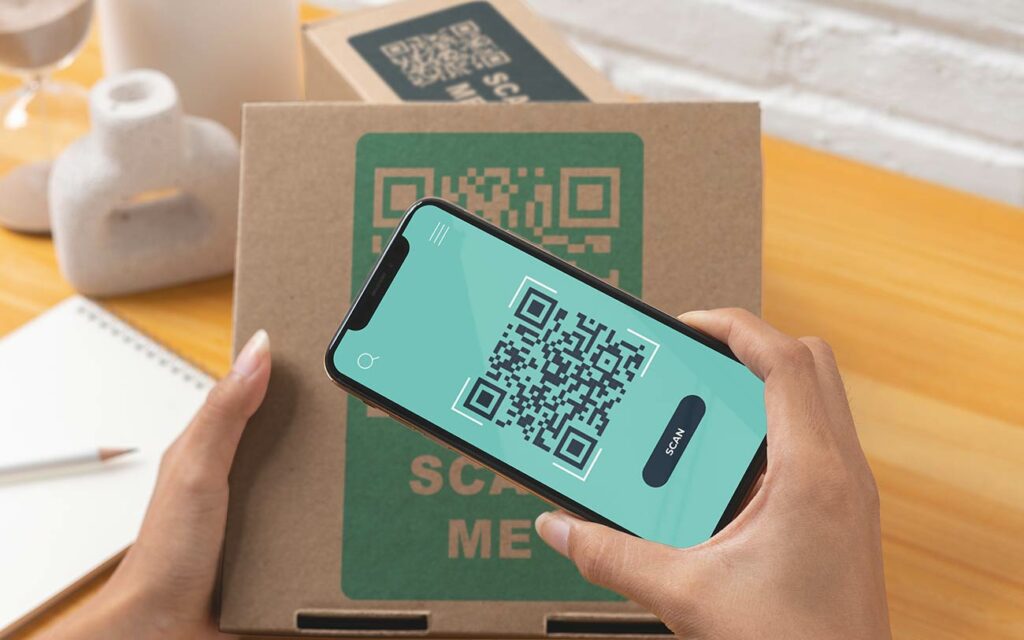
A phone camera reads the short link and opens it. No app is needed. The scan is logged with the time, the place and the device type.

Dinamiskais QR koda galamērķis
3. Redirect

Pageloot sends the phone to the destination saved in your account. The visitor lands on your page, file or contact card without typing anything.

Interneta un skenēšanas ikona uz zaļa fona
4. Edit later

Log in, change the destination and save. The printed code stays the same. The next scan goes to the new destination. You can point it to a different website, a PDF, a vCard or a menu.

How to create a dynamic QR code online

This dynamic QR code generator with logo and color options works in five steps. Follow them to generate dynamic QR codes. You need a Pageloot account, and the account starts with a 14-day free trial.

After you download the code, scan it with two different phones before you print it. Scan it again after every edit. If you only need a code that never changes, a static code is free to download without an account.

Pievienot saiti

Pierakstīties 14 dienu bezmaksas izmēģinājuma versijai lai izveidotu dinamisku QR kodu. Ievadiet konkrētu informāciju, ko vēlaties kodēt. Piemēram, ja veidojat dinamisku QR kodu vietnes URL adresei, ievadiet URL norādītajā laukā.
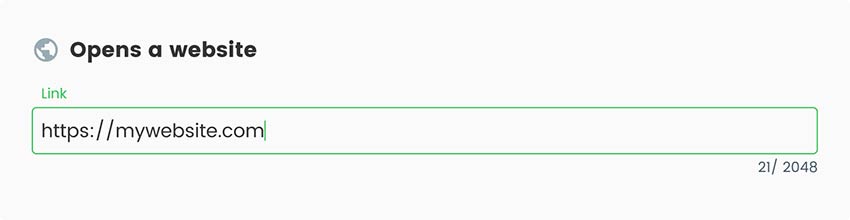
Ekrānšāviņš, kā pāradresēt QR kodu
Pievienot stilu

Pageloot dinamisko QR kodu ģenerators piedāvā iespēju pielāgot QR kodu izskatu.
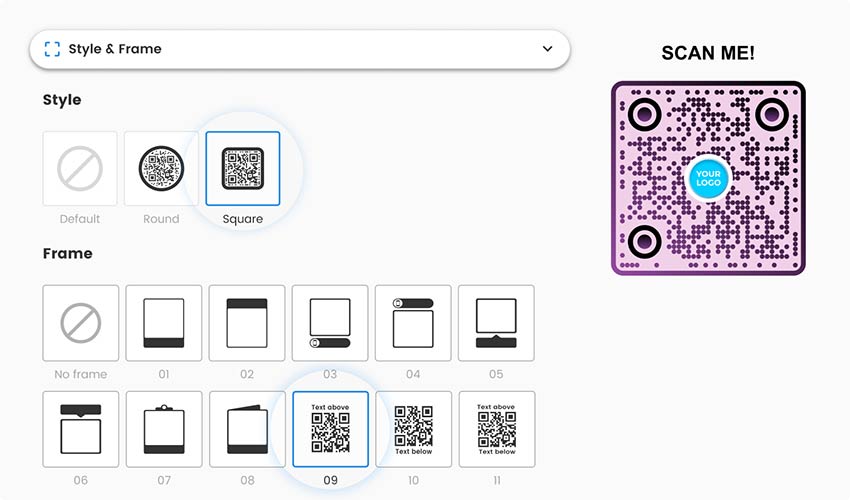
Maināms qr kods ar stila un rāmja izvēli
Izveidot

Kad esat ievadījis vajadzīgo informāciju un veicis pielāgojumus, ģenerējiet dinamisko QR kodu, noklikšķinot uz attiecīgās pogas.
Ekrānšāviņš ar lauku, kurā saglabāt dinamisko QR kodu
Pārbaudiet to

Pirms QR koda izplatīšanas vai izmantošanas pārbaudiet to, izmantojot QR kodu skenēšanas lietotni vai viedtālruņa kameru, lai pārliecinātos, ka tas tiek atšifrēts pareizi.
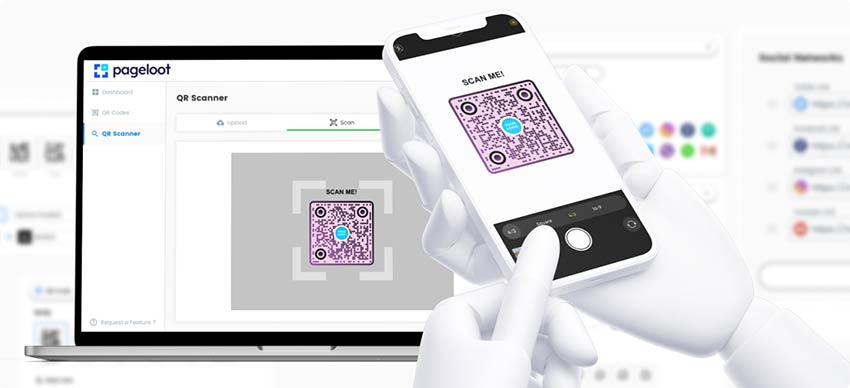
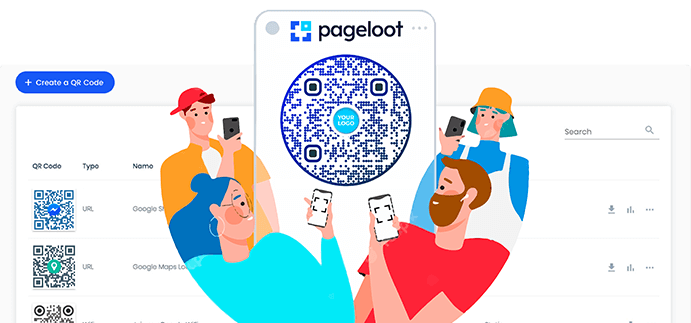
Kā nolasīt dinamisko QR kodu uz Pageloot paneļa
Lejupielādēt

Mūsu QR kodu ģeneratora platforma piedāvā spēcīgas pārvaldības un izsekošanas funkcijas jūsu QR kodu kampaņām. Lejupielādējiet savu dinamisko QR kodu un pārvaldiet to no informācijas paneļa. Izsekojiet skenējumus, atjauniniet galamērķus un optimizējiet veiktspēju reāllaikā.
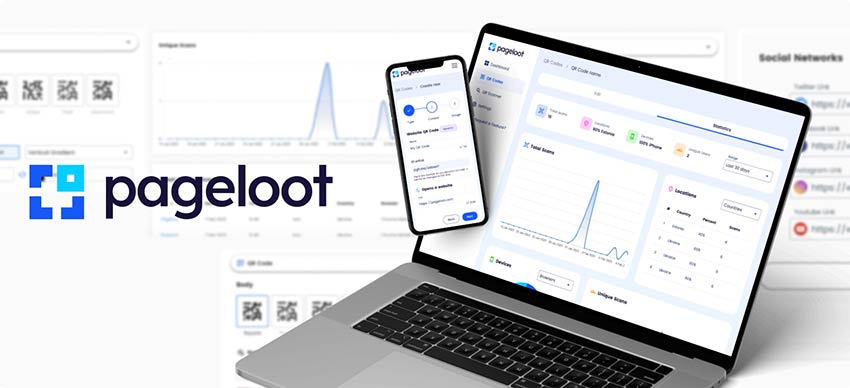
QR dinamisko kodu ģenerators ar izsekošanas iespējām
Viss izdarīts!

Static vs dynamic QR code: which one do you need?

Kā pāradresēt esošo qr kodu

Izmantojiet statiskie QR code when the destination will never change and you do not need scan data. A Wi-Fi sticker, a link on a business card or a code for a page that will stay online are good examples. A static code is free and keeps working for as long as the destination exists.

Izmantojiet dinamiskā QR code when the destination might change, when reprinting is expensive, or when you want to know how many people scan. Menus, posters, packaging, event signs and flyers are typical cases.

Statiskais QR kodsDinamiskais QR kods
Where the destination is storedInside the code patternIn your Pageloot account. The code holds a short redirect link.
Rediģēt pēc drukāšanasNo. A new destination needs a new code.Yes. Change the destination and the printed code keeps working.
Scan statisticsNavYes: when, where and on what kind of device
UTM parametrusOnly if you type them into the link yourselfCan be added in your account
PatternDenser for long linksSimpler, because the code holds only a short link
IzmaksasBezmaksasPaid plan with a 14-day free trial. Starter is EUR 7 per month, billed yearly.
If you stop payingNothing changes. It keeps working.The code becomes inactive after your plan expires.
Good forA link that will never change and needs no statsMenus, posters, packaging, signs, flyers and campaigns

The trade-off: a dynamic code works only while your plan is active. Per our pricing FAQ, your QR codes become inactive after your plan has expired. Keep your plan active for as long as the code is printed and in use. If nobody will pay for the plan in two or three years, use a static code instead.

Want the full comparison? Read statiskajiem un dinamiskajiem QR kodiem. For current plans, see cenas. The code NEW30 gives 30% off your first purchase.

What a Pageloot dynamic QR code includes

Rediģējams galamērķis
A dynamic URL QR code can point to a website, but also to a PDF or other file, a vCard, a menu, a social profile, a location or a form. Change the destination whenever you need to.

Your own design
Add your logo, change colors, shapes and frames, and add a short call to action such as “Scan for the menu”. A readability score tells you if the contrast is too low.

Drukai gatavi faili
Download the finished code in formats made for print and screen, then hand it to your printer.

Mapes
Group your codes by project, campaign or client so you can find them later.

Scan statistics
Open the dashboard to see how often each code is scanned. The level of detail depends on your plan.

Bieži uzdotie jautājumi

A static QR code stores the destination inside the pattern. You cannot edit it or track it, and it works without an account. A dynamic QR code stores a short redirect link, and the destination sits in your Pageloot account. You can edit it after printing and see scan statistics.

Only if it is a dynamic code. Log in to your Pageloot account, open the code, change the destination and save. The printed code stays the same, and the next scan goes to the new destination. A static code cannot be edited. It needs a new code and a new print run.

Per our pricing FAQ, your QR codes become inactive after your plan has expired. To edit them or see their statistics, renew your subscription. Keep your plan active for as long as the code is printed and in use. Static codes do not depend on a plan.

Dynamic codes need a Pageloot plan. Start with the 14-day free trial. The Starter plan is EUR 7 per month, billed yearly. Check the pricing page for current plans. The code NEW30 gives 30% off your first purchase.

You can make a static QR code for free and download it as PNG, SVG or PDF without an account (an email may be asked). A dynamic code needs a paid plan. You can try it first with the 14-day free trial.

You cannot change an existing static code, because its destination is fixed in the pattern. Create a new dynamic code with the same destination and replace the printed one. If the old code points to a link you control, such as a redirect on your own website, you can change where that link goes. If it points to a third-party link, you cannot.

Yes. A dynamic code logs each scan, so you can see when it was scanned, where and on what device. The level of detail depends on your plan. Add UTM parameters if you want the traffic to show up in Google Analytics.

A website or landing page, a PDF or other file, a vCard, a menu, a social profile, a location, a form, or an email, phone or text message action. You can change the destination later.

Biežāk uzdoto jautājumu ikona
Vēl jautājumi?

Sazinieties ar mums, un mēs labprāt palīdzēsim!

Uzticami labākie zīmoli
Novērtēts 4.8 no 5

4,86 / 5 zvaigznes

Hugo Lorāns
Hugo Lorāns
★★★★★
Restorāna īpašnieks
Visvienkāršākais un uzticamākais QR kodu ģenerators. PDF failus var augšupielādēt uzreiz. Mūsu restorānu ēdienkartes tagad ir digitālas.
Lūkass Jansens
Lūkass Jansens
★★★★★
Nekustamā īpašuma attīstītājs
Šis ir lielisks rīks, un QR kodi aizvedīs jūs uz vajadzīgo vietu. Mēs izmantojam tikai atrašanās vietas QR kodu, taču ir tik daudz noderīgu funkciju.
Emma Moretti
Emma Moretti
★★★★★
Mazumtirdzniecības produkti
Viegli un ātri lietojams. Tas darbojas lieliski un rada ideālus attēlus, lai darbinieki varētu lejupielādēt manu vCard.
Hugo Lorāns
Hugo Lorāns
★★★★★
Restorāna īpašnieks
Visvienkāršākais un uzticamākais QR kodu ģenerators. PDF failus var augšupielādēt uzreiz. Mūsu restorānu ēdienkartes tagad ir digitālas.
Lūkass Jansens
Lūkass Jansens
★★★★★
Nekustamā īpašuma attīstītājs
Šis ir lielisks rīks, un QR kodi aizvedīs jūs uz vajadzīgo vietu. Mēs izmantojam tikai atrašanās vietas QR kodu, taču ir tik daudz noderīgu funkciju.
Emma Moretti
Emma Moretti
★★★★★
Mazumtirdzniecības produkti
Viegli un ātri lietojams. Tas darbojas lieliski un rada ideālus attēlus, lai darbinieki varētu lejupielādēt manu vCard.
Dinamisko QR kodu ģenerēšana tagad

Bezmaksas 14 dienu izmēģinājuma versija. Nav nepieciešama kredītkarte.

QR kodu ģeneratora paneļa priekšskatījums

Kur izmantot dinamisko QR kodu?
Piemēri

Pieskarieties attēliem, lai tos tuvinātu

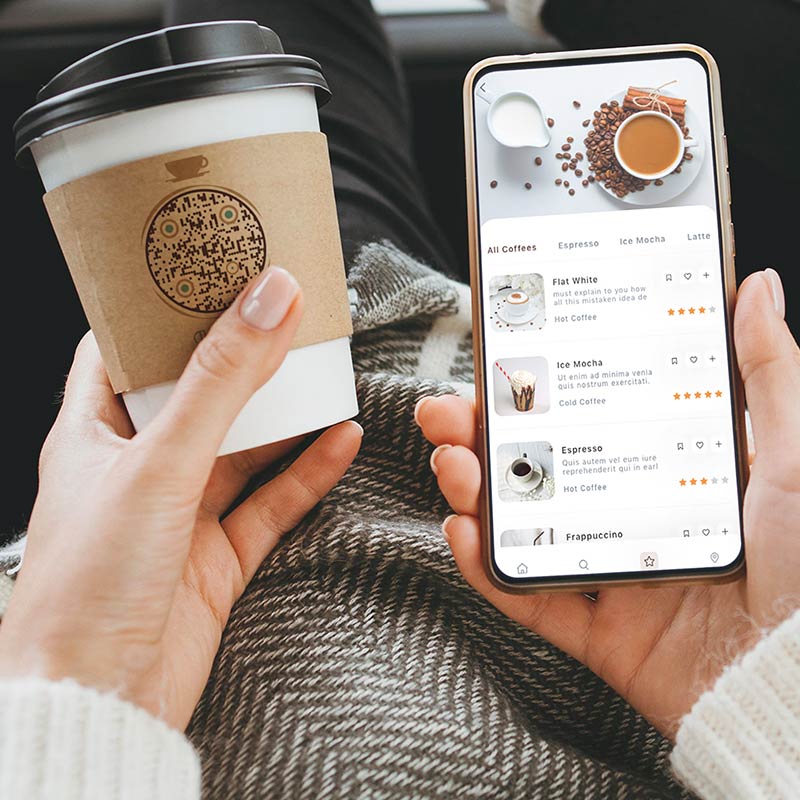
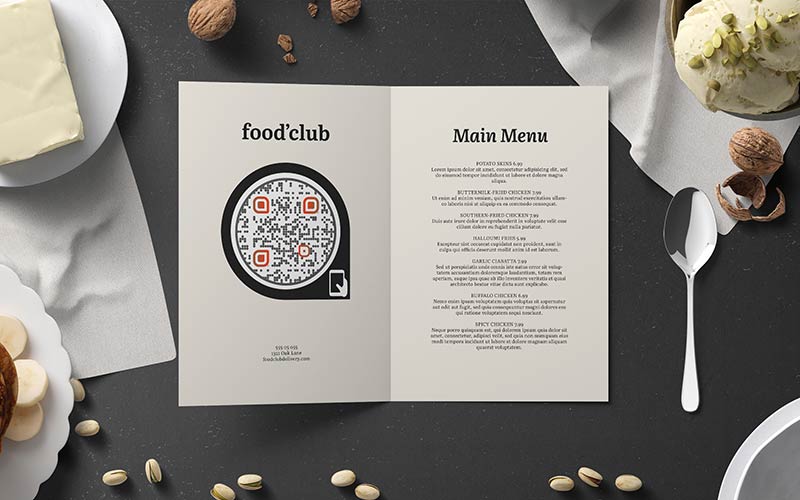
Restorāna ēdienkarte ar apaļu dinamisku QR kodu

Print a code once on table tents, menus or takeout bags. When dishes or prices change, edit the destination. The printed tents stay in use. The statistics show when people scan, for example at lunch or in the evening.

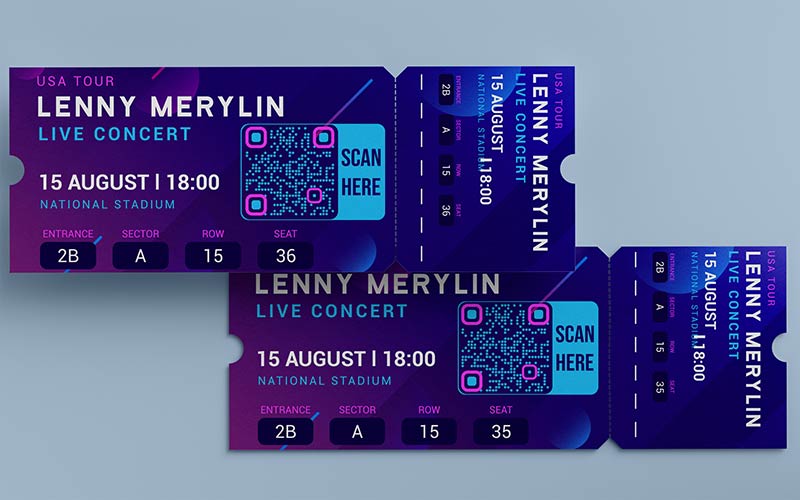
Violetas koncerta biļetes ar dinamisku QR kodu uz zila fona

Put one code on badges, signs and programs. Before the event it opens registration. On the day it opens the schedule. Afterwards you point it to the slides or a feedback form. Nothing is reprinted.

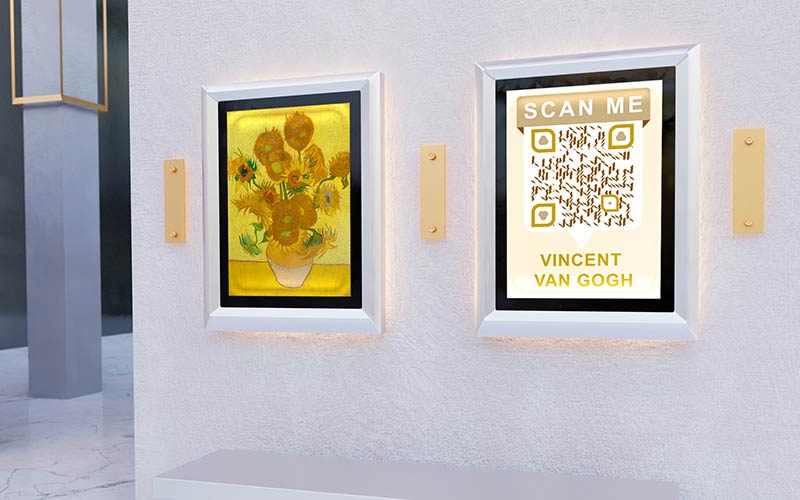
Glezna ar dinamiskiem QR kodiem uz sienas blakus citai gleznai

Place a code next to each exhibit and link it to the text, an audio guide or a video. When the exhibition changes, update the destination and keep the printed labels.

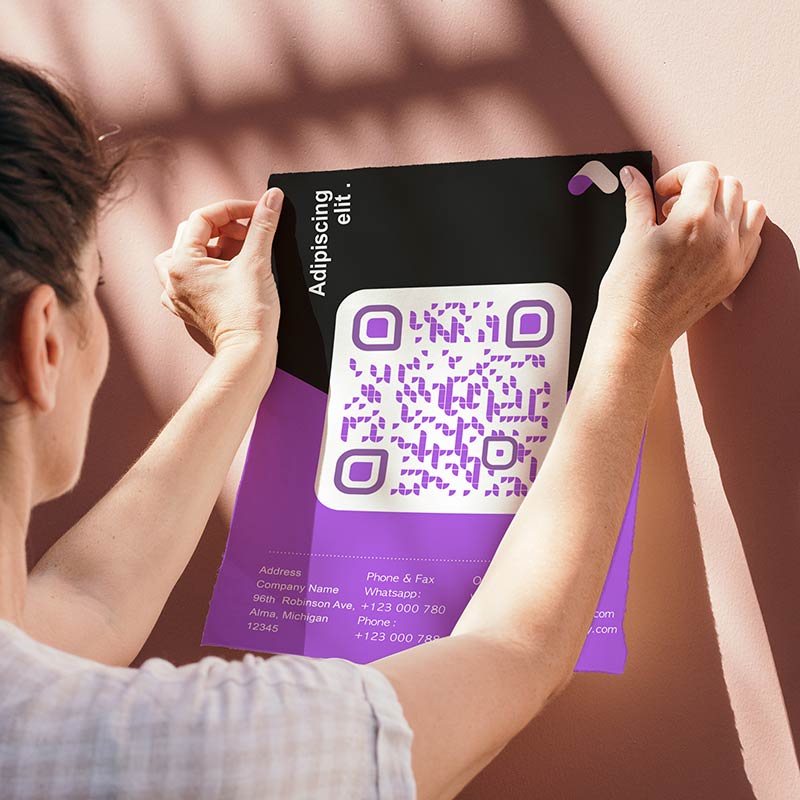
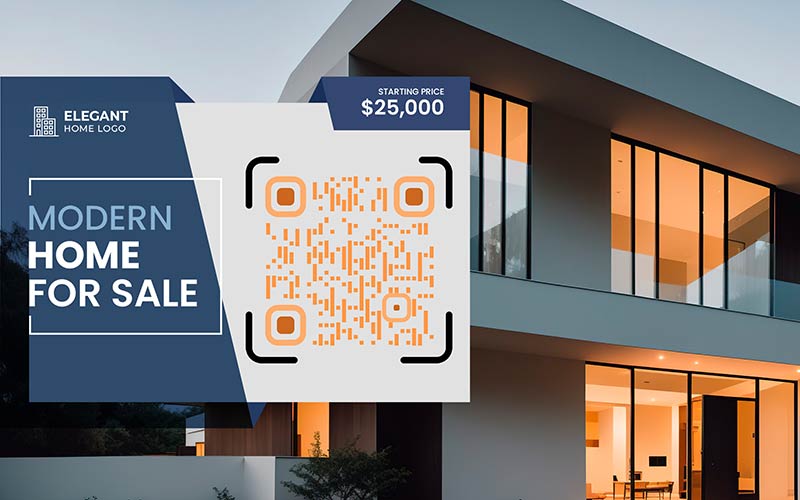
Vizītkarte ar dinamisku QR kodu uz nekustamā īpašuma fona

Put the code on a For Sale sign or a flyer and link it to the listing or a virtual tour. Later you can switch it to the next property or a contact page. Scan counts show which signs attract attention.

Dynamic QR code not working? Check these first

Dinamisko QR kodu labākā prakse

Keep your plan active while the code is in use

A dynamic code works only while your plan is active. Before you print something that stays up for years, such as a sign or packaging, decide who pays for the plan and who gets the renewal reminder. If no one will, choose a static code.

Dinamiskā QR koda izsaukuma uz cation izmantošana
Dinamiska QR koda stratēģiska izvietošana
Place the code where people can scan it

Put the code at eye level on a flat, steady surface. Add a short call to action next to it that says what people get, for example “Scan to see the menu”.

Test after every edit

After you change a destination, scan the printed code and open the page on your phone. Make sure it loads fast on mobile and shows what the sign promises.

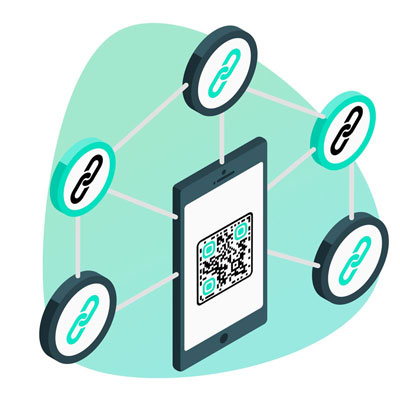
Tīmekļa vietnes, kas datora ekrānā ir savstarpēji saistītas.
Dinamiskā QR koda dizaina pielāgošana
Design for scanning, not only for looks

Use your brand colors, but keep strong contrast between the code and the background. Test the final design with two different phones before you print.

Dinamisko QR kodu ģenerēšana tagad

Bezmaksas 14 dienu izmēģinājuma versija. Nav nepieciešama kredītkarte.

Izveidoti dažādi QR kodu stili

Maināmā QR koda izmantošanas priekšrocības

Uzlabota dinamisko QR kodu drošība
Smart links

Send people to different destinations depending on a password, the time or the visitor’s country or language.

Ietaupiet naudu un laiku, izmantojot dinamiskos QR kodus
Fewer reprints

When a link, price or offer changes, you edit the destination. You do not reprint posters, menus or packaging.

Uzlabota lietotāja pieredze ar dinamiskiem svītrkodiem
UTM izsekošana

Add UTM parameters so scans from a poster or flyer show up as their own source in Google Analytics.

Dinamiskā QR koda analītika
Scan statistics

See how often a code is scanned, when, where and on what device. Compare posters, flyers and locations.

Dinamisko QR kodu var rediģēt vēlāk pēc drukāšanas.
Rediģēt pēc drukāšanas

Change the destination at any time. The code stays the same, so everything you already printed keeps working.

Mārketinga uzlabošana ar dinamiskiem QR kodiem
Siltuma kartes

Heatmaps show where your scans come from, so you can see which areas respond best.

GL-16

Uzziniet vairāk par dinamiskajiem QR kodiem

QR koda veida izvēle
Kā lietotDinamiskie QR kodi
Dažādu URL saišu pievienošana, veidojot QR kodu ģeneratorā
QR kodiVairākas saites
Kā izveidot qr kodu saitei ar viedtālruni
QR kodiSaite

Iegūt 30% pie pirmā pirkuma

Izmantojiet kodu:

Kopīgojiet savus MP3 failus

Reģistrējieties, lai izveidotu PDF QR kodus

Augšupielādējiet un parādiet visu nepieciešamo:

  • Audio faili
  • Podkāsti
  • Mūzika

14 dienu bezmaksas izmēģinājums ar reģistrāciju.
QR kodi beidzas pēc izmēģinājuma.

pierakstīties, lai izveidotu audio mp3 QR kodu.

Iegūstiet vairāk skenējumu ar rāmjiem

Reģistrējieties, lai QR kodiem pievienotu vairāk kadru

Uzaicinājuma uz darbību rāmji palīdz klientiem viegli mijiedarboties ar QR kodu. Izmēģiniet tos!

14 dienu bezmaksas izmēģinājums ar reģistrāciju.
QR kodi beidzas pēc izmēģinājuma.

Reģistrējieties, lai QR kodiem pievienotu vairāk kadru

Pievienojiet vairāk stila ar formām

Reģistrējieties, lai izveidotu vairāk formu

QR kodiem nav jābūt kvadrātveida. Mēģiniet tos mainīt, lai tie atbilstu jūsu zīmola tēlam.

14 dienu bezmaksas izmēģinājums ar reģistrāciju.
QR kodi beidzas pēc izmēģinājuma.

Reģistrējieties, lai izveidotu vairāk formu

Pievienojiet logotipu savā QR kodā

Reģistrējieties, lai pievienotu savu logotipu QR kodiem

Padariet savu QR kodu izteiksmīgu, pievienojot tam savu logotipu un zīmolu.

14 dienu bezmaksas izmēģinājums ar reģistrāciju.
QR kodi beidzas pēc izmēģinājuma.

Reģistrējieties, lai pievienotu savu logotipu QR kodiem

Viedie lietotņu veikala novirzījumi

Reģistrējieties, lai izveidotu lietotņu veikala QR kodu

Pievienojiet savas lietotņu saites mūsu viedajam App Store QR kodam. Lietotāji tiek novirzīti, pamatojoties uz viņu ierīci.

14 dienu bezmaksas izmēģinājums ar reģistrāciju.
QR kodi beidzas pēc izmēģinājuma.

Reģistrējieties, lai izveidotu lietotņu veikala QR kodu

Augšupielādējiet attēlu QR kodā

Reģistrējieties, lai izveidotu attēlu QR kodus

Viegli kopīgojiet attēlus. Dinamiski mainiet jebkuru attēlu dažu sekunžu laikā.

14 dienu bezmaksas izmēģinājums ar reģistrāciju.
QR kodi beidzas pēc izmēģinājuma.

Reģistrējieties, lai izveidotu attēlu QR kodus

Kopīgojiet savus PDF failus

Reģistrējieties, lai izveidotu PDF QR kodus

Augšupielādējiet un parādiet visu nepieciešamo:

  • Ēdienkartes un cenrāži
  • Instrukcijas
  • Jebkuri dokumenti

14 dienu bezmaksas izmēģinājums ar reģistrāciju.
QR kodi beidzas pēc izmēģinājuma.

Reģistrējieties, lai izveidotu PDF QR kodus

Rediģēt vēlāk bez drukāšanas

Reģistrējieties, lai rediģētu savus QR kodus bez atkārtotas drukāšanas

Dinamiskie QR kodi ļauj mainīt QR koda saturu bez nepieciešamības drukāt jaunus kodus.

14 dienu bezmaksas izmēģinājums ar reģistrāciju.
QR kodi beidzas pēc izmēģinājuma.

Reģistrējieties, lai rediģētu savus QR kodus bez atkārtotas drukāšanas

Kad? Kur? Izsekojiet savu QR kodu skenējumus

Reģistrējieties, lai izsekotu savus QR kodus

Uzziniet, kuri no jūsu QR kodiem tiek visvairāk skenēti un kas visvairāk uzrunā jūsu klientus.

14 dienu bezmaksas izmēģinājums ar reģistrāciju.
QR kodi beidzas pēc izmēģinājuma.

Reģistrējieties, lai izsekotu savus QR kodus

Drukai gatavi faili pieejami

Reģistrējieties, lai izveidotu vektoru QR kodus, piemēram, PDF un SVG

.EPS, .PDF, .SVG

Vai vēlaties lejupielādēt QR kodus HD izšķirtspējā? Iegūstiet vektora vai pikseļu formātus, kas ir gatavi drukāšanai.

14 dienu bezmaksas izmēģinājums ar reģistrāciju.
QR kodi beidzas pēc izmēģinājuma.

Reģistrējieties, lai izveidotu vektoru QR kodus, piemēram, PDF un SVG

Lūdzu, uzgaidiet. Jūsu QR kods ir iekraušana... iekraušana...

Padariet to par savu

Reģistrējieties, lai saglabātu savu QR kodu vēlāk

Iegūstiet vairāk skenējumu, izveidojot lieliskus QR kodus ar dažādām krāsām, logotipiem un aicinājuma uz darbību rāmjiem.

14 dienu bezmaksas izmēģinājums ar reģistrāciju.
QR kodi beidzas pēc izmēģinājuma.

Reģistrējieties, lai saglabātu savu QR kodu vēlāk