Ēdienkarte QR kodu ģenerators

Rāmis

Stils

Rāmis

Rāmja krāsa

Fona krāsa

Teksts virs krāsas

Teksts zem krāsas

QR koda dizains

Ķermenis

Ķermeņa krāsa

Malas

Rāmja tips

Malas rāmja krāsa

Bumbiņas tips

Malu bumbiņas krāsa

Ēdienkaršu QR koda izveide
Piemēri

Pieskarieties attēliem, lai tos tuvinātu

Kas ir izvēlnes QR kods?

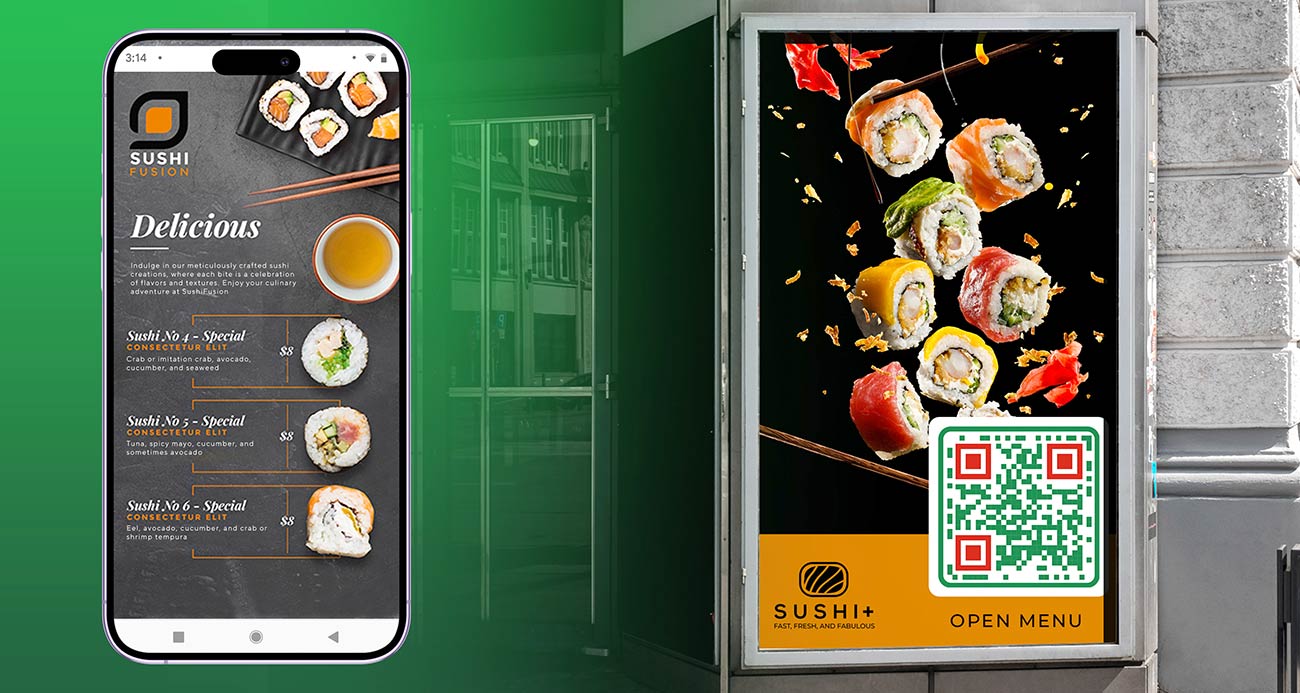
A menu QR code is a QR code that opens your restaurant, cafe or bar menu on a guest’s phone. The guest points the phone camera at the code, taps the link that appears and reads the menu. Nobody installs an app or types a web address.

The code does not contain the menu. It contains a link, and the menu is stored online behind that link. That is why a QR code menu generator is useful: you print the code once, and with a dynamic code you can change the menu behind it.

Most places use one code for the whole menu card. Others use separate codes for food, drinks, desserts or a kids menu. Cafes, bars, hotels and food trucks all work the same way. For more ideas see QR codes for menus.

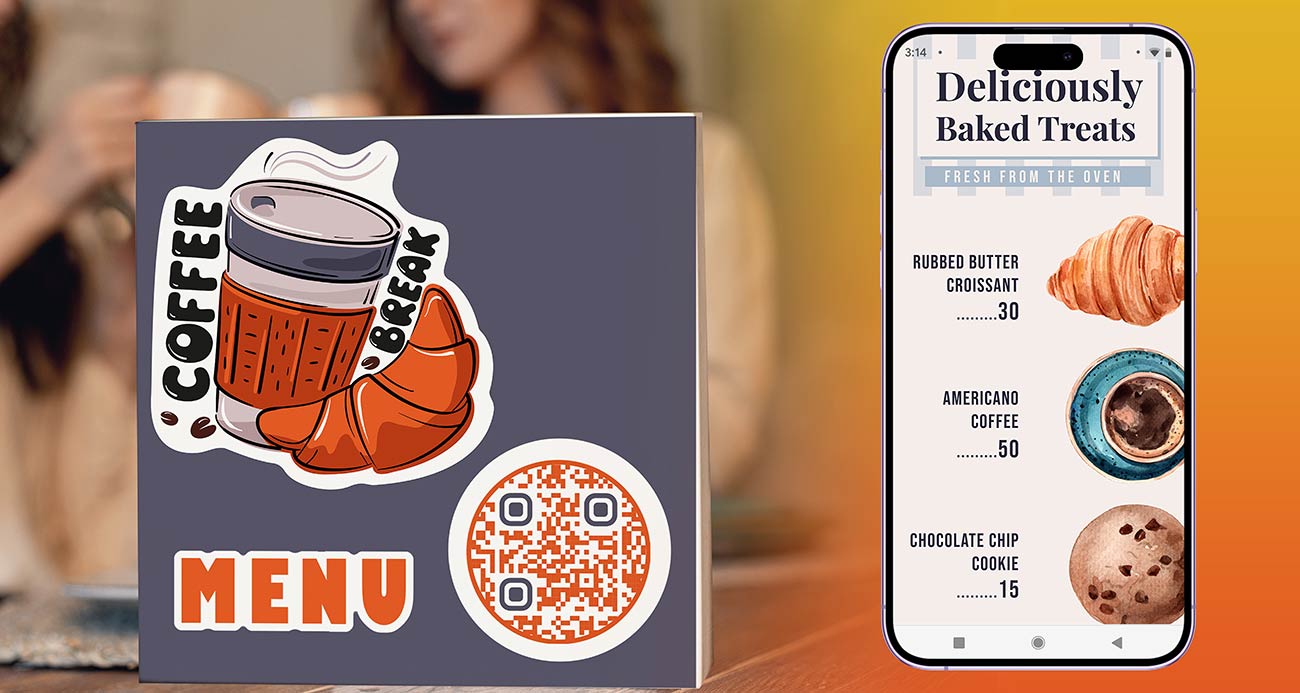
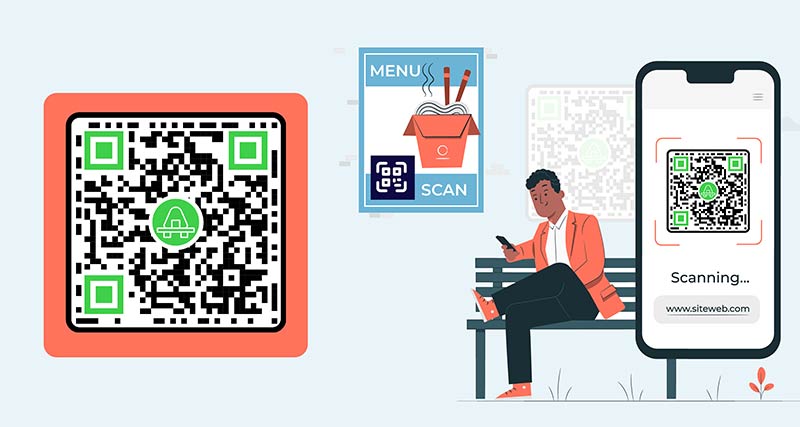
Ēdienkartes QR koda ģenerators, kas tiek parādīts restorāna apmeklētāja telefonā

Three ways to connect a QR code to your menu

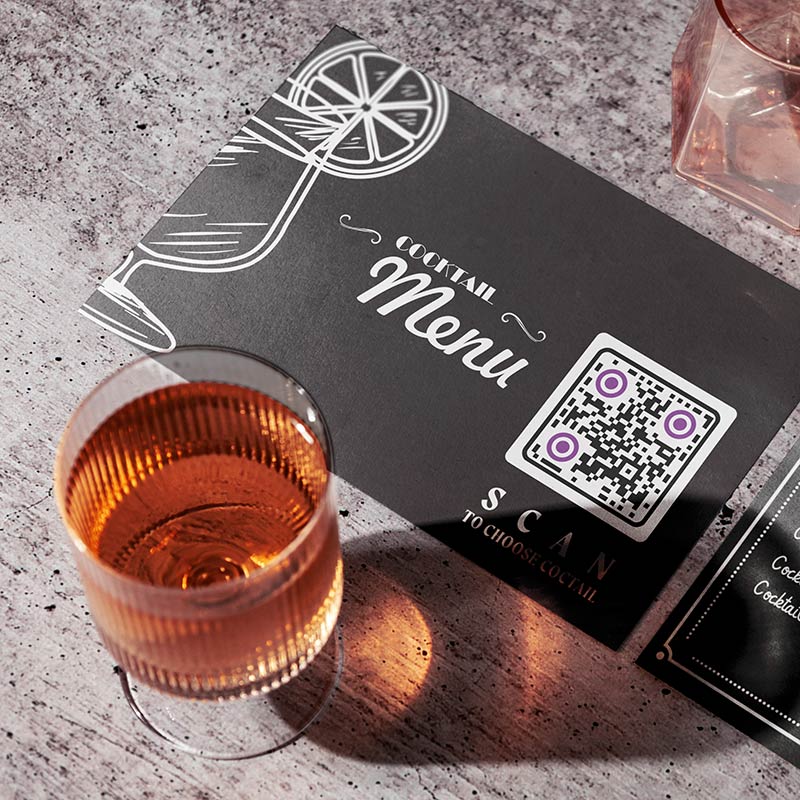
Ēdienkartes QR kods, kas atvērts viedtālrunī
A PDF menu

Upload your menu as a PDF. The PDF is stored online and the code opens it. This is the fastest way if you already have a menu file from Word, Canva or a designer. Export a PDF with real text, not a photo of a printed menu, so guests can zoom in and screen readers can read it.

QR koda informācijas un URL pievienošana rīkā
A menu web page

The code opens a page on your own website where the menu is normal web text. The text fits the phone screen, loads fast and is easy to read. Choose this if you can edit your website or have many dishes and photos. Make the code with the saites QR koda ģenerators.

Izvēlnes QR koda pielāgošana rīkā
A link to an existing online menu

If your menu already exists online, for example in an ordering system, on a delivery page or in a shared document, paste that link. Open it on a phone that is not yours first. It must load without a login.

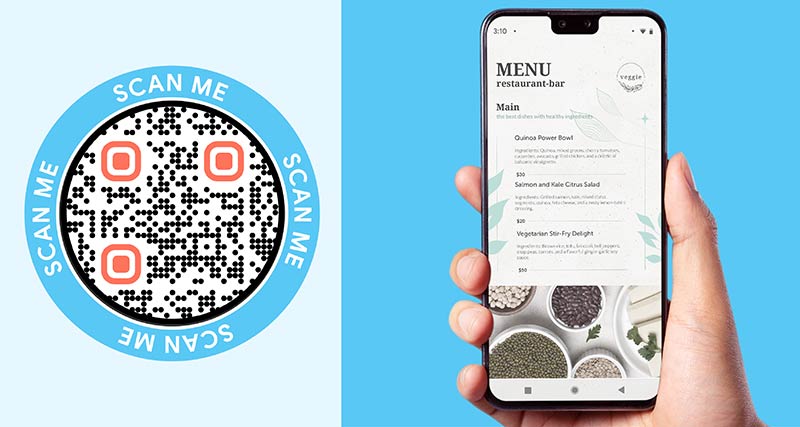
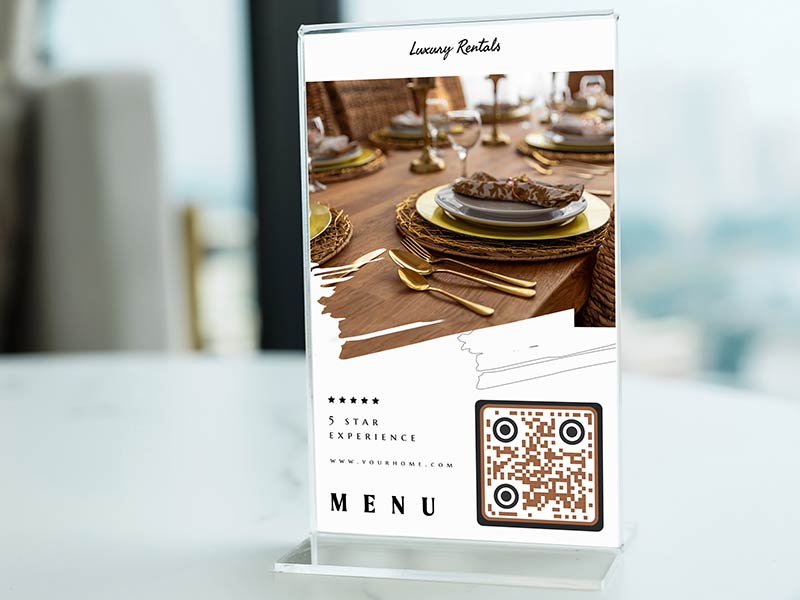
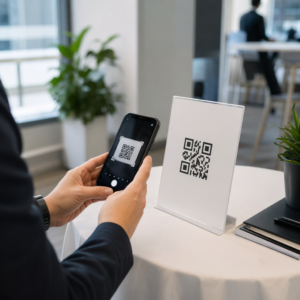
Ēdienkarte AR kods, kas novietots uz restorāna galda
Which one to pick

Start with a PDF if you want a code today. Use a web page if you can keep one up to date. Use the existing link if ordering is already online. With a dynamic code you can switch from one to another later without reprinting.

How to create a QR code for a menu

Reģistrējieties

QR koda izveide izvēlnei, reģistrēties Pageloot bezmaksas 14 dienu izmēģinājuma versiju. Platforma piedāvā 4 dažādus abonēšanas plānus, kas nodrošina dažādus rīkus QR koda izsekošanai un izveidei. Varat arī izvēlēties izveidot QR koda izvēlni bez maksas ar statisku saiti.
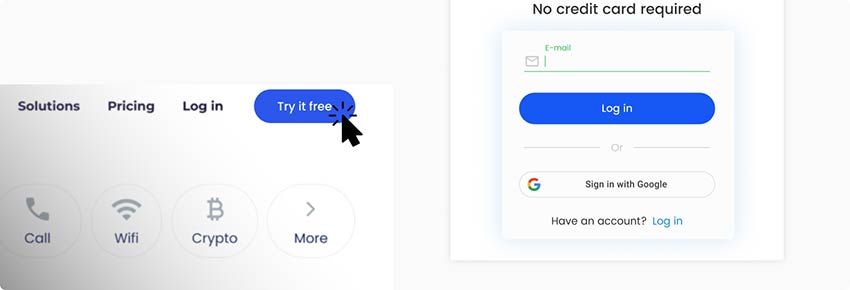
Bezmaksas konta izveide Ēdienkarte QR kodu ģeneratora platformā
Pievienojiet savu PDF failu

Kad esat reģistrējies, atrodiet QR koda izveides lapu. Šajā lapā varat augšupielādēt savu izvēlnes PDF saiti vai augšupielādēt to no ierīces. Varat arī izveidot savu ēdienkarti no nulles, sadalot ēdienkartes kategorijās.
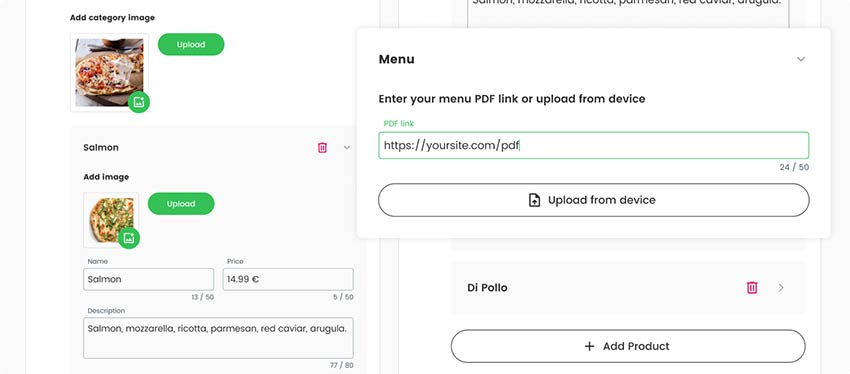
QR koda saites pievienošana izvēlnei
Izveidojiet savu mērķlapu

Pārliecinieties, ka neatstājat savu mērķlapu tukšu. Pievienojiet ēdienkartes aprakstu vai dažas fotogrāfijas ar sezonālajiem ēdieniem, ko piedāvājat. Varat arī iekļaut informāciju par atlaidēm vai piedāvājumiem, kas tiek piedāvāti ikdienas ēdienkartē.
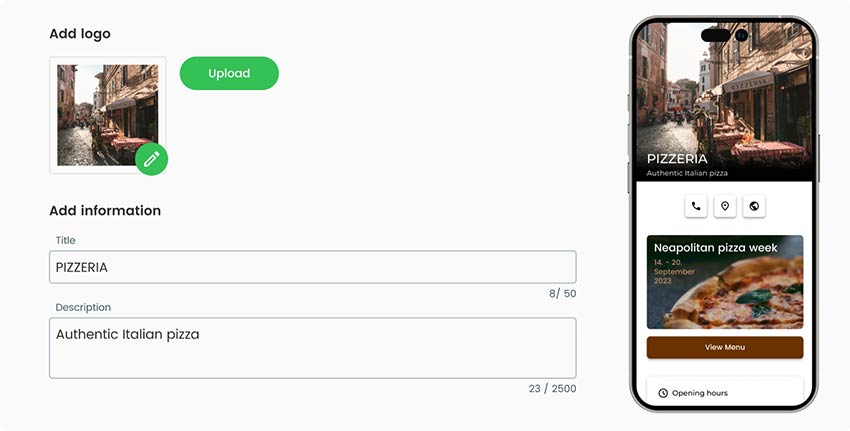
QR koda izveide, pievienojot plašāku informāciju par restorānu un ēdienkartē iekļautajiem produktiem.
QR koda stila izvēle

Kad esat pabeidzis QR koda vispārējo daļu, varat izstrādāt arī QR koda ārējo izskatu. QR izvēlnes programmā QR Menu Creator varat pievienot kodam pielāgotus logotipus, mainīt tā krāsas, pievienot rāmjus un pat mainīt tā formu.

Sadaļā Stils un rāmis rediģējiet izvēlnes QR koda formu un rāmi.
Lejupielādēt QR kodu

Kad visas darbības ir pabeigtas, varat saglabāt un lejupielādēt gatavu ēdienkartes QR kodu. QR kods ir izdrukājams uz visām virsmām, un to var kopīgot jebkurā vietā tiešsaistē.
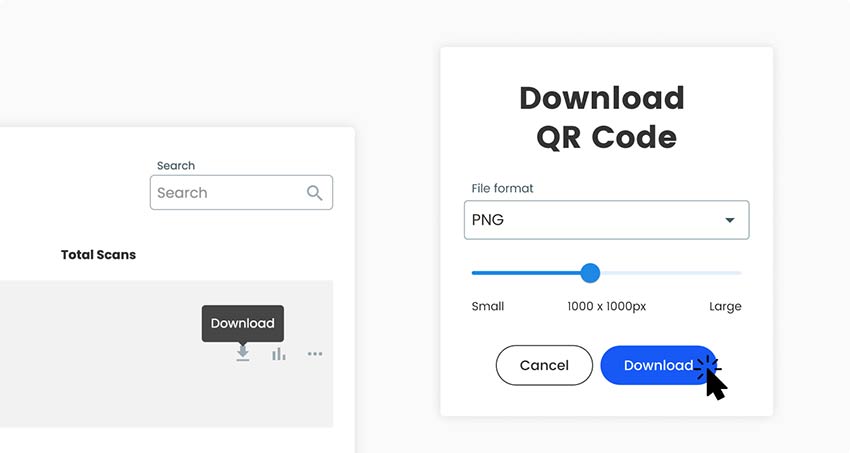
Gatavā QR koda lejupielāde izvēlnei no ģeneratora platformas
Viss izdarīts!

Kāpēc man ir nepieciešams QR izvēlnes veidotājs?

Kā izveidot restorāna svītrkodu, kas saistīts ar izvēlni

A menu changes more often than almost anything else a restaurant prints. Prices rise, dishes sell out, specials change daily and the drinks list changes with the season. On paper, every change means reprinting or crossing things out by hand.

A QR code menu removes that work. The table tents, stickers and window signs stay where they are, and you change the menu behind the code. Guests always see current prices, and you stop reprinting menus for small changes.

Guests also read the menu before they sit down, zoom in on small text and take their time. Staff hand out fewer menus and wipe fewer of them. A free QR code menu generator like the one at the top of this page is enough to make the code. Whether you need a paid dynamic code depends on how often your menu changes. The section on static and dynamic codes below explains it.

Bieži uzdotie jautājumi

Biežāk uzdotie jautājumi par to, kā izveidot QR koda izvēlni

A menu as a PDF or as a web page, and a phone to test with. If you have no menu file yet, write it in Word, Google Docs or Canva and export it as a PDF. Use real text, not a photo of the menu. That is all you need to use the generator at the top of this page.

Yes. You can make and download a menu QR code for free, as PNG, SVG or PDF. A free code is static: it cannot be edited later and does not track scans. If it points to a page you edit yourself, such as a menu page on your website, the code keeps working when you change the page. For a PDF that changes often, a dynamic code is easier. Tick Rediģēt vēlāk vai Dziesmu skenēšana augstāk, lai sāktu bezmaksas 14 dienu izmēģinājumu.

Making and downloading a static code costs nothing. Dynamic codes need a Pageloot plan. You get a 14-day free trial, then the Starter plan is EUR 7 a month billed yearly. A one-time lifetime deal also exists. See the cenu veidošanas lapa for current plans. The code NEW30 gives 30% off your first purchase. Dynamic codes stop working when a paid plan ends, except on the lifetime deal, so subscribe before you print.

No, if you use a dynamic code, or if the code points to a page you edit yourself. Change prices, dishes or the whole menu and the printed code keeps working. Yes, if you made a static code from an uploaded PDF and want to use a different PDF. That needs a new code and new prints.

Open the camera app on an iPhone or Android phone, point it at the code and tap the link that appears. Current phones need no extra app. If nothing happens, hold the phone 20 to 30 cm away, make sure the whole code is in view and avoid glare. Older phones may need a QR skenēšanas lietotne.

  1. Get your menu ready as a PDF, a web page or an existing link.
  2. Upload the PDF in the generator at the top of this page, or make a link code from your web page link.
  3. Add a frame with the words “Scan for menu”, your colors and your logo.
  4. Download PNG for screens, or SVG or PDF for print.
  5. Scan it with two phones, on mobile data, from the distance a guest will use.
  6. Print one table tent and test it on a table before you print the rest.

One code for the whole menu is enough for most places. It is easy to print and to keep up to date. Use one code per table if you want to see which table scans, or to match an order to a table. Use separate codes for food and drinks if you want to see which menu guests read.

About 3 to 4 cm wide on a table tent, because guests scan from about 30 cm. A bar-top sticker is the same size. A window sign needs about 10 cm or more. A good rule is 1 cm of code for every 10 cm of scanning distance, and never under 2 x 2 cm.

Biežāk uzdoto jautājumu ikona
Vēl jautājumi?

Sazinieties ar mums, un mēs labprāt palīdzēsim!

Uzticami labākie zīmoli
Novērtēts 4.8 no 5

4,86 / 5 zvaigznes

Hugo Lorāns
Hugo Lorāns
★★★★★
Restorāna īpašnieks
Visvienkāršākais un uzticamākais QR kodu ģenerators. PDF failus var augšupielādēt uzreiz. Mūsu restorānu ēdienkartes tagad ir digitālas.
Lūkass Jansens
Lūkass Jansens
★★★★★
Nekustamā īpašuma attīstītājs
Šis ir lielisks rīks, un QR kodi aizvedīs jūs uz vajadzīgo vietu. Mēs izmantojam tikai atrašanās vietas QR kodu, taču ir tik daudz noderīgu funkciju.
Emma Moretti
Emma Moretti
★★★★★
Mazumtirdzniecības produkti
Viegli un ātri lietojams. Tas darbojas lieliski un rada ideālus attēlus, lai darbinieki varētu lejupielādēt manu vCard.
Hugo Lorāns
Hugo Lorāns
★★★★★
Restorāna īpašnieks
Visvienkāršākais un uzticamākais QR kodu ģenerators. PDF failus var augšupielādēt uzreiz. Mūsu restorānu ēdienkartes tagad ir digitālas.
Lūkass Jansens
Lūkass Jansens
★★★★★
Nekustamā īpašuma attīstītājs
Šis ir lielisks rīks, un QR kodi aizvedīs jūs uz vajadzīgo vietu. Mēs izmantojam tikai atrašanās vietas QR kodu, taču ir tik daudz noderīgu funkciju.
Emma Moretti
Emma Moretti
★★★★★
Mazumtirdzniecības produkti
Viegli un ātri lietojams. Tas darbojas lieliski un rada ideālus attēlus, lai darbinieki varētu lejupielādēt manu vCard.
Ēdienkartes QR koda ģenerēšana

Bezmaksas 14 dienu izmēģinājuma versija. Nav nepieciešama kredītkarte.

QR kodu ģeneratora paneļa priekšskatījums

Kur izmantot izvēlnes QR kodu?
Piemēri

Pieskarieties attēliem, lai tos tuvinātu

Restorāna galds, uz kura izvietoti daži ēdienkartes QR kodi

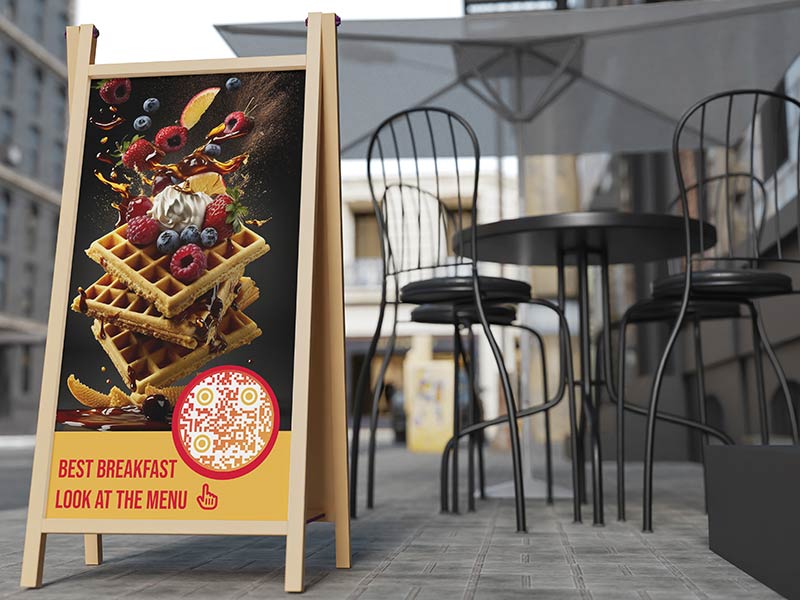
A cafe with 12 tables prints 12 table tents with the same code. Guests scan, read the menu and order at the counter or from the waiter. When the cake of the day changes, the cafe edits the menu behind the code and prints nothing. On a tent, make the table QR code menu 3 to 4 cm wide and put “Scan for menu” above it.

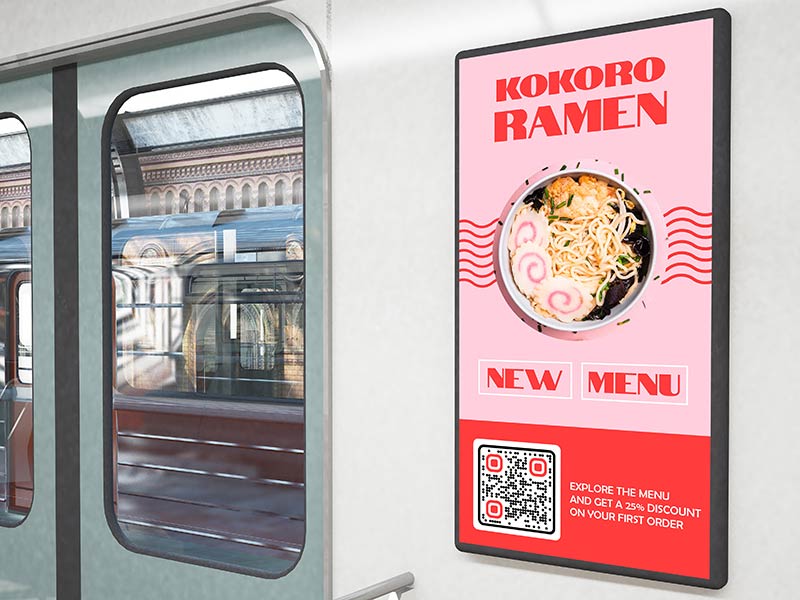
Ēdienkartes QR kods, kas uzlīmēts uz vilciena loga un reklāmas stenda

A bar can keep two codes: one for drinks and one for food. Guest beers, cocktail specials and happy hour prices change often, so a QR menu for bars and pubs saves a lot of reprinting. Bars are dim, so use a dark code on a light background and a matte sticker on the bar top. A code on the window also lets people read the drinks list before they walk in.

Kā izveidot restorāna svītrkodu, kas saistīts ar izvēlni

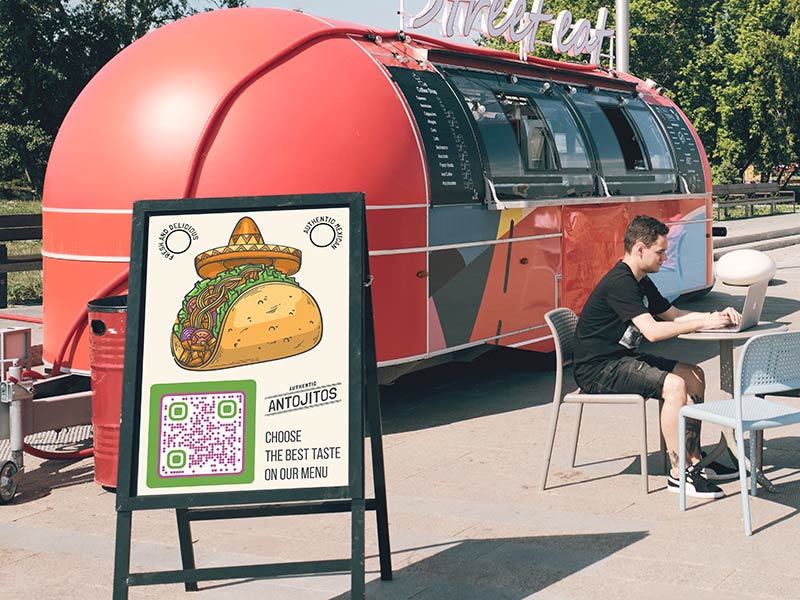
A food truck has little space for paper, and the menu changes with the day and the location. Put a large code, about 10 cm wide, beside the serving window. People in the queue can scan it from 1 m away and decide before they reach the counter. When an item sells out, change the menu behind the code.

Ēdienkarte ar QR kodu uz naktsskapīša viesnīcas numurā

Put a code on the in-room directory or the bedside card that opens the room service menu. Change the menu behind the code for breakfast, all day and late night. Guests read it in the room and order the way your hotel takes orders. Keep a printed menu in the room drawer for guests who prefer paper.

Menu QR code design, size and izvietojums

Menu QR code not working or too slow? Check these first

The PDF is too big

A menu PDF full of large photos can be many megabytes. On mobile data that means a long wait, and guests give up. Compress the PDF or use smaller images, and keep it to a few megabytes at most. Test it with Wi-Fi switched off on your own phone.

Ēdienkartes QR koda dizainā pievienojiet koda aprakstu.
Jaunu ēdienu pievienošana ēdienkartei QR kods
The PDF is hard to read on a phone

A PDF made for a printer is often A4 landscape with small text, and guests must pinch and scroll sideways. Export a single-column PDF with large text, or build the menu as a web page, which fits the screen by itself. Use real text so the menu can be searched and enlarged.

Glare on laminated tents

Glossy lamination reflects ceiling lights and windows, and the phone cannot read the code. Use matte lamination or matte paper in a holder, and keep the code away from candles and direct sun. Check the tent from the angle a guest really holds a phone.

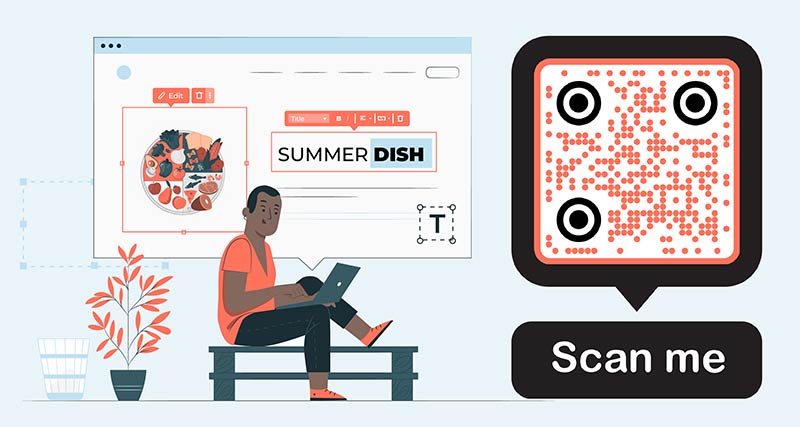
Ēdienkartes ēdiena nosaukums ar ēdiena attēlu blakus.
The restaurant's logo inside of the QR code that is printed on a flyer
Weak signal or Wi-Fi dead zones

Guests need an internet connection to open the menu. In a cellar bar or a building with thick walls, mobile data can be weak. A small file helps. Put the guest Wi-Fi name and password on the tent, or keep printed menus ready for guests who cannot connect.

Ēdienkartes QR koda ģenerēšana

Bezmaksas 14 dienu izmēģinājuma versija. Nav nepieciešama kredītkarte.

Izveidoti dažādi QR kodu stili

Update prices, see busy times and stay accessible

Veco papīra ēdienkaršu kaudze pret QR kodu digitālo ēdienkarti
Change prices without reprinting

With a dynamic code the printed code stays the same and you change what it opens. Raise a price, remove a sold-out dish or add a seasonal special, and the next scan shows it. A static code cannot be edited after printing.

Apmeklētājs skenē savu tālruni ar ekrānā atvērtu QR izvēlni
See busy times in scan stats

A dynamic code shows when, where and on which device it was scanned, with the detail depending on your plan. Scan times point to your busy hours and days. Use separate codes for food and drinks to see which menu is read most. Scans are a guide, not a sales count.

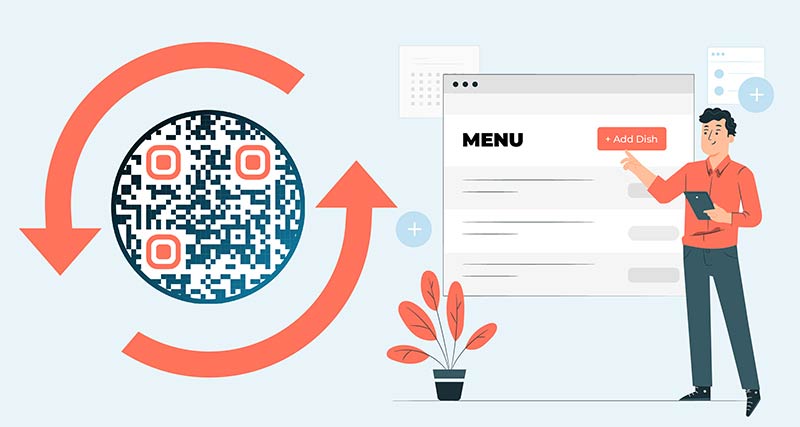
Izvēlnes QR koda ģeneratora izmantošana, lai rediģētu izvēlnes sarakstu
One code per menu or one per table

One code per menu is simplest: one design for every table and one menu to keep up to date. Use one code per table only if you want to know which table scanned, for example to match orders. Each table code can open the same menu and is counted separately. Check the code limit of your plan on the cenu veidošanas lapa.

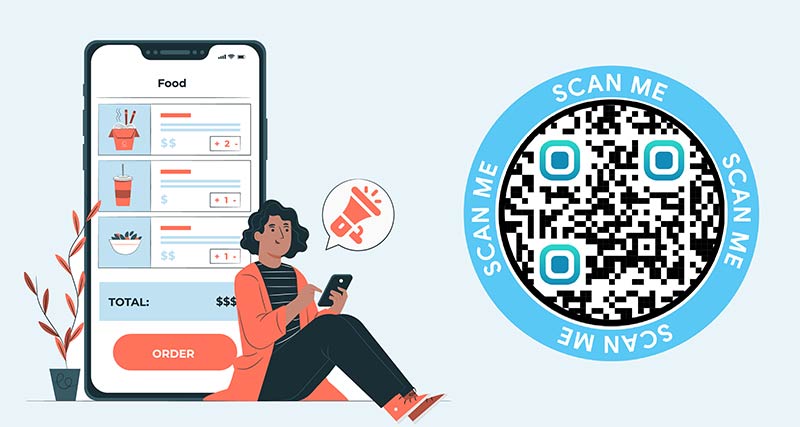
Tālruņa ekrāns ar izvēlni un sastāvdaļu sarakstu.
Keep a printed menu on request

Some guests have no smartphone, no mobile data or a flat battery. Others find small screens hard to read. Keep a few printed menus at the bar and write “Printed menu on request” under the code. Use large text in the PDF or web page so it zooms well.

Sociālo mediju saite blakus izvēlnei
Static or dynamic for a menu

A static code is enough if it points to a page you edit yourself, such as a menu page on your website, or if the menu never changes. Choose a dynamic code if your menu is a PDF that changes, you print many tents or you want scan stats.

A dynamic code works while your plan is active. The lifetime deal is the exception. Subscribe before you print, not after.

Cilvēki, kas sēž pie restorāna galda un skenē ēdienkartes QR kodu
Lejupielādējams bez maksas

Make and download your menu QR code without an account, as PNG, SVG or PDF. Add a frame, change the colors and upload your logo. Use SVG or PDF for print, so the code stays sharp at any size.

GL-34

Uzziniet vairāk par izvēlnes QR kodiem

Pārlūkprogrammā atvērts Google Disks
QR kodiGoogle disks
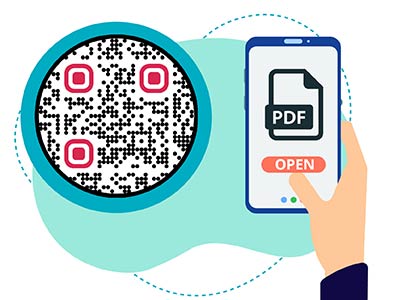
PDF fails, kas tiek parādīts tālrunī pēc QR koda skenēšanas
QR kodiPDF
Dropbox QR koda skenēšana
QR kodiDropbox

Iegūt 30% pie pirmā pirkuma

Izmantojiet kodu:

Kopīgojiet savus MP3 failus

Reģistrējieties, lai izveidotu PDF QR kodus

Augšupielādējiet un parādiet visu nepieciešamo:

  • Audio faili
  • Podkāsti
  • Mūzika

14 dienu bezmaksas izmēģinājums ar reģistrāciju.
QR kodi beidzas pēc izmēģinājuma.

pierakstīties, lai izveidotu audio mp3 QR kodu.

Iegūstiet vairāk skenējumu ar rāmjiem

Reģistrējieties, lai QR kodiem pievienotu vairāk kadru

Uzaicinājuma uz darbību rāmji palīdz klientiem viegli mijiedarboties ar QR kodu. Izmēģiniet tos!

14 dienu bezmaksas izmēģinājums ar reģistrāciju.
QR kodi beidzas pēc izmēģinājuma.

Reģistrējieties, lai QR kodiem pievienotu vairāk kadru

Pievienojiet vairāk stila ar formām

Reģistrējieties, lai izveidotu vairāk formu

QR kodiem nav jābūt kvadrātveida. Mēģiniet tos mainīt, lai tie atbilstu jūsu zīmola tēlam.

14 dienu bezmaksas izmēģinājums ar reģistrāciju.
QR kodi beidzas pēc izmēģinājuma.

Reģistrējieties, lai izveidotu vairāk formu

Pievienojiet logotipu savā QR kodā

Reģistrējieties, lai pievienotu savu logotipu QR kodiem

Padariet savu QR kodu izteiksmīgu, pievienojot tam savu logotipu un zīmolu.

14 dienu bezmaksas izmēģinājums ar reģistrāciju.
QR kodi beidzas pēc izmēģinājuma.

Reģistrējieties, lai pievienotu savu logotipu QR kodiem

Viedie lietotņu veikala novirzījumi

Reģistrējieties, lai izveidotu lietotņu veikala QR kodu

Pievienojiet savas lietotņu saites mūsu viedajam App Store QR kodam. Lietotāji tiek novirzīti, pamatojoties uz viņu ierīci.

14 dienu bezmaksas izmēģinājums ar reģistrāciju.
QR kodi beidzas pēc izmēģinājuma.

Reģistrējieties, lai izveidotu lietotņu veikala QR kodu

Augšupielādējiet attēlu QR kodā

Reģistrējieties, lai izveidotu attēlu QR kodus

Viegli kopīgojiet attēlus. Dinamiski mainiet jebkuru attēlu dažu sekunžu laikā.

14 dienu bezmaksas izmēģinājums ar reģistrāciju.
QR kodi beidzas pēc izmēģinājuma.

Reģistrējieties, lai izveidotu attēlu QR kodus

Kopīgojiet savus PDF failus

Reģistrējieties, lai izveidotu PDF QR kodus

Augšupielādējiet un parādiet visu nepieciešamo:

  • Ēdienkartes un cenrāži
  • Instrukcijas
  • Jebkuri dokumenti

14 dienu bezmaksas izmēģinājums ar reģistrāciju.
QR kodi beidzas pēc izmēģinājuma.

Reģistrējieties, lai izveidotu PDF QR kodus

Rediģēt vēlāk bez drukāšanas

Reģistrējieties, lai rediģētu savus QR kodus bez atkārtotas drukāšanas

Dinamiskie QR kodi ļauj mainīt QR koda saturu bez nepieciešamības drukāt jaunus kodus.

14 dienu bezmaksas izmēģinājums ar reģistrāciju.
QR kodi beidzas pēc izmēģinājuma.

Reģistrējieties, lai rediģētu savus QR kodus bez atkārtotas drukāšanas

Kad? Kur? Izsekojiet savu QR kodu skenējumus

Reģistrējieties, lai izsekotu savus QR kodus

Uzziniet, kuri no jūsu QR kodiem tiek visvairāk skenēti un kas visvairāk uzrunā jūsu klientus.

14 dienu bezmaksas izmēģinājums ar reģistrāciju.
QR kodi beidzas pēc izmēģinājuma.

Reģistrējieties, lai izsekotu savus QR kodus

Drukai gatavi faili pieejami

Reģistrējieties, lai izveidotu vektoru QR kodus, piemēram, PDF un SVG

.EPS, .PDF, .SVG

Vai vēlaties lejupielādēt QR kodus HD izšķirtspējā? Iegūstiet vektora vai pikseļu formātus, kas ir gatavi drukāšanai.

14 dienu bezmaksas izmēģinājums ar reģistrāciju.
QR kodi beidzas pēc izmēģinājuma.

Reģistrējieties, lai izveidotu vektoru QR kodus, piemēram, PDF un SVG

Lūdzu, uzgaidiet. Jūsu QR kods ir iekraušana... iekraušana...

Padariet to par savu

Reģistrējieties, lai saglabātu savu QR kodu vēlāk

Iegūstiet vairāk skenējumu, izveidojot lieliskus QR kodus ar dažādām krāsām, logotipiem un aicinājuma uz darbību rāmjiem.

14 dienu bezmaksas izmēģinājums ar reģistrāciju.
QR kodi beidzas pēc izmēģinājuma.

Reģistrējieties, lai saglabātu savu QR kodu vēlāk