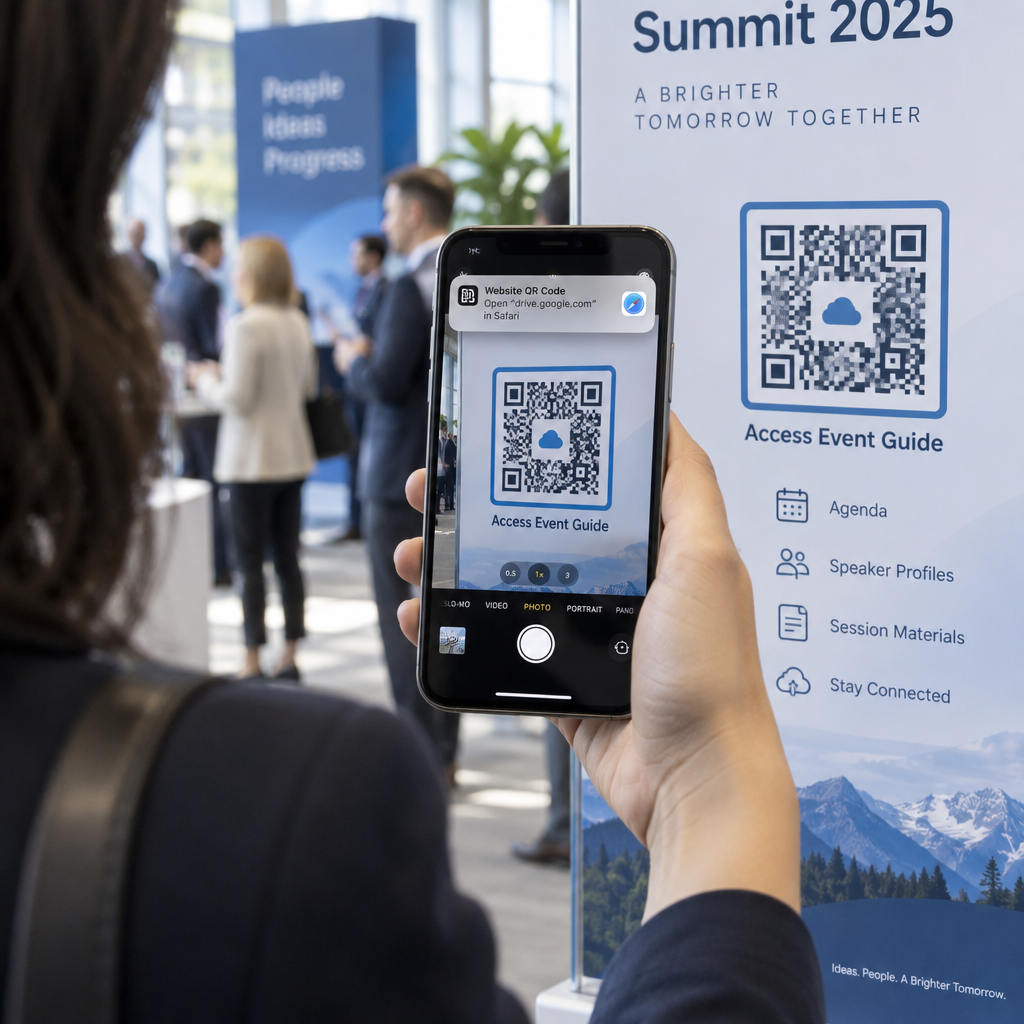
How do you share a cloud-hosted document with someone standing in front of your printed poster or flyer? Typing out long, complicated cloud URLs frustrates users and leads to abandoned visits. Creating a scannable barcode turns your cloud link into an instant smartphone scan, connecting offline audiences directly to your files.
Why Connect Physical Materials to Cloud Files?
Businesses rely on cloud platforms to store product manuals, presentation decks, event programs, and digital portfolios. Without a quick mobile bridge, these resources remain locked behind desktop workflows. Placing a scannable code on packaging, brochures, or storefront displays allows customers and team members to access live documents on demand.
Connecting physical assets to cloud hosting also eliminates the need to reprint physical media whenever content changes. If you manage downloadable guides or company handbooks, creating a document QR code ensures users always view current information. For direct distribution without third-party cloud interfaces, you can also upload files straight to a dedicated hosting platform or generate a PDF QR code to deliver clean digital assets in seconds.
Configure Cloud Permissions for Public Access
A scan failure often occurs because the source file has restricted permissions. If privacy settings require internal authorization, scanners will see a permission error or login barrier. Setting up unrestricted access beforehand ensures your audience views your content smoothly.
Google Drive Permission Setup
Adjust your sharing preferences to make files publicly readable before generating your code:
- Open Google Drive and locate the target file or folder.
- Click Share from the file menu options.
- Locate the General access section and switch the setting to Anyone with the link.
- Set the role to Viewer so users can read and download the document without editing your original content.
- Click Copy link to store the URL on your clipboard.
Dropbox Permission Setup
Configuring public viewing on Dropbox follows a similar workflow to allow friction-free mobile downloads:
- Sign in to Dropbox and locate the document or folder you want to distribute.
- Hover over the item, select Share, and navigate to Manage link settings.
- Adjust the access field to Anyone with link and select Link for viewing.
- Verify that team-only restrictions or password protections are removed for public campaigns.
- Copy the view-only URL for conversion through specialized QR codes for Dropbox.
Generate and Customize Your Scannable Link
Transforming an active cloud link into an attractive visual asset requires encoding the URL while optimizing the layout for customer engagement.
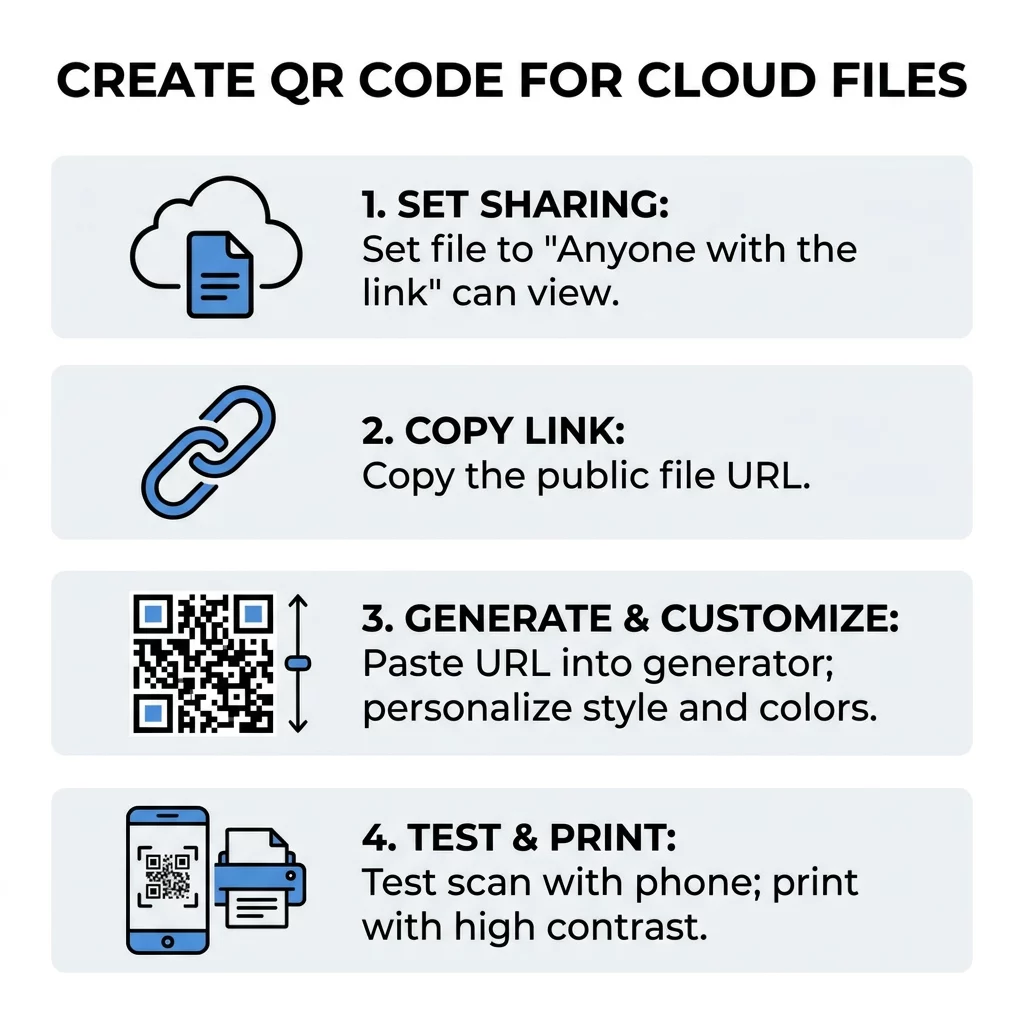
- Paste your copied cloud address into a dedicated Google Drive QR code generator.
- Choose framing styles and descriptive call-to-action text that prompt people to scan.
- Add brand elements, including custom colors and your company logo, to build recognition.
- Download the generated graphics file in a vector format suitable for professional printing.
Convert Your Cloud Links in Seconds Need an easy way to turn cloud URLs into clean, reliable barcodes? Generate your custom code with the Link QR Code Generator and streamline how you share files today.
Static vs. Dynamic QR Codes for Cloud Files
Choosing how your data is encoded determines whether you can modify your link later or analyze user traffic.
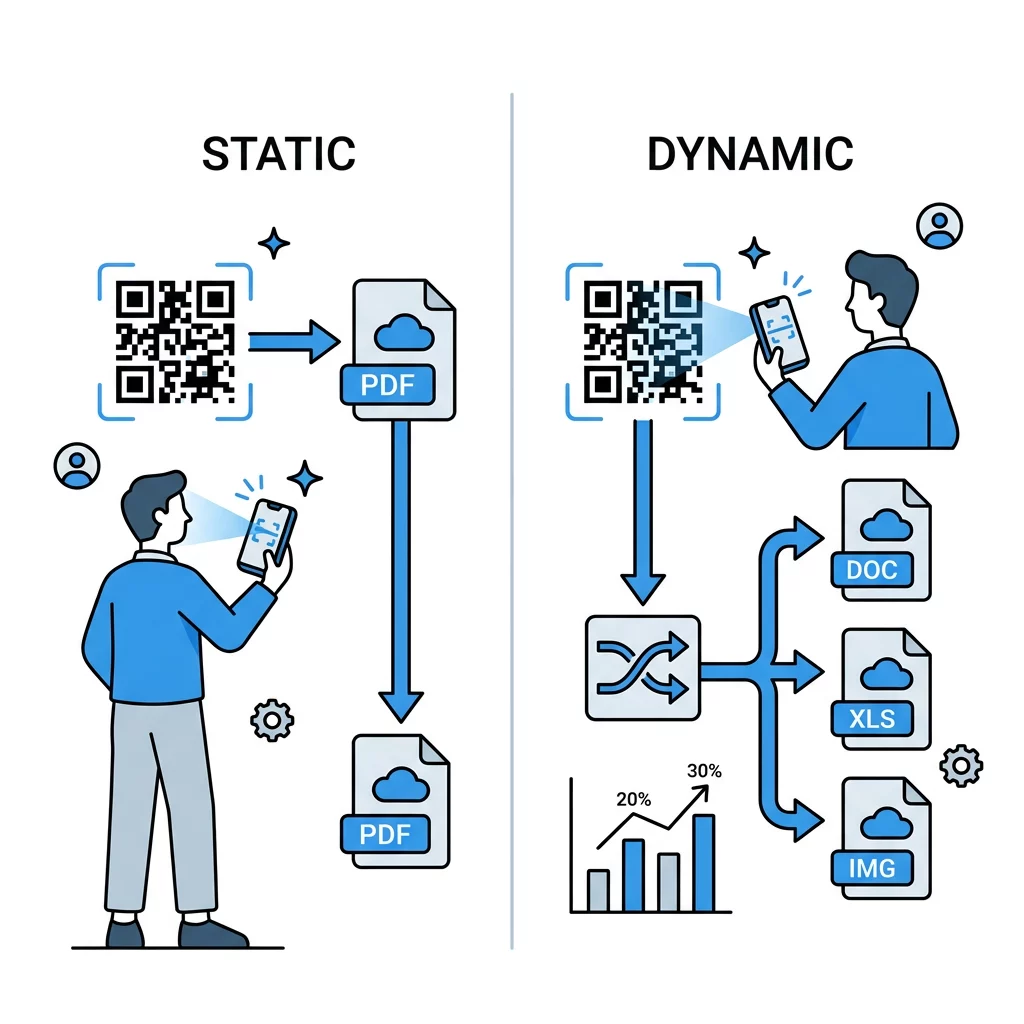
Static codes encode the destination URL directly into the pixel grid. Because the information is permanent, any change to the cloud link breaks the code and requires replacing your physical materials. Long cloud URLs also generate dense patterns that take longer for mobile cameras to decode.
Dynamic codes route scanners through a short redirect link. This setup keeps the pixel density low, ensuring faster scanning across varied lighting conditions. More importantly, dynamic codes let you update the destination URL at any time without changing the printed graphic, while recording scan totals, locations, and device metrics.
| Feature | Static QR Codes | Dynamic QR Codes |
|---|---|---|
| URL Editing | Fixed permanently | Editable anytime |
| Pattern Complexity | Dense for long cloud URLs | Clean, short redirect structure |
| Engagement Tracking | Not supported | Scans, dates, and locations recorded |
| Best Use Case | Permanent, one-off links | Marketing campaigns and live documents |
Design and Printing Standards for Reliable Scannability
A well-designed code must scan instantly across different devices, print finishes, and lighting environments. Adhering to baseline production standards protects your campaign against readability failures:
- Follow the 10:1 distance rule: Scale the size of your code relative to the scanner. Provide at least 1 cm of code width for every 10 cm of expected viewing distance, maintaining a 2 × 2 cm minimum for handheld items.
- Maintain a 4:1 contrast ratio: Use dark modules positioned against a crisp, light background. Scanners detect light reflection differences to process data, so avoiding reversed or washed-out palettes is essential.
- Preserve the quiet zone: Keep an unprinted margin around the perimeter of the pattern that measures at least four modules wide. Crowding graphics or text against the border disrupts edge detection.
- Export vector artwork: Output graphics as SVG or EPS files rather than compressed raster images. Vector files scale cleanly to any print dimensions without introducing pixelation or blurred edges.
Troubleshooting Mobile Scanning Errors
When a phone fails to open your cloud file, check these three common technical issues:
- Browser authorization prompts: Paste your copied link into an incognito browser window. If an account login screen appears, reopen your cloud file permissions and adjust access back to public viewing.
- Overcrowded graphic elements: Placing illustrations or text inside the code margins can confuse device sensors. Keep the quiet zone clear and reduce decorative elements inside the central data pattern.
- Surface glare and curvature: Placing printed codes on glossy laminates or sharp curves causes light reflections that distort the modules. Test samples under retail lighting and across different smartphone camera apps to verify reliable reading.
Deliver Cloud Documents Seamlessly to Any Audience
Converting complex Google Drive and Dropbox links into QR codes eliminates manual typing and gives users direct access to your digital files. Pairing open sharing permissions with high-contrast print layouts guarantees that anyone can view your materials with a quick scan. Select dynamic formatting to monitor visitor activity and edit your document destinations whenever your assets change.
Frequently Asked Questions
No, users do not need an account if your permissions are set to “Anyone with the link” with viewing access. This configuration lets mobile visitors view and download documents anonymously without logging in.
Yes, replacing the content inside the same cloud folder or document maintains the URL and keeps your code active. If you use a dynamic code, you can also repoint the scan to an entirely new URL whenever necessary.
Cloud URLs with extensive tracking tokens produce dense, tightly packed patterns that scan slowly on older mobile devices. Using a dynamic code shortens the embedded link and keeps the code simple and easy to scan.