Are your billboard QR codes getting viewed by thousands of commuters without generating a single scan? Wasted ad spend on static outdoor displays frustrates marketing teams when physical traffic fails to convert into measurable digital visits. Here are practical call-to-action formulas and placement guidelines to turn outdoor advertising into active conversion channels.
Why Out-of-Home QR Codes Require Clear Calls to Action
A billboard on a busy route exposes your brand to thousands of impressions every day, but exposure does not equal action. Outdoor viewers are almost always moving, whether walking down a city street or riding as passengers in commuter traffic. Because their window of engagement lasts only a few brief seconds, a generic “Scan here” prompt fails to give them a compelling reason to pull out a mobile device.
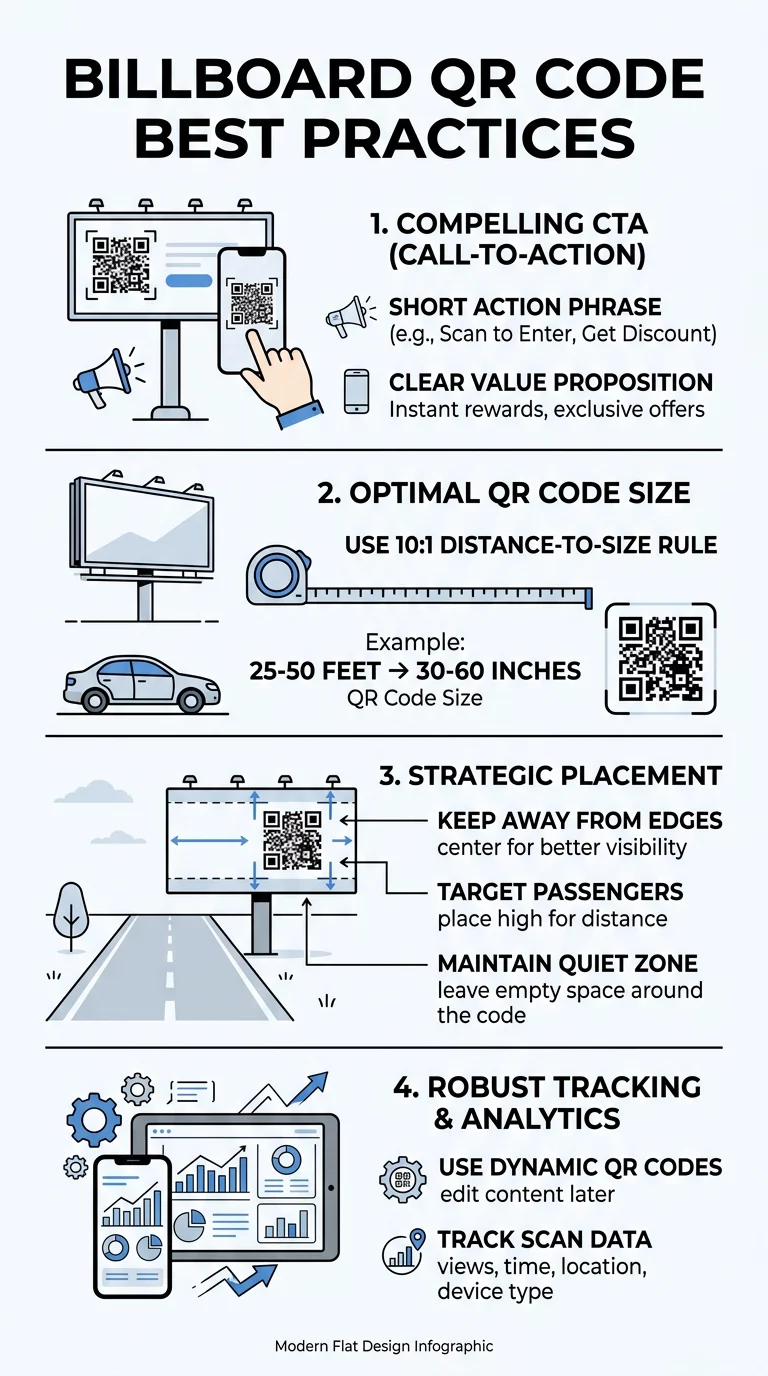
A focused call to action (CTA) provides the direct incentive behind the interaction. When viewers understand the immediate benefit of scanning, they are significantly more likely to engage. In out-of-home advertising, concise messaging is essential, and keeping billboard copy to seven words or less represents the industry standard. Pairing a short, benefit-driven CTA with a high-contrast code turns passive brand visibility into measurable engagement, as outlined in our guide on improving QR code conversion rates.
Roadside safety is equally critical when designing outdoor campaigns. Outdoor advertising must never distract drivers or encourage individuals operating vehicles to reach for their phones. Outdoor QR codes should strictly target pedestrians or passengers in areas where vehicles naturally idle or stop.
Proven Call-to-Action Formulas for Billboard Ads
Your CTA needs to state the payoff instantly using strong, action-oriented verbs. Avoid vague phrases that require interpretation. The following CTA examples deliver clear value within brief viewing windows:
- Scan to save 20% on your first order: Direct monetary incentives give users an immediate, tangible reason to interact with your board.
- Scan to watch the video reveal: This sparks curiosity for entertainment launches, automotive unveilings, and creative brand teasers.
- Scan to get the app: Direct prompts work best for digital platforms, mobile utilities, and delivery services looking for friction-free downloads.
- Unlock exclusive behind-the-scenes content: Words like “unlock” and “exclusive” reward the viewer with premium material they cannot access elsewhere.
- Scan for instant directions and map: This formula directs foot traffic immediately to nearby storefronts, showroom locations, or event entrances.
Setting up your campaign with a dedicated link QR code generator allows you to connect these specific CTAs directly to customized URLs, digital registration forms, or promotional offers.
Create Trackable Outdoor QR Codes Need to update your billboard destination URL without paying expensive reprinting costs? Use the Dynamic QR Code Generator to deploy editable links and monitor campaign engagement in real time.
Technical Sizing and Scannability Standards
Even an irresistible CTA will fail if a smartphone camera cannot read the code at highway or sidewalk distances. Large-scale print formats require strict adherence to scanning ratios and contrast rules.
The 10:1 Sizing Rule
The core formula for outdoor displays is the 10:1 scanning ratio. This standard means the QR code width must measure at least one-tenth of the total scanning distance. If your audience views the billboard from 30 feet away, the QR code must be at least 3 feet wide. Understanding how QR code size impacts visibility helps prevent costly production errors on large-scale prints.
High Contrast and Module Clarity
Smartphone camera sensors decode QR patterns by reading the contrast between light and dark elements. Maintain a contrast ratio of at least 3:1 or higher by placing dark modules on a clean, light background. Avoid dark-on-dark palettes, inverted schemes, or complex gradient fills that blur together from afar.
Every printed code also needs an uninterrupted border known as a quiet zone. This clear boundary must measure at least four times the width of a single data module. Always export final artwork in vector formats like SVG or EPS so the artwork scales without pixelation. Reviewing the best practices for QR code readability ensures your files remain fully functional at any scale.
Placement Strategies for Pedestrian and Transit Environments
Location determines whether an audience has both the physical ability and the time to scan your code. Media planning must match viewing context with audience dwell time.
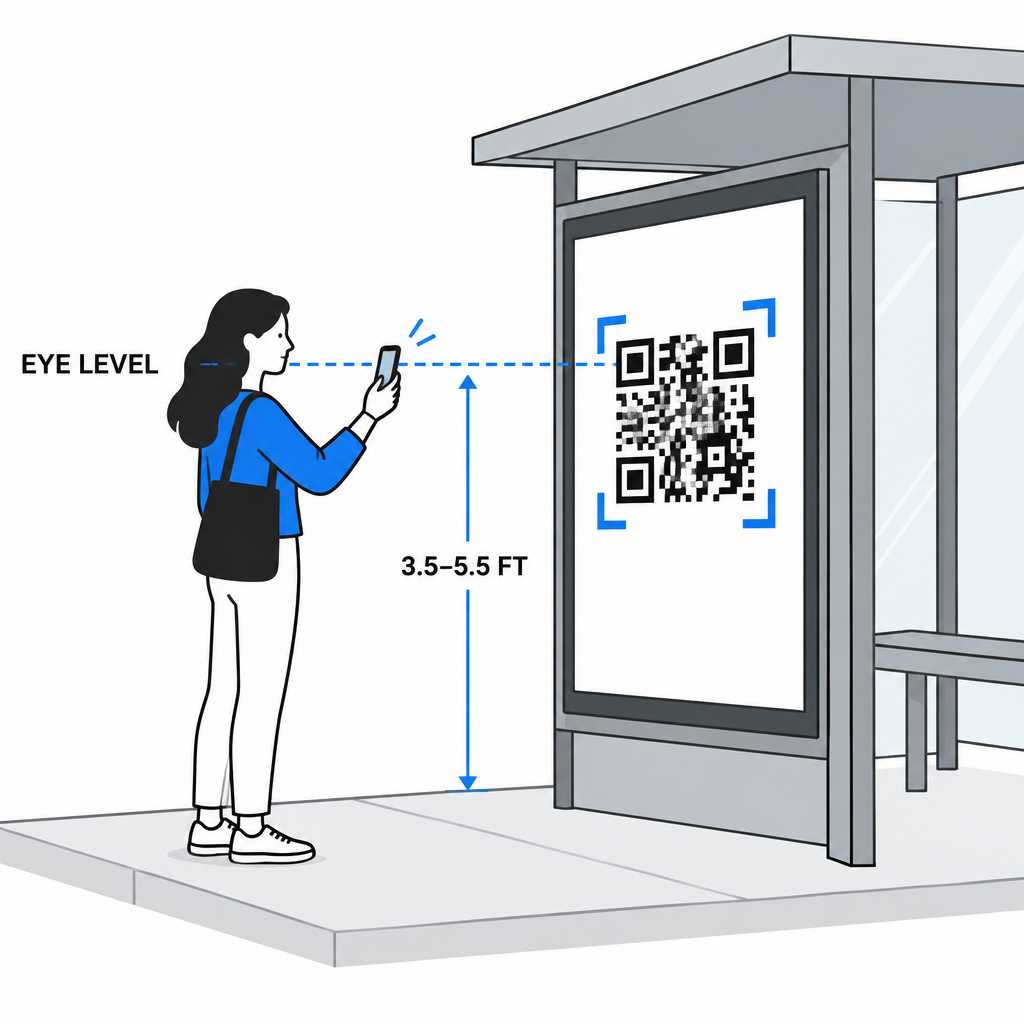
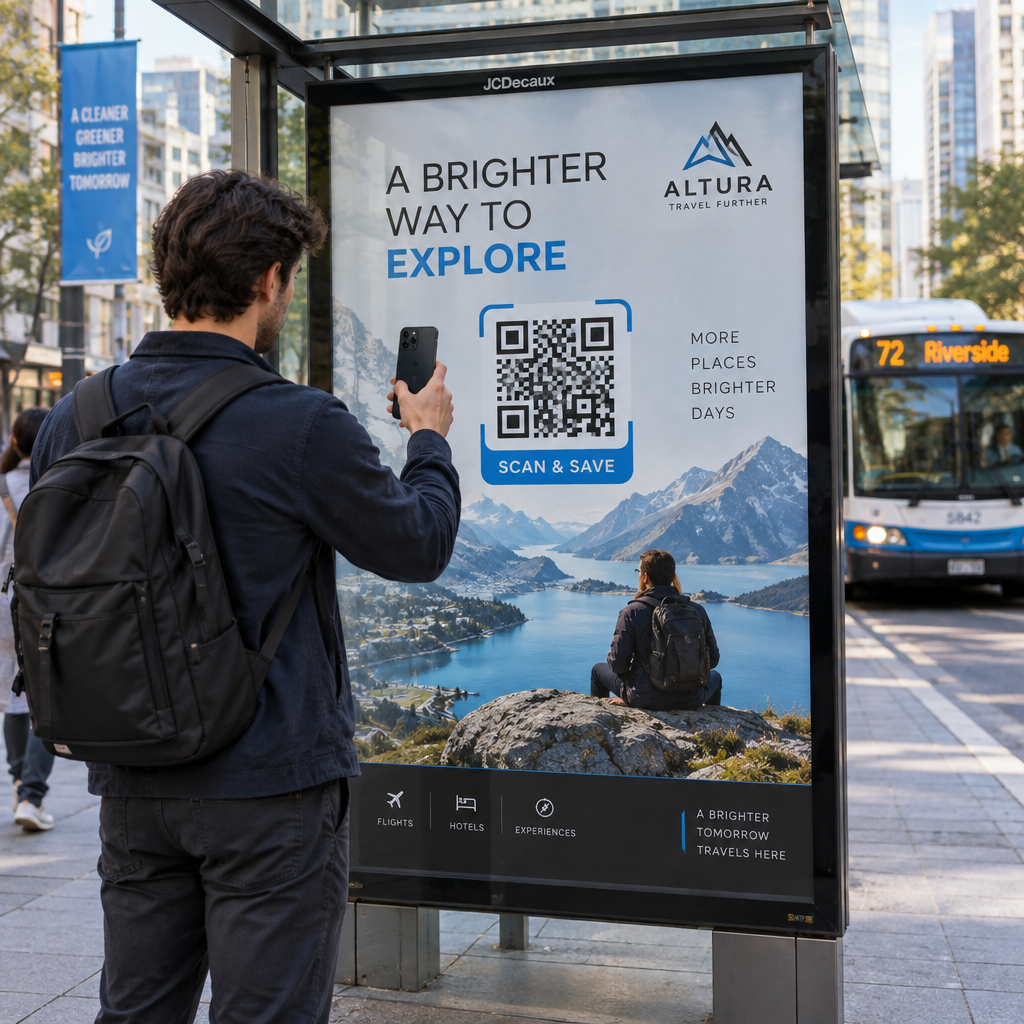
- Prioritize pedestrian zones: Target bus shelters, subway platforms, rail stations, and shopping promenades where foot traffic lingers. Longer dwell times give pedestrians the seconds needed to point their camera.
- Position at eye level: Mount codes where mobile cameras naturally align, typically between 3.5 and 5.5 feet above the ground on street-level displays.
- Avoid board borders: Keep the code positioned toward the center-right or main visual field of the ad rather than the extreme perimeter where structural frames or lights create shadows.
- Select matte print finishes: Outdoor sunlight creates intense glare on glossy substrates. A matte finish keeps data modules crisp and legible throughout varying daylight conditions.
- Review media owner regulations: Some outdoor operators restrict QR codes on digital roadside billboards due to safety and rotation policies. Always verify format guidelines with your media vendor beforehand.
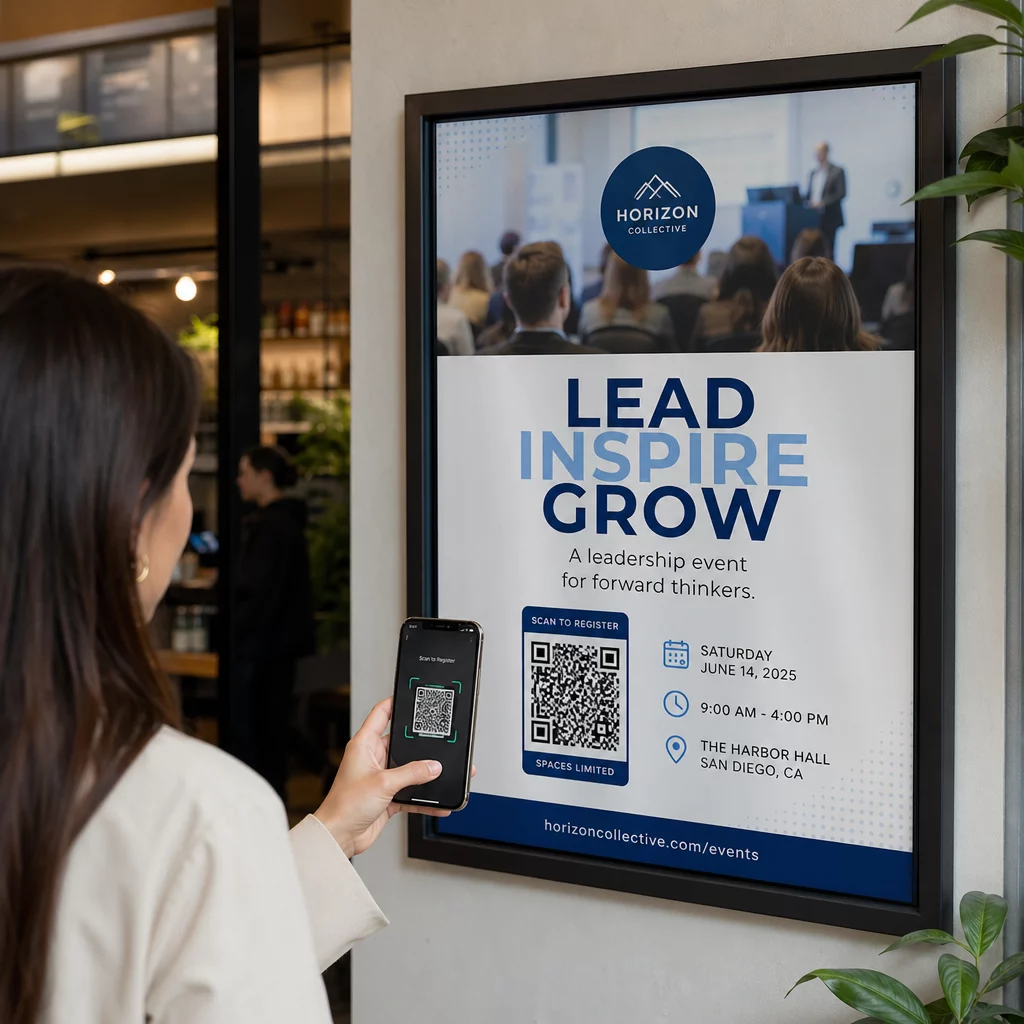
These principles apply to standard highway boards as well as street furniture and transit displays, which follow similar rules found in our guide on QR code placement in marketing and promotional advertising posters.
Connecting Scans to Mobile Landing Pages
Scanning a physical billboard bridges offline curiosity with online conversion. If that transition feels clunky, users abandon the session immediately.
Ensure your destination matches the exact wording on your billboard. If your headline promises a 20% discount, the landing screen must display the coupon code or product collection immediately without requiring additional navigation. Using dedicated custom landing pages allows you to present a mobile-first experience that loads within seconds, maintains brand consistency, and provides clear next steps for the user.
Tracking Billboard ROI with Dynamic Code Analytics
Billboards represent significant marketing investments, making performance tracking crucial for evaluating return on investment. Relying on static QR codes leaves your team blind to user engagement once the canvas is installed.
Using a dynamic QR code separates the physical artwork from the destination link. The code points to an editable short redirect, allowing you to update campaign destinations, switch seasonal promotions, or correct target links without reprinting the billboard. Dynamic codes also enable complete QR code tracking across every installation.
By reviewing built-in QR code analytics, you can evaluate:
- Total and unique scan counts across specific flight dates
- Peak scanning hours and days of the week
- Device operating systems (iOS versus Android) to optimize mobile layouts
- Geographic distribution to compare performance between different billboard locations
Maximize Outdoor Advertising Returns
An effective billboard QR code campaign relies on clear synergy: a concise call to action under seven words, strict adherence to the 10:1 distance sizing rule, high-contrast print design, and an optimized mobile destination. Deploying editable codes ensures your display adapts to evolving promotions while delivering actionable scan data. Build your next outdoor campaign using the Pageloot QR code generator to create branded, high-resolution codes that turn roadside views into measurable customer actions.
Frequently Asked Questions
Follow the 10:1 distance-to-size rule, meaning the code should measure at least one foot wide for every ten feet of expected viewing distance. Always test the code with multiple smartphone cameras from the actual viewing distance before printing.
No. Roadside billboard QR codes should never target active vehicle drivers due to safety and distraction risks. Reserve roadside QR codes for vehicle passengers in slow-moving traffic, or focus outdoor placements on pedestrian-friendly areas like transit shelters and walking districts.
Yes, if you use a dynamic QR code. Dynamic codes route scanners through a short redirect link, allowing you to update destination URLs, promotional offers, or landing pages at any time without reprinting the billboard canvas.