Is your marketing campaign failing to bridge the gap between physical materials and digital conversions? Choosing the wrong QR code format often leads to unclickable links and a complete lack of measurable performance data. This guide helps you select the ideal format and management tool to maximize engagement and optimize your campaign tracking.
Static vs. Dynamic QR codes: Choosing Your Framework
The first decision in any campaign is choosing between a static or dynamic framework. This choice is critical because it determines whether you can change your content after the code is printed. Static QR codes store data directly in the pattern, meaning they are permanent and cannot be tracked. They are best suited for one-time use or fixed information like Wi-Fi credentials or personal contact details that never change.
For marketing, however, static vs dynamic QR codes represent the difference between a blind guess and a data-driven strategy. Dynamic codes use a short redirect URL, allowing you to change your QR code destination even after the campaign has launched. This flexibility saved Marriott Aruba over $150,000 in printing costs when they transitioned to digital menus that could be updated in real time.
| Feature | Static QR Codes | Dynamic QR Codes |
|---|---|---|
| Editable Destination | No | Yes |
| Scan Tracking | No | Yes (Location, Time, Device) |
| Data Density | High (slower scan) | Low (fast scan) |
| Best For | Fixed information | Campaigns and E-commerce |
Ready to launch your first campaign? Use the Pageloot QR code generator to create branded, trackable codes that allow you to update your content anytime without reprinting.
Selecting Formats Based on Campaign Goals
Your specific conversion goal should dictate the type of QR code you generate. Different formats trigger unique smartphone actions, which directly impacts your response rates. Standard URL codes are the most versatile for directing traffic to landing pages or social media, but specialized formats often provide a smoother user experience.
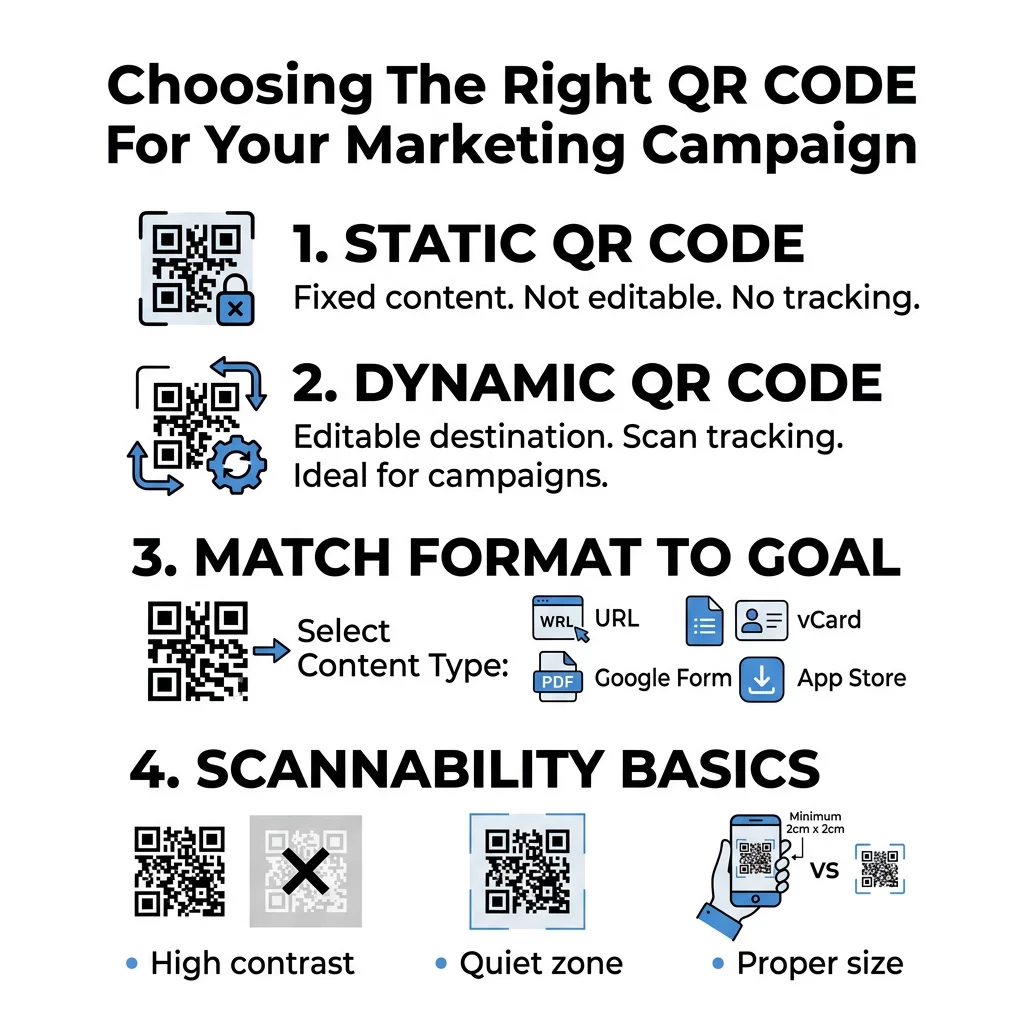
- PDF QR Codes: These are perfect for product manuals, real estate brochures, or digital menus. A PDF QR code generator allows users to view documents instantly on their mobile devices without needing to navigate a full website.
- Google Form QR Codes: If you are collecting customer feedback or event registrations, a Google Form QR code generator removes the friction of manual data entry, which significantly boosts participation rates.
- vCard and Contact Codes: Ideal for networking, these codes let users save contact details directly to their phone’s address book with a single scan.
- App Store Redirects: These are specialized for QR codes for software companies and developers, automatically routing users to the correct store based on their device’s operating system.
Essential Management Features for Marketers
A basic generator is rarely sufficient for professional campaigns. To effectively track QR code performance, you need a management platform that offers deep insights and control. High-performing campaigns often see scan rates around 14%, which is significantly higher than traditional digital ads, but only if the codes are managed correctly.
Look for tools that support UTM parameters, allowing you to see exactly how your QR code traffic performs within your broader analytics suite. Professional platforms also offer bulk creation for generating hundreds of unique codes for different store locations and A/B testing features to see which creative offers drive more scans. For example, Lionsgate successfully used localized dynamic codes to drive over 12,000 interactions across 65 different cities.
Design Standards for Maximum Scannability
Even the best strategy will fail if the physical code is difficult to scan. Following QR code usability best practices ensures your audience remains engaged rather than frustrated. High contrast is the foundation of scannability; you should always use a dark code on a light background, aiming for a contrast ratio of at least 4.5:1.
Size and placement are equally vital. For hand-held materials like flyers, the code should be at least 0.8 x 0.8 inches. When placing codes on larger surfaces, follow the QR code placement guide which recommends a scanning distance-to-width ratio of 10:1. Always maintain a “quiet zone” – a margin of empty space around the code – to help the scanner distinguish the data from surrounding graphics. Finally, always export your final design in vector formats like SVG or EPS to ensure the code remains sharp and pixel-free at any size.
Measuring ROI with Real-Time Analytics
The primary advantage of dynamic codes is the ability to track scans in real-time. Instead of guessing which flyers or posters are working, you receive concrete data on total versus unique scans, geographic locations, and the specific devices used by your audience.
Modern analytics dashboards allow you to pivot your strategy mid-campaign. If you notice a spike in scans at a particular time of day or in a specific neighborhood, you can reallocate your marketing budget to those high-performing segments. This first-party data is invaluable for personalizing future interactions and improving the overall user experience.
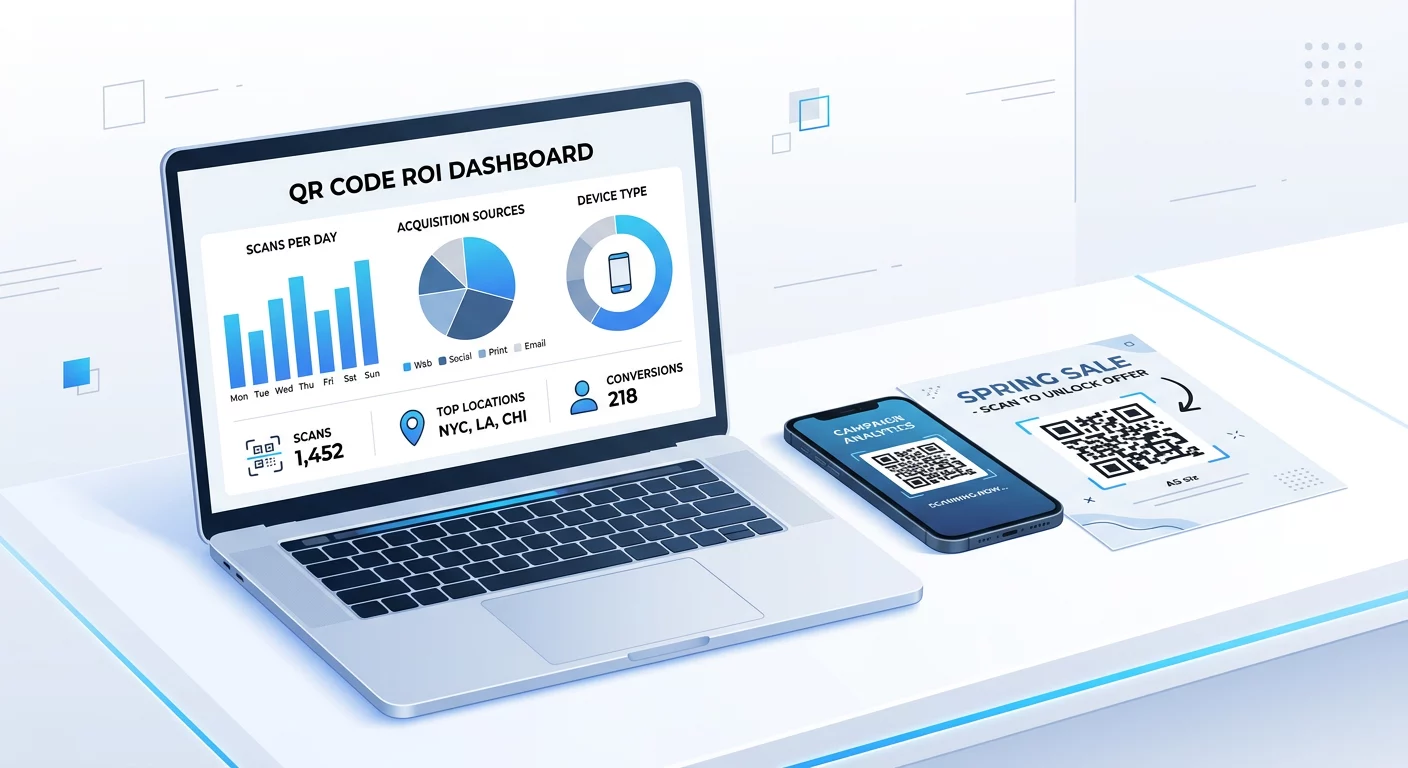
Need to track your marketing performance? Generate a link QR code generator today to start collecting first-party data and measuring your offline-to-online conversion rates.
FAQ
You can only change the link if you used a dynamic QR code. These codes point to a redirect URL that can be updated in your management dashboard without changing the physical appearance of the code on your printed materials.
For standard flyers held at arm’s length, the code should be at least 0.8 x 0.8 inches (2 x 2 cm). If the code contains a large amount of data or high error correction, you may need to increase the size to ensure it remains scannable.
While basic static codes are often free, real-time tracking and editability typically require a subscription to a management platform. These tools handle the tracking automatically and provide you with a dashboard to view your campaign data. Selecting the right QR code involves more than just choosing a style. By prioritizing dynamic formats, ensuring high-contrast designs, and utilizing real-time analytics, you turn static print media into a powerful, measurable digital gateway. Start by identifying your primary conversion goal, then select a management tool that provides the flexibility and tracking needed to grow with your campaign.