
Are you weighing open-source QR code tools against managed platforms but unsure which fits your infrastructure? The wrong choice creates either vendor lock-in or maintenance overhead you didn’t budget for. This guide breaks down the leading self-hostable options alongside managed alternatives so you can make an informed decision.
Why Self-Hosting Dynamic QR Codes Appeals to Technical Teams
Dynamic QR codes store a short redirect URL rather than a fixed destination, so you can update where the code points without reprinting it. Self-hosting that redirect layer means your codes remain functional as long as your server is running – no subscription renewal required and no risk of a platform shutting down mid-campaign.
Beyond uptime control, the case for self-hosting typically comes down to three factors:
- Data residency: All scan data stays on your own infrastructure, which simplifies compliance with regulations that require personal data to remain within specific jurisdictions.
- Integration depth: You own the redirection database, so you can pipe scan events directly into your CRM or analytics stack without routing through a third-party API.
- Branded short domains: Because you control the domain, every redirect link carries your brand, which tends to increase scan trust compared to generic platform URLs.
That said, self-hosting gives you full control and full responsibility. Server uptime, security patches, and infrastructure scaling all fall on your team.
Server monitoring can help teams keep track of their infrastructure and identify availability issues when a self-hosted QR-code system goes offline.
Top Open-Source Tools for Dynamic QR Code Management
Shlink
Shlink is a self-hosted URL shortener built around an API-first architecture, making it a natural fit for teams that want to generate and manage dynamic redirects programmatically. It tracks visits every time a short URL is opened and attempts to geolocate each scan, providing geographic data, referral sources, and click-through rates – the kind of detail usually locked behind enterprise tiers on managed platforms. Custom slugs and QR code generation are both supported natively, so you can use Shlink as a complete backend for tracking QR codes without bolting on additional tools.
Drupal QR Generator Module
For teams already running Drupal, the QR Generator module lets you create, manage, and host QR codes directly inside the CMS. Redirection is handled internally, so destination updates happen through the same editorial interface your content team already uses. This reduces the operational surface area compared to running a standalone redirect service.
QR-Track
QR-Track is a lightweight, self-hosted system focused specifically on dynamic QR code management. It provides a secure dashboard for handling multiple content types – URLs, WiFi credentials, vCards, and more – making it a practical choice for developers who want a dedicated management interface rather than a general-purpose URL shortener.
Analytics and Data Privacy in Self-Hosted Systems
The analytics case for dynamic codes depends entirely on what data your system collects and how it stores it. Self-hosted tools typically capture the timestamp of each scan, the visitor’s device type, and an approximate location derived from the IP address. Understanding what data dynamic QR codes collect is essential before you deploy, particularly if your users are in regions with strict privacy laws.
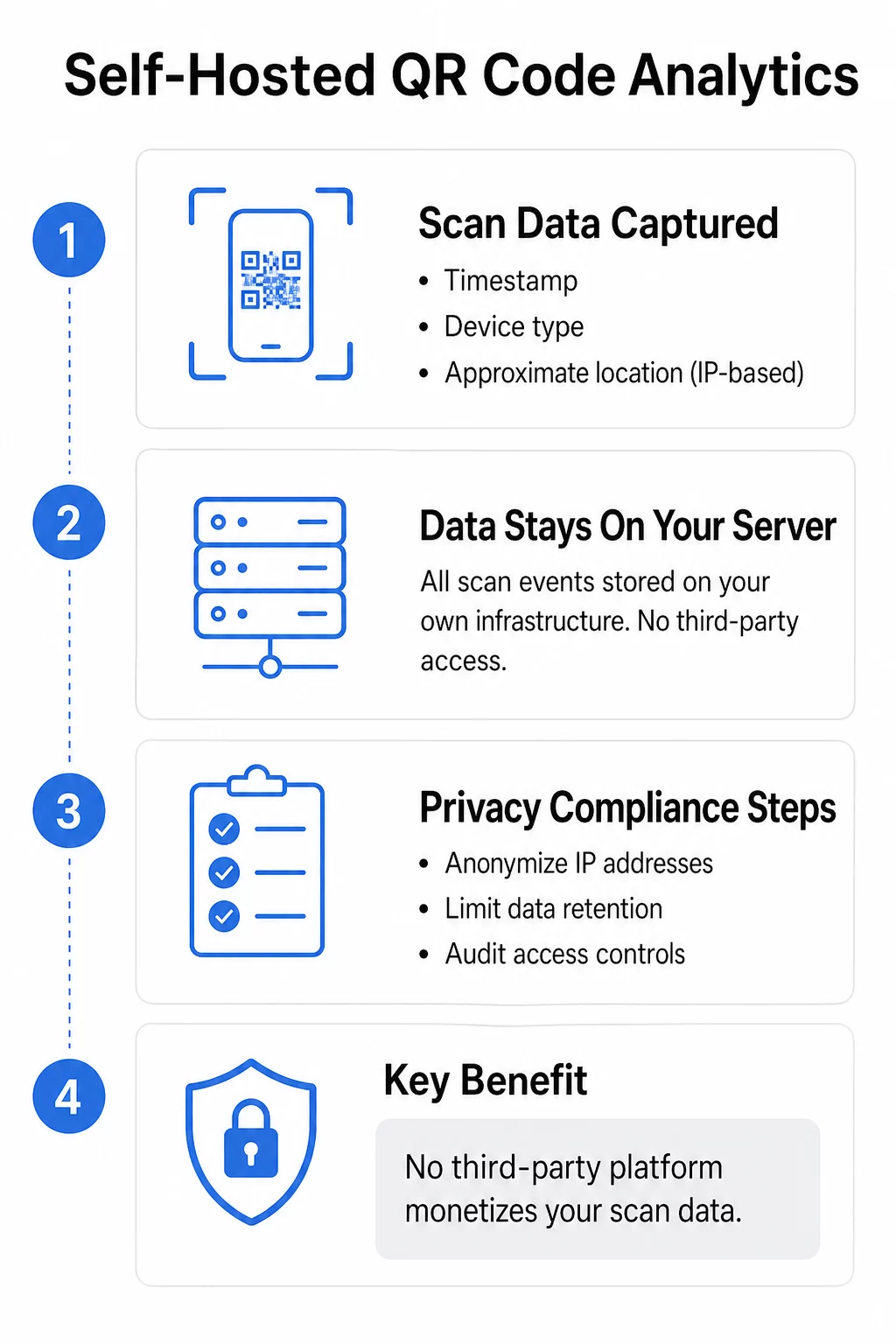
Running your own analytics server means sensitive scan data never leaves your infrastructure – a meaningful advantage for privacy-focused organizations. However, self-hosting doesn’t automatically make you compliant. You still need to configure your server to anonymize IP addresses where required and make your data collection practices transparent to end users. Eliminating the third-party data layer does remove one risk: the possibility that a managed platform monetizes your scan data independently.
Security Responsibilities for Self-Hosted Redirect Infrastructure
Following secure QR code generation best practices matters whether you use a managed service or run your own stack, but self-hosting shifts the enforcement burden entirely to you. Key controls to implement include:
- HTTPS enforcement: Every redirect link should use HTTPS. Serving redirects over HTTP exposes users to interception and undermines trust.
- Destination URL validation: Validate all destination URLs server-side before encoding them. This prevents your redirect infrastructure from being used to mask malicious sites – a technique sometimes called “quishing.”
- Rate limiting: Apply rate limiting to your redirect API to protect against denial-of-service attacks that could take your codes offline.
- Regular patching: Open-source tools are transparent by design, which means vulnerabilities are publicly visible. Staying current with patches is non-negotiable.
Branded short domains also serve a security function: users who recognize your domain are more likely to scan with confidence and less likely to fall for spoofed codes pointing to lookalike URLs.
Self-Hosted vs. Managed Platforms: A Direct Comparison
Choosing between self-hosted tools and a managed platform like Pageloot comes down to your team’s technical capacity and how quickly you need to scale. The table below maps the key differences across the criteria that matter most to technical decision-makers.
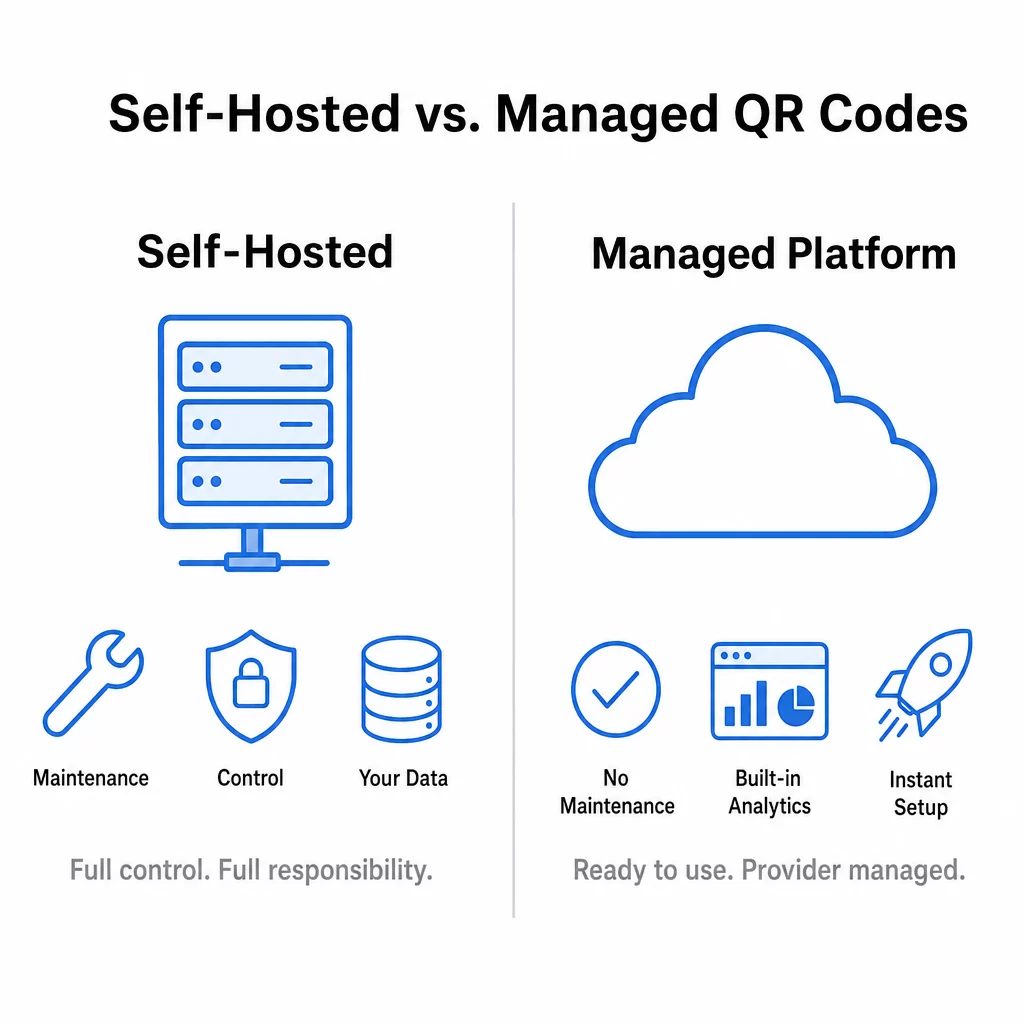
| Feature | Open-Source / Self-Hosted | Managed Platform (Pageloot) |
|---|---|---|
| Data Ownership | Full control on your infrastructure | Encrypted and secure storage |
| Maintenance | High – you handle all updates and uptime | None – provider managed |
| Customization | Unlimited with development resources | Template-based branding tools |
| Initial Setup | Complex server configuration required | Instant web-based dashboard |
| Cost | Hosting and engineering time | Subscription with free trial |
| Edit QR destinations | Via API or self-built dashboard | Via centralized dashboard |
Managed platforms also offer capabilities that are difficult to replicate quickly with open-source libraries – smart app store redirects, ready-made design templates, and support for 25+ QR code types among them. For teams that need to scale rapidly, manage codes across multiple departments, or simply don’t have the bandwidth for infrastructure maintenance, that tradeoff often favors a managed service.
A broader comparison of free vs. paid QR code tools can help you map feature priorities against budget constraints if you’re still evaluating where self-hosting fits your stack.
Update Destinations Without Reprinting Need dynamic QR codes with built-in analytics and no server maintenance? Use the link QR code generator to create editable, trackable codes and manage them from a centralized dashboard.
Self-hosting makes the most sense when your team has the engineering capacity to maintain the infrastructure and your organization has strict data residency requirements that a managed platform can’t satisfy. If those conditions don’t apply, the operational overhead typically outweighs the control benefits. Either way, the decision should be driven by your actual compliance requirements and technical resources – not just a preference for open-source by default.
Frequently Asked Questions
Yes, as long as your self-hosted system uses dynamic redirects. Tools like Shlink let you update the destination URL through a dashboard or API call at any time, so the printed QR code – which points to your short URL – continues to work without modification.
The primary risk is full ownership of maintenance and security. You are responsible for server uptime, software patches, and infrastructure stability. If your server goes down or a vulnerability is left unpatched, every QR code pointing to that server stops working or becomes a security risk.
Self-hosting gives you direct control over where scan data is stored and who can access it, which is valuable for organizations with strict data residency requirements. However, privacy depends on how you configure your server – anonymizing IP addresses, limiting data retention, and auditing access controls are all tasks you take on yourself rather than delegating to a provider’s security team.