Perlukan cara yang lebih pantas untuk berkongsi butiran hubungan atau mendaftar masuk peserta di acara anda yang seterusnya? Butiran yang ditaip secara manual akan hilang, kad perniagaan kertas bertimbun, dan barisan daftar masuk yang panjang mengecewakan semua orang. Panduan ini membimbing anda tentang cara menambah kod QR yang boleh diimbas pada tag nama – meliputi jenis kod yang betul, peraturan reka bentuk, dan spesifikasi cetakan yang benar-benar berfungsi.
Mengapa Kod QR Patut Ada pada Tag Nama
Tag nama secara tradisinya memaparkan nama dan mungkin syarikat. Itu berguna untuk kira-kira tiga saat perbualan. Kod QR mengubah lencana yang sama menjadi aset yang berterusan, boleh diimbas yang berfungsi sepanjang keseluruhan acara.
Berikut ialah apa yang boleh dilakukan oleh kod QR pada tag nama:
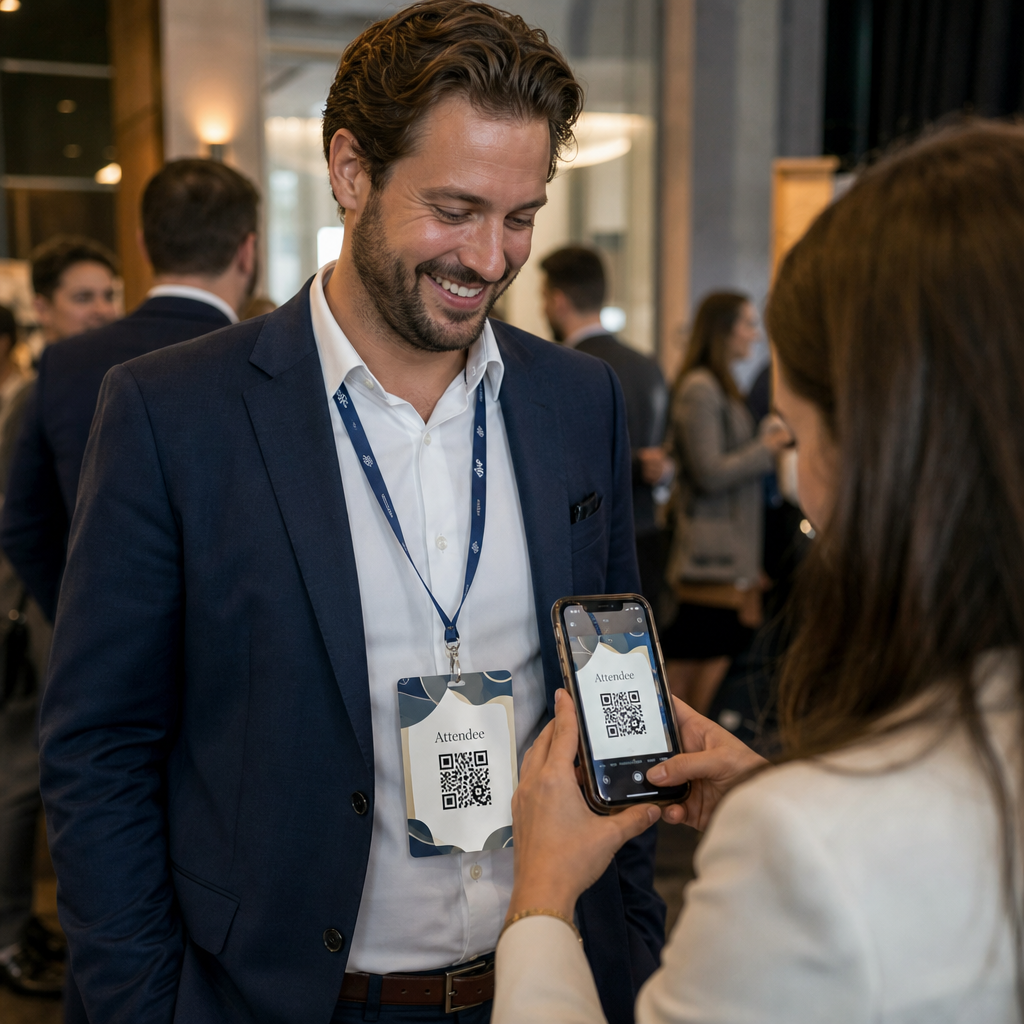
- Kongsi butiran hubungan serta-merta – Satu imbasan menyimpan vCard penuh terus ke telefon pengimbas, tiada penaipan diperlukan
- Automasi daftar masuk acara – Peserta mengimbas masuk di pintu, mendaftarkan ketibaan mereka tanpa senarai kertas atau carian manual
- Sambung ke profil digital – Pautkan ke halaman LinkedIn, laman web peribadi, portfolio, atau bio acara
- Jejaki penglibatan – Dengan kod dinamik, anda boleh melihat dengan tepat berapa kali lencana diimbas, bila, dan dari peranti apa
Kes penggunaan perkongsian kenalan sahaja sudah memadai untuk penambahan ini. Sebuah kod QR vCard mengekod nama, nombor telefon, e-mel, syarikat, dan laman web dalam format yang dikenali secara asli oleh iOS dan Android. Apabila seseorang mengimbasnya, telefon serta-merta menggesa mereka untuk menambah kenalan – tiada aplikasi diperlukan, tiada kemasukan manual, tiada kad yang hilang.
Memilih Jenis Kod QR yang Betul untuk Tag Nama Anda
Tidak setiap kod QR mempunyai tujuan yang sama. Sebelum anda mencetak apa-apa, padankan jenis kod dengan matlamat anda.
| Matlamat | Jenis Kod QR | Apa Yang Dilakukannya |
|---|---|---|
| Kongsi maklumat kenalan | kod QR vCard | Mengekod nama, telefon, e-mel, syarikat; menyimpan terus ke kenalan telefon |
| Daftar masuk acara | Kod QR kehadiran/acara | Pautan ke borang pendaftaran atau sistem daftar masuk |
| Pautan ke profil atau laman web | Kod QR URL | Mengarahkan ke mana-mana destinasi web |
| Kongsi kad perniagaan digital | Kod QR kad perniagaan | Pautan ke kad digital penuh dengan profil sosial dan kandungan tersuai |
Untuk kebanyakan acara rangkaian, sebuah kod QR vCard atau a kod QR kad perniagaan adalah pilihan yang tepat. Untuk persidangan di mana anda juga perlu menjejaki siapa yang hadir dan bila, sebuah kod QR kehadiran atau QR acara mengendalikan lapisan itu.
Statik lwn. Dinamik: Yang Mana Patut Anda Gunakan?
A kod QR statik mengekod data terus ke dalam coraknya. Setelah dicetak, ia tidak boleh diubah. Jika URL yang dipautkan rosak atau butiran hubungan peserta berubah, anda perlu mencetak semula setiap lencana.
A kod QR dinamik menggunakan pautan pengalihan pendek. Corak yang dicetak kekal sama, tetapi anda boleh mengemas kini destinasi pada bila-bila masa – walaupun selepas lencana sudah berada di tangan peserta. Kod dinamik juga menyediakan analitik: bilangan imbasan, masa imbasan, jenis peranti, dan lokasi. Untuk sebarang acara dengan lebih daripada segelintir peserta, kod QR dinamik berbaloi dengan langkah persediaan tambahan.
Penting: Untuk mengakses ciri penjejakan dan penyuntingan, anda mesti menjana kod dinamik sebelum proses pencetakan bermula.
Sediakan Kod QR Tag Nama yang Boleh Dijejaki Cipta kod QR dinamik yang boleh anda kemas kini dan pantau dari satu papan pemuka. Gunakan Penjana Kod QR untuk bermula – tiada pencetakan semula diperlukan jika butiran berubah.
Cara Mencipta Kod QR vCard untuk Tag Nama
Ini adalah kes penggunaan tag nama yang paling biasa – perkongsian kenalan segera di acara rangkaian, persidangan, dan pameran perdagangan. Untuk bermula, buka Kod QR vCard: apa itu vCard? dan masukkan medan yang diperlukan: sekurang-kurangnya nama penuh dan satu kaedah hubungan seperti nombor telefon atau alamat e-mel. Dari situ, tambah medan pilihan – nama syarikat, jawatan, laman web, profil sosial – untuk menjadikan rekod kenalan yang disimpan lebih berguna untuk orang yang mengimbas.
Setelah data dimasukkan, sesuaikan reka bentuk dengan melaraskan warna, menambah logo, dan memilih gaya bingkai yang sepadan dengan penjenamaan acara anda. Muat turun kod dalam format sedia cetak – SVG atau EPS untuk output berskala, PNG untuk kegunaan digital – dan ujinya pada kedua-dua iOS dan Android sebelum menghantar fail kepada pencetak.
Ulangi proses ini untuk setiap peserta jika anda mencipta lencana individu, atau cipta satu kod kongsi untuk gerai syarikat atau titik daftar masuk pasukan. Untuk melihat dengan lebih mendalam tentang persediaan vCard dan amalan terbaik, panduan kepada kod QR vCard meliputi aliran kerja penuh secara terperinci.
Cara Menggunakan Kod QR untuk Daftar Masuk Acara pada Lencana
Untuk persidangan, bengkel, atau sebarang acara bertiket, kod QR pada lencana berfungsi sebagai kedua-dua kelayakan daftar masuk dan alat rangkaian. Mulakan dengan mencipta borang pendaftaran menggunakan Google Forms, Typeform, atau platform pengurusan acara anda. Kemudian jana sebuah kod QR kehadiran yang memaut terus ke borang atau sistem daftar masuk dan cetaknya pada setiap lencana peserta sebelum acara – atau sertakannya dalam e-mel pra-acara untuk pencetakan layan diri.
Di pintu, kakitangan mengimbas setiap lencana dengan telefon pintar atau pengimbas pegang tangan untuk mendaftar ketibaan. Sistem mencatat imbasan secara automatik, tanpa senarai kertas atau carian manual diperlukan. Daftar masuk kod QR boleh mengurangkan masa pemprosesan kepada kurang daripada dua saat setiap orang, yang mengurangkan tempoh kemasukan keseluruhan dengan ketara berbanding kaedah manual. Untuk panduan lengkap persediaan daftar masuk acara, lihat yang panduan kod QR untuk daftar masuk acara.
Anda juga boleh menggabungkan kedua-dua fungsi pada satu lencana: kod QR vCard untuk perkongsian kenalan dan kod kehadiran berasingan untuk daftar masuk. Letakkan ia di kawasan berbeza pada lencana dengan label yang jelas supaya hadirin dan kakitangan tahu yang mana untuk diimbas dan bila.
Automasi Daftar Masuk Acara Anda Berhenti menguruskan senarai kertas dan carian manual. Gunakan yang alat Kod QR Kehadiran untuk menyediakan sistem daftar masuk berasaskan imbasan yang mendaftar ketibaan dalam masa nyata.
Peraturan Reka Bentuk Yang Memastikan Kod QR Tag Nama Boleh Diimbas
Kod QR yang kelihatan baik tetapi gagal diimbas adalah tidak berguna. Tag nama menimbulkan cabaran tertentu: kawasan cetakan kecil, keadaan pencahayaan yang berbeza-beza, lencana yang dipakai pada sudut berbeza, dan orang mengimbas dari jarak sejauh lengan. Peraturan berikut menangani setiap masalah ini secara langsung.
Saiz: Gunakan Nisbah 10:1
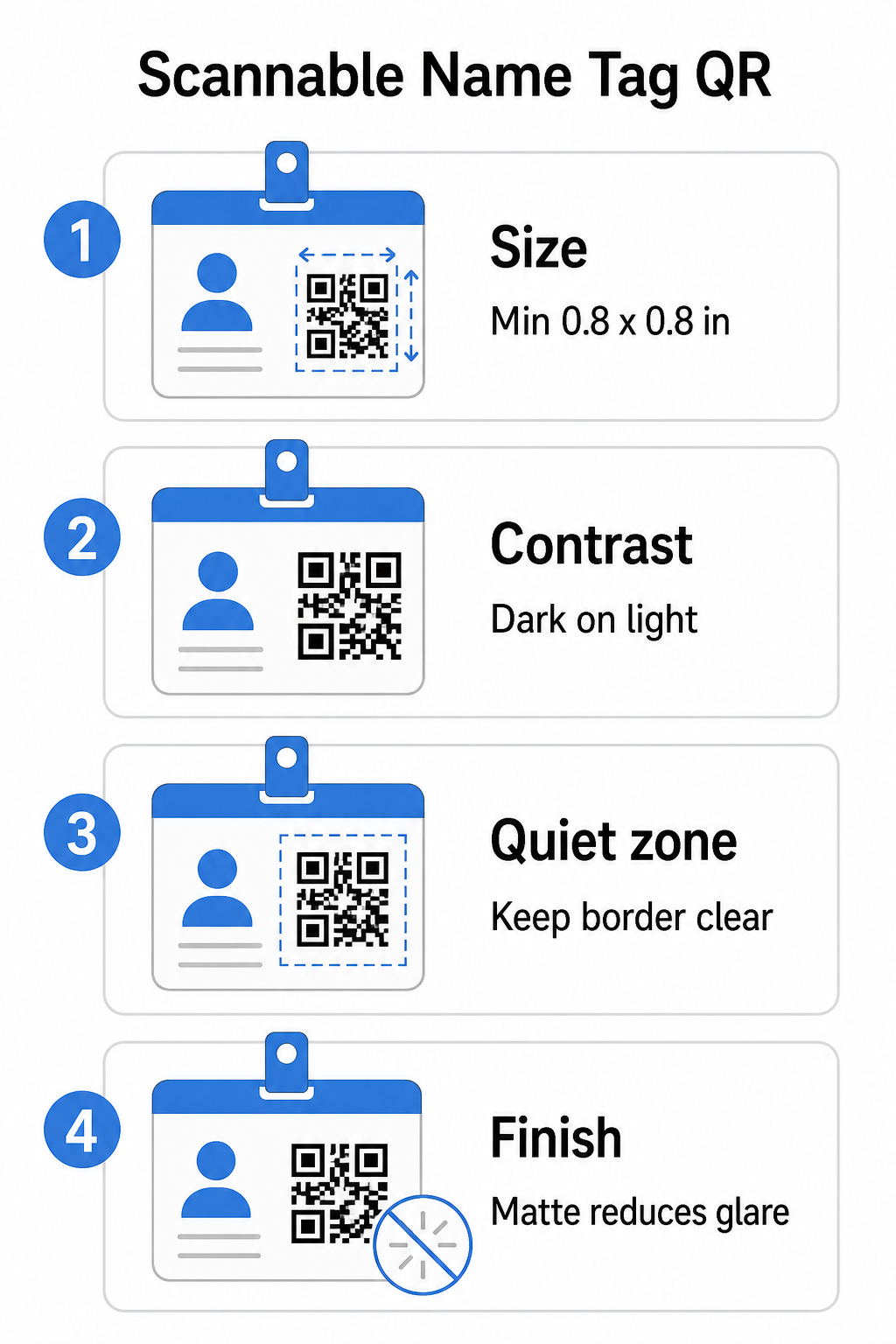
Dimensi terkecil kod QR hendaklah kira-kira satu persepuluh daripada jarak imbasan yang dijangkakan. Untuk tag nama yang diimbas dari kira-kira 10 inci (25 cm) jauhnya, kod itu perlu sekurang-kurangnya 1 inci (2.5 cm) lebar. Minimum praktikal untuk mana-mana kod bercetak jarak dekat adalah 0.8 × 0.8 inci (2 × 2 cm) 0.8 × 0.8 inci (2 × 2 cm) – mengecilkan saiz akan menyebabkan kegagalan imbasan yang tidak perlu, terutamanya pada telefon lama. Jika lencana anda mempunyai ruang, saiz kod lebih dekat kepada 1 × 1 inci memberikan hasil yang lebih dipercayai merentasi pelbagai peranti yang lebih luas. Untuk butiran lanjut mengenai keputusan saiz, lihat panduan saiz kod QR Saiz kod QR untuk kad perniagaan – prinsip yang sama terpakai secara langsung pada tag nama.
Kontras: Gelap di Atas Cerah Sahaja
Pengimbas berfungsi dengan mengesan kontras antara modul gelap dan latar belakang cerah. Amalan terbaik adalah kontras tinggi latar depan gelap pada latar belakang terang – hitam di atas putih kekal sebagai kombinasi yang paling boleh dipercayai. Kod terbalik (modul cerah pada latar belakang gelap) menyebabkan kegagalan pada banyak aplikasi pengimbasan, terutamanya yang lebih lama. Sasarkan untuk nisbah kontras minimum 4.5:1 nisbah kontras sekurang-kurangnya 4:1, yang menyokong kebolehbacaan merentasi persekitaran pencahayaan yang berbeza dan kamera peranti.
Elakkan gradien dan bayang-bayang di dalam atau di sekitar kawasan kod QR. Ini menghasilkan tona pertengahan yang mengelirukan algoritma pengimbas dan mengurangkan kebolehpercayaan dalam tetapan cahaya rendah. Panduan kontras warna panduan amalan terbaik kontras warna kod QR menyediakan panduan kombinasi warna tertentu dan jadual perbandingan kontras jika anda ingin menggunakan warna berjenama daripada hitam dan putih biasa.
Zon Senyap: Pastikan Sempadan Jelas
Yang zon senyap Zon senyap adalah margin kosong yang mengelilingi kod QR di keempat-empat sisi. Ia memberitahu pengimbas di mana kod bermula dan berakhir – tanpanya, pengimbas tidak dapat mengesan simbol itu dengan pasti. Mengikut piawaian ISO/IEC 18004, margin ini mestilah sekurang-kurangnya empat modul lebar di setiap sisi. Jika reka bentuk lencana anda meletakkan teks, logo, atau elemen hiasan terlalu dekat dengan kod, pengimbas mungkin gagal mengesannya sepenuhnya. Sebagai peraturan praktikal: jika setiap modul dalam kod anda adalah 2 mm lebar, zon senyap hendaklah sekurang-kurangnya 8 mm di setiap sisi.
Pembetulan Ralat: Tingkatkan Jika Menambah Logo
Kod QR mempunyai empat tahap pembetulan ralat yang menentukan berapa banyak kerosakan fizikal atau halangan yang boleh ditoleransi oleh kod sambil kekal boleh diimbas: L (kira-kira 7%), M (kira-kira 15%), Q (kira-kira 25%), dan H (kira-kira 30%). Jika anda membenamkan logo atau ikon syarikat di dalam kawasan kod – biasa untuk lencana berjenama – gunakan tahap pembetulan ralat H tahap pembetulan ralat H dan pastikan logo itu tidak lebih daripada 30% daripada kawasan kod tidak lebih daripada 30% daripada kawasan kod. Ini memberikan pengimbas data berlebihan yang mencukupi untuk membina semula corak walaupun sebahagian daripadanya tertutup. Jika anda tidak menambah logo, tahap M atau Q adalah mencukupi untuk kebanyakan aplikasi cetakan.
Bentuk dan Format: Jangan Sesekali Regangkan atau Mampatkan
Kod QR mesti kekal berbentuk segi empat sama sempurna. Meregangkan atau memampatkan kod untuk muat pada susun atur menyalahjajarkan modul dan menjadikannya tidak boleh diimbas. Sentiasa skala secara berkadaran dan eksport dalam format vektor (SVG atau EPS) untuk cetakan untuk mengelakkan pikselasi pada saiz yang lebih besar.
Kemasan: Pilih Matte Berbanding Berkilat
Bahan lencana berkilat memantulkan cahaya dan menghasilkan silau yang mengganggu pengimbasan kamera. Laminasi matte atau stok tidak bersalut berfungsi dengan lebih baik dalam pencahayaan acara dunia sebenar. Jika anda mencetak pada lencana berkilat, uji kod di bawah keadaan pencahayaan sebenar tempat anda sebelum memuktamadkan cetakan. Panduan kualiti cetakan kod QR panduan amalan terbaik kebolehbacaan kod QR meliputi setiap faktor ini dengan kedalaman tambahan.
Penempatan pada Lencana
Di mana kod QR diletakkan pada tag nama mempengaruhi kekerapan ia diimbas. Pertimbangkan prinsip penempatan ini:
- Letakkan pada paras mata semula jadi apabila dipakai – separuh bahagian bawah lencana setinggi dada mudah diimbas tanpa meminta seseorang menanggalkannya
- Labelkan kod itu dengan jelas – sertakan arahan ringkas seperti “Imbas untuk menyimpan kenalan” atau “Daftar masuk di sini” betul-betul di bawah atau di sebelah kod itu; orang ramai lebih cenderung untuk mengimbas apabila mereka tahu fungsi kod itu
- Asingkan beberapa kod – jika lencana anda menyertakan kedua-dua kod daftar masuk dan kod perkongsian kenalan, labelkan setiap satu dengan jelas dan berikan ruang yang cukup untuk diimbas secara individu tanpa kekeliruan
- Elakkan meletakkan kod itu berhampiran klip lencana atau lubang tali leher – kawasan ini dilipat atau ditutup, yang boleh menghalang sebahagian daripada kod atau zon senyap
Menguji Sebelum Anda Mencetak
Cetak pruf dan imbasnya sebelum menghantar pesanan lencana penuh untuk pengeluaran. Uji kod itu pada kedua-dua peranti iOS dan Android, di bawah keadaan pencahayaan tempat acara anda, pada jarak yang akan diimbas oleh peserta dan kakitangan, dan dengan serta tanpa denyar kamera untuk mensimulasikan senario cahaya malap. Kod yang lulus keempat-empat ujian sedia untuk pengeluaran. Kod yang gagal pada mana-mana satu daripadanya memerlukan pelarasan reka bentuk – sama ada meningkatkan saiz, meningkatkan kontras, atau mengembangkan zon senyap – sebelum anda komited untuk cetakan penuh.
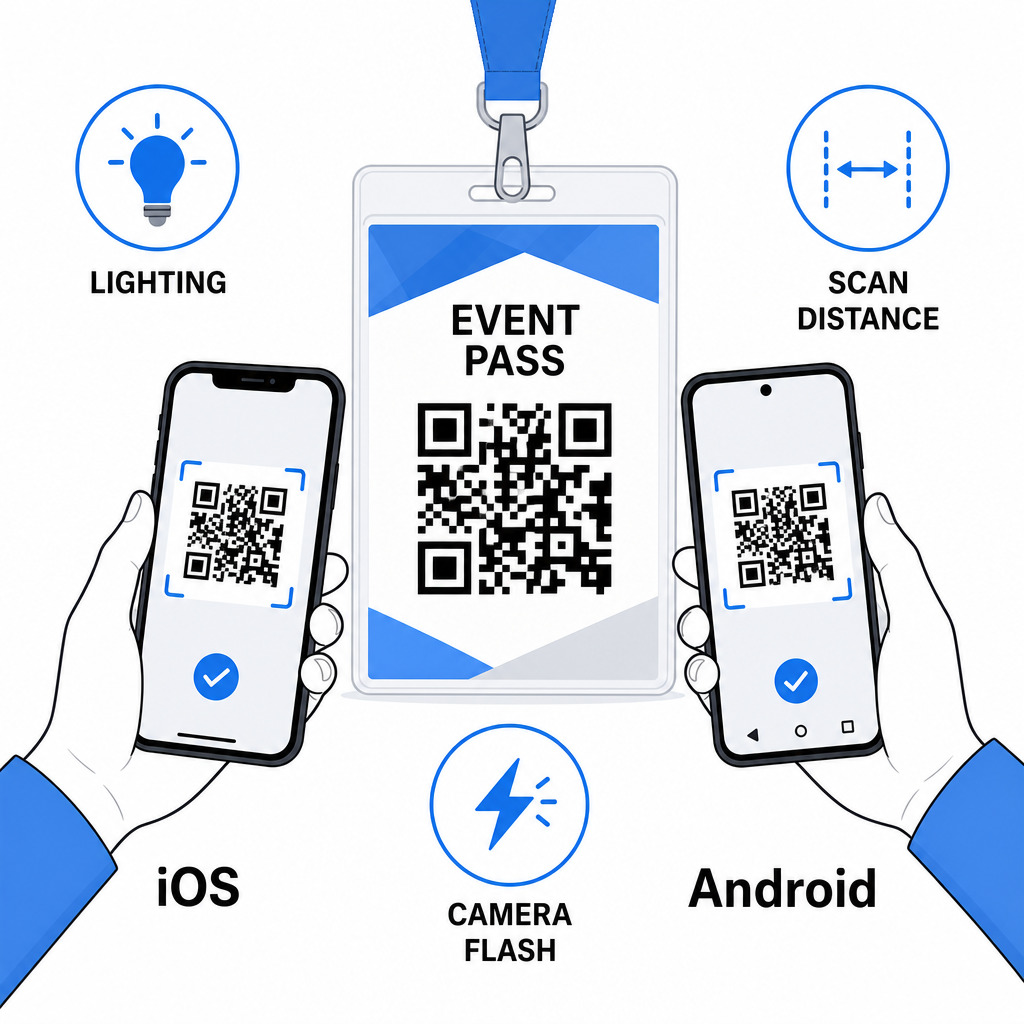
Kod QR pada tag nama berfungsi paling baik apabila jenis kod yang betul, reka bentuk bersih, dan spesifikasi cetakan yang tepat digabungkan sebelum satu lencana pun dicetak. Pilih kod dinamik jika butiran peserta mungkin berubah atau jika anda mahukan analitik imbasan. Ikuti peraturan saiz, kontras, dan zon senyap untuk memastikan setiap lencana diimbas dengan andal pada hari itu. Dan sentiasa uji pada peranti sebenar sebelum memuktamadkan pengeluaran.
Bina Kod QR Tag Nama Anda Cipta kod QR vCard dan kehadiran yang boleh disesuaikan dengan analitik terbina dalam dan penyuntingan dinamik. Mulakan dengan Penjana Kod Pageloot QR – percuma untuk dicuba, tiada kad kredit diperlukan.
Soalan lazim
Anda boleh mengekod butiran hubungan seperti nama, telefon, e-mel, syarikat, dan laman web menggunakan kod QR vCard, pautkan ke borang daftar masuk acara menggunakan kod QR kehadiran, atau menunjuk ke mana-mana destinasi web seperti profil LinkedIn atau portfolio digital. Pilihan yang tepat bergantung pada sama ada matlamat utama adalah perkongsian kenalan, daftar masuk, atau akses maklumat umum.
Minimum praktikal untuk kod QR tag nama ialah 0.8 × 0.8 inci (2 × 2 cm). Mengecilkan saiz meningkatkan risiko kegagalan imbasan, terutamanya pada telefon pintar lama. Jika reka bentuk lencana anda mempunyai ruang, menetapkan saiz kod lebih dekat kepada 1 × 1 inci memberikan hasil yang lebih dipercayai merentasi pelbagai peranti yang lebih luas dan keadaan pencahayaan.
Jika anda menggunakan kod QR statik, anda perlu mencetak semula lencana yang terjejas. Jika anda menggunakan kod QR dinamik, anda boleh mengemas kini destinasi – sama ada vCard, halaman kenalan, atau pautan borang – dari papan pemuka Pageloot anda tanpa menyentuh lencana yang dicetak. Ini adalah salah satu sebab utama untuk menggunakan kod dinamik untuk sebarang acara dengan maklumat peserta yang berubah-ubah.