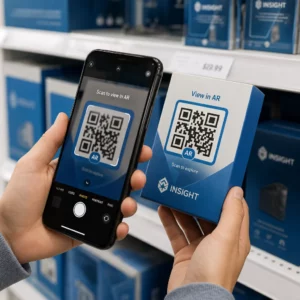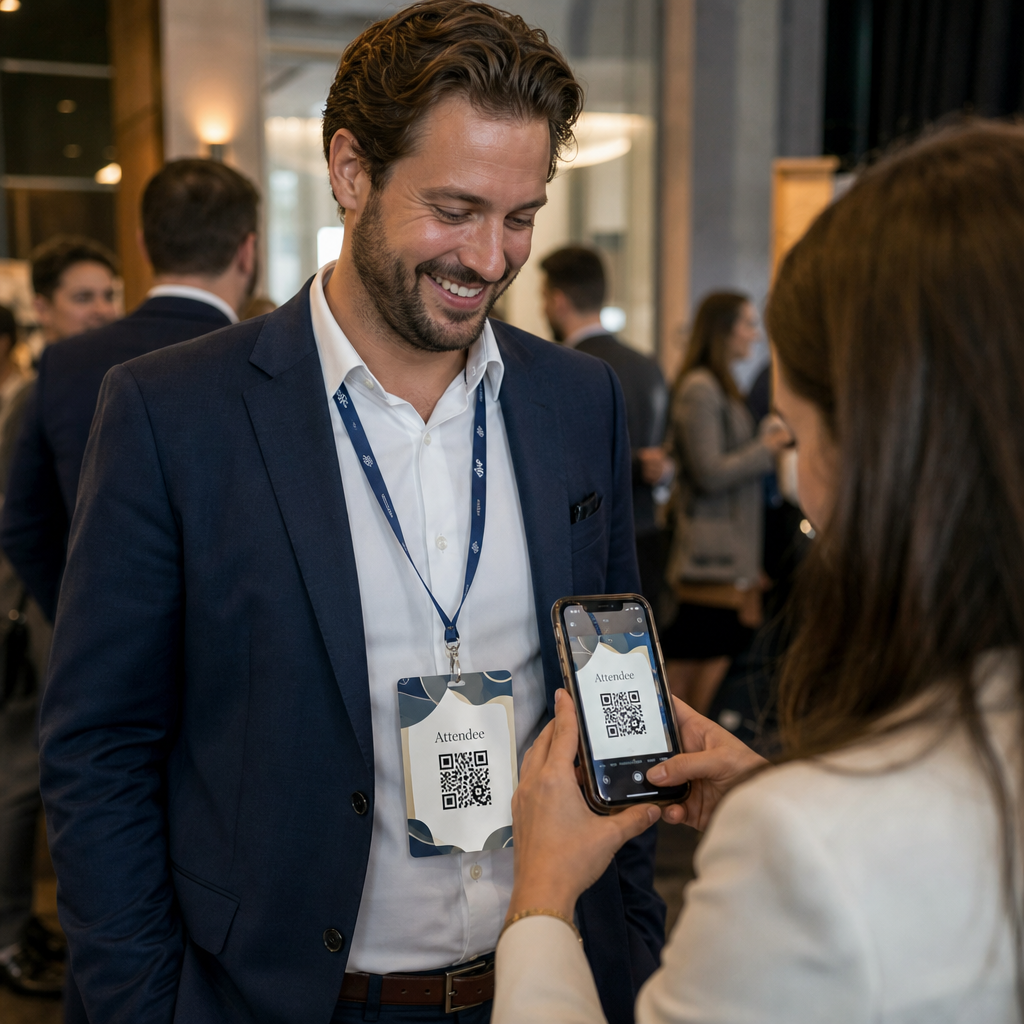
Trenger du en raskere måte å dele kontaktdetaljer eller sjekke inn deltakere på ditt neste arrangement? Manuelt tastede detaljer går tapt, papirvisittkort hoper seg opp, og lange innsjekkingskøer frustrerer alle. Denne guiden viser deg hvordan du legger til skannbare QR-koder på navneskilt – og dekker den riktige kodetypen, designregler og utskriftsspesifikasjoner som faktisk fungerer.
Hvorfor QR-koder hører hjemme på navneskilt
Et navneskilt viser tradisjonelt et navn og kanskje et firma. Det er nyttig i omtrent tre sekunder av en samtale. En QR-kode gjør det samme merket om til en vedvarende, skannbar ressurs som fungerer gjennom hele arrangementet.
Her er hva en QR-kode på et navneskilt kan gjøre:
- Del kontaktdetaljer umiddelbart – Ett skann lagrer et komplett vCard direkte til skannerens telefon, ingen tasting nødvendig
- Automatiser innsjekking til arrangementer – Deltakere skanner seg inn ved døren, og registrerer sin ankomst uten papirlister eller manuelt oppslag
- Koble til en digital profil – Lenke til en LinkedIn-side, personlig nettside, portefølje eller arrangementsbio
- Spor engasjement – Med en dynamisk kode kan du se nøyaktig hvor mange ganger et merke ble skannet, når, og fra hvilken enhet
Brukstilfellet for kontaktdeling alene rettferdiggjør tillegget. En vCard QR-kode koder et navn, telefonnummer, e-post, firma og nettsted i et format som iOS og Android gjenkjenner naturlig. Når noen skanner den, ber telefonen dem umiddelbart om å legge til kontakten – ingen app nødvendig, ingen manuell inntasting, ingen tapte kort.
Velge riktig QR-kodetype for ditt navneskilt
Ikke alle QR-koder tjener samme formål. Før du skriver ut noe, match kodetypen med målet ditt.
| Mål | QR-kodetype | Hva den gjør |
|---|---|---|
| Del kontaktinfo | vCard QR-kode | Koder navn, telefon, e-post, firma; lagrer direkte til telefonkontakter |
| Innsjekking til arrangement | Oppmøte-/arrangements-QR-kode | Lenker til et registreringsskjema eller innsjekkingssystem |
| Lenke til en profil eller nettside | URL QR-kode | Dirigerer til enhver webdestinasjon |
| Del et digitalt visittkort | Visittkort-QR-kode | Lenker til et komplett digitalt kort med sosiale profiler og tilpasset innhold |
For de fleste nettverksarrangementer, er en vCard QR-kode eller a visittkort QR-kode det riktige valget. For konferanser hvor du også trenger å spore hvem som møtte opp og når, håndterer en fremmøte-QR-kode eller QR-kode for arrangement det laget.
Statisk vs. Dynamisk: Hvilken bør du bruke?
EN statisk QR-kode koder data direkte inn i mønsteret sitt. Når den er skrevet ut, kan den ikke endres. Hvis den lenkede URL-en brytes eller en deltakers kontaktdetaljer endres, må du skrive ut hvert merke på nytt.
EN dynamisk QR-kode bruker en kort omdirigeringslenke. Det utskrevne mønsteret forblir det samme, men du kan oppdatere destinasjonen når som helst – selv etter at merkene allerede er i deltakernes hender. Dynamiske koder gir også analyser: antall skanninger, tidspunkt for skanning, enhetstype og sted. For ethvert arrangement med mer enn en håndfull deltakere, dynamiske QR-koder er verdt det ekstra oppsettstrinnet.
Viktig: For å få tilgang til sporings- og redigeringsfunksjoner, må du generere en dynamisk kode før utskriftsprosessen begynner.
Sett opp sporbare navneskilt-QR-koder Lag dynamiske QR-koder som du kan oppdatere og overvåke fra et enkelt dashbord. Bruk QR-kodegenerator for å komme i gang – ingen ny utskrift nødvendig hvis detaljer endres.
Hvordan lage en vCard QR-kode for et navneskilt
Dette er det vanligste brukstilfellet for navneskilt – umiddelbar kontaktdeling på nettverksarrangementer, konferanser og messer. For å komme i gang, åpne vCard QR-kode generator og skriv inn de obligatoriske feltene: minst et fullt navn og én kontaktmetode som et telefonnummer eller en e-postadresse. Derfra legger du til valgfrie felt – firmanavn, stillingstittel, nettsted, sosiale profiler – for å gjøre den lagrede kontaktposten mer nyttig for personen som skanner.
Når dataene er lagt inn, tilpass designet ved å justere farger, legge til en logo og velge en rammestil som matcher arrangementets merkevare. Last ned koden i et utskriftsklart format – SVG eller EPS for skalerbar utskrift, PNG for digital bruk – og test den på både iOS og Android før du sender filer til skriveren.
Gjenta denne prosessen for hver deltaker hvis du lager individualiserte merker, eller lag en enkelt delt kode for en firmastand eller et teaminnsjekkingspunkt. For en dypere titt på vCard-oppsett og beste praksis, dekker veiledning til vCard QR-koder den fulle arbeidsflyten i detalj.
Hvordan bruke QR-koder for innsjekking til arrangementer på merker
For konferanser, workshops eller ethvert arrangement med billett, fungerer en QR-kode på merket både som en innsjekkingslegitimasjon og et nettverksverktøy. Start med å lage et registreringsskjema ved hjelp av Google Forms, Typeform eller din arrangementsadministrasjonsplattform. Generer deretter en fremmøte-QR-kode som lenker direkte til skjemaet eller innsjekkingssystemet og skriv den ut på hvert deltakerkort før arrangementet – eller inkluder den i en e-post før arrangementet for selvbetjent utskrift.
Ved døren skanner personalet hvert merke med en smarttelefon eller håndholdt skanner for å registrere ankomst. Systemet logger skanningen automatisk, uten papirlister eller manuelt oppslag. QR-kodeinnsjekkinger kan redusere behandlingstiden til under to sekunder per person, noe som reduserer total inngangsvarighet betydelig sammenlignet med manuelle metoder. For en fullstendig gjennomgang av oppsett for innsjekking av arrangementer, se den guide til QR-koder for arrangementinnsjekkinger.
Du kan også kombinere begge funksjonene på ett enkelt merke: en vCard QR-kode for kontaktdeling og en separat oppmøtekode for innsjekking. Plasser dem i forskjellige områder av merket med tydelige etiketter slik at deltakere og ansatte vet hvilken de skal skanne og når.
Automatiser innsjekkingen din for arrangementer Slutt å administrere papirlister og manuelle oppslag. Bruk verktøyet for oppmøte-QR-koder for å sette opp et skannebasert innsjekkingssystem som registrerer ankomster i sanntid.
Designregler som holder navneskilt QR-koder skannbare
En QR-kode som ser bra ut, men ikke kan skannes, er ubrukelig. Navneskilt skaper spesifikke utfordringer: lite utskriftsområde, varierte lysforhold, merker båret i forskjellige vinkler, og folk som skanner fra armlengdes avstand. Følgende regler adresserer hver av disse problemene direkte.
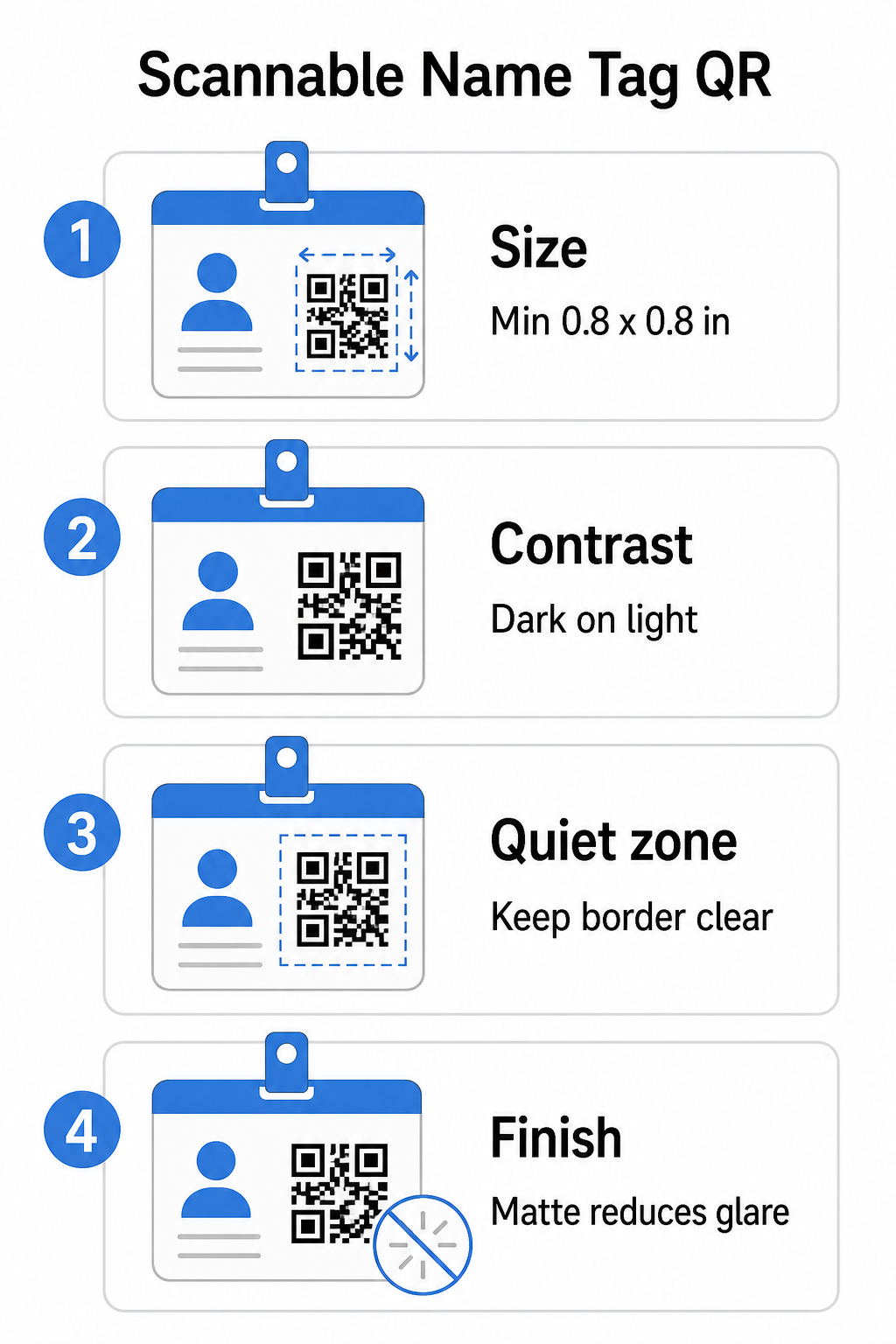
Størrelse: Bruk 10:1-forholdet
QR-kodens minste dimensjon bør være omtrent en tidel av forventet skanneavstand. For et navneskilt skannet fra omtrent 10 tommer (25 cm) unna, må koden være minst 1 tomme (2,5 cm) bred. Det praktiske minimumet for enhver trykt kode på nært hold er 0,8 × 0,8 tommer (2 × 2 cm) – å gå mindre skaper unødvendige skannefeil, spesielt på eldre telefoner. Hvis merket ditt har plass, gir det å størrelse koden nærmere 1 × 1 tomme mer pålitelige resultater på tvers av et bredere spekter av enheter. For mer detaljer om størrelsesbeslutninger, se QR-kodestørrelser for visittkort – de samme prinsippene gjelder direkte for navneskilt.
Kontrast: Mørkt på lyst kun
Skannere fungerer ved å oppdage kontrasten mellom mørke moduler og en lys bakgrunn. Beste praksis er en mørk forgrunn på en lys bakgrunn – svart på hvitt forblir den mest pålitelige kombinasjonen. Inverterte koder (lyse moduler på mørk bakgrunn) forårsaker feil på mange skanneapper, spesielt eldre. Sikt etter en kontrastforhold på minst 4:1, som støtter lesbarhet på tvers av forskjellige lysmiljøer og enhetskameraer.
Unngå gradienter og skygger i eller rundt QR-kodeområdet. Disse skaper mellomtoner som forvirrer skannealgoritmer og reduserer påliteligheten i dårlige lysforhold. Den veiledningen for beste praksis for fargekontrast i QR-koder gir spesifikk veiledning for fargekombinasjoner og en kontrastsammenligningstabell hvis du vil bruke merkede farger i stedet for vanlig svart og hvitt.
Stille sone: Hold grensene klare
De stille sone er den tomme margingen som omgir QR-koden på alle fire sider. Den forteller skanneren hvor koden begynner og slutter – uten den kan skanneren ikke pålitelig lokalisere symbolet. I henhold til ISO/IEC 18004-standarden må denne margingen være minst fire moduler bred på hver side. Hvis merkedesignet ditt plasserer tekst, logoer eller dekorative elementer for nær koden, kan skanneren mislykkes i å oppdage den helt. Som en praktisk regel: hvis hver modul i koden din er 2 mm bred, bør den stille sonen være minst 8 mm på hver side.
Feilretting: Øk den hvis du legger til en logo
QR-koder har fire feilrettingsnivåer som bestemmer hvor mye fysisk skade eller hindring koden kan tåle mens den forblir skannbar: L (omtrent 7%), M (omtrent 15%), Q (omtrent 25%) og H (omtrent 30%). Hvis du legger inn en firmalogo eller et ikon inne i kodeområdet – vanlig for merkede merker – bruk feilrettingsnivå H og hold logoen til ikke mer enn 30% av kodeområdet. Dette gir skanneren nok redundant data til å rekonstruere mønsteret selv med deler av det dekket. Hvis du ikke legger til en logo, er nivå M eller Q tilstrekkelig for de fleste utskriftsapplikasjoner.
Form og format: Aldri strekk eller komprimer
En QR-kode må forbli perfekt kvadratisk. Å strekke eller komprimere koden for å passe et layout feiljusterer modulene og gjør den uskannbar. Skaler alltid proporsjonalt og eksporter i vektorformater (SVG eller EPS) for utskrift for å unngå pikselering ved større størrelser.
Finish: Velg matt over glanset
Glansede merkematerialer reflekterer lys og skaper gjenskinn som forstyrrer kamerasyn. Matt laminering eller ubestrøket papir fungerer betydelig bedre i virkelige arrangementslysforhold. Hvis du skriver ut på glansede merker, test kodene under stedets faktiske lysforhold før du fullfører utskriften. Den veiledningen for beste praksis for lesbarhet av QR-koder dekker hver av disse faktorene med ytterligere dybde.
Plassering på merket
Hvor QR-koden sitter på et navneskilt påvirker hvor ofte den blir skannet. Vurder disse plasseringsprinsippene:
- Plasser i naturlig øyehøyde når den bæres – den nedre halvdelen av et brysthøyt merke er enkel å skanne uten å be noen om å fjerne det
- Merk koden tydelig – inkluder en kort instruksjon som “Skann for å lagre kontakt” eller “Sjekk inn her” direkte under eller ved siden av koden; folk er betydelig mer sannsynlig å skanne når de vet hva koden gjør
- Skill flere koder – hvis merket ditt inkluderer både en innsjekkingskode og en kontakt-delingskode, merk hver tydelig og gi dem nok plass til å bli skannet individuelt uten forvirring
- Unngå å plassere koden nær merkeklipsen eller snorhullet – disse områdene blir brettet eller dekket, noe som kan blokkere deler av koden eller den stille sonen
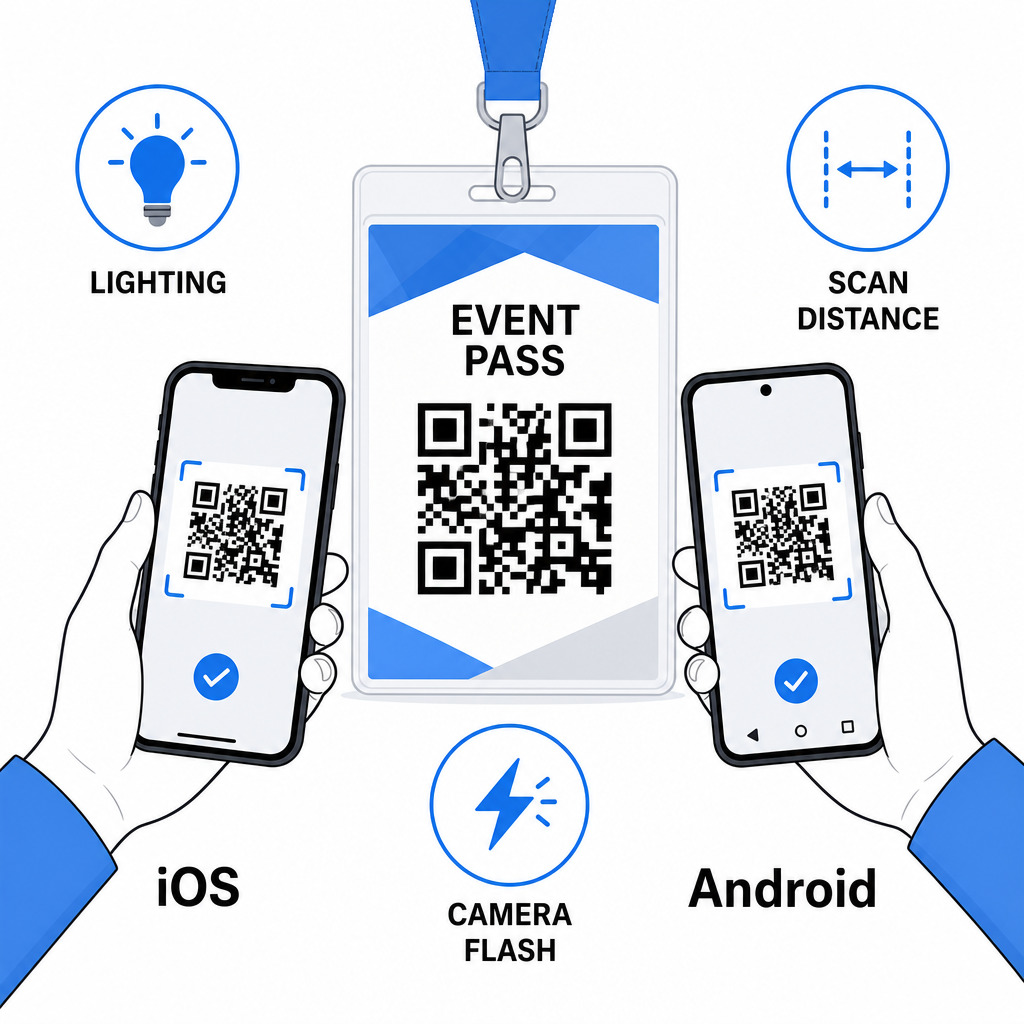
Testing før du trykker
Skriv ut en prøve og skann den før du sender hele merkeordren til produksjon. Test koden på både iOS- og Android-enheter, under lysforholdene på arrangementsstedet ditt, på avstanden deltakere og ansatte faktisk vil skanne fra, og med og uten kamerablits for å simulere scenarier med lite lys. En kode som består alle fire tester er klar for produksjon. En som feiler på noen av dem trenger en designjustering – enten det er å øke størrelsen, forbedre kontrasten, eller utvide den stille sonen – før du forplikter deg til en full utskrift.
QR-koder på navneskilt fungerer best når riktig kodetype, rent design og korrekte utskriftsspesifikasjoner kommer sammen før et eneste merke går til trykk. Velg en dynamisk kode hvis deltakerdetaljer kan endre seg eller hvis du vil ha skanneanalyser. Følg reglene for størrelse, kontrast og stille sone for å sikre at hvert merke skanner pålitelig på dagen. Og test alltid på faktiske enheter før du ferdigstiller produksjonen.
Bygg dine navneskilt QR-koder Lag tilpassbare vCard- og oppmøte-QR-koder med innebygd analyse og dynamisk redigering. Start med Pageloot QR-kodegenerator – gratis å prøve, ingen kredittkort kreves.
Ofte stilte spørsmål
Du kan kode kontaktdetaljer som navn, telefon, e-post, selskap og nettsted ved hjelp av en vCard QR-kode, lenke til et arrangements innsjekkingsskjema ved hjelp av en oppmøte QR-kode, eller peke til en hvilken som helst webdestinasjon slik som en LinkedIn-profil eller digital portefølje. Det riktige valget avhenger av om hovedmålet er kontaktutveksling, innsjekking eller generell informasjonstilgang.
Det praktiske minimumet for en navneskilt QR-kode er 0,8 × 0,8 tommer (2 × 2 cm). Å gjøre den mindre øker risikoen for skannefeil, spesielt på eldre smarttelefoner. Hvis merkedesignet ditt har plassen, gir det å størrelse koden nærmere 1 × 1 tomme mer pålitelige resultater på tvers av et bredere spekter av enheter og lysforhold.
Hvis du brukte en statisk QR-kode, ville du måtte skrive ut de berørte merkene på nytt. Hvis du brukte en dynamisk QR-kode, kan du oppdatere destinasjonen – enten det er et vCard, en kontaktside, eller en skjema-lenke – fra ditt Pageloot-dashbord uten å røre det trykte merket. Dette er en av hovedgrunnene til å bruke dynamiske koder for ethvert arrangement med variabel deltakerinformasjon.