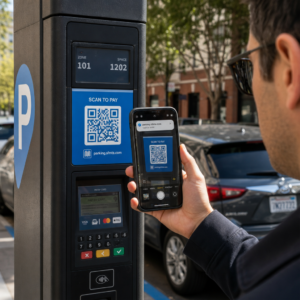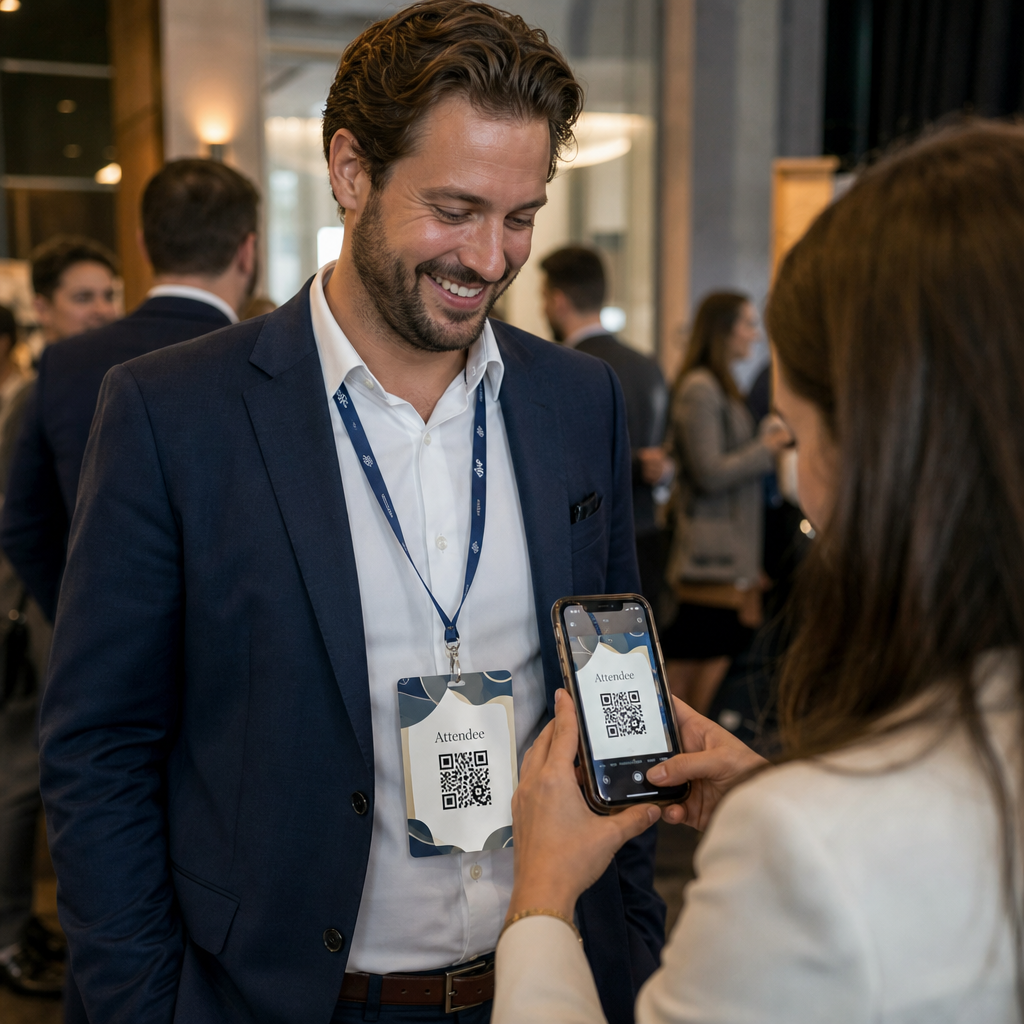
Potrebujete hitrejši način za izmenjavo kontaktnih podatkov ali prijavo udeležencev na vašem naslednjem dogodku? Ročno vneseni podatki se izgubijo, papirnate vizitke se kopičijo, dolge čakalne vrste za prijavo pa frustrirajo vse. Ta vodnik vas popelje skozi postopek dodajanja skenabilnih QR kod na imenske značke – zajema pravi tip kode, pravila oblikovanja in specifikacije tiskanja, ki dejansko delujejo.
Zakaj QR kode spadajo na imenske značke
Imenska značka tradicionalno prikazuje ime in morda podjetje. To je uporabno.
Here’s what a QR code on a name tag can do:
- Share contact details instantly – One scan saves a full vCard directly to the scanner’s phone, no typing required
- Automate event check-in – Attendees scan in at the door, registering their arrival without paper lists or manual lookup
- Connect to a digital profile – Link to a LinkedIn page, personal website, portfolio, or event bio
- Sledenje angažiranosti – With a dynamic code, you can see exactly how many times a badge was scanned, when, and from what device
The contact-sharing use case alone justifies the addition. A QR koda vCard encodes a name, phone number, email, company, and website in a format that iOS and Android recognize natively. When someone scans it, the phone immediately prompts them to add the contact – no app required, no manual entry, no lost cards.
Choosing the Right QR Code Type for Your Name Tag
Not every QR code serves the same purpose. Before you print anything, match the code type to your goal.
| Goal | Vrsta kode QR | Kaj počne |
|---|---|---|
| Share contact info | QR koda vCard | Encodes name, phone, email, company; saves directly to phone contacts |
| Event check-in | Attendance/event QR code | Links to a registration form or check-in system |
| Link to a profile or website | QR koda URL-ja | Directs to any web destination |
| Share a digital business card | Business card QR code | Links to a full digital card with social profiles and custom content |
For most networking events, a QR koda vCard ali a QR kodo vizitke is the right choice. For conferences where you also need to track who showed up and when, an QR kode za udeležbo ali QR dogodka obravnava to plast.
Statično proti dinamičnemu: Katerega naj uporabite?
A statična koda QR kodira podatke neposredno v svoj vzorec. Ko je enkrat natisnjen, ga ni mogoče spremeniti. Če se povezan URL pokvari ali se spremenijo kontaktni podatki udeleženca, morate ponovno natisniti vsako značko.
A dinamična QR koda uporablja kratko preusmeritveno povezavo. Natisnjen vzorec ostane enak, vendar lahko cilj posodobite kadar koli – tudi ko so značke že v rokah udeležencev. Dinamične kode zagotavljajo tudi analitiko: število skeniranj, čas skeniranja, vrsta naprave in lokacija. Za vsak dogodek z več kot peščico udeležencev, dinamične QR kode so vredne dodatnega koraka nastavitve.
Pomembno: Za dostop do funkcij sledenja in urejanja morate ustvariti dinamično kodo, preden se začne postopek tiskanja.
Nastavitev sledljivih QR kod za imenske značke Ustvarite dinamične QR kode, ki jih lahko posodabljate in spremljate z ene same nadzorne plošče. Uporabite Generator QR kod za začetek – ponovno tiskanje ni potrebno, če se podrobnosti spremenijo.
Kako ustvariti QR kodo vCard za imensko značko
To je najpogostejši primer uporabe imenske značke – takojšnja izmenjava kontaktov na dogodkih za mreženje, konferencah in sejmih. Za začetek odprite Ustvari QR kodo vCard in vnesite zahtevana polja: vsaj polno ime in eno kontaktno metodo, kot je telefonska številka ali e-poštni naslov. Nato dodajte izbirna polja – ime podjetja, delovno mesto, spletno stran, socialne profile – da bo shranjen kontaktni zapis bolj uporaben za osebo, ki skenira.
Ko so podatki vneseni, prilagodite dizajn z nastavitvijo barv, dodajanjem logotipa in izbiro sloga okvirja, ki ustreza blagovni znamki vašega dogodka. Prenesite kodo v formatu, pripravljenem za tisk – SVG ali EPS za skalabilen izpis, PNG za digitalno uporabo – in jo preizkusite na iOS in Android napravah, preden pošljete datoteke tiskarju.
Ponovite ta postopek za vsakega udeleženca, če ustvarjate individualizirane značke, ali ustvarite eno samo skupno kodo za stojalo podjetja ali točko za prijavo ekipe. Za podrobnejši vpogled v nastavitev vCard in najboljše prakse, guide to vCard QR codes podrobno pokriva celoten potek dela.
Kako uporabiti QR kode za prijavo na dogodke na značkah
Za konference, delavnice ali kateri koli dogodek z vstopnico, QR koda na znački služi tako kot poverilnica za prijavo kot tudi orodje za mreženje. Začnite z ustvarjanjem obrazca za registracijo z uporabo Google Obrazcev, Typeforma ali vaše platforme za upravljanje dogodkov. Nato ustvarite QR kode za udeležbo ki se neposredno povezuje z obrazcem ali sistemom za prijavo in ga natisnite na vsako značko udeleženca pred dogodkom – ali ga vključite v e-pošto pred dogodkom za samopostrežno tiskanje.
Pri vhodu osebje skenira vsako značko s pametnim telefonom ali ročnim skenerjem za registracijo prihoda. Sistem samodejno zabeleži skeniranje, brez papirnatih seznamov ali ročnega iskanja. Prijava s QR kodo lahko skrajša čas obdelave na manj kot dve sekundi na osebo, kar bistveno skrajša skupno trajanje vstopa v primerjavi z ročnimi metodami. Za celoten pregled nastavitve prijave na dogodek glejte vodnika za QR kode za prijave na dogodke.
Prav tako lahko združite obe funkciji na eni znački: QR kodo vCard za deljenje kontaktov in ločeno kodo za prisotnost za prijavo. Postavite jih na različna mesta na znački z jasnimi oznakami, da udeleženci in osebje vedo, katero skenirati in kdaj.
Avtomatizirajte prijavo na dogodek Nehajte upravljati papirnate sezname in ročna iskanja. Uporabite orodje za QR kode za udeležbo za nastavitev sistema prijave na podlagi skeniranja, ki beleži prihode v realnem času.
Pravila oblikovanja, ki ohranjajo QR kode na imenskih značkah skenirljive
QR koda, ki izgleda dobro, a se ne skenira, je neuporabna. Imenske značke ustvarjajo specifične izzive: majhen tiskovni prostor, različne svetlobne razmere, značke, nošene pod različnimi koti, in ljudje, ki skenirajo z razdalje roke. Naslednja pravila neposredno obravnavajo vsakega od teh problemov.
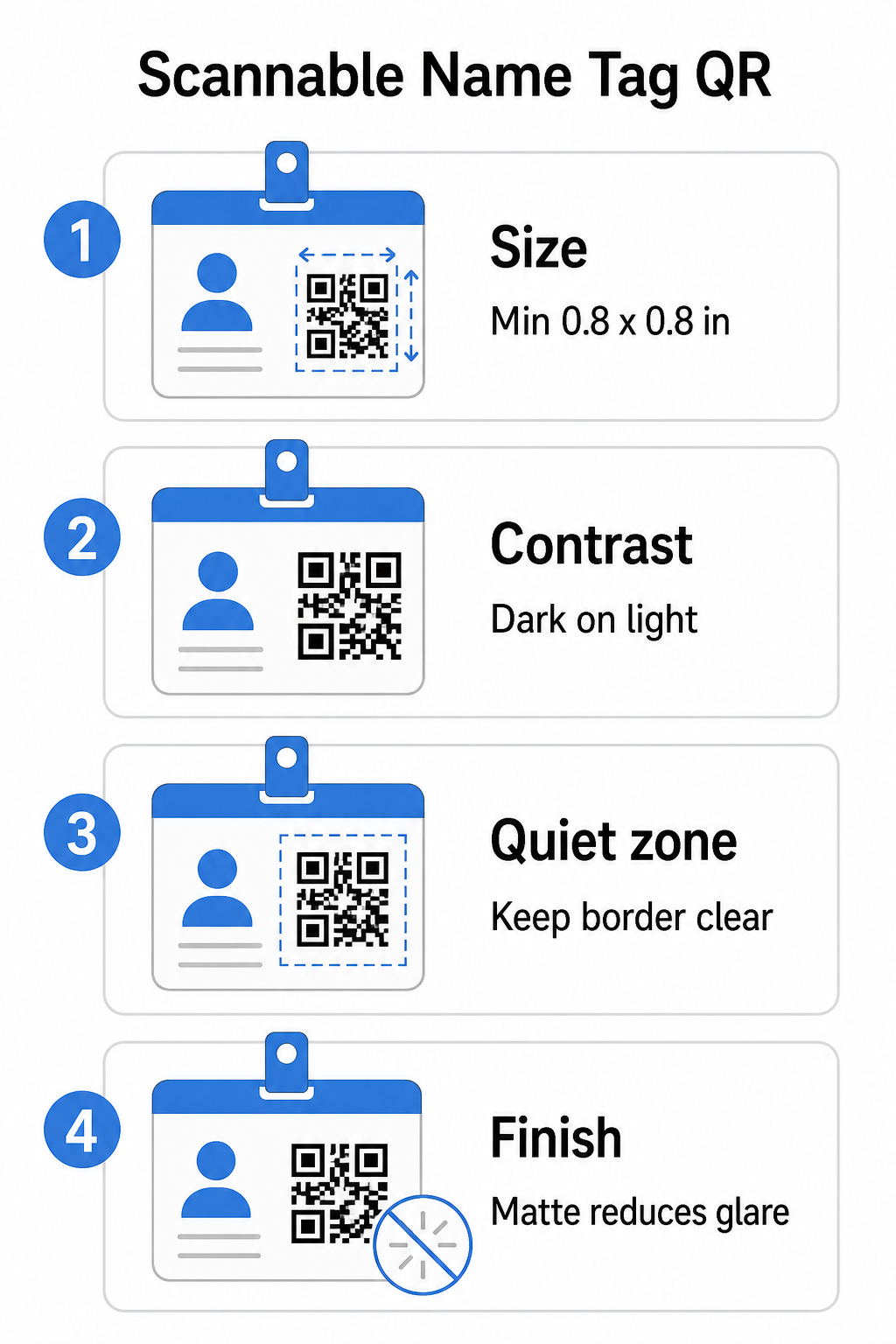
Velikost: Uporabite razmerje 10:1
Najmanjša dimenzija QR kode naj bo približno ena desetina pričakovane razdalje skeniranja. Za imensko značko, skenirano z razdalje približno 10 palcev (25 cm), mora biti koda široka vsaj 1 palec (2,5 cm). Praktični minimum za katero koli tiskano kodo za bližnje skeniranje je 0,8 × 0,8 palca (2 × 2 cm) – manjša velikost povzroča nepotrebne napake pri skeniranju, še posebej na starejših telefonih. Če ima vaša značka prostor, bo velikost kode bližje 1 × 1 palcu dala zanesljivejše rezultate na širšem naboru naprav. Za več podrobnosti o odločitvah glede velikosti glejte Velikosti QR kod za vizitke – ista načela veljajo neposredno za imenske značke.
Kontrast: Samo temno na svetlem
Skenerji delujejo tako, da zaznavajo kontrast med temnimi moduli in svetlim ozadjem. Najboljša praksa je temno ospredje na svetlem ozadju – črna na beli ostaja najzanesljivejša kombinacija. Invertirane kode (svetli moduli na temnem ozadju) povzročajo napake pri mnogih aplikacijah za skeniranje, še posebej starejših. Prizadevajte si za kontrastno razmerje vsaj 4:1, kar podpira berljivost v različnih svetlobnih okoljih in s kamerami naprav.
Izogibajte se prelivom in sencam v ali okoli območja QR kode. Ti ustvarjajo srednje tone, ki zmedejo algoritme skenerja in zmanjšujejo zanesljivost v slabih svetlobnih pogojih. The vodnik za najboljše prakse barvnega kontrasta QR kode ponuja specifične smernice za barvne kombinacije in tabelo za primerjavo kontrasta, če želite uporabiti barve blagovne znamke namesto navadne črno-bele.
Tiha cona: Ohranite jasne robove
Vprašanje tiho cono je prazen rob, ki obdaja QR kodo na vseh štirih straneh. Skenerju pove, kje se koda začne in konča – brez njega skener ne more zanesljivo najti simbola. Po standardu ISO/IEC 18004 mora biti ta rob širok vsaj štiri module na vsaki strani. Če vaša zasnova značke postavlja besedilo, logotipe ali dekorativne elemente preblizu kode, lahko skener ne uspe zaznati kode v celoti. Kot praktično pravilo: če je vsak modul v vaši kodi širok 2 mm, naj bo tiha cona široka vsaj 8 mm na vsaki strani.
Popravljanje napak: Povečajte, če dodajate logotip
QR kode imajo štiri ravni popravljanja napak, ki določajo, koliko fizične poškodbe ali ovire lahko koda prenese, medtem ko ostaja skenirljiva: L (približno 7%), M (približno 15%), Q (približno 25%) in H (približno 30%). Če vdelujete logotip podjetja ali ikono znotraj območja kode – pogosto za blagovne značke – uporabite raven popravljanja napak H in ohranite logotip na ne več kot 30% območja kode. To daje skenerju dovolj redundantnih podatkov za rekonstrukcijo vzorca, tudi če je del pokrit. Če ne dodajate logotipa, je raven M ali Q zadostna za večino tiskarskih aplikacij.
Oblika in format: Nikoli ne raztegnite ali stisnite
QR koda mora ostati popolnoma kvadratna. Raztezanje ali stiskanje kode, da se prilega postavitvi, poruši poravnavo modulov in jo naredi neskenirljivo. Vedno sorazmerno pomanjšajte in izvozite v vektorskih formatih (SVG ali EPS) za tisk, da preprečite pikselizacijo pri večjih velikostih.
Zaključek: Izberite mat namesto sijajnega
Sijajni materiali značk odbijajo svetlobo in ustvarjajo bleščanje, ki moti skeniranje s kamero. Mat laminacija ali nepremazan papir delujeta bistveno bolje v realnih svetlobnih pogojih dogodkov. Če tiskate na sijajne značke, preizkusite kode v dejanskih svetlobnih pogojih vašega prizorišča pred dokončanjem tiska. The vodnik za najboljše prakse berljivosti QR kod pokriva vsakega od teh dejavnikov z dodatno poglobitvijo.
Postavitev na znački
Kje se QR koda nahaja na imenski znački, vpliva na to, kako pogosto se skenira. Upoštevajte ta načela postavitve:
- Položaj na naravni višini oči, ko se nosi – spodnja polovica značke v višini prsi je enostavna za skeniranje, ne da bi nekoga prosili, naj jo odstrani
- Označite kodo jasno – vključite kratko navodilo, kot je “Skeniraj za shranjevanje kontakta” ali “Prijavi se tukaj”, neposredno pod ali ob kodi; ljudje bodo bistveno bolj verjetno skenirali, ko vedo, kaj koda počne
- Ločite več kod – če vaša značka vključuje tako kodo za prijavo kot tudi kodo za deljenje kontaktov, vsako jasno označite in jim dajte dovolj prostora za individualno skeniranje brez zmede
- Izogibajte se postavljanju kode blizu sponke za značko ali luknje za vrvico – ta območja se prepognejo ali prekrijejo, kar lahko blokira del kode ali tiho cono
Testiranje pred tiskanjem
Natisnite preizkus in ga skenirajte, preden pošljete celotno naročilo značk v proizvodnjo. Preizkusite kodo na napravah iOS in Android, pod svetlobnimi pogoji vašega prizorišča dogodka, na razdalji, s katere bodo udeleženci in osebje dejansko skenirali, ter z in brez bliskavice fotoaparata za simulacijo scenarijev slabe svetlobe. Koda, ki prestane vse štiri teste, je pripravljena za proizvodnjo. Tista, ki ne uspe pri katerem.
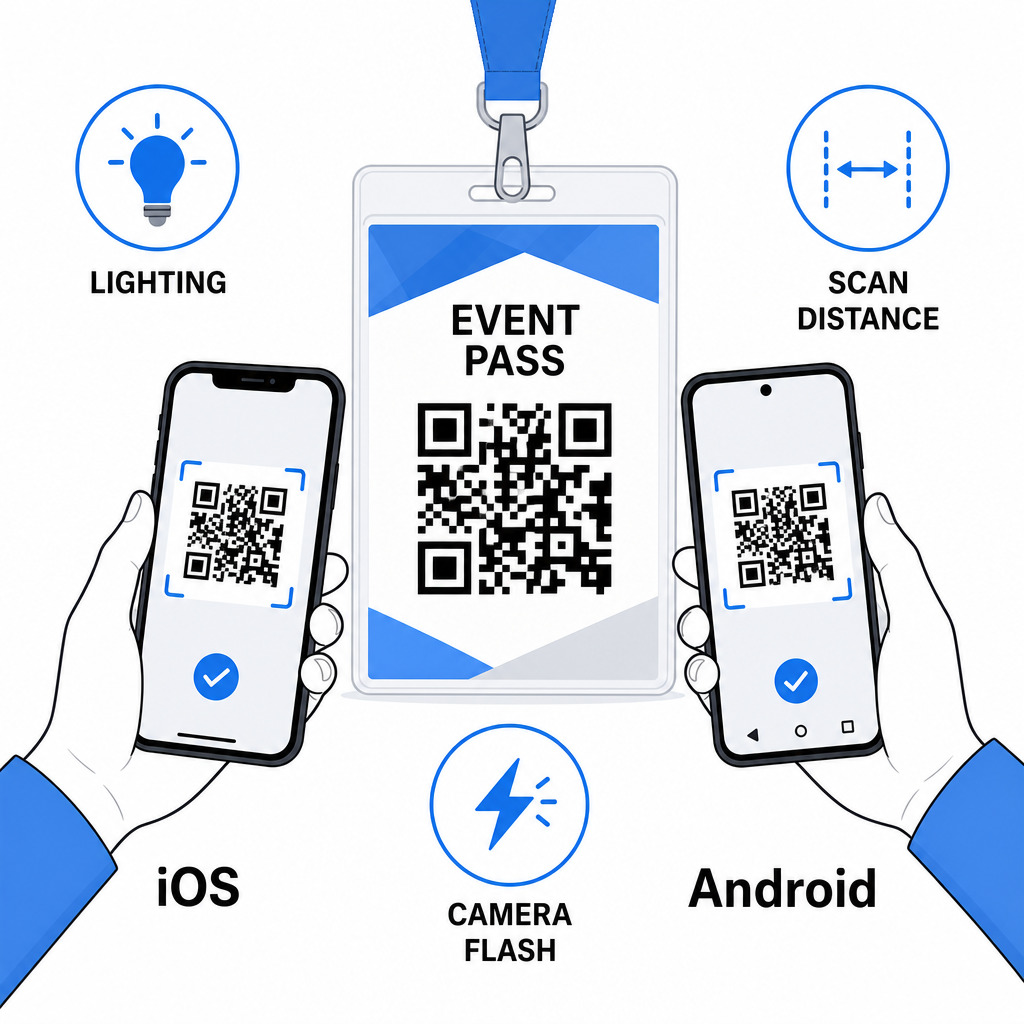
QR kode na imenskih značkah delujejo najbolje, ko se pravi tip kode, čist dizajn in pravilne specifikacije tiska združijo, preden gre ena sama značka v tisk. Izberite dinamično kodo, če se podatki o udeležencih lahko spremenijo ali če želite analitiko skeniranja. Upoštevajte pravila glede velikosti, kontrasta in tihe cone, da zagotovite zanesljivo skeniranje vsake značke na dan dogodka. In vedno preizkusite na dejanskih napravah, preden dokončate proizvodnjo.
Ustvarite svoje QR kode za imenske značke Ustvarite prilagodljive vCard in QR kode za prisotnost z vgrajeno analitiko in dinamičnim urejanjem. Začnite z Generator QR kode Pageloot – brezplačno za preizkus, kreditna kartica ni potrebna.
Pogosta vprašanja
Kontaktne podatke, kot so ime, telefon, e-pošta, podjetje in spletno mesto, lahko kodirate z uporabo QR kode vCard, povežete na obrazec za prijavo na dogodek z uporabo QR kode za udeležbo, ali usmerite na katero koli spletno destinacijo, kot je profil LinkedIn ali digitalni portfelj. Prava izbira je odvisna od tega, ali je primarni cilj deljenje stikov, prijava ali splošen dostop do informacij.
Praktični minimum za QR kodo na imenski znački je 0,8 × 0,8 palca (2 × 2 cm). Zmanjšanje velikosti poveča tveganje za neuspešno skeniranje, še posebej na starejših pametnih telefonih. Če ima vaša zasnova značke prostor, bo povečanje kode bližje 1 × 1 palcu dalo zanesljivejše rezultate na širšem naboru naprav in svetlobnih pogojev.
Če ste uporabili statično QR kodo, bi morali ponovno natisniti prizadete značke. Če ste uporabili dinamično QR kodo, lahko posodobite destinacijo – pa naj bo to vCard, kontaktna stran ali povezava do obrazca – iz vaše nadzorne plošče Pageloot, ne da bi se dotaknili natisnjene značke. To je eden glavnih razlogov za uporabo dinamičnih kod za vsak dogodek s spremenljivimi informacijami o udeležencih.