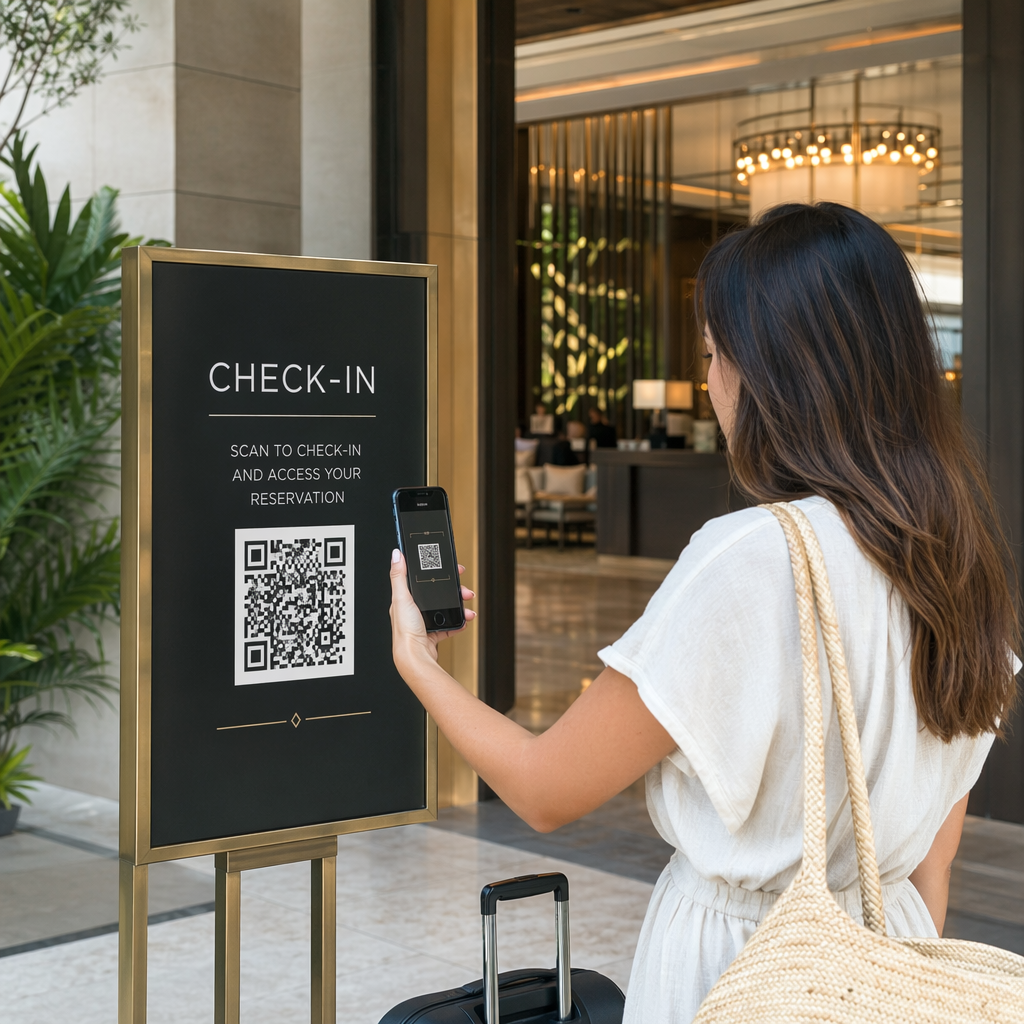
Adakah anda bergelut untuk membuktikan kempen cetak atau paparan kedai mana yang benar-benar memacu jualan? Melabur belanjawan dalam saluran luar talian tanpa atribusi yang jelas menyukarkan untuk mewajarkan kos atau mengoptimumkan strategi anda. Dengan menggabungkan kod QR yang boleh dijejak dengan parameter UTM dan analitik web, anda boleh menghubungkan titik sentuhan fizikal terus kepada penukaran digital dan mengukur pulangan pelaburan sebenar anda.
Mengapa Kempen Luar Talian Memerlukan Atribusi Dinamik
Bahan bercetak, mel terus, dan papan tanda fizikal adalah alat pemasaran yang penting, tetapi mengukur prestasi kewangan mereka secara historis menimbulkan cabaran. Apabila seseorang melihat paparan kedai atau menerima poskad dan kemudian melawat laman web anda, analitik web standard mengklasifikasikan pelawat itu sebagai trafik langsung atau carian organik. Akibatnya, titik sentuhan fizikal tidak mendapat sebarang penghargaan untuk jualan yang terhasil.
Kod QR yang boleh dijejak merapatkan jurang ini dengan menukar titik sentuhan fizikal menjadi titik masuk digital yang boleh diukur. Apabila pelanggan mengimbas kod pada bahan bercetak, platform analitik anda mencatat peristiwa imbasan dan menjejaki perjalanan pengguna tersebut melalui borang petunjuk, pendaftaran, atau pembelian e-dagang.
Untuk menangkap data atribusi yang tepat, anda mesti memahami perbezaan operasi utama antara kod statik dan dinamik:
- Kod QR statik mengekod URL destinasi tetap secara langsung ke dalam corak piksel. Ia tidak menawarkan keupayaan penjejakan dan tidak boleh dikemas kini selepas dicetak.
- Kod QR dinamik menghalakan pengimbas melalui pautan pendek yang fleksibel ke halaman pendaratan akhir anda. Mereka mencatat data imbasan dalam masa nyata – termasuk masa imbasan, lokasi, dan jenis peranti – dan membolehkan anda mengemas kini pautan destinasi pada bila-bila masa tanpa perlu mencetak semula. Bergantung pada kod QR dinamik untuk pemasaran menyediakan asas yang diperlukan untuk pengukuran kempen penuh.
Membina Parameter UTM Tersuai untuk Titik Sentuhan Fizikal
Parameter UTM (Urchin Tracking Module) ialah tag teks piawai yang ditambahkan pada hujung URL destinasi. Apabila kamera telefon pintar mengimbas kod yang mengandungi tag ini, alat analitik web seperti Google Analytics 4 (GA4) membaca parameter dan mengaitkan sesi pengguna dengan sumber luar talian tertentu. Tanpa tag UTM, platform analitik mengumpulkan trafik kod QR di bawah trafik langsung generik, menyebabkan pengurus kempen tidak mempunyai keterlihatan tentang risalah, poster atau iklan cetak mana yang memacu lawatan.
Menstrukturkan Pautan Penjejakan Anda
Pautan penjejakan luar talian yang mantap bergantung pada medan parameter tertentu:
| Parameter | Tujuan | Pemformatan Luar Talian yang Disyorkan | Nilai Contoh |
|---|---|---|---|
| “utm_source” | Mengenal pasti saluran fizikal atau lokasi | Item cetak atau lokasi paparan tertentu | “directmailpostcard” |
| “utm_medium” | Mengenal pasti medium pemasaran menyeluruh | Tag saluran piawai seperti “qr” atau “offline” | “qr” |
| “utm_campaign” | Mengenal pasti promosi atau tawaran tertentu | Nama promosi dan tahun | “springsale2025″ |
| “utm_content” | Membezakan variasi reka bentuk atau penempatan | Butiran penempatan atau varian kreatif | “fronthalamanqr” |
| “utm_term” | Menjejaki segmen khalayak sasaran | Segmen demografi atau kod senarai mel | “existing_customers” |
Menyeragamkan Konvensyen Penamaan
Untuk memastikan analitik web anda bersih dan mengelakkan pelaporan yang berpecah-belah, ikuti peraturan pemformatan piawai:
- Gunakan huruf kecil secara konsisten: Alat analitik menganggap tag huruf besar dan huruf kecil secara berasingan, mencipta entri saluran pendua untuk “QR” dan “qr”.
- Pisahkan perkataan dengan garis bawah: Avoid spaces, which create percent-encoding symbols (“%20”) that clutter tracking URLs.
- Kekalkan tag medium yang seragam: Gunakan satu nilai medium pada semua bahan cetak supaya semua trafik imbasan disatukan di bawah satu kumpulan saluran dalam paparan laporan.
Untuk panduan lanjut mengenai penstrukturan URL penjejakan untuk platform analitik web, semak petua terperinci ini mengenai penggunaan parameter UTM untuk kod QR.
Menukar URL Penjejakan kepada Kod QR Dinamik
Setelah anda membina URL bertag, tukarkannya kepada kod yang boleh diimbas. Menggunakan yang khusus penjana kod QR pautan atau yang komprehensif Penjana dynamic QR code, masukkan URL bertag lengkap anda (cth., “https://yourwebsite.com/promo?utmsumber=musim bungarisalah&utmmedium=qr&utmkempen=pengembangan_runcit”).
Amalan Terbaik untuk Penempatan Cetakan
Untuk mengekalkan kebolehimbasan tinggi dan memastikan tangkapan data yang boleh dipercayai merentasi media fizikal:
- Berikan kod unik bagi setiap penempatan fizikal: Jana kod QR dinamik yang berbeza dengan nilai “utmsumber” atau “utmkandungan” untuk setiap lokasi fizikal. Menggunakan kod berasingan untuk poster kedai dan risalah daftar membolehkan anda membandingkan prestasi lokasi secara langsung.
- Kekalkan kontras visual yang kuat: Letakkan modul kod QR gelap pada latar belakang terang yang biasa. Kontras tinggi membolehkan kamera telefon mengenal pasti dan menyahkod corak piksel serta-merta.
- Guna pakai garis panduan saiz cetakan yang betul: Bahan bercetak yang diimbas pada jarak lengan, seperti promosi Risalah atau mel langsung poskad, memerlukan saiz minimum 0.8 × 0.8 inci (2 × 2 cm). Untuk papan tanda yang lebih besar, kekalkan nisbah 10:1 antara jarak imbasan dan lebar kod.
- Eksport reka bentuk dalam format fail vektor: Sentiasa muat turun grafik kod QR akhir dalam format vektor (.SVG atau .PDF) dan bukannya imej raster seperti JPEG untuk mengelakkan pikselasi semasa pencetakan profesional.
Mula Jejaki Kempen Cetakan Anda Berhenti meneka saluran luar talian mana yang menukar. Gunakan Pageloot’s Penjana dynamic QR code untuk mencipta kod QR yang boleh dijejak yang menyampaikan analitik imbasan segera dan pelaporan ROI yang lancar.
Memantau Imbasan dan Menganalisis Data Penukaran
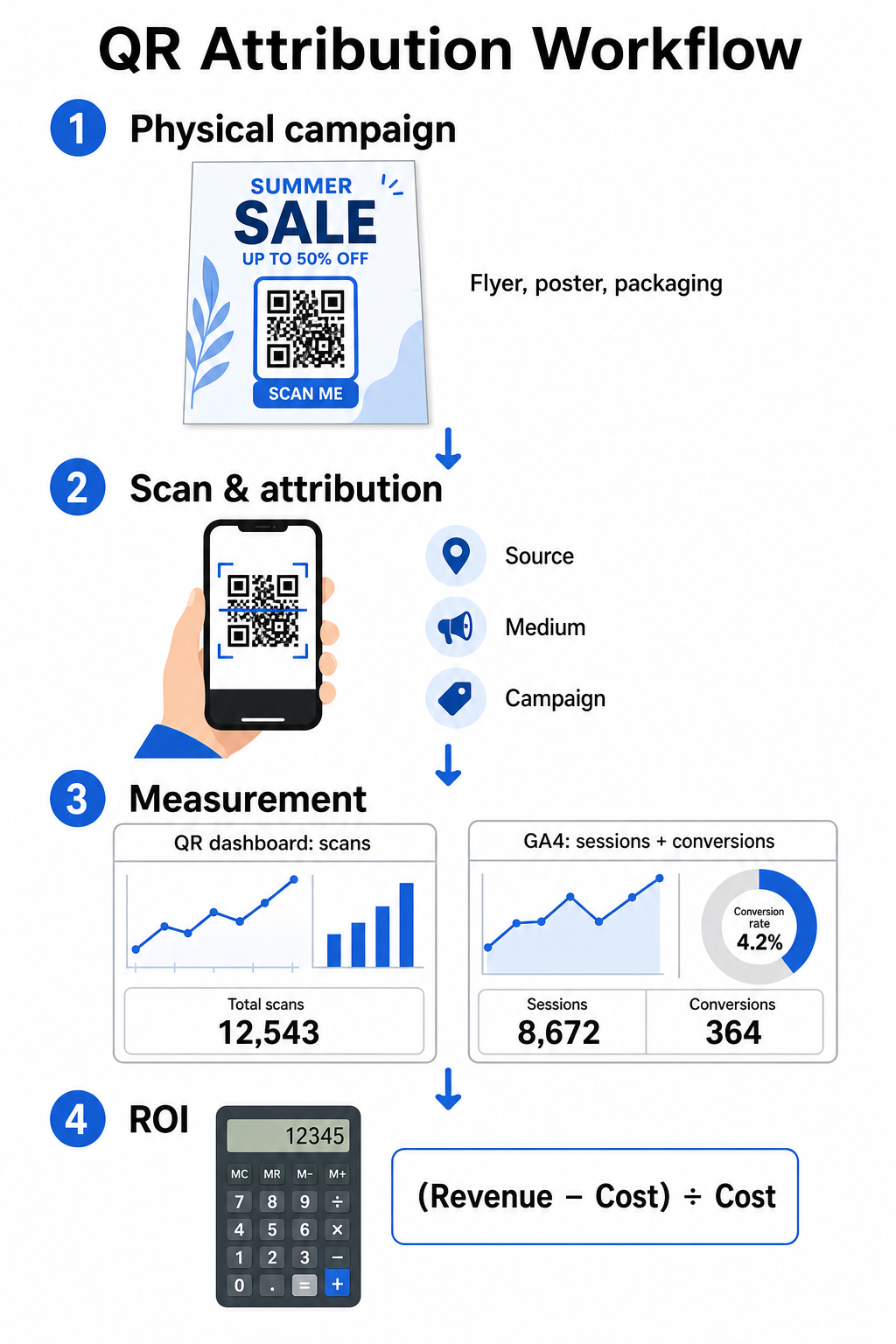
Mengukur ROI memerlukan penghubungan interaksi fizikal bahagian atas corong dengan penukaran digital bahagian bawah corong. Anda akan mengumpul data kempen merentasi dua persekitaran bersepadu: papan pemuka pengurusan QR anda dan perisian analitik web anda.
Mendapatkan Data Bahagian Atas Corong dalam Papan Pemuka Anda
Platform pengurusan QR anda merekodkan data interaksi imbasan fizikal dengan serta-merta. Apabila anda menjejaki imbasan kod QR dalam masa nyata, papan pemuka anda memaparkan metrik penglibatan kritikal:
- Jumlah vs. imbasan unik: Jumlah imbasan merekodkan setiap kejadian imbasan, manakala imbasan unik mengasingkan interaksi peranti individu.
- Taburan imbasan geografi: Peta menunjukkan bandar dan wilayah pos yang berprestasi tinggi.
- Trend masa penglibatan: Taburan imbasan setiap jam dan harian mendedahkan tempoh aktiviti puncak untuk audiens sasaran.
- Sistem pengendalian peranti: Metrik sistem pengendalian memastikan halaman pendaratan berfungsi dengan lancar merentasi peranti iOS dan Android.
Menggunakan pusat papan pemuka analitik kod QR memberi pengurus kempen maklum balas prestasi segera tanpa menunggu kelewatan pemprosesan analitik web.
Menilai Penukaran dalam Google Analytics 4
Walaupun papan pemuka imbasan anda mengukur interaksi fizikal, GA4 menjejak tingkah laku pengguna selepas pelawat tiba di laman web anda.
Untuk menilai trafik kempen dalam GA4:
- Navigasi ke Laporan > Pemerolehan > Pemerolehan trafik.
- Tukar dimensi pelaporan utama kepada Sumber / medium sesi atau Kempen sesi.
- Cari tag medium tersuai anda (seperti “qr”).
- Analisis penunjuk prestasi utama, termasuk Sesi terlibat, Kadar penglibatan, dan Peristiwa utama (penukaran).
Apabila tindakan dalam talian – seperti pembelian e-dagang, penyerahan borang, atau pendaftaran surat berita – ditetapkan sebagai peristiwa utama dalam GA4, platform tersebut mengaitkan penukaran itu secara langsung kembali kepada parameter sumber kempen cetakan anda.
Mengira ROI Kempen dan Metrik Prestasi
Setelah perbelanjaan kempen direkodkan dan hasil yang dikaitkan dijejak dalam analitik web, anda boleh mengira Pulangan Pelaburan (ROI) yang tepat menggunakan formula kewangan standard.
Formula Pengiraan ROI
Kira ROI kempen menggunakan persamaan standard:
ROI (%) = [(Hasil Atribusi − Jumlah Kos Kempen) ÷ Jumlah Kos Kempen] × 100
Contoh Pengiraan ROI Praktikal
Pertimbangkan kempen risalah mel terus yang dibuat untuk menjana tempahan perkhidmatan dalam talian:
- Jumlah Kos Kempen: $2,500 (merangkumi reka bentuk grafik, percetakan dan pos).
- Jumlah Imbasan QR: 800 imbasan keseluruhan (650 imbasan unik).
- Penukaran Web Atribusi: 50 tempahan lengkap yang berasal dari “utmsource=directmail_flyer”.
- Jumlah Hasil Atribusi: $6,000 dalam hasil jualan langsung.
Menggunakan formula pengiraan:
ROI = [($6,000 − $2,500) ÷ $2,500] × 100 = ($3,500 ÷ $2,500) × 100 = 140%
Kempen ini menjana pulangan bersih pelaburan 140%.
Metrik Kecekapan Sekunder
Untuk membandingkan kecekapan merentasi pelbagai bahan fizikal dan penempatan, pantau penunjuk prestasi sokongan ini:
- Kos per Imbasan (CPS): Bahagikan jumlah kos kempen dengan jumlah imbasan ($2,500 ÷ 800 = $3.12 per imbasan).
- Kadar Imbasan ke Penukaran: Bahagikan penukaran atribusi dengan imbasan unik dan darabkan dengan 100 ((50 ÷ 650) × 100 = 7.69%).
- Kos Perolehan (CPA): Bahagikan jumlah kos kempen dengan penukaran atribusi ($2,500 ÷ 50 = $50.00 per penukaran).
- Hasil Per Imbasan (RPS): Bahagikan jumlah hasil atribusi dengan jumlah imbasan ($6,000 ÷ 800 = $7.50 per imbasan).
Membandingkan Prestasi Merentasi Media Luar Talian
Menilai prestasi merentasi penempatan fizikal membantu memperuntukkan belanjawan cetakan masa hadapan ke arah jenis kolateral yang berpulangan tinggi.
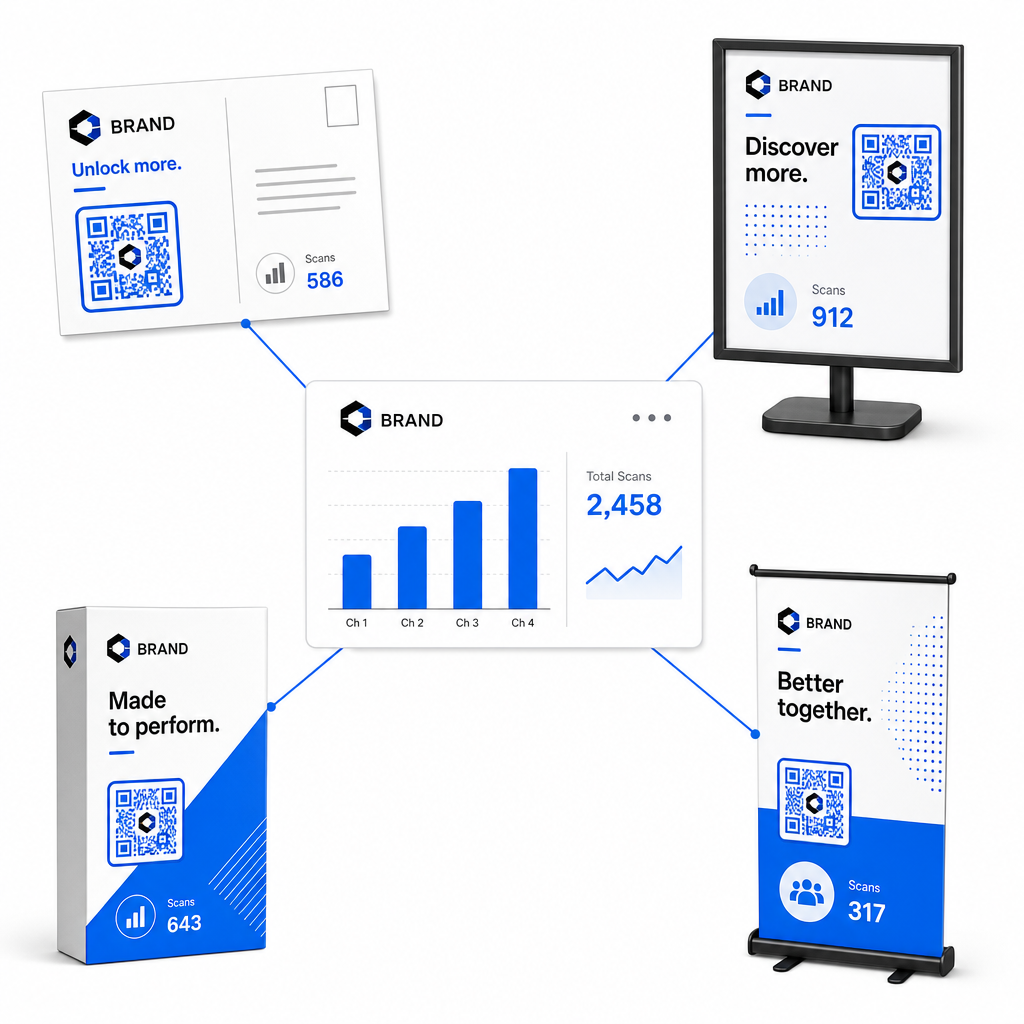
| Bahan Pemasaran | KPI Sasaran | Strategi Pengoptimuman |
|---|---|---|
| Mel Terus & Poskad | Kadar Penukaran & CPA | Letakkan insentif jelas atau tawaran diskaun betul-betul di sebelah kod. |
| Poster & Paparan Dalam Kedai | Isipadu Imbasan & Kelajuan Imbasan | Sesuaikan ketinggian paparan dan alihkan kod ke arah titik tumpuan paras mata yang mempunyai trafik tinggi. |
| Pembungkusan produk | Imbasan Berulang & Kadar Penglibatan | Arahkan pengguna ke manual arahan digital, borang pengaktifan waranti, atau diskaun pesanan semula. |
| Papan Tanda & Sepanduk Acara | Kadar Penangkapan Prospek | Tawarkan sumber boleh muat turun atau hadiah promosi sebagai pertukaran untuk maklumat hubungan. |
Untuk meneroka strategi tambahan bagi pelaksanaan kod merentasi media cetak tradisional, semak panduan ini tentang menjejaki kod QR.
Garis Panduan untuk Memaksimumkan Imbasan Kempen Luar Talian
Untuk memaksimumkan kadar penukaran dan mengekalkan data kempen yang tepat, ikuti standard operasi teras ini:
- Sertakan teks berorientasikan tindakan yang jelas: Elakkan mencetak kod kendiri tanpa konteks. Letakkan seruan tindak balas yang jelas di sebelah bingkai kod, seperti “Imbas untuk membuka kunci diskaun 15% untuk pembelian anda” atau “Imbas untuk melihat menu penuh”.
- Optimumkan halaman pendaratan mudah alih: Pengimbasan berlaku secara eksklusif pada peranti mudah alih. Pastikan halaman sasaran dimuatkan dalam masa kurang dari dua saat dan menampilkan reka bentuk susun atur yang mesra jari.
- Uji URL penjejakan sebelum pengedaran besar-besaran: Lakukan ujian imbasan langsung merentasi pelbagai peranti OS mudah alih untuk mengesahkan bahawa semua tag UTM dihantar dengan bersih ke halaman pendaratan dan direkodkan dalam analitik masa nyata.
- Kemas kini pengurusan dinamik pautan destinasi: Jika pautan halaman pendaratan berubah atau promosi dikemas kini, gunakan papan pemuka pentadbiran anda untuk menukar URL destinasi tanpa mencetak semula bahan promosi. Ketahui lebih lanjut tentang pelaksanaan yang berkesan dalam sumber ini tentang cara menggunakan kod QR.
Menggabungkan ciri pengurusan dinamik dengan pautan UTM berstruktur mengubah media cetak menjadi saluran pertumbuhan yang boleh diramal dan diukur. Cipta kod dinamik tersuai dengan Penjana Kod Pageloot QR untuk mendapatkan pengukuran lengkap ke atas pelaburan pemasaran cetak anda.
Soalan lazim
Ya, platform pengurusan kod QR dinamik secara automatik menjejaki jumlah imbasan, sistem pengendalian peranti, cap waktu imbasan, dan lokasi geografi. Walau bagaimanapun, menambah parameter UTM pada pautan destinasi membolehkan platform analisis web dan CRM mengaitkan sesi laman web hiliran, pembelian, dan penghantaran borang petunjuk kembali ke kempen fizikal spesifik anda.
Jika anda menjana kod QR dinamik, anda boleh mengemas kini URL destinasi dan parameter UTM pada bila-bila masa melalui papan pemuka pengurusan anda tanpa mencetak semula karya seni fizikal anda. Kod QR statik mengekod alamat web sasaran secara kekal ke dalam reka bentuk cetakan dan tidak boleh diubah suai setelah dicetak.
Tetapkan kod QR dinamik unik dengan parameter UTM yang berbeza (seperti “utmcontent=windowposter” berbanding “utmcontent=checkoutflyer”) untuk setiap lokasi fizikal atau jenis bahan promosi. Persediaan ini membolehkan anda mengasingkan jumlah imbasan, kadar penukaran, dan hasil yang dikaitkan merentasi penempatan individu dalam laporan analitik anda.