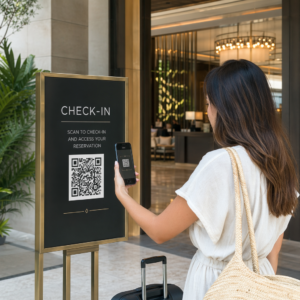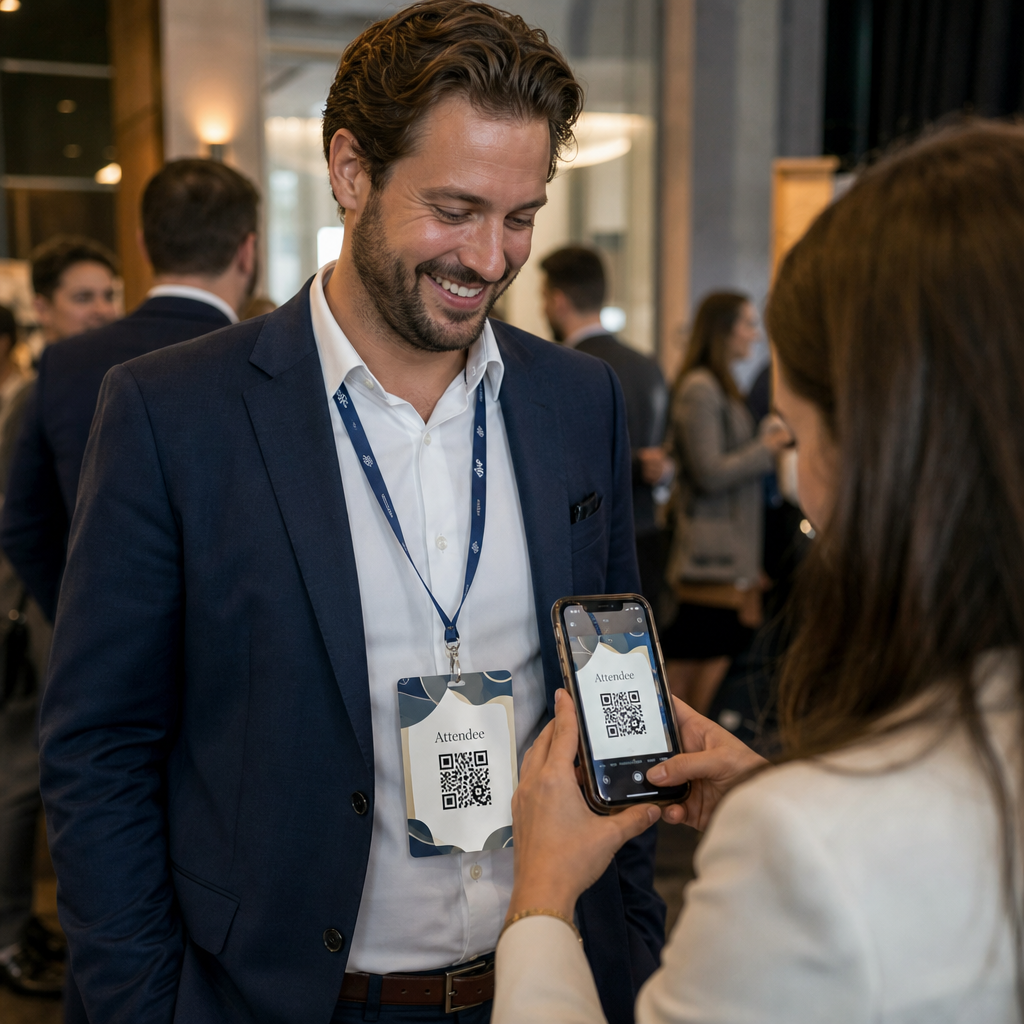
Trebate brži način za dijeljenje kontaktnih podataka ili prijavu sudionika na vašem sljedećem događaju? Ručno upisani podaci se gube, papirnate posjetnice se gomilaju, a dugi redovi za prijavu frustriraju sve. Ovaj vodič vas vodi kroz to kako dodati skenirajuće QR kodove na akreditacije – pokrivajući pravi tip koda, pravila dizajna i specifikacije ispisa koje stvarno funkcioniraju.
Zašto QR kodovi pripadaju na akreditacije
Akreditacija tradicionalno prikazuje ime i možda tvrtku. To je korisno za otprilike tri sekunde razgovora. QR kod pretvara istu značku u trajno, skenirajuće sredstvo koje funkcionira tijekom cijelog događaja.
Evo što QR kod na akreditaciji može učiniti:
- Trenutno dijelite kontaktne podatke – Jedno skeniranje sprema punu vCard karticu izravno na telefon skenera, nije potrebno tipkanje
- Automatizirajte prijavu na događaj – Sudionici se prijavljuju na vratima, registrirajući svoj dolazak bez papirnatih popisa ili ručnog pretraživanja
- Povežite se s digitalnim profilom – Povežite se s LinkedIn stranicom, osobnom web stranicom, portfolijem ili biografijom događaja
- Praćenje angažmana – S dinamičkim kodom možete vidjeti točno koliko je puta značka skenirana, kada i s kojeg uređaja
Sam slučaj upotrebe dijeljenja kontakata opravdava dodatak. A vCard QR kôd kodira ime, telefonski broj, e-poštu, tvrtku i web stranicu u formatu koji iOS i Android prepoznaju izvorno. Kada ga netko skenira, telefon ih odmah potiče da dodaju kontakt – nije potrebna aplikacija, nema ručnog unosa, nema izgubljenih kartica.
Odabir pravog tipa QR koda za vašu akreditaciju
Nije svaki QR kod namijenjen istoj svrsi. Prije nego što išta ispišete, uskladite tip koda sa svojim ciljem.
| Cilj | Vrsta QR koda | Što radi |
|---|---|---|
| Dijeljenje kontaktnih informacija | vCard QR kôd | Kodira ime, telefon, e-poštu, tvrtku; sprema izravno u telefonske kontakte |
| Prijava na događaj | QR kod za prisutnost/događaj | Povezuje na obrazac za registraciju ili sustav za prijavu |
| Poveznica na profil ili web stranicu | QR kod URL-a | Usmjerava na bilo koju web destinaciju |
| Dijeljenje digitalne posjetnice | QR kod posjetnice | Povezuje na punu digitalnu karticu s društvenim profilima i prilagođenim sadržajem |
Za većinu networking događaja, a vCard QR kôd ili a QR kod posjetnice je pravi izbor. Za konferencije gdje također trebate pratiti tko se pojavio i kada, an QR koda za prisutnost ili događaja rješava taj sloj.
Statički vs. Dinamički: Koji biste trebali koristiti?
A statički QR kod kodira podatke izravno u svoj uzorak. Jednom ispisano, ne može se mijenjati. Ako se povezani URL pokvari ili se kontaktni podaci sudionika promijene, morate ponovno ispisati svaku značku.
A dinamički QR kod koristi kratku preusmjeravajuću poveznicu. Ispisani uzorak ostaje isti, ali odredište možete ažurirati bilo kada – čak i nakon što su značke već u rukama sudionika. Dinamički kodovi također pružaju analitiku: broj skeniranja, vrijeme skeniranja, tip uređaja i lokaciju. Za bilo koji događaj s više od šačice sudionika, dinamični QR kodovi vrijede dodatnog koraka postavljanja.
Važno: Za pristup značajkama praćenja i uređivanja, morate generirati dinamički kod prije početka procesa ispisa.
Postavite QR kodove za akreditacije koji se mogu pratiti Stvorite dinamičke QR kodove koje možete ažurirati i pratiti s jedne nadzorne ploče. Koristite Generator QR kodova za početak – nije potrebno ponovno ispisivanje ako se detalji promijene.
Kako stvoriti vCard QR kod za akreditaciju
Ovo je najčešći slučaj upotrebe akreditacije – trenutno dijeljenje kontakata na networking događajima, konferencijama i sajmovima. Za početak, otvorite vCard QR kod generator i unesite obavezna polja: minimalno puno ime i jednu metodu kontakta kao što je telefonski broj ili adresa e-pošte. Odatle dodajte opcionalna polja – naziv tvrtke, radno mjesto, web stranicu, društvene profile – kako bi spremljeni kontaktni zapis bio korisniji za osobu koja skenira.
Nakon što su podaci uneseni, prilagodite dizajn podešavanjem boja, dodavanjem logotipa i odabirom stila okvira koji odgovara vašem brendiranju događaja. Preuzmite kod u formatu spremnom za ispis – SVG ili EPS za skalabilni izlaz, PNG za digitalnu upotrebu – i testirajte ga na iOS-u i Androidu prije slanja datoteka pisaču.
Ponovite ovaj postupak za svakog sudionika ako stvarate individualizirane značke, ili stvorite jedan zajednički kod za štand tvrtke ili točku prijave tima. Za dublji uvid u postavljanje vCard kartice i najbolje prakse, vodiču za vCard QR kodove pokriva cijeli tijek rada detaljno.
Kako koristiti QR kodove za prijavu na događaj na značkama
Za konferencije, radionice ili bilo koji događaj s ulaznicama, QR kod na znački služi i kao vjerodajnica za prijavu i kao alat za umrežavanje. Započnite stvaranjem obrasca za registraciju koristeći Google Forms, Typeform ili vašu platformu za upravljanje događajima. Zatim generirajte an QR koda za prisutnost koji se izravno povezuje s obrascem ili sustavom za prijavu i ispišite ga na svakoj znački sudionika prije događaja – ili ga uključite u e-poštu prije događaja za samoposlužni ispis.
Na ulazu, osoblje skenira svaki bedž pametnim telefonom ili ručnim skenerom za registraciju dolaska. Sustav automatski bilježi skeniranje, bez potrebe za papirnatim popisima ili ručnim pretraživanjem. Prijave putem QR koda mogu smanjiti vrijeme obrade na manje od dvije sekunde po osobi, što značajno skraćuje ukupno trajanje ulaska u usporedbi s ručnim metodama. Za potpuni pregled postavljanja prijave za događaj, pogledajte vodiču za QR kodove za prijave na događaje.
Također možete kombinirati obje funkcije na jednom bedžu: vCard QR kod za dijeljenje kontakata i zaseban kod za prisutnost za prijavu. Postavite ih u različite dijelove bedža s jasnim oznakama kako bi sudionici i osoblje znali koji skenirati i kada.
Automatizirajte prijavu na događaj Prestanite upravljati papirnatim popisima i ručnim pretraživanjima. Koristite alat za QR kod za prisutnost za postavljanje sustava prijave temeljenog na skeniranju koji registrira dolaske u stvarnom vremenu.
Pravila dizajna koja osiguravaju skeniranje QR kodova na bedževima
QR kod koji izgleda dobro, ali se ne može skenirati, beskoristan je. Bedževi stvaraju specifične izazove: malo područje za ispis, različiti uvjeti osvjetljenja, bedževi nošeni pod različitim kutovima, i ljudi koji skeniraju s udaljenosti ruke. Sljedeća pravila izravno rješavaju svaki od ovih problema.
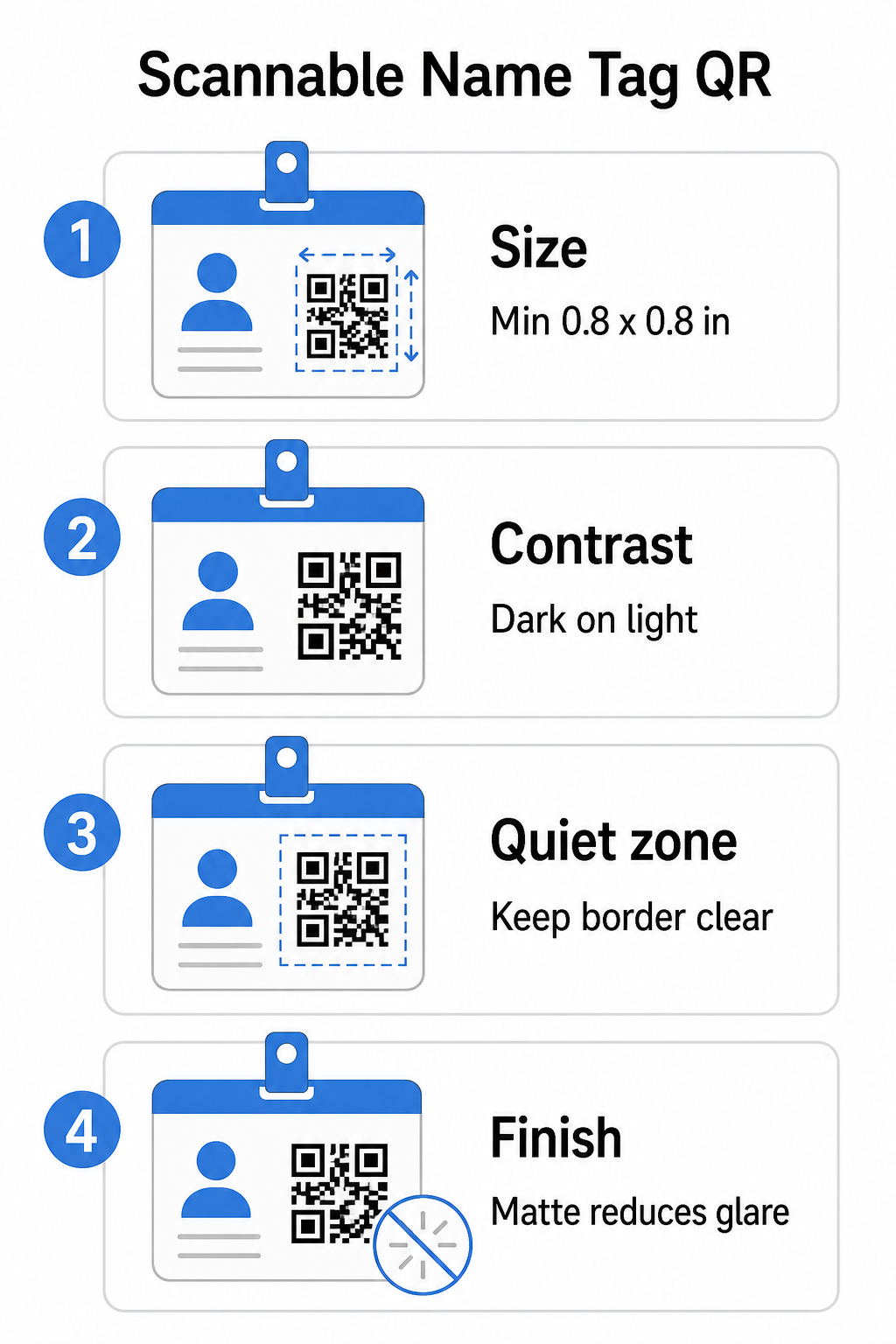
Veličina: Primijenite omjer 10:1
Najmanja dimenzija QR koda trebala bi biti otprilike jedna desetina očekivane udaljenosti skeniranja. Za bedž skeniran s udaljenosti od oko 10 inča (25 cm), kod mora biti širok najmanje 1 inč (2,5 cm). Praktični minimum za bilo koji tiskani kod kratkog dometa je 0.8 × 0.8 inča (2 × 2 cm) – smanjivanje stvara nepotrebne pogreške pri skeniranju, posebno na starijim telefonima. Ako vaš bedž ima prostora, dimenzioniranje koda bliže 1 × 1 inču daje pouzdanije rezultate na širem rasponu uređaja. Za više detalja o odlukama o veličini, pogledajte Veličine QR kodova za posjetnice – ista se načela izravno primjenjuju na bedževe.
Kontrast: Samo tamno na svijetlom
Skeneri rade detektiranjem kontrasta između tamnih modula i svijetle pozadine. Najbolja praksa je tamnoj prednjoj strani na svijetloj pozadini – crno na bijelom ostaje najpouzdanija kombinacija. Inverzni kodovi (svijetli moduli na tamnoj pozadini) uzrokuju pogreške na mnogim aplikacijama za skeniranje, posebno starijima. Ciljajte na omjeru kontrasta od najmanje 4:1, što podržava čitljivost u različitim svjetlosnim okruženjima i na kamerama uređaja.
Izbjegavajte gradijente i sjene u ili oko područja QR koda. Oni stvaraju srednje tonove koji zbunjuju algoritme skenera i smanjuju pouzdanost u uvjetima slabog osvjetljenja. vodič za najbolje prakse kontrasta boja QR koda pruža specifične smjernice za kombinaciju boja i tablicu usporedbe kontrasta ako želite koristiti brendirane boje umjesto obične crne i bijele.
Tiha zona: Održavajte granice čistima
The tihu zonu je prazna margina koja okružuje QR kod sa sve četiri strane. Ona govori skeneru gdje kod počinje i završava – bez nje, skener ne može pouzdano locirati simbol. Prema standardu ISO/IEC 18004, ova margina mora biti široka najmanje četiri modula sa svake strane. Ako vaš dizajn bedža postavlja tekst, logotipe ili dekorativne elemente preblizu kodu, skener ga možda neće moći u potpunosti detektirati. Kao praktično pravilo: ako je svaki modul u vašem kodu širok 2 mm, tiha zona trebala bi biti široka najmanje 8 mm sa svake strane.
Ispravljanje pogrešaka: Povećajte ako dodajete logotip
QR kodovi imaju četiri razine ispravljanja pogrešaka koje određuju koliko fizičkog oštećenja ili prepreke kod može podnijeti dok ostaje skeniran: L (približno 7%), M (približno 15%), Q (približno 25%) i H (približno 30%). Ako ugrađujete logotip tvrtke ili ikonu unutar područja koda – uobičajeno za brendirane bedževe – koristite razinu ispravljanja pogrešaka H i držite logotip na ne više od 30% površine koda. To skeneru daje dovoljno redundantnih podataka za rekonstrukciju uzorka čak i ako je dio prekriven. Ako ne dodajete logotip, razina M ili Q dovoljna je za većinu primjena ispisa.
Oblik i format: Nikada ne rastežite niti komprimirajte
QR kod mora ostati savršeno kvadratan. Rastezanje ili komprimiranje koda kako bi se uklopio u izgled pogrešno poravnava module i čini ga neskeniranim. Uvijek skalirajte proporcionalno i izvezite u vektorskim formatima (SVG ili EPS) za ispis kako biste izbjegli pikselizaciju pri većim veličinama.
Završna obrada: Odaberite mat umjesto sjajnog
Sjajni materijali za bedževe reflektiraju svjetlost i stvaraju odsjaj koji ometa skeniranje kamerom. Mat laminacija ili nepremazani papir znatno bolje funkcioniraju u stvarnim uvjetima osvjetljenja događaja. Ako ispisujete na sjajnim bedževima, testirajte kodove pod stvarnim uvjetima osvjetljenja vašeg mjesta prije finalizacije ispisa. vodič za najbolje prakse čitljivosti QR kodova pokriva svaki od ovih faktora s dodatnom dubinom.
Položaj na bedžu
Gdje se QR kod nalazi na bedžu utječe na to koliko često se skenira. Razmotrite ova načela postavljanja:
- Postavite u prirodnoj razini očiju kada se nosi – donja polovica značke u visini prsa lako se skenira bez da se nekoga zamoli da je skine
- Označite kod jasno – uključite kratku uputu poput “Skenirajte za spremanje kontakta” ili “Prijavite se ovdje” izravno ispod ili pored koda; ljudi će značajno vjerojatnije skenirati kada znaju što kod radi
- Odvojite više kodova – ako vaša značka uključuje i kod za prijavu i kod za dijeljenje kontakta, jasno označite svaki i dajte im dovoljno prostora da se skeniraju pojedinačno bez zabune
- Izbjegavajte postavljanje k – ova se područja presavijaju ili prekrivaju, što može blokirati dio koda ili mirnu zonu
Testiranje prije tiska
Ispišite probni primjerak i skenirajte ga prije slanja cijele narudžbe bedževa u proizvodnju. Testirajte kod na iOS i Android uređajima, pod uvjetima osvjetljenja vašeg mjesta događanja, na udaljenosti s koje će sudionici i osoblje stvarno skenirati, te sa i bez bljeskalice fotoaparata kako biste simulirali scenarije slabog osvjetljenja. Kod koji prođe sva četiri testa spreman je za proizvodnju. Onaj koji ne prođe bilo koji od njih zahtijeva prilagodbu dizajna – bilo da se radi o povećanju veličine, poboljšanju kontrasta ili proširenju mirne zone – prije nego što se obvežete na potpunu seriju ispisa.
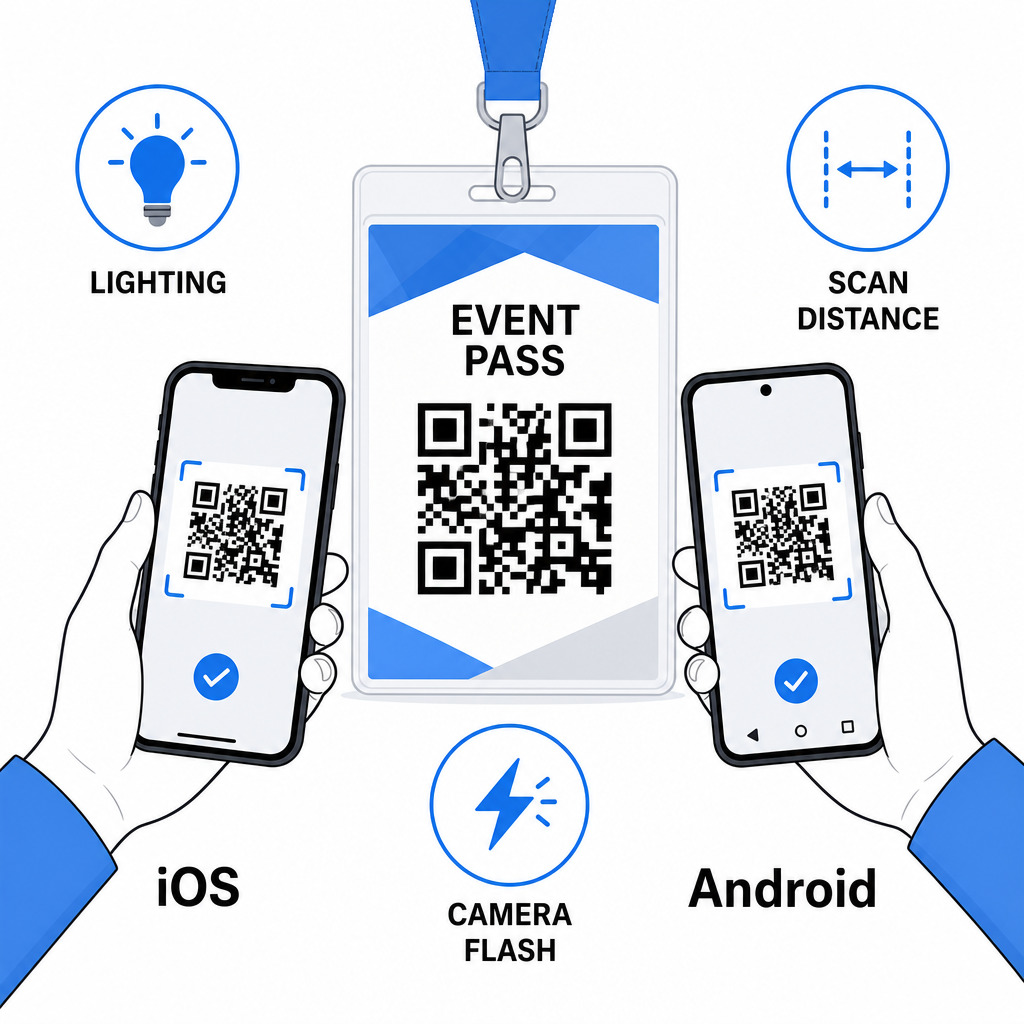
QR kodovi na bedževima s imenom najbolje funkcioniraju kada se spoje ispravan tip koda, čist dizajn i točne specifikacije ispisa prije nego što se ijedan bedž ispiše. Odaberite dinamički kod ako se podaci o sudionicima mogu promijeniti ili ako želite analitiku skeniranja. Slijedite pravila o veličini, kontrastu i mirnoj zoni kako biste osigurali da se svaki bedž pouzdano skenira na dan događaja. I uvijek testirajte na stvarnim uređajima prije finalizacije proizvodnje.
Izradite svoje QR kodove za bedževe s imenom Izradite prilagodljive vCard i QR kodove za prisutnost s ugrađenom analitikom i dinamičkim uređivanjem. Započnite s Pageloot Generator QR kodova – besplatno za isprobavanje, nije potrebna kreditna kartica.
Često postavljana pitanja
Možete kodirati kontakt podatke kao što su ime, telefon, e-pošta, tvrtka i web stranica koristeći vCard QR kod, povezati se s obrascem za prijavu na događaj koristeći QR kod za prisutnost, ili usmjeriti na bilo koje web odredište kao što je LinkedIn profil ili digitalni portfelj. Pravi izbor ovisi o tome je li primarni cilj dijeljenje kontakata, prijava ili pristup općim informacijama.
Praktični minimum za QR kod na pločici s imenom je 0,8 × 0,8 inča (2 × 2 cm). Smanjivanje veličine povećava rizik od neuspješnih skeniranja, posebno na starijim pametnim telefonima. Ako vaš dizajn značke ima prostora, dimenzioniranje koda bliže 1 × 1 inču daje pouzdanije rezultate na širem rasponu uređaja i uvjeta osvjetljenja.
Ako ste koristili statički QR kod, morali biste ponovno ispisati zahvaćene bedževe. Ako ste koristili dinamički QR kod, možete ažurirati odredište – bilo da je to vCard, stranica za kontakt ili poveznica na obrazac – s vaše Pageloot nadzorne ploče bez dodirivanja ispisanog bedža. Ovo je jedan od primarnih razloga za korištenje dinamičkih kodova za bilo koji događaj s promjenjivim informacijama o sudionicima.