Precisa de uma maneira mais rápida para compartilhar detalhes de contato ou fazer o check-in de participantes no seu próximo evento? Detalhes digitados manualmente se perdem, cartões de visita de papel se acumulam e longas filas de check-in frustram a todos. Este guia mostra como adicionar códigos QR escaneáveis a crachás – abordando o tipo de código certo, regras de design e especificações de impressão que realmente funcionam.
Por que Códigos QR Pertencem em Crachás
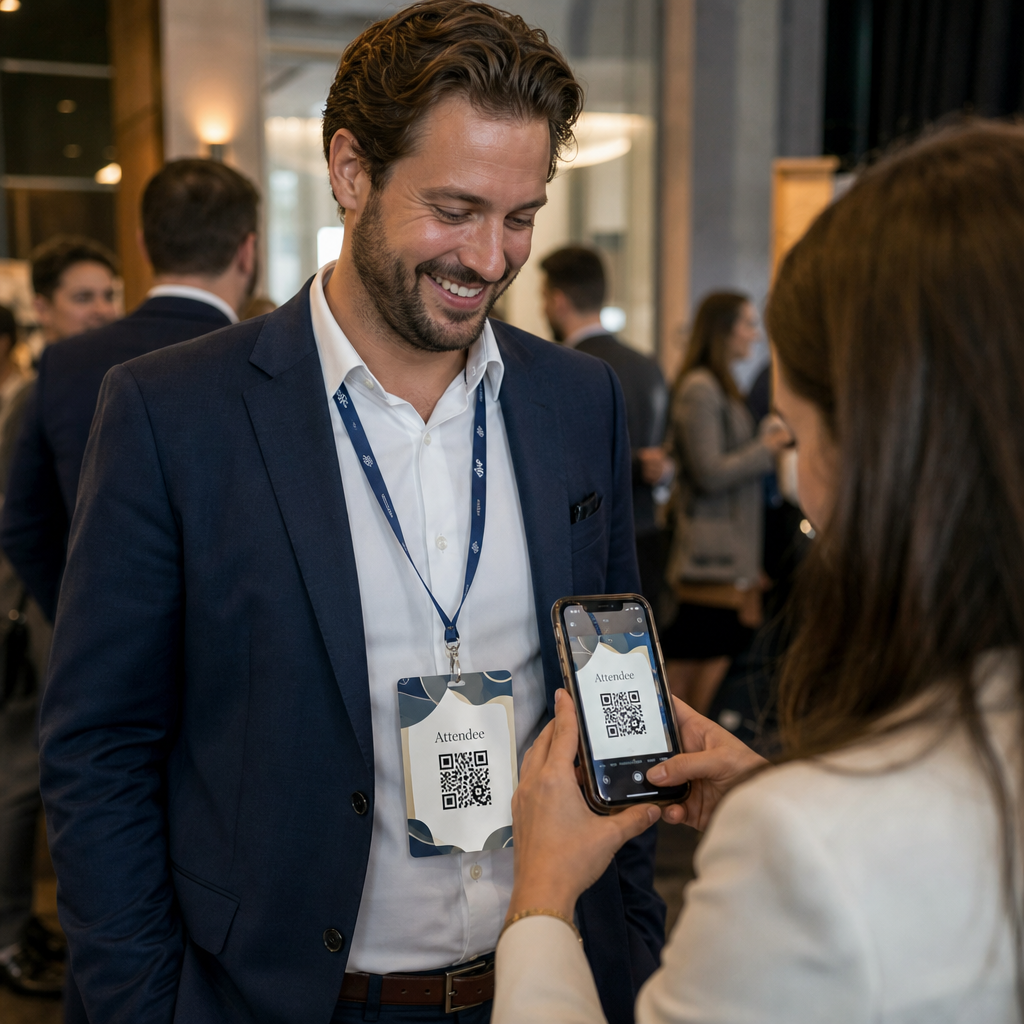
Um crachá tradicionalmente exibe um nome e talvez uma empresa. Isso é útil por cerca de três segundos de conversa. Um código QR transforma o mesmo crachá em um ativo persistente e escaneável que funciona durante todo o evento.
Veja o que um código QR em um crachá pode fazer:
- Compartilhe detalhes de contato instantaneamente – Uma única leitura salva um vCard completo diretamente no telefone do leitor, sem necessidade de digitação
- Automatize o check-in do evento – Os participantes fazem o check-in na porta, registrando sua chegada sem listas de papel ou pesquisa manual
- Conecte-se a um perfil digital – Link para uma página do LinkedIn, site pessoal, portfólio ou biografia do evento
- Acompanhe o engajamento – Com um código dinâmico, você pode ver exatamente quantas vezes um crachá foi escaneado, quando e de qual dispositivo
O caso de uso de compartilhamento de contatos por si só justifica a adição. Um código QR do vCard codifica um nome, número de telefone, e-mail, empresa e site em um formato que iOS e Android reconhecem nativamente. Quando alguém o escaneia, o telefone imediatamente os solicita a adicionar o contato – nenhum aplicativo é necessário, nenhuma entrada manual, nenhum cartão perdido.
Escolhendo o Tipo Certo de Código QR para o Seu Crachá
Nem todo código QR serve ao mesmo propósito. Antes de imprimir qualquer coisa, combine o tipo de código com seu objetivo.
| Objetivo | Tipo de código QR | O Que Faz |
|---|---|---|
| Compartilhar informações de contato | código QR do vCard | Codifica nome, telefone, e-mail, empresa; salva diretamente nos contatos do telefone |
| Check-in do evento | Código QR de presença/evento | Links para um formulário de registro ou sistema de check-in |
| Link para um perfil ou site | Código QR da URL | Direciona para qualquer destino web |
| Compartilhar um cartão de visita digital | Código QR de cartão de visita | Links para um cartão digital completo com perfis sociais e conteúdo personalizado |
Para a maioria dos eventos de networking, um código QR do vCard ou um código QR do cartão de visita é a escolha certa. Para conferências onde você também precisa rastrear quem compareceu e quando, um código QR de presença ou código QR de evento lida com essa camada.
Estático vs. Dinâmico: Qual Você Deve Usar?
UMA código QR estático codifica dados diretamente em seu padrão. Uma vez impresso, não pode ser alterado. Se o URL vinculado quebrar ou os detalhes de contato de um participante mudarem, você precisará reimprimir todos os crachás.
UMA código QR dinâmico usa um link de redirecionamento curto. O padrão impresso permanece o mesmo, mas você pode atualizar o destino a qualquer momento – mesmo depois que os crachás já estiverem nas mãos dos participantes. Códigos dinâmicos também fornecem análises: número de leituras, hora da leitura, tipo de dispositivo e localização. Para qualquer evento com mais de um punhado de participantes, códigos QR dinâmicos valem o passo extra de configuração.
Importante: Para acessar os recursos de rastreamento e edição, você deve gerar um código dinâmico antes que o processo de impressão comece.
Configure Códigos QR de Crachá Rastreáveis Crie códigos QR dinâmicos que você pode atualizar e monitorar a partir de um único painel. Use o Gerador de Código QR para começar – nenhuma reimpressão é necessária se os detalhes mudarem.
Como Criar um Código QR vCard para um Crachá
Este é o caso de uso mais comum de crachá – compartilhamento instantâneo de contatos em eventos de networking, conferências e feiras. Para começar, abra o Gerador de QR Code vCard e insira os campos obrigatórios: no mínimo um nome completo e um método de contato, como um número de telefone ou endereço de e-mail. A partir daí, adicione campos opcionais – nome da empresa, cargo, site, perfis sociais – para tornar o registro de contato salvo mais útil para a pessoa que está escaneando.
Uma vez que os dados estejam inseridos, personalize o design ajustando cores, adicionando um logotipo e escolhendo um estilo de moldura que combine com a identidade visual do seu evento. Baixe o código em um formato pronto para impressão – SVG ou EPS para saída escalável, PNG para uso digital – e teste-o em iOS e Android antes de enviar os arquivos para a impressora.
Repita este processo para cada participante se estiver criando crachás individualizados, ou crie um único código compartilhado para um estande de empresa ou ponto de check-in de equipe. Para uma análise mais aprofundada da configuração do vCard e das melhores práticas, o guia para códigos QR vCard cobre o fluxo de trabalho completo em detalhes.
Como Usar Códigos QR para Check-in de Eventos em Crachás
Para conferências, workshops ou qualquer evento com ingresso, um código QR no crachá funciona tanto como credencial de check-in quanto como ferramenta de networking. Comece criando um formulário de registro usando Google Forms, Typeform ou sua plataforma de gerenciamento de eventos. Em seguida, gere um código QR de presença que se conecta diretamente ao formulário ou sistema de check-in e imprima-o em cada crachá de participante antes do evento – ou inclua-o em um e-mail pré-evento para impressão self-service.
Na porta, a equipe escaneia cada crachá com um smartphone ou scanner portátil para registrar a chegada. O sistema registra o escaneamento automaticamente, sem listas de papel ou pesquisa manual necessárias. Check-ins com código QR podem reduzir o tempo de processamento para menos de dois segundos por pessoa, o que reduz significativamente a duração total da entrada em comparação com métodos manuais. Para um guia completo de configuração de check-in de evento, consulte o guia de códigos QR para check-ins de eventos.
Você também pode combinar ambas as funções em um único crachá: um código QR vCard para compartilhamento de contato e um código de presença separado para check-in. Coloque-os em diferentes áreas do crachá com rótulos claros para que os participantes e a equipe saibam qual escanear e quando.
Automatize o Check-In do Seu Evento Pare de gerenciar listas de papel e pesquisas manuais. Use o Ferramenta de Código QR de Presença para configurar um sistema de check-in baseado em escaneamento que registra chegadas em tempo real.
Regras de Design Que Mantêm os Códigos QR de Crachás Escaneáveis
Um código QR que parece bom, mas não escaneia, é inútil. Crachás criam desafios específicos: pequena área de impressão, condições de iluminação variadas, crachás usados em diferentes ângulos e pessoas escaneando à distância de um braço. As seguintes regras abordam cada um desses problemas diretamente.
Tamanho: Aplique a Proporção 10:1
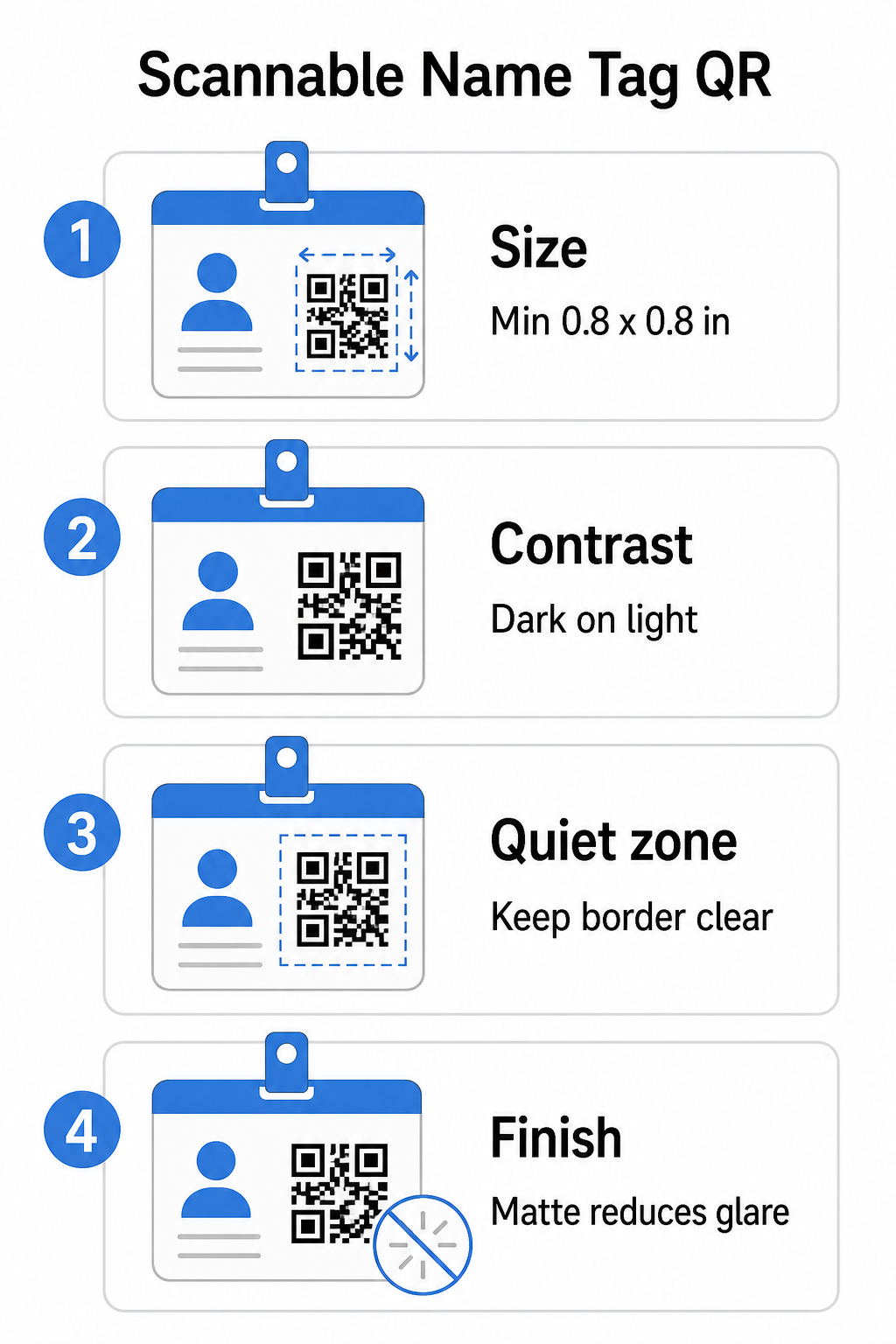
A menor dimensão do código QR deve ser aproximadamente um décimo da distância de escaneamento esperada. Para um crachá escaneado a cerca de 10 polegadas (25 cm) de distância, o código precisa ter pelo menos 1 polegada (2,5 cm) de largura. O mínimo prático para qualquer código impresso de curto alcance é 0,8 × 0,8 polegadas (2 × 2 cm) – ir menor cria falhas de escaneamento desnecessárias, especialmente em telefones mais antigos. Se o seu crachá tiver espaço, dimensionar o código para mais perto de 1 × 1 polegada dá resultados mais confiáveis em uma gama mais ampla de dispositivos. Para mais detalhes sobre decisões de dimensionamento, consulte Tamanhos de código QR para cartões de visita – os mesmos princípios se aplicam diretamente aos crachás.
Contraste: Escuro sobre Claro Apenas
Scanners funcionam detectando o contraste entre módulos escuros e um fundo claro. A melhor prática é um primeiro plano escuro em um fundo claro – preto no branco permanece a combinação mais confiável. Códigos invertidos (módulos claros em um fundo escuro) causam falhas em muitos aplicativos de escaneamento, particularmente os mais antigos. Busque um rácio de contraste de pelo menos 4:1, que suporta legibilidade em diferentes ambientes de iluminação e câmeras de dispositivos.
Evite gradientes e sombras na ou ao redor da área do código QR. Estes criam tons médios que confundem os algoritmos do scanner e reduzem a confiabilidade em ambientes com pouca luz. O guia de melhores práticas de contraste de cores de códigos QR fornece orientação específica de combinação de cores e uma tabela de comparação de contraste se você quiser usar cores de marca em vez de preto e branco simples.
Zona de Silêncio: Mantenha as Bordas Claras
O zona de silêncio é a margem em branco que circunda o código QR em todos os quatro lados. Ela informa ao scanner onde o código começa e termina – sem ela, o scanner não consegue localizar o símbolo de forma confiável. De acordo com o padrão ISO/IEC 18004, esta margem deve ter pelo menos quatro módulos de largura em cada lado. Se o design do seu crachá colocar texto, logotipos ou elementos decorativos muito próximos ao código, o scanner pode falhar em detectá-lo completamente. Como regra prática: se cada módulo do seu código tiver 2 mm de largura, a zona de silêncio deve ter pelo menos 8 mm em cada lado.
Correção de Erro: Aumente Se Adicionar um Logotipo
Os códigos QR têm quatro níveis de correção de erro que determinam quanto dano físico ou obstrução o código pode tolerar enquanto permanece escaneável: L (aproximadamente 7%), M (aproximadamente 15%), Q (aproximadamente 25%) e H (aproximadamente 30%). Se você estiver incorporando um logotipo ou ícone da empresa dentro da área do código – comum para crachás de marca – use o nível de correção de erro H e mantenha o logotipo em não mais que 30% da área do código. Isso dá ao scanner dados redundantes suficientes para reconstruir o padrão mesmo com parte dele coberta. Se você não estiver adicionando um logotipo, o nível M ou Q é suficiente para a maioria das aplicações de impressão.
Forma e Formato: Nunca Estique ou Comprima
Um código QR deve permanecer perfeitamente quadrado. Esticar ou comprimir o código para se ajustar a um layout desalinha os módulos e o torna inescaneável. Sempre dimensione proporcionalmente e exporte em formatos vetoriais (SVG ou EPS) para impressão para evitar pixelização em tamanhos maiores.
Acabamento: Escolha Fosco em Vez de Brilhante
Materiais de crachá brilhantes refletem a luz e criam reflexos que interferem no escaneamento da câmera. Laminação fosca ou estoque não revestido tem um desempenho significativamente melhor na iluminação real de eventos. Se você estiver imprimindo em crachás brilhantes, teste os códigos sob as condições de iluminação reais do seu local antes de finalizar a tiragem. O guia de melhores práticas de legibilidade de código QR cobre cada um desses fatores com profundidade adicional.
Posicionamento no Crachá
Onde o código QR está posicionado em um crachá afeta a frequência com que é escaneado. Considere estes princípios de posicionamento:
- Posicione ao nível natural dos olhos quando usado – a metade inferior de um crachá na altura do peito é fácil de escanear sem pedir a alguém para removê-lo
- Rotule o código claramente – inclua uma breve instrução como “Escanear para salvar contato” ou “Fazer check-in aqui” diretamente abaixo ou ao lado do código; as pessoas são significativamente mais propensas a escanear quando sabem o que o código faz
- Separe múltiplos códigos – se o seu crachá incluir ambos um código de check-in e um código de compartilhamento de contato, rotule cada um claramente e dê a eles espaço suficiente para serem escaneados individualmente sem confusão
- Evite colocar o código perto do clipe do crachá ou do furo do cord – essas áreas são dobradas ou cobertas, o que pode bloquear parte do código ou da zona de silêncio
Testando Antes de Imprimir
Imprima uma prova e digitalize-a antes de enviar o pedido completo de crachás para produção. Teste o código em dispositivos iOS e Android, nas condições de iluminação do local do seu evento, à distância em que os participantes e a equipe realmente farão a leitura, e com e sem o flash da câmera para simular cenários de pouca luz. Um código que passa em todos os quatro testes está pronto para produção. Um que falha em qualquer um deles precisa de um ajuste de design – seja aumentando o tamanho, melhorando o contraste ou expandindo a zona de silêncio – antes de você se comprometer com uma tiragem completa.
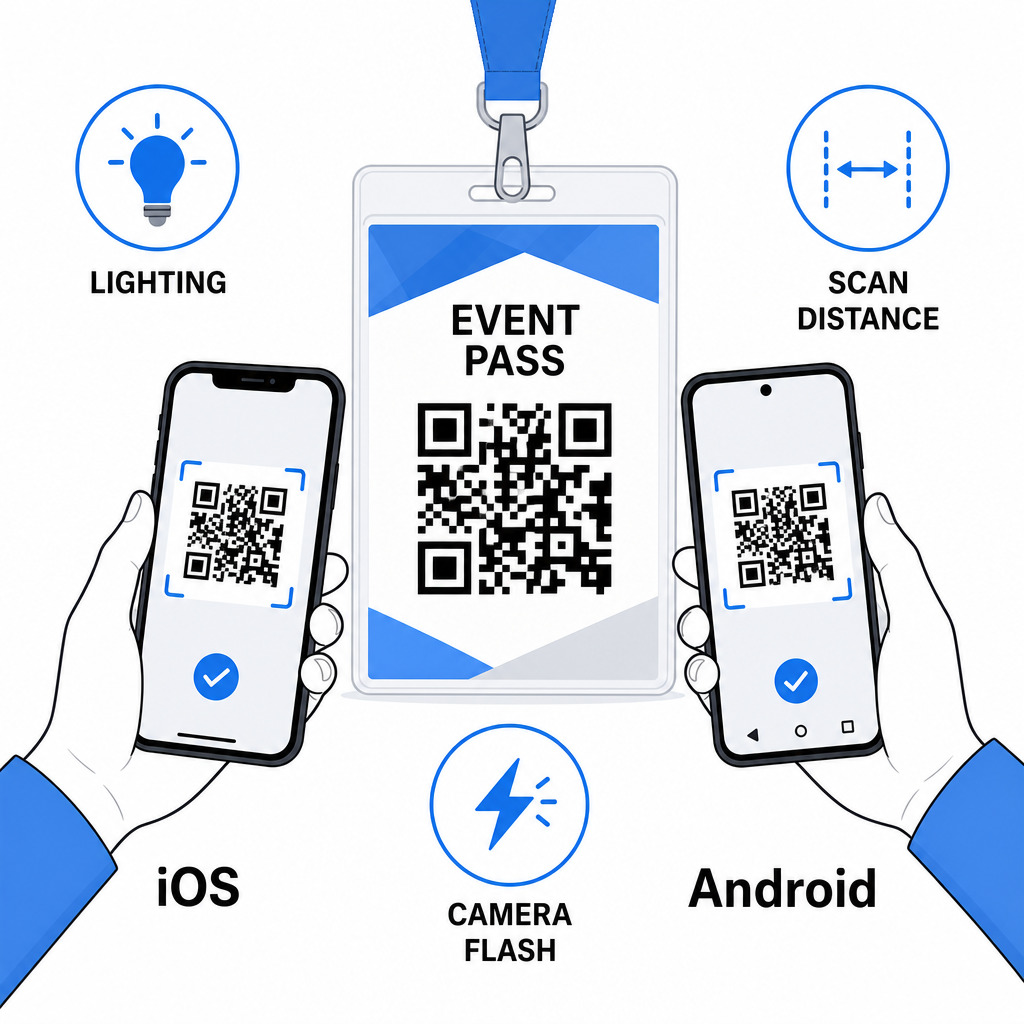
Os códigos QR em crachás funcionam melhor quando o tipo de código certo, um design limpo e as especificações de impressão corretas se unem antes que um único crachá seja impresso. Escolha um código dinâmico se os detalhes dos participantes puderem mudar ou se você quiser análises de leitura. Siga as regras de dimensionamento, contraste e zona de silêncio para garantir que cada crachá seja lido de forma confiável no dia. E sempre teste em dispositivos reais antes de finalizar a produção.
Crie Seus Códigos QR para Crachás Crie códigos QR personalizáveis para vCard e presença com análises integradas e edição dinâmica. Comece com o Gerador de Código QR Pageloot – grátis para experimentar, não é necessário cartão de crédito.
Perguntas frequentes
Você pode codificar detalhes de contato, como nome, telefone, e-mail, empresa e site, usando um código QR vCard, vincular a um formulário de check-in de evento usando um código QR de presença, ou apontar para qualquer destino web, como um perfil do LinkedIn ou portfólio digital. A escolha certa depende se o objetivo principal é o compartilhamento de contatos, check-in, ou acesso a informações gerais.
O mínimo prático para um código QR de crachá é 0,8 × 0,8 polegadas (2 × 2 cm). Diminuir o tamanho aumenta o risco de falhas de leitura, especialmente em smartphones mais antigos. Se o design do seu crachá tiver espaço, dimensionar o código para mais perto de 1 × 1 polegada oferece resultados mais confiáveis em uma gama mais ampla de dispositivos e condições de iluminação.
Se você usou um código QR estático, precisaria reimprimir os crachás afetados. Se você usou um código QR dinâmico, pode atualizar o destino – seja um vCard, uma página de contato ou um link de formulário – do seu painel Pageloot sem tocar no crachá impresso. Esta é uma das principais razões para usar códigos dinâmicos para qualquer evento com informações variáveis dos participantes.