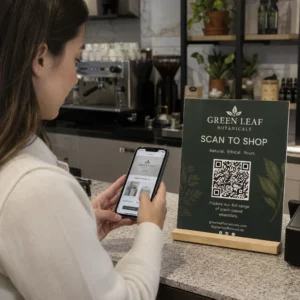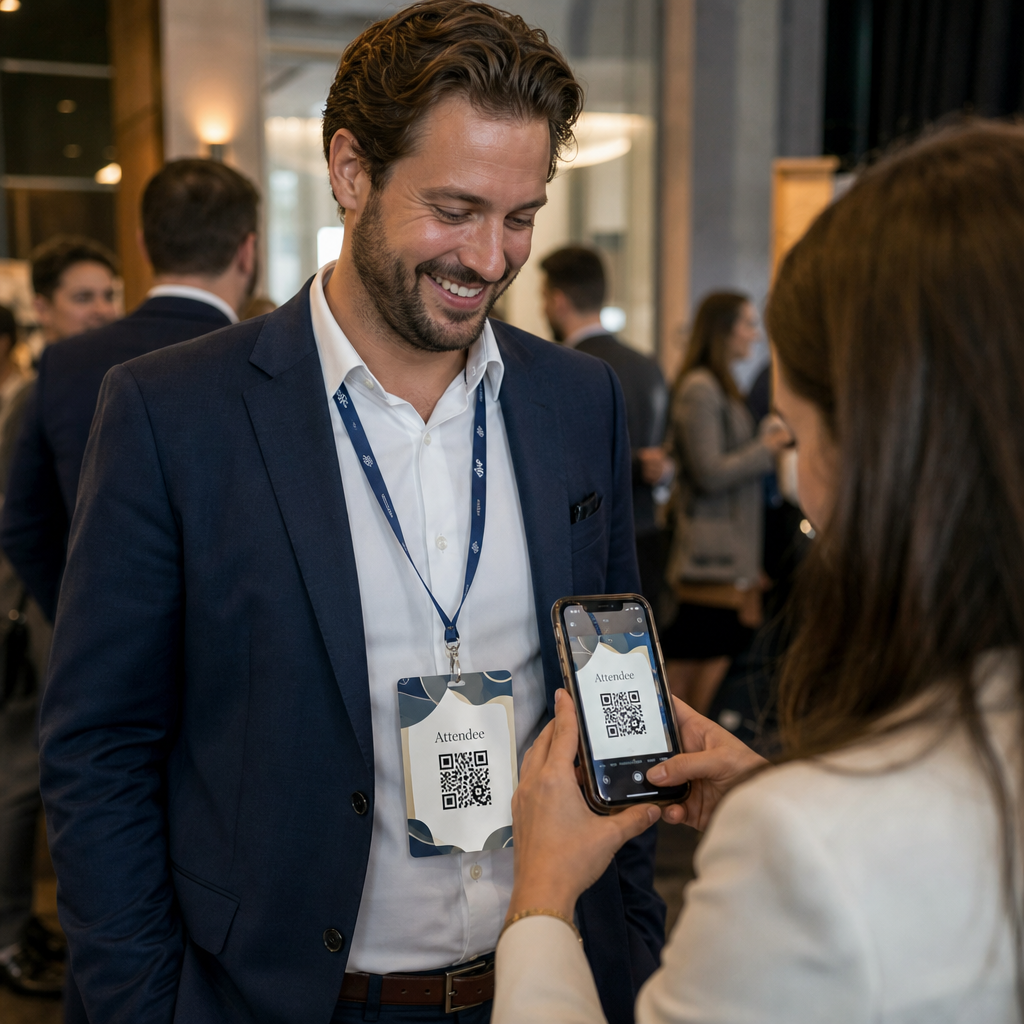
Potřebujete rychlejší způsob, jak sdílet kontaktní údaje nebo odbavovat účastníky na vaší příští akci? Ručně zadávané údaje se ztrácejí, papírové vizitky se hromadí a dlouhé fronty u odbavení frustrují každého. Tento průvodce vás provede, jak přidat skenovatelné QR kódy na jmenovky – zahrnuje správný typ kódu, pravidla designu a specifikace tisku, které skutečně fungují.
Proč QR kódy patří na jmenovky
Jmenovka tradičně zobrazuje jméno a možná společnost. To je užitečné asi na tři sekundy konverzace. QR kód promění stejný odznak v trvalý, skenovatelný prvek, který funguje po celou dobu akce.
Zde je, co QR kód na jmenovce dokáže:
- Okamžitě sdílet kontaktní údaje – Jedno naskenování uloží kompletní vCard přímo do telefonu skenujícího, bez nutnosti psaní
- Automatizovat odbavení na akci – Účastníci se odbaví u dveří, registrují svůj příchod bez papírových seznamů nebo ručního vyhledávání
- Propojit s digitálním profilem – Odkaz na stránku LinkedIn, osobní web, portfolio nebo životopis akce
- Sledování zapojení – S dynamickým kódem můžete přesně vidět, kolikrát byl odznak naskenován, kdy a z jakého zařízení
Samotný případ použití pro sdílení kontaktů ospravedlňuje přidání. A QR kód vCard zakóduje jméno, telefonní číslo, e-mail, společnost a webovou stránku ve formátu, který iOS a Android nativně rozpoznávají. Když ho někdo naskenuje, telefon je okamžitě vyzve k přidání kontaktu – není potřeba žádná aplikace, žádné ruční zadávání, žádné ztracené karty.
Výběr správného typu QR kódu pro vaši jmenovku
Ne každý QR kód slouží stejnému účelu. Než cokoli vytisknete, přiřaďte typ kódu k vašemu cíli.
| Cíl | Typ QR kódu | Co dělá |
|---|---|---|
| Sdílet kontaktní informace | QR kód vCard | Zakóduje jméno, telefon, e-mail, společnost; uloží přímo do telefonních kontaktů |
| Odbavení na akci | QR kód pro docházku/akci | Odkazuje na registrační formulář nebo systém odbavení |
| Odkaz na profil nebo webovou stránku | QR kód URL | Směruje na jakoukoli webovou destinaci |
| Sdílet digitální vizitku | QR kód vizitky | Odkazuje na kompletní digitální kartu se sociálními profily a vlastním obsahem |
Pro většinu networkingových akcí je QR kód vCard nebo a QR kód vizitky správnou volbou. Pro konference, kde také potřebujete sledovat, kdo a kdy se dostavil, to zvládne QR kód pro účast nebo QR kód události tuto vrstvu.
Statický vs. Dynamický: Který byste měli použít?
A statický QR kód zakóduje data přímo do svého vzoru. Jakmile je vytištěn, nelze jej změnit. Pokud se propojená URL adresa rozbije nebo se změní kontaktní údaje účastníka, musíte přetisknout každý odznak.
A dynamický QR kód používá krátký přesměrovací odkaz. Vytištěný vzor zůstává stejný, ale cíl můžete kdykoli aktualizovat – i poté, co jsou odznaky již v rukou účastníků. Dynamické kódy také poskytují analytiku: počet skenů, čas skenování, typ zařízení a polohu. Pro jakoukoli akci s více než hrstkou účastníků, dynamické QR kódy stojí za dodatečný krok nastavení.
Důležité: Pro přístup k funkcím sledování a úprav musíte vygenerovat dynamický kód před zahájením procesu tisku.
Nastavte sledovatelné QR kódy pro jmenovky Vytvořte dynamické QR kódy, které můžete aktualizovat a monitorovat z jednoho panelu. Použijte Generátor QR kódů pro začátek – není potřeba přetiskovat, pokud se detaily změní.
Jak vytvořit QR kód vCard pro jmenovku
Toto je nejběžnější případ použití jmenovky – okamžité sdílení kontaktů na networkingových akcích, konferencích a veletrzích. Pro začátek otevřete QR vizitka s vCard a zadejte požadovaná pole: minimálně celé jméno a jednu kontaktní metodu, jako je telefonní číslo nebo e-mailová adresa. Odtud přidejte volitelná pole – název společnosti, pracovní pozice, webové stránky, sociální profily – aby byl uložený kontaktní záznam užitečnější pro osobu, která skenuje.
Jakmile jsou data zadána, přizpůsobte design úpravou barev, přidáním loga a výběrem stylu rámečku, který odpovídá vaší značce akce. Stáhněte si kód ve formátu připraveném k tisku – SVG nebo EPS pro škálovatelný výstup, PNG pro digitální použití – a otestujte jej na iOS i Androidu před odesláním souborů tiskárně.
Opakujte tento proces pro každého účastníka, pokud vytváříte individualizované odznaky, nebo vytvořte jeden sdílený kód pro firemní stánek nebo kontrolní bod týmu. Pro hlubší pohled na nastavení vCard a osvědčené postupy, se podívejte na průvodci k vCard QR kódům podrobně pokrývá celý pracovní postup.
Jak používat QR kódy pro odbavení na akci na odznacích
Pro konference, workshopy nebo jakoukoli akci s lístky slouží QR kód na odznaku jako pověření k odbavení i jako networkingový nástroj. Začněte vytvořením registračního formuláře pomocí Google Forms, Typeform nebo vaší platformy pro správu událostí. Poté vygenerujte QR kód pro účast který odkazuje přímo na formulář nebo systém odbavení a vytiskněte jej na každý odznak účastníka před akcí – nebo jej zahrňte do e-mailu před akcí pro samoobslužný tisk.
U dveří personál skenuje každou jmenovku chytrým telefonem nebo ručním skenerem k registraci příchodu. Systém automaticky zaznamenává sken, bez potřeby papírových seznamů nebo ručního vyhledávání. Odbavení pomocí QR kódů může zkrátit dobu zpracování na méně než dvě sekundy na osobu, což výrazně zkracuje celkovou dobu vstupu ve srovnání s manuálními metodami. Pro kompletní návod k nastavení odbavení na události viz průvodce QR kódy pro odbavení na událostech.
Můžete také zkombinovat obě funkce na jedné jmenovce: QR kód vCard pro sdílení kontaktů a samostatný kód pro docházku pro odbavení. Umístěte je do různých oblastí jmenovky s jasnými popisky, aby účastníci a personál věděli, který skenovat a kdy.
Automatizujte odbavení na vaší události Přestaňte spravovat papírové seznamy a ruční vyhledávání. Použijte nástroj pro QR kódy docházky k nastavení systému odbavení založeného na skenování, který registruje příchody v reálném čase.
Pravidla designu, která udržují QR kódy na jmenovkách skenovatelné
QR kód, který vypadá dobře, ale nelze ho naskenovat, je k ničemu. Jmenovky vytvářejí specifické výzvy: malá tisková plocha, různé světelné podmínky, jmenovky nošené v různých úhlech a lidé skenující z délky paže. Následující pravidla se přímo zabývají každým z těchto problémů.
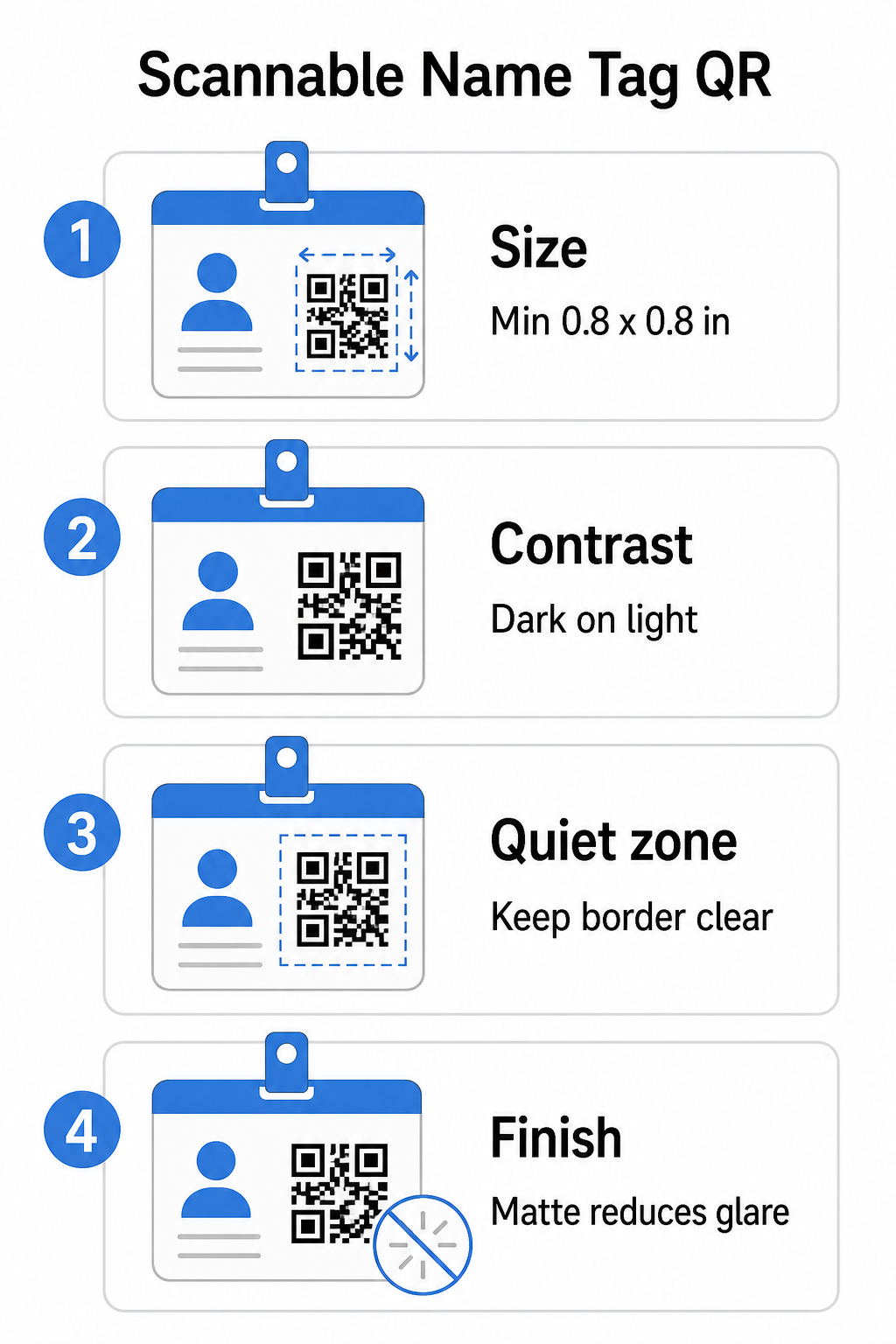
Velikost: Použijte poměr 10:1
Nejmenší rozměr QR kódu by měl být zhruba jedna desetina očekávané skenovací vzdálenosti. Pro jmenovku skenovanou z přibližně 10 palců (25 cm) daleko musí být kód široký alespoň 1 palec (2,5 cm). Praktické minimum pro jakýkoli tištěný kód na krátkou vzdálenost je 0,8 × 0,8 palce (2 × 2 cm) – zmenšení vytváří zbytečné chyby skenování, zejména na starších telefonech. Pokud má vaše jmenovka prostor, nastavení velikosti kódu blíže k 1 × 1 palci poskytuje spolehlivější výsledky napříč širší škálou zařízení. Pro více podrobností o rozhodnutích ohledně velikosti viz Velikosti QR kódů pro vizitky – stejné principy platí přímo pro jmenovky.
Kontrast: Pouze tmavé na světlém
Skenery fungují na principu detekce kontrastu mezi tmavými moduly a světlým pozadím. Nejlepší praxe je tmavé popředí na světlém pozadí – černá na bílé zůstává nejspolehlivější kombinací. Invertované kódy (světlé moduly na tmavém pozadí) způsobují selhání v mnoha skenovacích aplikacích, zejména starších. Usilujte o kontrastní poměr minimálně 4:1, což podporuje čitelnost v různých světelných podmínkách a na kamerách zařízení.
Vyhněte se gradientům a stínům v oblasti QR kódu nebo kolem ní. Tyto vytvářejí střední tóny, které matou algoritmy skenerů a snižují spolehlivost v podmínkách slabého osvětlení. The průvodce osvědčenými postupy pro barevný kontrast QR kódů poskytuje konkrétní pokyny pro kombinaci barev a tabulku pro porovnání kontrastu, pokud chcete použít značkové barvy namísto obyčejné černé a bílé.
Tichá zóna: Udržujte okraje čisté
Ten tichou zónu je prázdný okraj obklopující QR kód ze všech čtyř stran. Říká skeneru, kde kód začíná a končí – bez něj skener nemůže spolehlivě najít symbol. Podle normy ISO/IEC 18004 musí být tento okraj široký alespoň čtyři moduly na každé straně. Pokud váš design jmenovky umisťuje text, loga nebo dekorativní prvky příliš blízko ke kódu, skener jej nemusí vůbec detekovat. Jako praktické pravidlo: pokud je každý modul ve vašem kódu široký 2 mm, měla by být tichá zóna široká alespoň 8 mm na každé straně.
Korekce chyb: Zvyšte ji, pokud přidáváte logo
QR kódy mají čtyři úrovně korekce chyb, které určují, kolik fyzického poškození nebo překážek kód snese při zachování skenovatelnosti: L (přibližně 7%), M (přibližně 15%), Q (přibližně 25%) a H (přibližně 30%). Pokud vkládáte logo společnosti nebo ikonu do oblasti kódu – běžné pro značkové jmenovky – použijte úroveň korekce chyb H a udržujte logo na ne více než 30% plochy kódu. To dává skeneru dostatek redundantních dat k rekonstrukci vzoru i s částečným zakrytím. Pokud nepřidáváte logo, úroveň M nebo Q je dostatečná pro většinu tiskových aplikací.
Tvar a formát: Nikdy neroztahujte ani nestlačujte
QR kód musí zůstat dokonale čtvercový. Roztažení nebo stlačení kódu pro přizpůsobení rozvržení způsobí nesouosost modulů a znemožňuje jeho skenování. Vždy škálujte proporcionálně a exportujte ve vektorových formátech (SVG nebo EPS) pro tisk, abyste předešli pixelizaci při větších velikostech.
Povrchová úprava: Zvolte matný před lesklým
Lesklé materiály jmenovek odrážejí světlo a vytvářejí odlesky, které ruší skenování kamerou. Matná laminace nebo nenatíraný papír fungují výrazně lépe v reálném osvětlení událostí. Pokud tisknete na lesklé jmenovky, otestujte kódy v reálných světelných podmínkách vašeho místa konání před dokončením tiskové série. The průvodce osvědčenými postupy pro čitelnost QR kódů pokrývá každý z těchto faktorů s dodatečnou hloubkou.
Umístění na jmenovce
Kde se QR kód nachází na jmenovce, ovlivňuje, jak často je skenován. Zvažte tyto principy umístění:
- Umístěte v přirozené úrovni očí při nošení – spodní polovina odznaku ve výšce hrudníku je snadné skenovat, aniž byste někoho žádali, aby jej sundal
- Označte kód jasně – zahrňte krátký pokyn jako “Naskenujte pro uložení kontaktu” nebo “Zde se přihlaste” přímo pod nebo vedle kódu; lidé s výrazně vyšší pravděpodobností naskenují, když vědí, co kód dělá
- Oddělte více kódů – pokud váš odznak zahrnuje jak kód pro přihlášení, tak kód pro sdílení kontaktů, označte každý jasně a dejte jim dostatek prostoru pro individuální skenování bez záměny
- Vyhněte se umístění kódu v blízkosti spony odznaku nebo otvoru pro šňůrku – tyto oblasti se ohýbají nebo zakrývají, což může blokovat část kódu nebo tichou zónu
Testování před tiskem
Vytiskněte zkušební verzi a naskenujte ji před odesláním celé objednávky odznaků do výroby. Otestujte kód na zařízeních iOS i Android, za světelných podmínek místa konání vaší akce, ze vzdálenosti, ze které budou účastníci a personál skutečně skenovat, a s bleskem fotoaparátu i bez něj, abyste simulovali scénáře slabého osvětlení. Kód, který projde všemi čtyřmi testy, je.
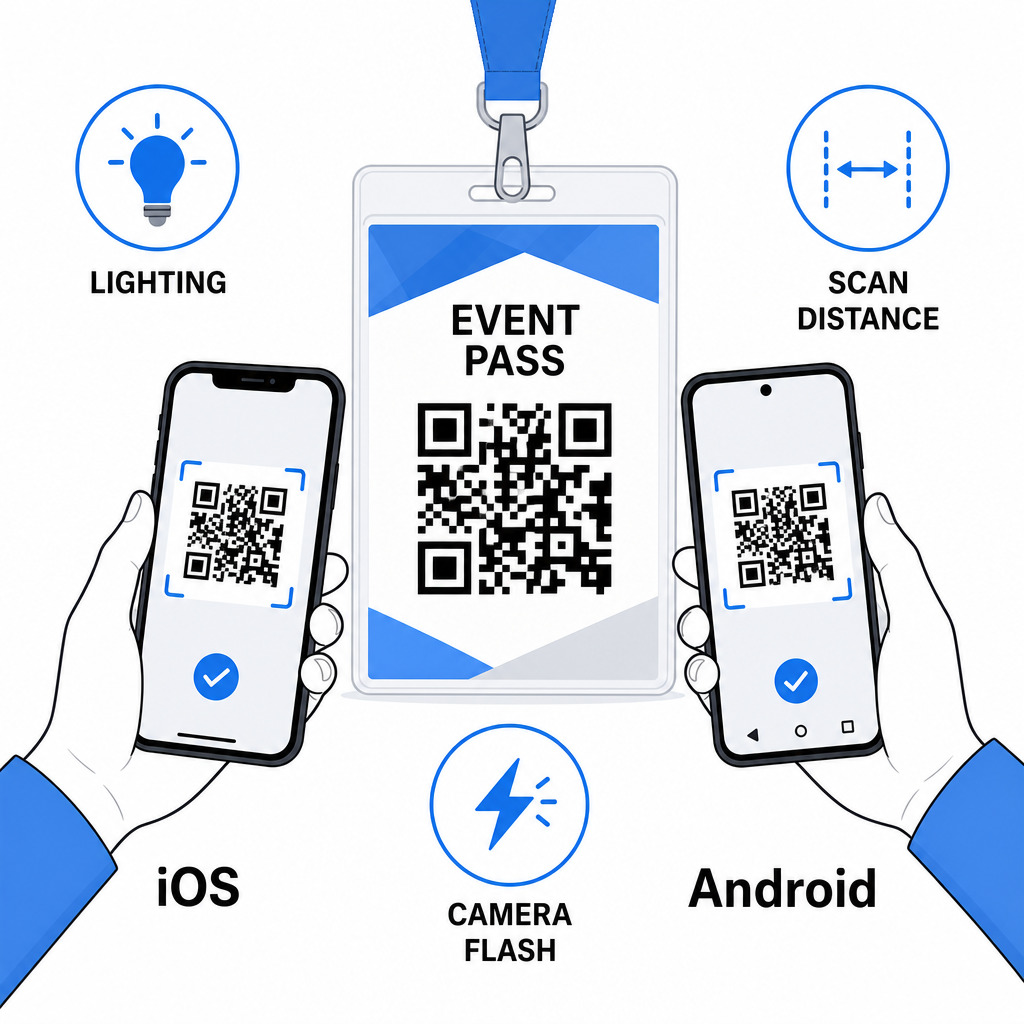
QR kódy na jmenovkách fungují nejlépe, když se spojí správný typ kódu, čistý design a správné specifikace tisku, než se vytiskne jediný odznak. Zvolte dynamický kód, pokud se mohou změnit údaje účastníků nebo pokud chcete analýzu skenování. Dodržujte pravidla pro velikost, kontrast a tichou zónu, abyste zajistili, že každý odznak bude v den akce spolehlivě skenovatelný. A vždy testujte na skutečných zařízeních před dokončením výroby.
Vytvořte si QR kódy pro jmenovky Vytvořte přizpůsobitelné QR kódy pro vizitky (vCard) a docházku s vestavěnou analýzou a dynamickou úpravou. Začněte s Generátor QR kódu Pageloot – zdarma k vyzkoušení, není vyžadována kreditní karta.
Často kladené otázky
Můžete zakódovat kontaktní údaje, jako je jméno, telefon, e-mail, společnost a webové stránky pomocí QR kódu vCard, odkázat na formulář pro odbavení události pomocí QR kódu pro docházku, nebo odkázat na jakoukoli webovou destinaci, jako je profil na LinkedIn nebo digitální portfolio. Správná volba závisí na tom, zda je primárním cílem sdílení kontaktů, odbavení nebo obecný přístup k informacím.
Praktické minimum pro QR kód na jmenovce je 0,8 × 0,8 palce (2 × 2 cm). Zmenšení zvyšuje riziko selhání skenování, zejména na starších chytrých telefonech. Pokud má design vaší jmenovky prostor, zvětšení kódu blíže k 1 × 1 palci poskytuje spolehlivější výsledky napříč širší škálou zařízení a světelných podmínek.
Pokud jste použili statický QR kód, museli byste dotčené odznaky znovu vytisknout. Pokud jste použili dynamický QR kód, můžete aktualizovat cíl – ať už je to vizitka (vCard), kontaktní stránka nebo odkaz na formulář – z vašeho panelu Pageloot, aniž byste se dotkli vytištěného odznaku. To je jeden z hlavních důvodů, proč používat dynamické kódy pro jakoukoli událost s proměnlivými informacemi o účastnících.