Gyorsabb módra van szüksége elérhetőségek megosztására vagy résztvevők bejelentkeztetésére következő rendezvényén? Kézzel beírt adatok elvesznek, papír névjegykártyák felhalmozódnak, és a hosszú bejelentkezési sorok mindenkit frusztrálnak. Ez az útmutató végigvezeti Önt azon, hogyan adhat hozzá szkennelhető QR-kódokat a névtáblákhoz – lefedve a megfelelő kódtípust, tervezési szabályokat és a ténylegesen működő nyomtatási specifikációkat.
Miért tartoznak a QR-kódok a névtáblákra
Egy névtábla hagyományosan egy nevet és esetleg egy céget jelenít meg. Ez körülbelül három másodpercnyi beszélgetéshez hasznos. Egy QR-kód ugyanazt a jelvényt egy tartós, szkennelhető eszközzé alakítja, amely a teljes rendezvény alatt működik.
Íme, mire képes egy QR-kód egy névtáblán:
- Azonnali elérhetőség megosztása – Egyetlen szkennelés elment egy teljes vCardot közvetlenül a szkennelő telefonjára, gépelés nélkül
- Rendezvény bejelentkezés automatizálása – A résztvevők beolvassák magukat az ajtónál, regisztrálva érkezésüket papírlisták vagy kézi keresés nélkül
- Csatlakozás digitális profilhoz – Link egy LinkedIn oldalra, személyes weboldalra, portfólióra vagy rendezvény-biográfiára
- Elköteleződés nyomon követése – Egy dinamikus kóddal pontosan láthatja, hányszor szkennelték be a jelvényt, mikor és milyen eszközről
Az elérhetőség-megosztás önmagában indokolja a hozzáadást. Egy vCard QR-kód kódol egy nevet, telefonszámot, e-mail címet, céget és weboldalt olyan formátumban, amelyet az iOS és az Android natívan felismer. Amikor valaki beolvassa, a telefon azonnal felkéri őket a névjegy hozzáadására – nincs szükség alkalmazásra, kézi bevitelre, nincsenek elveszett kártyák.
A megfelelő QR-kód típus kiválasztása a névtáblájához
Nem minden QR-kód szolgálja ugyanazt a célt. Mielőtt bármit is nyomtatna, illessze a kódtípust a céljához.
| Cél | QR-kód típusa | Mit csinál |
|---|---|---|
| Elérhetőségek megosztása | vCard QR-kód | Kódolja a nevet, telefont, e-mailt, céget; közvetlenül a telefon névjegyeihez menti |
| Rendezvény bejelentkezés | Részvételi/rendezvény QR-kód | Link egy regisztrációs űrlapra vagy bejelentkezési rendszerre |
| Link profilra vagy weboldalra | URL QR-kód | Bármely webes célhelyre irányít |
| Digitális névjegykártya megosztása | Névjegykártya QR-kód | Link egy teljes digitális kártyára közösségi profilokkal és egyedi tartalommal |
A legtöbb hálózati rendezvényhez egy vCard QR-kód vagy a névjegykártya QR kód a megfelelő választás. Konferenciákhoz, ahol azt is nyomon kell követnie, ki mikor jelent meg, egy részvételi QR-kód vagy esemény QR-kód kezeli ezt a réteget.
Statikus vs. Dinamikus: Melyiket érdemes használni?
A statikus QR-kód közvetlenül a mintájába kódolja az adatokat. Kinyomtatás után nem módosítható. Ha a hivatkozott URL megszakad, vagy egy résztvevő elérhetőségei megváltoznak, minden jelvényt újra kell nyomtatnia.
A dinamikus QR-kód rövid átirányítási linket használ. A nyomtatott minta változatlan marad, de a célhelyet bármikor frissítheti – még azután is, hogy a jelvények már a résztvevők kezében vannak. A dinamikus kódok elemzéseket is biztosítanak: szkennelések száma, szkennelés ideje, eszköz típusa és helyszín. Bármely rendezvényhez, ahol több mint maroknyi résztvevő van, dinamikus QR kódok megérik az extra beállítási lépést.
Fontos: A nyomon követési és szerkesztési funkciók eléréséhez dinamikus kódot kell generálnia a nyomtatási folyamat megkezdése előtt.
Nyomon követhető névtábla QR-kódok beállítása Hozzon létre dinamikus QR-kódokat, amelyeket egyetlen irányítópultról frissíthet és felügyelhet. Használja a QR Kód Generátor a kezdéshez – nincs szükség újranyomtatásra, ha az adatok megváltoznak.
Hogyan hozzunk létre vCard QR-kódot egy névtáblához
Ez a leggyakoribb névtábla felhasználási eset – azonnali elérhetőség megosztás hálózati rendezvényeken, konferenciákon és szakkiállításokon. A kezdéshez nyissa meg a vCard QR kód generátor és adja meg a kötelező mezőket: legalább egy teljes nevet és egy elérhetőségi módot, például telefonszámot vagy e-mail címet. Innen adjon hozzá opcionális mezőket – cégnév, beosztás, weboldal, közösségi profilok – hogy a mentett névjegy hasznosabb legyen a szkennelő személy számára.
Miután az adatok bekerültek, szabja testre a designt a színek beállításával, logó hozzáadásával és olyan keretstílus kiválasztásával, amely illeszkedik a rendezvény márkájához. Töltse le a kódot nyomtatásra kész formátumban – SVG vagy EPS skálázható kimenethez, PNG digitális használatra – és tesztelje iOS-en és Androidon is, mielőtt elküldi a fájlokat a nyomdának.
Ismételje meg ezt a folyamatot minden résztvevőnél, ha egyedi jelvényeket készít, vagy hozzon létre egyetlen megosztott kódot egy céges standhoz vagy csapat bejelentkezési ponthoz. A vCard beállítás és a legjobb gyakorlatok mélyebb megismeréséhez a útmutatóban a vCard QR-kódokhoz részletesen bemutatja a teljes munkafolyamatot.
Hogyan használjunk QR-kódokat rendezvény bejelentkezéshez jelvényeken
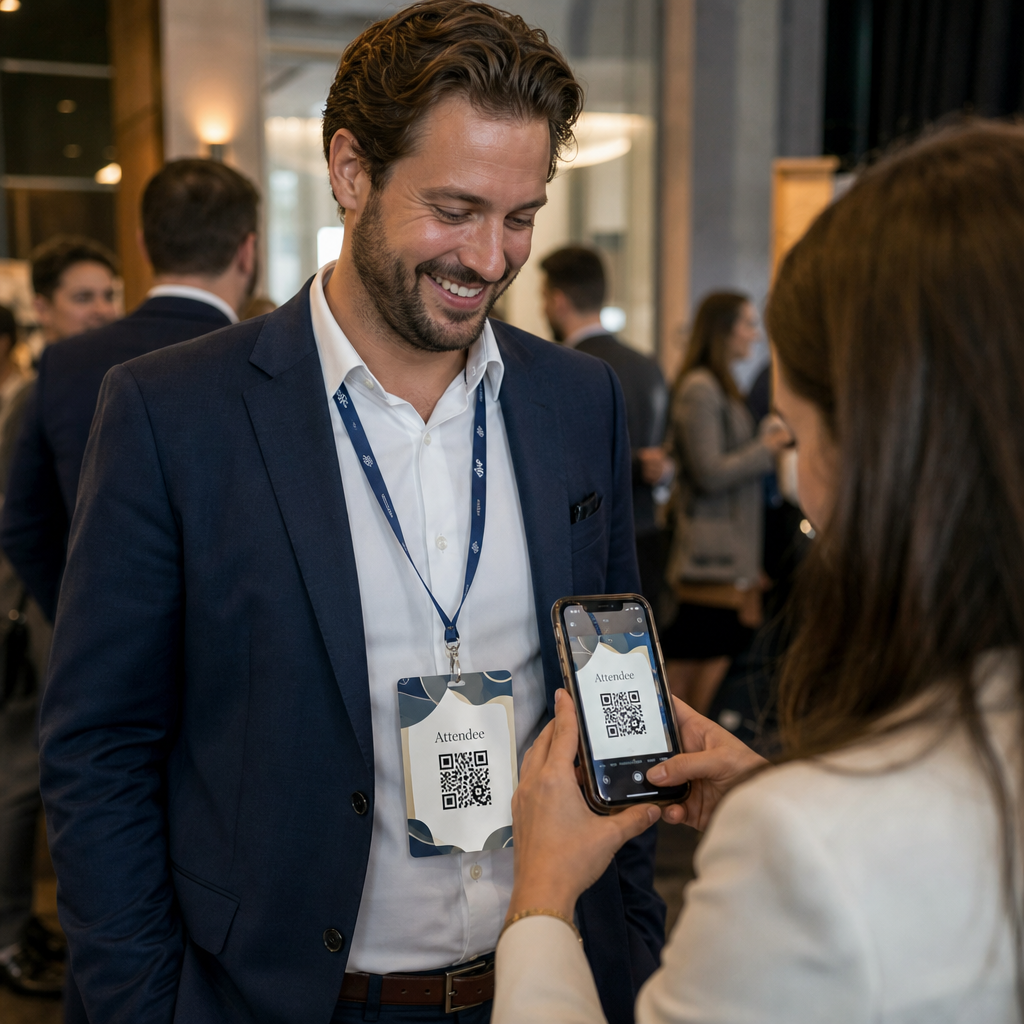
Konferenciákhoz, workshopokhoz vagy bármilyen jegyes rendezvényhez a jelvényen lévő QR-kód egyszerre szolgál bejelentkezési hitelesítőként és hálózati eszközként. Kezdje egy regisztrációs űrlap létrehozásával a Google Forms, Typeform vagy rendezvényszervező platformja segítségével. Ezután generáljon egy részvételi QR-kód amely közvetlenül az űrlapra vagy a bejelentkezési rendszerre mutat, és nyomtassa rá minden résztvevő jelvényére a rendezvény előtt – vagy mellékelje egy rendezvény előtti e-mailben az önkiszolgáló nyomtatáshoz.
Az ajtóban a személyzet okostelefonnal vagy kézi szkennerrel olvassa be az egyes jelvényeket az érkezés regisztrálásához. A rendszer automatikusan naplózza a beolvasást, papírlisták vagy kézi keresés nélkül. A QR-kódos bejelentkezések két másodperc alá csökkenthetik a feldolgozási időt személyenként, ami jelentősen csökkenti a teljes belépési időt a kézi módszerekhez képest. Az esemény bejelentkezési beállításainak teljes áttekintéséhez lásd a útmutató szerint a QR-kódok eseményekre való bejelentkezéshez.
Kombinálhatja mindkét funkciót is egyetlen jelvényen: egy vCard QR-kódot a kapcsolattartáshoz és egy külön jelenléti kódot a bejelentkezéshez. Helyezze el őket a jelvény különböző területein világos címkékkel, hogy a résztvevők és a személyzet tudja, melyiket és mikor kell beolvasni.
Automatizálja az esemény bejelentkezését Ne kezeljen többé papírlistákat és kézi kereséseket. Használja a Részvételi QR-kód eszközt egy szkennelésen alapuló bejelentkezési rendszer beállításához, amely valós időben regisztrálja az érkezéseket.
Tervezési szabályok, amelyek olvashatóvá teszik a névtábla QR-kódjait
Egy jól kinéző, de beolvashatatlan QR-kód haszontalan. A névtáblák speciális kihívásokat jelentenek: kis nyomtatási terület, változatos fényviszonyok, különböző szögekben viselt jelvények, és az emberek karnyújtásnyiról szkennelnek. A következő szabályok közvetlenül kezelik ezeket a problémákat.
Méret: Alkalmazza a 10:1 arányt
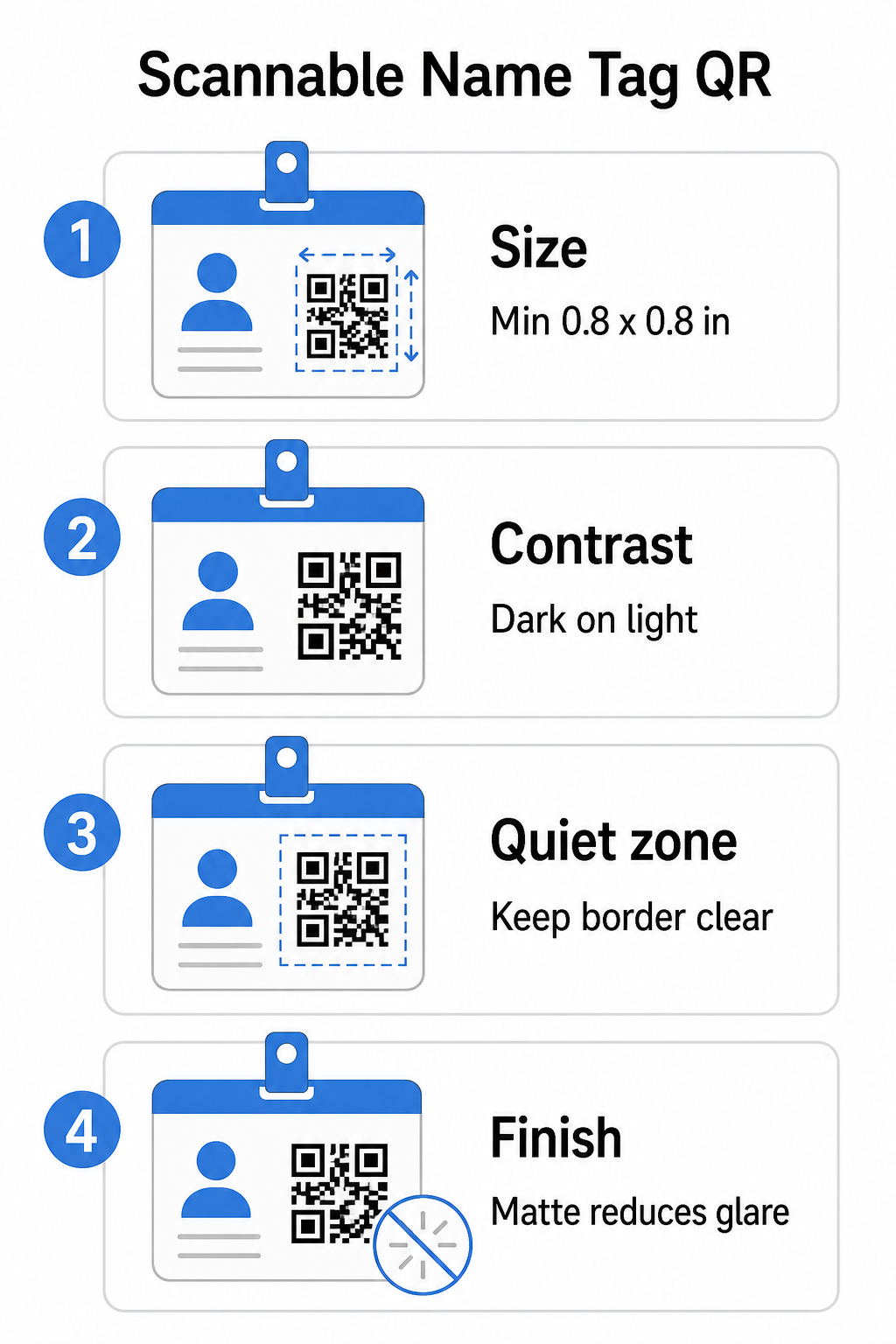
A QR-kód legkisebb méretének nagyjából az elvárt szkennelési távolság egytizedének kell lennie. Egy körülbelül 10 hüvelyk (25 cm) távolságból szkennelt névtábla esetén a kódnak legalább 1 hüvelyk (2,5 cm) szélesnek kell lennie. Bármely közeli nyomtatott kód gyakorlati minimuma 0,8 × 0,8 hüvelyk (2 × 2 cm) – a kisebb méret felesleges szkennelési hibákat okoz, különösen régebbi telefonokon. Ha a jelvényén van hely, a kód 1 × 1 hüvelykhez közelebbi méretezése megbízhatóbb eredményeket ad eszközök szélesebb körében. A méretezési döntésekről további részletekért lásd QR-kód méretek névjegykártyákhoz – ugyanazok az elvek közvetlenül alkalmazhatók a névtáblákra.
Kontraszt: Csak sötét világos alapon
A szkennerek a sötét modulok és a világos háttér közötti kontraszt érzékelésével működnek. A legjobb gyakorlat a sötét előtérre világos háttéren – a fekete fehéren marad a legmegbízhatóbb kombináció. Az invertált kódok (világos modulok sötét háttéren) hibákat okoznak sok szkennelő alkalmazásban, különösen a régebbiekben. Törekedjen a legalább 4:1 kontrasztarányra, amely támogatja az olvashatóságot különböző fényviszonyok és eszköz kamerák között.
Kerülje a színátmeneteket és árnyékokat a QR-kód területén vagy körülötte. Ezek köztes tónusokat hoznak létre, amelyek összezavarják a szkenner algoritmusokat és csökkentik a megbízhatóságot gyenge fényviszonyok között. A QR-kód színkontraszt legjobb gyakorlatok útmutatója specifikus színkombinációs útmutatót nyújt és egy kontraszt összehasonlító táblázatot, ha márkás színeket szeretne használni az egyszerű fekete-fehér helyett.
Csendes zóna: Tartsa tisztán a határokat
A csendes zónára az a fehér margó, amely a QR-kódot mind a négy oldalán körülveszi. Ez megmondja a szkennernek, hol kezdődik és hol végződik a kód – nélküle a szkenner nem tudja megbízhatóan megtalálni a szimbólumot. Az ISO/IEC 18004 szabvány szerint ennek a margónak legalább négy modul szélesnek kell lennie minden oldalon. Ha a jelvénytervezése szöveget, logókat vagy díszítőelemeket helyez túl közel a kódhoz, a szkenner teljesen elhagyhatja az észlelését. Gyakorlati szabályként: ha a kódjában minden modul 2 mm széles, a csendes zónának legalább 8 mm-nek kell lennie minden oldalon.
Hibajavítás: Növelje, ha logót ad hozzá
A QR-kódoknak négy hibajavítási szintjük van, amelyek meghatározzák, mennyi fizikai sérülést vagy akadályt képes elviselni a kód, miközben olvasható marad: L (körülbelül 7%), M (körülbelül 15%), Q (körülbelül 25%) és H (körülbelül 30%). Ha céges logót vagy ikont ágyaz be a kód területébe – ami gyakori a márkás jelvényeknél – használja a H hibajavítási szintet és tartsa a logót a kód területének legfeljebb 30%-án. Ez elegendő redundáns adatot biztosít a szkennernek a minta rekonstruálásához, még akkor is, ha egy része le van fedve. Ha nem ad hozzá logót, az M vagy Q szint elegendő a legtöbb nyomtatási alkalmazáshoz.
Alak és formátum: Soha ne nyújtsa vagy tömörítse
Egy QR-kódnak tökéletesen négyzet alakúnak kell maradnia. A kód nyújtása vagy tömörítése egy elrendezéshez eltolja a modulokat és olvashatatlanná teszi. Mindig arányosan méretezze és exportálja vektoros formátumban (SVG vagy EPS) nyomtatáshoz, a pixeláció elkerülése érdekében nagyobb méretekben.
Felület: Válasszon mattot a fényes helyett
A fényes jelvényanyagok visszaverik a fényt és tükröződést okoznak, ami zavarja a kamera szkennelését. A matt laminálás vagy a bevonat nélküli anyag jelentősen jobban teljesít valós eseményvilágításban. Ha fényes jelvényekre nyomtat, tesztelje a kódokat a helyszín tényleges fényviszonyai között a nyomtatási futam véglegesítése előtt. A QR-kód olvashatósági legjobb gyakorlatok útmutató további mélységben tárgyalja ezeket a tényezőket.
Elhelyezés a jelvényen
Ahol a QR-kód elhelyezkedik egy névtáblán, befolyásolja, milyen gyakran olvassák be. Vegye figyelembe ezeket az elhelyezési elveket:
- Helyezze el természetes szemmagasságban viseléskor – egy mellmagasságú jelvény alsó fele könnyen beolvasható anélkül, hogy megkérnénk valakit, hogy vegye le
- Címkézze fel egyértelműen a kódot – tartalmazzon egy rövid utasítást, mint például “Olvassa be a névjegy mentéséhez” vagy “Jelentkezzen be itt” közvetlenül a kód alatt vagy mellett; az emberek jelentősen nagyobb valószínűséggel olvassák be, ha tudják, mire való a kód
- Különítse el a több kódot – ha a jelvénye tartalmaz mind egy bejelentkezési kódot, mind egy névjegy-megosztó kódot, címkézze fel mindegyiket egyértelműen, és adjon nekik elegendő helyet az egyedi beolvasáshoz zavar nélkül
- Kerülje a kód elhelyezését a jelvénycsipesz vagy a zsinórlyuk közelében – ezek a területek összehajtódnak vagy eltakaródnak, ami elzárhatja a kód egy részét vagy a csendes zónát
Tesztelés nyomtatás előtt
Nyomtasson egy próbanyomatot, és olvassa be, mielőtt elküldi a teljes jelvényrendelést gyártásra. Tesztelje a kódot iOS és Android eszközökön egyaránt, az esemény helyszínének fényviszonyai között, azon a távolságon, ahonnan a résztvevők és a személyzet ténylegesen beolvassa, és a kamera vakuval és anélkül az alacsony fényviszonyok szimulálásához. Egy kód, amely mind a négy teszten átmegy, készen áll a gyártásra. Az, amelyik bármelyiken elbukik, tervezési módosításra szorul – legyen szó méretnövelésről, kontrasztjavításról vagy a csendes zóna bővítéséről – mielőtt elkötelezi magát egy teljes nyomtatási sorozat mellett.
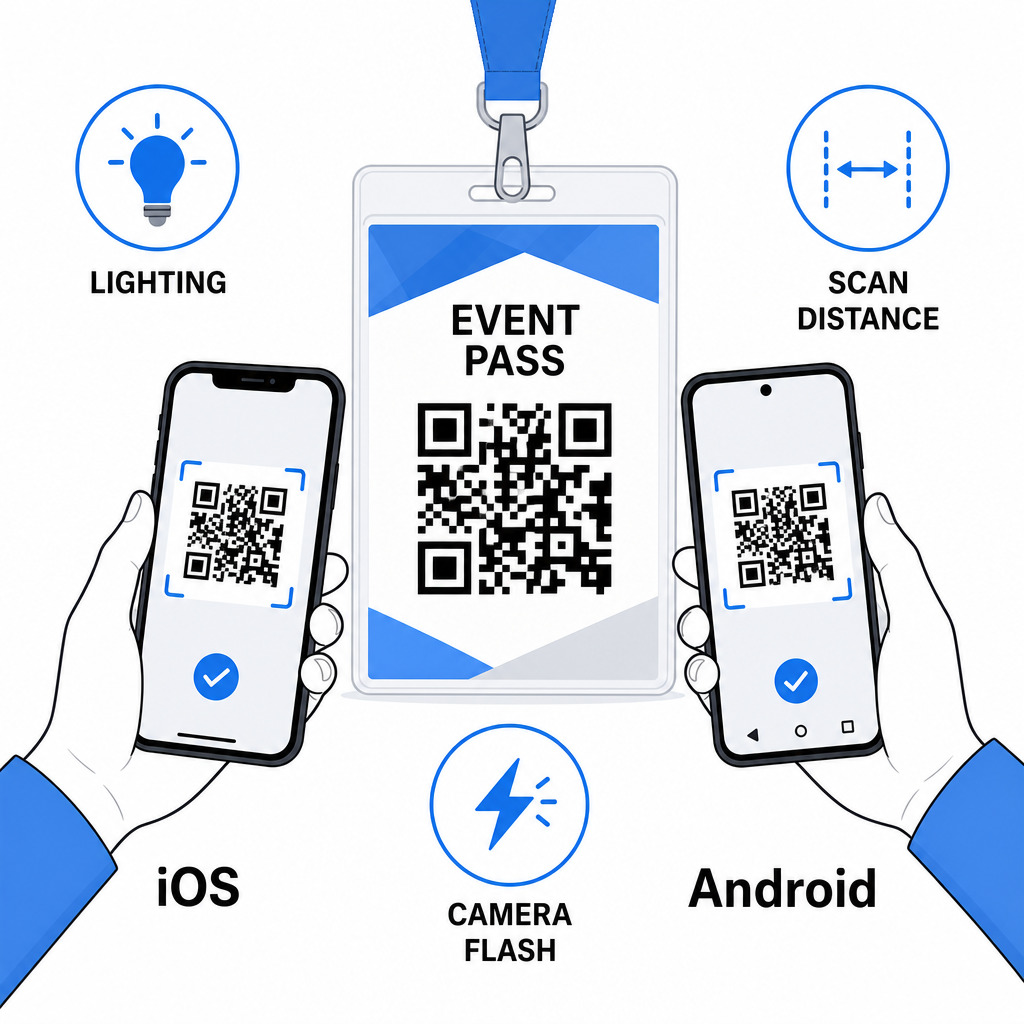
A QR-kódok a névjegykártyákon akkor működnek a legjobban, ha a megfelelő kódtípus, tiszta design és helyes nyomtatási specifikációk összeállnak, mielőtt egyetlen jelvény is nyomtatásra kerül. Válasszon dinamikus kódot, ha a résztvevők adatai változhatnak, vagy ha beolvasási analitikát szeretne. Kövesse a méretezési, kontraszt- és csendes zóna szabályokat, hogy minden jelvény megbízhatóan beolvasható legyen az adott napon. És mindig teszteljen valós eszközökön a gyártás véglegesítése előtt.
Készítse el névjegykártya QR-kódjait Hozzon létre testreszabható vCard és részvételi QR-kódokat beépített analitikával és dinamikus szerkesztéssel. Kezdje a Pageloot QR Kód Generátor – ingyenesen kipróbálható, hitelkártya nem szükséges.
Gyakori kérdések
Kódolhat elérhetőségi adatokat, mint például név, telefon, e-mail, cég és weboldal, egy vCard QR-kód használatával, hivatkozhat egy esemény bejelentkezési űrlapjára egy részvételi QR-kód használatával, vagy mutathat bármilyen webes célra, mint például egy LinkedIn profilra vagy digitális portfólióra. A helyes választás attól függ, hogy az elsődleges cél az elérhetőség megosztása, a bejelentkezés vagy az általános információkhoz való hozzáférés.
A névtábla QR-kódjának gyakorlati minimuma 0,8 × 0,8 hüvelyk (2 × 2 cm). A kisebbre méretezés növeli a beolvasási hibák kockázatát, különösen régebbi okostelefonokon. Ha a jelvényterved engedi, a kód 1 × 1 hüvelykhez közelebbi méretezése megbízhatóbb eredményeket biztosít eszközök és fényviszonyok szélesebb körében.
Ha statikus QR-kódot használtál, újra kellene nyomtatnod az érintett jelvényeket. Ha dinamikus QR-kódot használtál, frissítheted a célállomást – legyen az egy vCard, egy kapcsolati oldal vagy egy űrlap linkje – a Pageloot irányítópultodról anélkül, hogy hozzáérnél a nyomtatott jelvényhez. Ez az egyik fő oka annak, hogy dinamikus kódokat használjunk bármilyen, változó résztvevői információkat tartalmazó eseményen.