هل تحتاج إلى طريقة أسرع لمشاركة تفاصيل الاتصال أو تسجيل حضور المشاركين في حدثك القادم؟ التفاصيل المكتوبة يدويًا تضيع، وبطاقات العمل الورقية تتراكم، وطوابير تسجيل الدخول الطويلة تحبط الجميع. يرشدك هذا الدليل خلال كيفية إضافة رموز QR قابلة للمسح إلى بطاقات الأسماء – ويغطي نوع الرمز الصحيح وقواعد التصميم ومواصفات الطباعة التي تعمل بالفعل.
لماذا تنتمي رموز QR إلى بطاقات الأسماء
تعرض بطاقة الاسم تقليديًا اسمًا وربما شركة. هذا مفيد لحوالي ثلاث ثوانٍ من المحادثة. يحول رمز QR الشارة نفسها إلى أصل دائم وقابل للمسح يعمل طوال الحدث بأكمله.
إليك ما يمكن أن يفعله رمز QR على بطاقة الاسم:
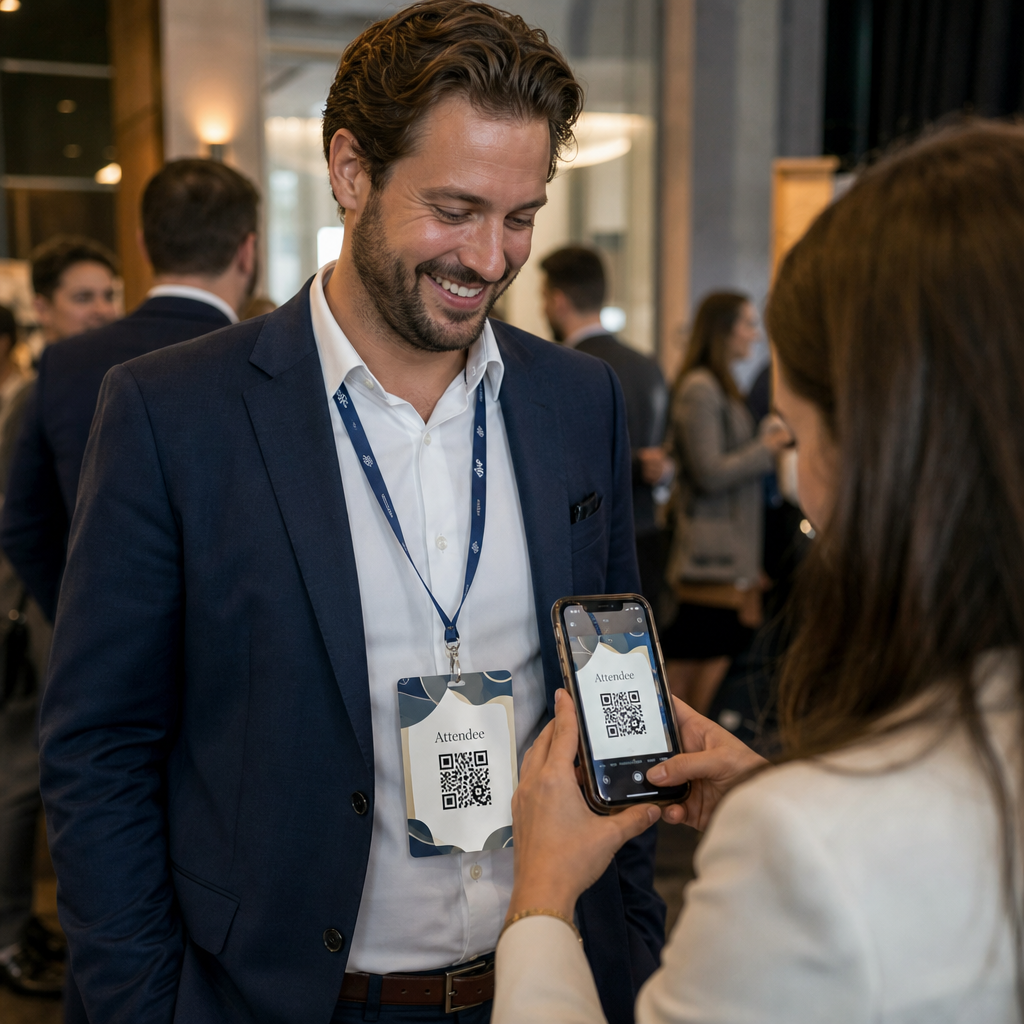
- مشاركة تفاصيل الاتصال فورًا – مسح واحد يحفظ بطاقة vCard كاملة مباشرة إلى هاتف الماسح الضوئي، لا يتطلب كتابة
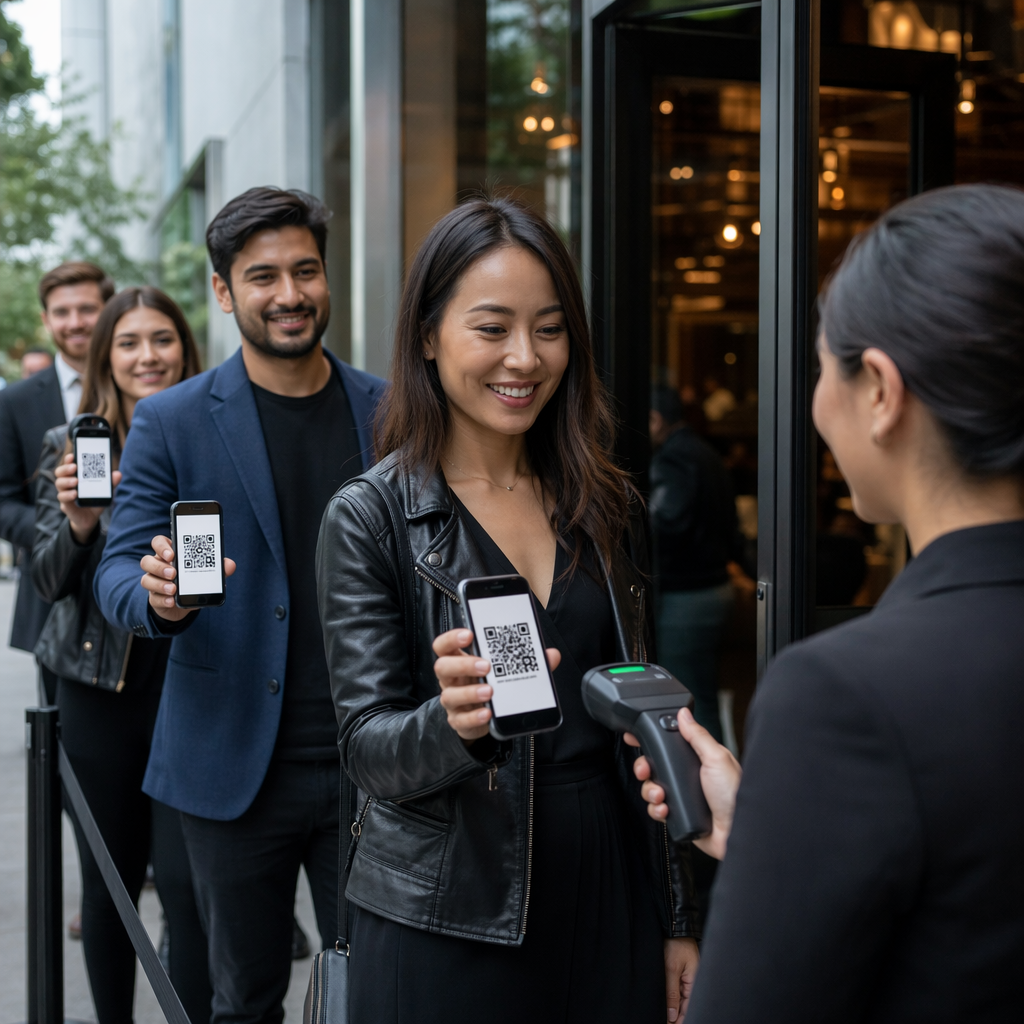
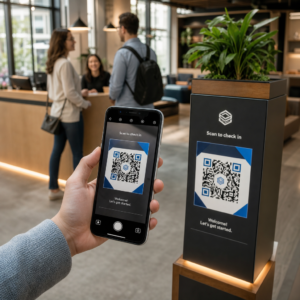
- أتمتة تسجيل الدخول للحدث – يقوم الحاضرون بالمسح عند الباب، لتسجيل وصولهم دون قوائم ورقية أو بحث يدوي.
- الاتصال بملف تعريف رقمي – ربط بصفحة LinkedIn، موقع ويب شخصي، معرض أعمال، أو سيرة ذاتية للحدث.
- تتبع المشاركة – باستخدام رمز ديناميكي، يمكنك معرفة عدد مرات مسح الشارة بالضبط، ومتى، ومن أي جهاز.
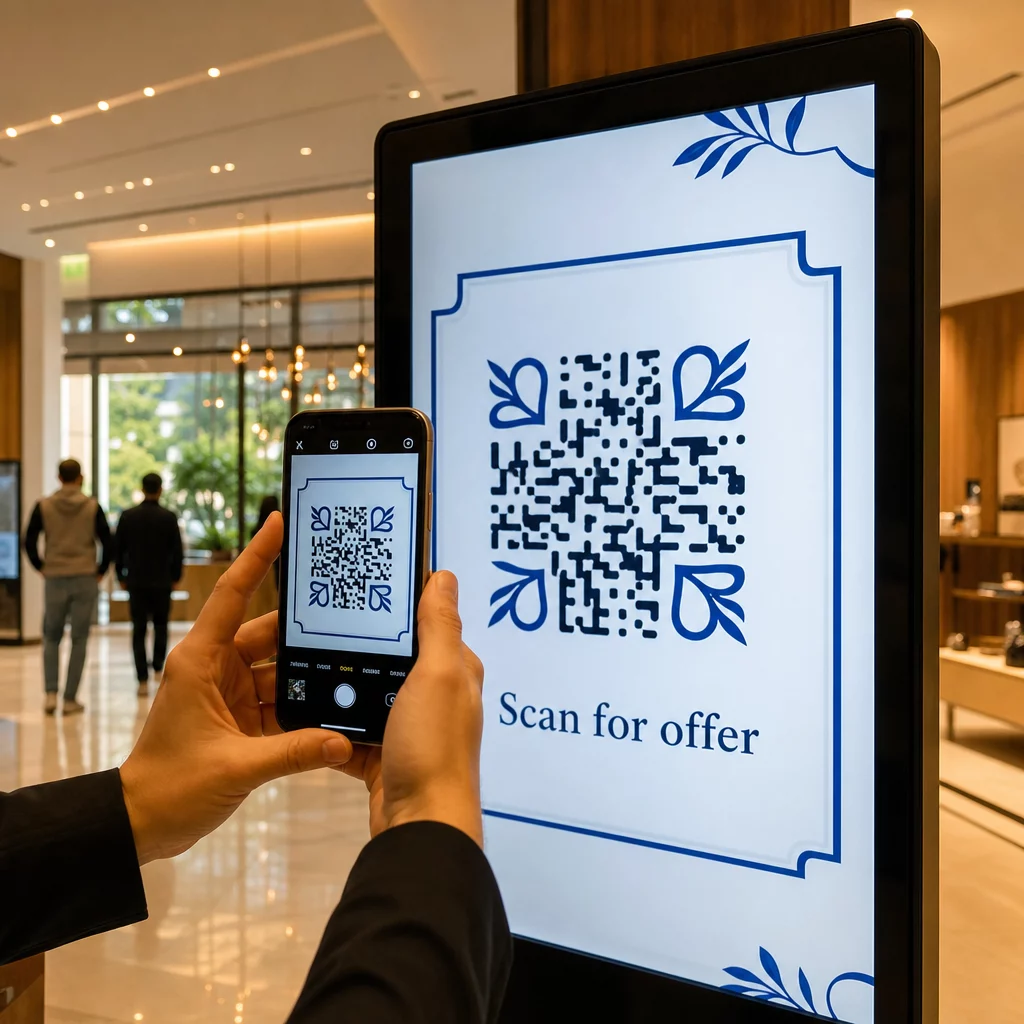
حالة استخدام مشاركة جهات الاتصال وحدها تبرر الإضافة. أ رمز الاستجابة السريعة vCard يقوم بتشفير اسم ورقم هاتف وبريد إلكتروني وشركة وموقع ويب بتنسيق يتعرف عليه نظاما iOS و Android أصلاً. عندما يقوم شخص ما بمسحه، يطالبه الهاتف على الفور بإضافة جهة الاتصال – لا يتطلب تطبيقًا، ولا إدخالًا يدويًا، ولا بطاقات مفقودة.
اختيار نوع رمز QR الصحيح لبطاقة اسمك
ليس كل رمز QR يخدم نفس الغرض. قبل طباعة أي شيء، طابق نوع الرمز مع هدفك.
| الهدف | نوع رمز الاستجابة السريعة | ماذا يفعل |
|---|---|---|
| مشاركة معلومات الاتصال | رمز الاستجابة السريعة vCard | يشفر الاسم، الهاتف، البريد الإلكتروني، الشركة؛ يحفظ مباشرة إلى جهات اتصال الهاتف |
| تسجيل الدخول للحدث | رمز QR للحضور/الحدث | يربط بنموذج تسجيل أو نظام تسجيل دخول |
| ربط بملف تعريف أو موقع ويب | رمز الاستجابة السريعة (QR) الخاص بعنوان URL | يوجه إلى أي وجهة ويب |
| مشاركة بطاقة عمل رقمية | رمز QR لبطاقة العمل | يربط ببطاقة رقمية كاملة مع ملفات تعريف اجتماعية ومحتوى مخصص |
لمعظم فعاليات التواصل، أ رمز الاستجابة السريعة vCard أو أ بطاقة العمل رمز الاستجابة السريعة هو الخيار الصحيح. للمؤتمرات التي تحتاج فيها أيضًا إلى تتبع من حضر ومتى، فإن رمز QR للحضور أو QR لحدث يتعامل مع تلك الطبقة.
ثابت مقابل ديناميكي: أيهما يجب أن تستخدم؟
أ رمز الاستجابة السريعة الثابت يقوم بتشفير البيانات مباشرة في نمطه. بمجرد طباعته، لا يمكن تغييره. إذا تعطل الرابط المرتبط أو تغيرت تفاصيل الاتصال الخاصة بأحد الحاضرين، فستحتاج إلى إعادة طباعة كل شارة.
أ رمز الاستجابة السريعة الديناميكي يستخدم رابط إعادة توجيه قصير. يبقى النمط المطبوع كما هو، ولكن يمكنك تحديث الوجهة في أي وقت – حتى بعد أن تكون الشارات بالفعل في أيدي الحاضرين. توفر الرموز الديناميكية أيضًا تحليلات: عدد المسحات، وقت المسح، نوع الجهاز، والموقع. لأي حدث يضم أكثر من عدد قليل من الحاضرين،, رموز QR الديناميكية تستحق خطوة الإعداد الإضافية.
هام: للوصول إلى ميزات التتبع والتحرير، يجب عليك إنشاء رمز ديناميكي قبل بدء عملية الطباعة.
إعداد رموز QR لبطاقات الأسماء القابلة للتتبع أنشئ رموز QR ديناميكية يمكنك تحديثها ومراقبتها من لوحة تحكم واحدة. استخدم الـ مولد رمز الاستجابة السريعة للبدء – لا حاجة لإعادة الطباعة إذا تغيرت التفاصيل.
كيفية إنشاء رمز QR لبطاقة vCard لبطاقة اسم
هذه هي حالة الاستخدام الأكثر شيوعًا لبطاقات الأسماء – مشاركة جهات الاتصال الفورية في فعاليات التواصل والمؤتمرات والمعارض التجارية. للبدء، افتح الـ مولد رمز QR لبطاقة vCard وأدخل الحقول المطلوبة: على الأقل اسمًا كاملاً وطريقة اتصال واحدة مثل رقم هاتف أو عنوان بريد إلكتروني. من هناك، أضف حقولًا اختيارية – اسم الشركة، المسمى الوظيفي، موقع الويب، الملفات الشخصية الاجتماعية – لجعل سجل جهة الاتصال المحفوظ أكثر فائدة للشخص الذي يقوم بالمسح.
بمجرد إدخال البيانات، قم بتخصيص التصميم عن طريق تعديل الألوان، وإضافة شعار، واختيار نمط إطار يتناسب مع هوية حدثك. قم بتنزيل الرمز بتنسيق جاهز للطباعة – SVG أو EPS لإخراج قابل للتطوير، PNG للاستخدام الرقمي – واختبره على كل من iOS و Android قبل إرسال الملفات إلى الطابعة.
كرر هذه العملية لكل حاضر إذا كنت تنشئ شارات فردية، أو أنشئ رمزًا مشتركًا واحدًا لكشك شركة أو نقطة تسجيل دخول للفريق. للحصول على نظرة أعمق لإعداد vCard وأفضل الممارسات، الـ دليل رموز QR لبطاقات vCard يغطي سير العمل الكامل بالتفصيل.
كيفية استخدام رموز QR لتسجيل الدخول للحدث على الشارات
للمؤتمرات أو ورش العمل أو أي حدث يتطلب تذاكر، يعمل رمز QR على الشارة كوثيقة تسجيل دخول وأداة تواصل. ابدأ بإنشاء نموذج تسجيل باستخدام نماذج Google أو Typeform أو منصة إدارة الأحداث الخاصة بك. ثم أنشئ رمز QR للحضور يربط مباشرة بالنموذج أو نظام تسجيل الدخول واطبعه على شارة كل حاضر قبل الحدث – أو قم بتضمينه في بريد إلكتروني قبل الحدث للطباعة الذاتية.
عند الباب، يقوم الموظفون بمسح كل شارة باستخدام هاتف ذكي أو ماسح ضوئي محمول لتسجيل الوصول. يسجل النظام المسح تلقائيًا، دون الحاجة إلى قوائم ورقية أو بحث يدوي. يمكن لتسجيلات الدخول باستخدام رمز QR أن تقلل وقت المعالجة إلى أقل من ثانيتين لكل شخص، مما يقلل مدة الدخول الإجمالية بشكل كبير مقارنة بالطرق اليدوية. للحصول على شرح كامل لإعداد تسجيل الدخول للفعالية، انظر الـ دليل رموز QR لتسجيل دخول الفعاليات.
يمكنك أيضًا دمج كلتا الوظيفتين على شارة واحدة: رمز QR لبطاقة vCard لمشاركة جهات الاتصال ورمز حضور منفصل لتسجيل الدخول. ضعها في مناطق مختلفة من الشارة مع تسميات واضحة حتى يعرف الحاضرون والموظفون أيها يجب مسحه ومتى.
أتمتة تسجيل الدخول لفعاليتك توقف عن إدارة القوائم الورقية والبحث اليدوي. استخدم الـ أداة رمز QR للحضور لإعداد نظام تسجيل دخول قائم على المسح الضوئي يسجل الوصول في الوقت الفعلي.
قواعد التصميم التي تحافظ على قابلية مسح رموز QR لبطاقات الاسم
رمز QR الذي يبدو جيدًا ولكنه يفشل في المسح لا فائدة منه. بطاقات الاسم تخلق تحديات محددة: مساحة طباعة صغيرة، ظروف إضاءة متنوعة، شارات تُلبس بزوايا مختلفة، وأشخاص يمسحون من مسافة ذراع. تعالج القواعد التالية كل مشكلة من هذه المشاكل مباشرة.
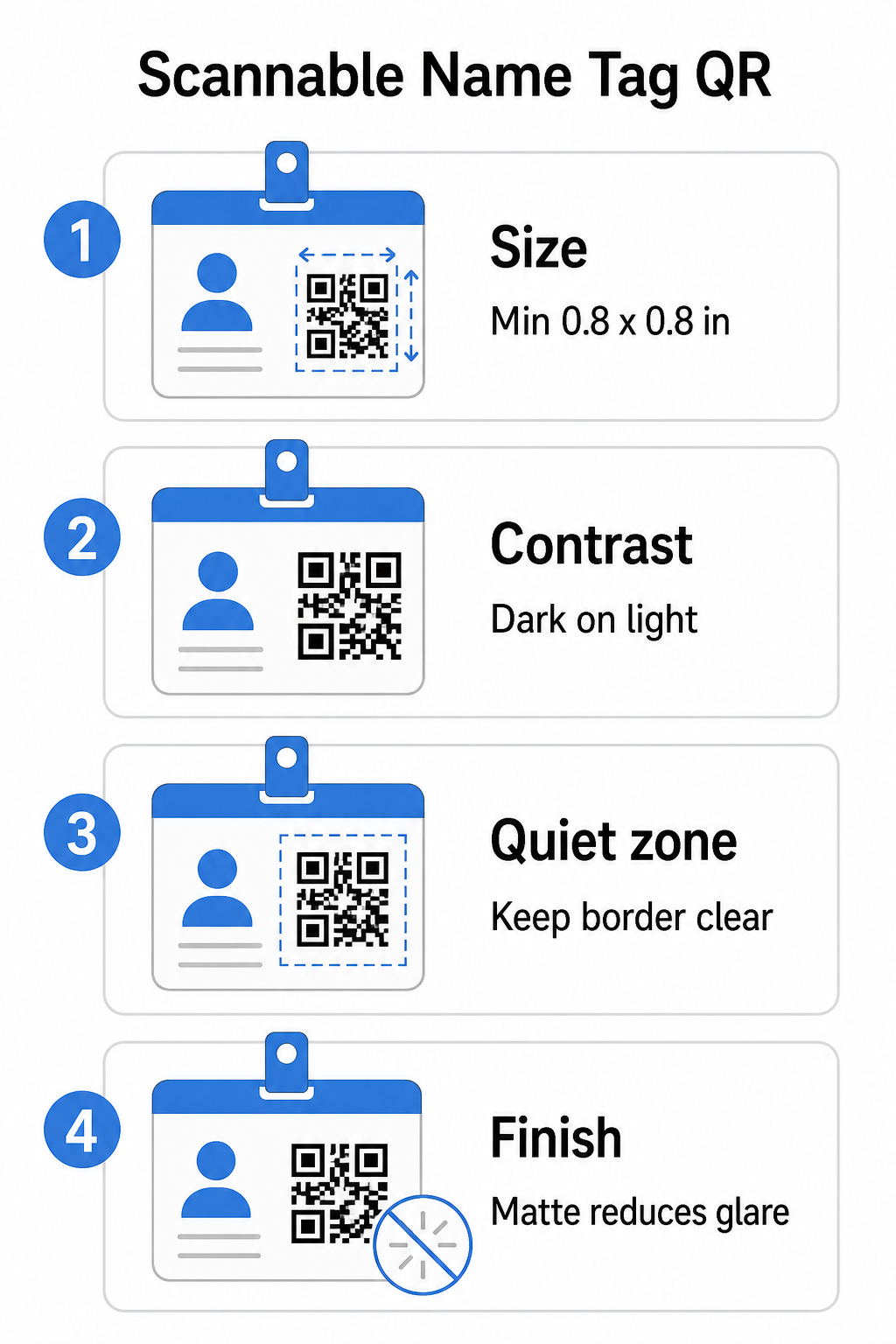
الحجم: طبق نسبة 10:1
أصغر بعد لرمز QR يجب أن يكون تقريبًا عُشر مسافة المسح المتوقعة. لبطاقة اسم تُمسح من حوالي 10 بوصات (25 سم) بعيدًا، يجب أن يكون الرمز بعرض 1 بوصة (2.5 سم) على الأقل. الحد الأدنى العملي لأي رمز مطبوع قصير المدى هو 0.8 × 0.8 بوصة (2 × 2 سم) – التصغير يخلق حالات فشل مسح غير ضرورية، خاصة على الهواتف القديمة. إذا كانت شارتك تحتوي على مساحة، فإن جعل حجم الرمز أقرب إلى 1 × 1 بوصة يعطي نتائج أكثر موثوقية عبر مجموعة واسعة من الأجهزة. لمزيد من التفاصيل حول قرارات التحجيم، انظر أحجام رموز QR لبطاقات العمل – تنطبق نفس المبادئ مباشرة على بطاقات الاسم.
التباين: داكن على فاتح فقط
تعمل الماسحات الضوئية عن طريق اكتشاف التباين بين الوحدات الداكنة والخلفية الفاتحة. أفضل ممارسة هي مقدمة داكنة على خلفية فاتحة – الأسود على الأبيض يظل التركيبة الأكثر موثوقية. الرموز المقلوبة (وحدات فاتحة على خلفية داكنة) تسبب فشلًا في العديد من تطبيقات المسح، خاصة القديمة منها. اهدف إلى نسبة تباين لا تقل عن 4:1, ، مما يدعم قابلية القراءة عبر بيئات الإضاءة المختلفة وكاميرات الأجهزة.
تجنب التدرجات والظلال في منطقة رمز QR أو حولها. هذه تخلق درجات متوسطة تربك خوارزميات الماسح الضوئي وتقلل الموثوقية في إعدادات الإضاءة المنخفضة. الـ دليل أفضل الممارسات لتباين ألوان رمز الاستجابة السريعة (QR code) يوفر إرشادات محددة لتركيب الألوان وجدول مقارنة التباين إذا كنت ترغب في استخدام ألوان العلامة التجارية بدلاً من الأسود والأبيض العاديين.
المنطقة الهادئة: حافظ على الحدود واضحة
ال منطقة هادئة هي الهامش الفارغ المحيط برمز QR من جميع الجوانب الأربعة. يخبر الماسح الضوئي أين يبدأ الرمز وينتهي – بدونه، لا يمكن للماسح الضوئي تحديد الرمز بشكل موثوق. وفقًا لمعيار ISO/IEC 18004، يجب أن يكون هذا الهامش بعرض أربع وحدات على الأقل من كل جانب. إذا كان تصميم شارتك يضع نصًا أو شعارات أو عناصر زخرفية قريبة جدًا من الرمز، قد يفشل الماسح الضوئي في اكتشافه بالكامل. كقاعدة عملية: إذا كانت كل وحدة في رمزك بعرض 2 مم، يجب أن تكون المنطقة الهادئة 8 مم على الأقل من كل جانب.
تصحيح الأخطاء: ارفعه إذا أضفت شعارًا
تحتوي رموز QR على أربعة مستويات لتصحيح الأخطاء تحدد مقدار الضرر المادي أو العائق الذي يمكن أن يتحمله الرمز مع بقائه قابلاً للمسح: L (حوالي 7%)، M (حوالي 15%)، Q (حوالي 25%)، و H (حوالي 30%). إذا كنت تقوم بتضمين شعار شركة أو أيقونة داخل منطقة الرمز – وهو أمر شائع للشارات ذات العلامات التجارية – استخدم مستوى تصحيح الأخطاء H واحتفظ بالشعار بـ لا يزيد عن 30% من مساحة الرمز. هذا يمنح الماسح الضوئي بيانات زائدة كافية لإعادة بناء النمط حتى مع تغطية جزء منه. إذا لم تكن تضيف شعارًا، فإن المستوى M أو Q كافٍ لمعظم تطبيقات الطباعة.
الشكل والتنسيق: لا تمدد أو تضغط أبدًا
يجب أن يظل رمز QR مربعًا تمامًا. تمديد أو ضغط الرمز ليناسب تصميمًا يخل بمحاذاة الوحدات ويجعله غير قابل للمسح. قم دائمًا بالتحجيم بشكل متناسب والتصدير بتنسيقات متجهة (SVG أو EPS) للطباعة لتجنب التكسير عند الأحجام الكبيرة.
اللمسة النهائية: اختر غير اللامع بدلاً من اللامع
مواد الشارات اللامعة تعكس الضوء وتخلق وهجًا يتداخل مع مسح الكاميرا. التغليف غير اللامع أو المخزون غير المطلي يؤدي بشكل أفضل بكثير في إضاءة الفعاليات الواقعية. إذا كنت تطبع على شارات لامعة، اختبر الرموز تحت ظروف الإضاءة الفعلية لمكانك قبل الانتهاء من عملية الطباعة. الـ دليل أفضل الممارسات لقابلية قراءة رمز QR يغطي كل من هذه العوامل بعمق إضافي.
الموضع على الشارة
مكان وجود رمز QR على بطاقة الاسم يؤثر على عدد مرات مسحه. ضع في اعتبارك مبادئ الموضع هذه:
- ضعها على مستوى العين الطبيعي عند ارتدائها – النصف السفلي من الشارة التي تكون على مستوى الصدر سهل المسح دون مطالبة شخص بإزالتها
- وضح الرمز بوضوح – قم بتضمين تعليمات قصيرة مثل “امسح لحفظ جهة الاتصال” أو “سجل الدخول هنا” مباشرة أسفل الرمز أو بجانبه؛ من المرجح أن يقوم الأشخاص بالمسح بشكل كبير عندما يعرفون ما يفعله الرمز
- افصل الرموز المتعددة – إذا كانت شارتك تتضمن كلاً من رمز تسجيل الدخول ورمز مشاركة جهة الاتصال، وضح كل واحد بوضوح وامنحهم مساحة كافية ليتم مسحهم بشكل فردي دون التباس
- تجنب وضع الرمز بالقرب من مشبك الشارة أو فتحة الحبل – هذه المناطق تتعرض للطي أو التغطية، مما قد يحجب جزءًا من الرمز أو المنطقة الهادئة
الاختبار قبل الطباعة
اطبع نسخة تجريبية وامسحها قبل إرسال طلب الشارات الكامل للإنتاج. اختبر الرمز على أجهزة iOS و Android، تحت ظروف الإضاءة في مكان فعاليتك، على المسافة التي سيقوم الحضور والموظفون بالمسح منها بالفعل، ومع وبدون فلاش الكاميرا لمحاكاة سيناريوهات الإضاءة المنخفضة. الرمز الذي يجتاز جميع الاختبارات الأربعة جاهز للإنتاج. الرمز الذي يفشل في أي منها يحتاج إلى تعديل في التصميم – سواء كان ذلك بزيادة الحجم، أو تحسين التباين، أو توسيع المنطقة الهادئة – قبل الالتزام بتشغيل طباعة كامل.
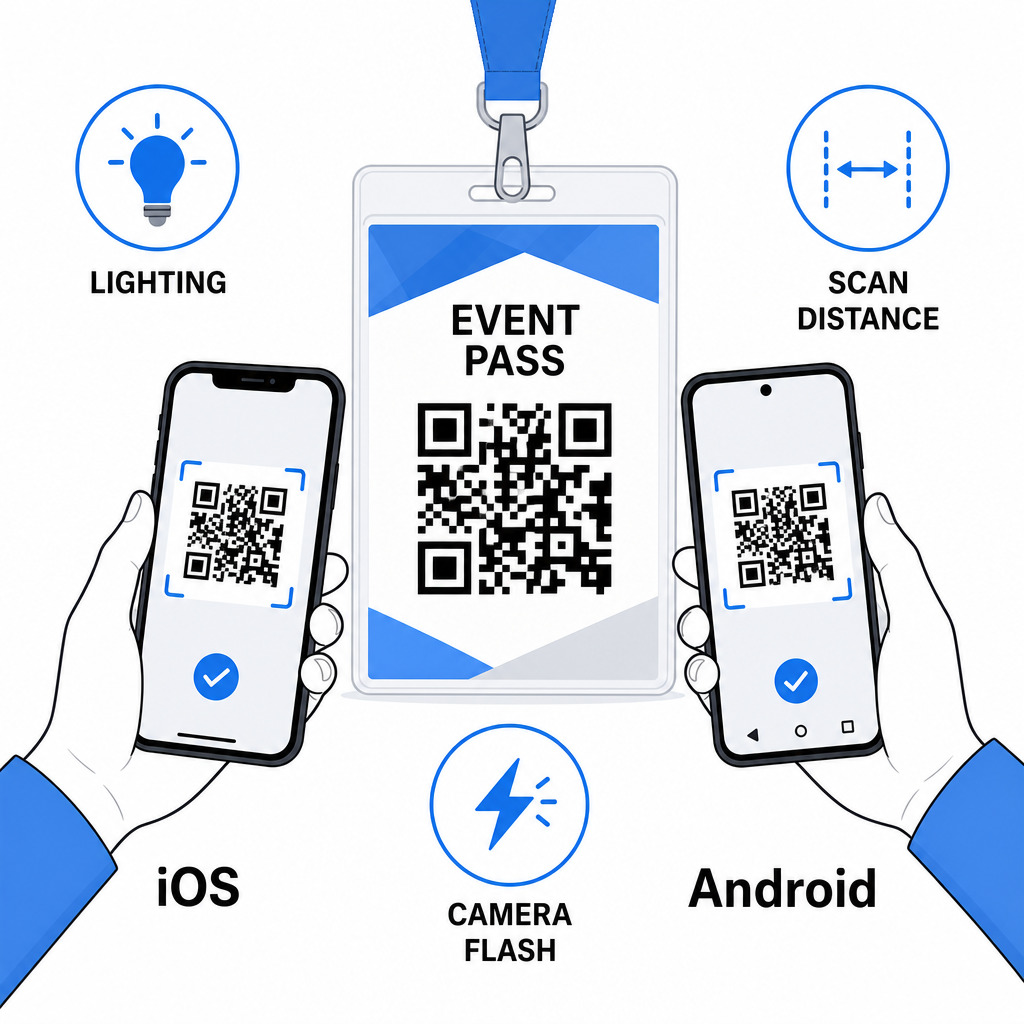
تعمل رموز QR على بطاقات الاسم بشكل أفضل عندما تتضافر نوع الرمز الصحيح والتصميم النظيف ومواصفات الطباعة الصحيحة قبل أن يتم طباعة شارة واحدة. اختر رمزًا ديناميكيًا إذا كانت تفاصيل الحضور قد تتغير أو إذا كنت تريد تحليلات المسح. اتبع قواعد التحجيم والتباين والمنطقة الهادئة لضمان مسح كل شارة بشكل موثوق في ذلك اليوم. واختبر دائمًا على الأجهزة الفعلية قبل الانتهاء من الإنتاج.
أنشئ رموز QR لبطاقة اسمك أنشئ رموز QR لبطاقات vCard قابلة للتخصيص ورموز QR للحضور مع تحليلات مدمجة وتحرير ديناميكي. ابدأ بـ Pageloot مولد رمز الاستجابة السريعة – مجاني للتجربة، لا يلزم بطاقة ائتمان.
الأسئلة الشائعة
يمكنك ترميز تفاصيل الاتصال مثل الاسم، الهاتف، البريد الإلكتروني، الشركة، والموقع الإلكتروني باستخدام رمز QR لبطاقة vCard، أو الربط بنموذج تسجيل حضور لحدث باستخدام رمز QR للحضور، أو الإشارة إلى أي وجهة ويب مثل ملف تعريف LinkedIn أو محفظة رقمية. يعتمد الاختيار الصحيح على ما إذا كان الهدف الأساسي هو مشاركة جهات الاتصال، أو تسجيل الحضور، أو الوصول إلى المعلومات العامة.
الحد الأدنى العملي لـ QR code لبطاقة الاسم هو 0.8 × 0.8 بوصة (2 × 2 سم). التصغير يزيد من خطر فشل المسح الضوئي، خاصة على الهواتف الذكية القديمة. إذا كان تصميم شارتك يحتوي على مساحة، فإن جعل حجم الـ code أقرب إلى 1 × 1 بوصة يعطي نتائج أكثر موثوقية عبر مجموعة أوسع من الأجهزة وظروف الإضاءة.
إذا استخدمت رمز QR ثابتًا، فستحتاج إلى إعادة طباعة الشارات المتأثرة. إذا استخدمت رمز QR ديناميكيًا، يمكنك تحديث الوجهة – سواء كانت بطاقة vCard، أو صفحة اتصال، أو رابط نموذج – من لوحة تحكم Pageloot الخاصة بك دون لمس الشارة المطبوعة. هذا هو أحد الأسباب الرئيسية لاستخدام الرموز الديناميكية لأي حدث يحتوي على معلومات حضور متغيرة.