Hai bisogno di un modo più veloce per condividere i dettagli di contatto o registrare i partecipanti al tuo prossimo evento? I dettagli digitati manualmente vanno persi, i biglietti da visita cartacei si accumulano e le lunghe code per il check-in frustrano tutti. Questa guida ti illustra come aggiungere codici QR scansionabili ai badge – coprendo il tipo di codice giusto, le regole di design e le specifiche di stampa che funzionano davvero.
Perché i codici QR appartengono sui badge
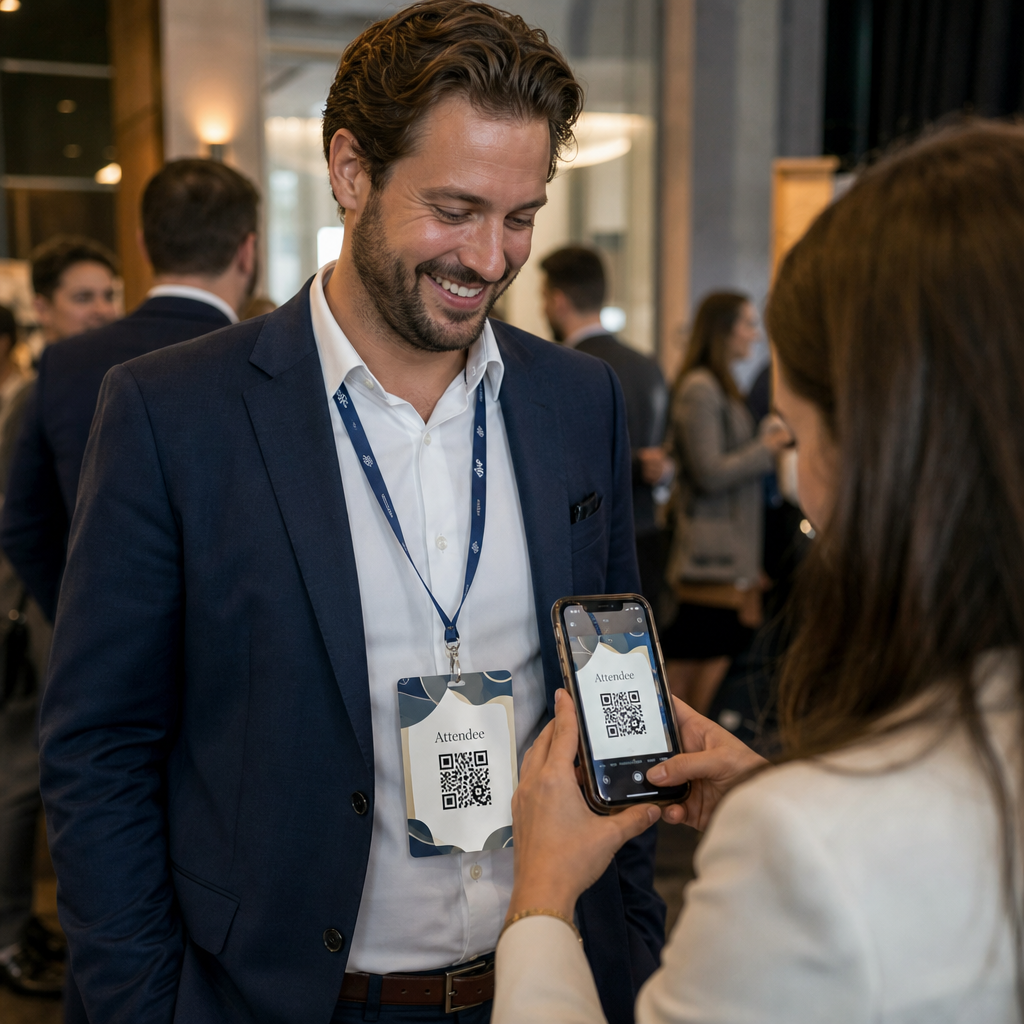
Un badge tradizionalmente mostra un nome e forse un'azienda. Questo è utile per circa tre secondi di conversazione. Un codice QR trasforma lo stesso badge in una risorsa persistente e scansionabile che funziona per tutto l'evento.
Ecco cosa un codice QR su un badge può fare:
- Condividi i dettagli di contatto istantaneamente – Una scansione salva una vCard completa direttamente sul telefono dello scanner, nessuna digitazione richiesta
- Automatizza il check-in dell'evento – I partecipanti scansionano all'ingresso, registrando il loro arrivo senza elenchi cartacei o ricerca manuale
- Connettiti a un profilo digitale – Collega a una pagina LinkedIn, un sito web personale, un portfolio o una biografia dell'evento
- Coinvolgimento della traccia – Con un codice dinamico, puoi vedere esattamente quante volte un badge è stato scansionato, quando e da quale dispositivo
Il solo caso d'uso della condivisione dei contatti giustifica l'aggiunta. Un Codice QR vCard codifica un nome, numero di telefono, email, azienda e sito web in un formato che iOS e Android riconoscono nativamente. Quando qualcuno lo scansiona, il telefono li invita immediatamente ad aggiungere il contatto – nessuna app richiesta, nessuna immissione manuale, nessuna carta persa.
Scegliere il tipo di codice QR giusto per il tuo badge
Non ogni codice QR serve allo stesso scopo. Prima di stampare qualsiasi cosa, abbina il tipo di codice al tuo obiettivo.
| Obiettivo | Tipo di codice QR | Cosa fa |
|---|---|---|
| Condividi informazioni di contatto | Codice QR vCard | Codifica nome, telefono, email, azienda; salva direttamente nei contatti del telefono |
| Check-in dell'evento | Codice QR di partecipazione/evento | Collega a un modulo di registrazione o a un sistema di check-in |
| Collega a un profilo o a un sito web | codice QR URL | Indirizza a qualsiasi destinazione web |
| Condividi un biglietto da visita digitale | Codice QR del biglietto da visita | Collega a una scheda digitale completa con profili social e contenuti personalizzati |
Per la maggior parte degli eventi di networking, un Codice QR vCard o un biglietto da visita codice QR è la scelta giusta. Per le conferenze in cui è necessario anche tenere traccia di chi si è presentato e quando, un codice QR di partecipazione oppure codice QR per eventi gestisce quello strato.
Statico vs. Dinamico: Quale dovresti usare?
UN codice QR statico codifica i dati direttamente nel suo modello. Una volta stampato, non può essere modificato. Se l'URL collegato si rompe o i dettagli di contatto di un partecipante cambiano, è necessario ristampare ogni badge.
UN codice QR dinamico utilizza un breve link di reindirizzamento. Il modello stampato rimane lo stesso, ma puoi aggiornare la destinazione in qualsiasi momento – anche dopo che i badge sono già nelle mani dei partecipanti. I codici dinamici forniscono anche analisi: numero di scansioni, ora della scansione, tipo di dispositivo e posizione. Per qualsiasi evento con più di una manciata di partecipanti, i codici QR dinamici valgono il passaggio di configurazione extra.
Importante: Per accedere alle funzionalità di tracciamento e modifica, devi generare un codice dinamico prima che inizi il processo di stampa.
Configura codici QR per badge tracciabili Crea codici QR dinamici che puoi aggiornare e monitorare da un'unica dashboard. Usa il Generatore di codici QR per iniziare – nessuna ristampa necessaria se i dettagli cambiano.
Come creare un codice QR vCard per un badge
Questo è il caso d'uso più comune per i badge – condivisione istantanea dei contatti in eventi di networking, conferenze e fiere. Per iniziare, apri il Generatore di QR code vCard e inserisci i campi richiesti: almeno un nome completo e un metodo di contatto come un numero di telefono o un indirizzo email. Da lì, aggiungi campi opzionali – nome dell'azienda, titolo di lavoro, sito web, profili social – per rendere il record di contatto salvato più utile per la persona che scansiona.
Una volta che i dati sono inseriti, personalizza il design regolando i colori, aggiungendo un logo e scegliendo uno stile di cornice che corrisponda al branding del tuo evento. Scarica il codice in un formato pronto per la stampa – SVG o EPS per output scalabile, PNG per uso digitale – e testalo sia su iOS che su Android prima di inviare i file alla stampante.
Ripeti questo processo per ogni partecipante se stai creando badge individualizzati, o crea un singolo codice condiviso per uno stand aziendale o un punto di check-in del team. Per uno sguardo più approfondito alla configurazione della vCard e alle migliori pratiche, il guida ai codici QR vCard copre l'intero flusso di lavoro in dettaglio.
Come usare i codici QR per il check-in dell'evento sui badge
Per conferenze, workshop o qualsiasi evento a pagamento, un codice QR sul badge funge sia da credenziale di check-in che da strumento di networking. Inizia creando un modulo di registrazione usando Google Forms, Typeform o la tua piattaforma di gestione eventi. Quindi genera un codice QR di partecipazione che si collega direttamente al modulo o al sistema di check-in e stampalo su ogni badge del partecipante prima dell'evento – o includilo in un'email pre-evento per la stampa self-service.
Alla porta, il personale scansiona ogni badge con uno smartphone o uno scanner portatile per registrare l'arrivo. Il sistema registra automaticamente la scansione, senza bisogno di elenchi cartacei o ricerche manuali. I check-in con codice QR possono ridurre il tempo di elaborazione a meno di due secondi per persona, il che riduce significativamente la durata totale dell'ingresso rispetto ai metodi manuali. Per una guida completa alla configurazione del check-in per eventi, consulta il guida ai codici QR per i check-in degli eventi.
Puoi anche combinare entrambe le funzioni su un singolo badge: un codice QR vCard per la condivisione dei contatti e un codice di presenza separato per il check-in. Posizionali in diverse aree del badge con etichette chiare in modo che i partecipanti e il personale sappiano quale scansionare e quando.
Automatizza il tuo check-in per eventi Smetti di gestire elenchi cartacei e ricerche manuali. Usa il strumento Codice QR di Partecipazione per impostare un sistema di check-in basato su scansione che registra gli arrivi in tempo reale.
Regole di progettazione che mantengono i codici QR dei badge scansionabili
Un codice QR che ha un bell'aspetto ma non riesce a essere scansionato è inutile. I badge creano sfide specifiche: area di stampa ridotta, condizioni di illuminazione variabili, badge indossati con angolazioni diverse e persone che scansionano a distanza di un braccio. Le seguenti regole affrontano direttamente ciascuno di questi problemi.
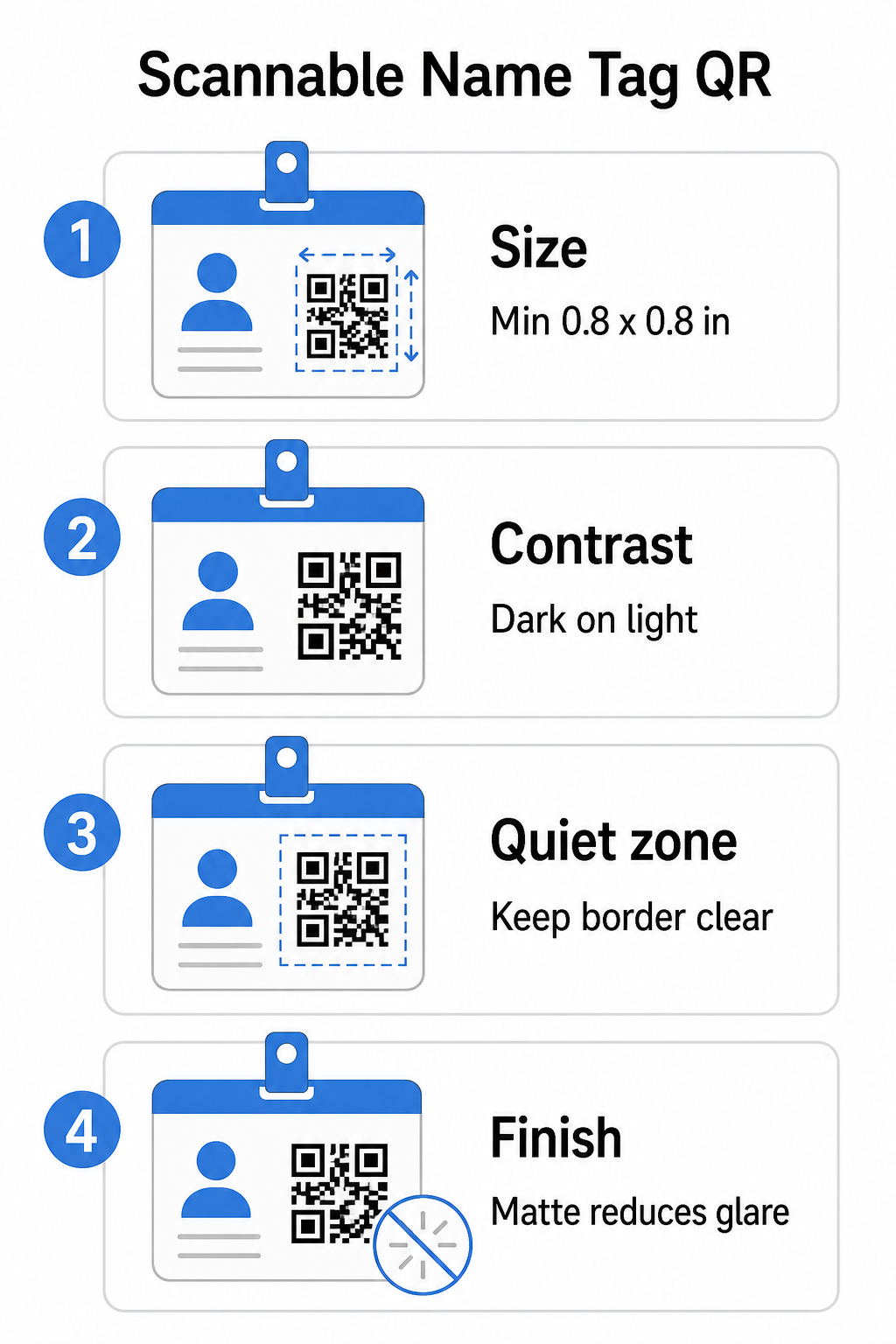
Dimensione: Applica il rapporto 10:1
La dimensione più piccola del codice QR dovrebbe essere circa un decimo della distanza di scansione prevista. Per un badge scansionato da circa 10 pollici (25 cm) di distanza, il codice deve essere largo almeno 1 pollice (2,5 cm). Il minimo pratico per qualsiasi codice stampato a distanza ravvicinata è 0,8 × 0,8 pollici (2 × 2 cm) – andare più piccolo crea errori di scansione inutili, specialmente sui telefoni più vecchi. Se il tuo badge ha lo spazio, dimensionare il codice più vicino a 1 × 1 pollice offre risultati più affidabili su una gamma più ampia di dispositivi. Per maggiori dettagli sulle decisioni di dimensionamento, consulta Dimensioni dei codici QR per biglietti da visita – gli stessi principi si applicano direttamente ai badge.
Contrasto: Scuro su Chiaro Soltanto
Gli scanner funzionano rilevando il contrasto tra moduli scuri e uno sfondo chiaro. La migliore pratica è un primo piano scuro su uno sfondo chiaro – il nero su bianco rimane la combinazione più affidabile. I codici invertiti (moduli chiari su sfondo scuro) causano errori su molte app di scansione, in particolare quelle più vecchie. Punta a un rapporto di contrasto di almeno 4:1, che supporta la leggibilità in diversi ambienti di illuminazione e fotocamere dei dispositivi.
Evita sfumature e ombre all'interno o intorno all'area del codice QR. Questi creano mezzitoni che confondono gli algoritmi dello scanner e riducono l'affidabilità in condizioni di scarsa illuminazione. Il guida alle migliori pratiche di contrasto colore per codici QR fornisce indicazioni specifiche sulla combinazione di colori e una tabella di confronto del contrasto se vuoi usare colori del marchio piuttosto che il semplice bianco e nero.
Zona Silenziosa: Mantieni i Bordi Liberi
Il sito zona silenziosa è il margine bianco che circonda il codice QR su tutti e quattro i lati. Indica allo scanner dove il codice inizia e finisce – senza di esso, lo scanner non può localizzare il simbolo in modo affidabile. Secondo lo standard ISO/IEC 18004, questo margine deve essere largo almeno quattro moduli su ogni lato. Se il design del tuo badge posiziona testo, loghi o elementi decorativi troppo vicino al codice, lo scanner potrebbe non rilevarlo affatto. Come regola pratica: se ogni modulo nel tuo codice è largo 2 mm, la zona silenziosa dovrebbe essere di almeno 8 mm su ogni lato.
Correzione degli Errori: Aumentala se Aggiungi un Logo
I codici QR hanno quattro livelli di correzione degli errori che determinano quanto danno fisico o ostruzione il codice può tollerare pur rimanendo scansionabile: L (circa 7%), M (circa 15%), Q (circa 25%) e H (circa 30%). Se stai incorporando un logo o un'icona aziendale all'interno dell'area del codice – comune per i badge brandizzati – usa livello di correzione degli errori H e mantieni il logo a non più del 30% dell'area del codice. Questo fornisce allo scanner dati ridondanti sufficienti per ricostruire il modello anche con una parte di esso coperta. Se non stai aggiungendo un logo, il livello M o Q è sufficiente per la maggior parte delle applicazioni di stampa.
Forma e Formato: Mai Allungare o Comprimere
Un codice QR deve rimanere perfettamente quadrato. Allungare o comprimere il codice per adattarlo a un layout disallinea i moduli e lo rende non scansionabile. Scala sempre proporzionalmente ed esporta in formati vettoriali (SVG o EPS) per la stampa per evitare la pixelizzazione a dimensioni maggiori.
Finitura: Scegli Opaco Anziché Lucido
I materiali lucidi dei badge riflettono la luce e creano riflessi che interferiscono con la scansione della fotocamera. La laminazione opaca o la carta non patinata si comportano significativamente meglio nell'illuminazione reale degli eventi. Se stai stampando su badge lucidi, testa i codici nelle condizioni di illuminazione reali della tua sede prima di finalizzare la tiratura. Il guida alle migliori pratiche per la leggibilità dei codici QR copre ciascuno di questi fattori con ulteriore approfondimento.
Posizionamento sul Badge
Dove il codice QR si trova su un badge influisce sulla frequenza con cui viene scansionato. Considera questi principi di posizionamento:
- Posizionare a un'altezza naturale degli occhi quando indossato – la metà inferiore di un badge all'altezza del petto è facile da scansionare senza chiedere a qualcuno di rimuoverlo
- Etichettare chiaramente il codice – includere una breve istruzione come “Scansiona per salvare il contatto” o “Fai il check-in qui” direttamente sotto o accanto al codice; le persone sono significativamente più propense a scansionare quando sanno cosa fa il codice
- Separare più codici – se il tuo badge include sia un codice di check-in che un codice per la condivisione dei contatti, etichetta ciascuno chiaramente e dai loro abbastanza spazio per essere scansionati individualmente senza confusione
- Evitare di posizionare il codice vicino alla clip del badge o al foro del cordino – queste aree vengono piegate o coperte, il che può bloccare parte del codice o la zona di silenzio
Testare prima di stampare
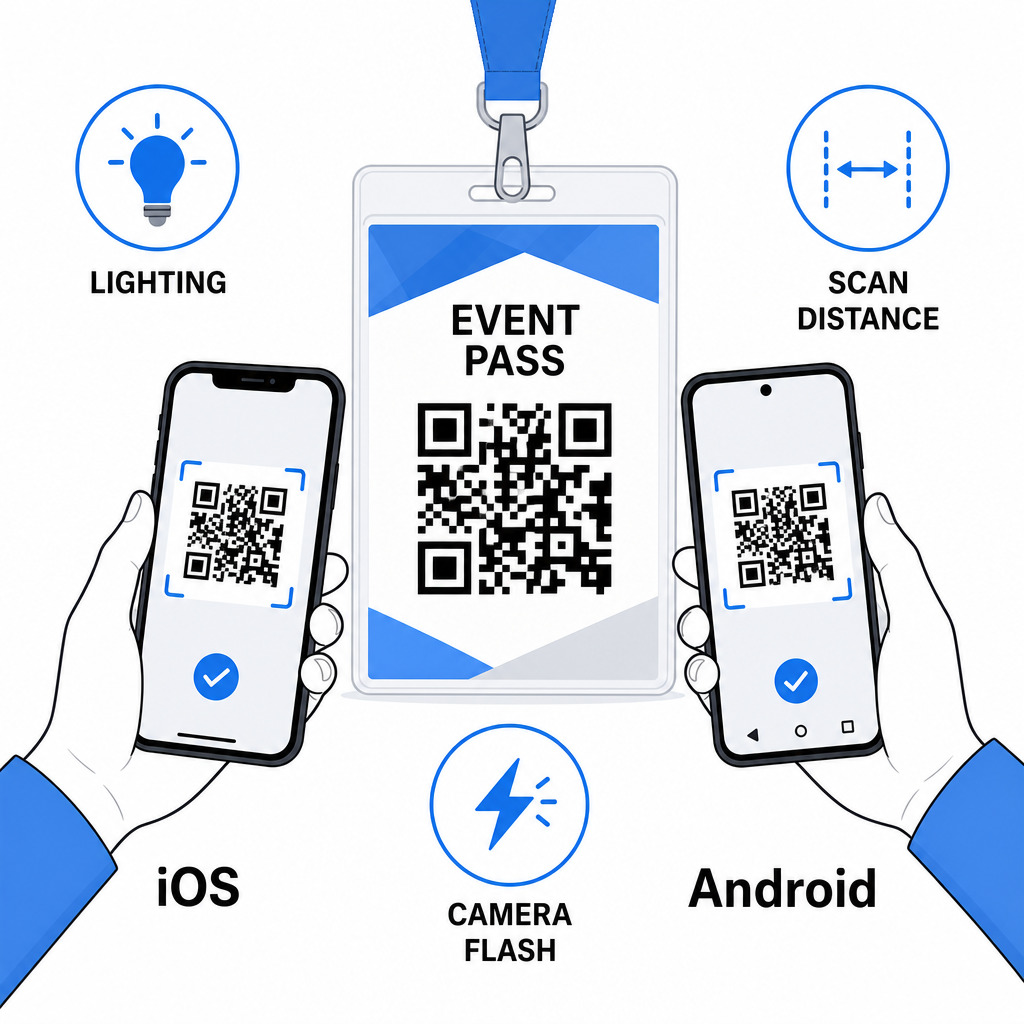
Stampa una prova e scansionala prima di inviare l'ordine completo dei badge in produzione. Testa il codice su dispositivi iOS e Android, nelle condizioni di illuminazione della sede del tuo evento, alla distanza da cui partecipanti e personale effettivamente scansioneranno, e con e senza il flash della fotocamera per simulare scenari di scarsa illuminazione. Un codice che supera tutti e quattro i test è pronto per la produzione. Uno che fallisce su uno qualsiasi di essi necessita di un aggiustamento del design – sia che si tratti di aumentare le dimensioni, migliorare il contrasto o espandere la zona di silenzio – prima di impegnarti in una tiratura completa.
I codici QR sui badge funzionano meglio quando il tipo di codice giusto, un design pulito e le specifiche di stampa corrette si uniscono prima che un singolo badge vada in stampa. Scegli un codice dinamico se i dettagli dei partecipanti potrebbero cambiare o se desideri analisi delle scansioni. Segui le regole di dimensionamento, contrasto e zona di silenzio per garantire che ogni badge scansioni in modo affidabile il giorno dell'evento. E testa sempre su dispositivi reali prima di finalizzare la produzione.
Crea i tuoi codici QR per badge Crea vCard personalizzabili e codici QR per la partecipazione con analisi integrate e modifica dinamica. Inizia con il Generatore di codici QR di Pageloot – gratuito da provare, nessuna carta di credito richiesta.
Domande frequenti
È possibile codificare i dettagli di contatto come nome, telefono, email, azienda e sito web utilizzando un codice QR vCard, collegarsi a un modulo di check-in per eventi utilizzando un codice QR per la partecipazione, o puntare a qualsiasi destinazione web come un profilo LinkedIn o un portfolio digitale. La scelta giusta dipende dal fatto che l'obiettivo principale sia la condivisione dei contatti, il check-in, o l'accesso a informazioni generali.
Il minimo pratico per un codice QR per badge identificativo è di 0,8 × 0,8 pollici (2 × 2 cm). Ridurre le dimensioni aumenta il rischio di errori di scansione, specialmente sugli smartphone più vecchi. Se il design del tuo badge ha lo spazio, dimensionare il codice più vicino a 1 × 1 pollice offre risultati più affidabili su una gamma più ampia di dispositivi e condizioni di illuminazione.
Se hai usato un codice QR statico, dovresti ristampare i badge interessati. Se hai usato un codice QR dinamico, puoi aggiornare la destinazione – sia che si tratti di una vCard, una pagina di contatto o un link a un modulo – dalla tua dashboard Pageloot senza toccare il badge stampato. Questo è uno dei motivi principali per usare codici dinamici per qualsiasi evento con informazioni variabili sui partecipanti.