Stai cercando modi per rendere le mostre del tuo museo più coinvolgenti senza stravolgere l'intera esperienza del visitatore? Le etichette statiche a parete e le brochure stampate possono fare solo fino a un certo punto – i visitatori si aspettano sempre più un accesso digitale a contenuti più ricchi sui propri dispositivi. Questa guida copre i modi più pratici per implementare i codici QR nei musei, dalle audioguide e mappe digitali alla biglietteria e all'accessibilità.
Perché i Musei Stanno Adottando i Codici QR
I codici QR offrono ai musei un modo a basso costo per creare un sistema informativo stratificato che va ben oltre ciò che può stare su un'etichetta fisica. Un visitatore in piedi di fronte a un manufatto può scansionare un codice e accedere immediatamente a testo esteso, immagini, video, narrazioni audio o persino realtà aumentata – tutto sul proprio smartphone, al proprio ritmo.
Il fascino principale è la flessibilità. I musei possono aggiornare il contenuto collegato a un codice in qualsiasi momento senza ristampare nulla, il che rende i codici QR dinamici particolarmente pratici per mostre a rotazione o programmazione stagionale. Oltre alla distribuzione di contenuti, i codici QR aprono anche un canale diretto per raccogliere feedback dai visitatori, offrire contenuti multilingue e collegare esposizioni fisiche a tour virtuali e collezioni online.
Crea Codici QR per Musei Aggiornabili Hai bisogno di aggiornare il contenuto della mostra senza ristampare la segnaletica? Usa il Generatore di QR code dinamici per creare codici che puoi modificare in qualsiasi momento da una dashboard centrale.
Modi Comuni per Usare i Codici QR nei Musei
| Caso d'uso | Cosa Offre |
|---|---|
| Audioguide e videoguide | Storie di mostre narrate, interviste ad artisti, ricostruzioni animate |
| Mappe digitali | Piante navigabili a cui i visitatori accedono sui loro telefoni |
| Informazioni sulla mostra | Testo esteso, contesto storico, provenienza del manufatto |
| Esperienze interattive | Sovrapposizioni di realtà aumentata, cacce al tesoro, quiz |
| Biglietteria | Ingresso senza contatto tramite biglietti digitali scansionabili |
| Accesso WiFi | Connessione di rete istantanea senza digitare password |
| Feedback dei visitatori | Moduli di sondaggio accessibili direttamente dall'area espositiva |
| Promozioni del negozio di souvenir | Link a offerte esclusive del negozio o pagine di prodotti online |
| Donazione e iscrizione | Portali per donare o iscriversi accessibili con una singola scansione |
Guide audio e video
Audioguide con codice QR consentono ai visitatori di scansionare un codice a ogni mostra e ascoltare narrazioni, commenti del curatore o storie di sottofondo sui propri dispositivi. Questo sostituisce le ingombranti apparecchiature audio a noleggio e supporta percorsi flessibili e a ritmo proprio attraverso il museo. Per le istituzioni che vogliono andare oltre, I codici QR AR possono trasformare la narrazione museale sovrapponendo modelli 3D o animazioni direttamente su manufatti fisici quando un visitatore punta il telefono verso l'esposizione.
I musei possono creare audioguide utilizzando il Generatore di QR code MP3, che ti permette di caricare file audio e generare un codice scansionabile che i visitatori possono riprodurre direttamente dal loro dispositivo. Per contenuti video – come interviste ad artisti o visualizzazioni di restauro passo-passo – un Generatore di QR code YouTube rende semplice collegare qualsiasi mostra a un video ospitato.
Mappe Digitali e Tour Autoguidati
I grandi musei possono usare Codici QR PDF per offrire ai visitatori una mappa digitale interattiva che li aiuti a navigare tra le sezioni, individuare mostre specifiche e pianificare la loro visita in base ai loro interessi. L'affissione di codici in “fermate” designate del tour che si collegano a file audio o pagine web che descrivono ciò che il visitatore sta vedendo consente un'esplorazione completamente indipendente con il solo smartphone.
Per uno sguardo più approfondito sulla creazione di queste esperienze, la guida all'uso dei codici QR per tour virtuali illustra l'intero processo di configurazione, dall'hosting dei contenuti alla progettazione e al posizionamento dei codici.
Informazioni sulle Mostre ed Esperienze Interattive
Posizionare i codici QR vicino alle mostre consente ai visitatori di accedere a contesti aggiuntivi – background storico, biografie di artisti, provenienza della collezione – senza affollare l'etichetta. Alcuni musei vanno oltre creando cacce al tesoro, dove ogni codice vicino a un manufatto fornisce informazioni sull'oggetto e un indizio che indica la tappa successiva. Questo formato incoraggia l'esplorazione attiva e mantiene i visitatori coinvolti attraverso più gallerie.
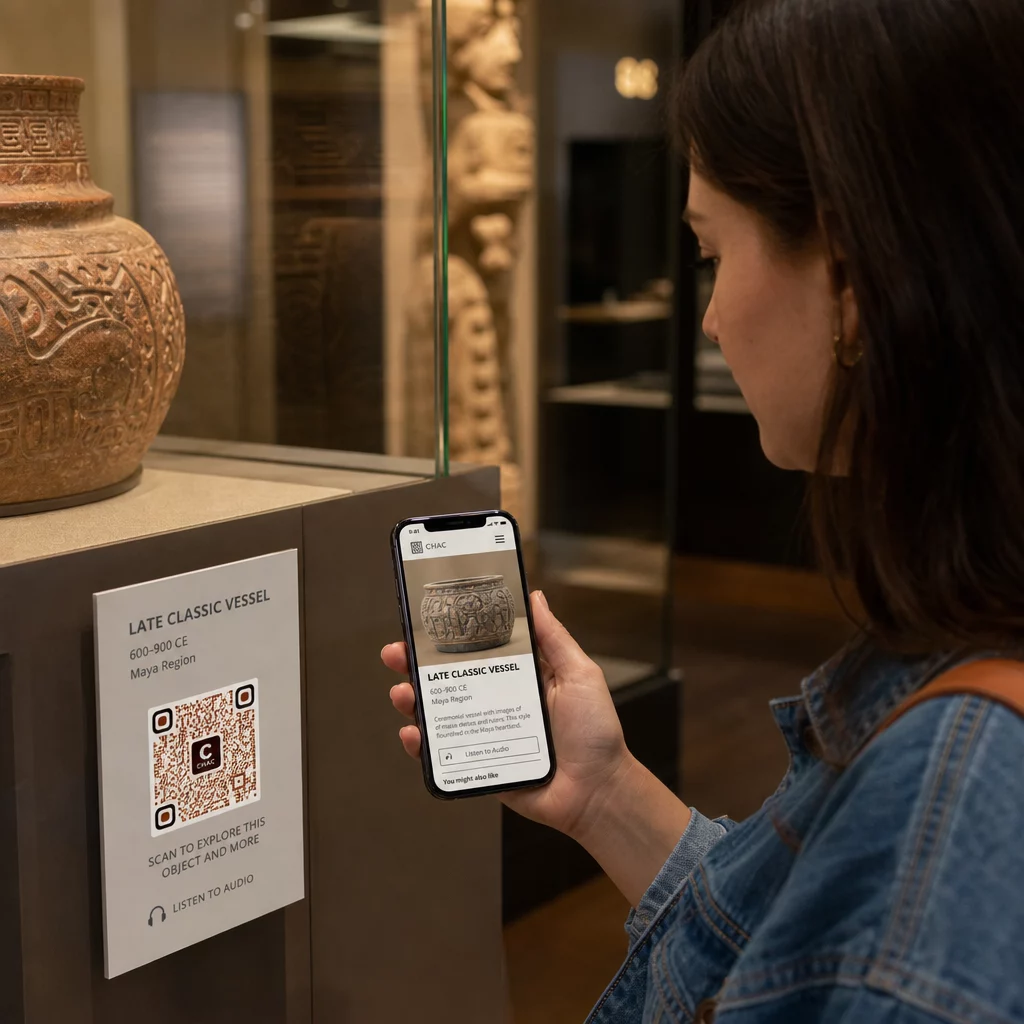
I musei hanno anche utilizzato codici QR nelle installazioni d'arte moderna per collegare l'opera fisica alla narrazione digitale, inclusi contenuti gamificati e narrazioni di storia del design incorporate nei codici stessi.
Biglietteria e Ingresso Contactless
La biglietteria digitale tramite codici QR offre ai visitatori biglietti scansionabili che possono mostrare ai punti di ingresso direttamente dai loro telefoni. Questo semplifica la gestione degli ingressi, riduce le code ed elimina la dipendenza da biglietti fisici – particolarmente utile per i periodi di alta affluenza.
Feedback dei Visitatori
Posizionare i codici QR alle uscite o in tutta la galleria consente ai visitatori di compilare rapidamente un modulo di feedback senza ricevere un sondaggio cartaceo. I dati raccolti aiutano i musei a comprendere le preferenze dei visitatori, valutare le mostre e pianificare miglioramenti. Un QR code da link che rimanda a un modulo online è il modo più semplice per configurarlo.
Considerazioni sull'Accessibilità
I codici QR possono migliorare significativamente l'accessibilità se implementati con attenzione – ma possono anche creare barriere se tali esigenze non vengono affrontate in anticipo.
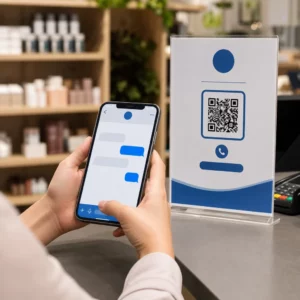
Fornire un'alternativa. Non tutti i visitatori avranno uno smartphone o si sentiranno a proprio agio nello scansionare un codice. Offrire sempre un altro modo per accedere allo stesso contenuto, come un URL stampato nelle vicinanze, un'opzione SMS o un membro del personale che possa assistere. I visitatori non vedenti o ipovedenti potrebbero trovare l'accesso tramite SMS più utilizzabile rispetto alla scansione di un QR.
Progettare per contrasto e visibilità. Utilizzare elementi del codice scuri su uno sfondo chiaro e puntare a un rapporto di contrasto di almeno 4:1. Questo soddisfa i requisiti di contrasto non testuale WCAG 2.1 e garantisce che il codice rimanga leggibile per i visitatori ipovedenti. Linee guida dettagliate su come raggiungere questo obiettivo sono disponibili nel le migliori pratiche di usabilità dei codici QR riferimento.
Dimensionare i codici in base alla distanza di scansione. Una regola pratica approssimativa è un rapporto 10:1 – per ogni 10 cm di distanza di scansione prevista, il codice dovrebbe essere largo almeno 1 cm. Il minimo pratico per la maggior parte delle installazioni museali è 2 × 2 cm (circa 0,8 × 0,8 pollici), sebbene formati più grandi siano migliori per le mostre viste da lontano.
Considerare l'altezza di posizionamento. Montare i codici a un'altezza e un'angolazione che i visitatori in sedia a rotelle o quelli con crescita limitata possano raggiungere e scansionare comodamente. Un posizionamento all'altezza degli occhi, da 3 a 5 piedi dal pavimento, funziona bene per i visitatori in piedi; posizionamenti più bassi potrebbero essere necessari per una piena inclusività.
Fornire istruzioni brevi e chiare. Non tutti i visitatori sapranno come scansionare un codice QR. Una breve istruzione – “Apri l'app della fotocamera e puntala su questo codice” – elimina le incertezze. Mantenere le istruzioni coerenti in tutto il museo in modo che i visitatori non debbano reimparare l'interazione a ogni mostra.
Testare con tecnologie assistive. Prima del lancio, verificare che il contenuto collegato e qualsiasi metodo di accesso alternativo funzionino correttamente con lettori di schermo e strumenti di ingrandimento come VoiceOver e TalkBack.
Per i musei specificamente interessati all'accessibilità audio, codici QR ad attivazione vocale offrire un'alternativa a mani libere che colleghi la scansione alla narrazione parlata – particolarmente utile per i visitatori che non possono navigare comodamente le interfacce visive.
Come impostare i codici QR nel tuo museo
Passo 1: Definisci il tuo contenuto e i tuoi obiettivi
Prima di generare un singolo codice, decidi cosa fornirà ogni codice e a chi è destinato. Una guida audio per un artefatto chiave ha requisiti diversi rispetto a un modulo di feedback all'uscita. Mappa i tuoi tipi di codice – audio, mappa PDF, video, link a sondaggi – e abbina ciascuno al formato di contenuto appropriato.
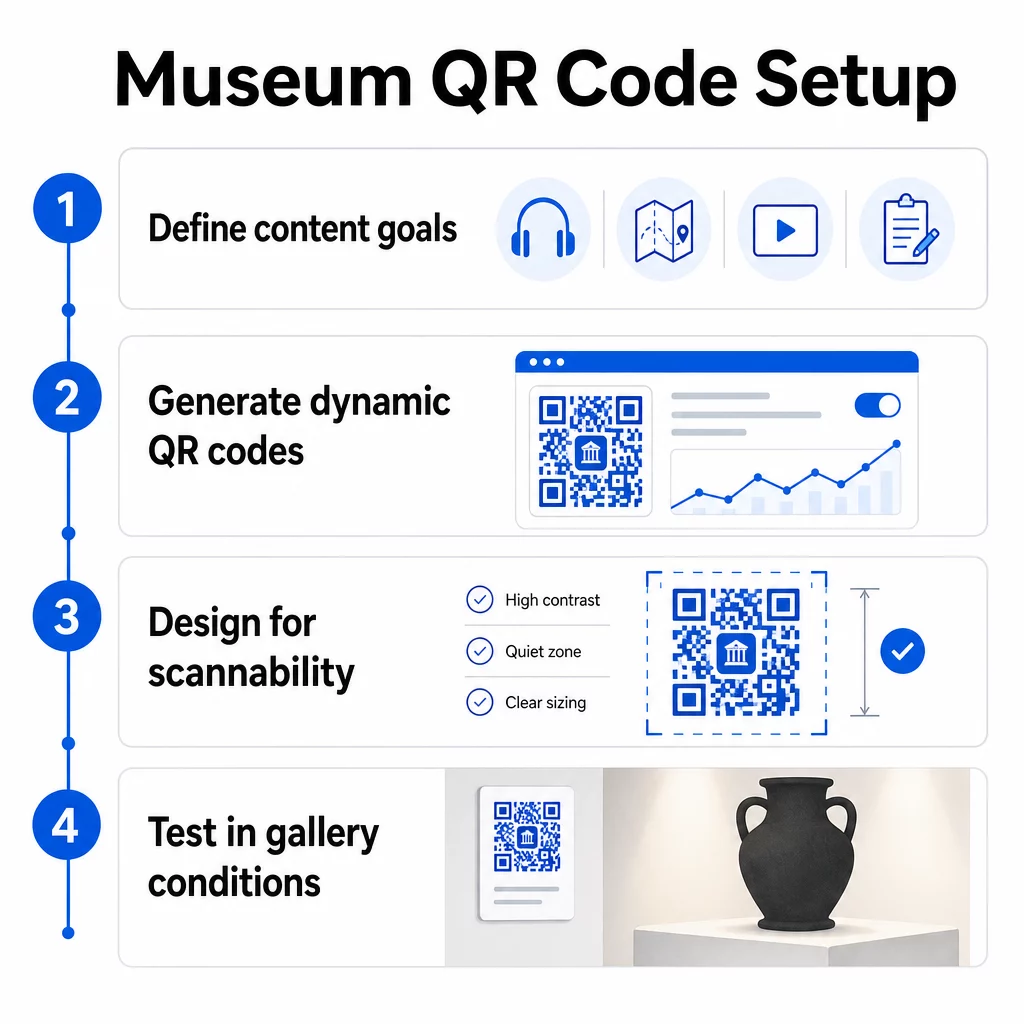
Passaggio 2: Genera i tuoi codici
Utilizza una piattaforma di codici QR che supporti i codici dinamici in modo da poter aggiornare le destinazioni senza ristampare. Pageloot Generatore di codici QR ti permette di creare codici per URL, PDF, file audio, video e altro, quindi di gestirli da un'unica dashboard. I codici dinamici forniscono anche analisi delle scansioni – tracciando volume, posizione, tipo di dispositivo e tempistica – in modo da poter vedere quali mostre stanno generando il maggior interesse.
Monitora l'engagement delle mostre Vuoi sapere con quali artefatti i visitatori interagiscono di più? Usa codici QR dinamici con analisi integrate per monitorare i dati di scansione di ogni mostra nel tuo museo.
Passaggio 3: Progetta per la scansionabilità
Applica un branding coerente – i colori e il logo del tuo museo – mantenendo un alto contrasto tra il codice e il suo sfondo. Mantieni una chiara zona di silenzio (bordo vuoto) attorno a ogni codice. Per una guida dettagliata sulla progettazione, l' le migliori pratiche per la leggibilità dei codici QR articolo copre rapporti di contrasto, zone di silenzio, posizionamento del logo e livelli di correzione degli errori in termini pratici.
Passaggio 4: Stampa e posiziona i codici strategicamente
Stampa i codici in dimensioni sufficienti per la distanza di scansione prevista, utilizzando formati vettoriali ad alta risoluzione (SVG, EPS o PDF) per evitare sfocature. Posizionali all'altezza degli occhi vicino alla mostra a cui si riferiscono – non dall'altra parte della stanza. Per installazioni su larga scala o complesse, il guida definitiva al posizionamento dei codici QR fornisce consigli specifici per l'ambiente che si adattano bene agli ambienti museali.
Passaggio 5: Testa prima di aprire
Testa ogni codice su dispositivi iOS e Android, nelle effettive condizioni di illuminazione della tua galleria. Verifica che le pagine collegate si carichino rapidamente con i dati cellulari (non solo Wi-Fi), che i contenuti audio e video vengano riprodotti correttamente e che eventuali percorsi di accesso alternativi funzionino come previsto.
Musei popolari che utilizzano i codici QR
- Il Museo Nazionale di Storia Naturale Smithsonian ha utilizzato esperienze di realtà aumentata collegate a QR per dare vita a mostre fisiche con sovrapposizioni digitali e ricostruzioni 3D.
- Il Museo Metropolitano d'Arte integra l'accesso tramite codice QR nella sua esperienza standard per i visitatori come opzione per accedere alla sua guida digitale.
- Il Museo dell'Acropoli offre un'audioguida basata su QR che consente tour autoguidati, rendendo la visita più flessibile e informativa per i visitatori internazionali.
- Il British Museum utilizza codici QR in modo che i visitatori possano accedere a contenuti aggiuntivi e saperne di più sulle mostre al proprio ritmo.
Per una prospettiva più ampia sulle applicazioni innovative, la guida ai codici QR per tour d'arte virtuali documenta come le istituzioni stiano utilizzando questi strumenti per estendere l'esperienza museale oltre le mura fisiche.
Domande frequenti
Un codice QR museale può collegarsi a quasi qualsiasi contenuto digitale: narrazioni audio, guide video, esperienze di realtà aumentata, mappe PDF, pagine informative sulle mostre, testo multilingue, moduli di feedback, portali per donazioni o tour virtuali. Il formato che scegli dipende da ciò che meglio si adatta a ogni mostra e alle esigenze del visitatore.
No. Gli smartphone moderni iOS e Android possono scansionare i codici QR direttamente utilizzando l'app fotocamera integrata – non è necessaria alcuna app separata. Alcuni dispositivi più datati potrebbero aver bisogno di uno scanner QR dedicato, quindi è buona norma menzionarlo nelle istruzioni e assicurarsi che il contenuto collegato si carichi rapidamente su un browser mobile standard.
I codici QR dinamici ti consentono di aggiornare il contenuto a cui un codice punta in qualsiasi momento senza ristampare il codice fisico. Ciò significa che puoi aggiornare le descrizioni delle mostre, sostituire i file audio per una nuova stagione o correggere un link interrotto senza disturbare la tua segnaletica stampata. I codici dinamici forniscono anche analisi delle scansioni – mostrandoti quali mostre attraggono il maggior coinvolgimento, a quali orari e su quali dispositivi – fornendo al tuo team dati utilizzabili per la pianificazione delle mostre e il miglioramento dell'esperienza dei visitatori.