Voulez-vous que les auditeurs trouvent votre podcast sans taper un seul caractère ? Lorsque votre public doit rechercher une émission manuellement, la plupart d'entre eux ne prendront pas la peine. Ce guide explique exactement comment créer des codes QR pour la promotion de podcasts, où les placer et comment tirer le meilleur parti de chaque scan.
Pourquoi les podcasteurs ont besoin de codes QR
Le podcasting est devenu un média grand public. On estime que 158 millions de personnes aux États-Unis écoutent des podcasts chaque mois, et plus de 70 % des auditeurs terminent la plupart ou la totalité de chaque épisode. Ce niveau d'engagement est rare, mais seulement si vous parvenez à inciter les gens à appuyer sur lecture au départ.
Le défi est la découvrabilité. Quelqu'un voit votre flyer, votre carte de visite ou l'emballage de votre produit et a un intérêt sincère – mais il n'y a pas de chemin sans friction de ce moment à votre contenu audio. Les codes QR comblent cette lacune. Un seul scan emmène un auditeur directement à votre émission, épisode ou page de plateforme de podcast sans aucune recherche manuelle.
Des entreprises comme Sephora, eBay et Microsoft utilisent déjà des podcasts de marque pour atteindre de nouveaux publics. Les codes QR rendent ces efforts mesurables et plus accessibles aux auditeurs dans le monde réel.
Ce que fait réellement un code QR de podcast
Un code QR de podcast est un code bidimensionnel qui encode une destination – généralement un lien vers une plateforme de streaming, une page d'hébergement de podcast ou un fichier audio – et l'ouvre automatiquement lorsqu'il est scanné avec l'appareil photo d'un smartphone.
Selon ce à quoi vous liez, les auditeurs peuvent être envoyés vers :
- Une page d'épisode spécifique avec un lecteur intégré
- La page de votre émission sur Apple Podcasts, Spotify ou une autre plateforme
- Une page de destination universelle qui permet aux auditeurs de choisir leur application préférée
- Un fichier MP3 hébergé qui se lit directement sur leur appareil
Le Générateur de QR code MP3 de Pageloot gère les fichiers audio directement, tandis que le Générateur de codes QR de liens fonctionne bien pour les URL de plateformes de streaming. Si votre podcast est sur Spotify, le Générateur de QR code Spotify vous permet de lier directement à un épisode spécifique, une playlist ou un profil d'artiste.
Commencez à envoyer les auditeurs directement à votre podcast Créez un code QR de marque, traçable pour votre émission ou épisode en utilisant le Générateur de codes QR. Essai gratuit de 14 jours, aucune carte de crédit requise.
Avantages des codes QR pour la promotion de podcasts

Accès instantané sans étapes supplémentaires
Lorsqu'un code QR se trouve sur une publicité imprimée, une carte de visite ou un affichage en magasin, les auditeurs passent de la vue à l'écoute de votre audio en quelques secondes. Il n'y a pas de barres de recherche, pas de navigation dans l'application, pas de saisie. Ce chemin sans friction est important car chaque étape supplémentaire fait perdre des auditeurs potentiels.
Les codes dynamiques vous permettent de mettre à jour sans réimprimer
L'un des avantages les plus pratiques de l'utilisation de les codes QR dynamiques est que vous pouvez modifier la destination après que le code a déjà été imprimé. Si vous liez au mauvais épisode, changez de plateforme d'hébergement ou souhaitez diriger les auditeurs vers une nouvelle saison, vous mettez à jour le lien dans votre tableau de bord – et le code imprimé reste le même.
Cela protège tout investissement dans les supports marketing imprimés et facilite la réutilisation des matériaux à travers les campagnes.
Suivi des scans et analyses
Les codes QR vous donnent des données réelles sur la performance de votre marketing de podcast. Vous pouvez voir quand les scans se produisent, d'où ils proviennent géographiquement, et quels emplacements génèrent le plus d'engagement. Ces informations vous permettent de comparer les canaux, d'identifier quels supports imprimés fonctionnent et de prendre des décisions éclairées pour les futures campagnes.
La personnalisation renforce la reconnaissance de la marque
Les codes QR sont le seul type de code-barres qui prend en charge la personnalisation visuelle. Vous pouvez ajouter les couleurs de marque de votre podcast, un logo et un arrière-plan qui correspond à l'identité de votre émission. Un code bien conçu est plus susceptible d'être scanné car il semble intentionnel et digne de confiance plutôt que générique.
Tolérance aux erreurs pour les environnements d'impression
Les codes QR incluent une correction d'erreur intégrée qui leur permet de rester scannables même si une partie du code est endommagée, obscurcie ou usée. C'est particulièrement utile pour les supports imprimés qui subissent une manipulation intensive, comme les sacs de courses ou les programmes d'événements.
Comment créer un code QR de podcast

Étape 1 – Obtenez le lien de votre podcast
La meilleure approche est d'utiliser un lien qui fonctionne sur tous les appareils et applications. Les options incluent :
- Une URL d'épisode directe de votre fournisseur d'hébergement (la plupart des hébergeurs génèrent une page d'épisode autonome avec un lecteur intégré)
- L'URL Spotify, Apple Podcasts ou d'une autre plateforme de votre émission
- Un lien intelligent universel qui dirige automatiquement les auditeurs vers leur application préférée
Si votre podcast est sur Spotify, apprenez à créer un code QR Spotify qui renvoie à un épisode, un album ou une playlist spécifique.
Étape 2 – Choisissez le bon type de code QR
- Utilisez le Générateur de QR code MP3 si vous souhaitez télécharger un fichier audio directement et que les auditeurs le lisent depuis une page de destination personnalisée
- Utilisez le Générateur de codes QR de liens si vous créez un lien vers une URL de plateforme de streaming ou une page d'hébergement de podcast
- Utilisez le Générateur de QR code Spotify pour le contenu spécifique à Spotify
Étape 3 – Personnalisez le code
Ajoutez le logo de votre podcast, ajustez les couleurs pour correspondre à votre marque et configurez la page de destination si vous utilisez un code QR audio. Les pages de code QR audio de Pageloot prennent en charge un titre, une image de couverture, les couleurs de la marque et un écran de bienvenue avant le chargement du lecteur.
Maintenez un contraste élevé – utilisez des motifs sombres sur un fond clair. Évitez les schémas de couleurs inversés, qui sont plus difficiles à lire pour les caméras.
Étape 4 – Téléchargez au bon format
Pour l'impression, enregistrez toujours votre code QR en tant que fichier vectoriel SVG, EPS ou PDF. Ces formats s'adaptent sans pixellisation, de sorte que votre code reste net qu'il apparaisse sur une carte de visite ou un panneau d'affichage. Les formats JPEG et PNG peuvent devenir flous lorsqu'ils sont agrandis, ce qui réduit la lisibilité.
Étape 5 – Tester avant de distribuer
Scannez votre code final avec plusieurs appareils – différents modèles de téléphone et à la fois iOS et Android – avant de l'envoyer à l'impression. Testez le chemin complet, du scan à la lecture audio. Les codes QR dynamiques vous permettent de corriger un lien cassé ou erroné après coup, mais tester d'abord évite entièrement le problème.
Où utiliser les codes QR de podcast
Matériaux marketing imprimés
Les publicités imprimées, affiches, flyers, bannières et panneaux d'affichage sont d'excellents emplacements pour les codes QR de podcast car ils atteignent des personnes qui sont stationnaires ou qui ont un moment pour scanner. Placez le code dans une zone très visible avec un espace blanc suffisant autour. Évitez les arrière-plans chargés ou à motifs qui interfèrent avec le scan.

Pour des conseils de taille, votre code QR doit mesurer au moins 0,8 × 0,8 pouces pour les matériaux à courte portée comme les cartes de visite ou les emballages. Les emplacements plus grands comme les affiches doivent être mis à l'échelle proportionnellement – environ 1 pouce de largeur de code pour 10 pouces de distance de scan prévue. Pour des conseils de taille détaillés sur différentes surfaces, voir le dimensionnement des codes QR pour différents matériaux d'impression.
Votre site web et vos réseaux sociaux
Si quelqu'un visite déjà votre site web ou vos profils sociaux, un code QR lui offre un chemin immédiat vers votre contenu audio sans avoir à naviguer. C'est particulièrement efficace lorsqu'il est intégré près d'un résumé d'épisode de podcast ou dans une barre latérale qui reste visible sur toute la page.
Présentoirs en magasin et emballages
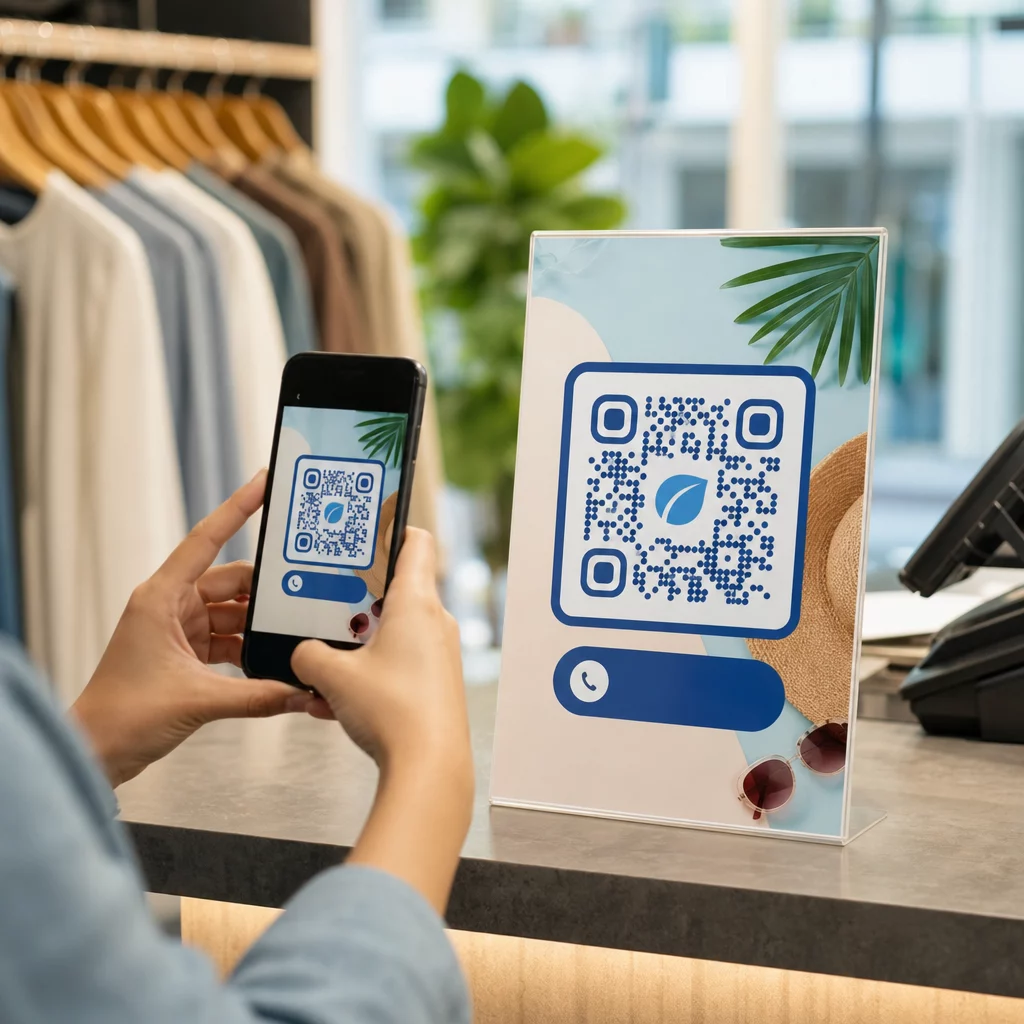
Si vous avez une présence physique en magasin, les codes QR sur les étiquettes de magasin, les présentoirs ou les sacs de courses présentent votre podcast aux clients à un moment où ils sont déjà engagés avec votre marque. De nombreux clients qui achètent en personne ne sont pas conscients du contenu en ligne d'une marque – un code QR bien placé comble cette lacune.
Bulletins d'information par e-mail et publicités numériques
Inclure un code QR dans un e-mail ou une publicité numérique peut sembler redondant puisque ces canaux prennent déjà en charge les liens cliquables, mais les codes QR dans les signatures d'e-mail ou les bulletins d'information PDF offrent aux destinataires un moyen facile de scanner et d'écouter sur un appareil mobile séparément de l'écran sur lequel ils lisent.
Rendez votre code QR traçable Utilisez un Code QR dynamique afin que vous puissiez mettre à jour le lien de votre podcast, suivre le volume de scans par emplacement et mesurer quels canaux marketing génèrent le plus d'écoutes.
Bonnes pratiques pour les codes QR de podcast

Rédigez un appel à l'action spécifique
Chaque code QR a besoin d'un CTA qui indique précisément à l'audience ce qui se passera lorsqu'elle le scannera. Les codes vagues sont ignorés. Exemples de CTA efficaces pour la promotion de podcasts :
- “ Scannez pour écouter l'épisode de cette semaine ”
- “ Scannez pour l'interview complète ”
- “ Écoutez les dernières informations de l'industrie – scannez pour jouer ”
Le CTA doit être immédiatement adjacent au code QR, et non enfoui dans le texte environnant. Pour plus de conseils sur la rédaction des CTA et le placement efficace des codes, consultez le guide ultime sur le placement des codes QR en marketing.
Maintenez une expérience de destination adaptée aux mobiles
Lorsqu'une personne scanne avec un téléphone, elle doit accéder à une page qui se charge rapidement et lit l'audio sans obstacles inutiles. Si vous utilisez un code QR audio avec une page de destination, gardez le design épuré et assurez-vous que le bouton de lecture est bien visible. Si vous créez un lien vers une plateforme de streaming, assurez-vous que le lien s'ouvre dans l'application de la plateforme plutôt que sur une page de navigateur mobile lente.
Respectez les normes de conception et de lisibilité
- Maintenez un contraste élevé entre le code QR et son arrière-plan
- Laissez une zone de silence claire (marge vide) autour du code sur tous les côtés afin que les scanners puissent le distinguer des éléments environnants
- Évitez de placer les codes sur des surfaces incurvées, réfléchissantes ou texturées lorsque cela est possible
- Utilisez le niveau de correction d'erreur le plus élevé (H) lors de l'ajout d'un logo en surimpression sur le code
Pour une présentation complète des exigences de conception, visitez les meilleures pratiques pour la lisibilité des codes QR.
Utilisez un code par contexte de placement
Plutôt qu'un seul code qui renvoie à l'ensemble de votre émission, envisagez de créer différents codes QR pour différents épisodes ou campagnes. Les codes dynamiques rendent cela gérable – vous pouvez mettre à jour la destination de chaque code indépendamment et comparer les données de scan entre les placements pour comprendre ce qui résonne auprès des différentes audiences.
Lien vers un point d'entrée universel lorsque possible
Tous vos auditeurs n'utilisent pas la même application de podcast. Lier à une page d'émission universelle – qui redirige les utilisateurs vers leur plateforme préférée ou inclut un lecteur intégré – garantit qu'aucun auditeur n'est exclu parce qu'il n'utilise pas une application spécifique.
Questions fréquentes
L'approche la plus efficace est d'utiliser un lien qui fonctionne quelle que soit l'application préférée de l'auditeur. Cela signifie soit la page d'épisode ou d'émission de votre hébergeur de podcast (qui inclut généralement un lecteur intégré et des liens vers les principales applications), un service de lien intelligent universel, ou une URL Spotify/Apple Podcasts si votre public utilise principalement une seule plateforme. Évitez les liens profonds spécifiques à une application qui ne s'ouvrent correctement que dans une seule application.
Oui, si vous créez un code QR dynamique. Les codes dynamiques stockent une courte URL de redirection dans le motif du code, et vous pouvez mettre à jour la destination finale depuis votre tableau de bord à tout moment sans réimpression. Cela signifie que vous pouvez faire pointer le même code imprimé vers un nouvel épisode chaque semaine, ou corriger un lien brisé après que les documents aient déjà été distribués.
Pour la plupart des supports imprimés, un minimum de 0,8 × 0,8 pouces est recommandé. Les cartes de visite, les badges d'événement et les emballages qui seront scannés à bout de bras doivent respecter ou dépasser ce minimum. Les affiches et bannières destinées à être scannées de plus loin doivent être proportionnellement plus grandes – environ 1 pouce de large pour chaque 10 pouces de distance de scan. Utilisez toujours un format vectoriel comme SVG ou EPS pour l'impression afin que le code reste net à toute taille.