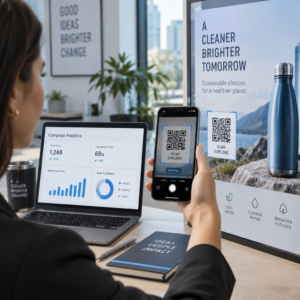
ต้องการให้ผู้ฟังค้นหาพอดแคสต์ของคุณโดยไม่ต้องพิมพ์แม้แต่ตัวอักษรเดียวใช่ไหม? เมื่อผู้ชมของคุณต้องตามหารายการด้วยตนเอง ส่วนใหญ่จะไม่สนใจ คู่มือนี้จะครอบคลุมถึงวิธีสร้างรหัส QR สำหรับการโปรโมตพอดแคสต์ ตำแหน่งที่จะวาง และวิธีใช้ประโยชน์สูงสุดจากการสแกนทุกครั้ง.
ทำไมผู้จัดพอดแคสต์ถึงต้องการรหัส QR
การจัดพอดแคสต์ได้กลายเป็นสื่อกระแสหลัก ผู้คนประมาณ 158 ล้านคนในสหรัฐอเมริกาฟังพอดแคสต์ทุกเดือน และผู้ฟังกว่า 70% ฟังจบเกือบทั้งหมดหรือทั้งหมดของแต่ละตอน ระดับการมีส่วนร่วมเช่นนี้หาได้ยาก แต่ก็ต่อเมื่อคุณสามารถทำให้ผู้คนกดเล่นได้ตั้งแต่แรก.
ความท้าทายคือการค้นพบได้ง่าย ใครบางคนเห็นใบปลิว นามบัตร หรือบรรจุภัณฑ์ผลิตภัณฑ์ของคุณและมีความสนใจอย่างแท้จริง – แต่ไม่มีเส้นทางที่ราบรื่นจากช่วงเวลานั้นไปยังเนื้อหาเสียงของคุณ รหัส QR แก้ปัญหานี้ได้ การสแกนเพียงครั้งเดียวจะนำผู้ฟังไปยังรายการ ตอน หรือหน้าแพลตฟอร์มพอดแคสต์ของคุณโดยตรง โดยไม่ต้องค้นหาด้วยตนเอง.
บริษัทต่างๆ เช่น Sephora, eBay และ Microsoft ใช้พอดแคสต์ที่มีแบรนด์เพื่อเข้าถึงกลุ่มเป้าหมายใหม่ๆ อยู่แล้ว รหัส QR ทำให้ความพยายามเหล่านั้นสามารถวัดผลได้และเข้าถึงผู้ฟังในโลกแห่งความเป็นจริงได้ง่ายขึ้น.
รหัส QR ของพอดแคสต์ทำอะไรได้บ้าง
รหัส QR ของพอดแคสต์คือรหัสสองมิติที่เข้ารหัสปลายทาง – โดยทั่วไปคือลิงก์ไปยังแพลตฟอร์มสตรีมมิ่ง หน้าโฮสติ้งพอดแคสต์ หรือไฟล์เสียง – และจะเปิดโดยอัตโนมัติเมื่อสแกนด้วยกล้องสมาร์ทโฟน.
ขึ้นอยู่กับสิ่งที่คุณเชื่อมโยง ผู้ฟังสามารถถูกส่งไปยัง:
- หน้าตอนเฉพาะที่มีเครื่องเล่นฝังตัว
- หน้าของรายการคุณบน Apple Podcasts, Spotify หรือแพลตฟอร์มอื่น
- หน้า Landing Page สากลที่ให้ผู้ฟังเลือกแอปที่ต้องการ
- ไฟล์ MP3 ที่โฮสต์ไว้ซึ่งเล่นได้โดยตรงบนอุปกรณ์ของพวกเขา
เดอะ เครื่องสร้างรหัส QR MP3 จาก Pageloot จัดการไฟล์เสียงโดยตรง ในขณะที่ เครื่องสร้างรหัส QR สำหรับลิงก์ ทำงานได้ดีสำหรับ URL แพลตฟอร์มสตรีมมิ่ง หากพอดแคสต์ของคุณอยู่บน Spotify Spotify เครื่องสร้างรหัส QR ช่วยให้คุณเชื่อมโยงไปยังตอน เพลย์ลิสต์ หรือโปรไฟล์ศิลปินที่ต้องการได้โดยตรง.
เริ่มส่งผู้ฟังไปยังพอดแคสต์ของคุณโดยตรง สร้างคิวอาร์โค้ดที่มีแบรนด์และติดตามได้สำหรับรายการหรือตอนของคุณโดยใช้ เครื่องสร้างรหัส QR. ทดลองใช้ฟรี 14 วัน ไม่ต้องใช้บัตรเครดิต.
ประโยชน์ของคิวอาร์โค้ดสำหรับการโปรโมทพอดแคสต์

เข้าถึงได้ทันทีโดยไม่ต้องมีขั้นตอนเพิ่มเติม
เมื่อคิวอาร์โค้ดอยู่บนโฆษณาสิ่งพิมพ์, นามบัตร, หรือป้ายแสดงสินค้าในร้านค้า, ผู้ฟังสามารถเปลี่ยนจากการเห็นไปสู่การได้ยินเสียงของคุณได้ในไม่กี่วินาที ไม่มีการค้นหา, ไม่มีการนำทางแอป, ไม่มีการพิมพ์ เส้นทางที่ราบรื่นนี้มีความสำคัญเพราะทุกขั้นตอนที่เพิ่มขึ้นจะทำให้เสียผู้ฟังที่มีศักยภาพไป.
รหัสแบบไดนามิกช่วยให้คุณอัปเดตได้โดยไม่ต้องพิมพ์ซ้ำ
หนึ่งในข้อได้เปรียบที่ใช้งานได้จริงที่สุดของการใช้ คิวอาร์โค้ดแบบไดนามิก คือคุณสามารถเปลี่ยนปลายทางได้หลังจากที่รหัสถูกพิมพ์ไปแล้ว หากคุณลิงก์ไปยังตอนที่ไม่ถูกต้อง, เปลี่ยนแพลตฟอร์มโฮสติ้ง, หรือต้องการชี้ให้ผู้ฟังไปยังซีซันใหม่, คุณเพียงแค่อัปเดตลิงก์ในแดชบอร์ดของคุณ – และรหัสที่พิมพ์ออกมาก็จะยังคงเดิม.
สิ่งนี้ช่วยปกป้องการลงทุนในสื่อการตลาดที่พิมพ์ออกมา และทำให้การนำวัสดุกลับมาใช้ใหม่ในแคมเปญต่างๆ เป็นเรื่องง่าย.
การติดตามการสแกนและการวิเคราะห์
คิวอาร์โค้ดให้ข้อมูลจริงเกี่ยวกับประสิทธิภาพของการตลาดพอดแคสต์ของคุณ คุณสามารถดูได้ว่ามีการสแกนเมื่อใด, มาจากภูมิภาคใด, และตำแหน่งใดที่สร้างการมีส่วนร่วมมากที่สุด ข้อมูลนั้นช่วยให้คุณเปรียบเทียบช่องทางต่างๆ, ระบุว่าสื่อสิ่งพิมพ์ใดที่ได้ผล, และตัดสินใจอย่างมีข้อมูลสำหรับแคมเปญในอนาคต.
การปรับแต่งสร้างการจดจำแบรนด์
คิวอาร์โค้ดเป็นบาร์โค้ดประเภทเดียวที่รองรับการปรับแต่งด้วยภาพ คุณสามารถเพิ่มสีแบรนด์ของพอดแคสต์, โลโก้, และพื้นหลังที่เข้ากับเอกลักษณ์ของรายการของคุณได้ รหัสที่ออกแบบมาอย่างดีมีแนวโน้มที่จะถูกสแกนมากขึ้นเพราะดูตั้งใจและน่าเชื่อถือมากกว่าที่จะดูทั่วไป.
ความทนทานต่อข้อผิดพลาดสำหรับสภาพแวดล้อมการพิมพ์
คิวอาร์โค้ดมีการแก้ไขข้อผิดพลาดในตัวที่ช่วยให้ยังคงสแกนได้แม้ว่าส่วนหนึ่งของรหัสจะเสียหาย, ถูกบดบัง, หรือสึกหรอ สิ่งนี้มีประโยชน์อย่างยิ่งสำหรับสื่อสิ่งพิมพ์ที่ต้องมีการใช้งานหนัก เช่น ถุงช้อปปิ้งหรือโปรแกรมงานอีเวนต์.
วิธีสร้างคิวอาร์โค้ดสำหรับพอดแคสต์

ขั้นตอนที่ 1 – รับลิงก์พอดแคสต์ของคุณ
วิธีที่ดีที่สุดคือการใช้ลิงก์ที่ใช้งานได้กับทุกอุปกรณ์และแอป ตัวเลือกได้แก่:
- URL ตอนโดยตรงจากผู้ให้บริการโฮสติ้งของคุณ (ผู้ให้บริการโฮสติ้งส่วนใหญ่จะสร้างหน้าตอนแบบสแตนด์อโลนพร้อมเครื่องเล่นแบบฝัง)
- URL ของ Spotify, Apple Podcasts หรือแพลตฟอร์มอื่น ๆ ของรายการของคุณ
- ลิงก์อัจฉริยะสากลที่นำผู้ฟังไปยังแอปที่ต้องการโดยอัตโนมัติ
หากพอดแคสต์ของคุณอยู่บน Spotify, เรียนรู้วิธีสร้างโค้ด QR ของ Spotify ที่เชื่อมโยงไปยังตอน อัลบั้ม หรือเพลย์ลิสต์ที่เฉพาะเจาะจง.
ขั้นตอนที่ 2 – เลือกประเภทโค้ด QR ที่เหมาะสม
- ใช้ เครื่องสร้างรหัส QR MP3 หากคุณต้องการอัปโหลดไฟล์เสียงโดยตรงและให้ผู้ฟังเล่นจากหน้า Landing Page ที่มีแบรนด์
- ใช้ เครื่องสร้างรหัส QR สำหรับลิงก์ หากคุณกำลังเชื่อมโยงไปยัง URL แพลตฟอร์มสตรีมมิ่งหรือหน้าโฮสติ้งพอดแคสต์
- ใช้ Spotify เครื่องสร้างรหัส QR สำหรับเนื้อหาเฉพาะของ Spotify
ขั้นตอนที่ 3 – ปรับแต่งโค้ด
เพิ่มโลโก้พอดแคสต์ของคุณ, ปรับสีให้เข้ากับแบรนด์ของคุณ, และกำหนดค่าหน้า Landing Page หากคุณใช้โค้ด QR เสียง หน้าโค้ด QR เสียงของ Pageloot รองรับชื่อเรื่อง, รูปภาพหน้าปก, สีของแบรนด์ และหน้าจอต้อนรับก่อนที่เครื่องเล่นจะโหลด.
รักษาความคมชัดให้สูง – ใช้รูปแบบสีเข้มบนพื้นหลังสีอ่อน หลีกเลี่ยงโทนสีกลับด้าน ซึ่งกล้องอ่านได้ยากกว่า.
ขั้นตอนที่ 4 – ดาวน์โหลดในรูปแบบที่ถูกต้อง
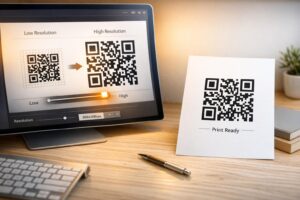
สำหรับการใช้งานสิ่งพิมพ์ ให้บันทึกรหัส QR ของคุณเป็นไฟล์เวกเตอร์ SVG, EPS หรือ PDF เสมอ รูปแบบเหล่านี้สามารถปรับขนาดได้โดยไม่เกิดพิกเซลแตก ทำให้รหัสของคุณคมชัดไม่ว่าจะปรากฏบนนามบัตรหรือป้ายโฆษณา รูปแบบ JPEG และ PNG อาจเบลอเมื่อขยาย ซึ่งลดความสามารถในการสแกน.
ขั้นตอนที่ 5 – ทดสอบก่อนเผยแพร่
สแกนรหัสที่เสร็จสมบูรณ์ของคุณด้วยอุปกรณ์หลายเครื่อง – โทรศัพท์รุ่นต่างๆ ทั้ง iOS และ Android – ก่อนส่งไปพิมพ์ ทดสอบเส้นทางทั้งหมดตั้งแต่การสแกนไปจนถึงการเล่นเสียง รหัส QR แบบไดนามิกช่วยให้คุณแก้ไขลิงก์ที่เสียหรือไม่ถูกต้องได้ในภายหลัง แต่การทดสอบก่อนจะช่วยหลีกเลี่ยงปัญหาได้ทั้งหมด.
สถานที่ใช้รหัส QR ของพอดแคสต์
สื่อการตลาดสิ่งพิมพ์
โฆษณาสิ่งพิมพ์, โปสเตอร์, ใบปลิว, แบนเนอร์ และป้ายโฆษณา เป็นตำแหน่งที่แข็งแกร่งสำหรับรหัส QR ของพอดแคสต์ เนื่องจากเข้าถึงผู้คนที่อยู่กับที่หรือมีเวลาสแกน วางรหัสในพื้นที่ที่มองเห็นได้ชัดเจนโดยมีพื้นที่สีขาวรอบๆ เพียงพอ หลีกเลี่ยงพื้นหลังที่ยุ่งเหยิงหรือมีลวดลายที่รบกวนการสแกน.

สำหรับคำแนะนำด้านขนาด รหัส QR ของคุณควรมีขนาดอย่างน้อย 0.8 × 0.8 นิ้ว สำหรับวัสดุระยะใกล้ เช่น นามบัตรหรือบรรจุภัณฑ์ ตำแหน่งที่ใหญ่ขึ้น เช่น โปสเตอร์ ควรปรับขนาดตามสัดส่วน – โดยประมาณ 1 นิ้วของความกว้างรหัสต่อระยะการสแกนที่คาดไว้ 10 นิ้ว สำหรับคำแนะนำด้านขนาดโดยละเอียดสำหรับพื้นผิวต่างๆ โปรดดู การปรับขนาดรหัส QR สำหรับวัสดุการพิมพ์ที่แตกต่างกัน.
เว็บไซต์และโซเชียลมีเดียของคุณ
หากมีคนกำลังเยี่ยมชมเว็บไซต์หรือโปรไฟล์โซเชียลของคุณอยู่แล้ว รหัส QR จะช่วยให้พวกเขาสามารถเข้าถึงเนื้อหาเสียงของคุณได้ทันทีโดยไม่ต้องค้นหาผ่านการนำทาง วิธีนี้มีประสิทธิภาพเป็นพิเศษเมื่อฝังอยู่ใกล้สรุปตอนพอดแคสต์ หรือในแถบด้านข้างที่ยังคงมองเห็นได้ตลอดทั้งหน้า.
การจัดแสดงในร้านค้าและบรรจุภัณฑ์
หากคุณมีหน้าร้านจริง รหัส QR บนฉลากสินค้า, ชั้นวางสินค้า หรือถุงช้อปปิ้ง จะแนะนำลูกค้าให้รู้จักพอดแคสต์ของคุณในขณะที่พวกเขากำลังมีส่วนร่วมกับแบรนด์ของคุณอยู่แล้ว ลูกค้าจำนวนมากที่ซื้อสินค้าด้วยตนเองไม่ทราบถึงเนื้อหาออนไลน์ของแบรนด์ – รหัส QR ที่วางไว้อย่างดีจะเชื่อมช่องว่างนั้น.
จดหมายข่าวอีเมลและโฆษณาดิจิทัล
การรวมรหัส QR ในอีเมลหรือโฆษณาดิจิทัลอาจดูซ้ำซ้อน เนื่องจากช่องทางเหล่านั้นรองรับลิงก์ที่คลิกได้อยู่แล้ว แต่รหัส QR ในลายเซ็นอีเมลหรือจดหมายข่าว PDF ช่วยให้ผู้รับมีวิธีง่ายๆ ในการสแกนและฟังบนอุปกรณ์มือถือแยกต่างหากจากหน้าจอที่พวกเขากำลังอ่านอยู่.
ทำให้รหัส QR ของคุณสามารถติดตามได้ ใช้ รหัส QR แบบไดนามิก เพื่อให้คุณสามารถอัปเดตลิงก์พอดแคสต์ของคุณ ติดตามปริมาณการสแกนตามตำแหน่ง และวัดว่าช่องทางการตลาดใดที่กระตุ้นการฟังได้มากที่สุด.
แนวทางปฏิบัติที่ดีที่สุดสำหรับรหัส QR ของพอดแคสต์

เขียนคำกระตุ้นการตัดสินใจที่เฉพาะเจาะจง
QR โค้ดทุกอันต้องมี CTA ที่บอกผู้ชมอย่างชัดเจนว่าจะเกิดอะไรขึ้นเมื่อพวกเขาสแกน โค้ดที่ไม่ชัดเจนจะถูกละเลย ตัวอย่าง CTA ที่มีประสิทธิภาพสำหรับการโปรโมตพอดแคสต์:
- “สแกนเพื่อฟังตอนของสัปดาห์นี้”
- “สแกนเพื่อฟังบทสัมภาษณ์ฉบับเต็ม”
- “ฟังข้อมูลเชิงลึกของอุตสาหกรรมล่าสุด – สแกนเพื่อเล่น”
CTA ควรอยู่ติดกับ QR โค้ดทันที ไม่ใช่ถูกฝังอยู่ในข้อความรอบข้าง สำหรับคำแนะนำเพิ่มเติมเกี่ยวกับการเขียน CTA และการวางโค้ดอย่างมีประสิทธิภาพ โปรดดูที่ คู่มือฉบับสมบูรณ์สำหรับการจัดวาง QR โค้ดในการตลาด.
ทำให้ประสบการณ์หน้า Landing Page เป็นมิตรกับมือถือ
เมื่อมีคนสแกนด้วยโทรศัพท์ พวกเขาควรเข้าถึงหน้าเว็บที่โหลดเร็วและเล่นเสียงได้โดยไม่มีอุปสรรคที่ไม่จำเป็น หากคุณใช้ QR โค้ดเสียงที่มีหน้า Landing Page ให้รักษาการออกแบบให้สะอาดตาและตรวจสอบให้แน่ใจว่าปุ่มเล่นโดดเด่น หากคุณเชื่อมโยงไปยังแพลตฟอร์มสตรีมมิ่ง ตรวจสอบให้แน่ใจว่าลิงก์เปิดในแอปของแพลตฟอร์มนั้น แทนที่จะเป็นหน้าเบราว์เซอร์มือถือที่โหลดช้า.
ปฏิบัติตามมาตรฐานการออกแบบและการอ่านง่าย
- รักษาระดับความคมชัดสูงระหว่าง QR โค้ดและพื้นหลัง
- เว้นพื้นที่ว่าง (ขอบว่าง) รอบโค้ดทุกด้านอย่างชัดเจน เพื่อให้เครื่องสแกนสามารถแยกแยะออกจากองค์ประกอบโดยรอบได้
- หลีกเลี่ยงการวางโค้ดบนพื้นผิวโค้ง สะท้อนแสง หรือมีพื้นผิวขรุขระ หากเป็นไปได้
- ใช้ระดับการแก้ไขข้อผิดพลาดสูงสุด (H) เมื่อเพิ่มโลโก้ทับลงบนโค้ด
สำหรับรายละเอียดข้อกำหนดการออกแบบทั้งหมด โปรดเยี่ยมชม แนวทางปฏิบัติที่ดีที่สุดสำหรับการอ่านรหัส QR.
ใช้โค้ดเดียวต่อบริบทการจัดวาง
แทนที่จะใช้โค้ดเดียวที่เชื่อมโยงไปยังรายการทั้งหมดของคุณ ให้พิจารณาสร้าง QR โค้ดที่แตกต่างกันสำหรับแต่ละตอนหรือแต่ละแคมเปญ โค้ดแบบไดนามิกทำให้สิ่งนี้จัดการได้ง่าย – คุณสามารถอัปเดตปลายทางของแต่ละโค้ดได้อย่างอิสระ และเปรียบเทียบข้อมูลการสแกนในตำแหน่งต่างๆ เพื่อทำความเข้าใจว่าอะไรที่โดนใจผู้ชมแต่ละกลุ่ม.
เชื่อมโยงไปยังจุดเข้าใช้งานสากลเมื่อเป็นไปได้
ผู้ฟังของคุณไม่ได้ใช้แอปพอดแคสต์เดียวกันทั้งหมด การเชื่อมโยงไปยังหน้าแสดงรายการสากล ซึ่งเป็นหน้าที่จะนำผู้ใช้ไปยังแพลตฟอร์มที่ต้องการหรือมีเครื่องเล่นแบบฝังตัว จะช่วยให้มั่นใจได้ว่าไม่มีผู้ฟังคนใดถูกกีดกันเพียงเพราะพวกเขาไม่ได้ใช้แอปเฉพาะ.
คำถามที่พบบ่อย
วิธีที่มีประสิทธิภาพที่สุดคือการใช้ลิงก์ที่ใช้งานได้ไม่ว่าผู้ฟังจะชอบแอปใด นั่นหมายถึงหน้าตอนหรือหน้ารายการของโฮสต์พอดแคสต์ของคุณ (ซึ่งโดยทั่วไปจะมีเครื่องเล่นแบบฝังตัวและลิงก์ไปยังแอปหลักๆ) บริการลิงก์อัจฉริยะสากล หรือ URL ของ Spotify/Apple Podcasts หากกลุ่มเป้าหมายของคุณส่วนใหญ่ใช้แพลตฟอร์มเดียว หลีกเลี่ยงลิงก์เฉพาะแอปที่เปิดได้อย่างถูกต้องในแอปเดียวเท่านั้น.
ใช่ หากคุณสร้างคิวอาร์โค้ดแบบไดนามิก โค้ดแบบไดนามิกจะเก็บ URL สำหรับเปลี่ยนเส้นทางแบบสั้นไว้ในรูปแบบโค้ด และคุณสามารถอัปเดตปลายทางสุดท้ายได้จากแดชบอร์ดของคุณได้ตลอดเวลาโดยไม่ต้องพิมพ์ซ้ำ ซึ่งหมายความว่าคุณสามารถชี้โค้ดที่พิมพ์แล้วเดียวกันไปยังตอนใหม่ในแต่ละสัปดาห์ หรือแก้ไขลิงก์ที่เสียหลังจากที่วัสดุได้ถูกเผยแพร่ออกไปแล้ว.
สำหรับวัสดุสิ่งพิมพ์ส่วนใหญ่ แนะนำให้มีขนาดขั้นต่ำ 0.8 × 0.8 นิ้ว นามบัตร ป้ายงานอีเวนต์ และบรรจุภัณฑ์ที่จะสแกนในระยะเอื้อมถึง ควรมีขนาดเท่ากับหรือเกินกว่าขั้นต่ำนั้น โปสเตอร์และแบนเนอร์ที่ตั้งใจจะสแกนจากระยะไกลขึ้นจำเป็นต้องมีขนาดใหญ่ขึ้นตามสัดส่วน โดยประมาณ 1 นิ้วกว้างต่อทุกๆ 10 นิ้วของระยะการสแกน ควรใช้รูปแบบเวกเตอร์ เช่น SVG หรือ EPS สำหรับการพิมพ์เสมอ เพื่อให้โค้ดยังคงคมชัดในทุกขนาด.