Bạn muốn người nghe tìm thấy podcast của mình mà không cần gõ một ký tự nào? Khi khán giả của bạn phải tự tìm kiếm một chương trình, hầu hết họ sẽ không bận tâm. Hướng dẫn này bao gồm chính xác cách tạo mã QR để quảng bá podcast, nơi đặt chúng và cách tận dụng tối đa mỗi lần quét.
Tại sao Podcaster cần mã QR
Podcasting đã trở thành một phương tiện truyền thông chính thống. Ước tính có 158 triệu người ở Hoa Kỳ nghe podcast mỗi tháng, và hơn 70% người nghe hoàn thành hầu hết hoặc toàn bộ mỗi tập. Mức độ tương tác đó rất hiếm, nhưng chỉ khi bạn có thể khiến mọi người nhấn nút phát ngay từ đầu.
Thách thức là khả năng khám phá. Ai đó nhìn thấy tờ rơi, danh thiếp hoặc bao bì sản phẩm của bạn và có sự quan tâm thực sự – nhưng không có con đường nào dễ dàng từ khoảnh khắc đó đến nội dung âm thanh của bạn. Mã QR giải quyết khoảng cách đó. Một lần quét duy nhất sẽ đưa người nghe trực tiếp đến chương trình, tập hoặc trang nền tảng podcast của bạn mà không cần tìm kiếm thủ công.
Các công ty như Sephora, eBay và Microsoft đã sử dụng podcast có thương hiệu để tiếp cận khán giả mới. Mã QR giúp những nỗ lực đó có thể đo lường được và dễ tiếp cận hơn với người nghe trong thế giới thực.
Mã QR Podcast thực sự làm gì
Mã QR podcast là một mã hai chiều mã hóa một đích đến – thường là một liên kết đến nền tảng phát trực tuyến, trang lưu trữ podcast hoặc tệp âm thanh – và tự động mở nó khi được quét bằng camera điện thoại thông minh.
Tùy thuộc vào nội dung bạn liên kết, người nghe có thể được gửi đến:
- Một trang tập cụ thể với trình phát nhúng
- Trang chương trình của bạn trên Apple Podcasts, Spotify hoặc một nền tảng khác
- Một trang đích chung cho phép người nghe chọn ứng dụng yêu thích của họ
- Một tệp MP3 được lưu trữ phát trực tiếp trên thiết bị của họ
Các Tạo mã QR âm thanh MP3 từ Pageloot xử lý trực tiếp các tệp âm thanh, trong khi Trình tạo mã QR liên kết hoạt động tốt cho các URL nền tảng phát trực tuyến. Nếu podcast của bạn có trên Spotify, thì Tạo mã QR Spotify cho phép bạn liên kết trực tiếp đến một tập cụ thể, danh sách phát hoặc hồ sơ nghệ sĩ.
Bắt đầu gửi người nghe trực tiếp đến Podcast của bạn Tạo mã QR có thương hiệu, có thể theo dõi cho chương trình hoặc tập của bạn bằng cách sử dụng Trình tạo mã QR. Dùng thử miễn phí 14 ngày, không yêu cầu thẻ tín dụng.
Lợi ích của mã QR trong việc quảng bá Podcast

Truy cập tức thì không cần thêm bước
Khi mã QR xuất hiện trên quảng cáo in, danh thiếp hoặc màn hình cửa hàng, người nghe có thể chuyển từ việc nhìn thấy mã sang nghe âm thanh của bạn chỉ trong vài giây. Không có thanh tìm kiếm, không cần điều hướng ứng dụng, không cần gõ phím. Con đường không ma sát đó rất quan trọng vì mỗi bước phụ đều làm mất đi những người nghe tiềm năng.
Mã động cho phép bạn cập nhật mà không cần in lại
Một trong những lợi thế thiết thực nhất của việc sử dụng mã QR động là bạn có thể thay đổi đích đến sau khi mã đã được in. Nếu bạn liên kết đến sai tập, chuyển đổi nền tảng lưu trữ hoặc muốn hướng người nghe đến một mùa mới, bạn chỉ cần cập nhật liên kết trong bảng điều khiển của mình – và mã đã in vẫn giữ nguyên.
Điều này bảo vệ mọi khoản đầu tư vào tài liệu tiếp thị in ấn và giúp việc tái sử dụng tài liệu trong các chiến dịch trở nên đơn giản.
Theo dõi và phân tích lượt quét
Mã QR cung cấp cho bạn dữ liệu thực về hiệu suất tiếp thị podcast của bạn. Bạn có thể xem thời điểm quét xảy ra, vị trí địa lý của chúng và những vị trí nào tạo ra nhiều tương tác nhất. Thông tin đó cho phép bạn so sánh các kênh, xác định tài liệu in nào đang hoạt động hiệu quả và đưa ra quyết định sáng suốt cho các chiến dịch trong tương lai.
Tùy chỉnh xây dựng nhận diện thương hiệu
Mã QR là loại mã vạch duy nhất hỗ trợ tùy chỉnh hình ảnh. Bạn có thể thêm màu sắc thương hiệu podcast của mình, logo và hình nền phù hợp với bản sắc chương trình của bạn. Một mã được thiết kế tốt có nhiều khả năng được quét hơn vì nó trông có chủ đích và đáng tin cậy hơn là chung chung.
Khả năng chịu lỗi cho môi trường in ấn
Mã QR bao gồm tính năng sửa lỗi tích hợp cho phép chúng vẫn có thể quét được ngay cả khi một phần của mã bị hỏng, che khuất hoặc mòn. Điều này đặc biệt hữu ích cho các tài liệu in ấn thường xuyên được xử lý nhiều, như túi mua sắm hoặc chương trình sự kiện.
Cách tạo mã QR Podcast

Bước 1 – Lấy liên kết podcast của bạn
Cách tốt nhất là sử dụng một liên kết hoạt động trên nhiều thiết bị và ứng dụng. Các tùy chọn bao gồm:
- Một URL tập trực tiếp từ nhà cung cấp dịch vụ lưu trữ của bạn (hầu hết các nhà cung cấp dịch vụ lưu trữ tạo một trang tập độc lập với trình phát nhúng)
- URL Spotify, Apple Podcasts hoặc nền tảng khác của chương trình của bạn
- Một liên kết thông minh phổ quát tự động định tuyến người nghe đến ứng dụng ưa thích của họ
Nếu podcast của bạn có trên Spotify, tìm hiểu cách tạo mã QR Spotify liên kết đến một tập cụ thể, album hoặc danh sách phát.
Bước 2 – Chọn loại mã QR phù hợp
- Sử dụng Tạo mã QR âm thanh MP3 nếu bạn muốn tải trực tiếp một tệp âm thanh lên và cho phép người nghe phát nó từ một trang đích có thương hiệu
- Sử dụng Trình tạo mã QR liên kết nếu bạn đang liên kết đến một URL nền tảng phát trực tuyến hoặc trang lưu trữ podcast
- Sử dụng Tạo mã QR Spotify cho nội dung dành riêng cho Spotify
Bước 3 – Tùy chỉnh mã
Thêm logo podcast của bạn, điều chỉnh màu sắc để phù hợp với thương hiệu của bạn và cấu hình trang đích nếu bạn đang sử dụng mã QR âm thanh. Các trang mã QR âm thanh của Pageloot hỗ trợ tiêu đề, hình ảnh bìa, màu sắc thương hiệu và màn hình chào mừng trước khi trình phát tải.
Giữ độ tương phản cao – sử dụng các mẫu tối trên nền sáng. Tránh các bảng màu đảo ngược, vì chúng khó đọc hơn đối với máy ảnh.
Bước 4 – Tải xuống ở định dạng phù hợp
Để in ấn, hãy luôn lưu mã QR của bạn dưới dạng tệp vector SVG, EPS hoặc PDF. Các định dạng này có thể mở rộng mà không bị vỡ pixel, vì vậy mã của bạn vẫn sắc nét cho dù nó xuất hiện trên danh thiếp hay biển quảng cáo. Các định dạng JPEG và PNG có thể bị mờ khi phóng to, làm giảm khả năng quét.
Bước 5 – Kiểm tra trước khi phân phối
Quét mã đã hoàn thành của bạn bằng nhiều thiết bị – các mẫu điện thoại khác nhau và cả iOS lẫn Android – trước khi gửi đi in. Kiểm tra toàn bộ đường dẫn từ quét đến phát lại âm thanh. Mã QR động cho phép bạn sửa một liên kết bị hỏng hoặc sai sau đó, nhưng kiểm tra trước sẽ tránh được hoàn toàn vấn đề.
Nơi sử dụng mã QR Podcast
Tài liệu tiếp thị in ấn
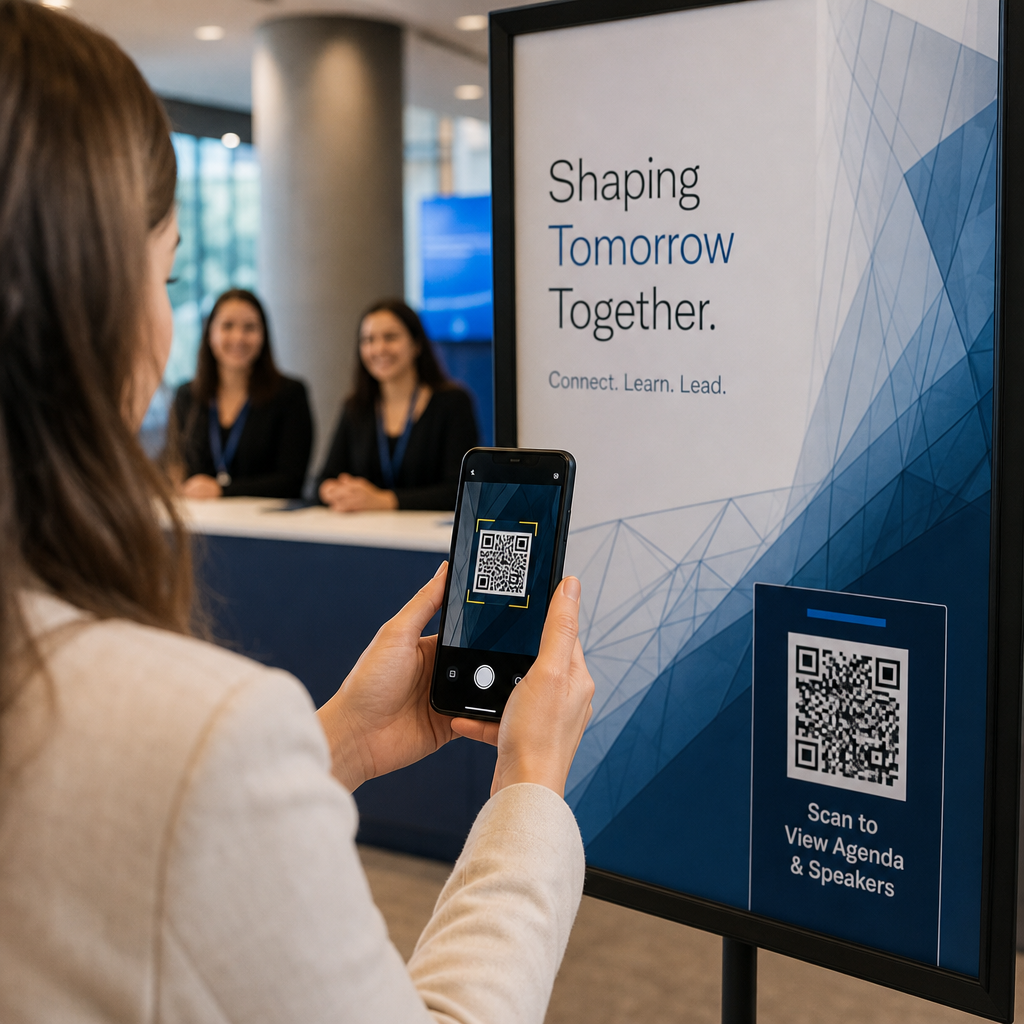
Quảng cáo in, áp phích, tờ rơi, biểu ngữ và biển quảng cáo là những vị trí mạnh mẽ cho mã QR podcast vì chúng tiếp cận những người đang đứng yên hoặc có thời gian để quét. Đặt mã ở khu vực dễ nhìn với không gian trắng đầy đủ xung quanh. Tránh các nền bận rộn hoặc có hoa văn gây cản trở việc quét.

Để được hướng dẫn về kích thước, mã QR của bạn phải có ít nhất 0,8 × 0,8 inch đối với các tài liệu tầm gần như danh thiếp hoặc bao bì. Các vị trí lớn hơn như áp phích nên được phóng to theo tỷ lệ – khoảng 1 inch chiều rộng mã cho mỗi 10 inch khoảng cách quét dự kiến. Để biết hướng dẫn chi tiết về kích thước trên các bề mặt khác nhau, hãy xem kích thước mã QR cho các vật liệu in khác nhau.
Trang web và mạng xã hội của bạn
Nếu ai đó đã truy cập trang web hoặc hồ sơ mạng xã hội của bạn, mã QR sẽ cung cấp cho họ một đường dẫn tức thì đến nội dung âm thanh của bạn mà không cần phải tìm kiếm qua điều hướng. Điều này đặc biệt hiệu quả khi được nhúng gần bản tóm tắt tập podcast hoặc trong thanh bên luôn hiển thị trên toàn bộ trang.
Màn hình hiển thị tại cửa hàng và bao bì
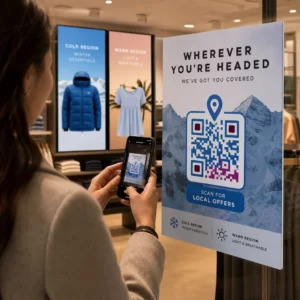
Nếu bạn có sự hiện diện bán lẻ vật lý, mã QR trên nhãn cửa hàng, màn hình kệ hoặc túi mua sắm sẽ giới thiệu khách hàng đến podcast của bạn vào thời điểm họ đã tương tác với thương hiệu của bạn. Nhiều khách hàng mua sắm trực tiếp không biết về nội dung trực tuyến của một thương hiệu – một mã QR được đặt đúng chỗ sẽ thu hẹp khoảng cách đó.
Bản tin email và quảng cáo kỹ thuật số
Việc đưa mã QR vào email hoặc quảng cáo kỹ thuật số có vẻ thừa thãi vì các kênh đó đã hỗ trợ các liên kết có thể nhấp, nhưng mã QR trong chữ ký email hoặc bản tin PDF cung cấp cho người nhận một cách dễ dàng để quét và nghe trên thiết bị di động riêng biệt với màn hình họ đang đọc.
Làm cho mã QR của bạn có thể theo dõi được Sử dụng một Mã QR động để bạn có thể cập nhật liên kết podcast của mình, theo dõi số lượng quét theo vị trí và đo lường kênh tiếp thị nào mang lại nhiều lượt nghe nhất.
Các phương pháp hay nhất về mã QR Podcast

Viết Kêu gọi hành động cụ thể
Mỗi mã QR cần một CTA cho biết chính xác điều gì sẽ xảy ra khi khán giả quét. Các mã mơ hồ sẽ bị bỏ qua. Ví dụ về các CTA hiệu quả để quảng bá podcast:
- “Quét để nghe tập tuần này”
- “Quét để xem toàn bộ cuộc phỏng vấn”
- “Nghe những thông tin chuyên sâu mới nhất của ngành – quét để phát”
CTA nên nằm ngay cạnh mã QR, không bị chôn vùi trong các văn bản xung quanh. Để biết thêm hướng dẫn về cách viết CTA và đặt mã hiệu quả, hãy xem hướng dẫn tối ưu về vị trí đặt mã QR trong marketing.
Giữ trải nghiệm trang đích thân thiện với thiết bị di động
Khi ai đó quét bằng điện thoại, họ sẽ truy cập một trang tải nhanh và phát âm thanh mà không gặp rào cản không cần thiết. Nếu bạn sử dụng mã QR âm thanh với trang đích, hãy giữ thiết kế gọn gàng và đảm bảo nút phát nổi bật. Nếu bạn liên kết đến một nền tảng phát trực tuyến, hãy đảm bảo liên kết mở trong ứng dụng của nền tảng đó thay vì một trang trình duyệt di động chậm.
Tuân thủ các tiêu chuẩn thiết kế và khả năng đọc
- Duy trì độ tương phản cao giữa mã QR và nền của nó
- Để lại một vùng yên tĩnh rõ ràng (lề trống) xung quanh mã ở tất cả các phía để máy quét có thể phân biệt nó với các yếu tố xung quanh
- Tránh đặt mã trên các bề mặt cong, phản chiếu hoặc có kết cấu nếu có thể
- Sử dụng mức sửa lỗi cao nhất (H) khi thêm lớp phủ logo vào mã
Để biết chi tiết đầy đủ về các yêu cầu thiết kế, hãy truy cập các phương pháp hay nhất để đọc mã QR.
Sử dụng một mã cho mỗi ngữ cảnh đặt
Thay vì một mã duy nhất liên kết đến toàn bộ chương trình của bạn, hãy cân nhắc tạo các mã QR khác nhau cho các tập hoặc chiến dịch khác nhau. Mã động giúp việc này dễ quản lý – bạn có thể cập nhật đích đến của mỗi mã một cách độc lập và so sánh dữ liệu quét trên các vị trí đặt để hiểu điều gì gây ấn tượng với các đối tượng khác nhau.
Liên kết đến một điểm truy cập chung khi có thể
Không phải tất cả người nghe của bạn đều sử dụng cùng một ứng dụng podcast. Việc liên kết đến một trang chương trình chung – một trang định tuyến người dùng đến nền tảng ưa thích của họ hoặc bao gồm một trình phát nhúng – đảm bảo rằng không có người nghe nào bị loại trừ vì họ không sử dụng một ứng dụng cụ thể.
Câu hỏi thường gặp
Cách tiếp cận hiệu quả nhất là sử dụng một liên kết hoạt động bất kể người nghe thích ứng dụng nào. Điều đó có nghĩa là trang tập hoặc trang chương trình của máy chủ podcast của bạn (thường bao gồm trình phát nhúng và liên kết đến các ứng dụng lớn), một dịch vụ liên kết thông minh chung, hoặc một URL Spotify/Apple Podcasts nếu đối tượng của bạn chủ yếu sử dụng một nền tảng. Tránh các liên kết sâu dành riêng cho ứng dụng chỉ mở đúng cách trong một ứng dụng duy nhất.
Có, nếu bạn tạo mã QR động. Mã động lưu trữ một URL chuyển hướng ngắn trong mẫu mã, và bạn có thể cập nhật đích đến cuối cùng từ bảng điều khiển của mình bất cứ lúc nào mà không cần in lại. Điều này có nghĩa là bạn có thể trỏ cùng một mã đã in đến một tập mới mỗi tuần, hoặc sửa một liên kết bị hỏng sau khi tài liệu đã được phát hành.
Đối với hầu hết các tài liệu in, kích thước tối thiểu 0,8 × 0,8 inch được khuyến nghị. Danh thiếp, thẻ sự kiện và bao bì sẽ được quét ở khoảng cách cánh tay nên đạt hoặc vượt quá mức tối thiểu đó. Áp phích và biểu ngữ dự định được quét từ xa hơn cần phải lớn hơn theo tỷ lệ – khoảng 1 inch chiều rộng cho mỗi 10 inch khoảng cách quét. Luôn sử dụng định dạng vector như SVG hoặc EPS để in để mã vẫn sắc nét ở mọi kích thước.