Chcete, aby posluchači našli váš podcast, aniž by museli napsat jediný znak? Když vaše publikum musí pořad ručně vyhledávat, většina z nich se s tím nebude obtěžovat. Tento průvodce přesně popisuje, jak vytvořit QR kódy pro propagaci podcastů, kam je umístit a jak z každého skenu získat maximum.
Proč podcasteři potřebují QR kódy
Podcasty se staly mainstreamovým médiem. Odhaduje se, že 158 milionů lidí v USA poslouchá podcasty každý měsíc a více než 70 % posluchačů dokončí většinu nebo celou každou epizodu. Taková úroveň zapojení je vzácná, ale pouze pokud dokážete lidi vůbec přimět k přehrání.
Výzvou je objevitelnost. Někdo uvidí váš leták, vizitku nebo obal produktu a má skutečný zájem – ale neexistuje žádná bezproblémová cesta od tohoto okamžiku k vašemu zvukovému obsahu. QR kódy tuto mezeru řeší. Jediný sken zavede posluchače přímo k vaší show, epizodě nebo stránce podcastové platformy bez jakéhokoli ručního vyhledávání.
Společnosti jako Sephora, eBay a Microsoft již používají značkové podcasty k oslovení nového publika. QR kódy činí tato úsilí měřitelnými a přístupnějšími pro posluchače v reálném světě.
Co vlastně dělá QR kód podcastu
QR kód podcastu je dvourozměrný kód, který kóduje cíl – typicky odkaz na streamovací platformu, stránku hostingu podcastu nebo zvukový soubor – a automaticky jej otevře po naskenování fotoaparátem chytrého telefonu.
V závislosti na tom, na co odkazujete, mohou být posluchači přesměrováni na:
- Konkrétní stránku epizody s vloženým přehrávačem
- Stránku vaší show na Apple Podcasts, Spotify nebo jiné platformě
- Univerzální vstupní stránku, která posluchačům umožní vybrat si preferovanou aplikaci
- Hostovaný soubor MP3, který se přehrává přímo na jejich zařízení
Ten Audio QR kód z MP3 z Pagelootu zpracovává zvukové soubory přímo, zatímco Generátor QR kódů pro odkazy funguje dobře pro URL streamovacích platforem. Pokud je váš podcast na Spotify, Spotify QR kód generátor vám umožní přímo odkazovat na konkrétní epizodu, playlist nebo profil umělce.
Začněte posílat posluchače přímo k vašemu podcastu Vytvořte značkový, sledovatelný QR kód pro vaši show nebo epizodu pomocí Generátor QR kódů. Bezplatná 14denní zkušební verze, není vyžadována kreditní karta.
Výhody QR kódů pro propagaci podcastů

Okamžitý přístup bez dalších kroků
Když je QR kód na tištěné reklamě, vizitce nebo výloze obchodu, posluchači přejdou od jeho spatření k poslechu vašeho zvuku během několika sekund. Nejsou zde žádné vyhledávací lišty, žádná navigace v aplikaci, žádné psaní. Tato bezproblémová cesta je důležitá, protože každý další krok ztrácí potenciální posluchače.
Dynamické kódy umožňují aktualizaci bez opětovného tisku
Jednou z nejpraktičtějších výhod používání dynamické QR kódy je, že můžete změnit cíl poté, co byl kód již vytištěn. Pokud odkazujete na špatnou epizodu, změníte hostingovou platformu nebo chcete nasměrovat posluchače na novou sezónu, aktualizujete odkaz ve svém panelu – a tištěný kód zůstane stejný.
To chrání jakoukoli investici do tištěných marketingových materiálů a usnadňuje opětovné použití materiálů napříč kampaněmi.
Sledování skenování a analýza
QR kódy vám poskytují reálná data o tom, jak funguje váš podcastový marketing. Můžete vidět, kdy dochází ke skenování, odkud geograficky pocházejí a která umístění generují největší zapojení. Tyto informace vám umožňují porovnávat kanály, identifikovat, které tištěné materiály fungují, a činit informovaná rozhodnutí pro budoucí kampaně.
Přizpůsobení buduje rozpoznatelnost značky
QR kódy jsou jediným typem čárového kódu, který podporuje vizuální přizpůsobení. Můžete přidat barvy značky vašeho podcastu, logo a pozadí, které odpovídá identitě vaší show. Dobře navržený kód je pravděpodobnější, že bude naskenován, protože vypadá záměrně a důvěryhodně, spíše než genericky.
Tolerance chyb pro tiskové prostředí
QR kódy obsahují vestavěnou korekci chyb, která jim umožňuje zůstat skenovatelné, i když je část kódu poškozená, zakrytá nebo opotřebovaná. To je zvláště užitečné pro tiskové materiály, které jsou často manipulovány, jako jsou nákupní tašky nebo programy akcí.
Jak vytvořit QR kód pro podcast

Krok 1 – Získejte odkaz na svůj podcast
Nejlepší přístup je použít odkaz, který funguje napříč zařízeními a aplikacemi. Možnosti zahrnují:
- Přímá URL adresa epizody od vašeho poskytovatele hostingu (většina hostitelů generuje samostatnou stránku epizody s vloženým přehrávačem)
- URL adresa vaší show na Spotify, Apple Podcasts nebo jiné platformě
- Univerzální chytrý odkaz, který automaticky přesměruje posluchače na jejich preferovanou aplikaci
Pokud je váš podcast na Spotify, naučte se, jak vytvořit QR kód Spotify který odkazuje na konkrétní epizodu, album nebo playlist.
Krok 2 – Vyberte správný typ QR kódu
- Použijte Audio QR kód z MP3 pokud chcete nahrát zvukový soubor přímo a nechat posluchače přehrát jej z brandované vstupní stránky
- Použijte Generátor QR kódů pro odkazy pokud odkazujete na URL streamovací platformy nebo stránku hostingu podcastů
- Použijte Spotify QR kód generátor pro obsah specifický pro Spotify
Krok 3 – Přizpůsobte kód
Přidejte logo svého podcastu, upravte barvy tak, aby odpovídaly vaší značce, a nakonfigurujte vstupní stránku, pokud používáte zvukový QR kód. Stránky zvukových QR kódů Pageloot podporují název, obrázek obalu, barvy značky a uvítací obrazovku před načtením přehrávače.
Udržujte vysoký kontrast – používejte tmavé vzory na světlém pozadí. Vyhněte se invertovaným barevným schématům, která jsou pro kamery hůře čitelná.
Krok 4 – Stáhněte ve správném formátu
Pro tisk vždy ukládejte svůj QR kód jako vektorový soubor SVG, EPS nebo PDF. Tyto formáty se škálují bez pixelizace, takže váš kód zůstane ostrý, ať už se objeví na vizitce nebo na billboardu. Formáty JPEG a PNG se mohou při zvětšení rozmazat, což snižuje skenovatelnost.
Krok 5 – Testujte před distribucí
Naskenujte svůj hotový kód pomocí více zařízení – různých modelů telefonů a systémů iOS i Android – předtím, než jej odešlete k tisku. Otestujte celou cestu od skenování po přehrávání zvuku. Dynamické QR kódy vám umožňují opravit nefunkční nebo špatný odkaz dodatečně, ale testování předem zcela zabrání problému.
Kde použít QR kódy pro podcasty
Tištěné marketingové materiály
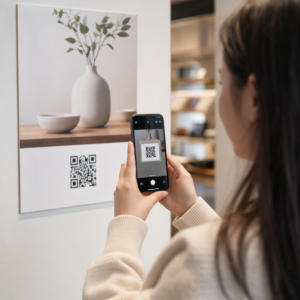
Tištěné reklamy, plakáty, letáky, bannery a billboardy jsou vhodnými místy pro QR kódy podcastů, protože oslovují lidi, kteří jsou v klidu nebo mají chvíli na skenování. Umístěte kód na dobře viditelné místo s dostatečným bílým prostorem kolem něj. Vyhněte se rušným nebo vzorovaným pozadím, která narušují skenování.

Pro orientaci ohledně velikosti by měl být váš QR kód pro materiály na blízko, jako jsou vizitky nebo obaly, alespoň 0,8 × 0,8 palce. Větší umístění, jako jsou plakáty, by se měla zvětšovat proporcionálně – zhruba 1 palec šířky kódu na každých 10 palců očekávané skenovací vzdálenosti. Podrobné pokyny k velikosti pro různé povrchy naleznete na velikosti QR kódu pro různé tiskové materiály.
Váš web a sociální média
Pokud někdo již navštěvuje váš web nebo sociální profily, QR kód mu poskytne okamžitou cestu k vašemu zvukovému obsahu, aniž by musel procházet navigací. To je obzvláště účinné, když je vložen poblíž souhrnu epizody podcastu nebo v postranním panelu, který zůstává viditelný na celé stránce.
Prodejní displeje a obaly
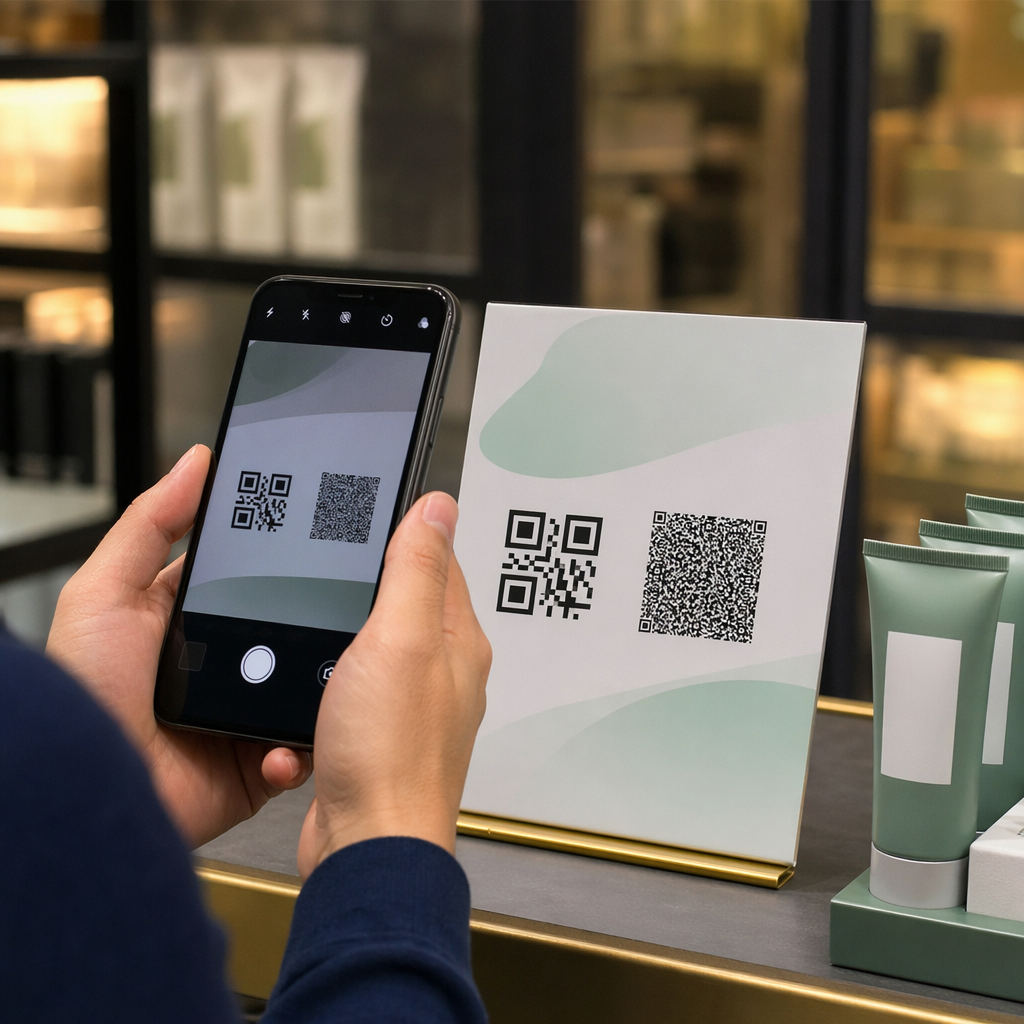
Pokud máte fyzickou maloobchodní přítomnost, QR kódy na štítcích obchodů, regálových displejích nebo nákupních taškách představí zákazníkům váš podcast v okamžiku, kdy jsou již zapojeni do vaší značky. Mnoho zákazníků, kteří nakupují osobně, si není vědomo online obsahu značky – dobře umístěný QR kód tuto mezeru překlenuje.
E-mailové zpravodaje a digitální reklamy
Zahrnutí QR kódu do e-mailu nebo digitální reklamy se může zdát nadbytečné, protože tyto kanály již podporují klikatelné odkazy, ale QR kódy v e-mailových podpisech nebo PDF zpravodajích dávají příjemcům snadný způsob, jak skenovat a poslouchat na mobilním zařízení odděleně od obrazovky, na které čtou.
Učiňte svůj QR kód sledovatelným Použijte a Dynamický QR kód abyste mohli aktualizovat odkaz na svůj podcast, sledovat objem skenování podle umístění a měřit, které marketingové kanály přinášejí nejvíce poslechů.
Nejlepší postupy pro QR kódy podcastů

Napište konkrétní výzvu k akci
Každý QR kód potřebuje výzvu k akci (CTA), která publiku přesně řekne, co se stane, když kód naskenují. Nejasné kódy jsou ignorovány. Příklady účinných CTA pro propagaci podcastů:
- “Naskenujte a poslouchejte epizodu tohoto týdne”
- “Naskenujte pro celý rozhovor”
- “Poslechněte si nejnovější poznatky z oboru – naskenujte pro přehrání”
Výzva k akci (CTA) by měla být bezprostředně vedle QR kódu, nikoli pohřbena v okolním textu. Další pokyny k psaní CTA a efektivnímu umisťování kódů naleznete v kompletní průvodce umístěním QR kódů v marketingu.
Udržujte cílovou stránku přívětivou pro mobilní zařízení
Když někdo naskenuje kód na telefonu, měl by se dostat na stránku, která se rychle načte a přehraje zvuk bez zbytečných překážek. Pokud používáte zvukový QR kód s cílovou stránkou, udržujte design čistý a zajistěte, aby tlačítko pro přehrávání bylo výrazné. Pokud odkazujete na streamovací platformu, ujistěte se, že se odkaz otevře v aplikaci platformy, nikoli na pomalé stránce mobilního prohlížeče.
Dodržujte standardy designu a čitelnosti
- Udržujte vysoký kontrast mezi QR kódem a jeho pozadím
- Kolem kódu na všech stranách ponechte jasnou klidovou zónu (prázdný okraj), aby jej skenery mohly odlišit od okolních prvků
- Pokud je to možné, vyhněte se umisťování kódů na zakřivené, reflexní nebo texturované povrchy
- Při přidávání překryvného loga ke kódu použijte nejvyšší úroveň korekce chyb (H)
Pro úplný rozpis požadavků na design navštivte osvědčené postupy pro čitelnost QR kódů.
Použijte jeden kód pro každý kontext umístění
Namísto jednoho kódu, který odkazuje na celou vaši show, zvažte vytvoření různých QR kódů pro různé epizody nebo kampaně. Dynamické kódy to usnadňují – můžete nezávisle aktualizovat cíl každého kódu a porovnávat data skenování napříč umístěními, abyste pochopili, co rezonuje s různými publiky.
Odkaz na univerzální vstupní bod, kdykoli je to možné
Ne všichni vaši posluchači používají stejnou podcastovou aplikaci. Odkaz na univerzální stránku pořadu – takovou, která uživatele přesměruje na jejich preferovanou platformu nebo obsahuje vložený přehrávač – zajistí, že žádný posluchač nebude vyloučen, protože nepoužívá konkrétní aplikaci.
Často kladené otázky
Nejúčinnějším přístupem je použít odkaz, který funguje bez ohledu na to, jakou aplikaci posluchač preferuje. To znamená buď stránku epizody nebo pořadu vašeho podcastového hostitele (která obvykle obsahuje vložený přehrávač a odkazy na hlavní aplikace), službu univerzálního chytrého odkazu, nebo URL adresu Spotify/Apple Podcasts, pokud vaše publikum primárně používá jednu platformu. Vyhněte se hlubokým odkazům specifickým pro aplikace, které se správně otevírají pouze v jedné aplikaci.
Ano, pokud vytvoříte dynamický QR kód. Dynamické kódy ukládají krátkou přesměrovací URL adresu do vzoru kódu a konečný cíl můžete kdykoli aktualizovat z vašeho panelu, aniž byste museli znovu tisknout. To znamená, že stejný vytištěný kód můžete každý týden nasměrovat na novou epizodu, nebo opravit nefunkční odkaz poté, co materiály již byly distribuovány.
Pro většinu tištěných materiálů se doporučuje minimální velikost 0,8 × 0,8 palce. Vizitky, identifikační karty na akce a obaly, které budou skenovány z délky paže, by měly splňovat nebo překračovat toto minimum. Plakáty a bannery určené ke skenování z větší vzdálenosti musí být proporcionálně větší – zhruba 1 palec na šířku na každých 10 palců skenovací vzdálenosti. Pro tisk vždy používejte vektorový formát jako SVG nebo EPS, aby kód zůstal ostrý v jakékoli velikosti.