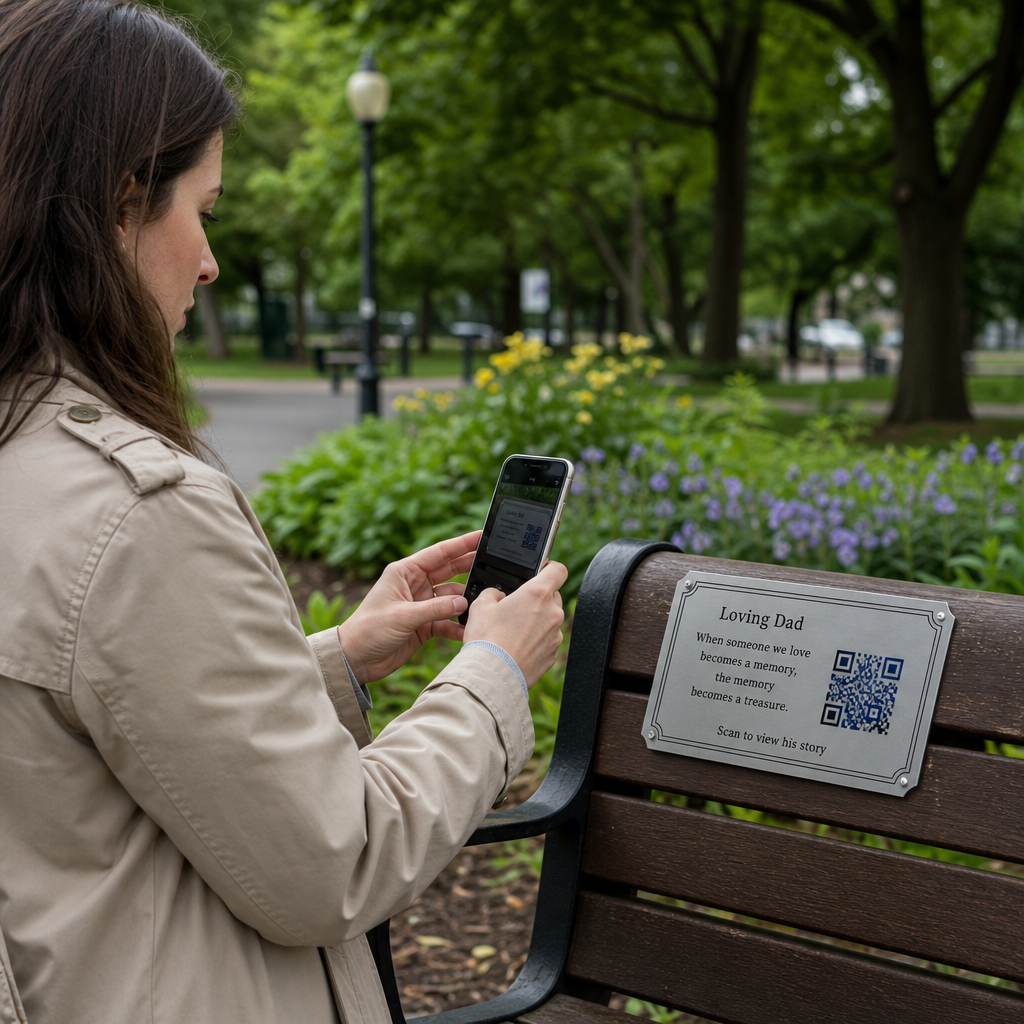
Ar norite, kad klausytojai rastų jūsų tinklalaidę neįvedę nė vieno simbolio? Kai jūsų auditorija turi rankiniu būdu ieškoti laidos, dauguma jų nesivargins. Šiame vadove tiksliai aprašoma, kaip sukurti QR kodus tinklalaidės reklamai, kur juos patalpinti ir kaip išnaudoti visas kiekvieno nuskaitymo galimybes.
Kodėl tinklalaidžių kūrėjams reikia QR kodų
Tinklalaidės tapo pagrindine medija. Apskaičiuota, kad JAV kas mėnesį tinklalaidžių klausosi 158 milijonai žmonių, o daugiau nei 70% klausytojų baigia klausytis didžiąją dalį arba visą kiekvieną epizodą. Toks įsitraukimo lygis yra retas, bet tik tuo atveju, jei iš pradžių pavyksta priversti žmones paspausti „groti“.
Iššūkis yra atrandamumas. Kažkas pamato jūsų skrajutę, vizitinę kortelę ar produkto pakuotę ir nuoširdžiai susidomi – tačiau nėra jokio sklandaus kelio nuo to momento iki jūsų garso turinio. QR kodai išsprendžia šią spragą. Vienas nuskaitymas nukreipia klausytoją tiesiai į jūsų laidą, epizodą ar tinklalaidės platformos puslapį be jokios rankinės paieškos.
Tokios įmonės kaip „Sephora“, „eBay“ ir „Microsoft“ jau naudoja firmines tinklalaides, kad pasiektų naujas auditorijas. QR kodai leidžia šias pastangas išmatuoti ir padaryti prieinamesnes klausytojams realiame pasaulyje.
Ką iš tikrųjų daro tinklalaidės QR kodas
Tinklalaidės QR kodas yra dvimatis kodas, kuris užkoduoja paskirties vietą – paprastai nuorodą į srautinio perdavimo platformą, tinklalaidės talpinimo puslapį arba garso failą – ir automatiškai ją atidaro, kai nuskaitomas išmaniojo telefono kamera.
Priklausomai nuo to, į ką nukreipiate, klausytojai gali būti nukreipti į:
- Konkretų epizodo puslapį su įterptu grotuvu
- Jūsų laidos puslapį „Apple Podcasts“, „Spotify“ ar kitoje platformoje
- Universalų nukreipimo puslapį, leidžiantį klausytojams pasirinkti pageidaujamą programėlę
- Talpinamą MP3 failą, kuris groja tiesiai jų įrenginyje
Tas MP3 QR kodo generatorius iš „Pageloot“ tiesiogiai tvarko garso failus, o Nuorodos QR kodo generatorius puikiai tinka srautinio perdavimo platformų URL. Jei jūsų tinklalaidė yra „Spotify“, Spotify QR kodo generatorius leidžia tiesiogiai susieti su konkrečiu epizodu, grojaraščiu ar atlikėjo profiliu.
Pradėkite siųsti klausytojus tiesiai į savo tinklalaidę Sukurkite firminį, sekamą QR kodą savo laidai ar epizodui naudodami QR kodo generatorius. Nemokamas 14 dienų bandomasis laikotarpis, nereikia kredito kortelės.
QR kodų privalumai tinklalaidžių reklamai

Momentinė prieiga be papildomų žingsnių
Kai QR kodas yra ant spausdintos reklamos, vizitinės kortelės ar parduotuvės vitrinos, klausytojai nuo jo pamatymo iki jūsų garso įrašo išgirdimo pereina per kelias sekundes. Nėra paieškos juostų, programėlių naršymo, rašymo. Šis sklandus kelias yra svarbus, nes kiekvienas papildomas žingsnis praranda potencialius klausytojus.
Dinaminiai kodai leidžia atnaujinti be perspausdinimo
Vienas praktiškiausių naudojimo privalumų dinaminiai QR kodai yra tai, kad galite pakeisti paskirties vietą, kai kodas jau buvo atspausdintas. Jei susiejate su netinkamu epizodu, pakeičiate prieglobos platformas arba norite nukreipti klausytojus į naują sezoną, atnaujinate nuorodą savo valdymo pulte – ir atspausdintas kodas lieka toks pat.
Tai apsaugo bet kokias investicijas į spausdintą rinkodaros medžiagą ir leidžia lengvai pakartotinai naudoti medžiagas įvairiose kampanijose.
Nuskaitymo sekimas ir analizė
QR kodai suteikia jums realius duomenis apie tai, kaip veikia jūsų tinklalaidės rinkodara. Galite matyti, kada įvyksta nuskaitymai, iš kur jie atkeliauja geografiškai ir kokios vietos generuoja didžiausią įsitraukimą. Ši informacija leidžia palyginti kanalus, nustatyti, kurios spausdintos medžiagos veikia, ir priimti pagrįstus sprendimus ateities kampanijoms.
Tinkinimas kuria prekės ženklo atpažįstamumą
QR kodai yra vienintelis brūkšninio kodo tipas, palaikantis vizualinį pritaikymą. Galite pridėti savo tinklalaidės prekės ženklo spalvas, logotipą ir foną, atitinkantį jūsų laidos tapatybę. Gerai suprojektuotas kodas yra labiau tikėtinas, kad bus nuskaitytas, nes jis atrodo apgalvotas ir patikimas, o ne bendras.
Klaidų tolerancija spausdinimo aplinkai
QR kodai turi įmontuotą klaidų taisymą, kuris leidžia jiems likti nuskaitomiems net jei dalis kodo yra pažeista, uždengta ar nusidėvėjusi. Tai ypač naudinga spausdintoms medžiagoms, kurios dažnai naudojamos, pavyzdžiui, pirkinių krepšiams ar renginių programoms.
Kaip sukurti tinklalaidės QR kodą

1 žingsnis – Gaukite savo tinklalaidės nuorodą
Geriausias būdas yra naudoti nuorodą, kuri veikia visuose įrenginiuose ir programėlėse. Galimi variantai:
- Tiesioginė epizodo URL nuoroda iš jūsų talpinimo paslaugų teikėjo (dauguma talpinimo paslaugų teikėjų sukuria atskirą epizodo puslapį su įterptu grotuvu)
- Jūsų laidos „Spotify“, „Apple Podcasts“ ar kitos platformos URL nuoroda
- Universali išmanioji nuoroda, kuri automatiškai nukreipia klausytojus į jų pageidaujamą programėlę
Jei jūsų tinklalaidė yra „Spotify“, sužinokite, kaip sukurti „Spotify“ QR kodą kuris susieja su konkrečiu epizodu, albumu ar grojaraščiu.
2 žingsnis – Pasirinkite tinkamą QR kodo tipą
- Naudoti MP3 QR kodo generatorius jei norite tiesiogiai įkelti garso failą ir leisti klausytojams jį paleisti iš firminio nukreipimo puslapio
- Naudoti Nuorodos QR kodo generatorius jei susiejate su srautinio perdavimo platformos URL nuoroda arba tinklalaidės talpinimo puslapiu
- Naudoti Spotify QR kodo generatorius „Spotify“ skirtam turiniui
3 žingsnis – Tinkinkite kodą
Pridėkite savo tinklalaidės logotipą, pritaikykite spalvas, kad atitiktų jūsų prekės ženklą, ir sukonfigūruokite nukreipimo puslapį, jei naudojate garso QR kodą. „Pageloot“ garso QR kodo puslapiai palaiko pavadinimą, viršelio paveikslėlį, prekės ženklo spalvas ir pasveikinimo ekraną prieš įkeliant grotuvą.
Išlaikykite didelį kontrastą – naudokite tamsius raštus šviesiame fone. Venkite apverstų spalvų schemų, kurias kameroms sunkiau nuskaityti.
4 žingsnis – Atsisiųskite tinkamu formatu
Spausdinimui visada išsaugokite savo QR kodą kaip SVG, EPS arba PDF vektorinį failą. Šie formatai keičia dydį be pikselizacijos, todėl jūsų kodas išlieka ryškus, nesvarbu, ar jis atsiranda ant vizitinės kortelės, ar ant reklaminio stendo. JPEG ir PNG formatai gali tapti neryškūs padidinus, o tai sumažina nuskaitymo galimybes.
5 žingsnis – Išbandykite prieš platindami
Nuskaitykite savo baigtą kodą keliais įrenginiais – skirtingais telefonų modeliais ir tiek iOS, tiek Android – prieš siųsdami spausdinti. Išbandykite visą kelią nuo nuskaitymo iki garso atkūrimo. Dinaminiai QR kodai leidžia pataisyti neveikiančią ar neteisingą nuorodą po fakto, tačiau išankstinis testavimas visiškai išvengia problemos.
Kur naudoti tinklalaidžių QR kodus
Spausdinta rinkodaros medžiaga
Spausdintos reklamos, plakatai, skrajutės, baneriai ir reklaminiai stendai yra puikios vietos tinklalaidžių QR kodams, nes jie pasiekia žmones, kurie stovi vietoje arba turi akimirką nuskaityti. Padėkite kodą gerai matomoje vietoje, palikdami pakankamai baltos erdvės aplink jį. Venkite užimtų ar raštuotų fonų, kurie trukdo nuskaityti.

Dydžio gairėms, jūsų QR kodas turėtų būti bent 0,8 × 0,8 colio artimo nuotolio medžiagoms, tokioms kaip vizitinės kortelės ar pakuotės. Didesni išdėstymai, tokie kaip plakatai, turėtų būti proporcingai padidinti – maždaug 1 colio kodo plotis 10 colių numatomo nuskaitymo atstumo. Išsamias dydžio gaires įvairiems paviršiams rasite QR kodo dydžio nustatymas skirtingoms spausdinimo medžiagoms.
Jūsų svetainė ir socialinė žiniasklaida
Jei kas nors jau lankosi jūsų svetainėje ar socialiniuose profiliuose, QR kodas suteikia jiems tiesioginį kelią prie jūsų garso turinio, nereikalaujant naršyti. Tai ypač efektyvu, kai įterpiama šalia tinklalaidės epizodo santraukos arba šoninėje juostoje, kuri išlieka matoma visame puslapyje.
Parduotuvių ekspozicijos ir pakuotės
Jei turite fizinę mažmeninės prekybos vietą, QR kodai ant parduotuvių etikečių, lentynų ekspozicijų ar pirkinių krepšių supažindina klientus su jūsų tinklalaide tuo metu, kai jie jau bendrauja su jūsų prekės ženklu. Daugelis klientų, kurie apsiperka asmeniškai, nežino apie prekės ženklo internetinį turinį – gerai patalpintas QR kodas užpildo šią spragą.
El. pašto naujienlaiškiai ir skaitmeninės reklamos
QR kodo įtraukimas į el. laišką ar skaitmeninę reklamą gali atrodyti nereikalingas, nes šie kanalai jau palaiko paspaudžiamas nuorodas, tačiau QR kodai el. pašto parašuose ar PDF naujienlaiškiuose suteikia gavėjams lengvą būdą nuskaityti ir klausytis mobiliajame įrenginyje atskirai nuo ekrano, kuriame jie skaito.
Padarykite savo QR kodą sekamu Naudoti Dinaminis QR kodas kad galėtumėte atnaujinti savo tinklalaidės nuorodą, sekti nuskaitymų skaičių pagal vietą ir įvertinti, kurie rinkodaros kanalai pritraukia daugiausiai klausymų.
Tinklalaidės QR kodo geriausia praktika

Parašykite konkretų raginimą veikti
Kiekvienam QR kodui reikalingas raginimas veikti (CTA), kuris tiksliai pasako auditorijai, kas nutiks nuskenavus. Neaiškūs kodai ignoruojami. Efektyvių CTA pavyzdžiai, skirti tinklalaidžių reklamai:
- “Nuskaitykite, kad klausytumėte šios savaitės epizodo”
- “Nuskaitykite, kad pamatytumėte visą interviu”
- “Išgirskite naujausias pramonės įžvalgas – nuskaitykite, kad paleistumėte”
Raginimas veikti (CTA) turėtų būti iškart šalia QR kodo, o ne paslėptas aplinkiniame tekste. Daugiau patarimų, kaip rašyti CTA ir efektyviai išdėstyti kodus, rasite išsamus QR kodo išdėstymo rinkodaroje vadovas.
Užtikrinkite, kad nukreipimo puslapis būtų pritaikytas mobiliesiems įrenginiams
Kai kas nors nuskaito telefonu, jie turėtų pasiekti puslapį, kuris greitai įkeliamas ir leidžia garso įrašą be nereikalingų kliūčių. Jei naudojate garso QR kodą su nukreipimo puslapiu, išlaikykite švarų dizainą ir užtikrinkite, kad paleidimo mygtukas būtų gerai matomas. Jei susiejate su srautinio perdavimo platforma, įsitikinkite, kad nuoroda atidaroma platformos programėlėje, o ne lėtame mobiliojo naršyklės puslapyje.
Laikykitės dizaino ir skaitomumo standartų
- Išlaikykite didelį kontrastą tarp QR kodo ir jo fono
- Palikite aiškią ramią zoną (tuščią paraštę) aplink kodą iš visų pusių, kad skaitytuvai galėtų jį atskirti nuo aplinkinių elementų
- Venkite dėti kodų ant išlenktų, atspindinčių ar tekstūruotų paviršių, kur tai įmanoma
- Naudokite aukščiausią klaidų taisymo lygį (H), kai pridedate logotipo perdangą prie kodo
Išsamų dizaino reikalavimų aprašymą rasite apsilankę geriausia praktika QR kodo skaitomumui.
Naudokite vieną kodą vienam išdėstymo kontekstui
Užuot naudoję vieną kodą, kuris susieja su visa jūsų laida, apsvarstykite galimybę sukurti skirtingus QR kodus skirtingiems epizodams ar kampanijoms. Dinaminiai kodai leidžia tai valdyti – galite atnaujinti kiekvieno kodo paskirties vietą nepriklausomai ir palyginti nuskaitymo duomenis skirtingose vietose, kad suprastumėte, kas rezonuoja su skirtingomis auditorijomis.
Nuoroda į universalų įėjimo tašką, kai įmanoma
Ne visi jūsų klausytojai naudoja tą pačią tinklalaidžių programėlę. Nuoroda į universalų laidos puslapį – kuris nukreipia vartotojus į jų pageidaujamą platformą arba apima įterptą grotuvą – užtikrina, kad nė vienas klausytojas nebūtų atmestas, nes nenaudoja konkrečios programėlės.
Dažniausiai užduodami klausimai
Efektyviausias būdas yra naudoti nuorodą, kuri veikia nepriklausomai nuo to, kokią programėlę klausytojas pageidauja. Tai reiškia arba jūsų tinklalaidės vedėjo epizodo ar laidos puslapį (kuriame paprastai yra įterptas grotuvas ir nuorodos į pagrindines programėles), universalią išmaniosios nuorodos paslaugą, arba „Spotify“/„Apple Podcasts“ URL, jei jūsų auditorija daugiausia naudoja vieną platformą. Venkite programėlėms skirtų giliųjų nuorodų, kurios teisingai atsidaro tik vienoje programėlėje.
Taip, jei sukuriate dinaminį QR kodą. Dinaminiai kodai saugo trumpą nukreipimo URL kodo šablone, ir jūs galite bet kuriuo metu atnaujinti galutinę paskirties vietą iš savo prietaisų skydelio be pakartotinio spausdinimo. Tai reiškia, kad galite nukreipti tą patį atspausdintą kodą į naują seriją kiekvieną savaitę arba pataisyti neveikiančią nuorodą po to, kai medžiaga jau buvo išplatinta.
Daugumai spausdintų medžiagų rekomenduojamas mažiausiai 0,8 × 0,8 colio dydis. Vizitinės kortelės, renginių ženkleliai ir pakuotės, kurios bus skenuojamos iš rankos atstumo, turėtų atitikti arba viršyti šį minimumą. Plakatai ir baneriai, skirti skenuoti iš toliau, turi būti proporcingai didesni – maždaug 1 colio pločio kiekvieniems 10 colių skenavimo atstumo. Spausdinimui visada naudokite vektorinį formatą, pvz., SVG arba EPS, kad kodas išliktų ryškus bet kokiu dydžiu.