Хочете, щоб слухачі знаходили ваш подкаст, не вводячи жодного символу? Коли вашій аудиторії доводиться шукати шоу вручну, більшість з них не буде цим займатися. Цей посібник докладно розповідає, як створювати QR-коди для просування подкастів, де їх розміщувати та як отримати максимальну віддачу від кожного сканування.
Чому подкастерам потрібні QR-коди
Подкастинг став основним медіа. За оцінками, 158 мільйонів людей у США слухають подкасти щомісяця, і понад 70% слухачів дослуховують більшість або всі епізоди. Такий рівень залученості є рідкісним, але лише якщо ви зможете змусити людей натиснути кнопку відтворення.
Виклик полягає у можливості виявлення. Хтось бачить вашу листівку, візитку або упаковку продукту і має справжній інтерес – але немає безперешкодного шляху від цього моменту до вашого аудіоконтенту. QR-коди вирішують цю проблему. Одне сканування переводить слухача безпосередньо до вашого шоу, епізоду або сторінки подкаст-платформи без будь-якого ручного пошуку.
Такі компанії, як Sephora, eBay та Microsoft, вже використовують брендовані подкасти для охоплення нової аудиторії. QR-коди роблять ці зусилля вимірними та доступнішими для слухачів у реальному світі.
Що насправді робить QR-код подкасту
QR-код подкасту – це двовимірний код, який кодує призначення – зазвичай посилання на потокову платформу, сторінку хостингу подкастів або аудіофайл – і автоматично відкриває його при скануванні камерою смартфона.
Залежно від того, на що ви посилаєтеся, слухачі можуть бути перенаправлені на:
- Сторінку конкретного епізоду з вбудованим плеєром
- Сторінку вашого шоу на Apple Podcasts, Spotify або іншій платформі
- Універсальну цільову сторінку, яка дозволяє слухачам вибрати бажаний додаток
- Розміщений MP3-файл, який відтворюється безпосередньо на їхньому пристрої
Цей MP3 QR: генератор QR-кодів від Pageloot обробляє аудіофайли безпосередньо, тоді як Генератор QR-кодів для посилань добре працює для URL-адрес потокових платформ. Якщо ваш подкаст на Spotify, то Spotify QR дозволяє посилатися безпосередньо на конкретний епізод, плейлист або профіль виконавця.
Почніть надсилати слухачів безпосередньо до вашого подкасту Створіть фірмовий QR-код, що відстежується, для вашого шоу або епізоду, використовуючи Генератор QR-кодів. Безкоштовна 14-денна пробна версія, кредитна картка не потрібна.
Переваги QR-кодів для просування подкастів

Миттєвий доступ без зайвих кроків
Коли QR-код розміщено на друкованій рекламі, візитній картці або вітрині магазину, слухачі переходять від його перегляду до прослуховування вашого аудіо за лічені секунди. Немає пошукових рядків, навігації в додатках, набору тексту. Цей безперешкодний шлях важливий, тому що кожен зайвий крок втрачає потенційних слухачів.
Динамічні коди дозволяють оновлювати без повторного друку
Однією з найпрактичніших переваг використання динамічні QR-коди полягає в тому, що ви можете змінити призначення після того, як код вже був надрукований. Якщо ви посилаєтеся на неправильний епізод, змінюєте хостингові платформи або хочете направити слухачів до нового сезону, ви оновлюєте посилання на своїй панелі керування – і надрукований код залишається незмінним.
Це захищає будь-які інвестиції в друковані маркетингові матеріали та спрощує повторне використання матеріалів у різних кампаніях.
Відстеження сканувань та аналітика
QR-коди надають вам реальні дані про те, як працює ваш маркетинг подкастів. Ви можете бачити, коли відбуваються сканування, звідки вони надходять географічно та які розміщення генерують найбільшу залученість. Ця інформація дозволяє порівнювати канали, визначати, які друковані матеріали працюють, і приймати обґрунтовані рішення для майбутніх кампаній.
Налаштування створює впізнаваність бренду
QR-коди – це єдиний тип штрих-коду, який підтримує візуальне налаштування. Ви можете додати фірмові кольори вашого подкасту, логотип та фон, що відповідає ідентичності вашого шоу. Добре розроблений код з більшою ймовірністю буде відсканований, оскільки він виглядає цілеспрямованим і надійним, а не загальним.
Стійкість до помилок для друкованих середовищ
QR-коди включають вбудовану корекцію помилок, яка дозволяє їм залишатися сканованими, навіть якщо частина коду пошкоджена, закрита або зношена. Це особливо корисно для друкованих матеріалів, які інтенсивно використовуються, наприклад, для сумок для покупок або програм заходів.
Як створити QR-код для подкасту

Крок 1 – Отримайте посилання на ваш подкаст
Найкращий підхід – використовувати посилання, яке працює на різних пристроях і в різних програмах. Варіанти включають:
- Пряме посилання на епізод від вашого хостинг-провайдера (більшість хостів генерують окрему сторінку епізоду з вбудованим плеєром)
- Посилання на ваше шоу в Spotify, Apple Podcasts або на іншій платформі
- Універсальне смарт-посилання, яке автоматично направляє слухачів до їхньої улюбленої програми
Якщо ваш подкаст розміщено на Spotify, дізнайтеся, як створити QR-код Spotify який посилається на конкретний епізод, альбом або плейлист.
Крок 2 – Виберіть правильний тип QR-коду
- Використовувати MP3 QR: генератор QR-кодів якщо ви хочете завантажити аудіофайл безпосередньо і дозволити слухачам відтворювати його з брендованої цільової сторінки
- Використовувати Генератор QR-кодів для посилань якщо ви посилаєтеся на URL-адресу потокової платформи або сторінку хостингу подкастів
- Використовувати Spotify QR для контенту, специфічного для Spotify
Крок 3 – Налаштуйте код
Додайте логотип вашого подкасту, налаштуйте кольори відповідно до вашого бренду та налаштуйте цільову сторінку, якщо ви використовуєте аудіо QR-код. Сторінки аудіо QR-кодів Pageloot підтримують заголовок, обкладинку, фірмові кольори та вітальний екран перед завантаженням плеєра.
Зберігайте високий контраст – використовуйте темні візерунки на світлому фоні. Уникайте інвертованих колірних схем, які важче читаються камерами.
Крок 4 – Завантажте у правильному форматі
Для друку завжди зберігайте свій QR-код як векторний файл SVG, EPS або PDF. Ці формати масштабуються без пікселізації, тому ваш код залишається чітким, незалежно від того, чи з'являється він на візитній картці чи на білборді. Формати JPEG та PNG можуть стати розмитими при збільшенні, що знижує можливість сканування.
Крок 5 – Тестування перед розповсюдженням
Відскануйте свій готовий код за допомогою кількох пристроїв – різних моделей телефонів, як iOS, так і Android – перш ніж відправляти його на друк. Протестуйте повний шлях від сканування до відтворення аудіо. Динамічні QR-коди дозволяють виправити неробоче або неправильне посилання постфактум, але попереднє тестування повністю запобігає проблемі.
Де використовувати QR-коди для подкастів
Друковані маркетингові матеріали
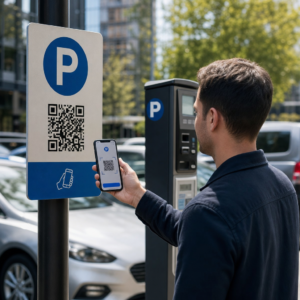
Друкована реклама, плакати, листівки, банери та білборди є ефективними місцями для розміщення QR-кодів подкастів, оскільки вони охоплюють людей, які перебувають у статичному положенні або мають час для сканування. Розміщуйте код у добре видному місці з достатнім вільним простором навколо нього. Уникайте завантажених або візерунчастих фонів, які заважають скануванню.

Щодо розміру, ваш QR-код повинен бути щонайменше 0.8 × 0.8 дюйма для матеріалів ближнього радіусу дії, таких як візитні картки або упаковка. Більші розміщення, такі як плакати, повинні масштабуватися пропорційно – приблизно 1 дюйм ширини коду на кожні 10 дюймів очікуваної відстані сканування. Для детальних рекомендацій щодо розмірів на різних поверхнях дивіться розміру QR-коду для різних друкованих матеріалів.
Ваш веб-сайт та соціальні мережі
Якщо хтось вже відвідує ваш веб-сайт або соціальні профілі, QR-код надає їм негайний шлях до вашого аудіоконтенту без пошуку в навігації. Це особливо ефективно, коли він вбудований поруч із резюме епізоду подкасту або в бічній панелі, яка залишається видимою на всій сторінці.
Вітрини магазинів та упаковка
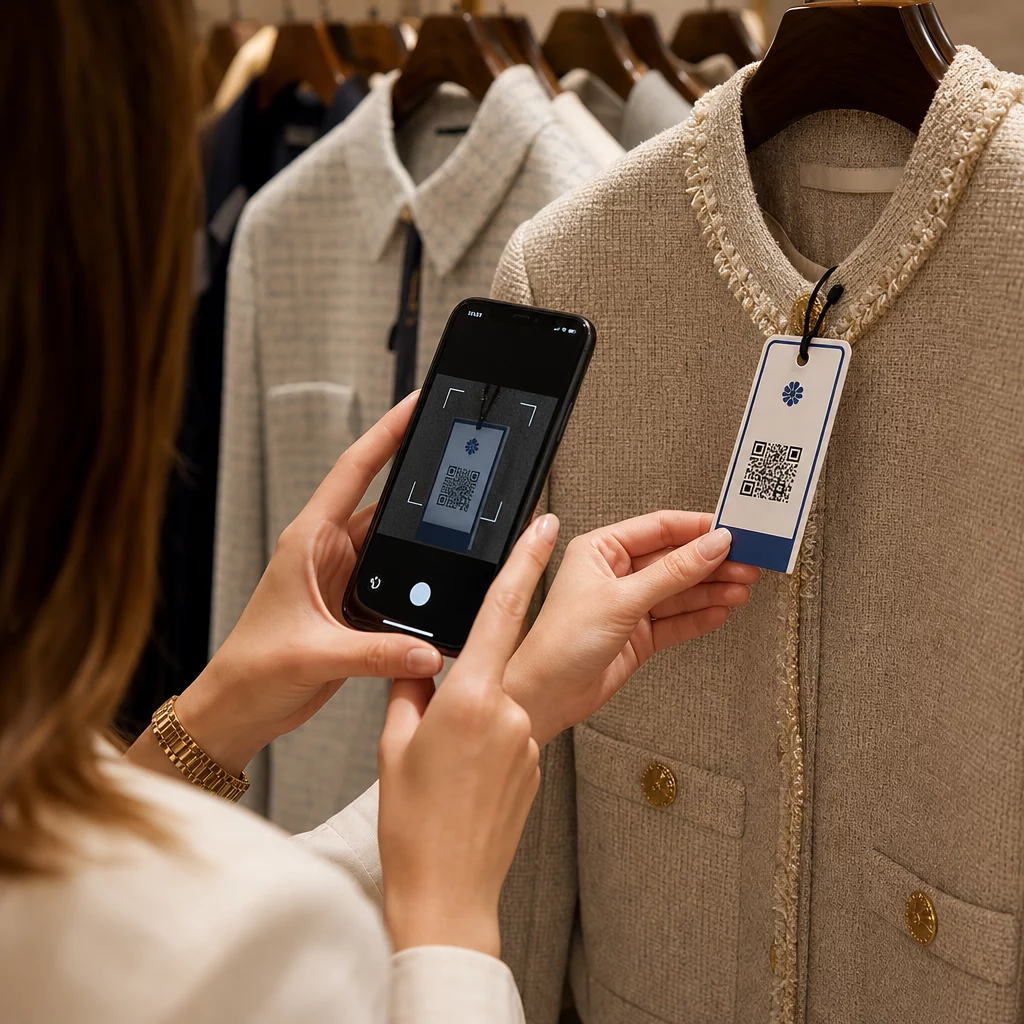
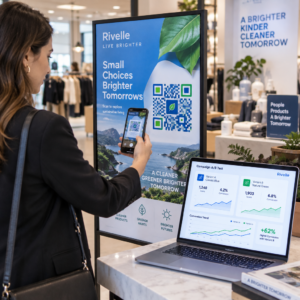
Якщо у вас є фізична роздрібна присутність, QR-коди на етикетках магазинів, вітринах або сумках для покупок знайомлять клієнтів з вашим подкастом у момент, коли вони вже взаємодіють з вашим брендом. Багато клієнтів, які роблять покупки особисто, не знають про онлайн-контент бренду – добре розміщений QR-код заповнює цю прогалину.
Електронні розсилки та цифрова реклама
Включення QR-коду в електронний лист або цифрову рекламу може здатися надлишковим, оскільки ці канали вже підтримують клікабельні посилання, але QR-коди в підписах електронних листів або PDF-розсилках дають одержувачам легкий спосіб сканувати та слухати на мобільному пристрої окремо від екрана, на якому вони читають.
Зробіть свій QR-код відстежуваним Використовуйте a Динамічний QR-код щоб ви могли оновлювати посилання на подкаст, відстежувати обсяг сканувань за місцем розміщення та вимірювати, які маркетингові канали приносять найбільше прослуховувань.
Найкращі практики використання QR-кодів для подкастів

Напишіть конкретний заклик до дії
Кожен QR-код потребує заклику до дії (CTA), який точно повідомляє аудиторії, що станеться, коли вони його відсканують. Нечіткі коди ігноруються. Приклади ефективних CTA для просування подкастів:
- “Скануйте, щоб послухати епізод цього тижня”
- “Скануйте для повного інтерв'ю”
- “Слухайте останні галузеві інсайти – скануйте, щоб відтворити”
Заклик до дії (CTA) має бути безпосередньо поруч із QR-кодом, а не захований у навколишньому тексті. Щоб отримати додаткові вказівки щодо написання CTA та ефективного розміщення кодів, дивіться вичерпний посібник із розміщення QR-кодів у маркетингу.
Зробіть цільову сторінку зручною для мобільних пристроїв
Коли хтось сканує на телефоні, він має потрапити на сторінку, яка швидко завантажується та відтворює аудіо без зайвих перешкод. Якщо ви використовуєте аудіо QR-код із цільовою сторінкою, збережіть чистий дизайн і переконайтеся, що кнопка відтворення помітна. Якщо ви посилаєтеся на потокову платформу, переконайтеся, що посилання відкривається в додатку платформи, а не на повільній сторінці мобільного браузера.
Дотримуйтесь стандартів дизайну та читабельності
- Підтримуйте високий контраст між QR-кодом та його фоном
- Залиште чітку тиху зону (порожній відступ) навколо коду з усіх боків, щоб сканери могли відрізнити його від навколишніх елементів
- По можливості уникайте розміщення кодів на вигнутих, відбиваючих або текстурованих поверхнях
- Використовуйте найвищий рівень виправлення помилок (H) при додаванні накладання логотипу на код
Для повного опису вимог до дизайну відвідайте найкращих практик для читабельності QR-кодів.
Використовуйте один код для кожного контексту розміщення
Замість одного коду, який посилається на все ваше шоу, розгляньте можливість створення різних QR-кодів для різних епізодів або кампаній. Динамічні коди роблять це керованим – ви можете оновлювати призначення кожного коду незалежно та порівнювати дані сканування в різних місцях розміщення, щоб зрозуміти, що резонує з різними аудиторіями.
Посилання на універсальну точку входу, коли це можливо
Не всі ваші слухачі використовують один і той же подкаст-додаток. Посилання на універсальну сторінку шоу – яка направляє користувачів на їхню бажану платформу або містить вбудований плеєр – гарантує, що жоден слухач не буде виключений через те, що він не використовує певний додаток.
Поширені запитання
Найефективніший підхід – використовувати посилання, яке працює незалежно від того, який додаток віддає перевагу слухач. Це означає або сторінку епізоду чи шоу вашого подкаст-хоста (яка зазвичай містить вбудований плеєр та посилання на основні додатки), універсальний сервіс розумних посилань, або URL-адресу Spotify/Apple Podcasts, якщо ваша аудиторія переважно використовує одну платформу. Уникайте глибоких посилань, специфічних для додатків, які відкриваються коректно лише в одному додатку.
Так, якщо ви створите динамічний QR-код. Динамічні коди зберігають коротку URL-адресу перенаправлення в шаблоні коду, і ви можете оновлювати кінцеве призначення зі своєї інформаційної панелі в будь-який час без повторного друку. Це означає, що ви можете спрямовувати той самий надрукований код на новий епізод щотижня або виправляти неробоче посилання після того, як матеріали вже були розповсюджені.
Для більшості друкованих матеріалів рекомендується мінімум 0,8 × 0,8 дюйма. Візитівки, бейджики для заходів та упаковка, які скануватимуться на відстані витягнутої руки, повинні відповідати або перевищувати цей мінімум. Плакати та банери, призначені для сканування з більшої відстані, повинні бути пропорційно більшими – приблизно 1 дюйм завширшки на кожні 10 дюймів відстані сканування. Завжди використовуйте векторний формат, такий як SVG або EPS, для друку, щоб код залишався чітким за будь-якого розміру.