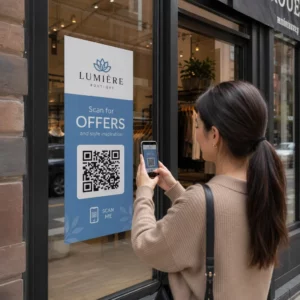
Dinleyicilerin podcast'inizi tek bir karakter yazmadan bulmasını ister misiniz? Kitleniz bir programı manuel olarak aramak zorunda kaldığında, çoğu uğraşmayacaktır. Bu kılavuz, podcast tanıtımı için QR kodlarının tam olarak nasıl oluşturulacağını, nereye yerleştirileceğini ve her taramadan en iyi şekilde nasıl yararlanılacağını kapsar.
Podcast Yayıncıları Neden QR Kodlarına İhtiyaç Duyar?
Podcast yayıncılığı ana akım bir medya haline geldi. ABD'de tahmini 158 milyon kişi her ay podcast dinliyor ve dinleyicilerin 'inden fazlası her bölümün çoğunu veya tamamını bitiriyor. Bu düzeyde bir etkileşim nadirdir, ancak yalnızca insanları en başta oynat tuşuna basmaya ikna edebilirseniz.
Zorluk keşfedilebilirliktir. Birisi broşürünüzü, kartvizitinizi veya ürün ambalajınızı görür ve gerçek bir ilgi duyar – ancak o andan ses içeriğinize sürtünmesiz bir yol yoktur. QR kodları bu boşluğu çözer. Tek bir tarama, dinleyiciyi manuel arama yapmadan doğrudan programınıza, bölümünüze veya podcast platformu sayfanıza götürür.
Sephora, eBay ve Microsoft gibi şirketler, yeni kitlelere ulaşmak için zaten markalı podcast'ler kullanıyor. QR kodları, bu çabaları ölçülebilir ve gerçek dünyadaki dinleyiciler için daha erişilebilir hale getiriyor.
Bir Podcast QR Kodu Gerçekte Ne Yapar?
Bir podcast QR kodu, bir hedefi (genellikle bir akış platformuna, bir podcast barındırma sayfasına veya bir ses dosyasına bir bağlantı) kodlayan iki boyutlu bir koddur ve bir akıllı telefon kamerasıyla tarandığında otomatik olarak açar.
Neye bağlandığınıza bağlı olarak, dinleyiciler şuraya yönlendirilebilir:
- Gömülü oynatıcılı belirli bir bölüm sayfası
- Programınızın Apple Podcasts, Spotify veya başka bir platformdaki sayfası
- Dinleyicilerin tercih ettikleri uygulamayı seçmelerine olanak tanıyan evrensel bir açılış sayfası
- Cihazlarında doğrudan oynayan barındırılan bir MP3 dosyası
Bu MP3 QR Kod Oluşturucu Pageloot'tan ses dosyalarını doğrudan işlerken, Bağlantı QR Kod Oluşturucu akış platformu URL'leri için iyi çalışır. Podcast'iniz Spotify'daysa, Spotify QR Kod Oluşturucu doğrudan belirli bir bölüme, çalma listesine veya sanatçı profiline bağlantı vermenizi sağlar.
Dinleyicileri Doğrudan Podcast'inize Göndermeye Başlayın Şovunuz veya bölümünüz için markalı, izlenebilir bir QR kodu oluşturun QR Kod Oluşturucu. 14 günlük ücretsiz deneme, kredi kartı gerekmez.
Podcast Tanıtımı için QR Kodlarının Faydaları

Ek Adımlar Olmadan Anında Erişim
Bir QR kodu basılı bir reklamda, bir kartvizitte veya bir mağaza vitrininde olduğunda, dinleyiciler onu görmekten sesinizi saniyeler içinde duymaya geçer. Arama çubukları, uygulama navigasyonu, yazma yoktur. Bu sürtünmesiz yol önemlidir çünkü her ekstra adım potansiyel dinleyicileri kaybettirir.
Dinamik Kodlar Yeniden Baskı Yapmadan Güncellemenizi Sağlar
Kullanmanın en pratik avantajlarından biri dinamik QR kodları kod basıldıktan sonra hedefi değiştirebilmenizdir. Yanlış bölüme bağlantı verirseniz, barındırma platformlarını değiştirirseniz veya dinleyicileri yeni bir sezona yönlendirmek isterseniz, bağlantıyı kontrol panelinizde güncellersiniz – ve basılı kod aynı kalır.
Bu, basılı pazarlama materyallerine yapılan yatırımı korur ve materyalleri kampanyalar arasında yeniden kullanmayı kolaylaştırır.
Tarama Takibi ve Analizi
QR kodları, podcast pazarlamanızın nasıl performans gösterdiğine dair gerçek veriler sunar. Taramaların ne zaman gerçekleştiğini, coğrafi olarak nereden geldiklerini ve hangi yerleşimlerin en çok etkileşim yarattığını görebilirsiniz. Bu bilgiler, kanalları karşılaştırmanıza, hangi basılı materyallerin işe yaradığını belirlemenize ve gelecekteki kampanyalar için bilinçli kararlar almanıza olanak tanır.
Özelleştirme Marka Tanınırlığı Oluşturur
QR kodları, görsel özelleştirmeyi destekleyen tek barkod türüdür. Podcast'inizin marka renklerini, bir logoyu ve şovunuzun kimliğine uyan bir arka planı ekleyebilirsiniz. İyi tasarlanmış bir kodun taranma olasılığı daha yüksektir çünkü genel olmaktan ziyade kasıtlı ve güvenilir görünür.
Baskı Ortamları için Hata Toleransı
QR kodları, kodun bir kısmı hasar görmüş, gizlenmiş veya yıpranmış olsa bile taranabilir kalmalarını sağlayan yerleşik hata düzeltme içerir. Bu, alışveriş çantaları veya etkinlik programları gibi yoğun kullanıma maruz kalan basılı materyaller için özellikle kullanışlıdır.
Podcast QR Kodu Nasıl Oluşturulur

Adım 1 – Podcast Bağlantınızı Alın
En iyi yaklaşım, cihazlar ve uygulamalar arasında çalışan bir bağlantı kullanmaktır. Seçenekler şunlardır:
- Barındırma sağlayıcınızdan doğrudan bir bölüm URL'si (çoğu sağlayıcı, yerleşik bir oynatıcıya sahip bağımsız bir bölüm sayfası oluşturur)
- Programınızın Spotify, Apple Podcasts veya diğer platform URL'si
- Dinleyicileri otomatik olarak tercih ettikleri uygulamaya yönlendiren evrensel bir akıllı bağlantı
Podcast'iniz Spotify'da yaşıyorsa, bir Spotify QR kodu oluşturmayı öğrenin belirli bir bölüme, albüme veya çalma listesine bağlanan.
Adım 2 – Doğru QR Kodu Türünü Seçin
- Kullan MP3 QR Kod Oluşturucu doğrudan bir ses dosyası yüklemek ve dinleyicilerin bunu markalı bir açılış sayfasından oynatmasını sağlamak istiyorsanız
- Kullan Bağlantı QR Kod Oluşturucu bir akış platformu URL'sine veya podcast barındırma sayfasına bağlantı veriyorsanız
- Kullan Spotify QR Kod Oluşturucu Spotify'a özel içerik için
Adım 3 – Kodu Özelleştirin
Podcast'inizin logosunu ekleyin, renkleri markanıza uyacak şekilde ayarlayın ve bir sesli QR kodu kullanıyorsanız açılış sayfasını yapılandırın. Pageloot'un sesli QR kodu sayfaları; bir başlık, kapak resmi, marka renkleri ve oynatıcı yüklenmeden önce bir karşılama ekranını destekler.
Kontrastı yüksek tutun – açık bir arka plan üzerinde koyu desenler kullanın. Kameraların okuması daha zor olan ters renk şemalarından kaçının.
Adım 4 – Doğru Biçimde İndirin
Baskı kullanımı için, QR kodunuzu her zaman bir SVG, EPS veya PDF vektör dosyası olarak kaydedin. Bu formatlar pikselleşme olmadan ölçeklenir, böylece kodunuz bir kartvizitte veya bilboardda görünse bile net kalır. JPEG ve PNG formatları büyütüldüğünde bulanıklaşabilir, bu da taranabilirliği azaltır.
Adım 5 – Dağıtmadan Önce Test Edin
Bitmiş kodunuzu baskıya göndermeden önce birden fazla cihazla – farklı telefon modelleri ve hem iOS hem de Android – tarayın. Taramadan ses çalmaya kadar tüm yolu test edin. Dinamik QR kodları, bozuk veya yanlış bir bağlantıyı sonradan düzeltmenize olanak tanır, ancak önce test etmek sorunu tamamen önler.
Podcast QR Kodları Nerede Kullanılır
Basılı Pazarlama Materyalleri
Basılı reklamlar, posterler, el ilanları, afişler ve bilboardlar, sabit duran veya taramak için bir anı olan kişilere ulaştıkları için podcast QR kodları için güçlü yerleşimlerdir. Kodu, etrafında yeterli beyaz boşluk bulunan, yüksek görünürlüklü bir alana yerleştirin. Taramayı engelleyen yoğun veya desenli arka planlardan kaçının.

Boyut rehberliği için, QR kodunuz kartvizitler veya ambalaj gibi yakın mesafeli materyaller için en az 0.8 × 0.8 inç olmalıdır. Posterler gibi daha büyük yerleşimler orantılı olarak büyütülmelidir – beklenen tarama mesafesinin her 10 inçi için yaklaşık 1 inç kod genişliği. Farklı yüzeylerde ayrıntılı boyutlandırma rehberliği için bkz. farklı baskı malzemeleri için QR kodu boyutlandırma.
Web Siteniz ve Sosyal Medyanız
Birisi zaten web sitenizi veya sosyal profillerinizi ziyaret ediyorsa, bir QR kodu onlara navigasyonda gezinmek zorunda kalmadan ses içeriğinize anında bir yol sunar. Bu, özellikle bir podcast bölüm özetinin yakınına veya sayfa boyunca görünür kalan bir kenar çubuğuna yerleştirildiğinde etkilidir.
Mağaza İçi Teşhirler ve Ambalajlar
Fiziksel bir perakende varlığınız varsa, mağaza etiketlerindeki, raf teşhirlerindeki veya alışveriş çantalarındaki QR kodları, müşterileri markanızla zaten etkileşim halindeyken podcast'inizle tanıştırır. Şahsen alışveriş yapan birçok müşteri bir markanın çevrimiçi içeriğinden habersizdir – iyi yerleştirilmiş bir QR kodu bu boşluğu doldurur.
E-posta Bültenleri ve Dijital Reklamlar
Bir e-postaya veya dijital reklama QR kodu eklemek, bu kanallar zaten tıklanabilir bağlantıları desteklediği için gereksiz görünebilir, ancak e-posta imzalarındaki veya PDF bültenlerindeki QR kodları, alıcılara okudukları ekrandan ayrı olarak bir mobil cihazda tarama ve dinleme için kolay bir yol sunar.
QR Kodunuzu İzlenebilir Yapın Kullanın Dinamik QR Kodu böylece podcast bağlantınızı güncelleyebilir, yerleşime göre tarama hacmini takip edebilir ve hangi pazarlama kanallarının en çok dinlemeyi sağladığını ölçebilirsiniz.
Podcast QR Kodu En İyi Uygulamaları

Belirli Bir Harekete Geçirici Mesaj Yazın
Her QR kodunun, hedef kitleye taradıklarında tam olarak ne olacağını söyleyen bir Harekete Geçirici Mesaj'a (CTA) ihtiyacı vardır. Belirsiz kodlar göz ardı edilir. Podcast tanıtımı için etkili CTA örnekleri:
- “Bu haftanın bölümünü dinlemek için tarayın”
- “Röportajın tamamı için tarayın”
- “En son sektör içgörülerini dinleyin – oynatmak için tarayın”
Harekete Geçirici Mesaj (CTA), QR kodunun hemen yanında olmalı, çevredeki metnin içine gömülmemelidir. CTA yazma ve kodları etkili bir şekilde yerleştirme konusunda daha fazla rehberlik için şuraya bakın: pazarlamada QR kodu yerleşimi için nihai rehber.
Açılış Deneyimini Mobil Uyumlu Tutun
Biri telefonla taradığında, hızlı yüklenen ve gereksiz engeller olmadan ses çalan bir sayfaya ulaşmalıdır. Açılış sayfası olan bir sesli QR kodu kullanıyorsanız, tasarımı temiz tutun ve oynat düğmesinin belirgin olduğundan emin olun. Bir yayın platformuna bağlantı veriyorsanız, bağlantının yavaş bir mobil tarayıcı sayfası yerine platformun uygulamasında açıldığından emin olun.
Tasarım ve Okunabilirlik Standartlarına Uyun
- QR kodu ile arka planı arasında yüksek kontrast sağlayın
- Tarayıcıların kodu çevredeki öğelerden ayırt edebilmesi için kodun her tarafında net bir sessiz bölge (boş kenar boşluğu) bırakın
- Mümkün olduğunca kodları kavisli, yansıtıcı veya dokulu yüzeylere yerleştirmekten kaçının
- Koda bir logo katmanı eklerken en yüksek hata düzeltme seviyesini (H) kullanın
Tasarım gereksinimlerinin tam dökümü için ziyaret edin: QR kodu okunabilirliği için en iyi uygulamaları.
Yerleştirme Bağlamı Başına Bir Kod Kullanın
Tüm gösterinize bağlantı veren tek bir kod yerine, farklı bölümler veya kampanyalar için farklı QR kodları oluşturmayı düşünün. Dinamik kodlar bunu yönetilebilir kılar – her kodun hedefini bağımsız olarak güncelleyebilir ve farklı kitlelerde neyin yankı uyandırdığını anlamak için yerleştirmelerdeki tarama verilerini karşılaştırabilirsiniz.
Mümkün Olduğunda Evrensel Bir Giriş Noktasına Bağlantı Verin
Dinleyicilerinizin hepsi aynı podcast uygulamasını kullanmaz. Kullanıcıları tercih ettikleri platforma yönlendiren veya yerleşik bir oynatıcı içeren evrensel bir gösteri sayfasına bağlantı vermek, belirli bir uygulamayı kullanmadıkları için hiçbir dinleyicinin dışlanmamasını sağlar.
Sıkça sorulan sorular
En etkili yaklaşım, bir dinleyicinin hangi uygulamayı tercih ettiğine bakılmaksızın çalışan bir bağlantı kullanmaktır. Bu, ya podcast sunucunuzun bölüm veya gösteri sayfası (genellikle yerleşik bir oynatıcı ve büyük uygulamalara bağlantılar içerir), evrensel bir akıllı bağlantı hizmeti ya da kitleniz öncelikli olarak tek bir platform kullanıyorsa bir Spotify/Apple Podcasts URL'si anlamına gelir. Yalnızca tek bir uygulamada doğru şekilde açılan uygulamaya özel derin bağlantılardan kaçının.
Evet, dinamik bir QR kodu oluşturursanız. Dinamik kodlar, kod deseninde kısa bir yönlendirme URL'si depolar ve son hedefi kontrol panelinizden istediğiniz zaman yeniden yazdırmadan güncelleyebilirsiniz. Bu, aynı basılı kodu her hafta yeni bir bölüme yönlendirebileceğiniz veya materyaller dağıtıldıktan sonra bozuk bir bağlantıyı düzeltebileceğiniz anlamına gelir.
Çoğu basılı materyal için minimum 0,8 × 0,8 inç önerilir. Kartvizitler, etkinlik rozetleri ve kol mesafesinden taranacak ambalajlar bu minimumu karşılamalı veya aşmalıdır. Daha uzaktan taranması amaçlanan posterler ve afişler orantılı olarak daha büyük olmalıdır – yaklaşık her 10 inç tarama mesafesi için 1 inç genişliğinde. Kodun her boyutta keskin kalması için baskı için her zaman SVG veya EPS gibi bir vektör formatı kullanın.