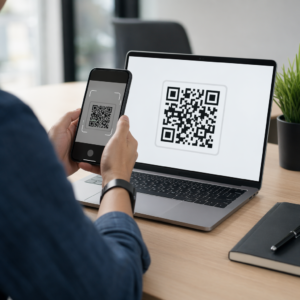
Wilt u dat luisteraars uw podcast vinden zonder een enkel teken te typen? Wanneer uw publiek handmatig naar een show moet zoeken, zullen de meesten van hen de moeite niet nemen. Deze gids behandelt precies hoe u QR-codes maakt voor podcastpromotie, waar u ze plaatst en hoe u het meeste uit elke scan haalt.
Waarom Podcasters QR-codes Nodig Hebben
Podcasting is een mainstream medium geworden. Naar schatting 158 miljoen mensen in de VS luisteren elke maand naar podcasts, en meer dan 70% van de luisteraars luistert het grootste deel of de hele aflevering af. Dat niveau van betrokkenheid is zeldzaam, maar alleen als u mensen überhaupt zover krijgt om op afspelen te drukken.
De uitdaging is vindbaarheid. Iemand ziet uw flyer, uw visitekaartje of uw productverpakking en heeft oprechte interesse – maar er is geen wrijvingsloos pad van dat moment naar uw audiocontent. QR-codes overbruggen die kloof. Eén enkele scan brengt een luisteraar direct naar uw show, aflevering of podcastplatformpagina zonder handmatig zoeken.
Bedrijven zoals Sephora, eBay en Microsoft gebruiken al branded podcasts om nieuwe doelgroepen te bereiken. QR-codes maken die inspanningen meetbaar en toegankelijker voor luisteraars in de echte wereld.
Wat een Podcast QR-code Eigenlijk Doet
Een podcast QR-code is een tweedimensionale code die een bestemming codeert – typisch een link naar een streamingplatform, een podcast-hostingpagina of een audiobestand – en deze automatisch opent wanneer gescand met een smartphonecamera.
Afhankelijk van waarnaar u linkt, kunnen luisteraars worden gestuurd naar:
- Een specifieke afleveringspagina met een ingebedde speler
- De pagina van uw show op Apple Podcasts, Spotify of een ander platform
- Een universele landingspagina waarmee luisteraars hun voorkeursapp kunnen kiezen
- Een gehost MP3-bestand dat direct op hun apparaat wordt afgespeeld
De MP3 QR code maken van Pageloot verwerkt audiobestanden direct, terwijl de Link QR-codegenerator werkt goed voor URL's van streamingplatforms. Als uw podcast op Spotify staat, dan Spotify QR code maken laat u direct linken naar een specifieke aflevering, afspeellijst of artiestenprofiel.
Begin met het Direct Sturen van Luisteraars naar Uw Podcast Maak een branded, traceerbare QR-code voor je show of aflevering met behulp van de QR-codegenerator. Gratis proefperiode van 14 dagen, geen creditcard vereist.
Voordelen van QR-codes voor podcastpromotie

Directe toegang zonder extra stappen
Wanneer een QR-code op een gedrukte advertentie, een visitekaartje of een winkeldisplay staat, gaan luisteraars binnen enkele seconden van het zien ervan naar het horen van je audio. Er zijn geen zoekbalken, geen app-navigatie, geen typwerk. Dat wrijvingsloze pad is belangrijk omdat elke extra stap potentiële luisteraars verliest.
Dynamische codes laten je updaten zonder opnieuw te printen
Een van de meest praktische voordelen van het gebruik van dynamische QR-codes is dat je de bestemming kunt wijzigen nadat de code al is afgedrukt. Als je naar de verkeerde aflevering linkt, van hostingplatform wisselt of luisteraars naar een nieuw seizoen wilt leiden, update je de link in je dashboard – en de afgedrukte code blijft hetzelfde.
Dit beschermt elke investering in gedrukt marketingmateriaal en maakt het eenvoudig om materialen opnieuw te gebruiken voor verschillende campagnes.
Scantracking en analyses
QR-codes geven je echte gegevens over hoe je podcastmarketing presteert. Je kunt zien wanneer scans plaatsvinden, waar ze vandaan komen (geografisch) en welke plaatsingen de meeste betrokkenheid genereren. Die informatie stelt je in staat om kanalen te vergelijken, te identificeren welk gedrukt materiaal werkt en weloverwogen beslissingen te nemen voor toekomstige campagnes.
Personalisatie bouwt merkherkenning op
QR-codes zijn het enige type barcode dat visuele personalisatie ondersteunt. Je kunt de merkkleuren van je podcast, een logo en een achtergrond toevoegen die past bij de identiteit van je show. Een goed ontworpen code wordt eerder gescand omdat deze er opzettelijk en betrouwbaar uitziet in plaats van generiek.
Fouttolerantie voor printomgevingen
QR-codes bevatten ingebouwde foutcorrectie waardoor ze scanbaar blijven, zelfs als een deel van de code beschadigd, verduisterd of versleten is. Dit is bijzonder nuttig voor gedrukt materiaal dat intensief wordt gebruikt, zoals boodschappentassen of evenementenprogramma's.
Hoe maak je een podcast QR-code

Stap 1 – Haal Je Podcastlink Op
De beste aanpak is om een link te gebruiken die werkt op verschillende apparaten en apps. Opties zijn onder andere:
- Een directe aflevering-URL van je hostingprovider (de meeste hosts genereren een zelfstandige afleveringspagina met een ingebedde speler)
- De Spotify, Apple Podcasts of andere platform-URL van je show
- Een universele smartlink die luisteraars automatisch naar hun voorkeursapp doorstuurt
Als je podcast op Spotify staat, leer hoe je een Spotify QR-code maakt die linkt naar een specifieke aflevering, album of afspeellijst.
Stap 2 – Kies het Juiste QR-codetype
- Gebruik de MP3 QR code maken als je een audiobestand direct wilt uploaden en luisteraars het wilt laten afspelen vanaf een branded landingspagina
- Gebruik de Link QR-codegenerator als je linkt naar een streamingplatform-URL of podcast-hostingpagina
- Gebruik de Spotify QR code maken voor Spotify-specifieke content
Stap 3 – Pas de Code Aan
Voeg het logo van je podcast toe, pas kleuren aan om bij je merk te passen en configureer de landingspagina als je een audio QR-code gebruikt. De audio QR-codepagina's van Pageloot ondersteunen een titel, omslagafbeelding, merkkleuren en een welkomstscherm voordat de speler laadt.
Houd het contrast hoog – gebruik donkere patronen op een lichte achtergrond. Vermijd omgekeerde kleurenschema's, die moeilijker te lezen zijn voor camera's.
Stap 4 – Download in het Juiste Formaat
Voor printgebruik, sla uw QR-code altijd op als een SVG-, EPS- of PDF-vectorbestand. Deze formaten schalen zonder pixelatie, zodat uw code scherp blijft, of deze nu op een visitekaartje of een billboard verschijnt. JPEG- en PNG-formaten kunnen wazig worden bij vergroting, wat de scanbaarheid vermindert.
Stap 5 – Test vóór distributie
Scan uw voltooide code met meerdere apparaten – verschillende telefoonmodellen en zowel iOS als Android – voordat u deze naar de drukker stuurt. Test het volledige pad van scan tot audioweergave. Dynamische QR-codes laten u een kapotte of verkeerde link achteraf herstellen, maar eerst testen voorkomt het probleem volledig.
Waar podcast QR-codes te gebruiken
Gedrukt marketingmateriaal
Gedrukte advertenties, posters, flyers, banners en billboards zijn sterke plaatsen voor podcast QR-codes omdat ze mensen bereiken die stil staan of een moment hebben om te scannen. Plaats de code op een goed zichtbare plek met voldoende witruimte eromheen. Vermijd drukke of patroonachtige achtergronden die het scannen belemmeren.

Voor maatrichtlijnen moet uw QR-code minstens 0,8 × 0,8 inch zijn voor materialen op korte afstand, zoals visitekaartjes of verpakkingen. Grotere plaatsingen zoals posters moeten proportioneel opschalen – ruwweg 1 inch codebreedte per 10 inch verwachte scanafstand. Voor gedetailleerde maatrichtlijnen voor verschillende oppervlakken, zie QR-code formaat voor verschillende printmaterialen.
Uw website en sociale media
Als iemand uw website of sociale profielen al bezoekt, geeft een QR-code hen een directe weg naar uw audiocontent zonder door de navigatie te hoeven zoeken. Dit is vooral effectief wanneer ingebed nabij een samenvatting van een podcastaflevering of in een zijbalk die gedurende de hele pagina zichtbaar blijft.
Winkeldisplays en verpakkingen
Als u een fysieke winkel aanwezigheid heeft, introduceren QR-codes op winkellabels, schapdisplays of boodschappentassen klanten aan uw podcast op een moment dat ze al betrokken zijn bij uw merk. Veel klanten die persoonlijk winkelen zijn zich niet bewust van de online content van een merk – een goed geplaatste QR-code overbrugt die kloof.
E-mailnieuwsbrieven en digitale advertenties
Het opnemen van een QR-code in een e-mail of digitale advertentie lijkt misschien overbodig, aangezien die kanalen al klikbare links ondersteunen, maar QR-codes in e-mailhandtekeningen of PDF-nieuwsbrieven geven ontvangers een gemakkelijke manier om te scannen en te luisteren op een mobiel apparaat, los van het scherm waarop ze lezen.
Maak uw QR-code traceerbaar Gebruik een Dynamische QR-code zodat u uw podcastlink kunt bijwerken, het scanvolume per plaatsing kunt volgen en kunt meten welke marketingkanalen de meeste luisteraars opleveren.
Beste praktijken voor podcast QR-codes

Schrijf een Specifieke Call-to-Action
Elke QR-code heeft een CTA nodig die het publiek precies vertelt wat er zal gebeuren wanneer ze scannen. Vage codes worden genegeerd. Voorbeelden van effectieve CTA's voor podcastpromotie:
- “Scan om de aflevering van deze week te beluisteren”
- “Scan voor het volledige interview”
- “Hoor de nieuwste branche-inzichten – scan om af te spelen”
De CTA moet direct naast de QR-code staan, niet begraven in omringende tekst. Voor meer richtlijnen over het schrijven van CTA's en het effectief plaatsen van codes, zie de ultieme gids voor de plaatsing van QR-codes in marketing.
Houd de Landingervaring Mobielvriendelijk
Wanneer iemand scant met een telefoon, moet deze een pagina bereiken die snel laadt en audio afspeelt zonder onnodige barrières. Als je een audio-QR-code met een landingspagina gebruikt, houd het ontwerp dan schoon en zorg ervoor dat de afspeelknop prominent aanwezig is. Als je linkt naar een streamingplatform, zorg er dan voor dat de link opent in de app van het platform in plaats van een trage mobiele browserpagina.
Volg Ontwerp- en Leesbaarheidsstandaarden
- Zorg voor een hoog contrast tussen de QR-code en de achtergrond
- Laat een duidelijke rustzone (lege marge) rond de code aan alle zijden, zodat scanners deze kunnen onderscheiden van omringende elementen
- Vermijd waar mogelijk het plaatsen van codes op gebogen, reflecterende of gestructureerde oppervlakken
- Gebruik het hoogste foutcorrectieniveau (H) bij het toevoegen van een logo-overlay aan de code
Voor een volledig overzicht van de ontwerpeisen, bezoek best practices voor de leesbaarheid van QR-codes.
Gebruik Eén Code Per Plaatsingscontext
In plaats van één enkele code die linkt naar je hele show, overweeg om verschillende QR-codes te maken voor verschillende afleveringen of campagnes. Dynamische codes maken dit beheersbaar – je kunt de bestemming van elke code onafhankelijk bijwerken en scangegevens vergelijken over verschillende plaatsingen om te begrijpen wat resoneert met verschillende doelgroepen.
Link naar een universeel toegangspunt indien mogelijk
Niet al je luisteraars gebruiken dezelfde podcast-app. Door te linken naar een universele showpagina – een die gebruikers naar hun voorkeursplatform leidt of een ingebedde speler bevat – zorg je ervoor dat geen enkele luisteraar wordt uitgesloten omdat ze geen specifieke app gebruiken.
Veelgestelde vragen
De meest effectieve aanpak is om een link te gebruiken die werkt, ongeacht welke app een luisteraar verkiest. Dat betekent ofwel de afleverings- of showpagina van je podcasthost (die doorgaans een ingebedde speler en links naar belangrijke apps bevat), een universele smartlinkservice, of een Spotify/Apple Podcasts URL als je publiek voornamelijk één platform gebruikt. Vermijd app-specifieke deep links die alleen correct openen in één enkele app.
Ja, als u een dynamische QR-code aanmaakt. Dynamische codes slaan een korte omleidings-URL op in het codepatroon, en u kunt de uiteindelijke bestemming op elk moment vanuit uw dashboard bijwerken zonder opnieuw af te drukken. Dit betekent dat u dezelfde afgedrukte code elke week naar een nieuwe aflevering kunt laten verwijzen, of een kapotte link kunt repareren nadat materialen al zijn verspreid.
Voor de meeste gedrukte materialen wordt een minimum van 0,8 × 0,8 inch aanbevolen. Visitekaartjes, evenementbadges en verpakkingen die op armlengte worden gescand, moeten aan dat minimum voldoen of dit overschrijden. Posters en banners die van verderaf moeten worden gescand, moeten proportioneel groter zijn – ongeveer 1 inch breed voor elke 10 inch scanafstand. Gebruik altijd een vectorformaat zoals SVG of EPS voor drukwerk, zodat de code scherp blijft op elke grootte.