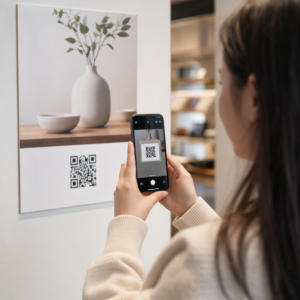
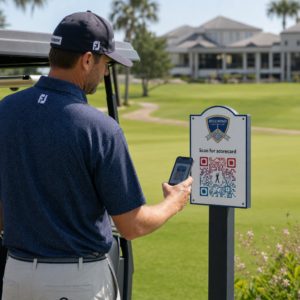
Ønsker du at lyttere skal finne podcasten din uten å skrive en eneste karakter? Når publikummet ditt må jakte ned et show manuelt, vil de fleste av dem ikke bry seg. Denne guiden dekker nøyaktig hvordan du lager QR-koder for podcastpromotering, hvor du skal plassere dem, og hvordan du får mest mulig ut av hver skanning.
Hvorfor podkastere trenger QR-koder
Podkasting har blitt et mainstream medium. Anslagsvis 158 millioner mennesker i USA lytter til podkaster hver måned, og over 70% av lytterne fullfører det meste eller hele av hver episode. Det nivået av engasjement er sjeldent, men bare hvis du kan få folk til å trykke spill i utgangspunktet.
Utfordringen er oppdagbarhet. Noen ser flyeren din, visittkortet ditt eller produktemballasjen din og har ekte interesse – men det er ingen friksjonsfri vei fra det øyeblikket til lydinnholdet ditt. QR-koder løser det gapet. En enkelt skanning tar en lytter direkte til showet ditt, episoden din eller podkastplattformens side uten manuelt søk.
Selskaper som Sephora, eBay og Microsoft bruker allerede merkevarepodkaster for å nå nye målgrupper. QR-koder gjør disse anstrengelsene målbare og mer tilgjengelige for lyttere i den virkelige verden.
Hva en podkast-QR-kode faktisk gjør
En podkast-QR-kode er en todimensjonal kode som koder en destinasjon – typisk en lenke til en strømmeplattform, en podkastvertside eller en lydfil – og åpner den automatisk når den skannes med et smarttelefonkamera.
Avhengig av hva du lenker til, kan lyttere sendes til:
- En spesifikk episodeside med en innebygd spiller
- Showets side på Apple Podcasts, Spotify eller en annen plattform
- En universell landingsside som lar lyttere velge sin foretrukne app
- En hostet MP3-fil som spilles direkte på enheten deres
De MP3 QR-kode generator fra Pageloot håndterer lydfiler direkte, mens den Lenke QR-kodegenerator fungerer bra for strømmeplattform-URL-er. Hvis podkasten din er på Spotify, vil Spotify QR-kode generator lar deg lenke direkte til en spesifikk episode, spilleliste eller artistprofil.
Begynn å sende lyttere direkte til podkasten din Lag en merkevaretilpasset, sporbar QR-kode for showet eller episoden din ved å bruke QR-kodegenerator. Gratis 14-dagers prøveperiode, ingen kredittkort kreves.
Fordeler med QR-koder for podkastpromotering

Øyeblikkelig tilgang uten ekstra trinn
Når en QR-kode er på en trykt annonse, et visittkort eller en butikkutstilling, går lyttere fra å se den til å høre lyden din på sekunder. Det er ingen søkefelt, ingen appnavigering, ingen skriving. Den friksjonsfrie veien er viktig fordi hvert ekstra trinn mister potensielle lyttere.
Dynamiske koder lar deg oppdatere uten å trykke på nytt
En av de mest praktiske fordelene ved å bruke dynamiske QR-koder er at du kan endre destinasjonen etter at koden allerede er trykt. Hvis du lenker til feil episode, bytter vertsplattform, eller ønsker å peke lyttere til en ny sesong, oppdaterer du lenken i dashbordet ditt – og den trykte koden forblir den samme.
Dette beskytter enhver investering i trykt markedsføringsmateriell og gjør det enkelt å gjenbruke materiell på tvers av kampanjer.
Skanningssporing og analyse
QR-koder gir deg reelle data om hvordan podkastmarkedsføringen din presterer. Du kan se når skanninger skjer, hvor de kommer fra geografisk, og hvilke plasseringer som genererer mest engasjement. Denne informasjonen lar deg sammenligne kanaler, identifisere hvilket trykt materiell som fungerer, og ta informerte beslutninger for fremtidige kampanjer.
Tilpasning bygger merkevaregjenkjenning
QR-koder er den eneste typen strekkode som støtter visuell tilpasning. Du kan legge til podkastens merkevarefarger, en logo og en bakgrunn som passer showets identitet. En godt designet kode er mer sannsynlig å bli skannet fordi den ser tilsiktet og pålitelig ut, snarere enn generisk.
Feiltoleranse for trykte miljøer
QR-koder inkluderer innebygd feilkorreksjon som gjør at de forblir skannbare selv om deler av koden er skadet, tildekket eller slitt. Dette er spesielt nyttig for trykt materiell som utsettes for mye håndtering, som handleposer eller arrangementsprogrammer.
Hvordan lage en podkast QR-kode

Trinn 1 – Få podcastlenken din
Den beste tilnærmingen er å bruke en lenke som fungerer på tvers av enheter og apper. Alternativer inkluderer:
- En direkte episode-URL fra verten din (de fleste verter genererer en frittstående episodeside med en innebygd spiller)
- Showets Spotify, Apple Podcasts eller annen plattform-URL
- En universell smartlenke som automatisk ruter lyttere til deres foretrukne app
Hvis podcasten din ligger på Spotify, lær hvordan du lager en Spotify QR-kode som lenker til en spesifikk episode, et album eller en spilleliste.
Trinn 2 – Velg riktig QR-kodetype
- Bruke MP3 QR-kode generator hvis du vil laste opp en lydfil direkte og la lyttere spille den fra en merkevaretilpasset landingsside
- Bruke Lenke QR-kodegenerator hvis du lenker til en strømmeplattform-URL eller podcast-vertsside
- Bruke Spotify QR-kode generator for Spotify-spesifikt innhold
Trinn 3 – Tilpass koden
Legg til podcastens logo, juster farger for å matche merkevaren din, og konfigurer landingssiden hvis du bruker en lyd-QR-kode. Pageloots lyd-QR-kodesider støtter en tittel, forsidebilde, merkevarefarger og en velkomstskjerm før spilleren lastes.
Hold kontrasten høy – bruk mørke mønstre på en lys bakgrunn. Unngå inverterte fargeskjemaer, som er vanskeligere for kameraer å lese.
Trinn 4 – Last ned i riktig format
For utskrift, lagre alltid QR-koden din som en SVG-, EPS- eller PDF-vektorfil. Disse formatene skalerer uten pikselering, slik at koden din forblir skarp enten den vises på et visittkort eller en reklametavle. JPEG- og PNG-formater kan bli uskarpe når de forstørres, noe som reduserer skannbarheten.
Trinn 5 – Test før distribusjon
Skann den ferdige koden din med flere enheter – forskjellige telefonmodeller og både iOS og Android – før du sender den til utskrift. Test hele banen fra skanning til lydavspilling. Dynamiske QR-koder lar deg fikse en ødelagt eller feil lenke i etterkant, men å teste først unngår problemet helt.
Hvor du kan bruke podcast-QR-koder
Trykt markedsføringsmateriell
Trykte annonser, plakater, flygeblader, bannere og reklametavler er gode plasseringer for podcast-QR-koder fordi de når folk som er stasjonære eller har et øyeblikk til å skanne. Plasser koden i et godt synlig område med tilstrekkelig hvitt rom rundt den. Unngå travle eller mønstrede bakgrunner som forstyrrer skanningen.

For størrelsesveiledning bør QR-koden din være minst 0,8 × 0,8 tommer for nærområdematerialer som visittkort eller emballasje. Større plasseringer som plakater bør skaleres proporsjonalt – omtrent 1 tomme kodebredde per 10 tommer forventet skanneavstand. For detaljert størrelsesveiledning på tvers av forskjellige overflater, se QR-kodestørrelse for ulike trykkmaterialer.
Din nettside og sosiale medier
Hvis noen allerede besøker nettstedet eller sosiale profiler, gir en QR-kode dem en umiddelbar vei til lydinnholdet ditt uten å måtte lete gjennom navigasjonen. Dette er spesielt effektivt når den er innebygd nær et sammendrag av en podcast-episode eller i en sidefelt som forblir synlig gjennom hele siden.
Butikkutstillinger og emballasje
Hvis du har en fysisk butikktilstedeværelse, introduserer QR-koder på butikketiketter, hylleutstillinger eller handleposer kunder for podcasten din i et øyeblikk når de allerede er engasjert med merkevaren din. Mange kunder som handler personlig er uvitende om en merkevares nettinnhold – en godt plassert QR-kode bygger bro over dette gapet.
E-postnyhetsbrev og digitale annonser
Å inkludere en QR-kode i en e-post eller digital annonse kan virke overflødig siden disse kanalene allerede støtter klikkbare lenker, men QR-koder i e-postsignaturer eller PDF-nyhetsbrev gir mottakerne en enkel måte å skanne og lytte på en mobil enhet separat fra skjermen de leser på.
Gjør QR-koden din sporbar Bruk en Dynamisk QR-kode slik at du kan oppdatere podcastlenken din, spore skannevolum etter plassering, og måle hvilke markedsføringskanaler som driver flest lyttinger.
Beste praksis for podcast-QR-koder

Skriv en spesifikk oppfordring til handling
Hver QR-kode trenger en oppfordring til handling (CTA) som forteller publikum nøyaktig hva som vil skje når de skanner. Vage koder blir ignorert. Eksempler på effektive CTA-er for podkastpromotering:
- “Skann for å lytte til ukens episode”
- “Skann for hele intervjuet”
- “Hør de siste bransjeinnsiktene – skann for å spille av”
Oppfordringen til handling (CTA) bør være umiddelbart ved siden av QR-koden, ikke begravd i omkringliggende tekst. For mer veiledning om å skrive CTA-er og plassere koder effektivt, se ultimat guide til plassering av QR-koder i markedsføring.
Hold landingssiden mobilvennlig
Når noen skanner med en telefon, bør de komme til en side som lastes raskt og spiller av lyd uten unødvendige hindringer. Hvis du bruker en lyd-QR-kode med en landingsside, hold designet rent og sørg for at avspillingsknappen er fremtredende. Hvis du lenker til en strømmeplattform, sørg for at lenken åpnes i plattformens app i stedet for en treg mobilnettleserside.
Følg design- og lesbarhetsstandarder
- Oppretthold høy kontrast mellom QR-koden og bakgrunnen
- La det være en tydelig stille sone (tom marg) rundt koden på alle sider slik at skannere kan skille den fra omkringliggende elementer
- Unngå å plassere koder på buede, reflekterende eller teksturerte overflater der det er mulig
- Bruk det høyeste feilrettingsnivået (H) når du legger til et logooverlegg på koden
For en fullstendig oversikt over designkrav, besøk beste praksis for lesbarhet av QR-koder.
Bruk én kode per plasseringskontekst
I stedet for en enkelt kode som lenker til hele showet ditt, bør du vurdere å lage forskjellige QR-koder for forskjellige episoder eller kampanjer. Dynamiske koder gjør dette håndterbart – du kan oppdatere hver kodes destinasjon uavhengig og sammenligne skannedata på tvers av plasseringer for å forstå hva som appellerer til forskjellige målgrupper.
Lenk til et universelt inngangspunkt når det er mulig
Ikke alle lytterne dine bruker den samme podkastappen. Ved å lenke til en universell programside – en som ruter brukere til deres foretrukne plattform eller inkluderer en innebygd spiller – sikrer du at ingen lyttere blir ekskludert fordi de ikke bruker en spesifikk app.
Ofte stilte spørsmål
Den mest effektive tilnærmingen er å bruke en lenke som fungerer uavhengig av hvilken app en lytter foretrekker. Det betyr enten podkastvertens episode- eller programside (som vanligvis inkluderer en innebygd spiller og lenker til store apper), en universell smartlenketjeneste, eller en Spotify/Apple Podcasts-URL hvis publikummet ditt primært bruker én plattform. Unngå app-spesifikke dyplenker som bare åpnes riktig i én enkelt app.
Ja, hvis du oppretter en dynamisk QR-kode. Dynamiske koder lagrer en kort omdirigerings-URL i kodemønsteret, og du kan oppdatere den endelige destinasjonen fra dashbordet ditt når som helst uten å måtte skrive ut på nytt. Dette betyr at du kan peke den samme trykte koden til en ny episode hver uke, eller fikse en ødelagt lenke etter at materialet allerede er sendt ut.
For de fleste trykte materialer anbefales et minimum på 0,8 × 0,8 tommer. Visittkort, arrangementsmerker og emballasje som skal skannes på armlengdes avstand, bør oppfylle eller overgå dette minimumet. Plakater og bannere ment å skannes fra lengre avstand må være proporsjonalt større – omtrent 1 tomme bred for hver 10 tommer skanneavstand. Bruk alltid et vektorformat som SVG eller EPS for utskrift slik at koden forblir skarp i alle størrelser.