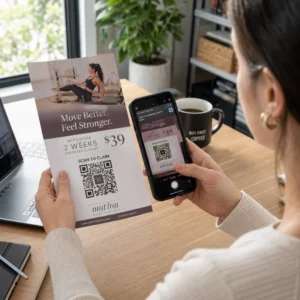
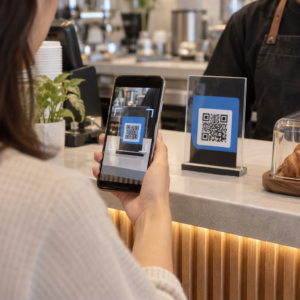
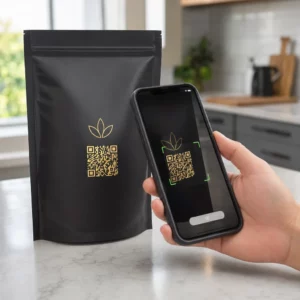
Oletko koskaan miettinyt, mitä todella tapahtuu sen puolen sekunnin aikana, kun osoitat puhelimellasi QR-koodia ja päädyt verkkosivulle? Prosessi on nopeampi kuin miltä se näyttää, ja sen ymmärtäminen auttaa sinua luomaan koodeja, jotka skannautuvat luotettavasti joka kerta.
Mikä QR-koodi todella on
QR-koodi on kaksiulotteinen mustavalkoisten neliöiden matriisi, joka on järjestetty ainutlaatuiseen kuvioon. Toisin kuin perinteinen viivakoodi – joka koodaa tietoa yhdessä vaakasuorassa rivissä vaihtelevilla viivanleveyksillä – QR-koodi tallentaa tietoa sekä vaaka- että pystysuunnassa. Tämä antaa sille paljon suuremman tiedonkapasiteetin ja tekee siitä luettavan useista eri suunnista.
Jokainen QR-koodi koostuu useista toiminnallisista alueista:
- Paikannuskuviot – kolme suurta neliötä kulmissa, jotka auttavat skanneria paikantamaan koodin, määrittämään sen suunnan ja löytämään sen reunat, vaikka koodi olisi kallistettu
- Ajoituskuviot – vuorottelevat mustavalkoiset moduulit, jotka kulkevat paikannuskuvioiden välissä ja määrittelevät ruudukon rakenteen sekä auttavat skanneria mitoittamaan jokaisen moduulin oikein
- Hiljainen vyöhyke – koodia ympäröivä tyhjä valkoinen marginaali, vähintään neljä moduulia leveä, joka erottaa sen ympäröivästä grafiikasta, jotta skanneri voi havaita sen rajat
- Muototiedot – paikannuskuvioiden lähellä oleva oma alue, joka tallentaa virheenkorjaustason ja peitekuvion, jotta skanneri tietää tarkalleen, miten tiedot tulkitaan
- Datamoduulit – yksittäiset mustavalkoiset neliöt, joissa varsinainen koodattu sisältö sijaitsee, luettuna binäärisinä ykkösinä (musta) ja nollina (valkoinen)
Näiden moduulien tiedot voidaan koodata useissa tiloissa: vain numeerinen, aakkosnumeerinen, 8-bittiset binääritavut tai Kanji. Versio 1 QR-koodi on 21×21 moduulia; Versio 40 koodi laajenee 177×177:ään ja voi sisältää jopa 7 089 numeerista merkkiä, 4 296 aakkosnumeerista merkkiä tai 2 953 tavua binääritietoa. Lue lisää siitä, miten nämä kompromissit toimivat oppaassa QR-koodin datarajat.
Skannausprosessi, askel askeleelta
Kun osoitat kameran QR-koodiin, monivaiheinen prosessi etenee millisekunneissa.

Vaihe 1: Kuvan kaappaus
Kamera tallentaa kaksiulotteisen ruudukon visuaalisena kuvana. Tämä on raaka syöte – valokuva mustavalkoisesta kuviosta. Useimmat nykyaikaiset älypuhelinkamerat pystyvät tähän ilman erillistä skannaussovellusta. Jos haluat ymmärtää kaikki tavat käynnistää skannaus eri laitteilla, opas QR-koodien skannaamiseen kattaa iPhonen, Androidin, tabletin ja työpöydän työnkulut yksityiskohtaisesti.
Vaihe 2: Kuvion tunnistus
Skannerin ohjelmisto käyttää kuviontunnistusta QR-koodin paikantamiseen kuvasta. Se etsii kolmea paikannuskuviota kulmista. Kun ne on löydetty, skanneri määrittää:
- Missä koodi on sijoitettu kehyksessä
- Mihin suuntaan se on suunnattu (vaikka se olisi käännetty tai hieman vääristynyt)
- Missä koodin reunat ovat
Tämä vaihe on syy siihen, miksi QR-koodit pysyvät luettavina kulmasta – paikannuskuviot antavat algoritmille riittävästi geometriaa vääristymien korjaamiseen.
Vaihe 3: Ruudukon näytteenotto ja tiedon poiminta
Kun koodin sijainti ja suunta on määritetty, skanneri lukee ajoituskuviot ja kohdistusmerkit ymmärtääkseen ruudukon rakenteen. Se sitten näytteistää jokaisen moduulin tiettyä siksak-polkua pitkin – oikealta vasemmalle, ylös ja sitten alas – aloittaen tunnetusta sijainnista ja käyden läpi jokaisen datamoduulin, kunnes loppuilmaisin saavutetaan.
Kulkiessaan tätä polkua skanneri lukee:
- A tilailmaisin (neljä moduulia), joka määrittää koodaustyypin – numeerinen, aakkosnumeerinen, tavu tai Kanji
- A merkkimäärän ilmaisin joka ilmoittaa, kuinka monta merkkiä on koodattu
- Jäljellä olevat datakoodisanat datavirran loppuun asti
Vaihe 4: Virheenkorjaus
Datamoduulien lukemisen jälkeen skanneri käsittelee virheenkorjauskoodisanat. QR-koodit käyttävät Reed–Solomon-virheenkorjausta, joka upottaa redundanttista dataa, jonka avulla alkuperäinen sisältö voidaan rekonstruoida, vaikka osa koodista olisi fyysisesti vaurioitunut tai peittynyt.
Virheenkorjauksen tasoja on neljä standardoitua:
| Taso | Palautumiskyky | Paras käyttökohteet |
|---|---|---|
| L (matala) | ~7% | Puhtaat sisätilat |
| M (Keskitaso) | ~15% | Yleiset markkinointimateriaalit |
| Q (kvartiili) | ~25% | Teollisuus- tai ulkokäyttö |
| H (korkea) | ~30% | Koodit logoilla, vaativat olosuhteet |
Korkeampi virheenkorjaus tarkoittaa, että koodi kestää enemmän vaurioita, mutta vaatii myös enemmän moduuleja, mikä tekee koko symbolista tiheämmän. Jos lisäät logon QR-koodiin tai sijoitat sen sään armoille, tason H valitseminen on oikea ratkaisu. Syvemmän katsauksen siihen, miten tämä kompromissi toimii käytännössä, löydät artikkelista aiheesta Virheenkorjaus muokattavissa QR-koodeissa.
Vaihe 5: Dekoodaus ihmisen luettavaksi sisällöksi
Kun databitit on rekonstruoitu, skanneri purkaa binäärisarjan QR-koodin koodaustilan mukaisesti. Mustista neliöistä tulee ykkösiä ja valkoisista neliöistä nollia. Tämä binäärijono muunnetaan sitten ihmisen luettavaksi sisällöksi – URL-osoitteeksi, puhelinnumeroksi, tekstilohkoksi, yhteystiedoiksi tai muuksi datatyypiksi, jota koodi oli alun perin tarkoitettu kuljettamaan.
Jos koodi sisältää URL-osoitteen, laitteesi näyttää kehotteen sen avaamiseksi. Se on hetki, jolloin skannausprosessi siirtyy selaimesi tai sovelluksesi vastuulle.
Kokeile Pagelootin ilmaista QR-koodinlukijaa Tarvitseeko QR-koodi purkaa suoraan kuvasta tai verkkokamerastasi? Se Pageloot QR-koodinlukija toimii missä tahansa modernissa selaimessa – sovelluksen latausta ei tarvita.
Miten QR-skannerit eroavat viivakoodiskannereista
Taustalla oleva fysiikka on samanlainen: molemmat skannerityypit valaisevat kuvion, havaitsevat heijastuneen valon ja purkavat tuloksen. Mutta tavallinen laser-viivakoodiskanneri lukee yhden vaakasuoran viivan, minkä vuoksi se pystyy käsittelemään vain 1D-viivakoodeja. 2D QR-koodin lukeminen vaatii kuvapohjaisen sensorin, joka tallentaa koko kuvion kerralla.
Suoraa vertailua varten siitä, miten nämä kaksi formaattia eroavat ominaisuuksiltaan ja käyttötapauksiltaan, viivakoodiskannerin selitys kattaa valaistusjärjestelmän, sensorin ja dekooderikomponentit yksityiskohtaisesti – ja viivakoodi vs. QR-koodi vertailu erittelee, mikä formaatti on järkevämpi eri yrityssovelluksiin.
Mikä tekee QR-koodista helpon (tai vaikean) skannata
Skannausprosessin ymmärtäminen paljastaa, miksi tietyt suunnitteluvalinnat heikentävät luettavuutta:
- Heikko kontrasti – skanneri erottaa moduulit mustien ja valkoisten alueiden välisen valonheijastuksen eron perusteella; harmaalla vaalealle taustalle painettu koodi epäonnistuu tässä testissä
- Puuttuva hiljainen vyöhyke – ilman selkeää valkoista marginaalia skanneri ei pysty luotettavasti paikantamaan koodin reunoja, varsinkin jos ympäröivä teksti tai grafiikka on lähellä
- Liian pieni katseluetäisyyteen nähden – sovelletaan 10:1-sääntöä: jokaista 10 cm:n skannausetäisyyttä kohden koodin tulisi olla vähintään 1 cm leveä; käytännön minimi lähialueen tulostuskäytössä on 2×2 cm
- Käännetyt tai epätavalliset värit – vaaleat moduulit tummalla taustalla voivat hämmentää kuvion tunnistusta joissakin skannereissa
- Sumea tai pikselöity tuloste – matalaresoluutioiset rasterikuvat hajoavat tulostuskoossa; vektorimuodot, kuten SVG tai EPS, pysyvät terävinä missä tahansa koossa
Kattavat ohjeet koon, kontrastin, sijoittelun ja testauksen osalta löytyvät artikkelista QR-koodin luettavuuden parhaisiin käytäntöihin käsittelee jokaista tekijää erityisillä suosituksilla.

Luo skannattavaksi rakennettuja koodeja Se Pageloot QR-koodigeneraattori antaa sinun rakentaa, mukauttaa ja testata QR-koodeja oikealla virheenkorjauksella, kontrastilla ja muodolla juuri sinun käyttötarkoitukseesi – ja dynaamisia koodeja voidaan päivittää tulostuksen jälkeen luomatta uutta kuvaa.
Staattiset vs. dynaamiset QR-koodit: Mitä skanneri näkee
Skannerin näkökulmasta jokainen QR-koodi näyttää samalta: moduulimatriisi, joka koodaa datamerkkijonon. Ero staattisten ja dynaamisten koodien välillä on siinä, mitä data sisältää.
A staattinen QR-koodi koodaa lopullisen kohteen suoraan – koko URL-osoite, teksti tai yhteystiedot on upotettu moduuleihin luomishetkellä. Sisällön muuttaminen tarkoittaa uuden koodin luomista.
A dynaaminen QR-koodi koodaa lyhyen uudelleenohjaus-URL-osoitteen, joka osoittaa palvelimelle. Skannattaessa tämä uudelleenohjaus ohjaa käyttäjän siihen kohteeseen, jonka koodin omistaja on kulloinkin asettanut. Tämä tarkoittaa, että fyysinen koodi ei koskaan muutu, mutta sen käyttäytymistä voidaan päivittää välittömästi. Dynaamiset koodit mahdollistavat myös skannausten seurannan – jokainen skannaus rekisteröi datapisteen, joka näyttää, milloin ja missä koodi skannattiin, millä laitteella ja kuinka usein.
Jos QR-koodikampanjan on oltava mitattavissa tai linkitetty sisältö saattaa muuttua, dynaamiset koodit ovat käytännöllinen valinta. Yrityksille, jotka vertailevat kaikkia skannerisovellusvaihtoehtoja ja mitä etsiä skannaustyökalusta, tämä QR-koodin skannaussovellusten vertailu kattaa tärkeimmät vaihtoehdot.
Usein kysytyt kysymykset
Ei. Useimmat älypuhelimet, joissa on iOS 11 tai uudempi, ja nykyaikaiset Android-laitteet voivat skannata QR-koodeja suoraan alkuperäisen kamerasovelluksen kautta. Lisäohjaukseen – kuten skannaus tallennetusta kuvasta tai skannaushistorian tarkistaminen – erillinen työkalu, kuten Pageloot QR-skanneri, toimii mistä tahansa selaimesta ilman asennusta.
Yleisimmät syyt ovat alhainen kontrasti, puuttuva hiljainen vyöhyke, koodi, joka on liian pieni katseluetäisyydelle, tai kuva, joka on liian sumea moduulien erottamiseen. Vanhemmat laitteet, joissa on matalaresoluutioiset kamerat, ovat herkempiä näille ongelmille. Testaaminen useilla laitteilla ennen tulostusta ja korkeampien virheenkorjaustasojen (Q tai H) käyttäminen vähentää epäonnistumisten mahdollisuutta. Katso täydellinen luettelo syistä ja korjauksista QR-koodi ei toimi -oppaasta.
Version 40 QR-koodi alimmalla virheenkorjaustasolla voi koodata jopa 7 089 numeerista merkkiä, 4 296 aakkosnumeerista merkkiä tai 2 953 tavua binääristä dataa. Käytännössä lyhyemmät URL-osoitteet ja yksinkertaisempi sisältö tuottavat harvempia koodeja, jotka skannautuvat nopeammin ja luotettavammin. Täydellinen erittely version, kapasiteetin ja virheenkorjauksen kompromisseista käsitellään QR-koodin datarajoituksia käsittelevässä oppaassa.