
Are you certain your QR code campaigns comply with evolving data privacy regulations? Mishandling scan data can trigger steep statutory fines, enforcement actions, and a swift loss of consumer trust. This guide details how privacy frameworks like the CCPA and GDPR apply to QR code deployments, outlines your legal obligations, and provides actionable steps to collect engagement insights compliantly.
Why QR Codes Fall Under Privacy Regulations
A QR code serves as an offline-to-online bridge. While the printed visual pattern contains only data strings, the interaction triggered upon scanning initiates a digital connection that privacy laws actively regulate.
Static QR codes embed fixed data directly into the image and operate without an intermediary server, meaning they collect zero scan metrics. Dynamic QR codes, however, function by routing the user’s scanning device through a short redirect URL before sending them to the final destination. During this redirect, tracking servers automatically log technical metadata.
Under modern privacy regulations, technical metadata qualifies as personal data or personal information whenever it can identify or profile an individual. When a smartphone reads a dynamic code, the redirect server can capture:
- IP addresses (which reveal approximate geographic location)
- Device identifiers, operating systems, and browser types
- Scan timestamps and frequency (unique versus repeat interactions)
- Language preferences and referring applications
If your landing page sets tracking pixels or non-essential cookies without proper disclosures, you expose your brand to legal action. Under the Federal Trade Commission (FTC) Act, failure to disclose tracking technologies or honoring published privacy statements constitutes an unfair or deceptive practice. Understanding QR code privacy risks and how to avoid them helps ensure that every campaign meets statutory transparency and processing mandates.
Major Privacy Frameworks Governing QR Data
No global or federal privacy statute applies solely to the QR code format itself. Instead, legal obligations depend on your business model, audience location, and the specific categories of data your scan workflows process.
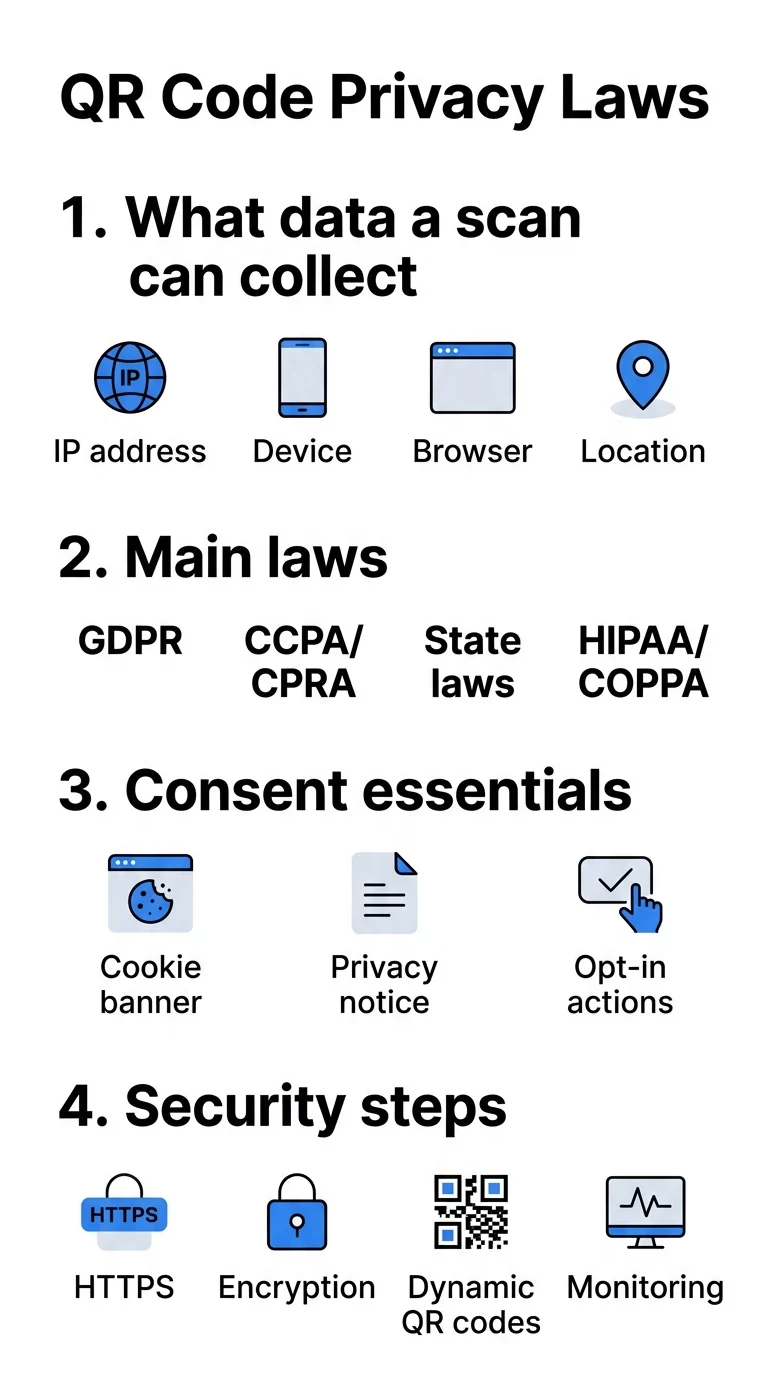
CCPA and CPRA (California)
The California Consumer Privacy Act, enhanced by the California Privacy Rights Act, applies to for-profit businesses operating in California that meet specified criteria: gross annual revenues exceeding $25 million; buying, selling, or sharing personal data of 100,000 or more consumers or households; or deriving 50% or more of annual revenue from selling consumer data.
Under the CCPA:
- Businesses must present a “Notice at Collection” at or before the scan data is gathered.
- The notice must identify every category of personal information collected, the business purpose, retention criteria, whether data is sold or shared, and a link to the complete privacy policy.
- Consumers possess the right to know, delete, correct, and opt out of the sale or sharing of their personal information.
- Businesses must honor universal browser-level opt-out signals, specifically the Global Privacy Control (GPC).
- Passing scan data to third-party ad networks for cross-context behavioral advertising qualifies as “sharing,” which triggers mandatory opt-out links.
GDPR (European Union)
The General Data Protection Regulation governs data processed from individuals residing in the European Economic Area. To track dynamic metrics compliantly, organizations must establish a valid legal basis – frequently requiring explicit, freely given consent before logging personal network identifiers. Reviewing how to ensure GDPR compliance in QR code analytics is essential if your campaigns reach an international audience.
Emerging U.S. State Laws
Individual states have introduced distinct privacy thresholds that directly impact physical marketing assets:
- Washington (My Health My Data Act): Mandates opt-in consent prior to collecting or sharing consumer health metrics and strictly bans geofencing around healthcare facilities.
- State-Level Geolocation Bans: States including Connecticut, Maryland, New Jersey, Oregon, and Virginia explicitly prohibit selling precise geolocation data.
Sector-Specific Federal Regulations
- Healthcare (HIPAA): When a QR code transmits protected health information on behalf of a covered healthcare entity or business associate, HIPAA administrative, physical, and technical safeguards apply.
- Children (COPPA): If a QR code directs users to content targeted at children under 13, or knowingly collects data from them, operators must obtain verifiable parental consent beforehand.
- Financial Services (Gramm-Leach-Bliley Act): Financial institutions utilizing QR codes for payments, transactions, or account onboarding must disclose data-sharing rules and implement administrative safeguards.
Understanding What Data Dynamic QR Codes Collect
Managing privacy risks requires full visibility into your backend tracking infrastructure. Learning dynamic QR codes: what data is collected enables your team to evaluate which fields are strictly necessary versus which introduce unnecessary liability.
| Data Category | Collection Mechanism | Regulatory Classification | Compliance Requirement |
|---|---|---|---|
| Scan Counts & Timestamps | Server event log | Non-personal metadata | Standard retention limits |
| Device Type & Browser | HTTP user-agent header | Identifiable technical data | Disclosed in Notice at Collection |
| City or Country | IP address lookup | General personal information | Disclosed in Notice at Collection |
| Precise GPS Coordinates | Mobile browser location API | Sensitive personal information | Affirmative express opt-in consent |
| Form Submissions (Name, Email) | Landing page input field | Direct personal information | Privacy policy link and purpose notice |
Track Scans with Complete Administrative Control Looking to gather actionable engagement metrics without collecting invasive consumer data? Use the Dynamic QR Code Generator to create fully customizable, editable codes backed by real-time analytics.
Best Practices for Notice, Consent, and Data Minimization
Complying with privacy statutes does not require abandoning scan metrics. By adopting privacy-by-design principles, businesses can gather actionable campaign insights while safeguarding individual rights.
1. Provide Context Before the Scan
QR codes are visually opaque; users cannot verify a destination before pointing their camera. Minimize regulatory friction and increase user confidence by providing clear physical framing near the code. For example, text such as “Scan to view our digital menu. No personal data tracked” informs users of the exact scope before interaction occurs.
2. Implement Data Minimization
Both the CCPA and GDPR mandate data minimization: you must only process the minimal personal data necessary to achieve your stated purpose. Businesses can design QR codes with minimal data collection by restricting redirect parameters. If your objective is tracking foot traffic volume across retail displays, aggregate scan totals eliminate the need to retain individual IP addresses.
3. Deploy Just-in-Time Notices
If your dynamic redirect or destination landing page sets analytics cookies, deploy a visible banner before those scripts execute. Disclose:
- The specific categories of data captured
- The purpose for processing
- Whether third-party vendors access the data
- A direct link to your privacy policy
Under CCPA rules, if you do not present this notice at or before collection, you are legally prohibited from collecting the information.
4. Separate Sensitive Consent Requests
Precise geolocation, health data, and financial inputs represent sensitive personal information categories. Never bundle consent for sensitive data into general terms of service. Instead, present an explicit, unbundled choice prompt that requires affirmative consumer action prior to activating device sensors or location permissions.
5. Anonymize and Truncate Scan Records
Transforming raw network data into non-identifiable aggregates removes it from the regulatory scope of many privacy laws. Reviewing 5 anonymization methods for QR code data – such as IP masking, cryptographic hashing, and data perturbation – enables your team to preserve geographic trend reports without storing identifiable consumer network signatures.
6. Establish Documented Retention Schedules
The CCPA requires companies to state the retention period for each category of personal data collected, or disclose the criteria used to calculate it. Establishing transparent data retention rules for QR code analytics ensures your database automatically deletes or aggregates obsolete log files rather than retaining legacy network trails indefinitely.
Security Standards to Protect Scan Data
Privacy compliance fails if data transmission channels remain vulnerable to compromise. Malicious actors frequently exploit unmonitored codes via “quishing” (QR code phishing), URL hijacking, and sticker overlays.
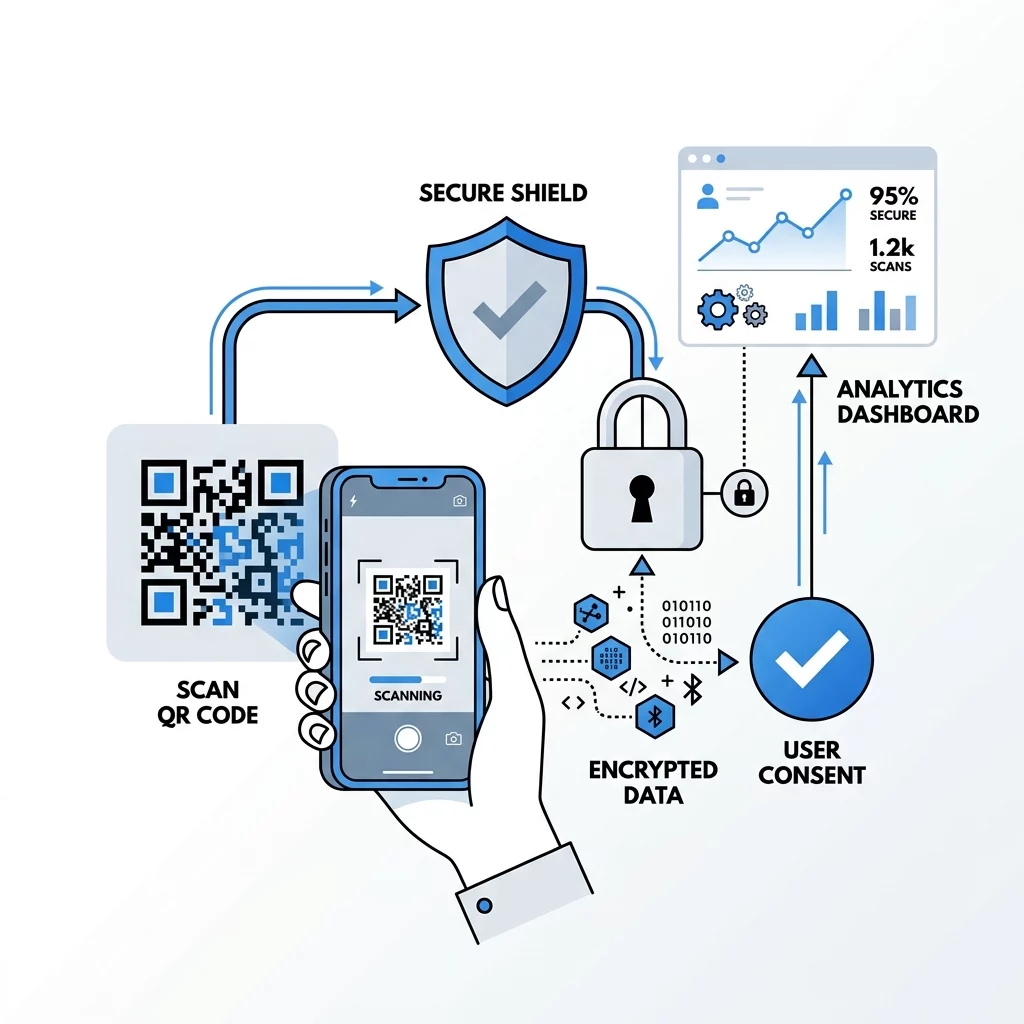
Adhering to secure QR code generation best practices protects both consumers and corporate assets through several technical safeguards:
- Enforce HTTPS Redirection: Ensure all redirect links and destination servers use SSL certificates to encrypt data in transit, preventing man-in-the-middle interception.
- Use Dynamic Codes for Rapid Incident Response: If a print campaign’s destination link experiences a security incident, dynamic architecture allows administrators to modify the target URL or deactivate routing immediately without recalling physical marketing assets.
- Vet Vendor Contracts: Under CCPA requirements, analytics providers acting as contractors must sign written agreements binding them to strict processing limits, prohibiting unauthorized data sales, and mandating baseline cybersecurity controls.
- Conduct Physical and Digital Audits: Regularly inspect high-traffic physical placements to verify that malicious actors have not applied fraudulent stickers over legitimate codes. Pairing visual audits with continuous scan monitoring helps detect anomalies early.
Frequently Asked Questions
Yes, if your QR code routes through a dynamic redirect server that logs personal data (such as IP addresses) or leads to a landing page utilizing tracking cookies or contact forms. Privacy regulations require displaying a Notice at Collection and linking directly to a complete privacy policy that details data usage, storage duration, and consumer rights.
Businesses cannot automatically harvest precise GPS coordinates through the initial scan. Accessing hardware-level geolocation requires a browser-level prompt asking for affirmative, explicit user consent; attempting to circumvent these prompts violates FTC guidelines, state-level privacy mandates, and consumer privacy laws.
You can track campaign performance by gathering aggregate scan totals, device categories, and general city-level location derived from masked IP addresses. To stay compliant, provide a Notice at Collection on your landing page, avoid sharing scan analytics with third parties for cross-context behavioral advertising without an opt-out mechanism, and honor automated Global Privacy Control signals.
Maintaining compliance across print and digital media requires aligning real-time marketing initiatives with modern consumer protection frameworks. By selecting secure infrastructure, minimizing personal data logging, and providing clear pre-scan disclosures, organizations can protect user rights while running high-performing campaigns. Learn how to monitor interactions responsibly using analytics to optimize physical-to-digital engagement without compromising compliance.