Are you struggling to measure exactly how much traffic your offline partners drive to your website? Without clear attribution, you cannot prove ROI or justify your marketing spend on physical materials. This guide explains how to use dynamic QR codes and tracking parameters to bridge this gap and measure partner performance in real time.
Why Accurate Attribution Matters for Partnerships
Research indicates that approximately 62% of marketers struggle with the disconnect between offline activity and online conversions. When a partner places your brand on a physical asset without a trackable entry point, that traffic typically appears in your analytics as “Direct,” which hides the true origin of your leads.
Implementing a structured system for tracking QR codes helps you transition from guesswork to data-driven decision-making. With over 89 million Americans scanning QR codes in recent years, the scale of this opportunity is significant. Proper attribution allows you to identify which partners deliver high-value customers and reallocate your budget toward the placements with the highest engagement. Furthermore, since 95% of scanners are willing to provide first-party data, these codes serve as a critical tool in a landscape where traditional cookies are becoming less reliable.
The Foundation: Dynamic vs. Static QR Codes
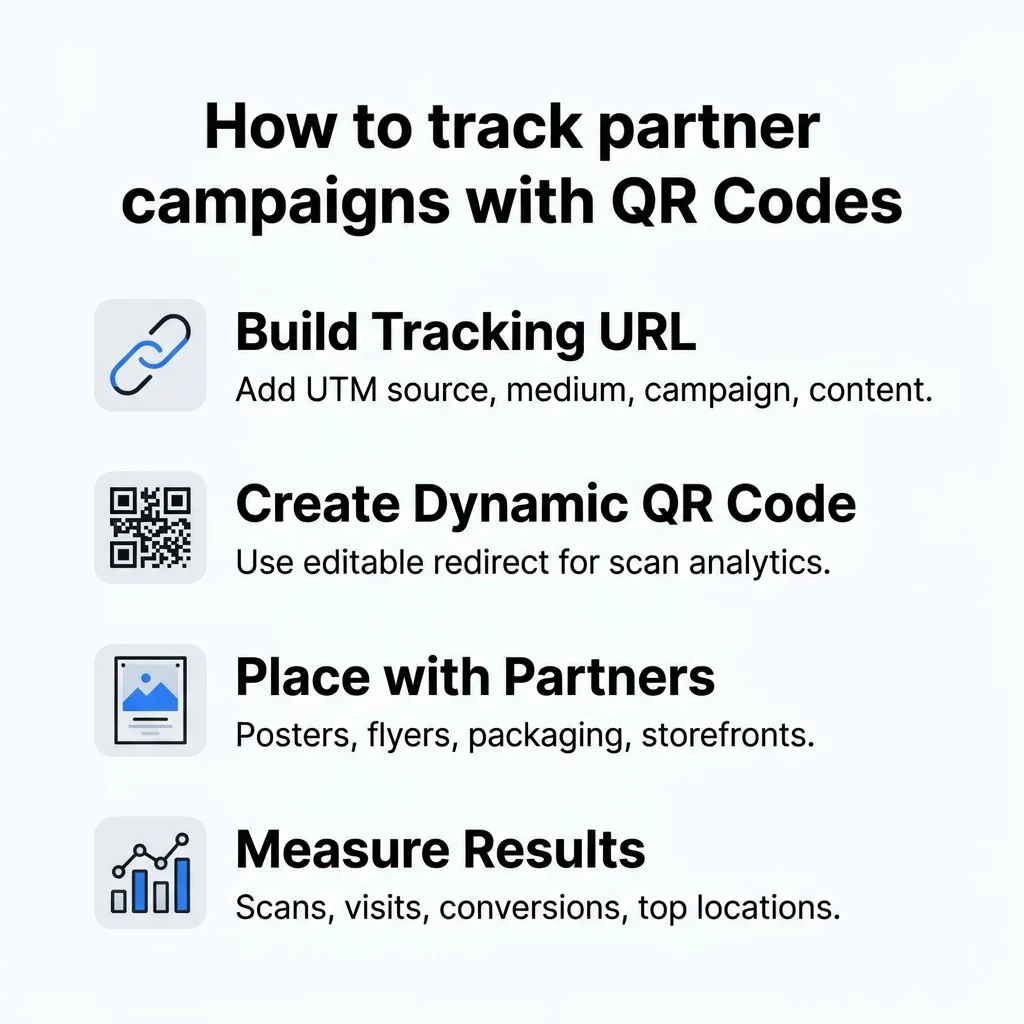
The success of any partner tracking campaign relies on using a dynamic QR code rather than a static one. While static codes embed fixed information that cannot be altered, dynamic codes use a short redirect URL to send users to their destination. This redirect allows the system to log the scan time, location, and device type before the user reaches your site.
Think of a static code like a printed letter; once it is sent, the content is permanent. In contrast, a dynamic code acts like a digital portal that you can reprogram at any time. This flexibility is essential for choosing the right QR code for long-term campaigns, as it allows you to update destination links or fix broken URLs without reprinting your partner’s physical materials.
To begin building trackable assets for your partners, use the Pageloot QR Code Generator to create dynamic codes that include real-time analytics and post-print editing capabilities.
Step-by-Step Setup for Partner Tracking
Building Your Tracking URL
Before you generate a code, you must append Urchin Tracking Module (UTM) parameters to your destination URL. These tags ensure that platforms like Google Analytics 4 (GA4) can identify the specific source of the traffic. A standard structure for a partner campaign might look like this: `yourdomain.com/?utmsource=partnerA&utmmedium=qr&utmcampaign=summer2026&utmcontent=nycposter`.
- utm_source: Use the specific partner name to distinguish their traffic from others.
- utm_medium: Always set this to “qr” to separate these scans from “email” or “social” traffic.
- utm_campaign: Name the specific initiative to group data across multiple partners.
- utmcontent: Identify the specific asset or location, such as a “flyer” or “storefront.”
Implementing Consistent Naming Conventions
Scale requires strict organization. If you are managing dozens of partners, you should use a consistent naming convention within your management platform. A framework such as `YYYYMMDD-Partner-Placement-Location` prevents data fragmentation and makes reporting much simpler. For example, a poster in a New York store for a specific partner would be labeled `20260317-PartnerA-Poster-NYCStore`.
Customizing and Branding the Code
Once your URL is ready, input it into a link QR code generator and select the dynamic option. Research shows that branding your codes with logos and custom colors can increase scan rates by up to 37%. When customizing, ensure you maintain high contrast. Darker colors absorb more light, while lighter colors reflect it; most scanning apps expect the code pattern to be significantly darker than the background to ensure a successful read.
Connecting to Your Tech Stack
To close the loop on conversions, you must integrate your scan data with your broader marketing ecosystem. You can use UTM parameters to view performance in GA4 “Traffic Acquisition” reports or set up webhooks to pass scan IDs directly into a CRM like HubSpot. For ecommerce brands, linking scans to specific purchase events allows you to calculate the exact revenue-per-scan generated by each partner. This integration provides the real-time QR code tracking necessary to adjust campaigns while they are still active.
Measuring and Comparing Partner Performance
Once your campaign is live, you can monitor a QR code analytics dashboard to compare how different partners are performing against industry benchmarks. In the United States, retail-based placements often see an average scan rate of around 14%.
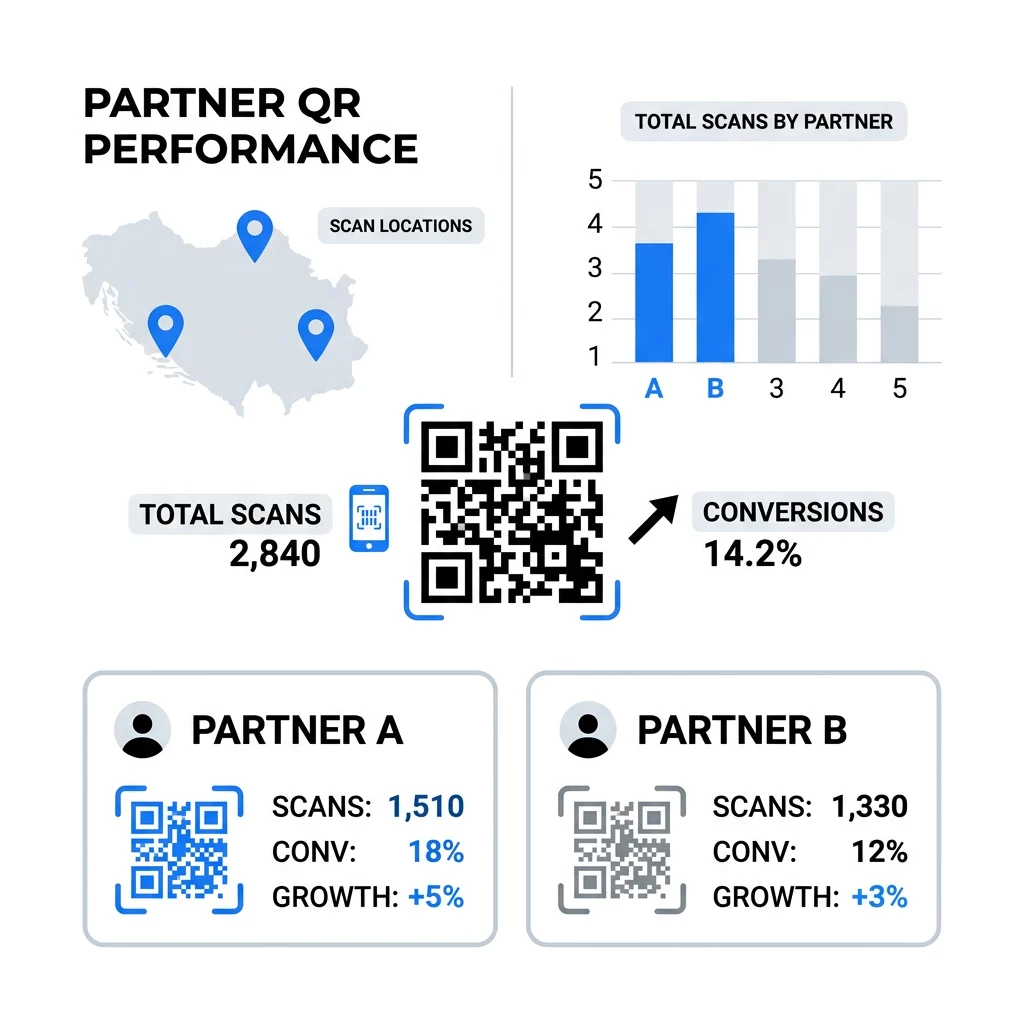
| Metric | Strategic Importance |
|---|---|
| Unique Scans | Identifies the specific number of individual users engaged, filtering out repeats. |
| Scan-to-Visit Ratio | Highlights potential technical drops or slow mobile loading times. |
| Conversion Rate | Proves the quality of the partner and identifies the overall campaign ROI. |
| Geographic Heatmaps | Visualizes which physical locations drive the most digital interest. |
If a specific partner is underperforming, consider dynamic QR codes vs. static comparisons to see if A/B testing different calls-to-action or placements can improve the results.
Best Practices for Physical Placement
Poor physical execution can ruin even the most sophisticated tracking setup. You should follow established guidelines for QR codes to flyers and brochures to ensure every potential lead can actually access your content.
- Size Matters: Ensure the code is at least 0.8 x 0.8 inches for close-range scanning; larger codes are required for distances like billboards.
- The Quiet Zone: Maintain a clear margin around the code to prevent surrounding text or images from interfering with the scanner.
- Mobile Optimization: Always link to a mobile-friendly landing page, as 100% of your scanners will be using a smartphone.
- Material Choice: Avoid printing on highly reflective or textured surfaces that might distort the code pattern.
By centralizing your partner campaigns through dynamic tracking, you transform static print materials into measurable digital assets. This approach not only justifies your current marketing spend but also provides the granular insights needed to scale your most successful partnerships.
FAQ
Yes, if you use a dynamic QR code. These codes allow you to update the destination URL instantly within your dashboard without changing the physical appearance of the printed code.
This typically occurs when UTM parameters are missing from the destination URL. Without these tags, your analytics platform cannot identify the source of the traffic and defaults to “Direct.”
You should assign a unique QR code to each location and use the `utm_content` tag to specify the location. This allows you to filter your sales data by that specific tag in your reporting dashboard.