Are you still relying on traditional barcodes that only store product identification numbers? Without a digital connection, you miss out on direct consumer engagement and essential supply chain transparency. This guide explains how to create and deploy GS1 Digital Link QR codes to future-proof your packaging for the next generation of retail.
Why GS1 Digital Link is Replacing the Standard Barcode
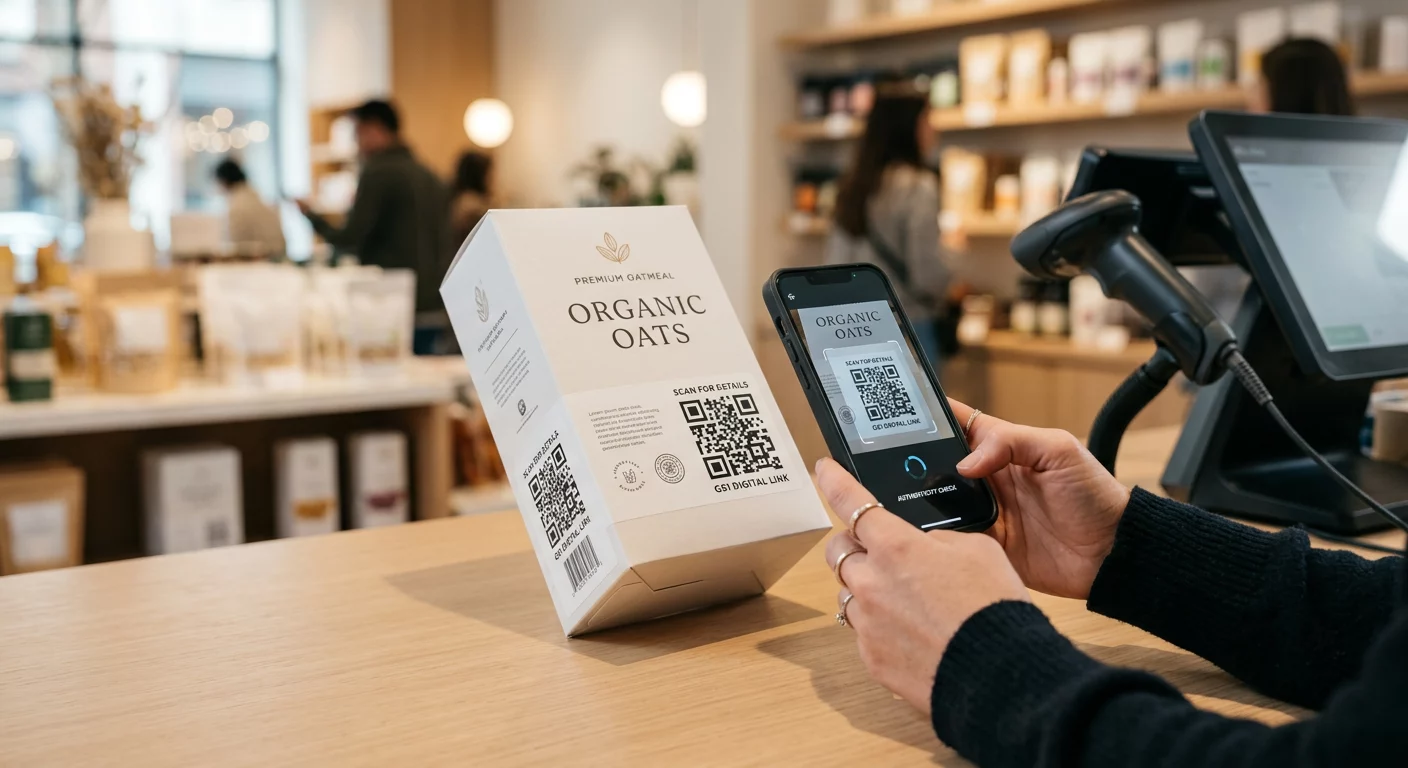
The retail industry is currently undergoing a massive shift known as Sunrise 2027. By the year 2027, retailers globally will move toward accepting 2D barcodes at the point of sale (POS). Unlike a traditional 1D barcode, which only identifies a product type, the GS1 Digital Link standard allows a single QR code to serve multiple purposes, ranging from register scanning and inventory tracking to providing consumers with nutritional info or marketing content.
When comparing a barcode vs QR code, the GS1 Digital Link bridges the gap between physical products and the web. It uses a standardized URI structure that ensures any scanner – from a warehouse tool to a consumer smartphone – can interpret the data correctly. This evolution allows brands to replace the cluttered “barcode soup” on packaging with a single, sleek entry point to their entire digital ecosystem.
Structuring Your GS1 Digital Link URI
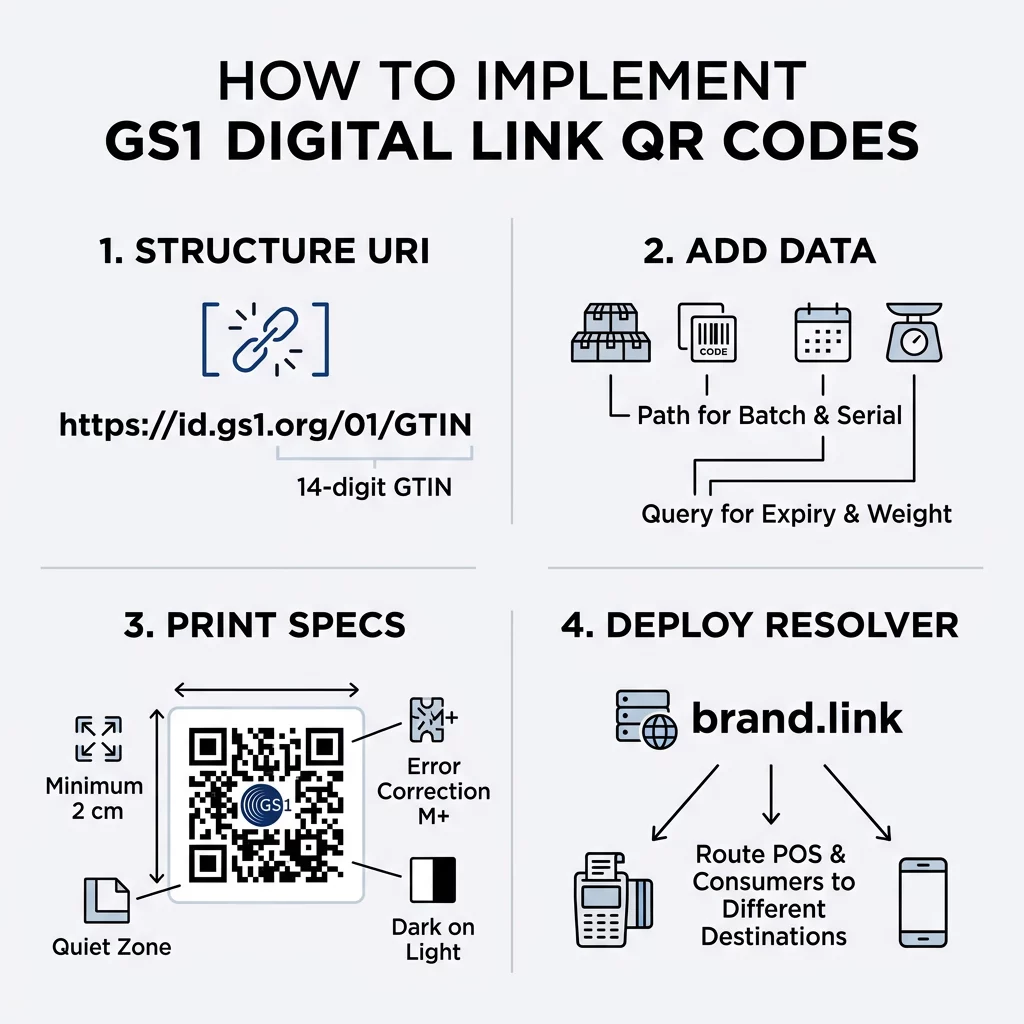
To be compliant, your QR code must follow a specific data structure that acts as a web address containing your product’s “identity” keys. The mandatory structure typically follows a format like `https://id.gs1.org/01/GTIN`, where the primary identifier is your Global Trade Item Number (AI 01). This GTIN must be a 14-digit string; if your current number is shorter, you must pad it with leading zeros to maintain the standard.
You should use path segments for hierarchical data such as the GTIN, Lot or Batch (AI 10), and Serial Number (AI 21). This information is critical for detailed supply chain tracking and recall management. For non-hierarchical attributes, such as expiry dates (AI 17) or weight (AI 3103), use query parameters at the end of the URL. For example, a complete link might look like `https://brand.com/01/01234567890123?exp=251231`.
Optimize Your Product Data Managing complex GS1 data is significantly easier when you can update the destination link without changing the code on your physical packaging. Use a dynamic QR code generator to maintain flexibility as your product information or marketing goals evolve.
Technical Specifications for Print and Packaging
A compliant GS1 Digital Link URI is only effective if the physical QR code is scannable in real-world environments. Retailers require high reliability, so following QR code usability best practices is essential. The QR code should be printed on a flat, non-reflective surface to prevent distortion and glare that can confuse optical sensors.
- Minimum Size: For retail packaging, the QR code should be at least 2cm x 2cm (0.8 x 0.8 inches) to ensure the high-density data is readable by POS laser scanners.
- Error Correction: GS1 standards recommend using Level M (15%) or higher. This allows the code to remain functional even if the label is scratched or smudged during transit.
- Quiet Zone: You must maintain a clear white border around the code that is at least four modules wide to prevent surrounding graphics from interfering with the scan.
- Contrast: Scanners rely on high-contrast modules. Always use dark colors on a light background, aiming for a contrast ratio that accommodates the varying lighting conditions found in retail stores.
For more details on maintaining accessibility and scanner recognition, refer to our guide on QR code color contrast best practices and general best practices for QR code readability.
Deployment and Resolver Strategy
One of the most powerful features of the GS1 Digital Link is the “Resolver.” A resolver is a server-side tool that analyzes the scan’s context – such as the device type or location – to decide where to send the user. This “context-switching” is what allows one code to trigger a price look-up for a cashier while simultaneously opening a recipe page for a consumer.
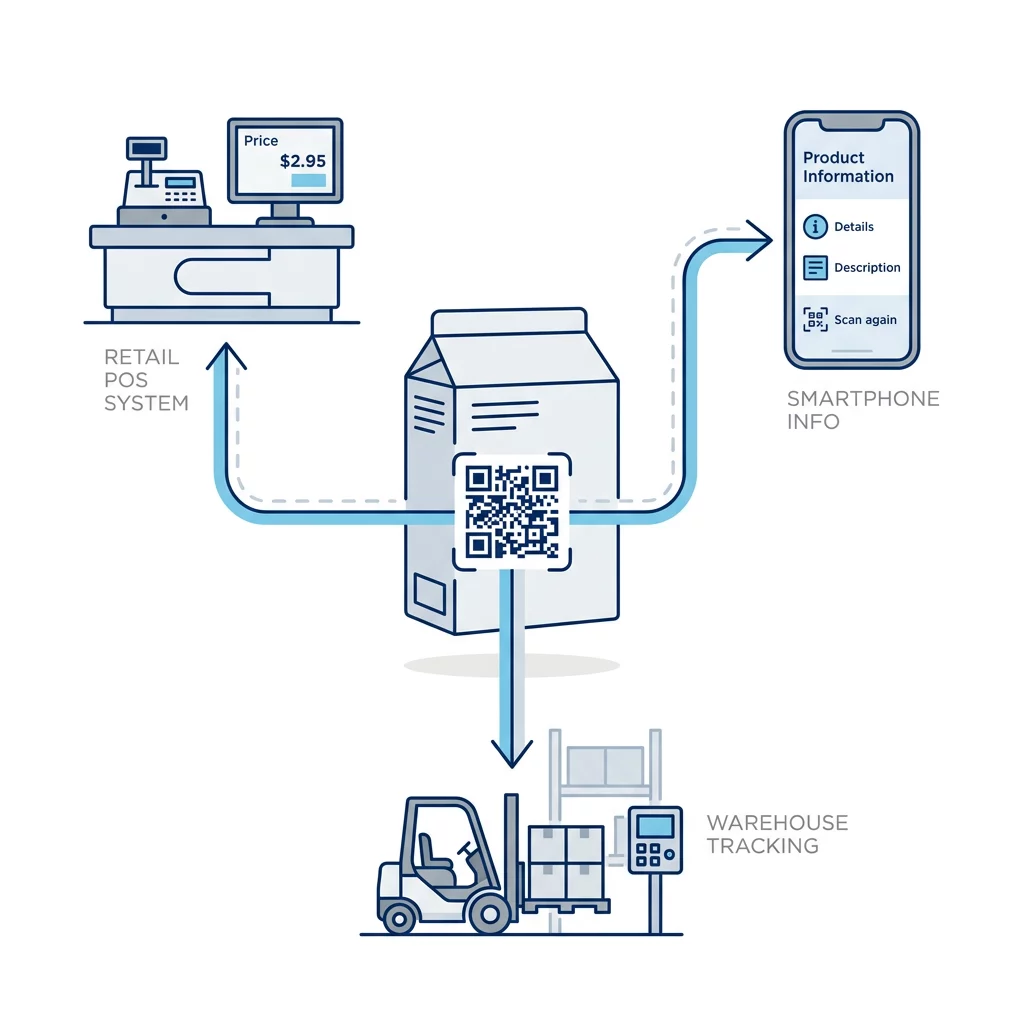
To implement this, you should use a branded domain for your URIs. This builds consumer trust and ensures you maintain control over the data journey. When a consumer scans the code, the resolver detects the mobile user agent and redirects them to a landing page or digital manual. Because these URIs can become long and complex, it is helpful to understand QR code data limits to ensure your printed code does not become too dense to scan easily.
Simplify Your Rollout Need to manage thousands of product IDs and track scan performance across multiple regions? Our QR code solutions provide the professional tools to generate, manage, and analyze compliant codes at scale.
FAQ
Yes. GS1 recommends using your own branded domain to ensure consumer trust. You will need to set up a resolver or use a management platform that correctly maps your URIs to the intended destination pages for both retail and consumer use.
Sunrise 2027 is a global initiative to ensure that retail point-of-sale systems can process 2D barcodes by 2027. This allows brands to eventually phase out the traditional UPC/EAN barcode in favor of a single, multi-purpose GS1 Digital Link QR code.
While basic QR codes often use Level L, GS1 standards for packaging specify Level M (15%) or higher. This increased resilience ensures that codes remain scannable even in rugged supply chain environments where labels may be subject to wear. Implementing GS1 Digital Link QR codes is a technical requirement for the future of global commerce. By structuring your URIs correctly and adhering to strict print standards, you ensure your products remain compliant while opening a direct line of communication with your customers. Start by testing your current packaging designs with a QR code scanner to ensure they meet the scannability requirements for modern retail environments.