Instagram Link Shortener: shorten & share your IG links
Turn long, messy Instagram links into short, clean URLs for your bio, stories, and DMs. Free, with a QR code on every link, plus the quickest way to find and copy your Instagram URL in the first place.
Shorten an Instagram link free → See plans →On this page
How to find and copy your Instagram URL
Before you can shorten an Instagram link, you need the full URL. Here's where to find each type.
Your profile link
- In the app: open your profile, tap the menu (the three lines, top right), and choose Share this profile → Copy link.
- On desktop: go to
instagram.com/yourusername— the address bar is your profile URL. Your profile link is alwaysinstagram.com/followed by your username.
A post or reel link
- Open the post or reel.
- Tap the ⋯ menu in the top right.
- Choose Copy link. You now have the full URL, ready to shorten.
Why shorten Instagram links
A raw Instagram URL — especially one copied with tracking parameters — is long and cluttered. Shortening it gives you a clean link plus things the original can't do:
A cleaner bio link
Put one short, branded link in your bio instead of a long URL. It looks more trustworthy and takes up less space.
Track your clicks
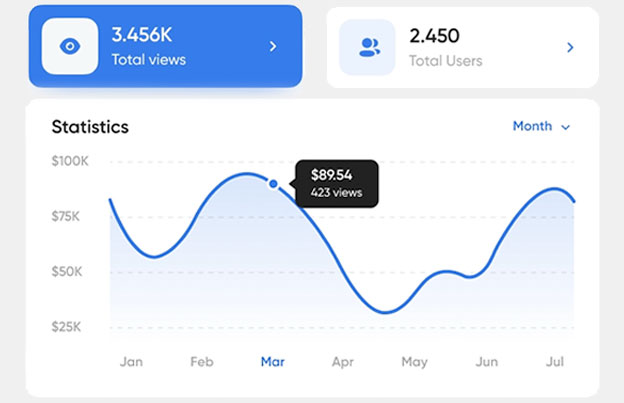
See how many people tap your link. Free shows basic stats; paid adds location, device, and time.
A QR code too
Every short link comes with a QR code, so you can put your Instagram on print, packaging, or business cards.
And on a paid Pageloot plan, your links become editable — so you can change where your bio link points without touching your bio. Swap a campaign, a product, or a landing page anytime; the link stays the same.
How to shorten an Instagram link
Three steps:
- Copy your Instagram link — your profile, post, or reel URL (see above), or any link you want in your bio.
- Paste and shorten — drop it into the URL shortener and click Shorten. You get a short
pageloot.com/s/link instantly, with a matching QR code. - Use it — add it to your bio or story link sticker, or share it anywhere, then watch the clicks.
Want it branded? Add your own keyword to the link for free (for example pageloot.com/s/myshop).
Where to use short Instagram links
- Your bio — the one clickable link on your profile. Make it short, branded, and trackable, and (on paid) editable so you never have to update your bio again.
- Story link stickers — a clean link looks better than a raw URL and is easier to read at a glance.
- DMs — share a tidy link in conversations instead of a long string.
- Other platforms — share your Instagram profile, post, or reel on X/Twitter, LinkedIn, email, or your website with a short, clean link.
- Print & offline — use the link's QR code on flyers, packaging, or business cards to send people straight to your Instagram. → QR code generator
Instagram links + QR codes
Every short link you create comes with its own QR code. Print it on a poster, product, or business card and anyone who scans it lands on your Instagram profile, post, or whatever you've pointed the link to. On a paid plan you can change that destination later without reprinting the code, so a QR on packaging can point to a new campaign whenever you want.
See all URL shortener featuresFrequently asked questions
Copy your Instagram link: a profile, post or reel URL. Paste it into the Pageloot URL shortener and click Shorten URL. You get a short link right away. Click Copy URL and paste it into your bio, story link sticker or message.
For your profile, open it, tap the menu (three lines, top right) and choose Share profile, then Copy link. On a computer, your profile URL is instagram.com/ followed by your username. For a post or reel, open it, tap the three dots and choose Copy link.
Instagram does not make links in captions clickable. Clickable links work in your bio, in story link stickers and in direct messages. A short link is easy to read and type in those places, and in captions people can still copy it.
Yes. A short link takes less space than a long URL and looks cleaner. You can also add a + to the end of the short link to see how many people opened it. For a link whose destination you can change later, use a link in a Pageloot account.
Google’s goo.gl service no longer creates new short links. You can use the Pageloot URL shortener instead: it shortens any Instagram profile, post or reel link, works on phone and computer, and is free to use.
Yes. You can shorten unlimited Instagram links for free, without an account. A Pageloot account adds more, such as editing where a link points and detailed stats. You can try an account free for 14 days, and the plans have a 30-day money-back guarantee.
Yes. Instagram does not show clicks on a link you share in your bio or a message. Add a + to the end of your short link to open a public page with its total number of visits. For when, where and on what device people clicked, use a link in a Pageloot account.
Yes. Paste your profile, post or reel link into the QR code generator on Pageloot and download the code as PNG, SVG or PDF. Anyone who scans it with a phone camera lands on your Instagram page. A QR code made from a short link is simpler and scans more easily than one made from a long URL.
Shorten your Instagram link free
Clean bio links, a QR code on every link, and click tracking. No credit card required.
Shorten a link → See plans →Pageloot is a link and QR code platform used by 20,000+ brands across 110 countries. The Instagram link shortener is free: shorten unlimited links, get basic click stats, and a QR code on every link. Editable links, detailed analytics, and a white-label short domain are available on paid Pageloot plans. Instagram steps and link behavior reflect the app at the time of writing and may change as Instagram updates its interface. Instagram is a trademark of Meta Platforms, Inc.; Pageloot is not affiliated with or endorsed by Instagram or Meta.