Amazon URL Shortener: shorten & clean up Amazon links
Amazon product links are long, cluttered messes of IDs and tracking tags. Shorten any Amazon link into a clean, trackable URL with a QR code, free, plus the quick trick to clean one up yourself with amazon.com/dp.
On this page
The quick way: amazon.com/dp/ASIN
Before reaching for any tool, you can clean up most Amazon product links by hand. Every product has a 10-character ASIN (Amazon Standard Identification Number), and the URL works with just that:
- Find the ASIN — it's the 10-character code in the URL right after
/dp/or/gp/product/(also listed in the product's "Product information" section). - Rebuild the link — drop everything else and use
amazon.com/dp/ASIN(or your country domain, likeamazon.co.uk/dp/ASIN). - Done — that short, clean link goes straight to the product, no tracking junk.
/dp/ trick can't track clicks, can't become a QR code, can't be branded with your name, and only works for product pages, not storefronts, wishlists, or search results. For those, use a shortener.Shortening Amazon affiliate links? Read this first
If you're an Amazon Associate, affiliate links have their own rules, and they matter.
amzn.to, through the SiteStripe toolbar (the bar at the top of product pages when you're logged into Associates). Amazon's Associates Program policies also restrict where affiliate links can appear, for example, affiliate links generally aren't allowed in offline materials, which means putting an affiliate link in a printed QR code can break the rules. Check Amazon's current Associates Operating Agreement before shortening affiliate links with any third-party tool.Everything below is about shortening regular Amazon links — your own product listings, storefront, wishlist, or a product you're simply sharing, not monetized affiliate links.
How to shorten an Amazon link
Three steps:
- Copy the Amazon link — a product, storefront, or wishlist URL from the address bar.
- Paste and shorten — drop it into the URL shortener and click Shorten. You get a short
pageloot.com/s/link instantly, with a matching QR code. - Share and track — post it, send it, or print its QR code, then watch the clicks.
Want it branded? Add your own keyword to the link for free (for example pageloot.com/s/my-product).
Why shorten Amazon links
Clean, branded links
Swap a long product URL full of /ref= tags for a short, branded link that looks trustworthy in posts and messages.
Track the clicks
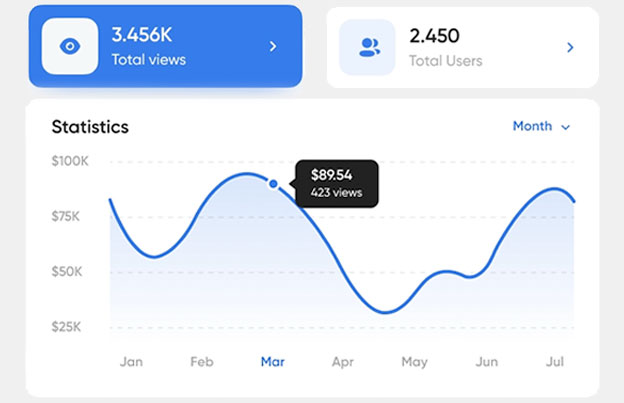
See how many people open your link, basic free, detailed (location, device, time) on paid, so you know which channel sends traffic.
A QR code too
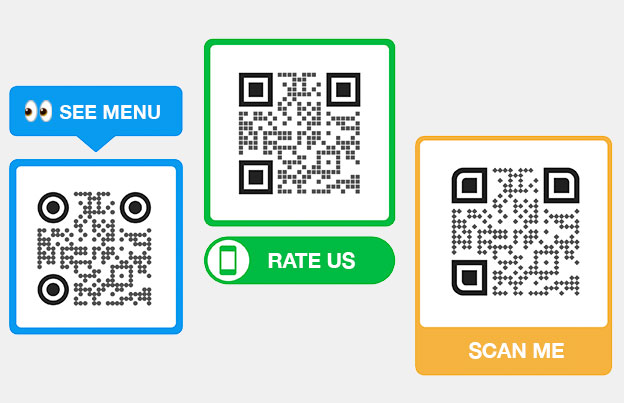
Every short link comes with a QR code, ideal for sellers and brands to put on packaging, inserts, and review cards for their own listings.
On a paid Pageloot plan, links are also editable, so a QR code on product packaging can point to a new listing or variant without reprinting.
Where to use short Amazon links
- Your own product listings — sellers and brands can share a clean, trackable link to their Amazon products.
- Storefronts and wishlists — point people to your Amazon storefront or a curated list with one short link.
- Social and email — share products on Instagram, X/Twitter, or your newsletter with a tidy link.
- Packaging & inserts — sellers can add a QR code to product packaging or a thank-you card that links to their listing or a review page.
- Print & in-store — drop the link's QR code on flyers or shelf signs. → QR code generator
Amazon links + QR codes
Every short link comes with its own QR code. Sellers and brands can print it on packaging, inserts, or in-store signs so shoppers scan straight to a listing, storefront, or review page. On a paid plan you can change that destination later without reprinting. (For affiliate links, follow Amazon's Associates rules, which generally don't allow affiliate links in offline or QR use.)
See all URL shortener featuresFrequently asked questions
Copy the Amazon link: a product, storefront or wishlist URL from the address bar. Paste it into the Pageloot URL shortener and click Shorten URL. You get a short link right away. Click Copy URL and paste it into your post, email or message.
Every Amazon product has a 10-character ASIN in its URL, right after /dp/ or /gp/product/. Keep only that and rebuild the link as amazon.com/dp/ASIN, or use your country domain, for example amazon.co.uk/dp/ASIN. This removes the extra tracking parts and still opens the product. It works for product pages only, and it shows no click numbers.
These are short links made by Amazon itself. amzn.to links come from the SiteStripe toolbar for Amazon Associates, which appears at the top of product pages when you are logged in to your Associates account. They only point to Amazon pages, and Amazon shows you no click numbers from outside its own reports. A link shortener works for any Amazon link and can turn the short link into a QR code.
For affiliate links, use Amazon’s own amzn.to link from SiteStripe and read the Amazon Associates rules first. Amazon limits where affiliate links may appear, and affiliate links are generally not allowed in offline material. A printed QR code with an affiliate link can break those rules. Check the current Associates Operating Agreement before you use any third-party shortener for affiliate links.
Yes, for your own listing, your storefront or a product you are sharing. Paste the Amazon link or its short link into the QR code generator on Pageloot and download the code as PNG, SVG or PDF. For affiliate links, follow the Amazon Associates rules before you print anything.
Yes. You can shorten unlimited Amazon links for free, without an account. A Pageloot account adds more, such as editing where a link points and detailed stats. You can try an account free for 14 days, and the plans have a 30-day money-back guarantee.
Yes. Add a + to the end of your short link to open a public page with its total number of visits. For when, where and on what device people clicked, use a link in a Pageloot account. Amazon’s own reports only cover purchases and clicks from your Associates links.
Yes. Any Amazon link works: products, storefronts, wishlists and search results. Copy the URL from the address bar and shorten it. The amazon.com/dp trick only works for single products, so a shortener is the way to shorten the other page types.
Shorten your Amazon link free
Clean product links, a QR code on every link, and click tracking. No credit card required.
Shorten a link → See plans →Pageloot is a link and QR code platform used by 20,000+ brands across 110 countries. The Amazon link shortener is free: shorten unlimited links, get basic click stats, and a QR code on every link. Editable links, detailed analytics, and a white-label short domain are available on paid Pageloot plans. The ASIN/`amazon.com/dp` method and SiteStripe `amzn.to` details reflect Amazon's tools at the time of writing. Amazon Associates rules change, always check Amazon's current Operating Agreement before shortening affiliate links. Amazon, the Amazon logo, ASIN, and amzn.to are trademarks of Amazon.com, Inc.; Pageloot is not affiliated with or endorsed by Amazon.