ホーム > ユースケース > ビジネスおよび個人使用向けQRコードステッカー
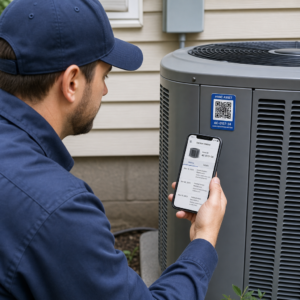
Scanning QR code sticker

ビジネスおよび個人使用向けQRコードステッカー

Create scannable QR code stickers for business and personal use. Learn about materials, sizing, and using dynamic codes to track scans or update content.
Updated on 6月 10, 2026
目次

Need a fast, scannable way to connect physical materials to digital content? QR code stickers turn any surface into an interactive touchpoint – and getting them right means understanding the materials, design choices, and code types that determine whether customers actually scan them.

QRコードステッカーとは何ですか?

QR code stickers are adhesive labels printed with a scannable QR code. When a customer points a smartphone camera at one, the code instantly redirects them to a website, digital menu, contact page, promotional offer, or any other content you’ve linked. Businesses use them on product packaging, storefronts, vehicles, restaurant tables, event signage, and shipping materials – anywhere a physical surface can start a digital interaction.

The key distinction that matters before you print a single sticker: whether your code is static or dynamic.

  • 静的QRコード encodes its destination permanently. Once printed, it cannot be changed, and it does not track scans.
  • ダイナミックQRコード points to a short redirect URL that you can update at any time – without reprinting. It also records scan data including time, volume, and geographic location.

For sticker applications where you’ll print in volume or run time-limited campaigns, the ダイナミックQRコードジェネレーター is the practical choice. Changing a promotion or updating a URL costs nothing when the stickers are already on shelves or vehicles.

Track Every Scan from Your Stickers Want to know exactly which sticker placements are driving engagement? Use the ダイナミックQRコードジェネレーター to create editable, trackable codes with a full analytics dashboard – no reprinting needed when your content changes.

How to Create a QR Code for Your Stickers

Getting a print-ready QR code takes three steps:

  • Generate your QR code. を使います。 QRコードジェネレーター to create a code that links to your target content – a URL, PDF, digital menu, vCard, or other destination. If you expect to update that destination or track scan performance, create a dynamic code.
  • Customize the design. Add your logo, brand colors, and a call-to-action frame to make the sticker recognizable and worth scanning. The ロゴ付きQRコードジェネレーター lets you embed a logo directly inside the code, which increases brand recognition and scan rates compared to plain black-and-white codes.
  • Download in a print-ready format. Export your code as an SVG, EPS, or PDF for vector scaling, or as a high-resolution PNG if you’re compositing it into a label design. Hand these files to your sticker printer or use them with printable sticker sheets at home.

Choosing the Right Sticker Material

Material choice directly affects whether your QR code scans reliably in its intended environment. The main options you’ll encounter from sticker printers are:

  • Glossy BOPP or PET laminate – suitable for indoor and outdoor use, bright colors, but can reflect under overhead lighting and make scanning harder at certain angles.
  • Matte BOPP laminate – reduces glare under retail lighting and sunlight, making it a preferred choice for stickers that will be scanned in-store or at checkout. Many brands and designers also prefer the refined look.
  • Clear sticker material – printed with white ink behind the colors to keep designs visible; works well for bottle labels and packaging where you want a “no-label” appearance.
  • Vinyl with laminate – durable and weather-resistant, recommended for outdoor applications, vehicle decals, and any surface exposed to moisture or UV light. Vinyl QR code stickers hold up significantly longer than standard paper labels in those conditions.
  • Thin BOPP label stock – flexible enough to conform to curved surfaces, making it a practical choice for bottles and product packaging.

Matte finishes generally scan faster and more reliably than glossy ones when codes will be scanned under bright or direct light. If your stickers will live outdoors or on vehicles, prioritize waterproof vinyl over paper-based materials.

Size and Design Specifications That Affect Scannability

A QR code sticker that doesn’t scan reliably is worse than no sticker at all. Before sending files to print, confirm these requirements are met:

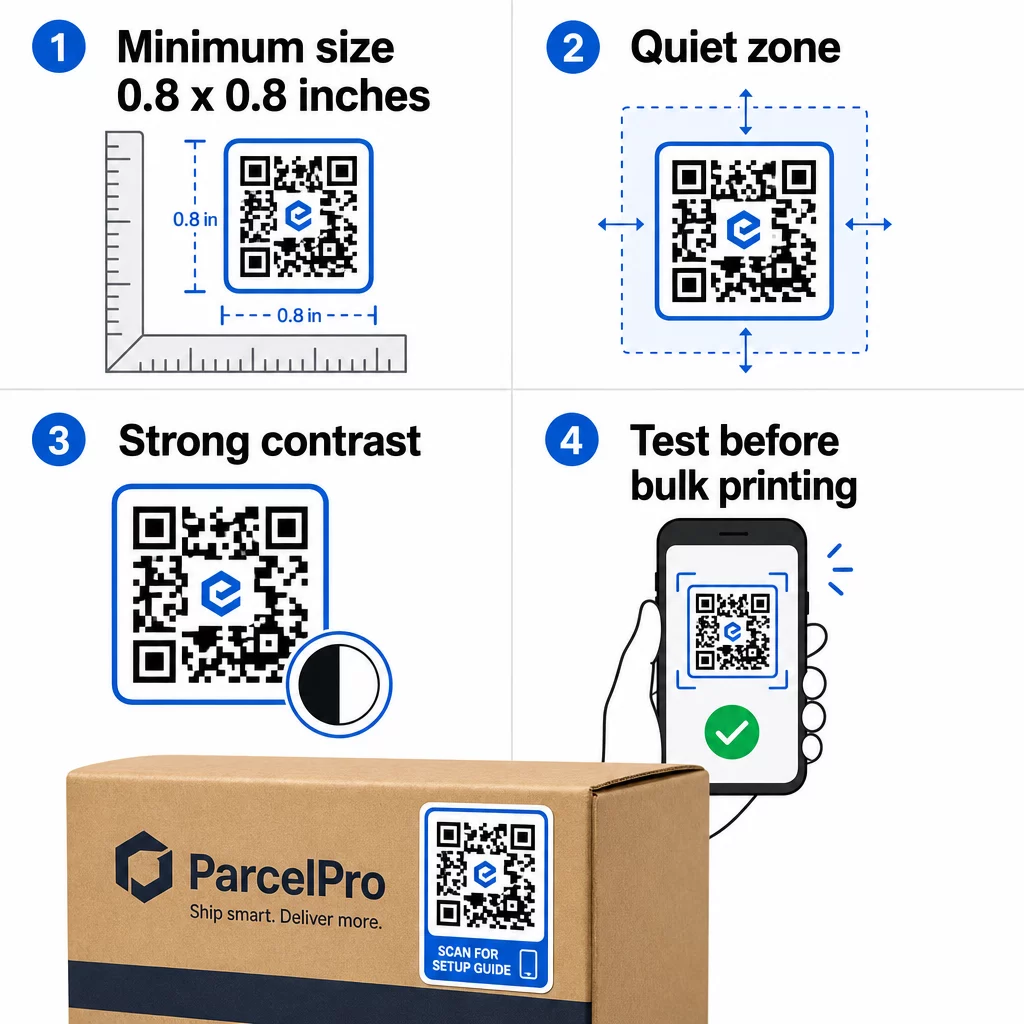
QR sticker requirements
  • 最小サイズ: 0.8 × 0.8 inches (2 × 2 cm) for a simple URL. Larger codes with more data density need to be scaled up proportionally.
  • クワイエットゾーン: Leave at least four modules of clear, unprinted space around all four sides of the code. Text, logos, or borders placed inside this margin cause scan failures.
  • Contrast ratio: Maintain at least a 4:1 contrast ratio between the dark modules and the light background. Black on white remains the most reliable combination. Avoid light-on-dark inversions – many scanners fail on reversed color schemes.
  • No gradients on the code modules: Gradients create mid-tones that scanners struggle to read. Use solid colors only.
  • Test before printing at volume: Scan your code with multiple devices – different phones, different camera apps – and test in the lighting conditions where the sticker will actually be used. For outdoor stickers, test in sunlight. For retail shelf stickers, test under fluorescent lighting.

For a full breakdown of sizing across different print materials, see the guide on 異なる印刷素材におけるQRコードのサイズ設定. For contrast and color guidance, QRコードの色のコントラストに関するベストプラクティス covers the specific ratios and combinations to use and avoid.

QRコードステッカーの使用場所

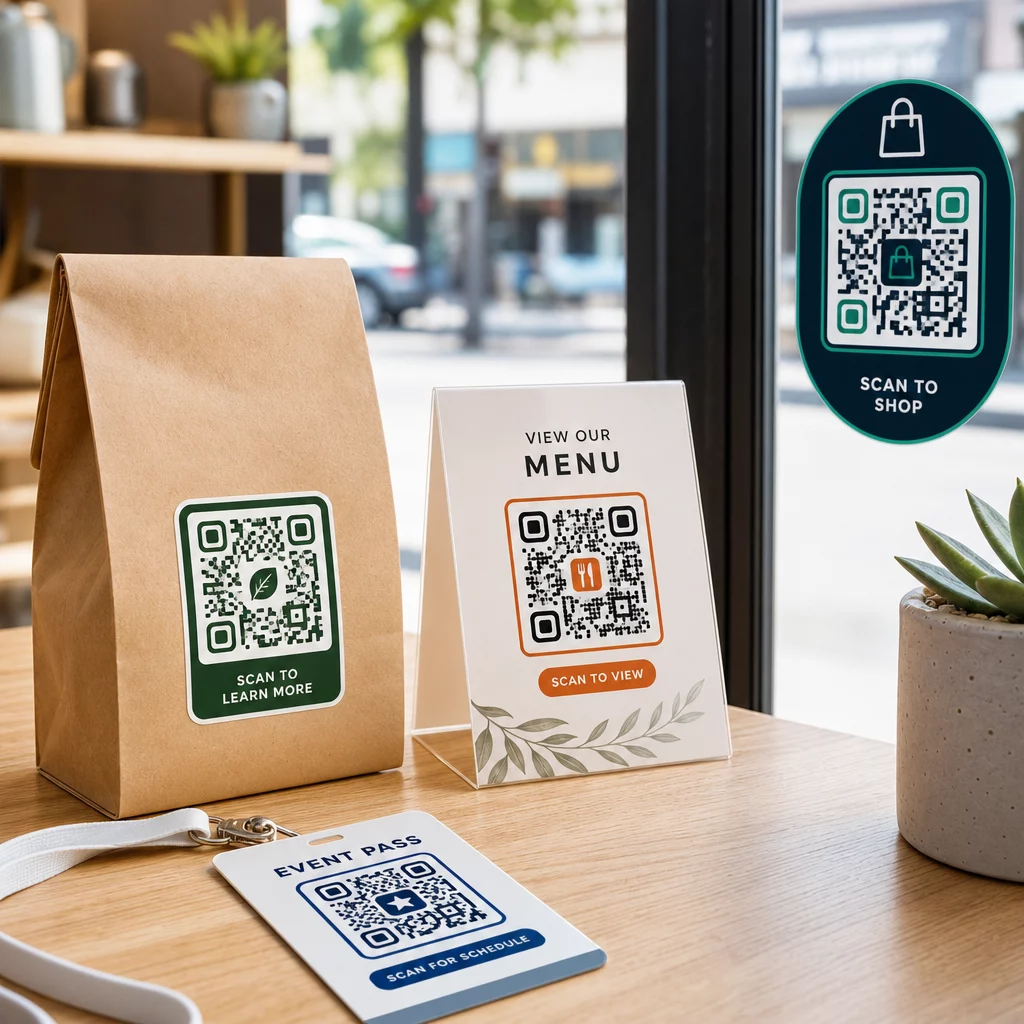
QR code stickers work across a wide range of business applications. Here are the most common and effective placements:

QR sticker uses

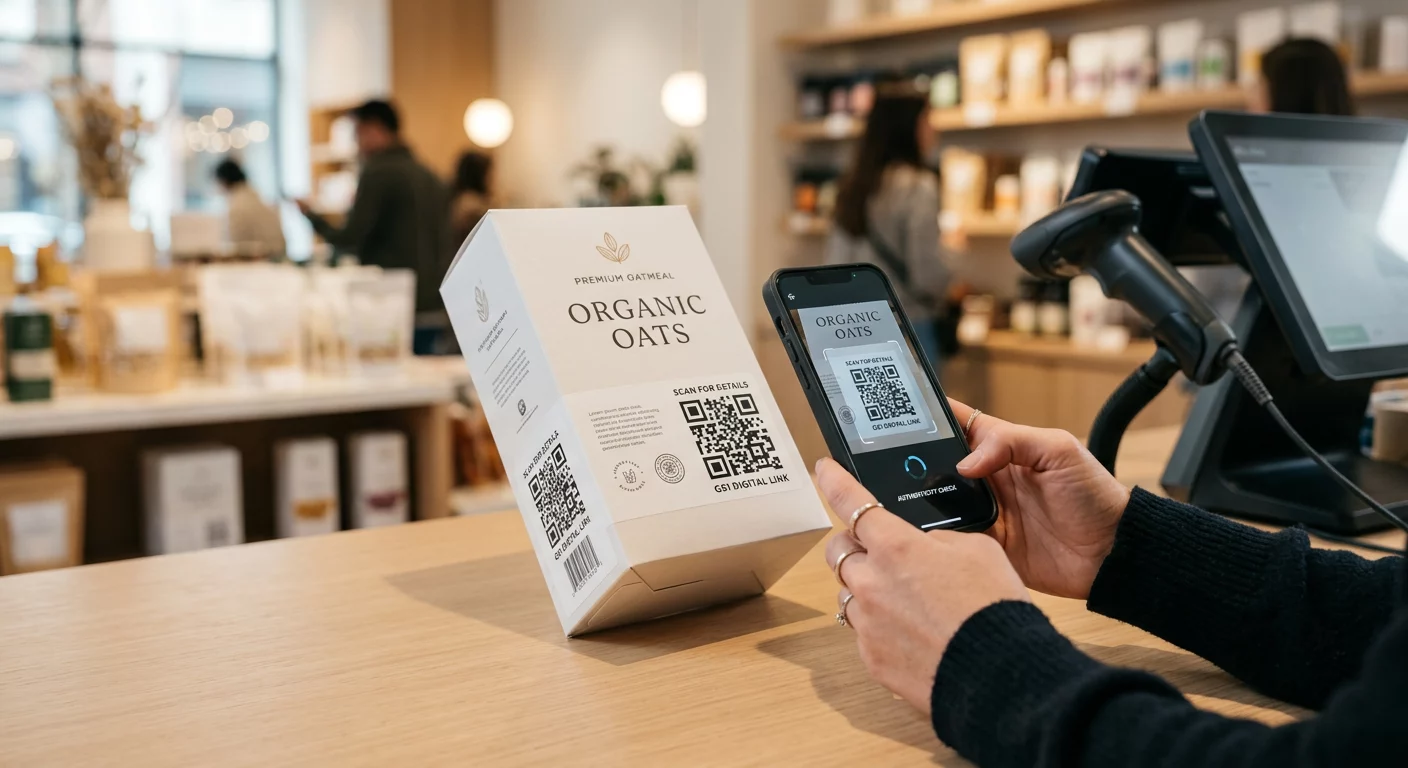
Product packaging and labels – Link customers to product instructions, ingredient details, video tutorials, discount codes, or review pages. Stickers work on both primary packaging (the product itself) and secondary packaging (boxes, sleeves). For a deeper look at the possibilities, see 製品パッケージのQRコード および 製品ラベル用QRコードの究極ガイド.

Restaurant and hospitality tables – A QR code sticker on a table or door links guests to a digital menu, Wi-Fi password, or review platform. Dynamic codes let you update the menu or promotion without replacing every sticker.

Storefront windows and doors – Window decals carrying a QR code are an efficient way to share business hours, promotions, or social media links with foot traffic that passes outside of operating hours.

Vehicle decals – A QR code decal on a company vehicle turns it into a mobile advertisement, linking anyone who scans it to a booking page, service list, or contact form.

Retail and e-commerce packaging – Stickers on outgoing shipments or product boxes can drive customers to unboxing videos, loyalty programs, or cross-sell pages without adding bulk to the package.

Event signage and tickets – Add QR stickers to badges, signage, or tickets to link attendees to schedules, check-in flows, or speaker resources.

Sticker Type Best Material Typical Use
Custom branded sticker Matte or glossy BOPP Product packaging, promotions
Waterproof outdoor sticker Vinyl with laminate Vehicle decals, outdoor signage
Window cling or decal Clear or white vinyl Storefronts, retail windows
Small label sticker Thin BOPP Bottles, product tags, business cards
Restaurant table sticker Matte laminate Menu links, review page links

Using Dynamic QR Codes for Sticker Campaigns

For any campaign where the destination might change – seasonal promotions, menu updates, rotating offers – dynamic QR codes are essential. The sticker itself doesn’t change; only the destination URL behind it does. This matters when you’ve printed thousands of stickers and a landing page URL changes, or when a promotion ends and you want to redirect scanners to a new offer.

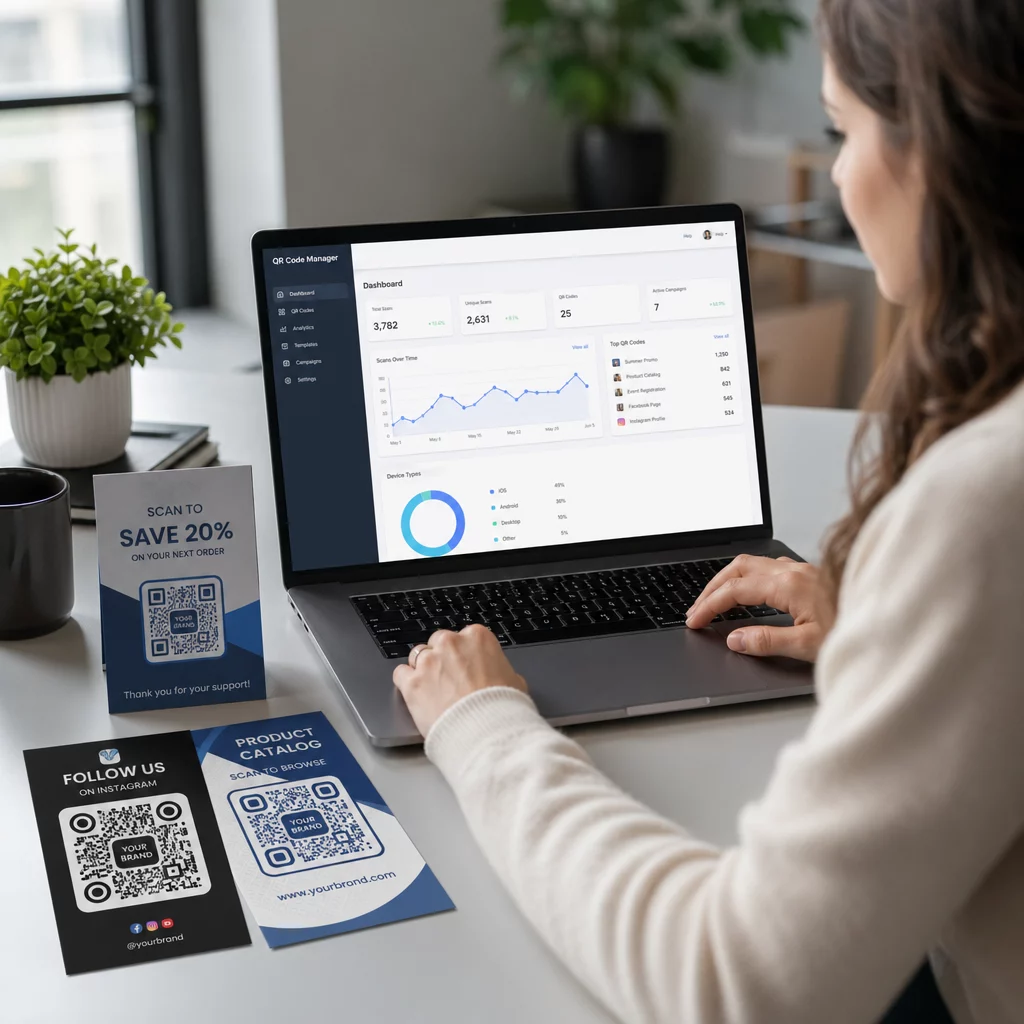
Dynamic codes also give you scan analytics: total scans, scan timing, and geographic data. This lets you evaluate which placements are actually driving engagement and adjust accordingly. A sticker on a product package performs differently than one in a storefront window, and analytics help you see that difference clearly.

のために QR codes on packaging that serve retail campaigns, dynamic codes also allow you to run A/B tests by pointing different code batches to different landing pages and comparing results.

Update Your Sticker Campaign Without Reprinting Running a time-limited promotion? The ダイナミックQRコードジェネレーター lets you redirect your stickers to a new URL the moment a campaign ends – no new stickers, no wasted print runs.

よくある質問

What size should my QR code sticker be?

The minimum reliable size for a simple URL is 0.8 × 0.8 inches (2 × 2 cm). For stickers placed farther from the scanner – on signage or vehicle decals – scale up proportionally. A general rule is to make the code at least one-tenth the scanning distance. Always leave a clear quiet zone of at least four modules around the code on all sides, and test the final size on real devices before printing at volume.

Can I update a QR code sticker after it’s already printed?

Not if it’s a static QR code – those encode their destination permanently. With a dynamic QR code, however, you can change the linked URL, file, or content at any time through your account dashboard without touching the sticker. This makes dynamic codes the practical choice for any application where URLs or promotions might change, including product packaging, seasonal campaigns, and restaurant menus.

What’s the best material for outdoor QR code stickers?

Vinyl stickers with a laminate finish are the most durable option for outdoor use. They resist water, UV exposure, and physical wear far better than paper or standard BOPP labels. Matte laminate reduces glare under direct sunlight, which improves scannability. For surfaces like vehicles or exterior signage, confirm your printer offers UV-resistant materials designed for long-term outdoor applications.

著者について

Siim KostabiはPagelootのコンテンツリードです。Pagelootの革新的なQRコード生成サービスについて執筆しています。5年以上にわたるQRコードに関する深い専門知識を持つSiimは、この分野の専門家です。QRテクノロジーを活用してデジタルインタラクションを簡素化・拡張する上で、大きな進歩を遂げています。.

カテゴリー
について詳しくはこちら
パンフレットのQRコードをスキャンする
QRコードの パンフレット

オンラインでQRコードを作成する必要がある場合は QRコードを作る ここで無料で
ページルートは #1のGo-Toソリューション でQRコードを作成してスキャンすることができます。

QO-09

ブログジェネ

売上、レビュー、フォロワーを増やすために 20,000 を超えるブランドから信頼されています。

クライアントのロゴ
トップブランドから信頼される
5 のうち 4.8 と評価しました

4.86 / 5つ星評価

ユーゴ・ローラン
ユーゴ・ローラン
レストランオーナー
最も簡単で信頼性の高いQRコードジェネレータです。PDFファイルを即座にアップロードできます。レストランのメニューがデジタル化されました。
ルーカス・ジャンセン
ルーカス・ジャンセン
不動産開発業者
これは優れたツールで、QRコードでちょうど欲しいところに連れて行ってくれます。私たちは位置情報のQRコードしか使っていませんが、とても便利な機能がたくさんあります。
エマ・モレッティ
エマ・モレッティ
小売製品
使いやすいし、早い。素晴らしい機能で、完璧な画像を作成してくれるので、社員は私のvCardをダウンロードすることができます。
ユーゴ・ローラン
ユーゴ・ローラン
レストランオーナー
最も簡単で信頼性の高いQRコードジェネレータです。PDFファイルを即座にアップロードできます。レストランのメニューがデジタル化されました。
ルーカス・ジャンセン
ルーカス・ジャンセン
不動産開発業者
これは優れたツールで、QRコードでちょうど欲しいところに連れて行ってくれます。私たちは位置情報のQRコードしか使っていませんが、とても便利な機能がたくさんあります。
エマ・モレッティ
エマ・モレッティ
小売製品
使いやすいし、早い。素晴らしい機能で、完璧な画像を作成してくれるので、社員は私のvCardをダウンロードすることができます。
QRコードをもっと見る
あらゆるものをデジタル体験に変えよう 3分以内に。

14日間の無料トライアル。

クレジットカードは必要ありません。

初回購入で30%オフ

次のコードを使用してください:

MP3ファイルを共有

PDF QRコードを作成するにはサインアップしてください

必要なものをすべてアップロードして表示する。

  • オーディオファイル
  • ポッドキャスト
  • 音楽

サインアップで14日間無料トライアル。.
トライアル終了後、QRコードは期限切れになります。.

オーディオmp3 QRコードを作成するにはサインアップしてください

フレームでより多くのスキャンを獲得

QRコードにフレームを追加するにはサインアップしてください

コールトゥアクションフレームは、お客様が簡単にQRコードと対話できるようにします。ぜひお試しください。

サインアップで14日間無料トライアル。.
トライアル終了後、QRコードは期限切れになります。.

QRコードにフレームを追加するにはサインアップしてください

シェイプでスタイルを追加

より多くの図形を作成するにはサインアップしてください

QRコードは四角いものである必要はありません。あなたのブランドのイメージに合わせて変えてみてください。

サインアップで14日間無料トライアル。.
トライアル終了後、QRコードは期限切れになります。.

より多くの図形を作成するにはサインアップしてください

QRコードにロゴを追加

QRコードにロゴを追加するにはサインアップしてください

QRコードにロゴやブランドを入れることで、目立たせることができます。

サインアップで14日間無料トライアル。.
トライアル終了後、QRコードは期限切れになります。.

QRコードにロゴを追加するにはサインアップしてください

スマートなApp Storeリダイレクト

アプリストアのQRコードを作成するにはサインアップしてください

スマートなApp StoreのQRコードに、あなたのアプリのリンクを追加します。ユーザーは、デバイスに応じてリダイレクトされます。

サインアップで14日間無料トライアル。.
トライアル終了後、QRコードは期限切れになります。.

アプリストアのQRコードを作成するにはサインアップしてください

QRコードに画像をアップロード

画像QRコードを作成するにはサインアップしてください

画像を簡単に共有できます。どんな画像も、数秒でダイナミックに変化します。

サインアップで14日間無料トライアル。.
トライアル終了後、QRコードは期限切れになります。.

画像QRコードを作成するにはサインアップしてください

PDFファイルを共有

PDF QRコードを作成するにはサインアップしてください

必要なものをすべてアップロードして表示する。

  • メニュー&プライスリスト
  • 指示
  • 任意の書類

サインアップで14日間無料トライアル。.
トライアル終了後、QRコードは期限切れになります。.

PDF QRコードを作成するにはサインアップしてください

印刷せずに後で編集

再度印刷せずにQRコードを編集するにはサインアップしてください

ダイナミックQRコードは、新たにQRコードを印刷することなく、QRコードの内容を変更することができます。

サインアップで14日間無料トライアル。.
トライアル終了後、QRコードは期限切れになります。.

再度印刷せずにQRコードを編集するにはサインアップしてください

いつ?どこで?QRコードのスキャンを追跡

QRコードを追跡するにはサインアップしてください

どのQRコードが最も多くスキャンされ、何が最も顧客を喜ばせているのかを知ることができます。

サインアップで14日間無料トライアル。.
トライアル終了後、QRコードは期限切れになります。.

QRコードを追跡するにはサインアップしてください

印刷可能なファイルが利用可能

PDFやSVGのようなベクターQRコードを作成するにはサインアップしてください

.eps、.pdf、.svg

QRコードをHD解像度でダウンロードしたいですか?すぐに印刷できるベクターまたはピクセル形式を入手しましょう。

サインアップで14日間無料トライアル。.
トライアル終了後、QRコードは期限切れになります。.

PDFやSVGのようなベクターQRコードを作成するにはサインアップしてください

しばらくお待ちください。あなたのQRコードは ロード... ロード...

あなただけのものに

サインアップしてQRコードを後で保存してください

異なる色、ロゴ、コールトゥアクションフレームで素晴らしいQRコードを作成することで、より多くのスキャンを得ることができます。

サインアップで14日間無料トライアル。.
トライアル終了後、QRコードは期限切れになります。.

サインアップしてQRコードを後で保存してください