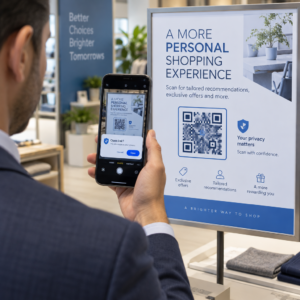
Apakah Anda mencari cara untuk membuat pameran museum Anda lebih menarik tanpa merombak seluruh pengalaman pengunjung Anda? Label dinding statis dan brosur cetak hanya bisa melakukan begitu banyak – pengunjung semakin mengharapkan akses digital ke konten yang lebih kaya di perangkat mereka sendiri. Panduan ini mencakup cara paling praktis untuk menerapkan kode QR di museum, mulai dari panduan audio dan peta digital hingga tiket dan aksesibilitas.
Mengapa Museum Mengadopsi Kode QR
Kode QR memberi museum cara berbiaya rendah untuk membuat sistem informasi berlapis yang jauh melampaui apa yang muat pada label fisik. Pengunjung yang berdiri di depan artefak dapat memindai kode dan segera mengakses teks tambahan, gambar, video, narasi audio, atau bahkan augmented reality – semuanya di ponsel cerdas mereka sendiri, dengan kecepatan mereka sendiri.
Daya tarik utamanya adalah fleksibilitas. Museum dapat memperbarui konten yang terhubung ke kode kapan saja tanpa mencetak ulang apa pun, yang membuat kode QR dinamis sangat praktis untuk pameran bergilir atau program musiman. Selain pengiriman konten, kode QR juga membuka saluran langsung untuk mengumpulkan umpan balik pengunjung, menawarkan konten multibahasa, dan menghubungkan tampilan fisik ke tur virtual dan koleksi online.
Buat Kode QR Museum yang Dapat Diperbarui Perlu menyegarkan konten pameran tanpa mencetak ulang papan nama? Gunakan Generator Kode QR Dinamis untuk membuat kode yang dapat Anda edit kapan saja dari dasbor pusat.
Cara Umum Menggunakan Kode QR di Museum
| Gunakan Kasing | Apa yang Diberikan |
|---|---|
| Panduan audio dan video | Kisah pameran yang dinarasikan, wawancara seniman, rekonstruksi animasi |
| Peta digital | Denah lantai yang dapat dinavigasi yang diakses pengunjung di ponsel mereka |
| Informasi pameran | Teks tambahan, konteks sejarah, asal-usul artefak |
| Pengalaman interaktif | Hamparan realitas tertambah, perburuan harta karun, kuis |
| Tiket | Masuk tanpa kontak melalui tiket digital yang dapat dipindai |
| Akses WiFi | Koneksi jaringan instan tanpa mengetik kata sandi |
| Umpan balik pengunjung | Formulir survei yang diakses langsung dari lantai pameran |
| Promosi toko suvenir | Tautan ke penawaran toko eksklusif atau halaman produk online |
| Donasi dan keanggotaan | Portal untuk memberi atau bergabung yang diakses dengan satu pemindaian |
Panduan Audio dan Video
Tur audio berkode QR memungkinkan pengunjung memindai kode di setiap pameran dan mendengar narasi, komentar kurator, atau cerita latar di perangkat mereka sendiri. Ini menggantikan peralatan audio sewaan yang besar dan mendukung rute yang fleksibel dan mandiri melalui museum. Untuk institusi yang ingin melangkah lebih jauh, Kode QR AR dapat mengubah penceritaan museum dengan melapisi model 3D atau animasi langsung di atas artefak fisik saat pengunjung mengarahkan ponsel mereka ke pameran.
Museum dapat membuat panduan audio menggunakan Generator Kode QR MP3, yang memungkinkan Anda mengunggah file audio dan menghasilkan kode yang dapat dipindai yang dapat diputar pengunjung langsung dari perangkat mereka. Untuk konten video – seperti wawancara seniman atau visualisasi restorasi langkah demi langkah – sebuah Generator Kode QR YouTube memudahkan untuk menautkan pameran apa pun ke video yang di-hosting.
Peta Digital dan Tur Mandiri
Museum besar dapat menggunakan Kode QR PDF untuk memberikan pengunjung peta digital interaktif yang membantu mereka menavigasi bagian-bagian, menemukan pameran tertentu, dan merencanakan kunjungan mereka sesuai minat mereka. Memasang kode di “perhentian” tur yang ditentukan yang terhubung ke file audio atau halaman web yang menjelaskan apa yang dilihat pengunjung memungkinkan eksplorasi yang sepenuhnya independen hanya dengan smartphone.
Untuk melihat lebih dalam tentang membangun pengalaman ini, panduan penggunaan kode QR untuk tur virtual menjelaskan seluruh proses penyiapan, mulai dari menghosting konten Anda hingga merancang dan menempatkan kode.
Informasi Pameran dan Pengalaman Interaktif
Menempatkan kode QR di dekat pameran memungkinkan pengunjung mengakses konteks tambahan – latar belakang sejarah, biografi seniman, asal-usul koleksi – tanpa memenuhi label. Beberapa museum melangkah lebih jauh dengan membuat perburuan harta karun, di mana setiap kode di dekat artefak memberikan informasi tentang objek dan petunjuk yang mengarah ke perhentian berikutnya. Format ini mendorong eksplorasi aktif dan membuat pengunjung tetap terlibat di berbagai galeri.
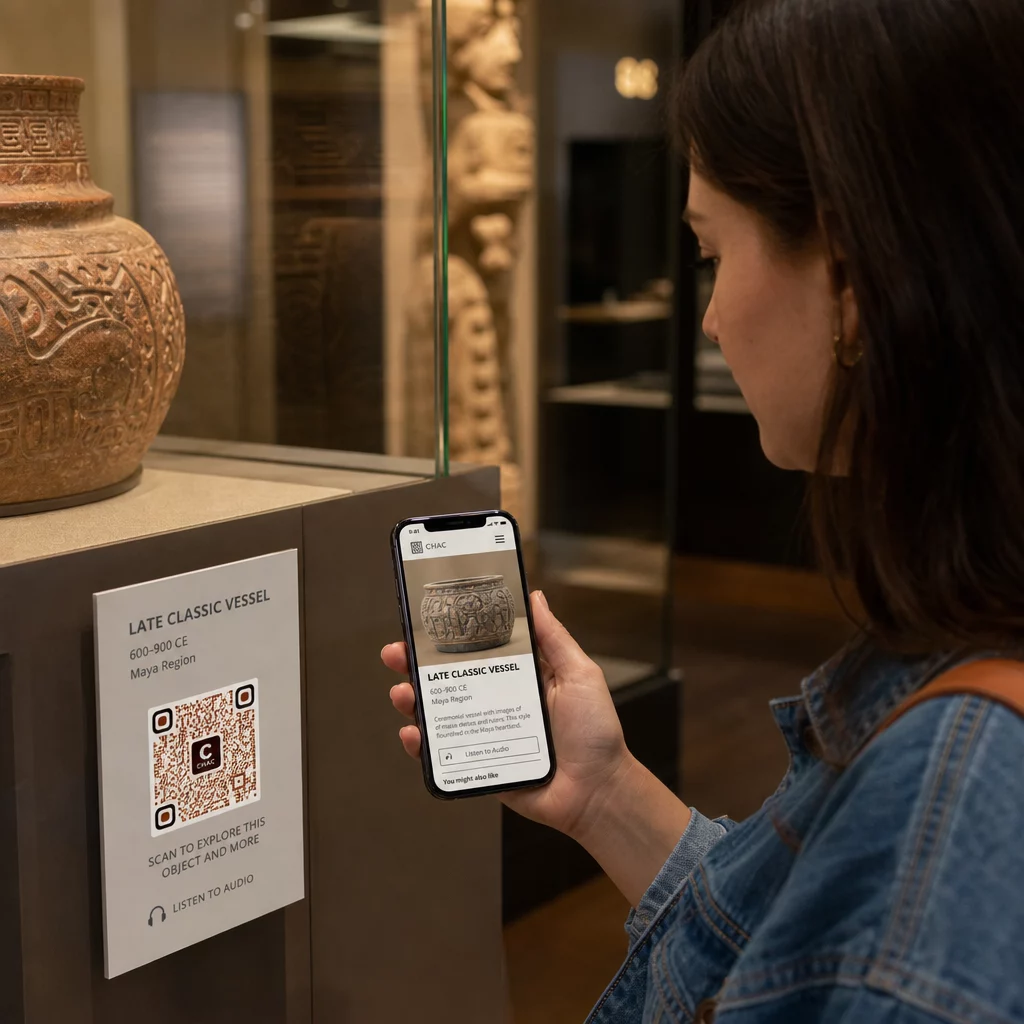
Museum juga telah menggunakan kode QR dalam instalasi seni modern untuk menghubungkan karya fisik dengan penceritaan digital, termasuk konten gamifikasi dan narasi sejarah desain yang tertanam dalam kode itu sendiri.
Tiket dan Masuk Tanpa Kontak
Tiket digital melalui kode QR memberikan pengunjung tiket yang dapat dipindai yang dapat mereka tunjukkan di titik masuk langsung dari ponsel mereka. Ini menyederhanakan manajemen penerimaan, mengurangi antrean, dan menghilangkan ketergantungan pada stok tiket fisik – sangat berguna untuk periode lalu lintas tinggi.
Umpan Balik Pengunjung
Menempatkan kode QR di pintu keluar atau di seluruh lantai galeri memungkinkan pengunjung dengan cepat mengisi formulir umpan balik tanpa diberikan survei kertas. Data yang dikumpulkan membantu museum memahami preferensi pengunjung, mengevaluasi pameran, dan merencanakan peningkatan. Sebuah tautan kode QR yang mengarah ke formulir online adalah cara termudah untuk mengaturnya.
Pertimbangan Aksesibilitas
Kode QR dapat secara signifikan meningkatkan aksesibilitas jika diterapkan dengan cermat – tetapi juga dapat menciptakan hambatan jika kebutuhan tersebut tidak ditangani sejak awal.
Sediakan alternatif. Tidak setiap pengunjung memiliki ponsel pintar atau merasa nyaman memindai kode. Selalu tawarkan cara lain untuk mengakses konten yang sama, seperti URL cetak terdekat, opsi SMS, atau anggota staf yang dapat membantu. Pengunjung tunanetra atau dengan penglihatan rendah mungkin merasa akses SMS lebih mudah digunakan daripada pemindaian QR.
Desain untuk kontras dan visibilitas. Gunakan elemen kode gelap pada latar belakang terang dan targetkan rasio kontras setidaknya 4:1. Ini memenuhi persyaratan kontras non-teks WCAG 2.1 dan memastikan kode tetap terbaca bagi pengunjung dengan penglihatan rendah. Panduan terperinci untuk mencapai ini tersedia di praktik terbaik kegunaan kode QR referensi.
Ukuran kode untuk jarak pemindaian. Aturan praktis yang kasar adalah rasio 10:1 – untuk setiap 10 cm jarak pemindaian yang diharapkan, kode harus setidaknya 1 cm lebarnya. Minimum praktis untuk sebagian besar penempatan museum adalah 2 × 2 cm (sekitar 0,8 × 0,8 inci), meskipun format yang lebih besar lebih baik untuk pameran yang dilihat dari kejauhan.
Pertimbangkan tinggi penempatan. Pasang kode pada ketinggian dan sudut yang dapat dijangkau dan dipindai dengan nyaman oleh pengunjung yang menggunakan kursi roda atau mereka yang memiliki pertumbuhan terbatas. Penempatan setinggi mata 3 hingga 5 kaki dari lantai berfungsi baik untuk pengunjung yang berdiri; penempatan yang lebih rendah mungkin diperlukan untuk inklusivitas penuh.
Berikan instruksi singkat dan jelas. Tidak semua pengunjung akan tahu cara memindai kode QR. Instruksi singkat – “Buka aplikasi kamera Anda dan arahkan ke kode ini” – menghilangkan kebingungan. Jaga agar instruksi tetap konsisten di seluruh museum sehingga pengunjung tidak perlu mempelajari ulang interaksi di setiap pameran.
Uji dengan teknologi bantu. Sebelum peluncuran, verifikasi bahwa konten yang ditautkan dan metode akses alternatif apa pun berfungsi dengan benar dengan pembaca layar dan alat pembesar seperti VoiceOver dan TalkBack.
Untuk museum yang secara khusus tertarik pada aksesibilitas audio, kode QR yang diaktifkan suara tawarkan alternatif bebas genggam yang menghubungkan pemindaian ke narasi lisan – sangat berguna bagi pengunjung yang tidak dapat menavigasi antarmuka visual dengan nyaman.
Cara Mengatur Kode QR di Museum Anda
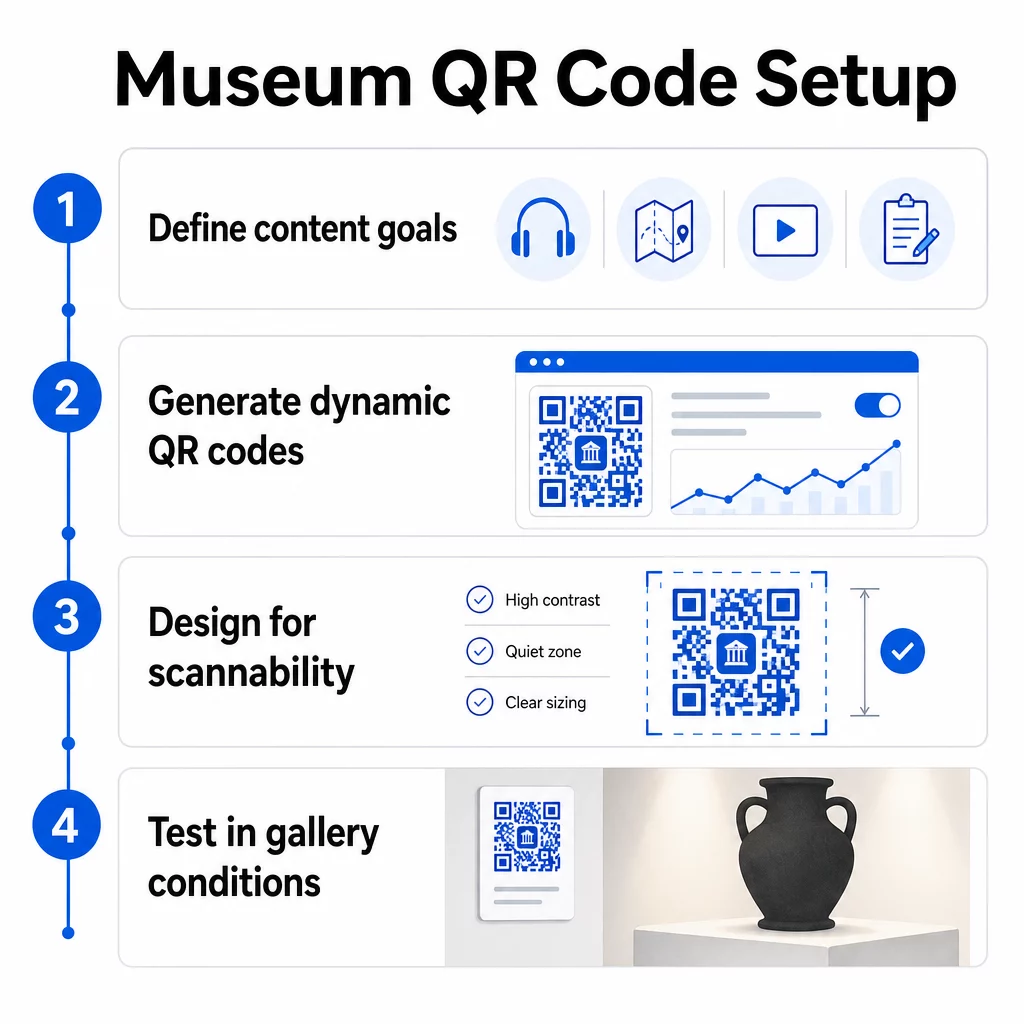
Langkah 1: Definisikan Konten dan Tujuan Anda
Sebelum membuat satu kode pun, putuskan apa yang akan disampaikan setiap kode dan siapa yang dilayaninya. Pemandu audio untuk artefak utama memiliki persyaratan yang berbeda dengan formulir umpan balik di pintu keluar. Petakan jenis kode Anda – audio, peta PDF, video, tautan survei – dan cocokkan masing-masing dengan format konten yang sesuai.
Langkah 2: Buat Kode Anda
Gunakan platform kode QR yang mendukung kode dinamis sehingga Anda dapat memperbarui tujuan tanpa mencetak ulang. Pageloot’s Generator Kode QR memungkinkan Anda membuat kode untuk URL, PDF, file audio, video, dan lainnya, lalu mengelolanya dari satu dasbor. Kode dinamis juga menyediakan analitik pemindaian – melacak volume, lokasi, jenis perangkat, dan waktu – sehingga Anda dapat melihat pameran mana yang paling menarik perhatian.
Lacak Keterlibatan Pameran Ingin tahu artefak mana yang paling banyak berinteraksi dengan pengunjung? Gunakan kode QR dinamis dengan analitik bawaan untuk memantau data pemindaian di setiap pameran di museum Anda.
Langkah 3: Desain untuk Kemudahan Pemindaian
Terapkan branding yang konsisten – warna dan logo museum Anda – sambil menjaga kontras tinggi antara kode dan latar belakangnya. Pertahankan zona tenang yang jelas (batas kosong) di sekitar setiap kode. Untuk panduan desain terperinci, praktik terbaik untuk keterbacaan kode QR artikel tersebut mencakup rasio kontras, zona tenang, penempatan logo, dan tingkat koreksi kesalahan secara praktis.
Langkah 4: Cetak dan Tempatkan Kode Secara Strategis
Cetak kode dalam ukuran yang cukup untuk jarak pemindaian yang diharapkan, menggunakan format vektor resolusi tinggi (SVG, EPS, atau PDF) untuk menghindari keburaman. Tempatkan pada ketinggian mata di dekat pameran yang dirujuk – bukan di seberang ruangan. Untuk instalasi berskala besar atau kompleks, panduan utama penempatan kode QR memberikan saran spesifik lingkungan yang dapat diterapkan dengan baik pada pengaturan museum.
Langkah 5: Uji Sebelum Anda Buka
Uji setiap kode pada perangkat iOS dan Android, di bawah kondisi pencahayaan sebenarnya di galeri Anda. Verifikasi bahwa halaman yang ditautkan memuat dengan cepat pada data seluler (bukan hanya WiFi), bahwa konten audio dan video diputar dengan benar, dan bahwa setiap rute akses alternatif berfungsi sebagaimana mestinya.
Museum Populer Menggunakan Kode QR
- Museum Nasional Sejarah Alam Smithsonian telah menggunakan pengalaman realitas tertambah yang terhubung dengan QR untuk menghidupkan pameran fisik dengan lapisan digital dan rekonstruksi 3D.
- Museum Seni Metropolitan mengintegrasikan akses kode QR ke dalam pengalaman pengunjung standarnya sebagai opsi untuk mengakses panduan digitalnya.
- Museum Akropolis menawarkan panduan audio berbasis QR yang memungkinkan tur mandiri, menjadikan kunjungan lebih fleksibel dan informatif bagi pengunjung internasional.
- Museum Inggris menggunakan kode QR agar pengunjung dapat mengakses konten tambahan dan mempelajari lebih lanjut tentang pameran sesuai kecepatan mereka sendiri.
Untuk perspektif yang lebih luas tentang aplikasi inovatif, panduan kode QR untuk tur seni virtual mendokumentasikan bagaimana institusi menggunakan alat-alat ini untuk memperluas pengalaman museum melampaui dinding fisik.
Pertanyaan yang Sering Diajukan
Kode QR museum dapat menautkan ke hampir semua konten digital: narasi audio, panduan video, pengalaman realitas tertambah, peta PDF, halaman informasi pameran, teks multibahasa, formulir umpan balik, portal donasi, atau tur virtual. Format yang Anda pilih bergantung pada apa yang paling sesuai untuk setiap pameran dan kebutuhan pengunjung.
Tidak. Ponsel pintar iOS dan Android modern dapat memindai kode QR secara langsung menggunakan aplikasi kamera bawaan – tidak diperlukan aplikasi terpisah. Beberapa perangkat lama mungkin memerlukan pemindai QR khusus, jadi merupakan praktik yang baik untuk menyebutkan hal ini dalam instruksi Anda dan memastikan konten yang Anda tautkan dimuat dengan cepat di peramban seluler standar.
Kode QR Dinamis memungkinkan Anda memperbarui konten yang dituju oleh kode kapan saja tanpa mencetak ulang kode fisik. Ini berarti Anda dapat menyegarkan deskripsi pameran, menukar file audio untuk musim baru, atau memperbaiki tautan yang rusak tanpa mengganggu papan nama cetak Anda. Kode dinamis juga menyediakan analitik pemindaian – menunjukkan kepada Anda pameran mana yang menarik keterlibatan paling banyak, pada waktu apa, dan di perangkat mana – memberikan tim Anda data yang dapat ditindaklanjuti untuk perencanaan pameran dan peningkatan pengalaman pengunjung.