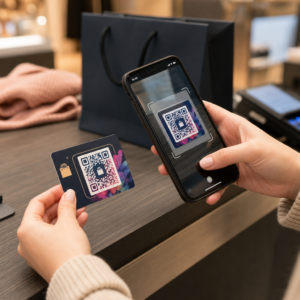
Màu mã QR tốt nhất là các mô-đun tối (các ô vuông) trên nền sáng, và đúng vậy, mã QR có thể có màu. Quy tắc rất đơn giản: các mô-đun phải tối hơn rõ rệt so với nền. Màu đen trên nền trắng cho tỷ lệ tương phản 21:1 và là lựa chọn an toàn nhất. Đối với mã có thương hiệu, hãy đặt mục tiêu ít nhất 4:1, và sử dụng 7:1 trở lên cho biển báo ngoài trời, nơi ánh sáng mặt trời và khoảng cách làm giảm độ tương phản hiệu quả. Hướng dẫn này cung cấp các con số, bảng màu và quy trình kiểm tra.
Màu Mã QR nào hoạt động hiệu quả, và Mã QR có thể có màu không?
Mã QR có thể có hầu hết mọi màu, và nó có thể sử dụng các màu khác nhau cho các mô-đun và nền. Camera điện thoại không nhìn thấy sắc độ. Nó chuyển đổi hình ảnh sang thang độ xám và quyết định, từng ô vuông một, đâu là màu tối và đâu là màu sáng. Vì vậy, câu hỏi không phải là bạn chọn màu nào, mà là hai giá trị thang độ xám khác nhau đến mức nào.
- Hoạt động hiệu quả: các mô-đun màu xanh navy, xanh lá cây đậm, than chì, tím đậm, nâu đậm hoặc đen trên nền trắng, kem hoặc một nền rất sáng khác.
- Hoạt động hiệu quả khi có kiểm tra: màu đỏ đậm, xanh mòng két đậm và cam đậm trên nền trắng. Trước tiên hãy kiểm tra tỷ lệ và quét một bản in thử.
- Không hoạt động hiệu quả: các mô-đun màu vàng, xám nhạt, pastel hoặc neon, và bất kỳ cặp màu nào có cùng độ sáng, chẳng hạn như màu xanh lá cây trung bình trên màu đỏ trung bình.
- Rủi ro: các mô-đun sáng trên nền tối (mã đảo ngược). Nhiều ứng dụng quét có thể đọc chúng, nhưng một số thì không, vì vậy hãy tránh chúng trên bất cứ thứ gì quan trọng.
Tại Sao Độ Tương Phản Kiểm Soát Khả Năng Quét Mã QR
Các cảm biến quang học đọc mã QR bằng cách đo sự khác biệt về độ phản xạ giữa các mô-đun tối và sáng. Tiêu chuẩn mã QR, ISO/IEC 18004, giả định các mô-đun tối trên nền sáng. Các mô-đun tối hấp thụ ánh sáng và nền sáng phản xạ nó. Nếu sự khác biệt quá nhỏ, bộ giải mã không thể tách mẫu dữ liệu khỏi nền.
Trong thử nghiệm mã vạch (ISO/IEC 15415), độ tương phản ký hiệu là sự khác biệt giữa độ phản xạ sáng nhất và tối nhất trong mã. Độ tương phản ký hiệu từ 70% trở lên đạt điểm cao nhất, và dưới 20% là thất bại. Người đánh giá cũng kiểm tra điều biến, cho thấy các mô-đun sáng và tối phản xạ đồng đều như thế nào trên toàn bộ ký hiệu. Màu sắc không đồng đều hoặc sự tách biệt yếu khiến máy quét bỏ lỡ các cạnh mô-đun.
Phân cực thông thường, với các mô-đun tối trên nền sáng, hoạt động trên mọi thiết bị. Một số ứng dụng camera tích hợp trên điện thoại không thể đọc mã sáng trên nền tối, và sự hỗ trợ khác nhau tùy theo mẫu điện thoại và phiên bản phần mềm. Hãy sử dụng phân cực thông thường trừ khi bạn đã thử nghiệm phiên bản đảo ngược trên các thiết bị mà đối tượng của bạn sử dụng.
Đánh giá Tỷ lệ và Ngưỡng Tương phản Màu sắc
Tỷ lệ tương phản là một con số từ 1:1 (không có sự khác biệt) đến 21:1 (đen trên trắng). Tỷ lệ này đến từ các quy tắc tiếp cận trong Hướng dẫn Truy cập Nội dung Web (WCAG), vốn được viết cho văn bản nhưng là một cách thực tế để kiểm tra màu sắc mã QR. Một công cụ kiểm tra độ tương phản (tìm kiếm "WCAG contrast checker") chấp nhận hai mã hex và trả về tỷ lệ. Để biết thêm về thiết kế hòa nhập, hãy đọc hướng dẫn của chúng tôi về cách tạo mã QR tuân thủ ADA.
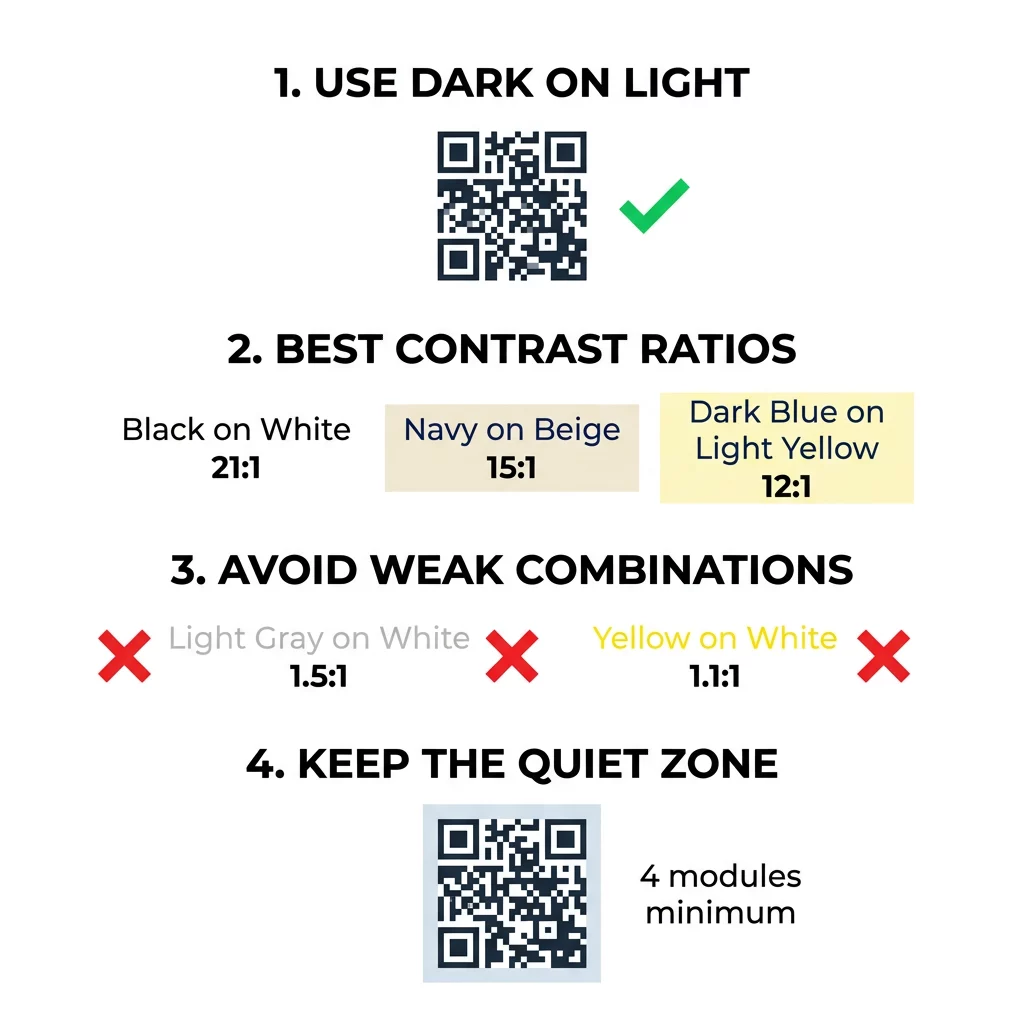
Sử dụng các mục tiêu này. Tối thiểu 4:1 là mức tối thiểu cho in ấn trong nhà và màn hình. 7:1 trở lên an toàn hơn cho bao bì, tờ rơi và bất cứ thứ gì được chụp ảnh trong điều kiện ánh sáng khác nhau. 10:1 trở lên là mục tiêu cho bảng hiệu ngoài trời. Các tỷ lệ dưới đây là gần đúng và phụ thuộc vào sắc thái chính xác.
| Kết hợp màu sắc | Tỷ lệ Tương phản Gần đúng | Đánh giá Khả năng Quét |
|---|---|---|
| Đen trên Trắng | 21:1 | Tối ưu (tiêu chuẩn ngành) |
| Xanh hải quân trên màu be | ~15:1 | Xuất sắc |
| Xanh đậm trên vàng nhạt | ~12:1 | Rất tốt |
| Nâu đậm trên Trắng ngà | ~8:1 | Tốt |
| Đỏ thuần (#FF0000) trên Trắng | ~4:1 | Gần giới hạn, hãy kiểm tra trước khi in |
| Đỏ đậm (#8B0000) trên Trắng | ~11:1 | Rất tốt |
| Xám nhạt trên nền trắng | ~1.5:1 | Kém (lỗi quét thường xuyên) |
| Vàng trên nền trắng | ~1.1:1 | Không thể quét được |
Tùy chỉnh mã mà không hy sinh khả năng quét Kiểm tra màu sắc và xem trước thiết kế của bạn theo thời gian thực bằng cách sử dụng Tạo mã QR có logo ở giữa để cân bằng tính thẩm mỹ thương hiệu với khả năng quét đáng tin cậy.
Tỷ lệ Tương phản Mã QR Tốt nhất cho Bảng hiệu Ngoài trời
Không có tiêu chuẩn nào quy định tỷ lệ cần thiết cho mã QR ngoài trời, nhưng điều kiện ngoài trời làm giảm độ tương phản theo ba cách: ánh nắng trực tiếp làm mờ các vùng sáng, ánh chói che khuất một phần mã và khoảng cách làm mờ các mô-đun nhỏ. Hãy lên kế hoạch cho một biên độ an toàn lớn hơn so với khi ở trong nhà.
- Sử dụng màu đen hoặc màu rất tối trên nền trắng. Đặt mục tiêu tỷ lệ 10:1 hoặc cao hơn.
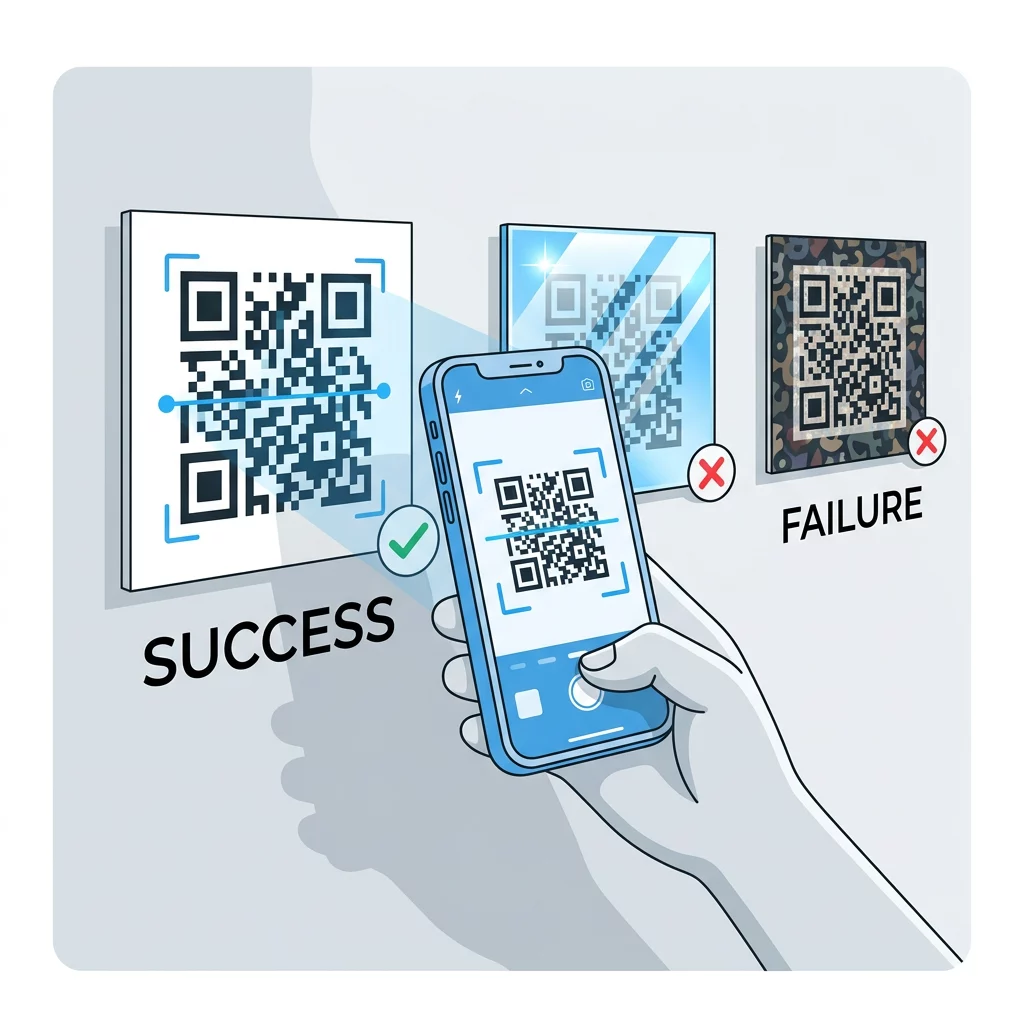
- In trên vật liệu mờ hoặc thêm lớp cán mờ. Nhựa vinyl bóng và kính phản chiếu ánh nắng mặt trời và làm hỏng mẫu.
- Kích thước mã phù hợp với khoảng cách quét. Một quy tắc phổ biến là 1 đơn vị chiều rộng mã cho mỗi 10 đơn vị khoảng cách, vì vậy mã được quét từ 2 mét (khoảng 6,5 feet) nên rộng khoảng 20 cm (8 inch).
- Giữ toàn bộ vùng yên tĩnh và đặt mã lên một bảng màu sáng đồng nhất thay vì một bức ảnh.
- Tránh đặt mã ở nơi đối diện với ánh nắng mặt trời thấp hoặc phía sau kính, và quét biển báo đã in tại địa điểm thực tế trước khi đặt in hàng loạt.
Độ Tương Phản Mã Vạch: Mã QR so với Mã Vạch Tuyến Tính
Các quy tắc tương phản tương tự áp dụng cho các mã vạch có độ tương phản cao khác, như Code 128 hoặc EAN. Máy quét bán lẻ thường sử dụng tia laser đỏ, và ánh sáng đỏ không nhìn thấy các vạch đỏ hoặc mực đỏ là màu tối. Đối với mã vạch tuyến tính, hãy in các vạch màu đen, xanh đậm hoặc xanh lá đậm trên nền trắng, và không bao giờ in màu đỏ hoặc cam. Mã QR được đọc bằng camera điện thoại ít nhạy cảm với sắc độ hơn, nhưng cùng lời khuyên này mang lại kết quả đáng tin cậy nhất cho cả hai.
Bảo Vệ Vùng Yên Tĩnh và Kích Thước Mã
Độ tương phản cao phải kéo dài đến cạnh của mã. Phần lề trống xung quanh mẫu là vùng yên tĩnh. Nó cho camera biết mã bắt đầu từ đâu và các tác phẩm nghệ thuật khác kết thúc ở đâu.
- Giữ một vùng yên tĩnh rộng ít nhất bốn chiều rộng mô-đun ở cả bốn cạnh.
- Giữ lề này không có văn bản, hình minh họa và đường viền.
- Phối vùng yên tĩnh với màu nền sáng của bạn để đường biên rõ ràng.
- In mã ít nhất 2 x 2 cm (0,8 x 0,8 inch) cho việc quét cầm tay ở khoảng cách gần. In lớn hơn cho các liên kết dài hơn, vì nhiều dữ liệu hơn có nghĩa là các mô-đun nhỏ hơn.
- Ưu tiên một liên kết ngắn. Một URL ngắn tạo ra một mẫu đơn giản hơn với các mô-đun lớn hơn giúp quét tốt hơn trong điều kiện ánh sáng yếu.
Văn bản hoặc hình ảnh bên trong vùng tĩnh là nguyên nhân thường gặp gây lỗi quét trên các tài liệu có thương hiệu. Hướng dẫn của chúng tôi về các phương pháp hay nhất để đọc mã QR cho thấy cách giữ các lề trong khi phù hợp với bố cục của bạn.
Tránh những lỗi phổ biến về màu sắc và kiểu dáng
Tùy chỉnh mã có thể làm giảm khả năng đọc. Camera chuyển đổi hình ảnh sang thang độ xám, vì vậy hai tông màu khác nhau có thể có cùng độ sáng và hợp nhất thành một màu xám.
- Tránh các mô-đun màu pastel như xanh dương nhạt, xanh bạc hà hoặc vàng nhạt.
- Tránh các mô-đun màu đỏ hoặc cam sáng. Máy quét laser đọc màu đỏ là ánh sáng, và tỷ lệ tương phản thường dưới 5:1. Một màu đỏ sẫm như đỏ nâu sẽ an toàn hơn nhiều.
- Tránh các gradient nơi phần sáng nhất của màu mô-đun gần với nền.
- Tránh nền trong suốt trên ảnh, giấy có họa tiết hoặc bao bì có hoa văn. Đặt mã lên một bảng màu sáng đồng nhất.
- Tránh các thiết kế đảo ngược với các mô-đun sáng trên nền tối trừ khi bạn đã kiểm tra chúng trên các điện thoại mà đối tượng của bạn sử dụng.
- Tránh các logo lớn. Một logo che quá nhiều mô-đun có thể vượt quá khả năng sửa lỗi của mã.
Biết những giới hạn này giúp bạn học được cách tạo mã QR tùy chỉnh hiển thị thương hiệu của bạn mà không làm hỏng quá trình giải mã.
Kiểm tra và xác thực trong môi trường thực tế
Một mã có thể quét được từ màn hình sáng nhưng có thể không quét được trên giấy. Ánh sáng phòng, góc nhìn và kết cấu vật liệu đều làm thay đổi độ tương phản đến ống kính. Nắng trực tiếp làm mất đi sự khác biệt nhỏ về màu sắc, phòng tối làm giảm khả năng của cảm biến trong việc phân tách các mô-đun, và bề mặt bóng loáng thêm độ chói.
Thực hiện kiểm tra này trước mỗi lần in:
- Kiểm tra cặp màu trong trình kiểm tra độ tương phản. Tỷ lệ phải ít nhất là 4:1, và 7:1 trở lên đối với bao bì và sử dụng ngoài trời.
- In một bản mẫu trên vật liệu thật, với kích thước thật, với hoàn thiện thật.
- Quét nó bằng camera tích hợp trên ít nhất một điện thoại iPhone và một điện thoại Android, một điện thoại cũ hơn nếu bạn có thể, và một công cụ dựa trên trình duyệt. Quét mã QR.
- Quét mã trong điều kiện ánh sáng tệ nhất mà mã có thể gặp: phòng tối, nắng trực tiếp và ở một góc độ.
- Nếu mã đọc chậm hoặc không quét được, hãy tăng độ tương phản, phóng to mã, rút ngắn liên kết hoặc khôi phục vùng yên tĩnh.
Hướng dẫn của chúng tôi về cách kiểm tra mã QR trước khi in nói chi tiết hơn về điều này, và cách cải thiện khả năng đọc mã QR đề cập đến các cách khắc phục cho những mã không quét được.
Tối đa hóa độ tin cậy và mức độ tương tác của mã QR
Hãy coi độ tương phản là một yêu cầu kỹ thuật, không phải là một bước hoàn thiện. Chọn màu tối trên nền sáng, giữ vùng yên tĩnh và kiểm tra bản in thử dưới ánh sáng mà mã sẽ gặp phải. Điều đó giúp bảo vệ ngân sách in của bạn khỏi những mã không quét được.
Tạo mã có độ tương phản cao của bạn với trình tạo mã QR. Đặt màu module và màu nền, sau đó tải xuống dưới dạng PNG, SVG hoặc PDF. Nếu bạn in một mã và có thể cần thay đổi liên kết sau này, hãy sử dụng mã động: bạn có thể chỉnh sửa đích đến sau khi in và xem số liệu thống kê quét. Mã động đi kèm với bản dùng thử miễn phí 14 ngày, và các gói được liệt kê tại https://pageloot.com/pricing/.
Câu hỏi thường gặp
Đặt mục tiêu tỷ lệ ít nhất 4:1 giữa các mô-đun và nền. Sử dụng tỷ lệ 7:1 trở lên cho bao bì và tờ rơi, và 10:1 trở lên cho biển hiệu ngoài trời. Màu đen trên nền trắng là 21:1.
Có. Bất kỳ màu nào cũng được nếu các mô-đun rõ ràng tối hơn nền. Màu xanh hải quân đậm, xanh lá cây rừng, than chì và đỏ tía trên nền trắng hoặc kem hoạt động tốt. Màu vàng, xám nhạt và màu pastel thì không.
Các mô-đun và nền có thể có màu sắc khác nhau, và bạn có thể sử dụng bất kỳ tông màu nào, nhưng chỉ sự khác biệt về độ sáng mới quan trọng. Điện thoại đọc mã ở chế độ thang độ xám, nên hai màu có độ sáng bằng nhau sẽ không hoạt động. Hãy kiểm tra tỷ lệ và quét bản in thử.
Không có tiêu chuẩn chính thức. Tỷ lệ 10:1 trở lên là mục tiêu an toàn, ví dụ như chữ đen trên nền trắng. Sử dụng lớp hoàn thiện mờ để giảm độ chói, đặt kích thước mã khoảng 1/10 khoảng cách quét và thử nghiệm tại chỗ.
Có, nếu màu thương hiệu của bạn đủ tối, chẳng hạn như xanh navy đậm, xanh lá cây rừng hoặc than chì, và nằm trên nền sáng đồng nhất. Nếu màu thương hiệu của bạn nhạt, hãy sử dụng một sắc thái tối của nó cho các mô-đun.
Tiêu chuẩn QR xác định các mô-đun tối trên nền sáng. Nhiều ứng dụng camera tìm kiếm mẫu đó trước tiên, và một số không thể đọc các mô-đun sáng trên nền tối. Sự hỗ trợ khác nhau tùy theo điện thoại, vì vậy hãy kiểm tra trước khi in.
Có. Mã vạch tuyến tính như Code 128 hoặc EAN cũng cần các vạch tối trên nền sáng. Máy quét laser bán lẻ sử dụng ánh sáng đỏ, vì vậy không bao giờ in các vạch màu đỏ hoặc cam.