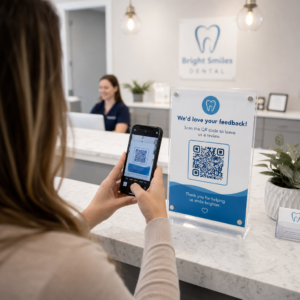
Вы когда-нибудь задумывались, что на самом деле происходит в полсекунды между наведением телефона на QR-код и переходом на веб-страницу? Процесс быстрее, чем кажется, и его понимание помогает создавать коды, которые надежно сканируются каждый раз.
Что на самом деле представляет собой QR-код
QR-код — это двухмерная матрица из черно-белых квадратов, расположенных в уникальном порядке. В отличие от традиционного штрих-кода, который кодирует данные в одной горизонтальной линии с различной шириной полос, QR-код хранит информацию как по горизонтали, так и по вертикали. Именно это обеспечивает ему гораздо большую емкость данных и делает его читаемым с разных ориентаций.
Каждый QR-код состоит из нескольких функциональных областей:
- Поисковые шаблоны – три больших квадрата по углам, которые помогают сканеру найти код, определить его ориентацию и обнаружить его края, даже когда код наклонен
- Шаблоны синхронизации – чередующиеся черно-белые модули, расположенные между поисковыми шаблонами, которые определяют структуру сетки и помогают сканеру правильно определить размер каждого модуля
- Тихая зона – пустой белый отступ вокруг кода, шириной не менее четырех модулей, который отделяет его от окружающей графики, чтобы сканер мог обнаружить его границы
- Информация о формате – выделенная область рядом с поисковыми шаблонами, которая хранит уровень коррекции ошибок и шаблон маскирования, чтобы сканер точно знал, как интерпретировать данные
- Модули данных – отдельные черно-белые квадраты, где находится фактически закодированное содержимое, считываемые как двоичные единицы (черный) и нули (белый)
Данные в этих модулях могут быть закодированы в нескольких режимах: только числовой, буквенно-цифровой, 8-битные двоичные байты или кандзи. QR-код версии 1 имеет размер 21×21 модуль; код версии 40 расширяется до 177×177 и может содержать до 7089 числовых символов, 4296 буквенно-цифровых символов или 2953 байта двоичных данных. Узнайте больше о том, как работают эти компромиссы, в руководстве по Ограничения данных QR-кода.
Процесс сканирования, шаг за шагом
Когда вы наводите камеру на QR-код, многоступенчатый процесс разворачивается за миллисекунды.

Шаг 1: Захват изображения
Камера захватывает двухмерную сетку как визуальное изображение. Это исходные данные – фотография черно-белого узора. Большинство современных камер смартфонов могут справиться с этим без какого-либо специального приложения для сканирования. Если вы хотите понять весь спектр способов запуска сканирования на разных устройствах, руководство по сканированию QR-кодов подробно описывает рабочие процессы для iPhone, Android, планшетов и настольных компьютеров.
Шаг 2: Обнаружение шаблона
Программное обеспечение сканера использует распознавание образов для определения местоположения QR-кода на изображении. Оно ищет три шаблона поиска в углах. После обнаружения сканер определяет:
- Где код расположен в кадре
- В каком направлении он ориентирован (даже если повернут или слегка искажен)
- Где находятся края кода
Этот шаг объясняет, почему QR-коды остаются читаемыми под углом – шаблоны поиска дают алгоритму достаточно геометрии для коррекции искажений.
Шаг 3: Выборка сетки и извлечение данных
После определения положения и ориентации кода сканер считывает шаблоны синхронизации и маркеры выравнивания, чтобы понять структуру сетки. Затем он считывает каждый модуль по определенному зигзагообразному пути – справа налево, затем сверху вниз – начиная с известной позиции и проходя через каждый модуль данных до достижения индикатора конца.
При прохождении этого пути сканер считывает:
- A индикатор режима (четыре модуля), который указывает тип кодирования – числовой, буквенно-цифровой, байтовый или кандзи
- A индикатор количества символов который указывает, сколько символов закодировано
- Остальные кодовые слова данных до конца потока данных
Шаг 4: Коррекция ошибок
После считывания модулей данных сканер обрабатывает кодовые слова коррекции ошибок. QR-коды используют коррекцию ошибок Рида-Соломона, которая встраивает избыточные данные, позволяющие восстановить исходное содержимое, даже если часть кода физически повреждена или скрыта.
Существует четыре стандартизированных уровня коррекции ошибок:
| Уровень | Возможность восстановления | Лучше всего подходит для |
|---|---|---|
| L (Низкий) | ~7% | Чистые внутренние помещения |
| M (средний) | ~15% | Общие маркетинговые материалы |
| Q (квартиль) | ~25% | Промышленное или наружное использование |
| H (высокий) | ~30% | Коды с логотипами, суровые условия |
Более высокая коррекция ошибок означает, что код может выдержать больше повреждений, но также требует больше модулей, делая общий символ более плотным. Если вы добавляете логотип к QR-коду или размещаете его в месте, подверженном воздействию погодных условий, выбор уровня H — правильное решение. Для более глубокого изучения того, как этот компромисс проявляется на практике, см. статью о как работает коррекция ошибок в редактируемых QR-кодах.
Шаг 5: Декодирование в удобочитаемое содержимое
После восстановления битов данных сканер декодирует двоичную последовательность в соответствии с режимом кодирования QR-кода. Черные квадраты становятся единицами, а белые квадраты — нулями. Эта двоичная строка затем преобразуется в удобочитаемый контент – URL-адрес, номер телефона, блок текста, контактную информацию или любой другой тип данных, для переноса которого код был изначально создан.
Если код содержит URL-адрес, ваше устройство выводит запрос на его открытие. Это тот момент, когда процесс сканирования передается вашему браузеру или приложению.
Попробуйте бесплатный сканер QR-кодов Pageloot Нужно декодировать QR-код прямо с изображения или веб-камеры? Этот Сканер QR-кодов Pageloot работает в любом современном браузере – загрузка приложения не требуется.
Чем сканеры QR-кодов отличаются от сканеров штрих-кодов
Основные физические принципы схожи: оба типа сканеров освещают шаблон, обнаруживают отраженный свет и декодируют результат. Но стандартный лазерный сканер штрих-кодов считывает данные по одной горизонтальной линии, поэтому он может работать только с одномерными штрих-кодами. Для считывания двумерного QR-кода требуется датчик на основе изображения, который захватывает весь шаблон сразу.
Для прямого сравнения того, как эти два формата различаются по возможностям и сценариям использования, см. объяснение работы сканера штрих-кодов подробно описывает систему освещения, датчик и компоненты декодера – а также сравнение штрих-кодов и QR-кодов разбирает, какой формат имеет больше смысла для различных бизнес-приложений.
Что делает QR-код легким (или трудным) для сканирования
Понимание процесса сканирования показывает, почему определенные дизайнерские решения ухудшают читаемость:
- Низкий контраст – сканер различает модули по разнице в отражении света между черными и белыми областями; код, напечатанный серым цветом на бледном фоне, не проходит этот тест
- Отсутствие тихой зоны – без четкого белого поля сканер не может надежно определить края кода, особенно если рядом находится текст или графика
- Слишком маленький для расстояния просмотра – применяется правило 10:1: на каждые 10 см расстояния сканирования код должен быть не менее 1 см в ширину; практический минимум для печати на близком расстоянии составляет 2×2 см
- Инвертированные или нетрадиционные цвета – светлые модули на темном фоне могут сбивать с толку распознавание образов в некоторых сканерах
- Размытое или пикселизированное изображение – растровые изображения низкого разрешения распадаются при масштабировании для печати; векторные форматы, такие как SVG или EPS, остаются четкими при любом размере
Для получения исчерпывающих рекомендаций по размеру, контрастности, размещению и тестированию статья о лучшими практиками читаемости QR-кодов охватывает каждый фактор с конкретными рекомендациями.

Создавайте коды, предназначенные для сканирования В Генератор QR-кодов Pageloot позволяет создавать, настраивать и тестировать QR-коды с правильной коррекцией ошибок, контрастностью и форматом для вашего конкретного случая использования – а динамические коды можно обновлять после печати без создания нового изображения.
Статические против динамических QR-кодов: что видит сканер
С точки зрения сканера, каждый QR-код выглядит одинаково: матрица модулей, кодирующая строку данных. Разница между статическими и динамическими кодами заключается в том, что содержат эти данные.
A статический QR-код кодирует конечное назначение напрямую – полный URL, текст или контактная информация встраиваются в модули при создании. Изменение содержимого означает создание нового кода.
A динамический QR-код кодирует короткий URL-адрес перенаправления, который указывает на сервер. При сканировании это перенаправление направляет пользователя к любому месту назначения, которое владелец кода установил в данный момент. Это означает, что физический код никогда не меняется, но его поведение может быть мгновенно обновлено. Динамические коды также позволяют отслеживать сканирования – каждое сканирование регистрирует точку данных, которая показывает, когда и где код был отсканирован, на каком устройстве и как часто.
Если кампания с QR-кодом должна быть измеримой или связанный контент может измениться, динамические коды являются практичным выбором. Для компаний, сравнивающих полный спектр опций приложений-сканеров и то, что искать в инструменте сканирования, Сравнение приложений для сканирования QR-кодов охватывает основные варианты.
Часто задаваемые вопросы
Нет. Большинство смартфонов под управлением iOS 11 или новее и современные устройства Android могут сканировать QR-коды непосредственно через встроенное приложение камеры. Для большего контроля – например, сканирования из сохраненного изображения или проверки истории сканирования – специальный инструмент, такой как сканер QR-кодов Pageloot, работает из любого браузера без установки.
Наиболее распространенными причинами являются низкий контраст, отсутствие тихой зоны, код, слишком маленький для расстояния просмотра, или изображение, слишком размытое для распознавания модулей. Старые устройства с камерами низкого разрешения более чувствительны к этим проблемам. Тестирование на нескольких устройствах перед печатью и использование более высоких уровней коррекции ошибок (Q или H) снижает вероятность сбоев. Полный список причин и исправлений см. в руководстве по неработающим QR-кодам.
QR-код версии 40 на самом низком уровне коррекции ошибок может кодировать до 7089 числовых символов, 4296 буквенно-цифровых символов или 2953 байтов бинарных данных. На практике более короткие URL-адреса и более простой контент создают менее плотные коды, которые сканируются быстрее и надежнее. Полный анализ компромиссов между версией, емкостью и коррекцией ошибок рассматривается в руководстве по ограничениям данных QR-кода.