Pernahkah Anda bertanya-tanya apa yang sebenarnya terjadi dalam setengah detik antara mengarahkan ponsel Anda ke kode QR dan mendarat di halaman web? Prosesnya lebih cepat dari yang terlihat, dan memahaminya membantu Anda membuat kode yang dapat dipindai dengan andal setiap saat.
Apa Sebenarnya Kode QR Itu
Kode QR adalah matriks dua dimensi dari kotak hitam dan putih yang disusun dalam pola unik. Tidak seperti kode batang tradisional – yang mengkode data dalam satu garis horizontal dengan lebar batang yang bervariasi – kode QR menyimpan informasi baik secara horizontal maupun vertikal. Itulah yang memberinya kapasitas data yang jauh lebih besar dan membuatnya dapat dibaca dari berbagai orientasi.
Setiap kode QR dibangun dari beberapa wilayah fungsional:
- Pola pencari – tiga kotak besar di sudut yang membantu pemindai menemukan kode, menentukan orientasinya, dan menemukan tepinya, bahkan saat kode dimiringkan
- Pola waktu – modul hitam-putih bergantian yang berjalan di antara pola pencari yang menentukan struktur kisi dan membantu pemindai mengukur setiap modul dengan benar
- Zona tenang – margin putih kosong yang mengelilingi kode, setidaknya selebar empat modul, yang memisahkannya dari grafik di sekitarnya sehingga pemindai dapat mendeteksi batas-batasnya
- Informasi format – area khusus di dekat pola pencari yang menyimpan tingkat koreksi kesalahan dan pola masking sehingga pemindai tahu persis bagaimana menafsirkan data
- Modul data – kotak hitam-putih individual tempat konten yang dikodekan sebenarnya berada, dibaca sebagai biner satu (hitam) dan nol (putih)
Data dalam modul-modul tersebut dapat dikodekan dalam beberapa mode: hanya numerik, alfanumerik, byte biner 8-bit, atau Kanji. Kode QR Versi 1 adalah 21×21 modul; kode Versi 40 meluas menjadi 177×177 dan dapat menampung hingga 7.089 karakter numerik, 4.296 karakter alfanumerik, atau 2.953 byte data biner. Pelajari lebih lanjut tentang bagaimana kompromi ini bekerja dalam panduan untuk batas data kode QR.
Proses Pemindaian, Langkah demi Langkah
Saat Anda mengarahkan kamera ke kode QR, proses multi-tahap berlangsung dalam milidetik.

Langkah 1: Pengambilan Gambar
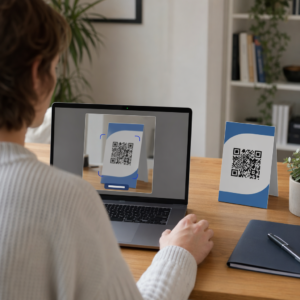
Kamera menangkap kisi dua dimensi sebagai gambar visual. Ini adalah masukan mentah – sebuah foto pola hitam-putih. Sebagian besar kamera ponsel pintar modern dapat menangani ini tanpa aplikasi pemindaian khusus. Jika Anda ingin memahami berbagai cara untuk memicu pemindaian di berbagai perangkat, panduan memindai kode QR mencakup alur kerja iPhone, Android, tablet, dan desktop secara rinci.
Langkah 2: Deteksi Pola
Perangkat lunak pemindai menggunakan pengenalan pola untuk menemukan kode QR dalam gambar. Ia mencari tiga pola penemu di sudut-sudut. Setelah ditemukan, pemindai menentukan:
- Di mana kode diposisikan dalam bingkai
- Arah orientasinya (bahkan jika diputar atau sedikit miring)
- Di mana tepi kode berada
Langkah ini adalah mengapa kode QR tetap dapat dibaca pada sudut – pola penemu memberikan algoritma geometri yang cukup untuk mengoreksi distorsi.
Langkah 3: Pengambilan Sampel Kisi dan Ekstraksi Data
Dengan posisi dan orientasi kode yang telah ditetapkan, pemindai membaca pola waktu dan penanda penyelarasan untuk memahami struktur kisi. Kemudian ia mengambil sampel setiap modul dalam jalur zig-zag tertentu – dari kanan ke kiri, lalu ke atas kemudian ke bawah – dimulai dari posisi yang diketahui dan bekerja melalui setiap modul data hingga indikator akhir tercapai.
Saat melintasi jalur ini, pemindai membaca:
- SEBUAH indikator mode (empat modul) yang menentukan jenis pengkodean – numerik, alfanumerik, byte, atau Kanji
- SEBUAH indikator jumlah karakter yang menyatakan berapa banyak karakter yang dienkode
- Sisanya kata kode data hingga akhir aliran data
Langkah 4: Koreksi Kesalahan
Setelah membaca modul data, pemindai memproses kata kode koreksi kesalahan. Kode QR menggunakan koreksi kesalahan Reed–Solomon, yang menyematkan data redundan yang memungkinkan konten asli direkonstruksi bahkan ketika sebagian kode rusak secara fisik atau terhalang.
Ada empat tingkat koreksi kesalahan standar:
| Tingkat | Kapasitas Pemulihan | Terbaik Digunakan Untuk |
|---|---|---|
| L (Rendah) | ~7% | Lingkungan dalam ruangan yang bersih |
| M (Sedang) | ~15% | Materi pemasaran umum |
| Q (Kuartil) | ~25% | Penggunaan industri atau luar ruangan |
| H (Tinggi) | ~30% | Kode dengan logo, kondisi sulit |
Koreksi kesalahan yang lebih tinggi berarti kode dapat bertahan dari lebih banyak kerusakan tetapi juga membutuhkan lebih banyak modul, membuat simbol keseluruhan lebih padat. Jika Anda menambahkan logo ke kode QR atau menempatkannya di tempat yang terpapar cuaca, memilih Level H adalah pilihan yang tepat. Untuk melihat lebih dalam bagaimana pertukaran ini terjadi dalam praktik, lihat artikel tentang Cara kerja koreksi kesalahan pada kode QR yang dapat diedit.
Langkah 5: Dekode ke Konten yang Dapat Dibaca Manusia
Setelah bit data direkonstruksi, pemindai mendekode urutan biner sesuai dengan mode pengodean kode QR. Kotak hitam menjadi angka satu dan kotak putih menjadi angka nol. String biner tersebut kemudian diubah menjadi konten yang dapat dibaca manusia – URL, nomor telepon, blok teks, informasi kontak, atau jenis data lain yang awalnya dibuat untuk dibawa oleh kode tersebut.
Jika kode berisi URL, perangkat Anda akan menampilkan perintah untuk membukanya. Itulah saat proses pemindaian diserahkan ke browser atau aplikasi Anda.
Coba Pemindai Kode QR Gratis Pageloot Perlu mendekode kode QR langsung dari gambar atau webcam Anda? Pemindai kode QR Pageloot berfungsi di browser modern mana pun – tidak perlu mengunduh aplikasi.
Perbedaan Pemindai QR dengan Pemindai Barcode
Fisika dasarnya serupa: kedua jenis pemindai menerangi pola, mendeteksi cahaya yang dipantulkan, dan mendekode hasilnya. Namun, pemindai barcode laser standar membaca dalam satu garis horizontal, itulah sebabnya ia hanya dapat menangani barcode 1D. Membaca kode QR 2D memerlukan sensor berbasis gambar yang menangkap pola lengkap sekaligus.
Untuk perbandingan langsung tentang bagaimana kedua format ini berbeda dalam kemampuan dan kasus penggunaan, penjelasan pemindai barcode mencakup sistem iluminasi, sensor, dan komponen dekoder secara rinci – dan perbandingan barcode vs. kode QR menguraikan format mana yang lebih masuk akal untuk berbagai aplikasi bisnis.
Apa yang Membuat Kode QR Mudah (atau Sulit) Dipindai
Memahami proses pemindaian mengungkapkan mengapa pilihan desain tertentu merusak keterbacaan:
- Kontras rendah – pemindai membedakan modul berdasarkan perbedaan pantulan cahaya antara area hitam dan putih; kode yang dicetak abu-abu pada latar belakang pucat gagal dalam uji ini
- Zona tenang yang hilang – tanpa margin putih yang jelas, pemindai tidak dapat menemukan tepi kode dengan andal, terutama jika teks atau grafik di sekitarnya berdekatan
- Terlalu kecil untuk jarak pandang – aturan 10:1 berlaku: untuk setiap 10 cm jarak pemindaian, kode harus setidaknya selebar 1 cm; minimum praktis untuk penggunaan cetak jarak dekat adalah 2×2 cm
- Warna terbalik atau tidak konvensional – modul terang dengan latar belakang gelap dapat membingungkan pengenalan pola pada beberapa pemindai
- Hasil buram atau berpiksel – gambar raster beresolusi rendah akan pecah pada skala cetak; format vektor seperti SVG atau EPS tetap tajam pada ukuran berapa pun
Untuk panduan komprehensif tentang ukuran, kontras, penempatan, dan pengujian, artikel tentang praktik terbaik keterbacaan kode QR mencakup setiap faktor dengan rekomendasi spesifik.

Buat Kode yang Dirancang untuk Dipindai Itu Pembuat kode QR Pageloot memungkinkan Anda membuat, menyesuaikan, dan menguji kode QR dengan koreksi kesalahan, kontras, dan format yang tepat untuk kasus penggunaan spesifik Anda – dan kode dinamis dapat diperbarui setelah dicetak tanpa menghasilkan gambar baru.
Kode QR Statis vs. Dinamis: Apa yang Dilihat Pemindai
Dari perspektif pemindai, setiap kode QR terlihat sama: matriks modul yang mengkodekan serangkaian data. Perbedaan antara kode statis dan dinamis adalah apa yang terkandung dalam data tersebut.
SEBUAH kode QR statis mengkodekan tujuan akhir secara langsung – URL lengkap, teks, atau informasi kontak sudah tertanam dalam modul saat pembuatan. Mengubah konten berarti membuat kode baru.
SEBUAH kode QR dinamis mengkodekan URL pengalihan singkat yang mengarah ke server. Saat dipindai, pengalihan tersebut meneruskan pengguna ke tujuan apa pun yang saat ini telah ditetapkan oleh pemilik kode. Ini berarti kode fisik tidak pernah berubah, tetapi perilakunya dapat diperbarui secara instan. Kode dinamis juga memungkinkan pelacakan pemindaian – setiap pemindaian mencatat titik data yang menunjukkan kapan dan di mana kode dipindai, pada perangkat apa, dan seberapa sering.
Jika kampanye kode QR perlu diukur atau konten yang ditautkan mungkin berubah, kode dinamis adalah pilihan praktis. Untuk bisnis yang membandingkan berbagai opsi aplikasi pemindai dan apa yang harus dicari dalam alat pemindaian, the Perbandingan aplikasi pemindai kode QR mencakup opsi-opsi utama.
Pertanyaan yang sering diajukan
Tidak. Sebagian besar ponsel pintar yang menjalankan iOS 11 atau lebih baru dan perangkat Android modern dapat memindai kode QR langsung melalui aplikasi kamera bawaan. Untuk kontrol lebih lanjut – seperti memindai dari gambar yang tersimpan atau memeriksa riwayat pemindaian – alat khusus seperti pemindai QR Pageloot berfungsi dari browser mana pun tanpa instalasi.
Penyebab paling umum adalah kontras rendah, zona tenang yang hilang, kode yang terlalu kecil untuk jarak pandang, atau gambar yang terlalu buram untuk membedakan modul. Perangkat lama dengan kamera beresolusi rendah lebih sensitif terhadap masalah ini. Menguji di berbagai perangkat sebelum mencetak, dan menggunakan tingkat koreksi kesalahan yang lebih tinggi (Q atau H), mengurangi kemungkinan kegagalan. Lihat daftar lengkap penyebab dan perbaikan di panduan kode QR tidak berfungsi.
Kode QR Versi 40 pada tingkat koreksi kesalahan terendah dapat mengkodekan hingga 7.089 karakter numerik, 4.296 karakter alfanumerik, atau 2.953 byte data biner. Dalam praktiknya, URL yang lebih pendek dan konten yang lebih sederhana menghasilkan kode yang kurang padat yang memindai lebih cepat dan lebih andal. Rincian lengkap tentang versi, kapasitas, dan pertukaran koreksi kesalahan dibahas dalam panduan batas data kode QR.