Ti sei mai chiesto cosa succede effettivamente nel mezzo secondo tra il puntare il telefono su un codice QR e l'atterraggio su una pagina web? Il processo è più veloce di quanto sembri, e capirlo ti aiuta a creare codici che scansionano in modo affidabile ogni volta.
Cos'è effettivamente un codice QR
Un codice QR è una matrice bidimensionale di quadrati bianchi e neri disposti in un modello unico. A differenza di un codice a barre tradizionale – che codifica i dati in una singola linea orizzontale di larghezze di barre variabili – un codice QR memorizza le informazioni sia orizzontalmente che verticalmente. Questo è ciò che gli conferisce una capacità di dati molto maggiore e lo rende leggibile da più orientamenti.
Ogni codice QR è costruito da diverse regioni funzionali:
- Schemi di ricerca – i tre grandi quadrati negli angoli che aiutano lo scanner a localizzare il codice, determinarne l'orientamento e trovarne i bordi, anche quando il codice è inclinato
- Schemi di temporizzazione – moduli alternati bianchi e neri che corrono tra gli schemi di ricerca che definiscono la struttura della griglia e aiutano lo scanner a dimensionare correttamente ogni modulo
- Zona di silenzio – il margine bianco vuoto che circonda il codice, largo almeno quattro moduli, che lo separa dalla grafica circostante in modo che lo scanner possa rilevarne i confini
- Informazioni sul formato – un'area dedicata vicino agli schemi di ricerca che memorizza il livello di correzione degli errori e il modello di mascheramento in modo che lo scanner sappia esattamente come interpretare i dati
- Moduli dati – i singoli quadrati bianchi e neri dove risiede il contenuto codificato effettivo, letti come uno binari (nero) e zero (bianco)
I dati in questi moduli possono essere codificati in diverse modalità: solo numerico, alfanumerico, byte binari a 8 bit o Kanji. Un codice QR Versione 1 è di 21×21 moduli; un codice Versione 40 si espande a 177×177 e può contenere fino a 7.089 caratteri numerici, 4.296 caratteri alfanumerici o 2.953 byte di dati binari. Scopri di più su come funzionano questi compromessi nella guida a limiti dei dati del codice QR.
Il processo di scansione, passo dopo passo
Quando punti una fotocamera su un codice QR, un processo a più fasi si svolge in millisecondi.

Passaggio 1: Acquisizione dell'immagine
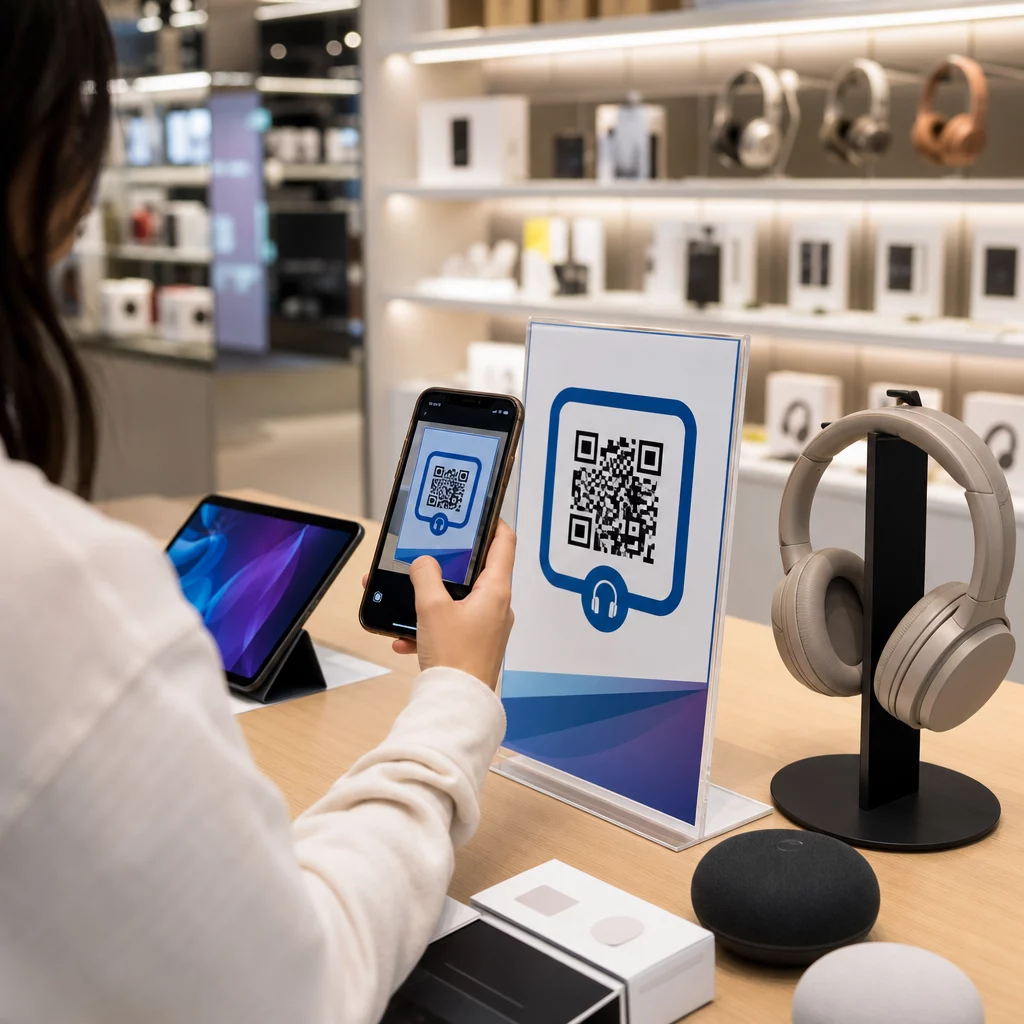
La fotocamera cattura la griglia bidimensionale come immagine visiva. Questo è l'input grezzo – una fotografia del modello in bianco e nero. La maggior parte delle fotocamere degli smartphone moderni può gestire questo senza alcuna app di scansione dedicata. Se vuoi capire l'intera gamma di modi per attivare una scansione su diversi dispositivi, la guida alla scansione dei codici QR copre in dettaglio i flussi di lavoro per iPhone, Android, tablet e desktop.
Passaggio 2: Rilevamento del modello
Il software dello scanner utilizza il riconoscimento di pattern per localizzare il codice QR all'interno dell'immagine. Cerca i tre pattern di rilevamento negli angoli. Una volta trovati, lo scanner determina:
- Dove il codice è posizionato nell'inquadratura
- In quale direzione è orientato (anche se ruotato o leggermente inclinato)
- Dove sono i bordi del codice
Questo passaggio è il motivo per cui i codici QR rimangono leggibili ad angolo – i pattern di rilevamento forniscono all'algoritmo una geometria sufficiente per correggere la distorsione.
Passaggio 3: Campionamento della griglia ed estrazione dei dati
Una volta stabilite la posizione e l'orientamento del codice, lo scanner legge i pattern di temporizzazione e i marcatori di allineamento per comprendere la struttura della griglia. Quindi campiona ogni modulo in un percorso a zigzag specifico – da destra a sinistra, poi su e giù – partendo da una posizione nota e lavorando attraverso ogni modulo di dati fino a quando non viene raggiunto l'indicatore di fine.
Mentre percorre questo cammino, lo scanner legge:
- UN indicatore di modalità (quattro moduli) che specifica il tipo di codifica – numerico, alfanumerico, byte o Kanji
- UN indicatore del conteggio dei caratteri che indica quanti caratteri sono codificati
- I rimanenti codeword di dati fino alla fine del flusso di dati
Passo 4: Correzione degli errori
Dopo aver letto i moduli di dati, lo scanner elabora le codeword di correzione degli errori. I codici QR utilizzano la correzione degli errori Reed–Solomon, che incorpora dati ridondanti che consentono di ricostruire il contenuto originale anche quando parte del codice è fisicamente danneggiata o oscurata.
Esistono quattro livelli standardizzati di correzione degli errori:
| Livello | Capacità di recupero | Ideale per |
|---|---|---|
| L (Basso) | ~7% | Ambienti interni puliti |
| M (Medio) | ~15% | Materiali di marketing generici |
| Q (Quartile) | ~25% | Uso industriale o esterno |
| H (Alto) | ~30% | Codici con loghi, condizioni difficili |
Una correzione degli errori più elevata significa che il codice può sopravvivere a più danni ma richiede anche più moduli, rendendo il simbolo complessivo più denso. Se stai aggiungendo un logo a un codice QR o lo stai posizionando in un luogo esposto alle intemperie, scegliere il Livello H è la scelta giusta. Per uno sguardo più approfondito su come questo compromesso si manifesta nella pratica, consulta l'articolo su Come funziona la correzione errori nei QR code modificabili.
Passo 5: Decodifica in contenuto leggibile dall'uomo
Una volta ricostruiti i bit di dati, lo scanner decodifica la sequenza binaria in base alla modalità di codifica del codice QR. I quadrati neri diventano uno e i quadrati bianchi diventano zero. Quella stringa binaria viene quindi convertita in contenuto leggibile dall'uomo – un URL, un numero di telefono, un blocco di testo, informazioni di contatto o qualsiasi altro tipo di dato che il codice era stato originariamente creato per trasportare.
Se il codice contiene un URL, il tuo dispositivo visualizza un prompt per aprirlo. Questo è il momento in cui il processo di scansione passa il controllo al tuo browser o app.
Prova lo scanner di codici QR gratuito di Pageloot Hai bisogno di decodificare un codice QR direttamente da un'immagine o dalla tua webcam? Lo Scanner di codici QR Pageloot funziona in qualsiasi browser moderno – nessun download di app richiesto.
Come gli scanner QR differiscono dagli scanner di codici a barre
La fisica sottostante è simile: entrambi i tipi di scanner illuminano un modello, rilevano la luce riflessa e decodificano il risultato. Ma uno scanner di codici a barre laser standard legge su una singola linea orizzontale, motivo per cui può gestire solo codici a barre 1D. La lettura di un codice QR 2D richiede un sensore basato su immagine che cattura l'intero modello in una volta sola.
Per un confronto diretto su come questi due formati differiscono in capacità e caso d'uso, lo spiegazione dello scanner di codici a barre copre in dettaglio il sistema di illuminazione, il sensore e i componenti del decodificatore – e il confronto tra codice a barre e codice QR analizza quale formato ha più senso per diverse applicazioni aziendali.
Cosa rende un codice QR facile (o difficile) da scansionare
Comprendere il processo di scansione rivela perché certe scelte di design compromettono la leggibilità:
- Contrasto basso – lo scanner distingue i moduli dalla differenza di riflessione della luce tra aree nere e bianche; un codice stampato in grigio su uno sfondo chiaro non supera questo test
- Zona di silenzio mancante – senza un chiaro margine bianco, lo scanner non può localizzare in modo affidabile i bordi del codice, specialmente se testo o grafica circostanti sono vicini
- Troppo piccolo per la distanza di visualizzazione – si applica la regola 10:1: per ogni 10 cm di distanza di scansione, il codice dovrebbe essere largo almeno 1 cm; il minimo pratico per l'uso di stampa a distanza ravvicinata è 2×2 cm
- Colori invertiti o non convenzionali – moduli chiari su sfondo scuro possono confondere il riconoscimento di pattern in alcuni scanner
- Output sfocato o pixelato – le immagini raster a bassa risoluzione si scompongono in scala di stampa; i formati vettoriali come SVG o EPS rimangono nitidi a qualsiasi dimensione
Per una guida completa su dimensionamento, contrasto, posizionamento e test, l'articolo su le migliori pratiche di leggibilità dei codici QR copre ogni fattore con raccomandazioni specifiche.

Crea codici costruiti per la scansione Il sito generatore di codici QR Pageloot ti permette di costruire, personalizzare e testare codici QR con la giusta correzione degli errori, contrasto e formato per il tuo caso d'uso specifico – e i codici dinamici possono essere aggiornati dopo la stampa senza generare una nuova immagine.
Codici QR statici vs. dinamici: cosa vede lo scanner
Dal punto di vista dello scanner, ogni codice QR appare uguale: una matrice di moduli che codifica una stringa di dati. La differenza tra codici statici e dinamici è ciò che quei dati contengono.
UN codice QR statico codifica la destinazione finale direttamente – l'URL completo, il testo o le informazioni di contatto sono incorporati nei moduli al momento della creazione. Cambiare il contenuto significa generare un nuovo codice.
UN codice QR dinamico codifica un breve URL di reindirizzamento che punta a un server. Quando scansionato, quel reindirizzamento inoltra l'utente a qualsiasi destinazione il proprietario del codice abbia attualmente impostato. Ciò significa che il codice fisico non cambia mai, ma il suo comportamento può essere aggiornato istantaneamente. I codici dinamici consentono anche il tracciamento delle scansioni – ogni scansione registra un punto dati che mostra quando e dove il codice è stato scansionato, su quale dispositivo e con quale frequenza.
Se una campagna di codici QR deve essere misurabile o il contenuto collegato potrebbe cambiare, i codici dinamici sono la scelta pratica. Per le aziende che confrontano l'intera gamma di opzioni di app scanner e cosa cercare in uno strumento di scansione, il Confronto tra app per la scansione di codici QR copre le opzioni principali.
Domande frequenti
No. La maggior parte degli smartphone con iOS 11 o versioni successive e i moderni dispositivi Android possono scansionare i codici QR direttamente tramite l'app fotocamera nativa. Per un maggiore controllo – come la scansione da un'immagine salvata o il controllo della cronologia delle scansioni – uno strumento dedicato come lo scanner QR di Pageloot funziona da qualsiasi browser senza installazione.
Le cause più comuni sono il basso contrasto, una zona di silenzio mancante, un codice troppo piccolo per la distanza di visualizzazione o un'immagine troppo sfocata per risolvere i moduli. I dispositivi più vecchi con fotocamere a bassa risoluzione sono più sensibili a questi problemi. Testare su più dispositivi prima della stampa e utilizzare livelli di correzione degli errori più elevati (Q o H) riduce la possibilità di fallimenti. Consulta l'elenco completo delle cause e delle soluzioni nella guida al codice QR non funzionante.
Un codice QR Versione 40 al livello di correzione degli errori più basso può codificare fino a 7.089 caratteri numerici, 4.296 caratteri alfanumerici o 2.953 byte di dati binari. In pratica, URL più brevi e contenuti più semplici producono codici meno densi che scansionano più velocemente e in modo più affidabile. La ripartizione completa delle compensazioni tra versione, capacità e correzione degli errori è trattata nella guida ai limiti dei dati del codice QR.