首页 > 指南 > QR码扫描仪如何工作?
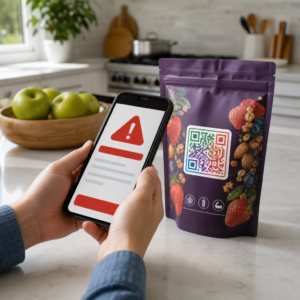
手机扫描二维码

QR码扫描仪如何工作?

Understand how QR code scanners work through image capture, pattern detection, and error correction to decode black-and-white modules into human-readable data.
Updated on 6 月 10, 2026
目录

Ever wondered what’s actually happening in the half-second between pointing your phone at a QR code and landing on a webpage? The process is faster than it looks, and understanding it helps you create codes that scan reliably every time.

What a QR Code Actually Is

A QR code is a two-dimensional matrix of black and white squares arranged in a unique pattern. Unlike a traditional barcode – which encodes data in a single horizontal line of varying bar widths – a QR code stores information both horizontally and vertically. That’s what gives it far greater data capacity and makes it readable from multiple orientations.

Each QR code is built from several functional regions:

  • Finder patterns – the three large squares in the corners that help the scanner locate the code, determine its orientation, and find its edges, even when the code is tilted
  • Timing patterns – alternating black-and-white modules running between the finder patterns that define the grid structure and help the scanner correctly size each module
  • Quiet zone – the blank white margin surrounding the code, at least four modules wide, which separates it from surrounding graphics so the scanner can detect its boundaries
  • Format information – a dedicated area near the finder patterns that stores the error correction level and masking pattern so the scanner knows exactly how to interpret the data
  • Data modules – the individual black-and-white squares where the actual encoded content lives, read as binary ones (black) and zeros (white)

The data in those modules can be encoded in several modes: numeric only, alphanumeric, 8-bit binary bytes, or Kanji. A Version 1 QR code is 21×21 modules; a Version 40 code expands to 177×177 and can hold up to 7,089 numeric characters, 4,296 alphanumeric characters, or 2,953 bytes of binary data. Learn more about how these trade-offs work in the guide to 二维码数据限制.

The Scanning Process, Step by Step

When you point a camera at a QR code, a multi-stage process unfolds in milliseconds.

QR scanning process

Step 1: Image Capture

The camera captures the two-dimensional grid as a visual image. This is the raw input – a photograph of the black-and-white pattern. Most modern smartphone cameras can handle this without any dedicated scanning app. If you want to understand the full range of ways to trigger a scan across different devices, the guide to scanning QR codes covers iPhone, Android, tablet, and desktop workflows in detail.

Step 2: Pattern Detection

The scanner’s software uses pattern recognition to locate the QR code within the image. It searches for the three finder patterns in the corners. Once found, the scanner determines:

  • Where the code is positioned in the frame
  • Which direction it’s oriented (even if rotated or slightly skewed)
  • Where the edges of the code are

This step is why QR codes remain readable at an angle – the finder patterns give the algorithm enough geometry to correct for distortion.

Step 3: Grid Sampling and Data Extraction

With the code’s position and orientation established, the scanner reads the timing patterns and alignment markers to understand the grid structure. It then samples each module in a specific zigzag path – right to left, up then down – starting from a known position and working through every data module until the end indicator is reached.

As it traverses this path, the scanner reads:

  • 一种 mode indicator (four modules) that specifies the encoding type – numeric, alphanumeric, byte, or Kanji
  • 一种 character count indicator that states how many characters are encoded
  • The remaining data codewords until the end of the data stream

Step 4: Error Correction

After reading the data modules, the scanner processes the error correction codewords. QR codes use Reed–Solomon error correction, which embeds redundant data that allows the original content to be reconstructed even when part of the code is physically damaged or obscured.

There are four standardized error correction levels:

级别 恢复能力 Best Used For
L(低) ~7% Clean indoor environments
M(中型) ~15% General marketing materials
Q(四分位数) ~25% Industrial or outdoor use
H(高) ~30% Codes with logos, harsh conditions

Higher error correction means the code can survive more damage but also requires more modules, making the overall symbol denser. If you’re adding a logo to a QR code or placing it somewhere exposed to weather, choosing Level H is the right call. For a deeper look at how this trade-off plays out in practice, see the article on 可编辑二维码中的纠错工作原理.

Step 5: Decoding to Human-Readable Content

Once the data bits are reconstructed, the scanner decodes the binary sequence according to the QR code’s encoding mode. Black squares become ones and white squares become zeros. That binary string is then converted into human-readable content – a URL, a phone number, a block of text, contact information, or any other data type the code was originally built to carry.

If the code contains a URL, your device surfaces a prompt to open it. That’s the moment the scanning process hands off to your browser or app.

Try Pageloot’s Free QR Code Scanner Need to decode a QR code directly from an image or your webcam? The Pageloot 二维码扫描仪 works in any modern browser – no app download required.

How QR Scanners Differ from Barcode Scanners

The underlying physics are similar: both types of scanner illuminate a pattern, detect reflected light, and decode the result. But a standard laser barcode scanner reads in a single horizontal line, which is why it can only handle 1D barcodes. Reading a 2D QR code requires an image-based sensor that captures the full pattern at once.

For a direct comparison of how these two formats differ in capability and use case, the barcode scanner explainer covers the illumination system, sensor, and decoder components in detail – and the barcode vs. QR code comparison breaks down which format makes more sense for different business applications.

What Makes a QR Code Easy (or Hard) to Scan

Understanding the scanning process reveals why certain design choices hurt readability:

  • 低对比度 – the scanner distinguishes modules by the difference in light reflection between black and white areas; a code printed in grey on a pale background fails this test
  • Missing quiet zone – without a clear white margin, the scanner can’t reliably locate the code’s edges, especially if surrounding text or graphics are close
  • Too small for the viewing distance – a 10:1 rule applies: for every 10 cm of scanning distance, the code should be at least 1 cm wide; the practical minimum for close-range print use is 2×2 cm
  • Inverted or unconventional colors – light modules on a dark background can confuse pattern recognition in some scanners
  • Blurry or pixelated output – low-resolution raster images fall apart at print scale; vector formats like SVG or EPS stay crisp at any size

For comprehensive guidance on sizing, contrast, placement, and testing, the article on 二维码可读性最佳实践 covers each factor with specific recommendations.

QR scan readability

Create Codes Built to ScanPageloot 二维码生成器 lets you build, customize, and test QR codes with the right error correction, contrast, and format for your specific use case – and dynamic codes can be updated after printing without generating a new image.

Static vs. Dynamic QR Codes: What the Scanner Sees

From the scanner’s perspective, every QR code looks the same: a matrix of modules encoding a string of data. The difference between static and dynamic codes is what that data contains.

一种 静态二维码 encodes the final destination directly – the full URL, text, or contact information is baked into the modules at creation time. Changing the content means generating a new code.

一种 动态二维码 encodes a short redirect URL that points to a server. When scanned, that redirect forwards the user to whatever destination the code owner has currently set. This means the physical code never changes, but its behavior can be updated instantly. Dynamic codes also enable scan tracking – every scan registers a data point that shows when and where the code was scanned, on what device, and how often.

If a QR code campaign needs to be measurable or the linked content might change, dynamic codes are the practical choice. For businesses comparing the full range of scanner app options and what to look for in a scanning tool, the QR code scanning apps comparison covers the major options.

常见问题

我需要一个专门的App来扫描二维码吗?

No. Most smartphones running iOS 11 or later and modern Android devices can scan QR codes directly through the native camera app. For more control – such as scanning from a saved image or checking scan history – a dedicated tool like the Pageloot QR scanner works from any browser without installation.

Why does my QR code scan on some devices but not others?

The most common causes are low contrast, a missing quiet zone, a code that’s too small for the viewing distance, or an image that’s too blurry to resolve the modules. Older devices with lower-resolution cameras are more sensitive to these issues. Testing across multiple devices before printing, and using higher error correction levels (Q or H), reduces the chance of failures. See the full list of causes and fixes in the QR code not working guide.

How much data can a QR code hold?

A Version 40 QR code at the lowest error correction level can encode up to 7,089 numeric characters, 4,296 alphanumeric characters, or 2,953 bytes of binary data. In practice, shorter URLs and simpler content produce less dense codes that scan faster and more reliably. The full breakdown of version, capacity, and error correction trade-offs is covered in the QR code data limits guide.

关于作者

Siim Kostabi 是 Pageloot 的内容主管,负责撰写关于我们创新型二维码生成器服务的文章。凭借五年多来在二维码领域积累的深厚专业知识,Siim 是该领域的专家。他致力于利用二维码技术简化和增强数字交互,并取得了显著的成果。.

类别
了解更多关于
宾客扫描餐桌二维码
制作二维码 订货系统
QR QR码的#1解决方案

如果您需要在线创建QR码,则可以 制作二维码 就在这里免费!
Pageloot是 #1转到解决方案 创建和扫描QR码。

HT-32

博客扫描

受到超过 20,000 个品牌的信赖,可获得更多销售、评论和关注者。

客户徽标
受到顶级品牌的信赖
评分为 4.8(共 5)

4.86 / 5 星评级

雨果·劳伦特
雨果·劳伦特
餐馆老板
有史以来最容易和最可靠的QR码生成器。PDF文件可以立即上传。我们的餐厅菜单现在是数字化的。
卢卡斯-詹森
卢卡斯-詹森
房地产开发商
这是一个很好的工具,二维码带你到你想要的地方。我们只使用位置二维码,但有许多有用的功能。
艾玛-莫雷蒂
艾玛-莫雷蒂
零售产品
易于使用和快速。它工作得很好,创造了一个完美的图像,所以员工可以下载我的vCard。
雨果·劳伦特
雨果·劳伦特
餐馆老板
有史以来最容易和最可靠的QR码生成器。PDF文件可以立即上传。我们的餐厅菜单现在是数字化的。
卢卡斯-詹森
卢卡斯-詹森
房地产开发商
这是一个很好的工具,二维码带你到你想要的地方。我们只使用位置二维码,但有许多有用的功能。
艾玛-莫雷蒂
艾玛-莫雷蒂
零售产品
易于使用和快速。它工作得很好,创造了一个完美的图像,所以员工可以下载我的vCard。
查看更多QR码
Data Matrix和QR
数据矩阵 VS 二维码
Students scanning QR codes
的QR码 学校教育
品牌二维码设计
使用以下方式制作QR码 定制设计
将一切转化为数字体验 不到3分钟。

免费试用 14 天。

无需信用卡。

首次购买可享受 30% 折扣

使用代码:

分享您的 MP3 文件

注册以创建 PDF QR 码

上传和显示你需要的一切。

  • 音频文件
  • 播客
  • 音乐

注册即可享 14 天免费试用。.
试用期结束后,二维码将失效。.

注册以创建音频 mp3 二维码

使用边框获得更多扫描

注册以向您的二维码添加更多框架

呼叫行动框架帮助您的客户与QR码轻松互动。试试吧!

注册即可享 14 天免费试用。.
试用期结束后,二维码将失效。.

注册以向您的二维码添加更多框架

使用形状添加更多样式

注册以创建更多形状

二维码不一定是方形的。试着改变它以适应你的品牌形象。

注册即可享 14 天免费试用。.
试用期结束后,二维码将失效。.

注册以创建更多形状

为您的二维码添加徽标

注册以将您的徽标添加到二维码中

通过在二维码上添加你的标志和品牌,使你的二维码脱颖而出。

注册即可享 14 天免费试用。.
试用期结束后,二维码将失效。.

注册以将您的徽标添加到二维码中

智能应用商店重定向

注册以创建应用商店二维码

将您的应用程序链接添加到我们的智能应用程序商店QR码。用户会根据他们的设备被重新定向。

注册即可享 14 天免费试用。.
试用期结束后,二维码将失效。.

注册以创建应用商店二维码

将图片上传到二维码

注册以创建图像二维码

轻松分享你的图像。在几秒钟内动态地改变任何图像。

注册即可享 14 天免费试用。.
试用期结束后,二维码将失效。.

注册以创建图像二维码

分享您的 PDF 文件

注册以创建 PDF QR 码

上传和显示你需要的一切。

  • 菜单和价格表
  • 使用说明
  • 任何文件

注册即可享 14 天免费试用。.
试用期结束后,二维码将失效。.

注册以创建 PDF QR 码

稍后编辑,无需打印

注册即可编辑您的二维码,无需再次打印

动态QR码让你改变你的QR码的内容,而不需要打印新的QR码。

注册即可享 14 天免费试用。.
试用期结束后,二维码将失效。.

注册即可编辑您的二维码,无需再次打印

何时?何地?追踪您的二维码扫描

注册以追踪您的二维码

发现你的哪些二维码收到了最多的扫描,以及什么最能让你的客户兴奋。

注册即可享 14 天免费试用。.
试用期结束后,二维码将失效。.

注册以追踪您的二维码

提供可打印文件

注册以创建 PDF 和 SVG 等矢量二维码

.EPS, .PDF, .SVG

想下载高清分辨率的QR码吗?获得矢量或像素格式,可随时打印。

注册即可享 14 天免费试用。.
试用期结束后,二维码将失效。.

注册以创建 PDF 和 SVG 等矢量二维码

请等待。您的二维码是 正在加载... 正在加载...

打造专属

注册以保存您的二维码以供日后使用

通过创建具有不同颜色、标识和行动呼吁框架的出色的QR码,获得更多的扫描。

注册即可享 14 天免费试用。.
试用期结束后,二维码将失效。.

注册以保存您的二维码以供日后使用