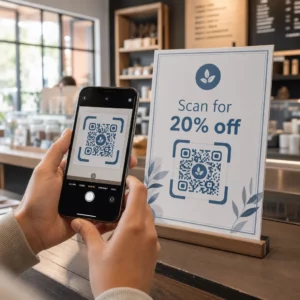
Já se perguntou o que realmente acontece no meio segundo entre apontar o seu telefone para um código QR e cair numa página da web? O processo é mais rápido do que parece, e compreendê-lo ajuda a criar códigos que digitalizam de forma fiável todas as vezes.
O Que É Realmente um Código QR
Um código QR é uma matriz bidimensional de quadrados pretos e brancos dispostos num padrão único. Ao contrário de um código de barras tradicional – que codifica dados numa única linha horizontal de larguras de barra variáveis – um código QR armazena informações tanto horizontalmente quanto verticalmente. É isso que lhe confere uma capacidade de dados muito maior e o torna legível a partir de múltiplas orientações.
Cada código QR é construído a partir de várias regiões funcionais:
- Padrões de localização – os três grandes quadrados nos cantos que ajudam o scanner a localizar o código, determinar a sua orientação e encontrar as suas bordas, mesmo quando o código está inclinado
- Padrões de temporização – módulos pretos e brancos alternados que correm entre os padrões de localização que definem a estrutura da grade e ajudam o scanner a dimensionar corretamente cada módulo
- Zona de silêncio – a margem branca em branco que rodeia o código, com pelo menos quatro módulos de largura, que o separa dos gráficos circundantes para que o scanner possa detetar os seus limites
- Informação de formato – uma área dedicada perto dos padrões de localização que armazena o nível de correção de erros e o padrão de máscara para que o scanner saiba exatamente como interpretar os dados
- Módulos de dados – os quadrados individuais pretos e brancos onde o conteúdo codificado real reside, lidos como uns binários (preto) e zeros (branco)
Os dados nesses módulos podem ser codificados em vários modos: apenas numérico, alfanumérico, bytes binários de 8 bits ou Kanji. Um código QR Versão 1 tem 21×21 módulos; um código Versão 40 expande para 177×177 e pode conter até 7.089 caracteres numéricos, 4.296 caracteres alfanuméricos ou 2.953 bytes de dados binários. Saiba mais sobre como estas compensações funcionam no guia para limites de dados do código QR.
O Processo de Digitalização, Passo a Passo
Quando aponta uma câmara para um código QR, um processo multifásico desenrola-se em milissegundos.

Passo 1: Captura de Imagem
A câmera captura a grade bidimensional como uma imagem visual. Esta é a entrada bruta – uma fotografia do padrão preto e branco. A maioria das câmeras de smartphones modernos pode lidar com isso sem qualquer aplicativo de digitalização dedicado. Se você quiser entender toda a gama de maneiras de acionar uma digitalização em diferentes dispositivos, o guia para digitalizar códigos QR cobre fluxos de trabalho de iPhone, Android, tablet e desktop em detalhes.
Passo 2: Detecção de Padrão
O software do scanner usa reconhecimento de padrões para localizar o código QR dentro da imagem. Ele procura os três padrões de localização nos cantos. Uma vez encontrados, o scanner determina:
- Onde o código está posicionado no quadro
- Em que direção ele está orientado (mesmo que rotacionado ou ligeiramente inclinado)
- Onde estão as bordas do código
Este passo é o motivo pelo qual os códigos QR permanecem legíveis em um ângulo – os padrões de localização fornecem ao algoritmo geometria suficiente para corrigir a distorção.
Passo 3: Amostragem da Grade e Extração de Dados
Com a posição e orientação do código estabelecidas, o scanner lê os padrões de temporização e os marcadores de alinhamento para entender a estrutura da grade. Em seguida, ele amostra cada módulo em um caminho em zigue-zague específico – da direita para a esquerda, de cima para baixo – começando de uma posição conhecida e percorrendo cada módulo de dados até que o indicador final seja alcançado.
Ao percorrer este caminho, o scanner lê:
- UMA indicador de modo (quatro módulos) que especifica o tipo de codificação – numérico, alfanumérico, byte ou Kanji
- UMA indicador de contagem de caracteres que indica quantos caracteres estão codificados
- Os restantes codewords de dados até o fim do fluxo de dados
Passo 4: Correção de Erros
Após ler os módulos de dados, o scanner processa os codewords de correção de erros. Os códigos QR usam correção de erros Reed–Solomon, que incorpora dados redundantes que permitem que o conteúdo original seja reconstruído mesmo quando parte do código está fisicamente danificada ou obscurecida.
Existem quatro níveis padronizados de correção de erros:
| Nível | Capacidade de Recuperação | Melhor Usado Para |
|---|---|---|
| L (Baixo) | ~7% | Ambientes internos limpos |
| M (Médio) | ~15% | Materiais de marketing gerais |
| Q (Quartil) | ~25% | Uso industrial ou externo |
| H (Alto) | ~30% | Códigos com logotipos, condições adversas |
Uma correção de erros mais alta significa que o código pode sobreviver a mais danos, mas também requer mais módulos, tornando o símbolo geral mais denso. Se você estiver adicionando um logotipo a um código QR ou colocando-o em algum lugar exposto ao clima, escolher o Nível H é a decisão certa. Para uma análise mais aprofundada de como essa troca se manifesta na prática, consulte o artigo sobre Como funciona a correção de erros em QR code editável.
Passo 5: Decodificação para Conteúdo Legível por Humanos
Uma vez que os bits de dados são reconstruídos, o scanner decodifica a sequência binária de acordo com o modo de codificação do código QR. Quadrados pretos tornam-se uns e quadrados brancos tornam-se zeros. Essa sequência binária é então convertida em conteúdo legível por humanos – um URL, um número de telefone, um bloco de texto, informações de contato ou qualquer outro tipo de dado que o código foi originalmente construído para transportar.
Se o código contiver um URL, seu dispositivo exibirá um prompt para abri-lo. Esse é o momento em que o processo de digitalização é entregue ao seu navegador ou aplicativo.
Experimente o Scanner de Código QR Gratuito da Pageloot Precisa decodificar um código QR diretamente de uma imagem ou da sua webcam? O Leitor de código QR Pageloot funciona em qualquer navegador moderno – sem necessidade de download de aplicativo.
Como os Scanners de QR Diferem dos Scanners de Código de Barras
A física subjacente é semelhante: ambos os tipos de scanner iluminam um padrão, detectam a luz refletida e decodificam o resultado. Mas um scanner de código de barras a laser padrão lê em uma única linha horizontal, razão pela qual ele só pode lidar com códigos de barras 1D. A leitura de um código QR 2D requer um sensor baseado em imagem que captura o padrão completo de uma só vez.
Para uma comparação direta de como esses dois formatos diferem em capacidade e caso de uso, o explicador de scanner de código de barras cobre o sistema de iluminação, sensor e componentes do decodificador em detalhes – e a comparação de código de barras vs. código QR detalha qual formato faz mais sentido para diferentes aplicações de negócios.
O Que Torna um Código QR Fácil (ou Difícil) de Digitalizar
Compreender o processo de digitalização revela por que certas escolhas de design prejudicam a legibilidade:
- Contraste baixo – o scanner distingue os módulos pela diferença na reflexão da luz entre as áreas preta e branca; um código impresso em cinza sobre um fundo claro falha neste teste
- Zona silenciosa ausente – sem uma margem branca clara, o scanner não consegue localizar de forma confiável as bordas do código, especialmente se o texto ou gráficos circundantes estiverem próximos
- Muito pequeno para a distância de visualização – aplica-se uma regra de 10:1: para cada 10 cm de distância de digitalização, o código deve ter pelo menos 1 cm de largura; o mínimo prático para uso de impressão de curto alcance é 2×2 cm
- Cores invertidas ou não convencionais – módulos claros em um fundo escuro podem confundir o reconhecimento de padrões em alguns scanners
- Saída borrada ou pixelizada – imagens raster de baixa resolução se desfazem em escala de impressão; formatos vetoriais como SVG ou EPS permanecem nítidos em qualquer tamanho
Para orientação abrangente sobre dimensionamento, contraste, posicionamento e teste, o artigo sobre as melhores práticas de legibilidade de códigos QR aborda cada fator com recomendações específicas.

Crie Códigos Feitos para Digitalizar O Gerador de código QR Pageloot permite que você crie, personalize e teste códigos QR com a correção de erros, contraste e formato certos para o seu caso de uso específico – e os códigos dinâmicos podem ser atualizados após a impressão sem gerar uma nova imagem.
Códigos QR Estáticos vs. Dinâmicos: O Que o Scanner Vê
Da perspectiva do scanner, todo código QR parece o mesmo: uma matriz de módulos codificando uma sequência de dados. A diferença entre códigos estáticos e dinâmicos é o que esses dados contêm.
UMA código QR estático codifica o destino final diretamente – a URL completa, texto ou informações de contato são incorporadas aos módulos no momento da criação. Alterar o conteúdo significa gerar um novo código.
UMA código QR dinâmico codifica uma URL de redirecionamento curta que aponta para um servidor. Quando digitalizado, esse redirecionamento encaminha o usuário para qualquer destino que o proprietário do código tenha definido atualmente. Isso significa que o código físico nunca muda, mas seu comportamento pode ser atualizado instantaneamente. Os códigos dinâmicos também permitem o rastreamento de digitalizações – cada digitalização registra um ponto de dados que mostra quando e onde o código foi digitalizado, em qual dispositivo e com que frequência.
Se uma campanha de código QR precisa ser mensurável ou o conteúdo vinculado pode mudar, os códigos dinâmicos são a escolha prática. Para empresas que comparam toda a gama de opções de aplicativos de scanner e o que procurar em uma ferramenta de digitalização, o Comparação de aplicativos de leitura de código QR abrange as principais opções.
Perguntas frequentes
Não. A maioria dos smartphones com iOS 11 ou posterior e dispositivos Android modernos podem escanear códigos QR diretamente através do aplicativo de câmera nativo. Para mais controle – como escanear de uma imagem salva ou verificar o histórico de escaneamento – uma ferramenta dedicada como o Pageloot QR scanner funciona em qualquer navegador sem instalação.
As causas mais comuns são baixo contraste, uma zona silenciosa ausente, um código muito pequeno para a distância de visualização, ou uma imagem muito borrada para resolver os módulos. Dispositivos mais antigos com câmeras de menor resolução são mais sensíveis a esses problemas. Testar em vários dispositivos antes de imprimir, e usar níveis de correção de erro mais altos (Q ou H), reduz a chance de falhas. Veja a lista completa de causas e soluções no guia de código QR não funcionando.
Um código QR Versão 40 no nível mais baixo de correção de erro pode codificar até 7.089 caracteres numéricos, 4.296 caracteres alfanuméricos ou 2.953 bytes de dados binários. Na prática, URLs mais curtas e conteúdo mais simples produzem códigos menos densos que digitalizam mais rápido e de forma mais confiável. A análise completa das compensações de versão, capacidade e correção de erro é abordada no guia de limites de dados do código QR.