Ever wondered what’s actually happening in the half-second between pointing your phone at a QR code and landing on a webpage? The process is faster than it looks, and understanding it helps you create codes that scan reliably every time.
What a QR Code Actually Is
A QR code is a two-dimensional matrix of black and white squares arranged in a unique pattern. Unlike a traditional barcode – which encodes data in a single horizontal line of varying bar widths – a QR code stores information both horizontally and vertically. That’s what gives it far greater data capacity and makes it readable from multiple orientations.
Each QR code is built from several functional regions:
- Finder patterns – the three large squares in the corners that help the scanner locate the code, determine its orientation, and find its edges, even when the code is tilted
- Timing patterns – alternating black-and-white modules running between the finder patterns that define the grid structure and help the scanner correctly size each module
- Quiet zone – the blank white margin surrounding the code, at least four modules wide, which separates it from surrounding graphics so the scanner can detect its boundaries
- Format information – a dedicated area near the finder patterns that stores the error correction level and masking pattern so the scanner knows exactly how to interpret the data
- Data modules – the individual black-and-white squares where the actual encoded content lives, read as binary ones (black) and zeros (white)
The data in those modules can be encoded in several modes: numeric only, alphanumeric, 8-bit binary bytes, or Kanji. A Version 1 QR code is 21×21 modules; a Version 40 code expands to 177×177 and can hold up to 7,089 numeric characters, 4,296 alphanumeric characters, or 2,953 bytes of binary data. Learn more about how these trade-offs work in the guide to límites de datos del código QR.
The Scanning Process, Step by Step
When you point a camera at a QR code, a multi-stage process unfolds in milliseconds.

Step 1: Image Capture
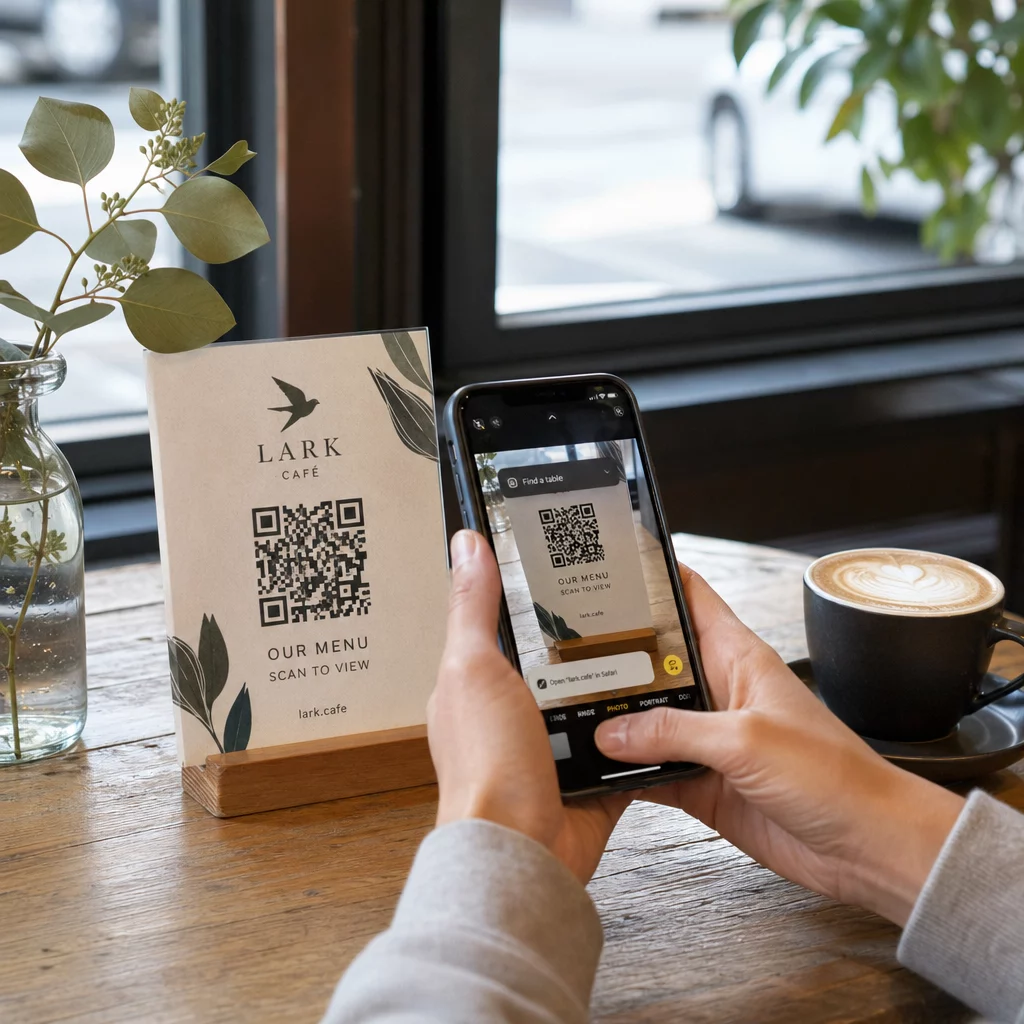
The camera captures the two-dimensional grid as a visual image. This is the raw input – a photograph of the black-and-white pattern. Most modern smartphone cameras can handle this without any dedicated scanning app. If you want to understand the full range of ways to trigger a scan across different devices, the guide to scanning QR codes covers iPhone, Android, tablet, and desktop workflows in detail.
Step 2: Pattern Detection
The scanner’s software uses pattern recognition to locate the QR code within the image. It searches for the three finder patterns in the corners. Once found, the scanner determines:
- Where the code is positioned in the frame
- Which direction it’s oriented (even if rotated or slightly skewed)
- Where the edges of the code are
This step is why QR codes remain readable at an angle – the finder patterns give the algorithm enough geometry to correct for distortion.
Step 3: Grid Sampling and Data Extraction
With the code’s position and orientation established, the scanner reads the timing patterns and alignment markers to understand the grid structure. It then samples each module in a specific zigzag path – right to left, up then down – starting from a known position and working through every data module until the end indicator is reached.
As it traverses this path, the scanner reads:
- UNA mode indicator (four modules) that specifies the encoding type – numeric, alphanumeric, byte, or Kanji
- UNA character count indicator that states how many characters are encoded
- The remaining data codewords until the end of the data stream
Step 4: Error Correction
After reading the data modules, the scanner processes the error correction codewords. QR codes use Reed–Solomon error correction, which embeds redundant data that allows the original content to be reconstructed even when part of the code is physically damaged or obscured.
There are four standardized error correction levels:
| Nivel | Capacidad de Recuperación | Best Used For |
|---|---|---|
| L (Bajo) | ~7% | Clean indoor environments |
| M (Medio) | ~15% | General marketing materials |
| Q (Cuartil) | ~25% | Industrial or outdoor use |
| H (Alto) | ~30% | Codes with logos, harsh conditions |
Higher error correction means the code can survive more damage but also requires more modules, making the overall symbol denser. If you’re adding a logo to a QR code or placing it somewhere exposed to weather, choosing Level H is the right call. For a deeper look at how this trade-off plays out in practice, see the article on cómo funciona la corrección de errores en los códigos QR editables.
Step 5: Decoding to Human-Readable Content
Once the data bits are reconstructed, the scanner decodes the binary sequence according to the QR code’s encoding mode. Black squares become ones and white squares become zeros. That binary string is then converted into human-readable content – a URL, a phone number, a block of text, contact information, or any other data type the code was originally built to carry.
If the code contains a URL, your device surfaces a prompt to open it. That’s the moment the scanning process hands off to your browser or app.
Try Pageloot’s Free QR Code Scanner Need to decode a QR code directly from an image or your webcam? The Escáner de códigos QR de Pageloot works in any modern browser – no app download required.
How QR Scanners Differ from Barcode Scanners
The underlying physics are similar: both types of scanner illuminate a pattern, detect reflected light, and decode the result. But a standard laser barcode scanner reads in a single horizontal line, which is why it can only handle 1D barcodes. Reading a 2D QR code requires an image-based sensor that captures the full pattern at once.
For a direct comparison of how these two formats differ in capability and use case, the barcode scanner explainer covers the illumination system, sensor, and decoder components in detail – and the barcode vs. QR code comparison breaks down which format makes more sense for different business applications.
What Makes a QR Code Easy (or Hard) to Scan
Understanding the scanning process reveals why certain design choices hurt readability:
- Contraste bajo – the scanner distinguishes modules by the difference in light reflection between black and white areas; a code printed in grey on a pale background fails this test
- Missing quiet zone – without a clear white margin, the scanner can’t reliably locate the code’s edges, especially if surrounding text or graphics are close
- Too small for the viewing distance – a 10:1 rule applies: for every 10 cm of scanning distance, the code should be at least 1 cm wide; the practical minimum for close-range print use is 2×2 cm
- Inverted or unconventional colors – light modules on a dark background can confuse pattern recognition in some scanners
- Blurry or pixelated output – low-resolution raster images fall apart at print scale; vector formats like SVG or EPS stay crisp at any size
For comprehensive guidance on sizing, contrast, placement, and testing, the article on las mejores prácticas de legibilidad de códigos QR covers each factor with specific recommendations.

Create Codes Built to Scan El generador de códigos QR de Pageloot lets you build, customize, and test QR codes with the right error correction, contrast, and format for your specific use case – and dynamic codes can be updated after printing without generating a new image.
Static vs. Dynamic QR Codes: What the Scanner Sees
From the scanner’s perspective, every QR code looks the same: a matrix of modules encoding a string of data. The difference between static and dynamic codes is what that data contains.
UNA código QR estático encodes the final destination directly – the full URL, text, or contact information is baked into the modules at creation time. Changing the content means generating a new code.
UNA código QR dinámico encodes a short redirect URL that points to a server. When scanned, that redirect forwards the user to whatever destination the code owner has currently set. This means the physical code never changes, but its behavior can be updated instantly. Dynamic codes also enable scan tracking – every scan registers a data point that shows when and where the code was scanned, on what device, and how often.
If a QR code campaign needs to be measurable or the linked content might change, dynamic codes are the practical choice. For businesses comparing the full range of scanner app options and what to look for in a scanning tool, the QR code scanning apps comparison covers the major options.
Preguntas Frecuentes
No. Most smartphones running iOS 11 or later and modern Android devices can scan QR codes directly through the native camera app. For more control – such as scanning from a saved image or checking scan history – a dedicated tool like the Pageloot QR scanner works from any browser without installation.
The most common causes are low contrast, a missing quiet zone, a code that’s too small for the viewing distance, or an image that’s too blurry to resolve the modules. Older devices with lower-resolution cameras are more sensitive to these issues. Testing across multiple devices before printing, and using higher error correction levels (Q or H), reduces the chance of failures. See the full list of causes and fixes in the QR code not working guide.
A Version 40 QR code at the lowest error correction level can encode up to 7,089 numeric characters, 4,296 alphanumeric characters, or 2,953 bytes of binary data. In practice, shorter URLs and simpler content produce less dense codes that scan faster and more reliably. The full breakdown of version, capacity, and error correction trade-offs is covered in the QR code data limits guide.