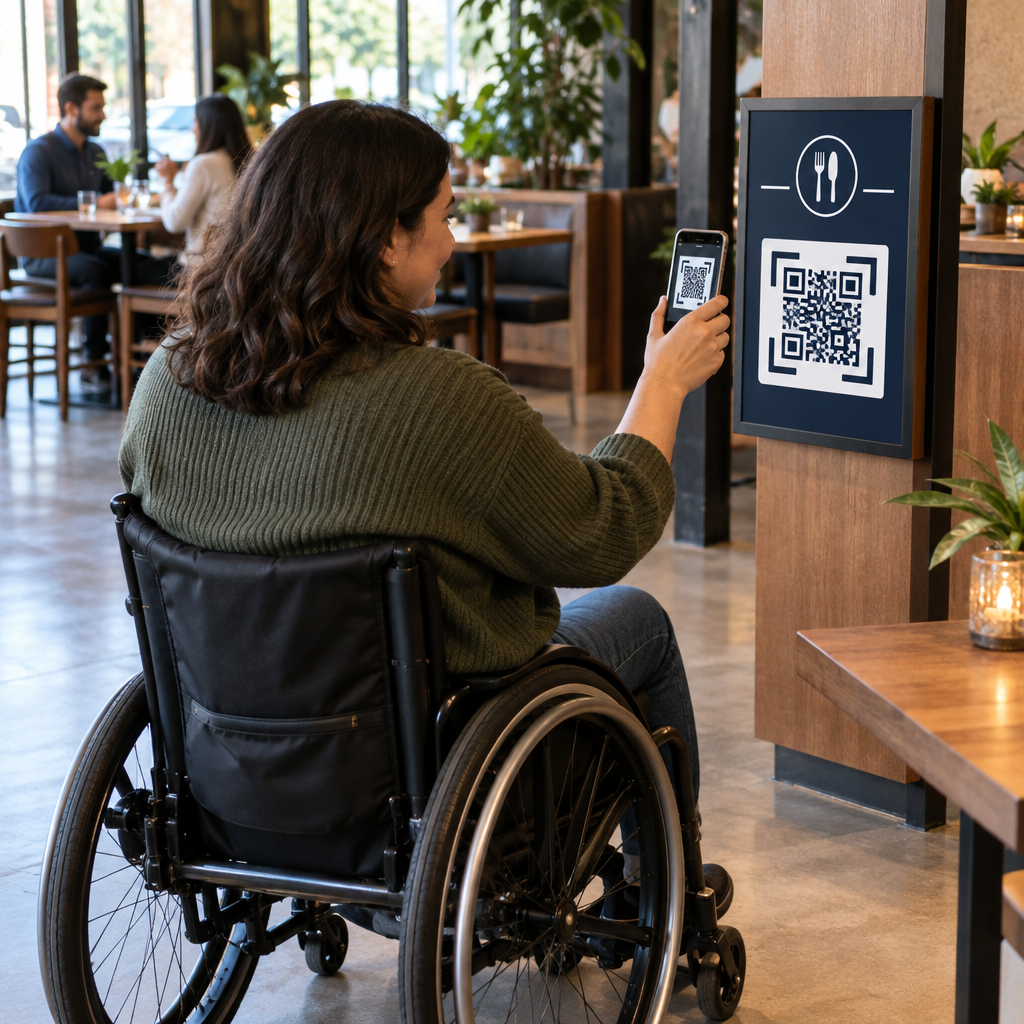
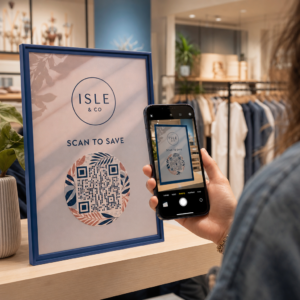
Bạn đã bao giờ tự hỏi điều gì thực sự xảy ra trong nửa giây giữa việc bạn hướng điện thoại vào mã QR và truy cập một trang web chưa? Quá trình này nhanh hơn vẻ ngoài của nó, và việc hiểu rõ nó giúp bạn tạo ra các mã có thể quét đáng tin cậy mọi lúc.
Mã QR thực sự là gì
Mã QR là một ma trận hai chiều gồm các ô vuông đen trắng được sắp xếp theo một mẫu độc đáo. Không giống như mã vạch truyền thống – mã hóa dữ liệu trong một đường ngang duy nhất với độ rộng thanh khác nhau – mã QR lưu trữ thông tin cả theo chiều ngang và chiều dọc. Đó là điều mang lại cho nó dung lượng dữ liệu lớn hơn nhiều và giúp nó có thể đọc được từ nhiều hướng khác nhau.
Mỗi mã QR được xây dựng từ một số vùng chức năng:
- Mẫu định vị – ba ô vuông lớn ở các góc giúp máy quét định vị mã, xác định hướng của nó và tìm các cạnh của nó, ngay cả khi mã bị nghiêng
- Mẫu thời gian – các mô-đun đen trắng xen kẽ chạy giữa các mẫu định vị giúp xác định cấu trúc lưới và giúp máy quét định cỡ chính xác từng mô-đun
- Vùng yên tĩnh – lề trắng trống bao quanh mã, rộng ít nhất bốn mô-đun, giúp tách nó khỏi các đồ họa xung quanh để máy quét có thể phát hiện ranh giới của nó
- Thông tin định dạng – một khu vực chuyên dụng gần các mẫu định vị lưu trữ mức độ sửa lỗi và mẫu mặt nạ để máy quét biết chính xác cách diễn giải dữ liệu
- Mô-đun dữ liệu – các ô vuông đen trắng riêng lẻ nơi chứa nội dung được mã hóa thực tế, được đọc dưới dạng số nhị phân một (đen) và không (trắng)
Dữ liệu trong các mô-đun đó có thể được mã hóa theo một số chế độ: chỉ số, chữ và số, byte nhị phân 8 bit hoặc Kanji. Mã QR Phiên bản 1 là 21×21 mô-đun; mã Phiên bản 40 mở rộng lên 177×177 và có thể chứa tới 7.089 ký tự số, 4.296 ký tự chữ và số hoặc 2.953 byte dữ liệu nhị phân. Tìm hiểu thêm về cách các sự đánh đổi này hoạt động trong hướng dẫn về Giới hạn dữ liệu mã QR.
Quy trình quét, từng bước một
Khi bạn hướng máy ảnh vào mã QR, một quy trình đa giai đoạn diễn ra trong vài mili giây.

Bước 1: Chụp ảnh
Camera chụp lưới hai chiều dưới dạng hình ảnh trực quan. Đây là đầu vào thô – một bức ảnh của mẫu đen trắng. Hầu hết các camera điện thoại thông minh hiện đại có thể xử lý việc này mà không cần bất kỳ ứng dụng quét chuyên dụng nào. Nếu bạn muốn hiểu đầy đủ các cách để kích hoạt quét trên các thiết bị khác nhau, thì hướng dẫn quét mã QR bao gồm quy trình làm việc trên iPhone, Android, máy tính bảng và máy tính để bàn một cách chi tiết.
Bước 2: Phát hiện mẫu
Phần mềm của máy quét sử dụng nhận dạng mẫu để định vị mã QR trong hình ảnh. Nó tìm kiếm ba mẫu định vị ở các góc. Sau khi tìm thấy, máy quét xác định:
- Mã được định vị ở đâu trong khung hình
- Hướng mà nó được định hướng (ngay cả khi bị xoay hoặc hơi lệch)
- Các cạnh của mã ở đâu
Bước này là lý do tại sao mã QR vẫn có thể đọc được ở một góc – các mẫu định vị cung cấp cho thuật toán đủ hình học để sửa lỗi biến dạng.
Bước 3: Lấy mẫu lưới và Trích xuất dữ liệu
Với vị trí và hướng của mã đã được thiết lập, máy quét đọc các mẫu thời gian và điểm đánh dấu căn chỉnh để hiểu cấu trúc lưới. Sau đó, nó lấy mẫu từng mô-đun theo một đường zigzag cụ thể – từ phải sang trái, lên rồi xuống – bắt đầu từ một vị trí đã biết và xử lý từng mô-đun dữ liệu cho đến khi đạt đến chỉ báo kết thúc.
Khi đi theo đường này, máy quét đọc:
- A chỉ báo chế độ (bốn mô-đun) chỉ định loại mã hóa – số, chữ và số, byte hoặc Kanji
- A chỉ báo số lượng ký tự cho biết có bao nhiêu ký tự được mã hóa
- Các phần còn lại từ mã dữ liệu cho đến cuối luồng dữ liệu
Bước 4: Sửa lỗi
Sau khi đọc các mô-đun dữ liệu, máy quét xử lý các từ mã sửa lỗi. Mã QR sử dụng sửa lỗi Reed–Solomon, nhúng dữ liệu dự phòng cho phép nội dung gốc được tái tạo ngay cả khi một phần của mã bị hư hỏng vật lý hoặc bị che khuất.
Có bốn cấp độ sửa lỗi tiêu chuẩn hóa:
| Cấp độ | Khả năng phục hồi | Tốt nhất để sử dụng cho |
|---|---|---|
| L (Thấp) | ~7% | Môi trường trong nhà sạch sẽ |
| M (Trung bình) | ~15% | Tài liệu tiếp thị chung |
| Q (Tứ phân vị) | ~25% | Sử dụng trong công nghiệp hoặc ngoài trời |
| H (Cao) | ~30% | Mã có logo, điều kiện khắc nghiệt |
Sửa lỗi cao hơn có nghĩa là mã có thể chịu được nhiều hư hỏng hơn nhưng cũng yêu cầu nhiều mô-đun hơn, làm cho ký hiệu tổng thể dày đặc hơn. Nếu bạn đang thêm logo vào mã QR hoặc đặt nó ở nơi tiếp xúc với thời tiết, chọn Cấp độ H là lựa chọn đúng đắn. Để tìm hiểu sâu hơn về cách sự đánh đổi này diễn ra trong thực tế, hãy xem bài viết về cách sửa lỗi hoạt động trong mã QR có thể chỉnh sửa.
Bước 5: Giải mã thành nội dung dễ đọc
Sau khi các bit dữ liệu được tái tạo, máy quét giải mã chuỗi nhị phân theo chế độ mã hóa của mã QR. Các ô vuông màu đen trở thành số một và các ô vuông màu trắng trở thành số không. Chuỗi nhị phân đó sau đó được chuyển đổi thành nội dung dễ đọc – một URL, một số điện thoại, một đoạn văn bản, thông tin liên hệ hoặc bất kỳ loại dữ liệu nào khác mà mã ban đầu được tạo ra để chứa.
Nếu mã chứa một URL, thiết bị của bạn sẽ hiển thị lời nhắc để mở nó. Đó là thời điểm quá trình quét chuyển giao cho trình duyệt hoặc ứng dụng của bạn.
Hãy thử Máy quét mã QR miễn phí của Pageloot Cần giải mã mã QR trực tiếp từ hình ảnh hoặc webcam của bạn? Công cụ này Máy quét mã QR Pageloot hoạt động trên mọi trình duyệt hiện đại – không cần tải xuống ứng dụng.
Máy quét QR khác với Máy quét mã vạch như thế nào
Nguyên lý vật lý cơ bản tương tự: cả hai loại máy quét đều chiếu sáng một mẫu, phát hiện ánh sáng phản xạ và giải mã kết quả. Nhưng máy quét mã vạch laser tiêu chuẩn đọc theo một đường ngang duy nhất, đó là lý do tại sao nó chỉ có thể xử lý mã vạch 1D. Đọc mã QR 2D yêu cầu một cảm biến dựa trên hình ảnh để chụp toàn bộ mẫu cùng một lúc.
Để so sánh trực tiếp về cách hai định dạng này khác nhau về khả năng và trường hợp sử dụng, bài viết giải thích về máy quét mã vạch bao gồm chi tiết các thành phần hệ thống chiếu sáng, cảm biến và bộ giải mã – và bài viết so sánh mã vạch và mã QR phân tích định dạng nào phù hợp hơn cho các ứng dụng kinh doanh khác nhau.
Điều gì làm cho mã QR dễ (hoặc khó) quét
Hiểu quá trình quét cho thấy tại sao một số lựa chọn thiết kế làm giảm khả năng đọc:
- Độ tương phản thấp – máy quét phân biệt các mô-đun bằng sự khác biệt về phản xạ ánh sáng giữa các vùng đen và trắng; một mã được in màu xám trên nền nhạt sẽ không vượt qua được thử nghiệm này
- Thiếu vùng yên tĩnh – nếu không có lề trắng rõ ràng, máy quét không thể định vị chính xác các cạnh của mã, đặc biệt nếu văn bản hoặc đồ họa xung quanh ở gần
- Quá nhỏ so với khoảng cách xem – áp dụng quy tắc 10:1: cứ mỗi 10 cm khoảng cách quét, mã phải rộng ít nhất 1 cm; mức tối thiểu thực tế để sử dụng in ở cự ly gần là 2×2 cm
- Màu sắc đảo ngược hoặc không theo quy ước – các mô-đun sáng trên nền tối có thể gây nhầm lẫn cho việc nhận dạng mẫu ở một số máy quét
- Đầu ra mờ hoặc bị vỡ hạt – hình ảnh raster độ phân giải thấp sẽ bị vỡ khi in ở tỷ lệ lớn; các định dạng vector như SVG hoặc EPS vẫn sắc nét ở mọi kích thước
Để được hướng dẫn toàn diện về kích thước, độ tương phản, vị trí và thử nghiệm, bài viết về các phương pháp hay nhất về khả năng đọc mã QR đề cập đến từng yếu tố với các khuyến nghị cụ thể.

Tạo mã được xây dựng để quét Các trình tạo mã QR Pageloot cho phép bạn xây dựng, tùy chỉnh và kiểm tra mã QR với khả năng sửa lỗi, độ tương phản và định dạng phù hợp cho trường hợp sử dụng cụ thể của bạn – và mã động có thể được cập nhật sau khi in mà không cần tạo hình ảnh mới.
Mã QR tĩnh so với mã QR động: Máy quét nhìn thấy gì
Từ góc độ của máy quét, mọi mã QR đều trông giống nhau: một ma trận các mô-đun mã hóa một chuỗi dữ liệu. Sự khác biệt giữa mã tĩnh và mã động nằm ở nội dung dữ liệu đó.
A mã QR tĩnh mã hóa trực tiếp đích đến cuối cùng – URL đầy đủ, văn bản hoặc thông tin liên hệ được tích hợp vào các mô-đun tại thời điểm tạo. Thay đổi nội dung có nghĩa là tạo một mã mới.
A mã QR động mã hóa một URL chuyển hướng ngắn trỏ đến một máy chủ. Khi được quét, chuyển hướng đó sẽ chuyển người dùng đến bất kỳ đích đến nào mà chủ sở hữu mã đã đặt. Điều này có nghĩa là mã vật lý không bao giờ thay đổi, nhưng hành vi của nó có thể được cập nhật ngay lập tức. Mã động cũng cho phép theo dõi lượt quét – mỗi lượt quét ghi lại một điểm dữ liệu cho biết khi nào và ở đâu mã được quét, trên thiết bị nào và tần suất quét.
Nếu một chiến dịch mã QR cần có thể đo lường được hoặc nội dung được liên kết có thể thay đổi, mã động là lựa chọn thực tế. Đối với các doanh nghiệp so sánh toàn bộ các tùy chọn ứng dụng máy quét và những gì cần tìm ở một công cụ quét, thì So sánh các ứng dụng quét mã QR bao gồm các lựa chọn chính.
Câu hỏi thường gặp
Không. Hầu hết các điện thoại thông minh chạy iOS 11 trở lên và các thiết bị Android hiện đại có thể quét mã QR trực tiếp thông qua ứng dụng camera gốc. Để kiểm soát nhiều hơn – chẳng hạn như quét từ một hình ảnh đã lưu hoặc kiểm tra lịch sử quét – một công cụ chuyên dụng như máy quét QR Pageloot hoạt động từ bất kỳ trình duyệt nào mà không cần cài đặt.
Các nguyên nhân phổ biến nhất là độ tương phản thấp, thiếu vùng yên tĩnh, mã quá nhỏ so với khoảng cách xem, hoặc hình ảnh quá mờ để phân giải các mô-đun. Các thiết bị cũ hơn với camera độ phân giải thấp hơn nhạy cảm hơn với những vấn đề này. Việc kiểm tra trên nhiều thiết bị trước khi in và sử dụng các mức sửa lỗi cao hơn (Q hoặc H) sẽ giảm khả năng thất bại. Xem danh sách đầy đủ các nguyên nhân và cách khắc phục trong hướng dẫn mã QR không hoạt động.
Một mã QR Phiên bản 40 ở mức sửa lỗi thấp nhất có thể mã hóa tới 7.089 ký tự số, 4.296 ký tự chữ và số, hoặc 2.953 byte dữ liệu nhị phân. Trong thực tế, các URL ngắn hơn và nội dung đơn giản hơn tạo ra các mã ít dày đặc hơn, quét nhanh hơn và đáng tin cậy hơn. Toàn bộ phân tích chi tiết về phiên bản, dung lượng và các đánh đổi về sửa lỗi được đề cập trong hướng dẫn giới hạn dữ liệu mã QR.