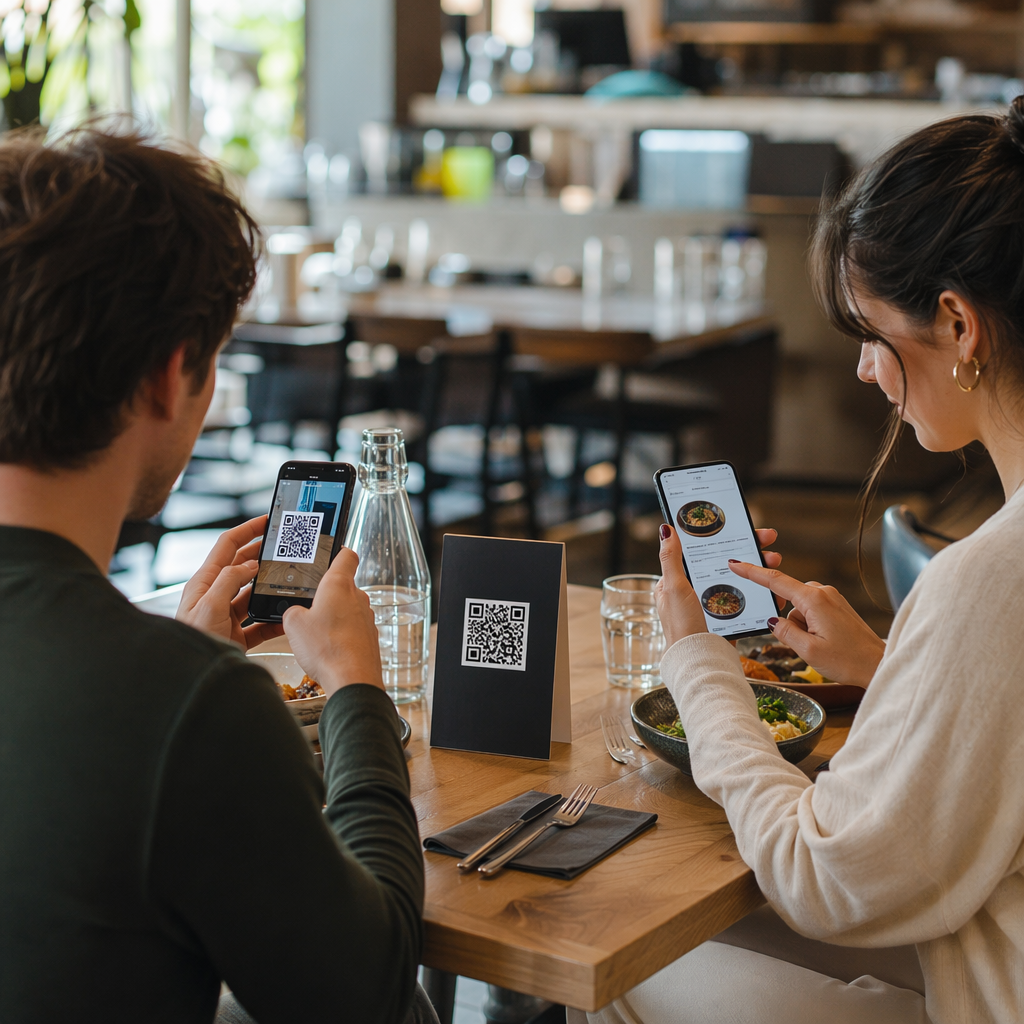
Elgondolkodtál már azon, mi is történik valójában abban a fél másodpercben, amíg a telefonodat egy QR-kódra irányítod, és egy weboldalon landolsz? A folyamat gyorsabb, mint amilyennek látszik, és a megértése segít abban, hogy minden alkalommal megbízhatóan beolvasható kódokat hozz létre.
Mi is valójában egy QR-kód
A QR-kód fekete-fehér négyzetek kétdimenziós mátrixa, amely egyedi mintázatban van elrendezve. Egy hagyományos vonalkóddal ellentétben – amely az adatokat egyetlen vízszintes vonalban, változó sávszélességgel kódolja – a QR-kód vízszintesen és függőlegesen is tárol információt. Ez adja sokkal nagyobb adatkapacitását, és teszi olvashatóvá több irányból is.
Minden QR-kód több funkcionális régióból épül fel:
- Keresőminták – a sarkokban található három nagy négyzet, amelyek segítik a szkennert a kód megtalálásában, tájolásának meghatározásában és széleinek felderítésében, még akkor is, ha a kód meg van döntve
- Időzítő minták – a keresőminták között futó váltakozó fekete-fehér modulok, amelyek meghatározzák a rácsszerkezetet, és segítik a szkennert az egyes modulok helyes méretezésében
- Csendes zóna – a kódot körülvevő üres fehér margó, legalább négy modul széles, amely elválasztja a környező grafikáktól, így a szkenner érzékelni tudja a határait
- Formátuminformáció – egy dedikált terület a keresőminták közelében, amely tárolja a hibajavítási szintet és a maszkolási mintát, így a szkenner pontosan tudja, hogyan értelmezze az adatokat
- Adatmodulok – az egyes fekete-fehér négyzetek, ahol a ténylegesen kódolt tartalom található, bináris egyesekként (fekete) és nullákként (fehér) olvasva
Az ezekben a modulokban lévő adatok többféle módban kódolhatók: csak numerikus, alfanumerikus, 8 bites bináris bájtok, vagy kandzsi. Egy 1-es verziójú QR-kód 21×21 modul; egy 40-es verziójú kód 177×177-re bővül, és akár 7089 numerikus karaktert, 4296 alfanumerikus karaktert vagy 2953 bájt bináris adatot is tartalmazhat. Tudjon meg többet arról, hogyan működnek ezek a kompromisszumok a következő útmutatóban: QR-kód adatkorlátok.
A szkennelési folyamat, lépésről lépésre
Amikor egy kamerát egy QR-kódra irányít, egy többlépcsős folyamat bontakozik ki milliszekundumok alatt.

Lépés 1: Képfelvétel
A kamera vizuális képként rögzíti a kétdimenziós rácsot. Ez a nyers bemenet – a fekete-fehér minta fényképe. A legtöbb modern okostelefon-kamera képes erre bármilyen dedikált szkennelő alkalmazás nélkül. Ha meg szeretné érteni a szkennelés különböző eszközökön történő elindításának teljes skáláját, a QR-kódok beolvasásának útmutatója részletesen tárgyalja az iPhone, Android, táblagép és asztali számítógép munkafolyamatait.
Lépés 2: Mintafelismerés
A szkenner szoftvere mintafelismerést használ a QR-kód képben való megtalálásához. A sarkokban lévő három keresőmintát keresi. Miután megtalálta, a szkenner meghatározza:
- Hol helyezkedik el a kód a keretben
- Milyen irányba van tájolva (még akkor is, ha elforgatott vagy enyhén ferde)
- Hol vannak a kód szélei
Ez a lépés az oka annak, hogy a QR-kódok szögből is olvashatók maradnak – a keresőminták elegendő geometriát biztosítanak az algoritmusnak a torzítás korrigálásához.
Lépés 3: Rácsmintavétel és Adatkinyerés
Miután a kód pozíciója és tájolása megállapításra került, a szkenner leolvassa az időzítési mintákat és az igazítási jelölőket a rácsszerkezet megértéséhez. Ezután minden modult egy meghatározott cikk-cakk útvonalon mintavételez – jobbról balra, fel, majd le – egy ismert pozícióból indulva, és minden adatmodulon végighaladva, amíg el nem éri a végjelzőt.
Ahogy ezen az útvonalon halad, a szkenner leolvassa:
- A módjelző (négy modul), amely meghatározza a kódolás típusát – numerikus, alfanumerikus, bájt vagy kandzsi
- A karakterszámláló jelző amely megmondja, hány karakter van kódolva
- A fennmaradó adatkódszavak az adatfolyam végéig
4. lépés: Hibajavítás
Az adatmodulok beolvasása után a szkenner feldolgozza a hibajavító kódszavakat. A QR-kódok Reed–Solomon hibajavítást, amely redundáns adatokat ágyaz be, lehetővé téve az eredeti tartalom rekonstruálását még akkor is, ha a kód egy része fizikailag sérült vagy eltakart.
Négy szabványos hibajavítási szint létezik:
| Szint | Helyreállítási kapacitás | Legjobb felhasználási terület |
|---|---|---|
| L (alacsony) | ~7% | Tiszta beltéri környezet |
| M (közepes) | ~15% | Általános marketinganyagok |
| Q (kvartilis) | ~25% | Ipari vagy kültéri használat |
| H (magas) | ~30% | Logóval ellátott kódok, zord körülmények |
A magasabb hibajavítás azt jelenti, hogy a kód több sérülést is túlélhet, de több modult is igényel, sűrűbbé téve az egész szimbólumot. Ha logót ad hozzá egy QR-kódhoz, vagy olyan helyre teszi, ahol ki van téve az időjárásnak, az H szint választása a megfelelő. Ahhoz, hogy mélyebben megvizsgálja, hogyan érvényesül ez a kompromisszum a gyakorlatban, olvassa el a cikket a következő témában: hogyan működik a hibajavítás a szerkeszthető QR-kódokban.
5. lépés: Dekódolás ember által olvasható tartalomra
Amint az adatbitek rekonstruálásra kerülnek, a szkenner dekódolja a bináris sorozatot a QR-kód kódolási módja szerint. A fekete négyzetek egyesekké, a fehér négyzetek nullákká válnak. Ez a bináris karakterlánc ezután ember által olvasható tartalommá alakul – egy URL-lé, telefonszámmá, szövegblokká, kapcsolati információvá vagy bármilyen más adattípussá, amelyet a kód eredetileg hordozni készült.
Ha a kód URL-t tartalmaz, az eszköz felkínálja annak megnyitását. Ez az a pillanat, amikor a szkennelési folyamat átadja az irányítást a böngészőjének vagy alkalmazásának.
Próbálja ki a Pageloot ingyenes QR-kód olvasóját QR-kódot kell dekódolnia közvetlenül egy képről vagy a webkamerájáról? A Pageloot QR-kód olvasó működik bármely modern böngészőben – nincs szükség alkalmazás letöltésére.
Miben különböznek a QR-szkennerek a vonalkód-szkennerektől
Az alapvető fizika hasonló: mindkét típusú szkenner megvilágít egy mintát, érzékeli a visszavert fényt, és dekódolja az eredményt. Egy szabványos lézeres vonalkód-szkenner azonban egyetlen vízszintes vonalban olvas, ezért csak 1D vonalkódokat képes kezelni. Egy 2D QR-kód olvasásához kép alapú érzékelőre van szükség, amely egyszerre rögzíti a teljes mintát.
A két formátum képességeinek és felhasználási eseteinek közvetlen összehasonlításához a vonalkódolvasó magyarázó részletesen bemutatja a megvilágítási rendszert, az érzékelőt és a dekóder komponenseit – és a vonalkód vs. QR-kód összehasonlítás lebontja, hogy melyik formátum ésszerűbb a különböző üzleti alkalmazásokhoz.
Mi teszi a QR-kódot könnyen (vagy nehezen) olvashatóvá
A szkennelési folyamat megértése feltárja, miért rontják bizonyos tervezési döntések az olvashatóságot:
- Alacsony kontraszt – a szkenner a modulokat a fekete és fehér területek közötti fényvisszaverődés különbsége alapján különbözteti meg; egy halvány háttéren szürkével nyomtatott kód nem felel meg ennek a tesztnek
- Hiányzó csendes zóna – tiszta fehér margó nélkül a szkenner nem tudja megbízhatóan megtalálni a kód széleit, különösen, ha a környező szöveg vagy grafika közel van
- Túl kicsi a megtekintési távolsághoz – egy 10:1 szabály érvényes: minden 10 cm szkennelési távolságra a kódnak legalább 1 cm szélesnek kell lennie; a gyakorlati minimum közeli nyomtatási használatra 2×2 cm
- Invertált vagy szokatlan színek – világos modulok sötét háttéren zavarhatják a mintafelismerést egyes szkennerekben
- Homályos vagy pixeles kimenet – az alacsony felbontású raszterképek szétesnek nyomtatási méretben; az SVG vagy EPS vektorformátumok bármilyen méretben élesek maradnak
Az átfogó útmutatásért a méretezésről, kontrasztról, elhelyezésről és tesztelésről, a cikk a QR-kód olvashatósági legjobb gyakorlatokkal minden tényezőt specifikus ajánlásokkal tárgyal.

Szkennelésre tervezett kódok létrehozása A Pageloot QR-kód generátor lehetővé teszi QR-kódok építését, testreszabását és tesztelését a megfelelő hibajavítással, kontraszttal és formátummal az Ön specifikus felhasználási esetéhez – és a dinamikus kódok nyomtatás után frissíthetők anélkül, hogy új képet kellene generálni.
Statikus vs. Dinamikus QR-kódok: Amit a szkenner lát
A szkenner szemszögéből minden QR-kód ugyanúgy néz ki: egy modulokból álló mátrix, amely adatokat kódol. A statikus és dinamikus kódok közötti különbség az, hogy milyen adatokat tartalmaznak.
A statikus QR-kód közvetlenül kódolja a végső célállomást – a teljes URL, szöveg vagy kapcsolati információ a modulokba van beépítve a létrehozáskor. A tartalom megváltoztatása új kód generálását jelenti.
A dinamikus QR-kód egy rövid átirányítási URL-t kódol, amely egy szerverre mutat. Szkenneléskor ez az átirányítás továbbítja a felhasználót arra a célállomásra, amelyet a kód tulajdonosa éppen beállított. Ez azt jelenti, hogy a fizikai kód soha nem változik, de viselkedése azonnal frissíthető. A dinamikus kódok lehetővé teszik a szkennelési nyomon követést is – minden szkennelés rögzít egy adatpontot, amely megmutatja, mikor és hol szkennelték a kódot, milyen eszközön és milyen gyakran.
Ha egy QR-kód kampánynak mérhetőnek kell lennie, vagy a linkelt tartalom változhat, a dinamikus kódok a praktikus választás. Azoknak a vállalkozásoknak, amelyek összehasonlítják a szkenner alkalmazások teljes skáláját és azt, hogy mit keressenek egy szkennelő eszközben, a QR kód leolvasó alkalmazások összehasonlítása áttekinti a főbb lehetőségeket.
Gyakori kérdések
Nem. A legtöbb iOS 11-et vagy újabbat futtató okostelefon és a modern Android-eszközök közvetlenül beolvashatják a QR-kódokat a natív kameraalkalmazáson keresztül. A nagyobb vezérléshez – például mentett képből történő beolvasáshoz vagy a beolvasási előzmények ellenőrzéséhez – egy dedikált eszköz, mint például a Pageloot QR-szkenner bármely böngészőből működik telepítés nélkül.
A leggyakoribb okok az alacsony kontraszt, a hiányzó csendes zóna, a megtekintési távolsághoz túl kicsi kód, vagy egy túl homályos kép a modulok feloldásához. Az alacsonyabb felbontású kamerákkal rendelkező régebbi eszközök érzékenyebbek ezekre a problémákra. A nyomtatás előtti több eszközön történő tesztelés, és a magasabb hibajavító szintek (Q vagy H) használata csökkenti a hibák esélyét. Lásd a hibák és javítások teljes listáját a QR kód nem működik útmutatóban.
Egy 40-es verziójú QR-kód a legalacsonyabb hibajavítási szinten akár 7089 numerikus karaktert, 4296 alfanumerikus karaktert vagy 2953 bájt bináris adatot kódolhat. A gyakorlatban a rövidebb URL-ek és az egyszerűbb tartalom kevésbé sűrű kódokat eredményez, amelyek gyorsabban és megbízhatóbban olvashatók be. A verzió, a kapacitás és a hibajavítás közötti kompromisszumok teljes részletezése a QR-kód adatkorlátok útmutatójában található.