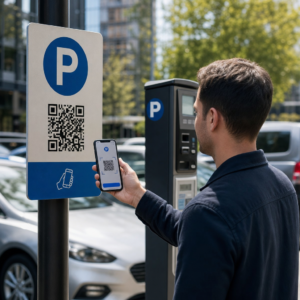
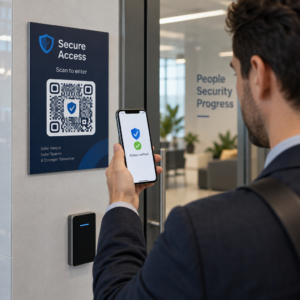
Te-ai întrebat vreodată ce se întâmplă de fapt în jumătatea de secundă dintre momentul în care îndrepți telefonul către un cod QR și aterizarea pe o pagină web? Procesul este mai rapid decât pare, iar înțelegerea lui te ajută să creezi coduri care scanează fiabil de fiecare dată.
Ce este de fapt un cod QR
Un cod QR este o matrice bidimensională de pătrate alb-negru aranjate într-un model unic. Spre deosebire de un cod de bare tradițional – care codifică datele într-o singură linie orizontală de lățimi variabile ale barelor – un cod QR stochează informații atât pe orizontală, cât și pe verticală. Acesta este ceea ce îi conferă o capacitate de date mult mai mare și îl face lizibil din mai multe orientări.
Fiecare cod QR este construit din mai multe regiuni funcționale:
- Modele de căutare – cele trei pătrate mari din colțuri care ajută scanerul să localizeze codul, să-i determine orientarea și să-i găsească marginile, chiar și atunci când codul este înclinat
- Modele de sincronizare – module alb-negru alternante care rulează între modelele de căutare, care definesc structura grilei și ajută scanerul să dimensioneze corect fiecare modul
- Zonă liniștită – marginea albă goală care înconjoară codul, de cel puțin patru module lățime, care îl separă de grafica înconjurătoare, astfel încât scanerul să-i poată detecta limitele
- Informații de format – o zonă dedicată lângă modelele de căutare care stochează nivelul de corecție a erorilor și modelul de mascare, astfel încât scanerul să știe exact cum să interpreteze datele
- Module de date – pătratele individuale alb-negru unde se află conținutul codificat real, citite ca unu binar (negru) și zero (alb)
Datele din aceste module pot fi codificate în mai multe moduri: doar numeric, alfanumeric, octeți binari pe 8 biți sau Kanji. Un cod QR Versiunea 1 are 21×21 module; un cod Versiunea 40 se extinde la 177×177 și poate conține până la 7.089 caractere numerice, 4.296 caractere alfanumerice sau 2.953 octeți de date binare. Aflați mai multe despre cum funcționează aceste compromisuri în ghidul pentru limite de date ale codului QR.
Procesul de scanare, pas cu pas
Când îndrepți o cameră către un cod QR, un proces în mai multe etape se desfășoară în milisecunde.

Pasul 1: Captură imagine
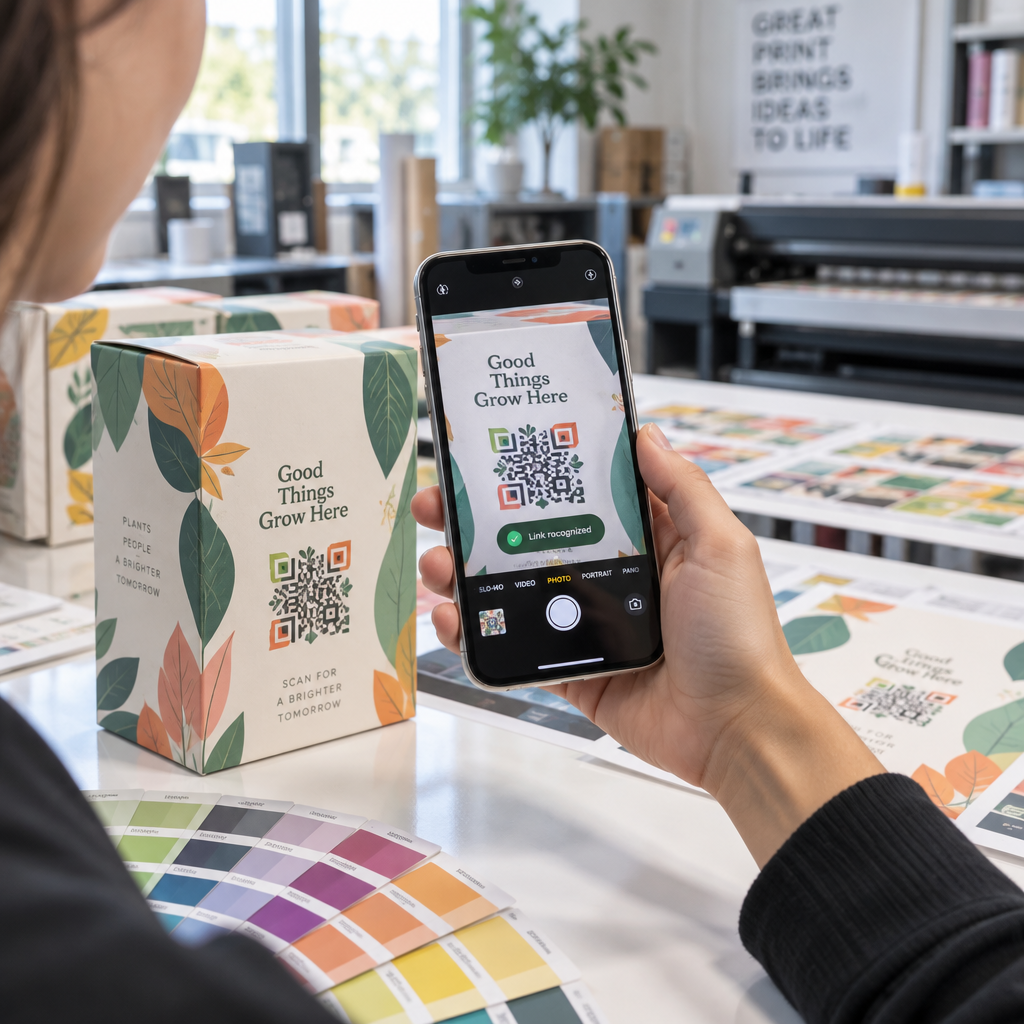
Camera captează grila bidimensională ca o imagine vizuală. Aceasta este intrarea brută – o fotografie a modelului alb-negru. Majoritatea camerelor moderne de smartphone pot gestiona acest lucru fără nicio aplicație dedicată de scanare. Dacă doriți să înțelegeți întreaga gamă de moduri de a declanșa o scanare pe diferite dispozitive, ghidul de scanare a codurilor QR acoperă în detaliu fluxurile de lucru pentru iPhone, Android, tabletă și desktop.
Pasul 2: Detecția modelului
Software-ul scanerului utilizează recunoașterea modelelor pentru a localiza codul QR în cadrul imaginii. Acesta caută cele trei modele de căutare din colțuri. Odată găsite, scanerul determină:
- Unde este poziționat codul în cadru
- În ce direcție este orientat (chiar dacă este rotit sau ușor înclinat)
- Unde sunt marginile codului
Acest pas este motivul pentru care codurile QR rămân lizibile sub un unghi – modelele de căutare oferă algoritmului suficientă geometrie pentru a corecta distorsiunea.
Pasul 3: Eșantionarea grilei și extragerea datelor
Odată stabilite poziția și orientarea codului, scanerul citește modelele de sincronizare și marcajele de aliniere pentru a înțelege structura grilei. Apoi eșantionează fiecare modul într-o cale specifică în zig-zag – de la dreapta la stânga, apoi în sus și în jos – pornind dintr-o poziție cunoscută și parcurgând fiecare modul de date până la atingerea indicatorului de sfârșit.
Pe măsură ce parcurge această cale, scanerul citește:
- A indicatorul de mod (patru module) care specifică tipul de codificare – numeric, alfanumeric, octet sau Kanji
- A indicatorul de număr de caractere care indică câte caractere sunt codificate
- Restul cuvinte de cod de date până la sfârșitul fluxului de date
Pasul 4: Corecția erorilor
După citirea modulelor de date, scanerul procesează cuvintele de cod pentru corecția erorilor. Codurile QR utilizează corecția erorilor Reed–Solomon, care încorporează date redundante ce permit reconstruirea conținutului original chiar și atunci când o parte a codului este deteriorată fizic sau obturată.
Există patru niveluri standardizate de corecție a erorilor:
| Nivel | Capacitate de Recuperare | Cel mai bine utilizat pentru |
|---|---|---|
| L (scăzut) | ~7% | Medii interioare curate |
| M (Mediu) | ~15% | Materiale de marketing generale |
| Q (Cuartilă) | ~25% | Utilizare industrială sau în exterior |
| H (ridicat) | ~30% | Coduri cu logo-uri, condiții dure |
O corecție mai mare a erorilor înseamnă că codul poate supraviețui mai multor deteriorări, dar necesită și mai multe module, făcând simbolul general mai dens. Dacă adăugați un logo la un cod QR sau îl plasați undeva expus la intemperii, alegerea Nivelului H este decizia corectă. Pentru o privire mai aprofundată asupra modului în care această compensare se manifestă în practică, consultați articolul despre cum funcționează corecția erorilor în codurile QR editabile.
Pasul 5: Decodificarea în conținut lizibil pentru om
Odată ce biții de date sunt reconstruiți, scanerul decodează secvența binară conform modului de codificare al codului QR. Pătratele negre devin unu și pătratele albe devin zero. Acel șir binar este apoi convertit în conținut lizibil pentru om – o adresă URL, un număr de telefon, un bloc de text, informații de contact sau orice alt tip de date pentru care codul a fost inițial construit.
Dacă codul conține o adresă URL, dispozitivul tău afișează o solicitare pentru a o deschide. Acesta este momentul în care procesul de scanare este predat browserului sau aplicației tale.
Încearcă Scanerul QR gratuit Pageloot Trebuie să decodezi un cod QR direct dintr-o imagine sau de pe camera web? Acesta Scaner de coduri QR Pageloot funcționează în orice browser modern – nu este necesară descărcarea unei aplicații.
Cum diferă scanerele QR de scanerele de coduri de bare
Fizica subiacentă este similară: ambele tipuri de scanere iluminează un model, detectează lumina reflectată și decodează rezultatul. Dar un scaner laser standard de coduri de bare citește într-o singură linie orizontală, motiv pentru care poate gestiona doar coduri de bare 1D. Citirea unui cod QR 2D necesită un senzor bazat pe imagine care captează întregul model dintr-o dată.
Pentru o comparație directă a modului în care aceste două formate diferă în ceea ce privește capacitatea și cazul de utilizare, explicarea scanerului de coduri de bare acoperă în detaliu sistemul de iluminare, senzorul și componentele decodorului – și comparația codurilor de bare vs. codurilor QR descompune ce format are mai mult sens pentru diferite aplicații de afaceri.
Ce face un cod QR ușor (sau greu) de scanat
Înțelegerea procesului de scanare dezvăluie de ce anumite alegeri de design afectează lizibilitatea:
- Contrast scăzut – scanerul distinge modulele prin diferența de reflexie a luminii între zonele negre și albe; un cod imprimat în gri pe un fundal palid nu trece acest test
- Zonă liniștită lipsă – fără o margine albă clară, scanerul nu poate localiza în mod fiabil marginile codului, mai ales dacă textul sau grafica înconjurătoare sunt aproape
- Prea mic pentru distanța de vizualizare – se aplică o regulă 10:1: pentru fiecare 10 cm de distanță de scanare, codul ar trebui să aibă cel puțin 1 cm lățime; minimul practic pentru utilizarea la imprimare de aproape este de 2×2 cm
- Culori inversate sau neconvenționale – modulele deschise pe un fundal întunecat pot confunda recunoașterea modelelor în unele scanere
- Ieșire neclară sau pixelată – imaginile raster de rezoluție scăzută se descompun la scară de imprimare; formatele vectoriale precum SVG sau EPS rămân clare la orice dimensiune
Pentru îndrumări complete privind dimensionarea, contrastul, plasarea și testarea, articolul despre cele mai bune practici de lizibilitate a codurilor QR acoperă fiecare factor cu recomandări specifice.

Creați coduri construite pentru a fi scanate Cel generatorul de coduri QR Pageloot vă permite să construiți, să personalizați și să testați coduri QR cu corecția de erori, contrastul și formatul potrivite pentru cazul dvs. de utilizare specific – iar codurile dinamice pot fi actualizate după imprimare fără a genera o nouă imagine.
Coduri QR statice vs. dinamice: Ce vede scanerul
Din perspectiva scanerului, fiecare cod QR arată la fel: o matrice de module care codifică un șir de date. Diferența dintre codurile statice și dinamice este ceea ce conțin acele date.
A cod QR static codifică destinația finală direct – URL-ul complet, textul sau informațiile de contact sunt încorporate în module la momentul creării. Schimbarea conținutului înseamnă generarea unui nou cod.
A cod QR dinamic codifică un URL scurt de redirecționare care indică un server. Când este scanat, acea redirecționare direcționează utilizatorul către orice destinație a setat proprietarul codului în prezent. Aceasta înseamnă că codul fizic nu se schimbă niciodată, dar comportamentul său poate fi actualizat instantaneu. Codurile dinamice permit, de asemenea, urmărirea scanărilor – fiecare scanare înregistrează un punct de date care arată când și unde a fost scanat codul, pe ce dispozitiv și cât de des.
Dacă o campanie de coduri QR trebuie să fie măsurabilă sau conținutul legat s-ar putea schimba, codurile dinamice sunt alegerea practică. Pentru companiile care compară întreaga gamă de opțiuni de aplicații de scanare și ce să caute într-un instrument de scanare, the Comparație aplicații de scanare coduri QR acoperă principalele opțiuni.
Întrebări frecvente
Nu. Majoritatea smartphone-urilor care rulează iOS 11 sau o versiune ulterioară și dispozitivele Android moderne pot scana coduri QR direct prin aplicația nativă a camerei. Pentru mai mult control – cum ar fi scanarea dintr-o imagine salvată sau verificarea istoricului de scanare – un instrument dedicat precum scanerul QR Pageloot funcționează din orice browser fără instalare.
Cele mai comune cauze sunt contrastul scăzut, o zonă liniștită lipsă, un cod prea mic pentru distanța de vizualizare sau o imagine prea neclară pentru a rezolva modulele. Dispozitivele mai vechi cu camere de rezoluție mai mică sunt mai sensibile la aceste probleme. Testarea pe mai multe dispozitive înainte de imprimare și utilizarea unor niveluri mai ridicate de corecție a erorilor (Q sau H) reduce șansa de eșecuri. Vezi lista completă de cauze și soluții în ghidul codului QR care nu funcționează.
Un cod QR Versiunea 40 la cel mai scăzut nivel de corecție a erorilor poate codifica până la 7.089 caractere numerice, 4.296 caractere alfanumerice sau 2.953 octeți de date binare. În practică, URL-urile mai scurte și conținutul mai simplu produc coduri mai puțin dense care se scanează mai rapid și mai fiabil. Defalcarea completă a compromisurilor dintre versiune, capacitate și corecția erorilor este acoperită în ghidul privind limitele de date ale codurilor QR.