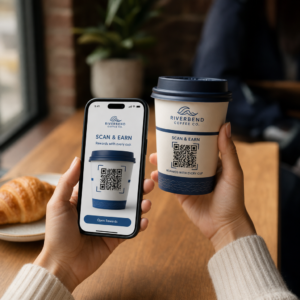
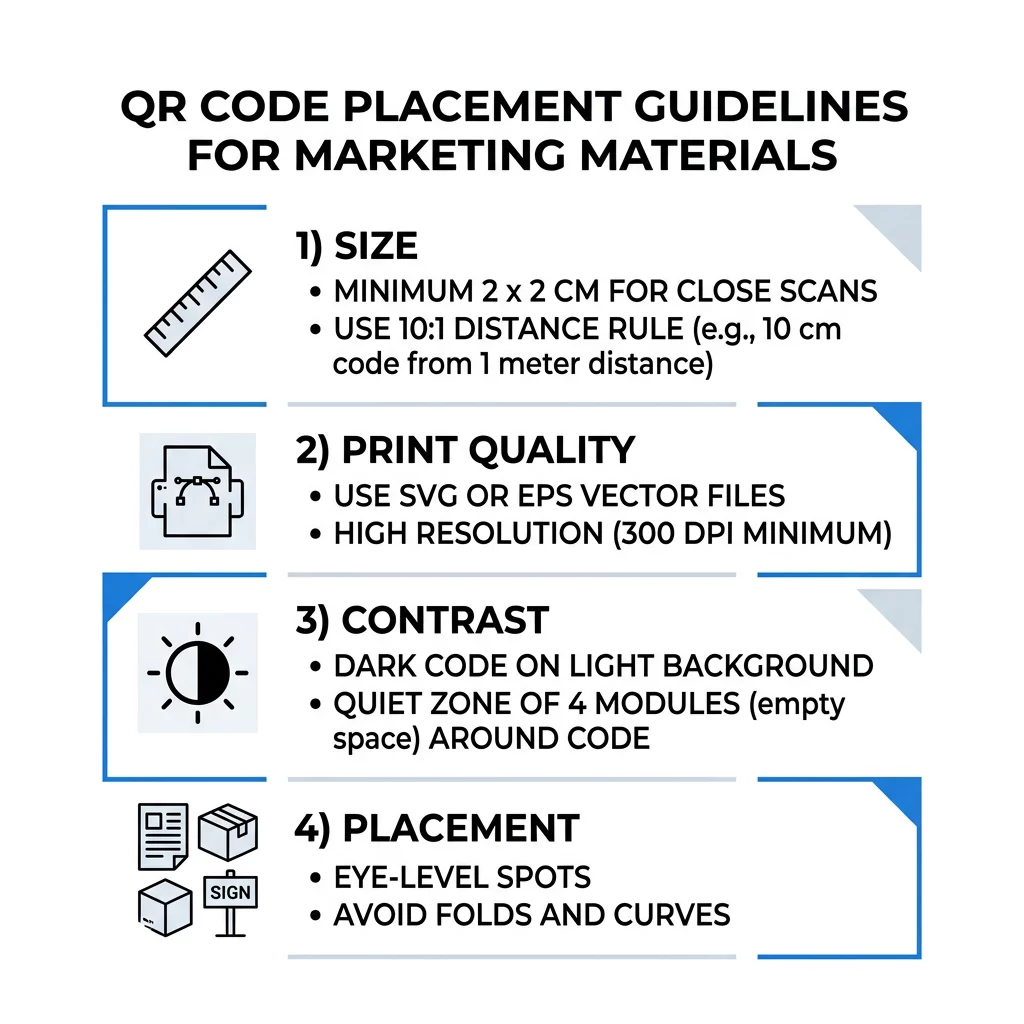
QR-koodi paigutuse parimad tavad taanduvad viiele reeglile. Trükkige kood vähemalt 2 x 2 cm (0.8 x 0.8 tolli) suuruses, hoidke igal küljel nelja mooduli suurune vaikne tsoon, kasutage heledal taustal tumedaid mooduleid, asetage see mugavale kõrgusele lamedale matile pinnale ja lisage selle kõrvale lühike üleskutse tegevusele. Testige iga trükitud näidist vähemalt kahe telefoniga enne täielikku trükkimist.
See juhend käsitleb QR-koodi disaini reegleid ja suuniseid suuruse, kontrasti ja pinna osas, kuhu kood paigutada igale materjalitüübile, kuidas QR-koode kasutades reklaamida ja mida koodi taga olev maandumisleht vajab.
QR-koodi parimad tavad lühidalt
- Suurus: vähemalt 2 x 2 cm (0.8 x 0.8 tolli) käeshoitavate esemete jaoks. Kauguse puhul kasutage 1 tolli koodi laiust iga 10 tolli skaneerimiskauguse kohta.
- Vaikne tsoon: tühimik vähemalt nelja mooduli ulatuses kõigil neljal küljel. Selles ei tohi olla teksti, jooni ega lõikemärke.
- Kontrast: tume kood heledal taustal. Ärge kunagi seda pöörake ega kasutage heledat koodi tumedal taustal, välja arvatud juhul, kui olete seda mitmel telefonil testinud.
- Pind: lame ja matt. Vältige volte, õmblusi, kumerusi, peegeldusi ja läikivat laminaati.
- Üleskutse tegevusele: öelge inimestele, miks skaneerida, näiteks „Skaneeri menüü vaatamiseks“.
- Sihtkoht: mobiilisõbralik leht, mis laadib kiiresti ja vastab sellele, mida üleskutse tegevusele lubas.
- Testimine: skaneerige lõplik näidis iPhone'iga ja Android-telefoniga, valguses, kus koodi kasutatakse.
Tehnilised standardid suuruse ja vaatamiskauguse kohta
Liiga väike või udune QR-kood ei skaneeru. Lähivaates käeshoitavate materjalide puhul on praktiline minimaalne suurus 2 x 2 cm (0.8 x 0.8 tolli). Suuremate materjalide puhul, mida vaadatakse toast või tänavalt, kasutage 10:1 reeglit: lubage vähemalt 1 toll koodi laiust iga 10 tolli skaneerimiskauguse kohta. Plakat, mida inimesed loevad 5 jala kauguselt, vajab vähemalt 6 tolli laiust koodi.
Kommertstrüki jaoks eksportige kunstiteos vektorfailina, näiteks SVG, EPS või PDF. Vektorfaile jäävad teravaks igas suuruses, samas kui rasterkujutised muutuvad suurendamisel häguseks. Kui peate kasutama rasterkujutist, näiteks PNG-d, eksportige see suurusse, mis on piisav 300 DPI-le lõplikus trükisuuruses. Lugege meie QR-koodi suuruse juhendist et kontrollida õigeid mõõtmeid iga formaadi jaoks.
| Paigutuse tüüp | Soovitatav suurus | Vaatamiskaugus | Veaparanduse tase |
|---|---|---|---|
| Visiitkaardid | 2 x 2 cm (0,8 x 0,8 tolli) | Käes hoitav (alla 1 jala) | Tase L või M |
| Flaierid ja brošüürid | 3 x 3 cm (1,2 x 1,2 tolli) | Käsivarre pikkus (1 kuni 2 jalga) | Tase M |
| Tootepakend | 3 x 3 cm (1,2 x 1,2 tolli) | Käes hoitav (1 kuni 2 jalga) | Tase Q või H |
| Plakatid ja ekraanid | 10 x 10 cm (4 x 4 tolli) | Kõndimiskaugus (3 kuni 7 jalga) | Tase M |
| Stendid ja bännerid | 40 x 40 cm (16 x 16 tolli) või suurem | Pikk kaugus (15+ jalga) | Tase H |
Veaparandus võimaldab skanneril koodi lugeda isegi siis, kui osa sellest on kahjustatud või kaetud. Tase L taastab umbes 7% andmetest, M umbes 15%, Q umbes 25% ja H umbes 30%. Kõrgemad tasemed muudavad mustri tihedamaks, seega vajab pika URL-iga kood H-tasemel suuremat trükisuurust, et jääda loetavaks.
QR-koodi kujundusreeglid: kontrast, vaiksed tsoonid ja pinna valik
Skannerid loevad QR-koodi, tuvastades erinevuse tumedate moodulite ja nende ümber oleva heleda ruumi vahel. Mustad moodulid valgel taustal on kõige kindlam valik. Brändivärvid toimivad, kui tumedad moodulid jäävad taustast selgelt tumedamaks. Kontrollige tulemust, teisendades oma kujunduse halltoonidesse: kui kood näib välja ähmane, on ka telefonikaameral sellega raskusi.
- Hoidke esiplaan taustast tumedamana. Heledad tumedal (pööratud) koodid ei tööta paljudes vanemates skannerirakendustes.
- Ärge kasutage punast tumedal taustal ega kahte sarnase heledusega värvi.
- Jätke igale küljele vähemalt nelja mooduli laiune vaikne tsoon. Tekst, ääred, fotod ja lõikejooned sellel marginaalil võivad skaneerimise peatada.
- Ärge venitage koodi. Hoidke see täiesti ruudukujulisena.
- Vältige läikivat laminaati, läikivat fooliumi ja klaasi, mis valgust peegeldavad. Kasutage matti paberit või matti lamineerimist.
- Kui lisate logo, hoidke see väike ja keskel ning kasutage kõrgemat veaparanduse taset.
Paljud ebaõnnestunud skaneerimised tulenevad käputäiest korduvatest vigadest. Vältige neid levinumad QR-koodi paigutuse vead enne printimist.
Parimad praktikad QR-koodi paigutamiseks trüki- ja kuvaformaatides
Paigutus otsustab, kas inimesed koodi üldse märkavad. Asetage see sinna, kuhu inimesed niigi vaatavad ja kus nad saavad telefoni stabiilselt hoida. Lisage selle kõrvale lühike juhend, sest inimesed ei skaneeri seda, millest nad aru ei saa.
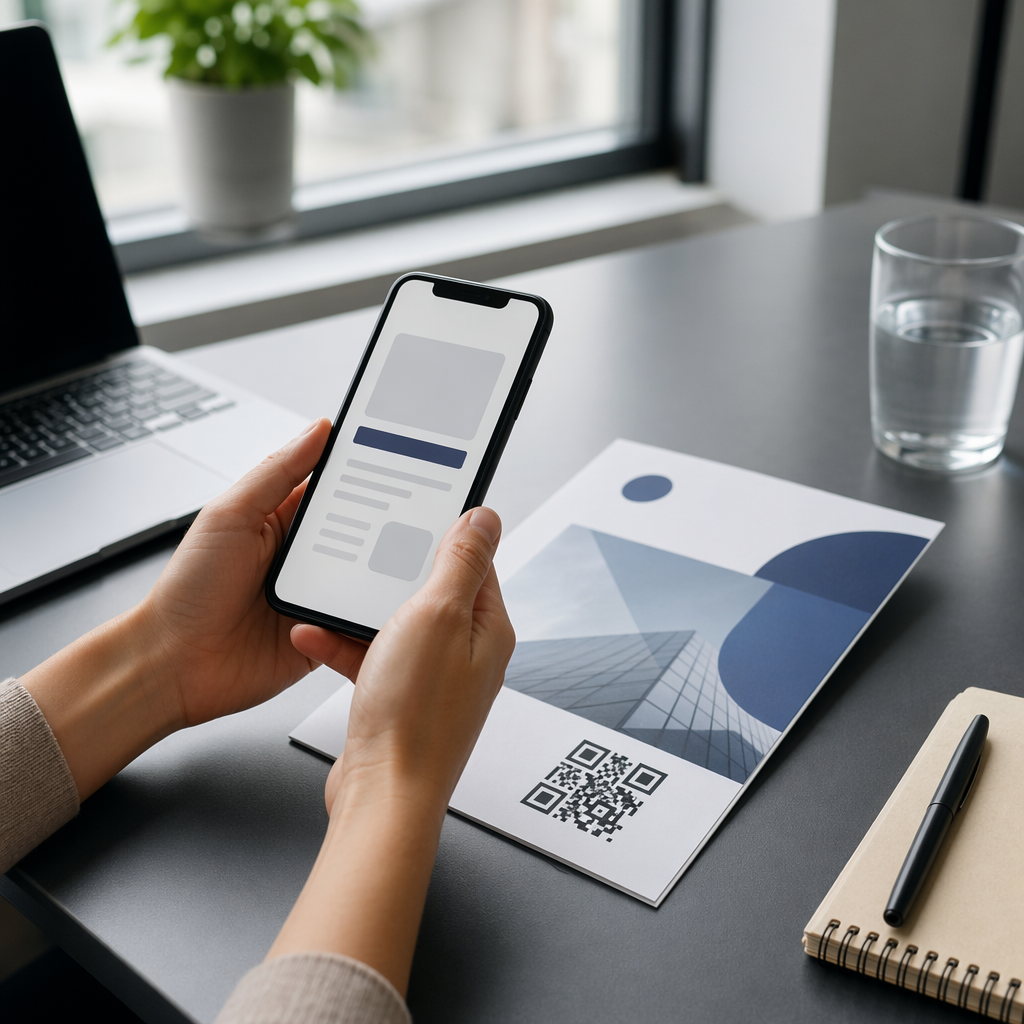
Flaierid, brošüürid ja otsepostitus
Asetage kood sinna, kus lugeja lugemise lõpetab, näiteks alumisse paremasse nurka või viimasele paneelile:
- Asetage QR-koodid flaieritel põhipakkumise kõrvale ja hoidke need paberi lõigatud servadest eemal.
- Asetage QR-koodid brošüüridele ühele paneelile. Ärge asetage koodi üle murde- või voldi, sest muster paindub ja katkeb.
- Otseposti puhul hoidke kood postiindikaatorist ja vöötkoodi selgest alast, mida teie postiteenistus nõuab, eemal. Kontrollige reegleid oma postimajaga.
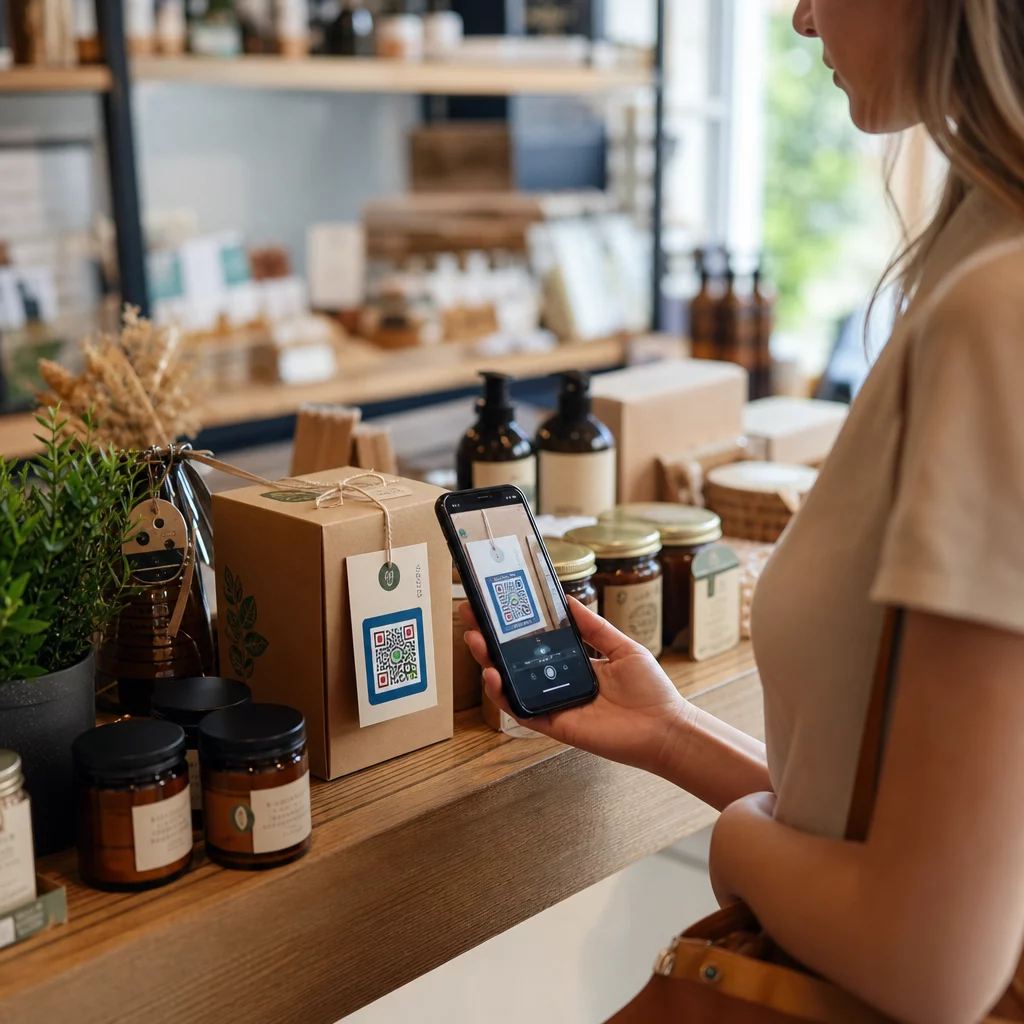
Tootepakendid ja etiketid
Pakend jõuab inimesteni pärast ostu sooritamist, mis sobib hästi seadistusvideote, garantii registreerimise ja kordustellimispakkumiste jaoks:
- Asetage QR-koode toote pakendil lamedale paneelile, mitte ümarale nurgale ega kitsale kaelale.
- Kasutage veaparanduse taset Q või H, et kood oleks loetav ka pärast kriimustusi, niiskust või käsitsemist.
- Hoidke kood eemal rebimisribadest, õmblustest ja hinnasiltidest, mis võiksid osa sellest katta.
- Pudelitel ja purkidel hoidke kood piisavalt väike, et see mahuks kõige lamedamale osale. Kood, mis ulatub liiga kaugele ümber kumera pinna, ei skaneeri.
Plakatid, vaateaknad ja avalikud ekraanid
Sildid peavad toimima inimestele, kes kõnnivad või seisavad paari meetri kaugusel:
- Asetage QR-koodid plakatitel silmade kõrgusel, umbes 3,5 kuni 5,5 jala kõrgusele maapinnast, nii et keegi ei peaks kummardama ega küünitama.
- Hoidke QR-koodid ekraanidel ja kuvaritel ekraanil piisavalt kaua, et seda skaneerida. Kümme sekundit on ohutu miinimum, ja staatiline kood, mis jääb nähtavaks, on parem kui liikuv animatsioon.
- Järgige põhireegleid QR-koodide kasutamine trükimeedias ja näidake ühte koodi sildi kohta, et kaamera ei peaks valima.
- Ärge asetage koode kohtadesse, kus inimesed ei saa peatuda, näiteks liikuvale sõidukile, kõrgele stendile või kõnniteest kaugel asuvale aknale.
Kuidas QR-koode kasutades reklaamida
QR-koodide abil reklaamimiseks käsitle iga koodi kui lühireklaami, millel on üks eesmärk. Vali paigutus, kirjuta üleskutse tegevusele, suuna inimesed ühele konkreetsele lehele ja mõõda tulemust. Kasuta seda protsessi:
- Vali iga koodi jaoks üks eesmärk, näiteks kupong, menüü, arvustus või tooteleht.
- Genereeri kood nii, et sihtkoht on juba määratud. Ära suuna inimesi kodulehele, kui lubasid kupongi.
- Aseta see ülaltoodud suuruse ja pinna reeglite järgi ning lisa üleskutse tegevusele koos kasuga, näiteks “Skanneeri, et saada esimeselt tellimuselt 15% soodustust”.
- Kasuta iga paigutuse jaoks erinevat koodi (flaier, aken, pakend), et saaksid aru, milline neist toimib.
- Prindi üks prooviversioon, skanneeri see kahe telefoniga ja alles siis telli kogu partii.
- Kontrolli skannimiste arvu ühe või kahe nädala pärast ja suuna eelarve nendesse kohtadesse, mis skannimisi saavad.
Head kohad QR-koodidega reklaamimiseks on poeaknad, lauatelgid, kviitungid, kohaletoimetamiskastid, ürituste sildid, messiboksid ja otsepostitus. Nõrgad kohad hõlmavad kõike liikuvat, kõike silmade kõrgusest kõrgemal asuvat ja kõiki kohti, kus mobiilsignaal puudub.
Skanneeringute suurendamine üleskutse-tegevusele raamidega
Kontekstita kood ei anna inimestele põhjust telefoni välja võtta. Pane selle kõrvale lühike üleskutse tegevusele. Töötavad näited: “Skanneeri menüü vaatamiseks”, “Skanneeri laua broneerimiseks”, “Skanneeri 15% soodustuse saamiseks”, “Skanneeri arvustuse jätmiseks”. Aseta tekst otse koodi kohale või alla, sellises suuruses, et inimesed saaksid seda lugeda samast kaugusest nagu koodi.
Koodi keskel olev logo aitab inimestel koodi usaldada. Kasuta QR-koodi generaator logoga, hoia logo väike ja testi kood uuesti pärast selle lisamist. Lühikese veebiaadressi printimine koodi alla annab inimestele, kes ei saa skannida, võimaluse see sisse trükkida.
QR-koodi sihtlehe parimad tavad
Enamik inimesi skaneerib telefoniga, ühe käega, sageli mobiilse andmeside abil. Koodi taga olev leht otsustab, kas skannimisest saab klient. Järgige neid QR-koodi sihtlehe parimaid tavasid:
- Loo esmalt telefoniekraani jaoks. Kasuta suurt teksti ja suuri nuppe.
- Pane lehekülg kiiresti laadima. Kasuta väikseid pilte ja väldi raskeid hüpikaknaid või automaatselt mängivaid videoid.
- Ühilda üleskutse tegevusele. Kui sildil on kirjas “Skanni 15% soodustuse saamiseks”, näita soodustust esimesel ekraanil.
- Paiguta üks peamine tegevus nähtavale alale, näiteks üks nupp kupongi, broneeringu või kõne jaoks.
- Hoia vormid lühikesed. Küsi e-posti aadressi või telefoninumbrit, mitte täielikku profiili.
- Kasuta https-i ja veendu, et leht töötab ilma sisselogimiseta.
- Testi seda nii iPhone'il kui ka Androidil, mobiilse andmeside kaudu, mitte ainult kontori Wi-Fi-s.
Kaasamise jälgimine dünaamilise tehnoloogiaga
Staatiline QR-kood salvestab veebiaadressi mustrisse. See ei aegu kunagi ja töötab ilma teenuseta, mis on piisav püsilingi jaoks, nagu Wi-Fi sisselogimine või visiitkaart. Piirang on see, et aadressi ei saa pärast printimist muuta. Kui leht liigub või pakkumine lõpeb, viitab iga prinditud kood vanale lehele.
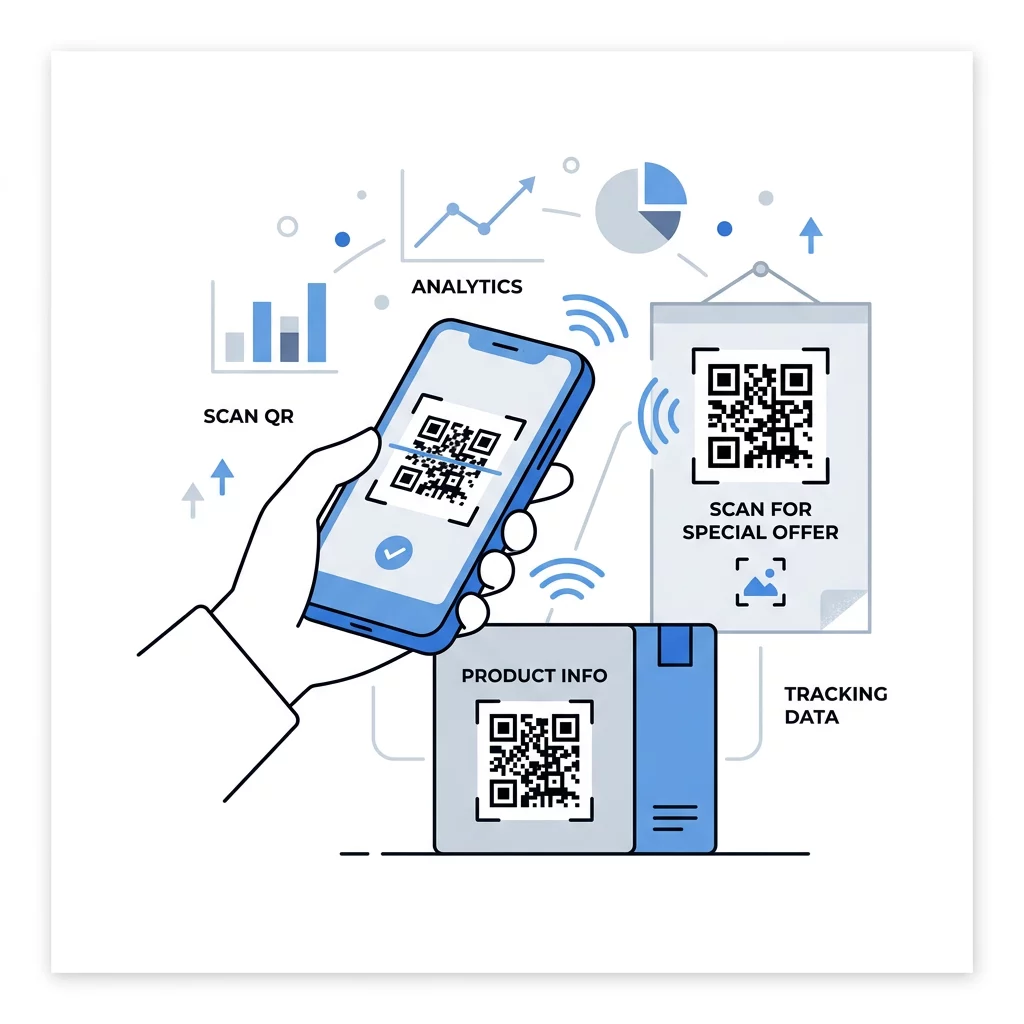
Dünaamiline QR-kood viitab lühilingile, mida saate igal ajal ümber suunata, nii et prinditud kood jääb samaks, samal ajal kui sihtkoht muutub. See salvestab ka skaneerimised, sealhulgas millal, kus ja mis tüüpi seadmel. See aitab teil võrrelda flaierit aknasildiga ja eemaldab kampaaniate muutumisel uuesti printimise kulud. Lühike link annab ka lihtsama, vähem tiheda mustri, mis skannib väikestel suurustel kergemini.
Pagelooti dünaamilised koodid pakuvad 14-päevast tasuta prooviperioodi ja 30-päevast raha tagasi garantii plaanidele ning plaane saate vaadata siit: pageloot.com/pricing. Igakuulise või aastase plaani dünaamiline kood muutub plaani lõppedes passiivseks, seega vali dünaamilised koodid kampaaniate jaoks, mida plaanid pidevalt käigus hoida.
Jälgi kampaania tulemuslikkust Tahad näha, millised materjalid toovad kõige rohkem skaneeringuid? Kasuta Dünaamilise QR koodi generaator redigeeritavate koodide loomiseks, skaneerimisanalüütika ülevaatamiseks ja siht-URL-ide värskendamiseks ilma uuesti printimata.
Kokkuvõttes: vali suurus, mis sobib vaatamiskaugusega, hoia vaikne tsoon selgena, kasuta kõrget kontrasti, aseta kood tasasele pinnale silmade kõrgusele ja kirjuta üleskutse tegevusele. Seejärel testi prinditud proovi enne täielikku tiraaži. Saad oma koodi luua ja alla laadida järgmiselt: QR koodi loomine tasuta lehel Pageloot.
Korduma kippuvad küsimused
Asetage kood tasasele, matile pinnale mugavale kõrgusele, vähemalt 2 x 2 cm käeshoitavate esemete puhul, nelja mooduli vaikse alaga igal küljel. Asetage see sinna, kuhu inimesed juba vaatavad, näiteks flaieri lõppu või plakati keskele, ja lisage selle kõrvale lühike üleskutse tegevusele.
Kasutage tumedaid mooduleid heledal taustal, hoidke kood ruudukujuline ja väljavenitamata, jätke vähemalt nelja mooduli laiune vaikne ala ja hoidke kõik logod väikesed ja keskele joondatud. Ärge printige läikivatele või kumeraile pindadele ja testige prinditud näidist rohkem kui ühel telefonil.
Praktiline miinimum käes hoitavate materjalide, nagu visiitkaartide, puhul on 2 x 2 cm (0,8 x 0,8 tolli). Kaugemalt vaadatavate materjalide puhul järgige reeglit 10:1: 1 toll koodi laiust iga 10 tolli skaneerimiskauguse kohta.
Määra igale koodile üks eesmärk, suunates selle konkreetsele lehele, mis vastab sinu tegevusele kutsumisele, ja aseta see silmade kõrgusele tasasele pinnale. Kasuta iga paigutuse jaoks eraldi koodi ja võrdle skaneerimiste arvu ühe kuni kahe nädala pärast.
Leht, mis laadib telefonis kiiresti, kuvab lubatud pakkumist esimesel ekraanil, sisaldab ühte selget tegevust ega vaja sisselogimist. Testi seda iPhone'is ja Androidis mobiilse andmeside kaudu.
Jah, aga hoidke kood väike ja asetage see pinna kõige tasasemale osale. Kui kood mähkub liiga kaugele ümber kõveruse, moonutub muster ja kaamera ei suuda seda kõike lugeda.
Kasuta dünaamilist QR-koodi. Prinditud muster jääb samaks ja sihtkohta saad muuta oma kontol. Staatilist QR-koodi ei saa pärast printimist muuta.
Kõige sagedasemad põhjused on liiga väike kood, puuduv vaikne tsoon, madal kontrast, läikiv või kumer pind ning udune madala resolutsiooniga fail. Printige suurem testkoopia ja kontrollige neid punkte selles järjekorras.