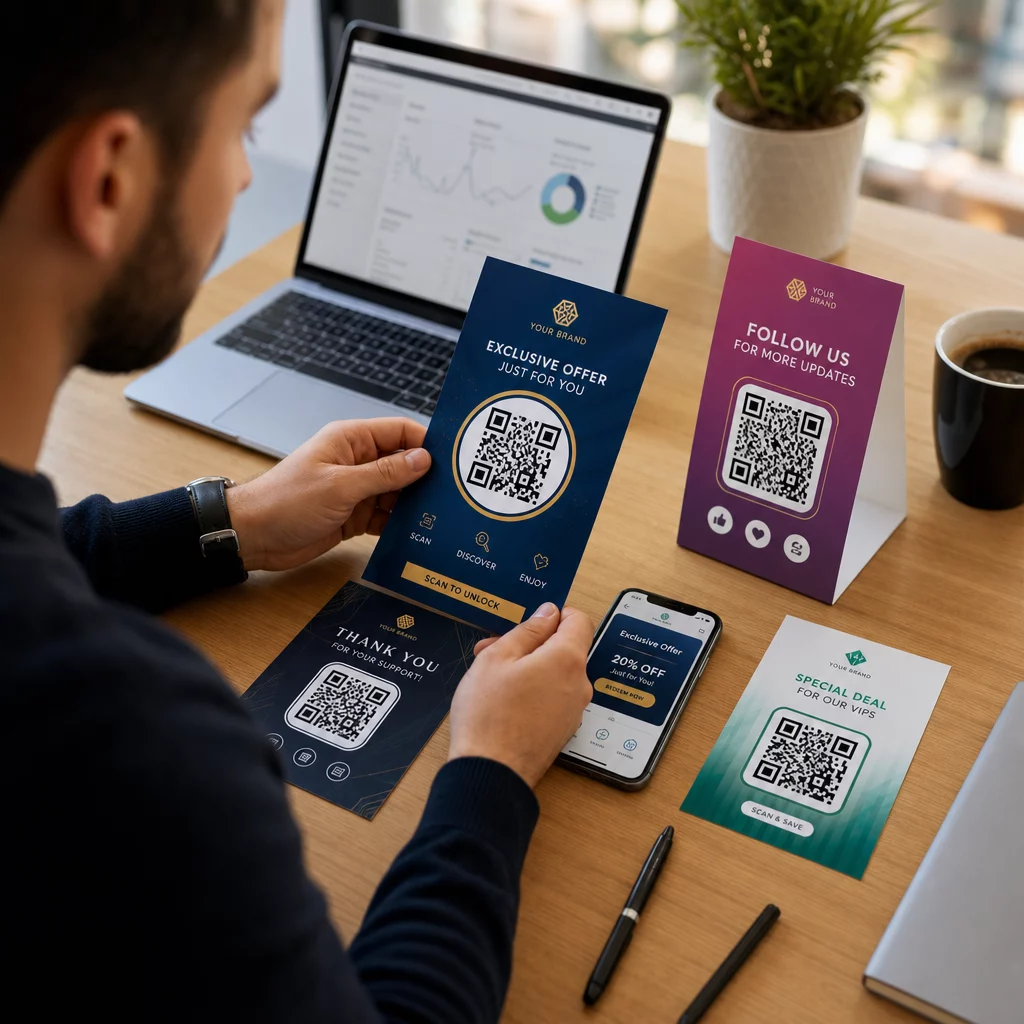
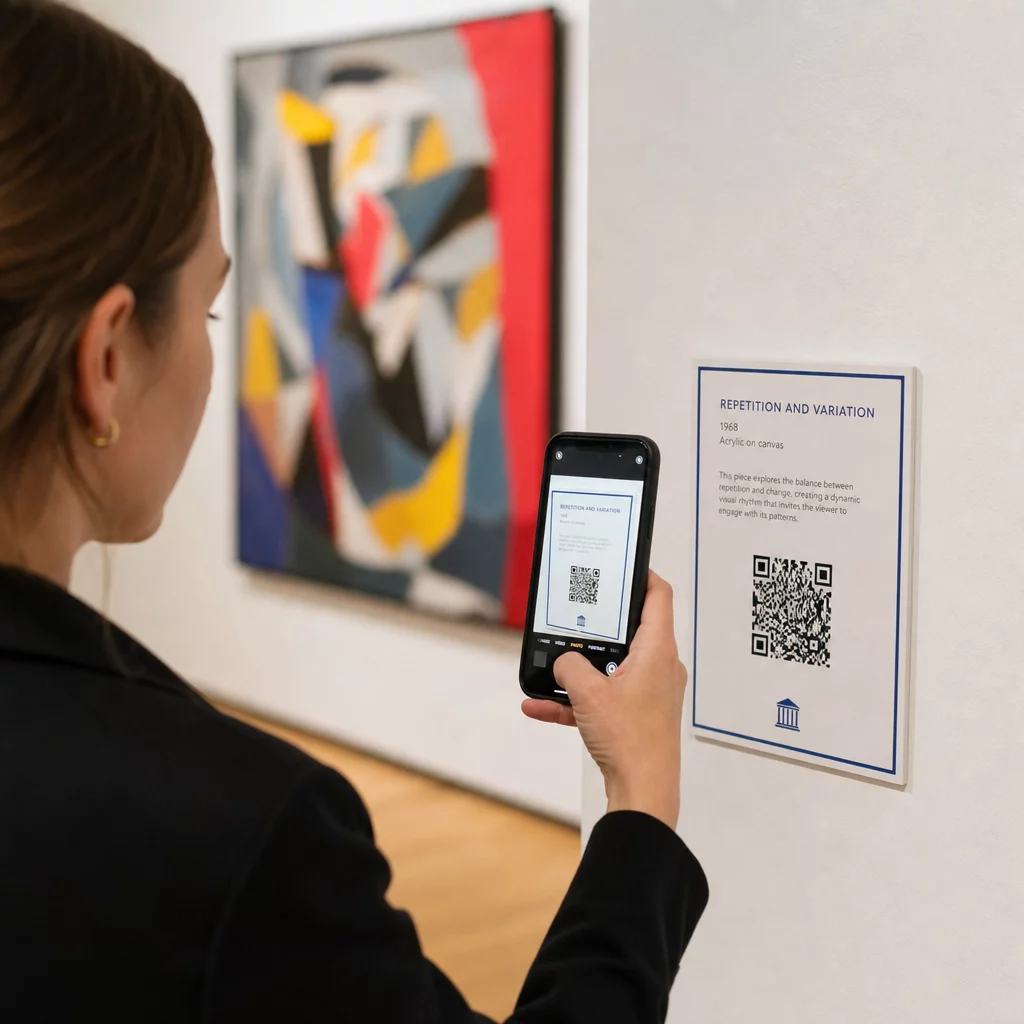
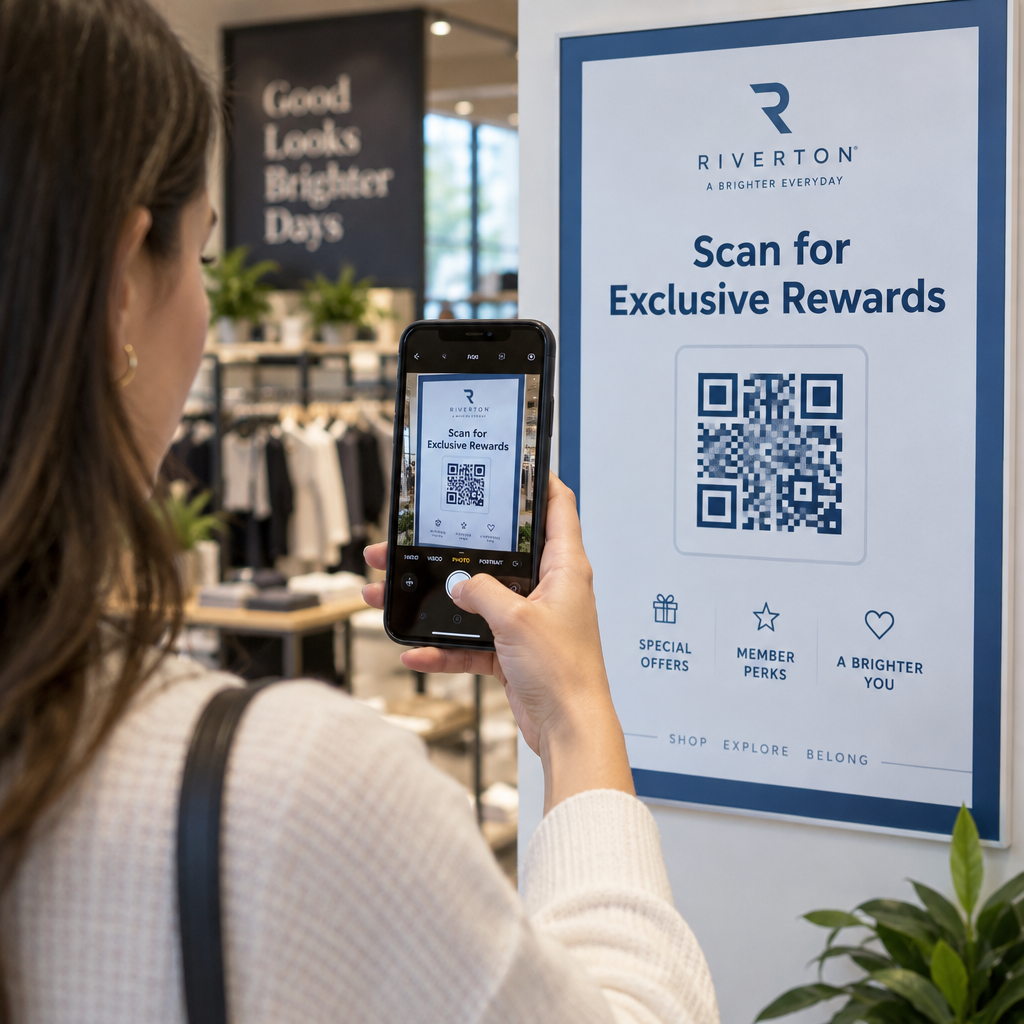
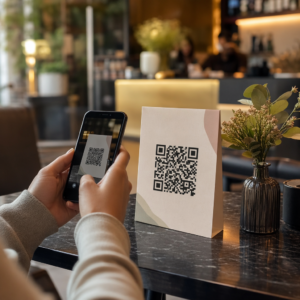
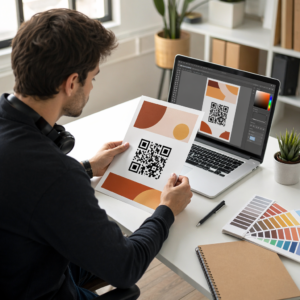
แนวทางปฏิบัติที่ดีที่สุดสำหรับตำแหน่ง QR โค้ดมี 5 ข้อหลัก ได้แก่ พิมพ์โค้ดขนาดอย่างน้อย 2 x 2 ซม. (0.8 x 0.8 นิ้ว), เว้นโซนว่างสี่โมดูลรอบด้าน, ใช้โมดูลสีเข้มบนพื้นหลังสีอ่อน, วางบนพื้นผิวเรียบด้านในระดับความสูงที่พอเหมาะ, และเพิ่มคำกระตุ้นการตัดสินใจสั้นๆ ข้างโค้ด ทดสอบโค้ดที่พิมพ์ทุกชิ้นด้วยโทรศัพท์อย่างน้อยสองเครื่องก่อนการพิมพ์จริง
คู่มือนี้ครอบคลุมกฎการออกแบบ QR โค้ดและแนวทางสำหรับขนาด, คอนทราสต์และพื้นผิว, ตำแหน่งที่จะวางโค้ดบนวัสดุแต่ละประเภท, วิธีการโฆษณาโดยใช้ QR โค้ด, และสิ่งที่หน้า Landing Page หลังโค้ดต้องการ
แนวทางปฏิบัติที่ดีที่สุดสำหรับ QR โค้ดโดยสรุป
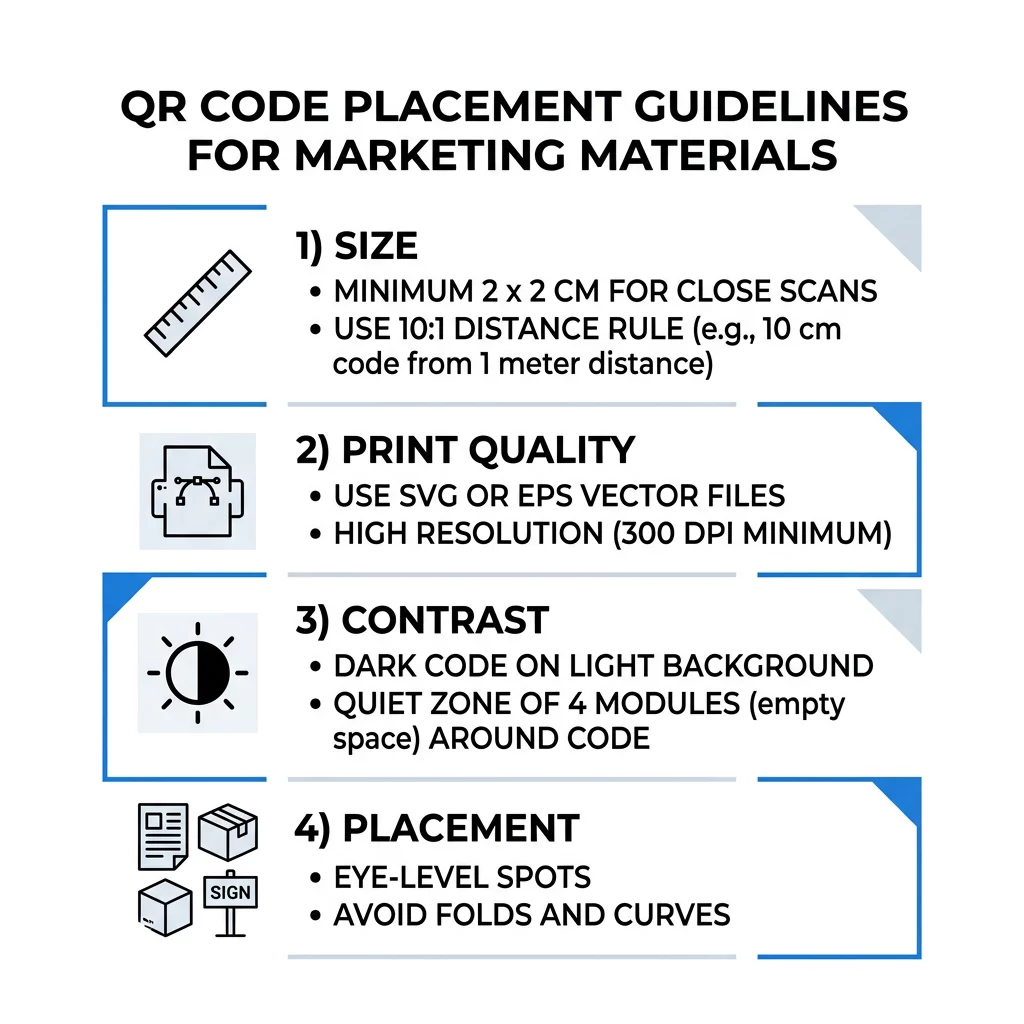
- ขนาด: อย่างน้อย 2 x 2 ซม. (0.8 x 0.8 นิ้ว) สำหรับสิ่งของที่ถือด้วยมือ สำหรับระยะไกล ให้ใช้ความกว้างของโค้ด 1 นิ้ว ต่อระยะการสแกน 10 นิ้ว
- พื้นที่ว่างรอบโค้ด (Quiet zone): ระยะขอบว่างอย่างน้อยสี่โมดูลทั้งสี่ด้าน ห้ามมีข้อความ เส้น หรือเครื่องหมายตัดใดๆ ภายในบริเวณนี้
- ความคมชัด: โค้ดสีเข้มบนพื้นหลังสีอ่อน ห้ามกลับสีหรือใช้โค้ดสีอ่อนบนพื้นหลังสีเข้ม เว้นแต่คุณได้ทดสอบด้วยโทรศัพท์หลายเครื่องแล้ว
- พื้นผิว: เรียบและด้าน หลีกเลี่ยงรอยพับ รอยต่อ ส่วนโค้ง แสงสะท้อน และลามิเนตเงา
- คำกระตุ้นการตัดสินใจ: บอกผู้คนว่าทำไมต้องสแกน เช่น “สแกนเพื่อดูเมนู”
- ปลายทาง: หน้าเว็บไซต์ที่เหมาะกับมือถือ โหลดเร็ว และตรงตามที่คำกระตุ้นการตัดสินใจได้สัญญาไว้
- การทดสอบ: สแกนหลักฐานการพิมพ์ฉบับสุดท้ายด้วย iPhone และโทรศัพท์ Android ในแสงที่จะใช้โค้ด
มาตรฐานทางเทคนิคสำหรับขนาดและระยะการมองเห็น
QR โค้ดที่เล็กเกินไปหรือเบลอจะไม่สามารถสแกนได้ สำหรับวัสดุที่ถือด้วยมือในระยะใกล้ ขนาดขั้นต่ำที่ใช้งานได้จริงคือ 2 x 2 ซม. (0.8 x 0.8 นิ้ว) สำหรับวัสดุขนาดใหญ่ที่มองจากทั่วห้องหรือถนน ให้ใช้กฎ 10:1: กำหนดความกว้างของโค้ดอย่างน้อย 1 นิ้ว สำหรับทุกๆ 10 นิ้วของระยะการสแกน โปสเตอร์ที่ผู้คนอ่านจากระยะ 5 ฟุต ต้องใช้โค้ดที่มีความกว้างอย่างน้อย 6 นิ้ว
สำหรับงานพิมพ์เชิงพาณิชย์ ให้ส่งออกงานออกแบบเป็นไฟล์เวกเตอร์ เช่น SVG, EPS หรือ PDF ไฟล์เวกเตอร์จะคมชัดในทุกขนาด ในขณะที่ภาพแรสเตอร์จะเบลอเมื่อขยาย หากคุณจำเป็นต้องใช้ภาพแรสเตอร์ เช่น PNG ให้ส่งออกที่ขนาดใหญ่พอสำหรับ 300 DPI ที่ขนาดพิมพ์สุดท้าย อ่านของเรา คู่มือขนาดรหัส QR เพื่อตรวจสอบขนาดที่ถูกต้องสำหรับแต่ละรูปแบบ
| ประเภทการจัดวาง | ขนาดที่แนะนำ | ระยะการมองเห็น | ระดับการแก้ไขข้อผิดพลาด |
|---|---|---|---|
| นามบัตร | 2 x 2 ซม. (0.8 x 0.8 นิ้ว) | ถือในมือ (ต่ำกว่า 1 ฟุต) | ระดับ L หรือ M |
| ใบปลิวและโบรชัวร์ | 3 x 3 ซม. (1.2 x 1.2 นิ้ว) | ระยะแขนเอื้อม (1 ถึง 2 ฟุต) | ระดับ M |
| บรรจุภัณฑ์ผลิตภัณฑ์ | 3 x 3 ซม. (1.2 x 1.2 นิ้ว) | ถือในมือ (1 ถึง 2 ฟุต) | ระดับ Q หรือ H |
| โปสเตอร์และจอแสดงผล | 10 x 10 ซม. (4 x 4 นิ้ว) | ระยะเดิน (3 ถึง 7 ฟุต) | ระดับ M |
| ป้ายบิลบอร์ดและแบนเนอร์ | 40 x 40 ซม. (16 x 16 นิ้ว) หรือใหญ่กว่า | ระยะไกล (15+ ฟุต) | ระดับ H |
การแก้ไขข้อผิดพลาดช่วยให้เครื่องสแกนอ่านโค้ดได้แม้ว่าส่วนหนึ่งของโค้ดจะเสียหายหรือถูกบัง ระดับ L กู้คืนข้อมูลได้ประมาณ 7%, M ประมาณ 15%, Q ประมาณ 25% และ H ประมาณ 30% ระดับที่สูงขึ้นทำให้รูปแบบมีความหนาแน่นมากขึ้น ดังนั้นโค้ดที่มี URL ยาวที่ระดับ H จึงต้องมีขนาดพิมพ์ที่ใหญ่ขึ้นเพื่อให้ยังคงอ่านได้
กฎการออกแบบ QR Code: ความคมชัด, Quiet Zones (พื้นที่ว่างรอบโค้ด), และการเลือกพื้นผิว
เครื่องสแกนอ่าน QR code โดยการตรวจจับความแตกต่างระหว่างโมดูลสีเข้มและพื้นที่สว่างรอบๆ โมดูลสีดำบนพื้นหลังสีขาวเป็นตัวเลือกที่ปลอดภัยที่สุด สีแบรนด์สามารถใช้ได้หากโมดูลสีเข้มยังคงเข้มกว่าพื้นหลังอย่างชัดเจน ตรวจสอบผลลัพธ์โดยการแปลงการออกแบบของคุณเป็นภาพขาวดำ (grayscale): หากโค้ดดูจาง (washed out) กล้องโทรศัพท์ก็จะประสบปัญหาเช่นกัน
- ทำให้พื้นหน้าเข้มกว่าพื้นหลัง โค้ดสีอ่อนบนพื้นหลังสีเข้ม (inverted) จะใช้งานไม่ได้กับแอปสแกนรุ่นเก่าจำนวนมาก
- ห้ามใช้สีแดงบนพื้นหลังสีเข้ม หรือใช้สองสีที่มีความสว่างใกล้เคียงกัน
- เว้นพื้นที่ว่าง (quiet zone) อย่างน้อยสี่โมดูลในทุกด้าน ข้อความ, ขอบ, รูปภาพ และเส้นครอบตัดภายในขอบนี้อาจทำให้การสแกนหยุดชะงักได้
- อย่าบิดเบือนโค้ด ทำให้เป็นสี่เหลี่ยมจัตุรัสที่สมบูรณ์แบบเสมอ
- หลีกเลี่ยงการเคลือบเงา, ฟอยล์เงา และกระจกที่สะท้อนแสง ให้ใช้กระดาษด้าน (matte paper) หรือการเคลือบด้าน (matte lamination)
- หากคุณเพิ่มโลโก้ ให้เก็บไว้ให้เล็กและอยู่ตรงกลาง และใช้ระดับการแก้ไขข้อผิดพลาดที่สูงขึ้น
การสแกนที่ไม่สำเร็จจำนวนมากเกิดจากข้อผิดพลาดที่ซ้ำๆ เพียงไม่กี่อย่าง หลีกเลี่ยงสิ่งเหล่านี้ ข้อผิดพลาดทั่วไปในการวางคิวอาร์โค้ด ก่อนที่คุณจะพิมพ์
แนวปฏิบัติที่ดีที่สุดสำหรับการจัดวาง QR Code ในรูปแบบงานพิมพ์และจอแสดงผล
การจัดวางเป็นตัวกำหนดว่าผู้คนจะสังเกตเห็นโค้ดหรือไม่ วางไว้ในตำแหน่งที่ผู้คนมองอยู่แล้วและสามารถถือโทรศัพท์ได้อย่างมั่นคง เพิ่มคำแนะนำสั้นๆ ไว้ข้างๆ เพราะผู้คนจะไม่สแกนในสิ่งที่พวกเขาไม่เข้าใจ
ใบปลิว โบรชัวร์ และจดหมายตรง
วางโค้ดในตำแหน่งที่ผู้อ่านอ่านเสร็จแล้ว เช่น มุมล่างขวาหรือแผงสุดท้าย:
- วาง รหัส QR บนแผ่นพับ ไว้ข้างข้อเสนอหลัก และวางให้ห่างจากขอบกระดาษที่ถูกตัด
- วาง คิวอาร์โค้ดบนแผ่นพับ ภายในแผงเดียว ห้ามวางโค้ดคร่อมรอยพับหรือรอยยับ เพราะรูปแบบจะบิดเบี้ยวและแตกหัก
- สำหรับจดหมายตรง ให้วางโค้ดไว้นอกตราประทับไปรษณีย์และพื้นที่ว่างสำหรับบาร์โค้ดที่บริการไปรษณีย์ของคุณกำหนด ตรวจสอบกฎกับบริษัทจัดส่งของคุณ
บรรจุภัณฑ์และฉลากผลิตภัณฑ์
บรรจุภัณฑ์เข้าถึงผู้คนหลังจากที่พวกเขาซื้อสินค้า ซึ่งเหมาะสำหรับวิดีโอการตั้งค่า การลงทะเบียนการรับประกัน และข้อเสนอสั่งซื้อซ้ำ:
- วาง รหัส QR บนบรรจุภัณฑ์ผลิตภัณฑ์ บนพื้นผิวเรียบ ไม่ใช่บนมุมโค้งมนหรือคอขวดแคบ
- ใช้การแก้ไขข้อผิดพลาดระดับ Q หรือ H เพื่อให้โค้ดยังคงอ่านได้แม้มีรอยขีดข่วน ความชื้น หรือการหยิบจับ
- วางโค้ดให้ห่างจากแถบฉีก ตะเข็บ และสติกเกอร์ราคาที่อาจปิดบังส่วนหนึ่งของโค้ด
- บนขวดและกระป๋อง ให้โค้ดมีขนาดเล็กพอที่จะวางอยู่บนส่วนที่แบนที่สุด โค้ดที่พันรอบส่วนโค้งมากเกินไปจะไม่สามารถสแกนได้
โปสเตอร์ หน้าร้าน และจอแสดงผลสาธารณะ
ป้ายต้องใช้ได้สำหรับผู้คนที่เดินหรือยืนห่างออกไปไม่กี่ฟุต:
- วาง รหัส QR บนโปสเตอร์ ในระดับสายตา ประมาณ 3.5 ถึง 5.5 ฟุตจากพื้นดิน เพื่อที่ไม่มีใครต้องก้มหรือเอื้อม
- เก็บ คิวอาร์โค้ดบนจอแสดงผลและหน้าจอ บนหน้าจอให้นานพอที่จะสแกน สิบวินาทีเป็นเวลาขั้นต่ำที่ปลอดภัย และโค้ดแบบคงที่ที่ยังคงมองเห็นได้ดีกว่าโค้ดที่อยู่ในภาพเคลื่อนไหว
- ปฏิบัติตามพื้นฐานของ การใช้รหัส QR ในสื่อสิ่งพิมพ์ และแสดงโค้ดเดียวต่อป้าย เพื่อให้กล้องไม่ต้องเลือก
- อย่าSวางโค้ดในตำแหน่งที่ผู้คนไม่สามารถหยุดได้ เช่น บนยานพาหนะที่กำลังเคลื่อนที่ ป้ายบิลบอร์ดสูง หรือหน้าต่างที่อยู่ไกลจากทางเท้า
วิธีการโฆษณาโดยใช้คิวอาร์โค้ด
ในการโฆษณาด้วย QR Code ให้ถือว่าแต่ละโค้ดเป็นโฆษณาสั้น ๆ ที่มีเป้าหมายเดียว เลือกว่าจะวางที่ใด, เขียนคำกระตุ้นการตัดสินใจ, ส่งผู้คนไปยังหน้าเฉพาะหนึ่งหน้า และวัดผลลัพธ์ ใช้วิธีการดังนี้:
- เลือกหนึ่งเป้าหมายต่อหนึ่งโค้ด เช่น คูปอง, เมนู, รีวิว หรือหน้าสินค้า
- สร้างโค้ดโดยตั้งค่าปลายทางไว้แล้ว อย่าส่งผู้คนไปยังหน้าแรกเมื่อคุณสัญญาว่าจะให้คูปอง
- วางโดยใช้กฎเกี่ยวกับขนาดและพื้นผิวที่กล่าวมาข้างต้น และเพิ่มคำกระตุ้นการตัดสินใจพร้อมประโยชน์ เช่น “สแกนเพื่อรับส่วนลด 15% สำหรับการสั่งซื้อครั้งแรกของคุณ”
- ใช้โค้ดที่แตกต่างกันสำหรับแต่ละตำแหน่งที่วาง (ใบปลิว, หน้าต่าง, บรรจุภัณฑ์) เพื่อให้คุณสามารถทราบได้ว่าอันไหนได้ผล
- พิมพ์ต้นฉบับหนึ่งชิ้น, สแกนด้วยโทรศัพท์สองเครื่อง และหลังจากนั้นค่อยสั่งพิมพ์ทั้งหมด
- ตรวจสอบจำนวนการสแกนหลังจากหนึ่งหรือสองสัปดาห์ และย้ายงบประมาณไปยังตำแหน่งที่ได้รับการสแกน
สถานที่ที่ดีในการโฆษณาด้วย QR Code ได้แก่ หน้าต่างร้านค้า, แผ่นพับตั้งโต๊ะ (table tents), ใบเสร็จ, กล่องจัดส่ง, ป้ายงานอีเวนต์, บูธแสดงสินค้า และจดหมายโดยตรง สถานที่ที่ไม่เหมาะสม ได้แก่ สิ่งที่เคลื่อนไหว, สิ่งที่อยู่เหนือระดับสายตา และที่ที่ไม่มีสัญญาณมือถือ
เพิ่มจำนวนการสแกนด้วยกรอบคำกระตุ้นการตัดสินใจ
โค้ดที่ไม่มีบริบทไม่ได้ให้เหตุผลให้ผู้คนหยิบโทรศัพท์ออกมา วางคำกระตุ้นการตัดสินใจสั้นๆ ไว้ข้างๆ ตัวอย่างที่ได้ผล: “สแกนเพื่อดูเมนู”, “สแกนเพื่อจองโต๊ะ”, “สแกนเพื่อรับส่วนลด 15%”, “สแกนเพื่อเขียนรีวิว” วางข้อความโดยตรงเหนือหรือใต้โค้ด ในขนาดที่ผู้คนสามารถอ่านได้จากระยะห่างเดียวกับโค้ด
โลโก้ที่อยู่ตรงกลางสามารถช่วยให้ผู้คนเชื่อถือโค้ดได้ ใช้ สร้าง QR Code ใส่โลโก้, รักษาขนาดโลโก้ให้เล็ก และทดสอบโค้ดอีกครั้งหลังจากเพิ่มโลโก้ การพิมพ์ที่อยู่เว็บสั้นๆ ใต้โค้ดช่วยให้ผู้ที่ไม่สามารถสแกนได้มีวิธีพิมพ์เข้าไป
แนวทางปฏิบัติที่ดีที่สุดสำหรับหน้า Landing Page ของ QR Code
คนส่วนใหญ่สแกนด้วยโทรศัพท์มือถือข้างเดียว มักจะใช้ข้อมูลมือถือ หน้าเว็บที่อยู่เบื้องหลังโค้ดจะเป็นตัวตัดสินว่าการสแกนนั้นจะเปลี่ยนเป็นลูกค้าหรือไม่ ปฏิบัติตามแนวทางปฏิบัติที่ดีที่สุดสำหรับหน้า Landing Page ของ QR Code เหล่านี้:
- สร้างสำหรับหน้าจอโทรศัพท์ก่อน ใช้อักขระขนาดใหญ่และปุ่มขนาดใหญ่
- ทำให้หน้าเว็บโหลดเร็ว ใช้รูปภาพขนาดเล็ก และหลีกเลี่ยงป๊อปอัพที่หนัก หรือวิดีโอเล่นอัตโนมัติ
- ตรงกับการเรียกร้องให้ดำเนินการ ถ้าป้ายบอกว่า “สแกนเพื่อรับส่วนลด 15%” ให้แสดงส่วนลดในหน้าจอแรก
- วางการกระทำหลักหนึ่งอย่างเหนือขอบหน้าจอแรก เช่น ปุ่มเดียวสำหรับคูปอง การจอง หรือการโทร
- ทำให้แบบฟอร์มสั้น ขอแค่ที่อยู่อีเมลหรือหมายเลขโทรศัพท์ ไม่ใช่ข้อมูลโปรไฟล์ทั้งหมด
- ใช้ https และตรวจสอบให้แน่ใจว่าหน้าเว็บทำงานได้โดยไม่ต้องเข้าสู่ระบบ
- ทดสอบบนทั้ง iPhone และ Android โดยใช้ข้อมูลมือถือ และไม่ใช่แค่ Wi-Fi ของสำนักงานเท่านั้น
การติดตามการมีส่วนร่วมด้วยเทคโนโลยีไดนามิก
คิวอาร์โค้ดแบบคงที่ (Static QR code) จะเก็บที่อยู่เว็บไว้ในรูปแบบ มันไม่มีวันหมดอายุและทำงานได้โดยไม่ต้องใช้บริการใดๆ ซึ่งเพียงพอสำหรับลิงก์ถาวร เช่น การเข้าสู่ระบบ Wi-Fi หรือนามบัตร ข้อจำกัดคือคุณไม่สามารถเปลี่ยนที่อยู่ได้หลังจากพิมพ์ หากหน้าเว็บย้ายที่หรือข้อเสนอสิ้นสุดลง โค้ดที่พิมพ์ทุกอันจะชี้ไปยังหน้าเก่า
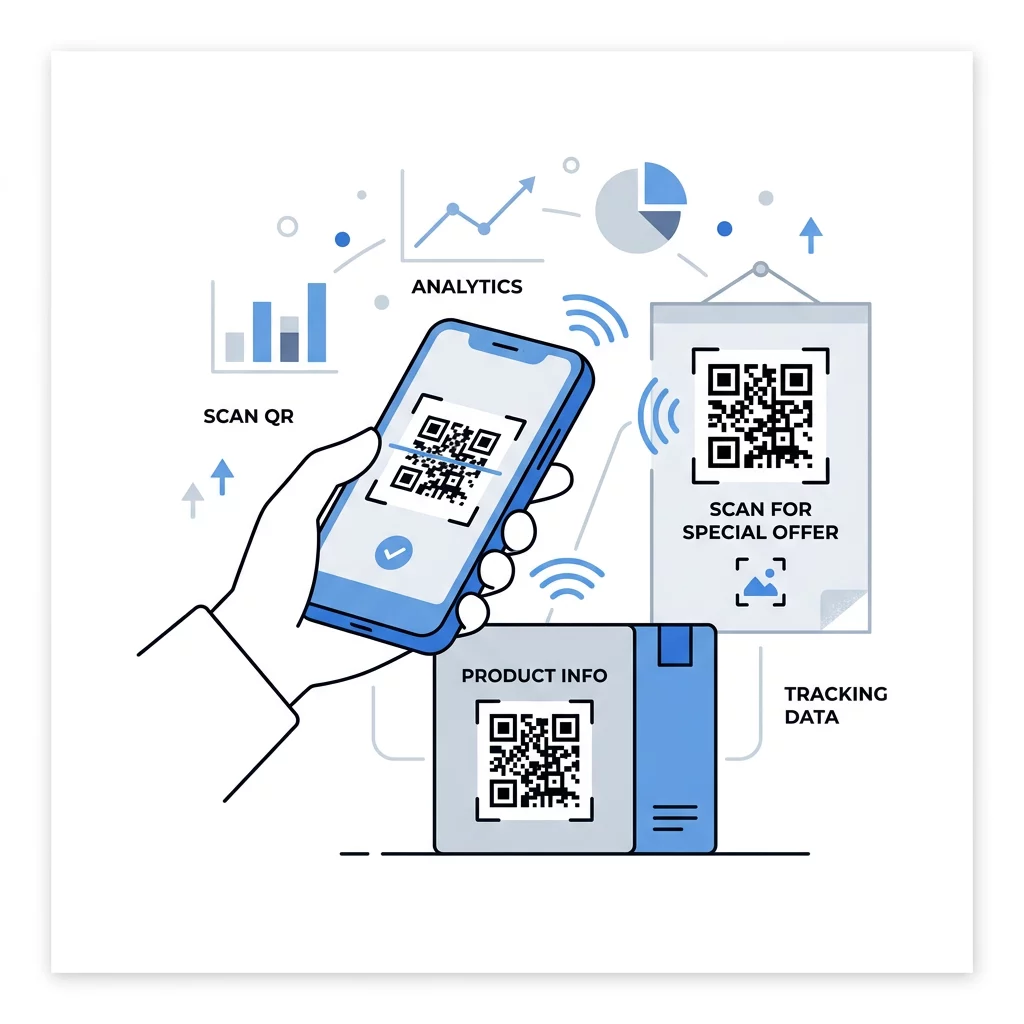
คิวอาร์โค้ดแบบไดนามิก (Dynamic QR code) จะชี้ไปยังลิงก์สั้นที่คุณสามารถเปลี่ยนเส้นทางได้ตลอดเวลา ดังนั้นโค้ดที่พิมพ์จะยังคงเดิมในขณะที่ปลายทางเปลี่ยนแปลง นอกจากนี้ยังบันทึกการสแกน รวมถึงเวลา สถานที่ และประเภทอุปกรณ์ สิ่งนี้ช่วยให้คุณเปรียบเทียบใบปลิวกับป้ายหน้าต่าง และยังช่วยลดค่าใช้จ่ายในการพิมพ์ซ้ำเมื่อแคมเปญเปลี่ยนไป ลิงก์สั้นยังให้รูปแบบที่เรียบง่ายและไม่หนาแน่นมากนัก ทำให้สแกนได้ง่ายขึ้นในขนาดเล็ก
โค้ดไดนามิกของ Pageloot มาพร้อมกับการทดลองใช้ฟรี 14 วัน และรับประกันคืนเงินภายใน 30 วันสำหรับแผนบริการ และคุณสามารถดูแผนบริการได้ที่ pageloot.com/pricing. โค้ดไดนามิกที่อยู่ภายใต้แผนรายเดือนหรือรายปีจะไม่มีผลเมื่อแผนสิ้นสุดลง ดังนั้นควรเลือกใช้โค้ดไดนามิกสำหรับแคมเปญที่คุณวางแผนจะดำเนินการต่อเนื่อง
ติดตามประสิทธิภาพของแคมเปญ ต้องการดูว่าสื่อใดกระตุ้นการสแกนมากที่สุด? ใช้ สร้าง Dynamic QR Code เพื่อสร้างโค้ดที่แก้ไขได้ ตรวจสอบข้อมูลการวิเคราะห์การสแกน และอัปเดต URL ปลายทางโดยไม่ต้องพิมพ์ซ้ำ
สรุปคือ: เลือกขนาดที่เหมาะสมกับระยะการมองเห็น, รักษาระยะห่างจากพื้นที่ว่างให้ชัดเจน, ใช้ความคมชัดสูง, วางโค้ดบนพื้นผิวเรียบในระดับสายตา และเขียนคำกระตุ้นการตัดสินใจ จากนั้นทดสอบงานพิมพ์ตัวอย่างก่อนการพิมพ์จริงทั้งหมด คุณสามารถสร้างและดาวน์โหลดโค้ดของคุณได้ที่ QR Code Generator สร้าง QR Code ฟรี บน Pageloot
คำถามที่พบบ่อย
วางโค้ดบนพื้นผิวเรียบด้าน ที่ระดับความสูงที่เหมาะสม ขนาดอย่างน้อย 2 x 2 ซม. สำหรับวัตถุที่ถือด้วยมือ โดยมีพื้นที่ว่างสี่โมดูลรอบด้าน วางไว้ในจุดที่ผู้คนมองเห็นอยู่แล้ว เช่น ที่ส่วนท้ายของใบปลิว หรือกึ่งกลางของโปสเตอร์ และเพิ่มคำกระตุ้นการตัดสินใจสั้นๆ ไว้ข้างๆ
ใช้โมดูลสีเข้มบนพื้นหลังสีอ่อน รักษารหัสให้เป็นสี่เหลี่ยมจัตุรัสและไม่ยืด เว้นพื้นที่ว่างโดยรอบอย่างน้อยสี่โมดูล และรักษากราฟิกหรือโลโก้ให้มีขนาดเล็กและอยู่กึ่งกลาง ห้ามพิมพ์บนพื้นผิวที่มันวาวหรือโค้งงอ และทดสอบงานพิมพ์ที่ได้ด้วยโทรศัพท์หลายเครื่อง
ขนาดเล็กที่สุดที่ใช้งานได้จริงสำหรับวัสดุที่ถือด้วยมือ เช่น นามบัตร คือ 2 x 2 ซม. (0.8 x 0.8 นิ้ว) สำหรับวัสดุที่มองจากระยะไกล ให้ใช้กฎ 10:1: ความกว้างของโค้ด 1 นิ้ว สำหรับทุกระยะการสแกน 10 นิ้ว
แต่ละรหัสควรมีเป้าหมายเดียว ชี้ไปยังหน้าเฉพาะที่ตรงกับการเรียกร้องให้ดำเนินการของคุณ และวางไว้ในระดับสายตาบนพื้นผิวเรียบ ใช้รหัสแยกต่างหากสำหรับการจัดวางแต่ละครั้ง และเปรียบเทียบจำนวนการสแกนหลังจากหนึ่งถึงสองสัปดาห์
หน้าเว็บที่โหลดเร็วบนโทรศัพท์ แสดงข้อเสนอที่ระบุไว้บนหน้าจอแรก มีการดำเนินการที่ชัดเจนเพียงอย่างเดียว และไม่จำเป็นต้องเข้าสู่ระบบ ทดสอบบน iPhone และ Android โดยใช้ข้อมูลมือถือ
ได้ครับ แต่ให้รหัสมีขนาดเล็กและวางไว้บนส่วนที่เรียบที่สุดของพื้นผิว ถ้ารหัสโค้งงอมากเกินไปตามส่วนโค้ง รูปแบบจะบิดเบี้ยวและกล้องจะไม่สามารถอ่านได้ทั้งหมด
ใช้คิวอาร์โค้ดแบบไดนามิก รูปแบบที่พิมพ์จะยังคงเดิม และคุณสามารถเปลี่ยนปลายทางได้ในบัญชีของคุณ คิวอาร์โค้ดแบบสแตติกไม่สามารถเปลี่ยนแปลงได้หลังจากพิมพ์แล้ว
สาเหตุที่พบบ่อยที่สุดคือโค้ดมีขนาดเล็กเกินไป, พื้นที่ว่างรอบโค้ดหายไป, ความคมชัดต่ำ, พื้นผิวที่มันวาวหรือโค้งงอ, และไฟล์ที่มีความละเอียดต่ำไม่ชัดเจน ให้พิมพ์สำเนาทดสอบขนาดใหญ่ขึ้นและตรวจสอบประเด็นเหล่านี้ตามลำดับ