Die Best Practices für die Platzierung von QR-Codes lassen sich auf fünf Regeln reduzieren. Drucken Sie den Code mindestens 2 x 2 cm (0.8 x 0.8 Zoll) groß, halten Sie eine Ruhezone von vier Modulen auf jeder Seite ein, verwenden Sie dunkle Module auf hellem Hintergrund, platzieren Sie ihn auf einer flachen, matten Oberfläche in angenehmer Höhe und fügen Sie einen kurzen Aufruf zur Aktion daneben hinzu. Testen Sie jeden gedruckten Korrekturabzug mit mindestens zwei Telefonen vor dem vollständigen Drucklauf.
Dieser Leitfaden behandelt die Designregeln und Richtlinien für QR-Codes hinsichtlich Größe, Kontrast und Oberfläche, wo der Code auf jedem Materialtyp platziert werden sollte, wie man mit QR-Codes werben kann und was die Landing Page hinter dem Code benötigt.
QR-Code Best Practices auf einen Blick
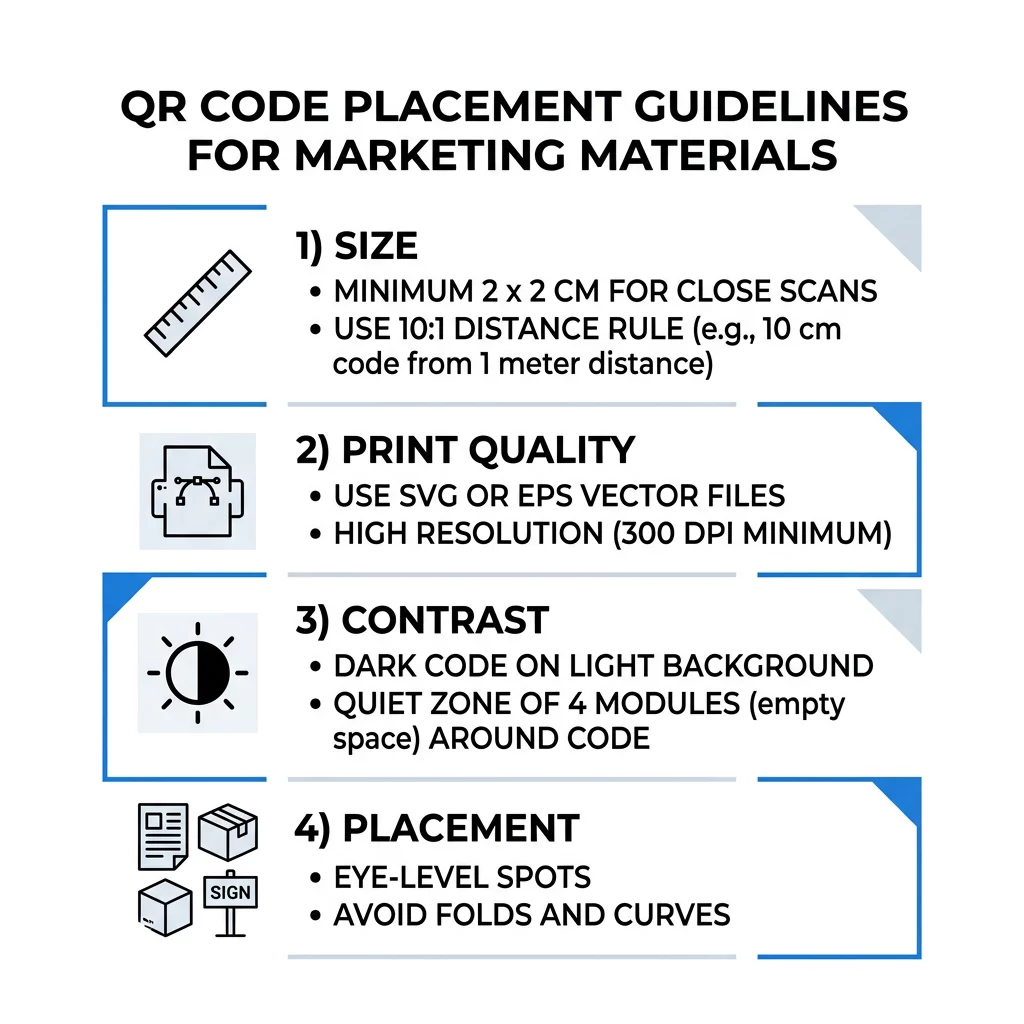
- Größe: mindestens 2 x 2 cm (0.8 x 0.8 Zoll) für Handheld-Artikel. Für die Entfernung gilt: 1 Zoll Codebreite pro 10 Zoll Scan-Entfernung.
- Ruhezone: ein leerer Rand von mindestens vier Modulen auf allen vier Seiten. Kein Text, Linien oder Schnittmarken darin.
- Kontrast: dunkler Code auf hellem Hintergrund. Niemals invertieren oder einen hellen Code auf dunklem Hintergrund verwenden, es sei denn, Sie haben ihn auf mehreren Telefonen getestet.
- Oberfläche: flach und matt. Falten, Nähte, Krümmungen, Blendungen und glänzendes Laminat vermeiden.
- Aufruf zur Aktion: sagen Sie den Leuten, warum sie scannen sollen, zum Beispiel „Scannen Sie, um das Menü zu sehen“.
- Ziel: eine mobilfreundliche Seite, die schnell lädt und dem entspricht, was der Aufruf zur Aktion versprochen hat.
- Testen: Scannen Sie den finalen Korrekturabzug mit einem iPhone und einem Android-Telefon, bei den Lichtverhältnissen, unter denen der Code verwendet wird.
Technische Standards für Größe und Betrachtungsabstand
Ein QR-Code, der zu klein oder unscharf ist, lässt sich nicht scannen. Für Nahbereichs-Handheld-Materialien beträgt die praktische Mindestgröße 2 x 2 cm (0.8 x 0.8 Zoll). Für größere Materialien, die aus der Ferne eines Raumes oder von der Straße aus betrachtet werden, verwenden Sie die 10:1-Regel: Erlauben Sie mindestens 1 Zoll Codebreite für jede 10 Zoll Scan-Entfernung. Ein Plakat, das Menschen aus 5 Fuß Entfernung lesen, benötigt einen Code von mindestens 6 Zoll Breite.
Für den kommerziellen Druck exportieren Sie das Artwork als Vektordatei wie SVG, EPS oder PDF. Vektordateien bleiben bei jeder Größe scharf, während Rasterbilder beim Vergrößern unscharf werden. Wenn Sie ein Rasterbild wie PNG verwenden müssen, exportieren Sie es in einer Größe, die für 300 DPI bei der endgültigen Druckgröße ausreicht. Lesen Sie unsere Leitfaden zur QR-Code-Größe um die richtigen Abmessungen für jedes Format zu überprüfen.
| Platzierungsart | Empfohlene Größe | Betrachtungsabstand | Fehlerkorrektur Level |
|---|---|---|---|
| Visitenkarten | 2 x 2 cm (0,8 x 0,8 Zoll) | Handgehalten (unter 30 cm) | Stufe L oder M |
| Flyer und Broschüren | 3 x 3 cm (1,2 x 1,2 Zoll) | Armlänge (30 bis 60 cm) | Stufe M |
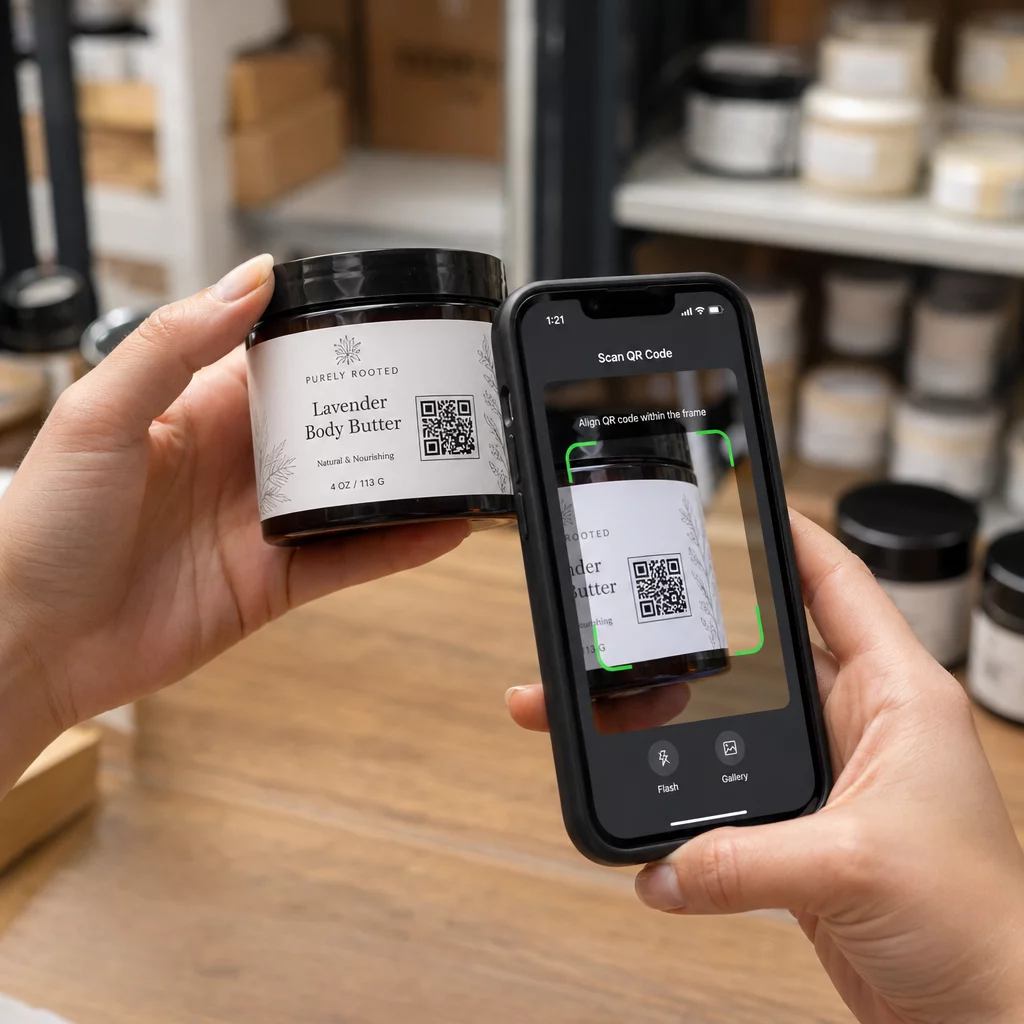
| Produktverpackungen | 3 x 3 cm (1,2 x 1,2 Zoll) | Handgehalten (30 bis 60 cm) | Stufe Q oder H |
| Poster und Displays | 10 x 10 cm (4 x 4 Zoll) | Gehdistanz (90 cm bis 2,1 m) | Stufe M |
| Werbetafeln und Banner | 40 x 40 cm (16 x 16 Zoll) oder größer | Große Entfernung (über 4,5 m) | Stufe H |
Die Fehlerkorrektur ermöglicht es einem Scanner, einen Code auch dann zu lesen, wenn Teile davon beschädigt oder verdeckt sind. Stufe L stellt etwa 7 % der Daten wieder her, M etwa 15 %, Q etwa 25 % und H etwa 30 %. Höhere Stufen machen das Muster dichter, sodass ein Code mit einer langen URL auf Stufe H eine größere Druckgröße benötigt, um lesbar zu bleiben.
QR-Code-Designregeln: Kontrast, Ruhezonen und Oberflächenauswahl
Scanner lesen einen QR-Code, indem sie den Unterschied zwischen dunklen Modulen und dem hellen Raum um sie herum erkennen. Schwarze Module auf weißem Hintergrund sind die sicherste Wahl. Markenfaren funktionieren, wenn die dunklen Module deutlich dunkler als der Hintergrund bleiben. Überprüfen Sie das Ergebnis, indem Sie Ihr Design in Graustufen umwandeln: Sieht der Code ausgewaschen aus, wird auch eine Handykamera Schwierigkeiten haben.
- Halten Sie den Vordergrund dunkler als den Hintergrund. Hell-auf-Dunkel-Codes (invertiert) funktionieren bei vielen älteren Scanner-Apps nicht.
- Verwenden Sie kein Rot auf dunklem Hintergrund oder zwei Farben ähnlicher Helligkeit.
- Lassen Sie auf jeder Seite eine Ruhezone von mindestens vier Modulen. Text, Ränder, Fotos und Beschnittlinien innerhalb dieses Bereichs können den Scan verhindern.
- Dehnen Sie den Code nicht. Halten Sie ihn perfekt quadratisch.
- Vermeiden Sie glänzendes Laminat, glänzende Folie und Glas, die Licht reflektieren. Verwenden Sie mattes Papier oder matte Laminierung.
- Wenn Sie ein Logo hinzufügen, halten Sie es klein und in der Mitte, und verwenden Sie eine höhere Fehlerkorrekturstufe.
Viele fehlgeschlagene Scans resultieren aus einer Handvoll wiederkehrender Fehler. Vermeiden Sie diese häufigsten Fehler bei der Platzierung von QR-Codes bevor Sie drucken.
Best Practices für die Platzierung von QR-Codes über Druck- und Anzeigeformate hinweg
Die Platzierung entscheidet, ob Leute den Code überhaupt bemerken. Platzieren Sie ihn dort, wo Menschen bereits hinschauen und wo sie ein Telefon ruhig halten können. Fügen Sie eine kurze Anleitung daneben hinzu, denn Menschen scannen nicht, was sie nicht verstehen.
Flyer, Broschüren und Direktwerbung
Platzieren Sie den Code dort, wo der Leser mit dem Lesen aufhört, zum Beispiel in der unteren rechten Ecke oder im letzten Feld:
- Legen Sie QR-Codes auf Flyern neben dem Hauptangebot und halten Sie sie von den beschnittenen Rändern des Papiers fern.
- Platzieren Sie QR-Codes auf Broschüren innerhalb eines einzelnen Feldes. Führen Sie keinen Code über eine Falz oder Knickstelle, da das Muster sich verbiegt und bricht.
- Bei Direktwerbung halten Sie den Code außerhalb des Poststempels und der Freizone für Barcodes, die von Ihrem Postdienstleister gefordert wird. Prüfen Sie die Regeln mit Ihrem Versandanbieter.
Produktverpackungen und Etiketten
Verpackungen erreichen Menschen nach dem Kauf, was sich für Einrichtungsvideos, Garantieregistrierungen und Nachbestellungsangebote eignet:
- Legen Sie QR-Codes auf Produktverpackungen auf einer flachen Fläche, nicht auf einer abgerundeten Ecke oder einem schmalen Hals.
- Verwenden Sie Fehlerkorrekturstufe Q oder H, damit der Code auch nach Kratzern, Feuchtigkeit oder Handhabung noch lesbar ist.
- Halten Sie den Code von Abreißstreifen, Nähten und Preisschildern fern, die einen Teil davon verdecken könnten.
- Auf Flaschen und Dosen halten Sie den Code klein genug, um auf dem flachsten Teil zu sitzen. Ein Code, der sich weit um eine Kurve wickelt, lässt sich nicht scannen.
Plakate, Schaufenster und öffentliche Bildschirme
Schilder müssen für Personen funktionieren, die ein paar Meter entfernt gehen oder stehen:
- Legen Sie QR-Codes auf Plakaten auf Augenhöhe, ungefähr 3,5 bis 5,5 Fuß über dem Boden, damit niemand sich bücken oder strecken muss.
- Halten Sie QR-Codes auf Displays und Bildschirmen lange genug auf dem Bildschirm, um gescannt zu werden. Zehn Sekunden sind ein sicheres Minimum, und ein statischer Code, der sichtbar bleibt, ist besser als einer in einer bewegten Animation.
- Befolgen Sie die Grundlagen von der Verwendung von QR-Codes in Printmedien und zeigen Sie einen Code pro Schild, damit die Kamera nicht wählen muss.
- Platzieren Sie keine Codes dort, wo Menschen nicht anhalten können, wie auf einem fahrenden Fahrzeug, einer hohen Werbetafel oder einem Fenster weit vom Gehweg entfernt.
Wie man mit QR-Codes wirbt
Um mit QR-Codes zu werben, behandeln Sie jeden Code als kurze Anzeige mit einem Ziel. Wählen Sie die Platzierung, schreiben Sie eine Handlungsaufforderung, leiten Sie Personen auf eine bestimmte Seite und messen Sie das Ergebnis. Verwenden Sie diesen Prozess:
- Wählen Sie ein Ziel pro Code, z. B. einen Gutschein, eine Speisekarte, eine Bewertung oder eine Produktseite.
- Generieren Sie den Code mit bereits festgelegtem Ziel. Leiten Sie Personen nicht auf eine Startseite, wenn Sie einen Gutschein versprochen haben.
- Platzieren Sie ihn gemäß den oben genannten Größen- und Oberflächenregeln und fügen Sie eine Handlungsaufforderung mit dem Vorteil hinzu, zum Beispiel „Scannen Sie für 15% Rabatt auf Ihre erste Bestellung“.
- Verwenden Sie für jede Platzierung (Flyer, Fenster, Verpackung) einen anderen Code, damit Sie erkennen können, welche funktioniert.
- Drucken Sie einen Probedruck, scannen Sie ihn mit zwei Telefonen und bestellen Sie erst dann die volle Auflage.
- Überprüfen Sie die Scan-Zahlen nach ein oder zwei Wochen und verlagern Sie das Budget auf die Platzierungen, die Scans erhalten.
Gute Orte, um mit QR-Codes zu werben, sind Schaufenster, Tischaufsteller, Quittungen, Lieferkartons, Veranstaltungsschilder, Messestände und Direktwerbung. Ungünstige Orte sind alles, was sich bewegt, alles über Augenhöhe und überall dort, wo es kein Mobilfunksignal gibt.
Steigerung der Scans mit Handlungsaufforderungsrahmen
Ein Code ohne Kontext gibt den Menschen keinen Grund, ein Telefon herauszuholen. Platzieren Sie eine kurze Handlungsaufforderung daneben. Beispiele, die funktionieren: „Scannen, um die Speisekarte anzuzeigen“, „Scannen, um einen Tisch zu buchen“, „Scannen für 15% Rabatt“, „Scannen, um eine Bewertung abzugeben“. Platzieren Sie den Text direkt über oder unter dem Code, in einer Größe, die Menschen aus der gleichen Entfernung wie den Code lesen können.
Ein Logo in der Mitte kann dazu beitragen, dass Menschen dem Code vertrauen. Verwenden Sie ein QR-Code Generator mit Logo, halten Sie das Logo klein und testen Sie den Code nach dem Hinzufügen erneut. Das Drucken der kurzen Webadresse unter dem Code gibt Personen, die nicht scannen können, eine Möglichkeit, sie einzugeben.
Best Practices für QR-Code-Landingpages
Die meisten Menschen scannen mit einem Telefon, einhändig, oft über mobile Daten. Die Seite hinter dem Code entscheidet, ob der Scan zu einem Kunden führt. Befolgen Sie diese Best Practices für QR-Code-Landingpages:
- Zuerst für einen Telefonbildschirm entwickeln. Verwenden Sie großen Text und große Schaltflächen.
- Machen Sie die Seite schnell ladend. Verwenden Sie kleine Bilder und vermeiden Sie aufdringliche Pop-ups oder Autoplay-Videos.
- Passen Sie den Aufruf zur Handlung an. Wenn das Schild „Für 15 % Rabatt scannen“ sagt, zeigen Sie den Rabatt auf dem ersten Bildschirm.
- Platzieren Sie eine Hauptaktion im sichtbaren Bereich, wie z.B. einen Button für den Coupon, die Buchung oder den Anruf.
- Halten Sie Formulare kurz. Fragen Sie nach einer E-Mail-Adresse oder Telefonnummer, nicht nach einem vollständigen Profil.
- Verwenden Sie HTTPS und stellen Sie sicher, dass die Seite ohne Anmeldung funktioniert.
- Testen Sie es sowohl auf dem iPhone als auch auf Android, über mobile Daten und nicht nur über das Büro-WLAN.
Engagement-Verfolgung mit dynamischer Technologie
Ein statischer QR-Code speichert die Webadresse direkt im Muster. Er läuft nie ab und funktioniert ohne jeden Dienst, was für einen permanenten Link wie einen WLAN-Zugang oder eine Visitenkarte ausreichend ist. Die Einschränkung ist, dass Sie die Adresse nach dem Drucken nicht mehr ändern können. Wenn die Seite verschoben wird oder ein Angebot endet, verweist jeder gedruckte Code auf die alte Seite.
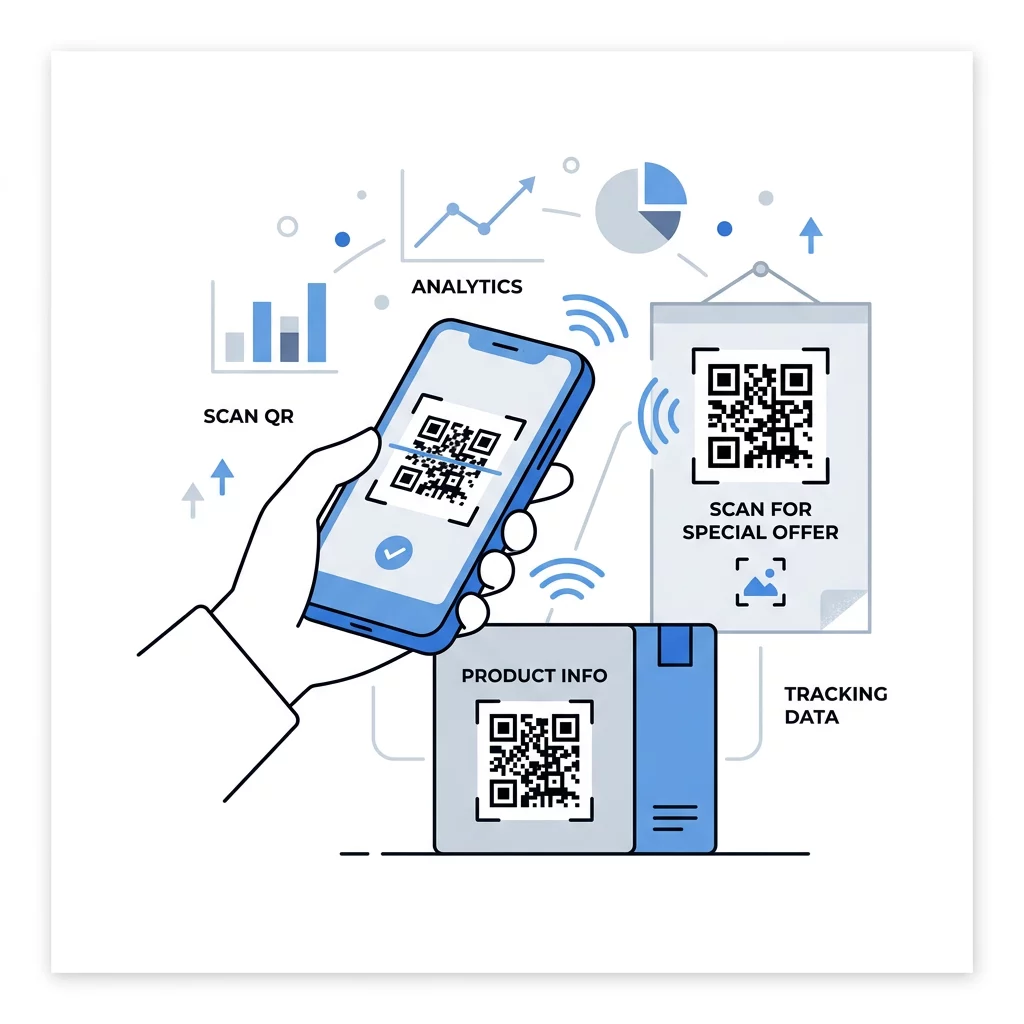
Ein dynamischer QR-Code verweist auf einen Kurzlink, den Sie jederzeit umleiten können, sodass der gedruckte Code gleich bleibt, während sich das Ziel ändert. Er zeichnet auch Scans auf, einschließlich wann, wo und auf welchem Gerätetyp. Dies hilft Ihnen, einen Flyer mit einem Fensteraufkleber zu vergleichen und eliminiert Nachdruckkosten bei Kampagnenänderungen. Ein Kurzlink erzeugt zudem ein einfacheres, weniger dichtes Muster, das leichter in kleinen Größen scannt.
Pageloot dynamische Codes beinhalten eine 14-tägige kostenlose Testphase und eine 30-Tage-Geld-zurück-Garantie auf Pläne, und Sie können die Pläne unter pageloot.com/pricing. Ein dynamischer Code in einem Monats- oder Jahresplan wird inaktiv, wenn der Plan endet, wählen Sie also dynamische Codes für Kampagnen, die Sie fortlaufend betreiben möchten.
Kampagnenleistung verfolgen Möchten Sie sehen, welche Materialien die meisten Scans generieren? Nutzen Sie die Dynamischer QR-Code Generator um bearbeitbare Codes zu erstellen, Scan-Analysen zu überprüfen und Ziel-URLs ohne erneutes Drucken zu aktualisieren.
Zusammenfassend lässt sich sagen: Wählen Sie eine Größe, die zur Betrachtungsentfernung passt, halten Sie die Ruhezone frei, verwenden Sie hohen Kontrast, platzieren Sie den Code auf einer flachen Oberfläche auf Augenhöhe und schreiben Sie einen Call-to-Action. Testen Sie dann den gedruckten Entwurf vor dem vollständigen Druck. Sie können Ihren Code erstellen und herunterladen mit dem QR-Code erstellen kostenlos auf Pageloot.
Häufig gestellte Fragen
Platzieren Sie den Code auf einer flachen, matten Oberfläche in einer angenehmen Höhe, mindestens 2 x 2 cm für tragbare Objekte, mit einer Ruhezone von vier Modulen auf jeder Seite. Platzieren Sie ihn dort, wo die Menschen bereits hinschauen, zum Beispiel am Ende eines Flyers oder in der Mitte eines Plakats, und fügen Sie einen kurzen Call-to-Action daneben hinzu.
Verwenden Sie dunkle Module auf hellem Hintergrund, halten Sie den Code quadratisch und unverzerrt, lassen Sie eine Ruhezone von mindestens vier Modulen und halten Sie Logos klein und zentriert. Drucken Sie nicht auf glänzenden oder gekrümmten Oberflächen und testen Sie den gedruckten Nachweis auf mehreren Telefonen.
Das praktische Minimum für handliche Materialien wie Visitenkarten beträgt 2 x 2 cm (0,8 x 0,8 Zoll). Für Materialien, die aus der Ferne betrachtet werden, gilt die 10:1-Regel: 1 Zoll Codebreite pro 10 Zoll Scan-Abstand.
Geben Sie jedem Code ein Ziel, richten Sie ihn auf eine bestimmte Seite, die Ihrem Aufruf zur Handlung entspricht, und platzieren Sie ihn auf Augenhöhe auf einer ebenen Fläche. Verwenden Sie einen separaten Code für jede Platzierung und vergleichen Sie die Scan-Zahlen nach ein bis zwei Wochen.
Eine Seite, die schnell auf einem Telefon lädt, das versprochene Angebot auf dem ersten Bildschirm zeigt, eine klare Aktion hat und keinen Login benötigt. Testen Sie sie auf iPhone und Android über mobile Daten.
Ja, aber halten Sie den Code klein und platzieren Sie ihn auf dem flachsten Teil der Oberfläche. Wenn der Code sich zu weit um eine Krümmung wickelt, verzerrt sich das Muster und die Kamera kann nicht alles davon lesen.
Verwenden Sie einen dynamischen QR-Code. Das gedruckte Muster bleibt gleich, und Sie ändern das Ziel in Ihrem Konto. Ein statischer QR-Code kann nach dem Druck nicht mehr geändert werden.
Die häufigsten Ursachen sind ein zu kleiner Code, eine fehlende Ruhezone, geringer Kontrast, eine glänzende oder gekrümmte Oberfläche und eine unscharfe, niedrig aufgelöste Datei. Drucken Sie eine größere Testkopie und überprüfen Sie diese Punkte in dieser Reihenfolge.