A QR-kód elhelyezésének legjobb gyakorlata öt szabályra korlátozódik. Nyomtassa ki a kódot legalább 2 x 2 cm (0.8 x 0.8 hüvelyk) méretben, tartson négy modulnyi „csendes zónát” minden oldalon, használjon sötét modulokat világos háttéren, helyezze azt egy sík, matt felületre, kényelmes magasságban, és tegyen mellé egy rövid cselekvésre ösztönző felhívást. A teljes nyomtatás előtt minden nyomtatott mintát teszteljen legalább két telefonnal.
Ez az útmutató lefedi a QR-kód tervezési szabályait és irányelveit a méretre, kontrasztra és felületre vonatkozóan, hol helyezze el a kódot az egyes anyagok típusán, hogyan hirdessen QR-kódok segítségével, és mire van szüksége a kód mögötti céloldalnak.
QR-kód bevált gyakorlatok röviden
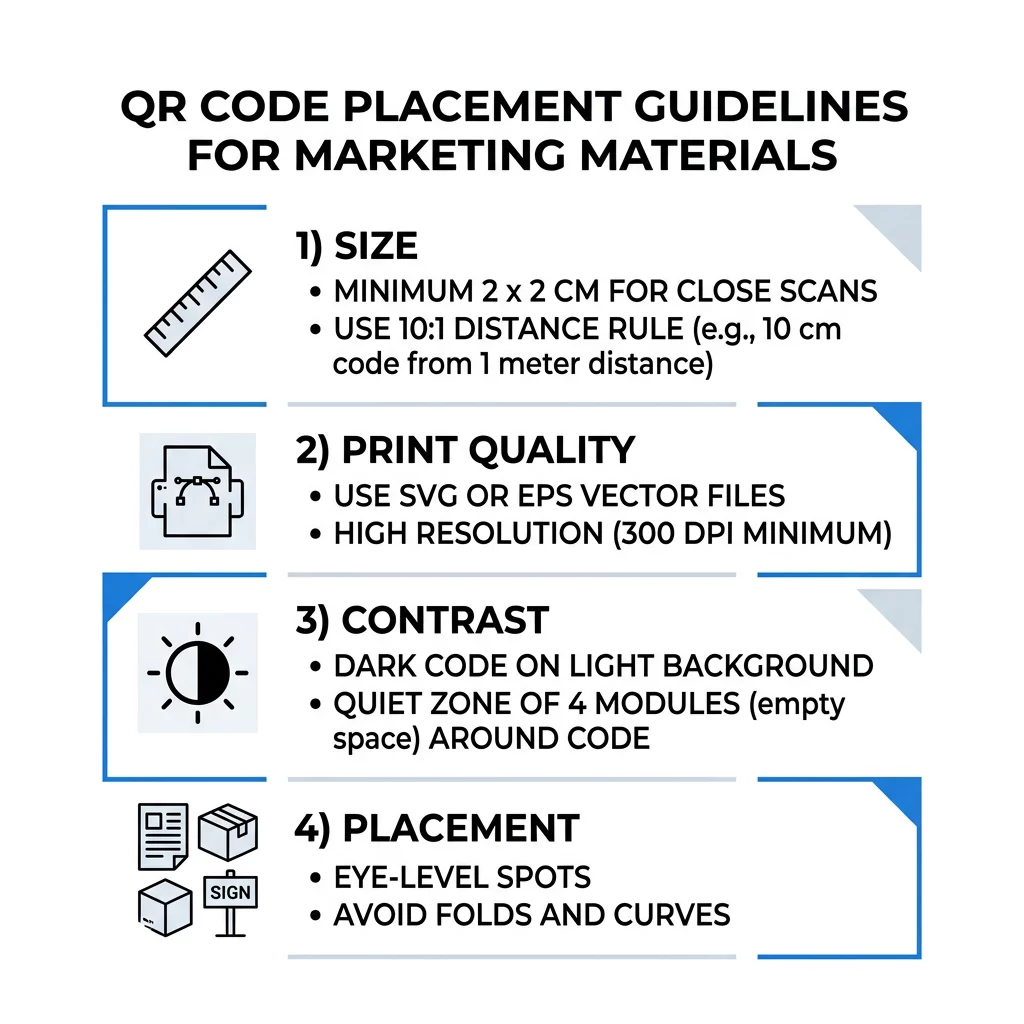
- Méret: legalább 2 x 2 cm (0.8 x 0.8 hüvelyk) kézben tartott tárgyak esetén. Távolsághoz használjon 1 hüvelyk kódszélességet 10 hüvelyk szkennelési távolságonként.
- Csendes zóna: legalább négy modulnyi üres margó mind a négy oldalon. Nincs szöveg, vonal vagy vágásjel benne.
- Kontraszt: sötét kód világos háttéren. Soha ne invertálja, és ne használjon világos kódot sötét háttéren, hacsak nem tesztelte több telefonon is.
- Felület: sík és matt. Kerülje a hajtásokat, varrásokat, görbületeket, tükröződést és a fényes laminálást.
- Cselekvésre ösztönzés: mondja el az embereknek, miért érdemes beolvasni, például „Olvassa be a menü megtekintéséhez”.
- Cél: egy mobilbarát oldal, amely gyorsan betöltődik, és megfelel annak, amit a cselekvésre ösztönző felhívás ígért.
- Tesztelés: olvassa be a végső mintát egy iPhone-nal és egy Android telefonnal, azon a fényviszonyok között, ahol a kódot használni fogják.
Műszaki szabványok a méretre és a megtekintési távolságra vonatkozóan
A túl kicsi vagy elmosódott QR-kód nem olvasható be. Kézi anyagok esetében a gyakorlati minimális méret 2 x 2 cm (0.8 x 0.8 hüvelyk). Nagyobb, szobából vagy utcáról nézett anyagokhoz használja a 10:1 szabályt: engedélyezzen legalább 1 hüvelyk kódszélességet minden 10 hüvelyk szkennelési távolságra. Egy poszternek, amelyet az emberek 5 láb távolságból olvasnak, legalább 6 hüvelyk széles kódra van szüksége.
Kereskedelmi nyomtatáshoz exportáld a műalkotást vektorfájlként, például SVG, EPS vagy PDF formátumban. A vektorfájlok bármilyen méretben élesek maradnak, míg a raszterképek elmosódnak nagyításkor. Ha raszterképet, például PNG-t kell használnod, exportáld akkora méretben, hogy a végső nyomtatási méretben 300 DPI felbontású legyen. Olvasd el a/az QR-kód méretezési útmutatónkban megfelelő méretek ellenőrzéséhez minden formátumhoz.
| Elhelyezés típusa | Ajánlott méret | Nézési távolság | Hibajavítási szint |
|---|---|---|---|
| Névjegykártyák | 2 x 2 cm (0,8 x 0,8 hüvelyk) | Kézi (1 láb alatt) | L vagy M szint |
| Szórólapok és brosúrák | 3 x 3 cm (1,2 x 1,2 hüvelyk) | Karnyújtásnyira (1-2 láb) | M szint |
| Termékcsomagolás | 3 x 3 cm (1,2 x 1,2 hüvelyk) | Kézi (1-2 láb) | Q vagy H szint |
| Plakátok és kijelzők | 10 x 10 cm (4 x 4 hüvelyk) | Sétáló távolság (3-7 láb) | M szint |
| Óriásplakátok és bannerek | 40 x 40 cm (16 x 16 hüvelyk) vagy nagyobb | Nagy távolság (15+ láb) | H szint |
A hibajavítás lehetővé teszi, hogy a szkenner akkor is beolvassa a kódot, ha annak egy része sérült vagy takart. Az L szint az adatok körülbelül 7%-át, az M körülbelül 15%-át, a Q körülbelül 25%-át és a H körülbelül 30%-át állítja helyre. A magasabb szintek sűrűbbé teszik a mintázatot, így egy hosszú URL-t tartalmazó kód H szinten nagyobb nyomtatási méretet igényel az olvashatóság megőrzéséhez.
QR-kód tervezési szabályok: Kontraszt, Csendes zónák és Felületválasztás
A szkennerek a sötét modulok és a körülöttük lévő világos tér közötti különbség érzékelésével olvassák be a QR-kódot. A fehér háttéren lévő fekete modulok a legbiztonságosabb választás. A márkaszínek akkor működnek, ha a sötét modulok egyértelműen sötétebbek maradnak a háttérnél. Ellenőrizd az eredményt úgy, hogy a tervezést szürkeárnyalatossá alakítod: ha a kód fakónak tűnik, akkor a telefon kamerája is nehezen fogja beolvasni.
- Tartsd az előtér színeit sötétebben, mint a háttér színeit. A világos-sötéten (invertált) kódok sok régebbi szkenner alkalmazással nem működnek.
- Ne használj pirosat sötét háttéren, vagy két hasonló fényerejű színt.
- Hagyj egy csendes zónát, legalább négy modult minden oldalon. A margón belüli szöveg, szegélyek, fényképek és vágójelek megállíthatják a szkennelést.
- Ne nyújtsd ki a kódot. Tartsd tökéletesen négyzet alakúnak.
- Kerüld a fényes laminálást, csillogó fóliát és a fényt visszaverő üveget. Használj matt papírt vagy matt laminálást.
- Ha logót adsz hozzá, tartsd kicsinek és középen, és használj magasabb hibajavítási szintet.
Sok sikertelen szkennelés egy maroknyi ismétlődő hibából ered. Kerüld el ezeket gyakori QR-kód elhelyezési hibák nyomtatás előtt.
Bevált gyakorlatok a QR-kód elhelyezéséhez nyomtatott és kijelző formátumokban
Az elhelyezés dönti el, hogy az emberek egyáltalán észreveszik-e a kódot. Helyezze oda, ahol az emberek már eleve nézelődnek, és ahol stabilan tudják tartani a telefont. Tegyen mellé egy rövid útmutatót, mert az emberek nem olvassák be azt, amit nem értenek.
Szórólapok, prospektusok és direkt marketing levelek
Helyezze a kódot oda, ahol az olvasó befejezi az olvasást, például a jobb alsó sarokba vagy az utolsó panelre:
- Helyezze QR kódok a szórólapokon a fő ajánlat mellé, és tartsa távol a papír vágott széleitől.
- Helyezze QR-kódokat prospektusokon egyetlen panelen belül. Ne helyezzen kódot hajtás vagy gyűrődés mentén, mert a minta meghajlik és megszakad.
- Közvetlen postai küldemények esetén tartsa a kódot a postai jelzésen és a postai szolgáltatás által megkövetelt vonalkód-mentes zónán kívül. Ellenőrizze a szabályokat a levelezési szolgáltatójánál.
Termékcsomagolás és címkék
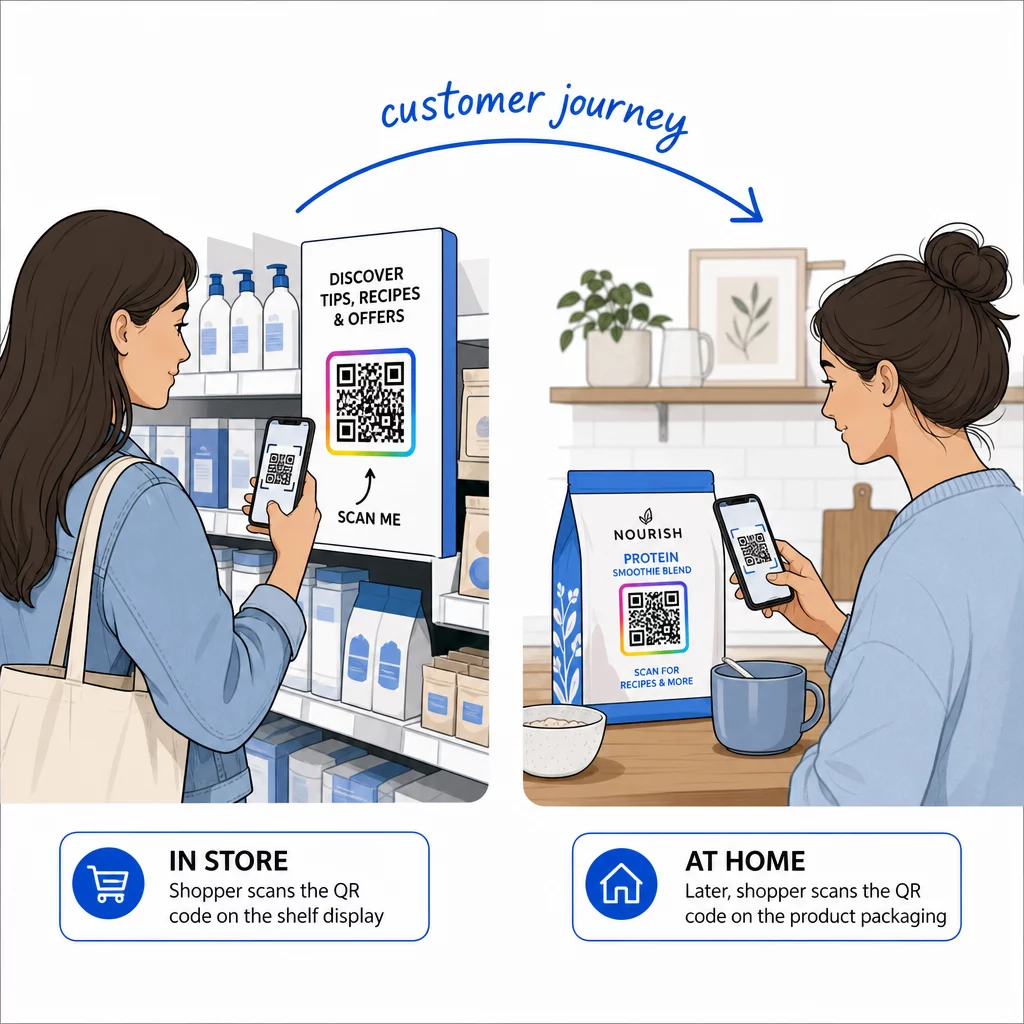
A csomagolás akkor éri el az embereket, amikor már vásároltak, ami alkalmas beállítási videókhoz, garanciaregisztrációhoz és újrarendelési ajánlatokhoz:
- Helyezze QR-kódokat a termékcsomagoláson sík felületre, ne lekerekített sarokra vagy szűk nyakra.
- Használjon Q vagy H hibajavító szintet, hogy a kód karcolások, nedvesség vagy kezelés után is olvasható legyen.
- Tartsa a kódot távol a tépőszalagoktól, varratoktól és árcímkéktől, amelyek részben elfedhetik.
- Palackokon és dobozokon tartsa a kódot elég kicsinek ahhoz, hogy a leglaposabb részen elférjen. Egy olyan kód, amely túl messzire körbeölel egy görbületet, nem fog beolvasódni.
Plakátok, Kirakatok és Nyilvános Képernyők
A tábláknak működniük kell azok számára, akik sétálnak vagy néhány méterre állnak tőlük:
- Helyezze QR kódok a plakátokon szemmagasságban, nagyjából 1.1-1.7 méterre a talajtól, hogy senkinek ne kelljen lehajolnia vagy felnyúlnia.
- Tartsa QR-kódokat kijelzőkön és képernyőkön elég hosszú ideig a képernyőn ahhoz, hogy beolvassák. Tíz másodperc biztonságos minimum, és egy statikus kód, amely látható marad, jobb, mint egy mozgó animációban lévő.
- Kövesse az alapjait QR-kódok használata nyomtatott médiában és mutasson egy kódot táblánként, hogy a kamerának ne kelljen választania.
- Ne helyezzen el kódokat olyan helyekre, ahol az emberek nem tudnak megállni, például mozgó járműre, magas óriásplakátra vagy járdától távol lévő ablakra.
Hogyan hirdessünk QR-kódokkal
QR-kódokkal történő hirdetéshez kezelje minden kódot egy rövid hirdetésként, egyetlen céllal. Válassza ki az elhelyezést, írjon cselekvésre ösztönző felhívást, küldje az embereket egy adott oldalra, és mérje az eredményt. Használja ezt a folyamatot:
- Kódonként egy célt válasszon, például egy kupon, menü, véleményezés vagy termékoldal.
- Generálja a kódot már beállított céllal. Ne küldje az embereket egy kezdőlapra, ha kupont ígért.
- Helyezze el a fenti méret- és felületszabályok szerint, és adjon hozzá egy cselekvésre ösztönző felhívást az előnnyel együtt, például “Olvassa be 15% kedvezményért első rendeléséből”.
- Használjon külön kódot minden elhelyezéshez (szórólap, ablak, csomagolás), hogy lássa, melyik működik.
- Nyomtasson egy próbapéldányt, olvassa be két telefonnal, és csak ezután rendelje meg a teljes sorozatot.
- Egy-két hét múlva ellenőrizze a beolvasások számát, és helyezze át a költségvetést azokra az elhelyezésekre, amelyek beolvasásokat generálnak.
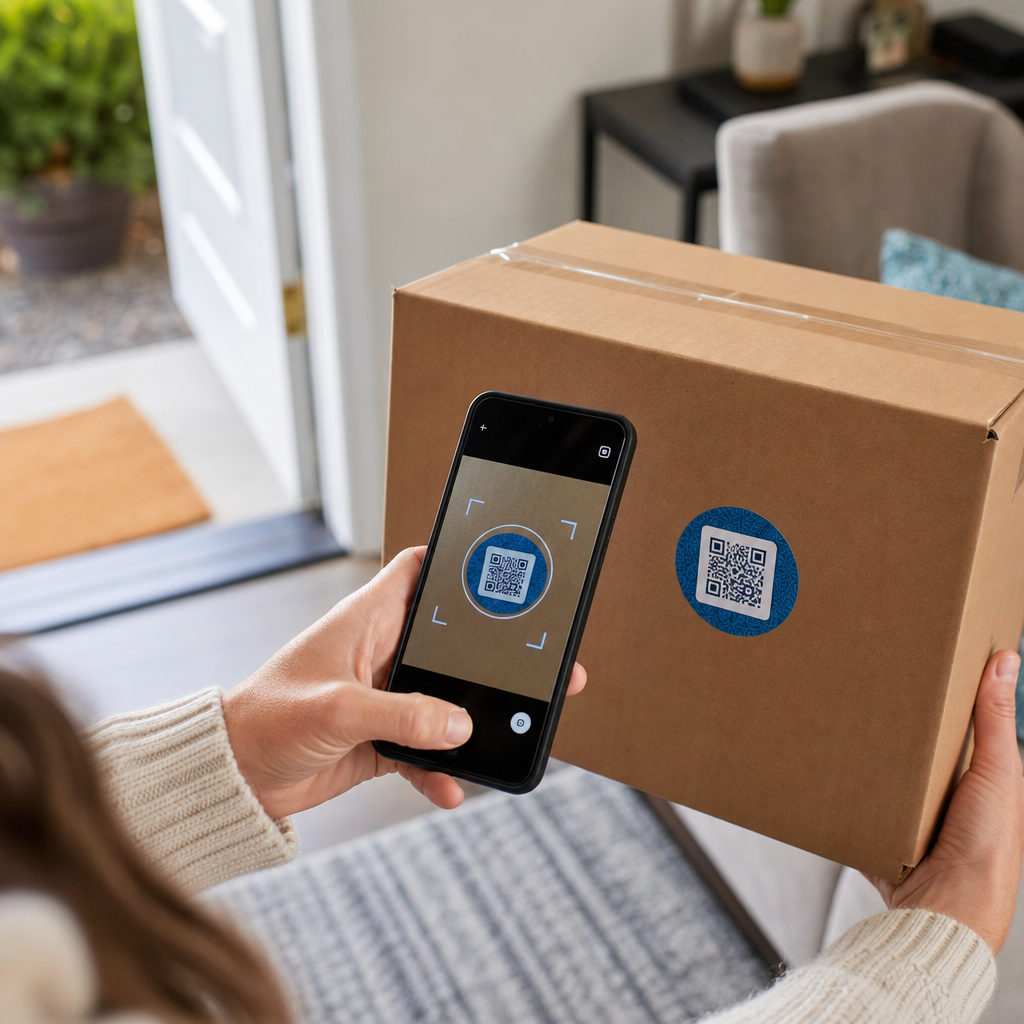
Jó helyek a QR-kódokkal történő hirdetéshez az üzletportálok, asztali displayek, nyugták, csomagküldő dobozok, rendezvénytáblák, kiállítási standok és a direkt marketing. Gyenge helyek közé tartozik minden mozgó dolog, minden szemmagasság feletti, és mindenhol, ahol nincs mobilszolgáltatás.
Beolvasások növelése cselekvésre ösztönző keretekkel
Egy kontextus nélküli kód nem ad okot az embereknek, hogy elővegyék telefonjukat. Helyezzen mellé egy rövid cselekvésre ösztönző felhívást. Működő példák: “Olvassa be a menü megtekintéséhez”, “Olvassa be asztalfoglaláshoz”, “Olvassa be 15% kedvezményért”, “Olvassa be vélemény írásához”. Helyezze a szöveget közvetlenül a kód fölé vagy alá, olyan méretben, amelyet az emberek ugyanarról a távolságról el tudnak olvasni, mint a kódot.
Egy logó középen segíthet az embereknek megbízni a kódban. Használjon egy QR kód generálás logóval, tartsa kicsin a logót, és tesztelje újra a kódot hozzáadása után. A rövid webcím kód alatti nyomtatása lehetőséget ad azoknak, akik nem tudnak beolvasni, hogy begépeljék azt.
QR-kód landing oldal bevált gyakorlatok
A legtöbb ember telefonon szkennel, egy kézzel, gyakran mobiladatot használva. A kód mögötti oldal dönti el, hogy a beolvasásból ügyfél lesz-e. Kövesse ezeket a QR-kód landing oldal bevált gyakorlatokat:
- Először telefonképernyőre építsen. Használjon nagy szöveget és nagy gombokat.
- Tedd gyorssá az oldalbetöltést. Használj kis méretű képeket, és kerüld a nehézkes előugró ablakokat vagy az automatikusan induló videókat.
- Egyeztesd a cselekvésre ösztönzést. Ha a tábla azt mondja, „Szkenneld be 15% kedvezményért”, mutasd meg a kedvezményt az első képernyőn.
- Helyezz el egy fő műveletet a görgetés felett, például egy gombot a kuponhoz, a foglaláshoz vagy a híváshoz.
- Tartsd röviden az űrlapokat. Kérj e-mail címet vagy telefonszámot, ne teljes profilt.
- Használj https-t, és győződj meg róla, hogy az oldal bejelentkezés nélkül is működik.
- Teszteld iPhone-on és Androidon is, mobil adatkapcsolaton keresztül, és ne csak az irodai Wi-Fi-n.
Elkötelezettség nyomon követése dinamikus technológiával
Egy statikus QR-kód a mintán belül tárolja a webcímet. Soha nem jár le, és bármilyen szolgáltatás nélkül működik, ami elegendő egy állandó linkhez, például egy Wi-Fi bejelentkezéshez vagy egy névjegykártyához. A korlát az, hogy nyomtatás után nem módosíthatja a címet. Ha az oldal áthelyezésre kerül, vagy egy ajánlat lejár, minden nyomtatott kód a régi oldalra mutat.
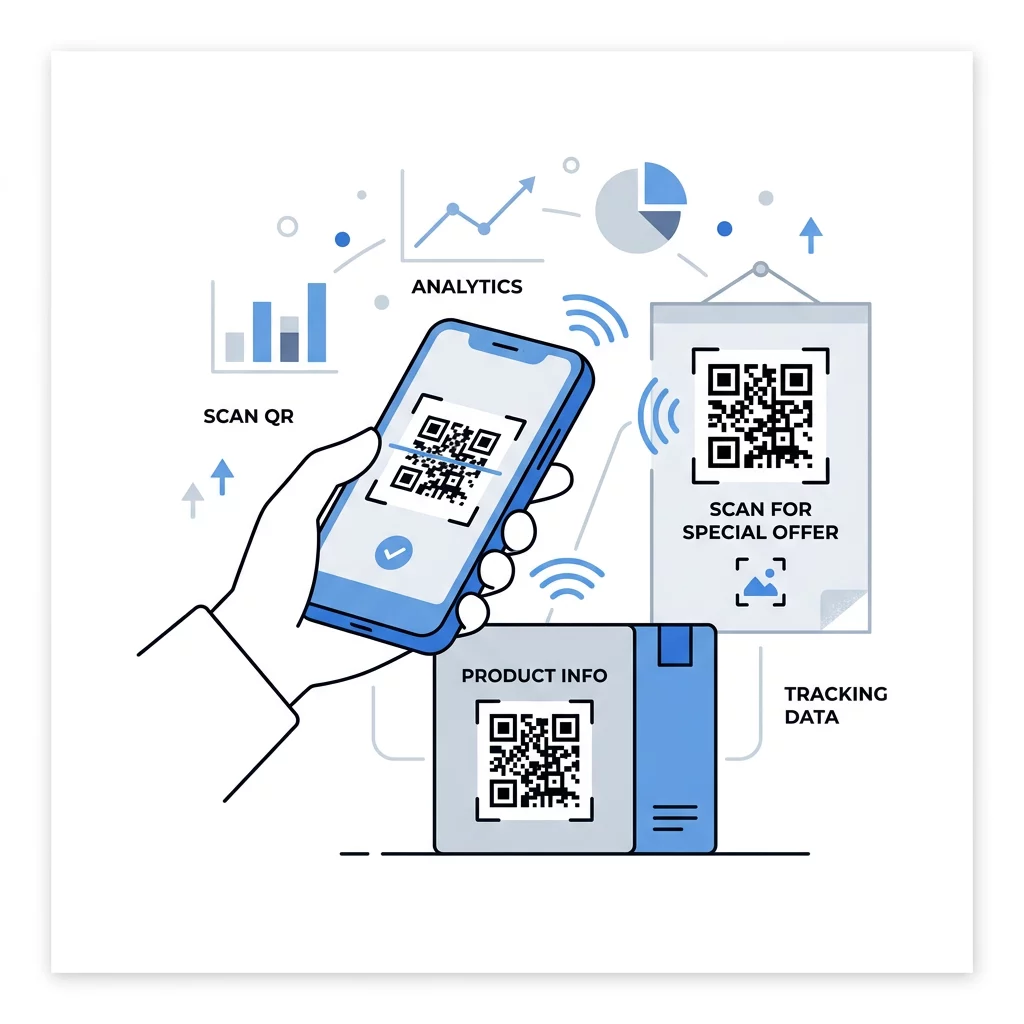
Egy dinamikus QR-kód egy rövid linkre mutat, amelyet bármikor átirányíthat, így a nyomtatott kód változatlan marad, miközben a célhely megváltozik. Rögzíti a beolvasásokat is, beleértve azt is, hogy mikor, hol és milyen típusú eszközön történt. Ez segít összehasonlítani egy szórólapot egy kirakati hirdetéssel, és megszünteti az újranyomtatási költségeket, ha egy kampány változik. Egy rövid link egyszerűbb, kevésbé sűrű mintázatot is eredményez, amely kisebb méretekben is könnyebben beolvasható.
A Pageloot dinamikus kódjaihoz 14 napos ingyenes próbaidőszak és 30 napos pénzvisszafizetési garancia jár a csomagokra, a csomagokat pedig itt tekintheti meg: pageloot.com/pricing. Egy havi vagy éves csomagon lévő dinamikus kód inaktívvá válik, amikor a csomag lejár, ezért válasszon dinamikus kódokat azokhoz a kampányokhoz, amelyeket folyamatosan futtatni szeretne.
Kampányteljesítmény nyomon követése Szeretné látni, mely anyagok generálják a legtöbb szkennelést? Használja a Dinamikus QR-kód generátor szerkeszthető kódok létrehozásához, a szkennelési elemzések áttekintéséhez és a cél URL-ek frissítéséhez újranyomtatás nélkül.
Összefoglalva: válasszon olyan méretet, amely illeszkedik a megtekintési távolsághoz, tartsa tisztán a csendes zónát, használjon magas kontrasztot, helyezze a kódot sima felületre szemmagasságban, és írjon egy cselekvésre ösztönző felhívást. Ezután tesztelje a nyomtatott próbadarabot a teljes nyomtatás előtt. Létrehozhatja és letöltheti a kódját a Ingyenes QR-kód generátor a Pagelooton.
Gyakori kérdések
Helyezze a kódot sima, matt felületre, kényelmes magasságba, kézben tartott elemek esetén legalább 2 x 2 cm méretben, négy modulnyi csendes zónával minden oldalon. Helyezze oda, ahová az emberek már amúgy is néznek, például egy szórólap végére vagy egy poszter középpontjába, és tegyen mellé egy rövid cselekvésre ösztönző felhívást.
Használjon sötét modulokat világos háttéren, tartsa a kódot négyzetes és torzításmentes formában, hagyjon legalább négy modulnyi csendes zónát, és tartsa a logót kicsinek és középre igazítva. Ne nyomtasson fényes vagy ívelt felületekre, és tesztelje a nyomtatott példányt több telefonon is.
A kézben tartott anyagok, például névjegykártyák praktikus minimális mérete 2 x 2 cm (0,8 x 0,8 hüvelyk). A távolról megtekinthető anyagok esetében alkalmazza a 10:1 szabályt: 1 hüvelyk kódszélesség minden 10 hüvelyk szkennelési távolságonként.
Adjon minden kódnak egy célt, irányítsa egy adott oldalra, amely megfelel a cselekvésre való felhívásnak, és helyezze szemmagasságba egy sík felületre. Használjon külön kódot minden elhelyezéshez, és hasonlítsa össze a beolvasások számát egy-két hét elteltével.
Egy oldal, amely gyorsan betöltődik telefonon, az első képernyőn mutatja a megígért ajánlatot, egyértelmű cselekvést kínál, és nem igényel bejelentkezést. Teszteld iPhone-on és Androidon mobiladat-kapcsolaton keresztül.
Igen, de tartsa a kódot kicsiben, és helyezze a felület leglaposabb részére. Ha a kód túl messzire tekeredik egy ív körül, a minta torzul, és a kamera nem tudja teljesen leolvasni.
Használjon dinamikus QR-kódot. A kinyomtatott minta változatlan marad, és Ön a fiókjában módosítja a célt. Egy statikus QR-kód nyomtatás után nem módosítható.
A leggyakoribb okok közé tartozik a túl kicsi kód, a hiányzó csendes zóna, az alacsony kontraszt, a fényes vagy ívelt felület, valamint az elmosódott, alacsony felbontású fájl. Nyomtasson egy nagyobb tesztpéldányt, és ellenőrizze ezeket a pontokat ebben a sorrendben.